Make it easy to book a treatment, consultation or service on your website. Customers choose a service and an available time, then send a request without creating an account.
See your bookings in one place and decide which requests to confirm. Email confirmations and reminders are included.
Free appointment booking on your own website. No license key or Pro subscription required.
Circumflex Booking does not create or reserve a booking URL. Add the [circumflex_booking] shortcode or booking block to a normal page and share that page’s URL with customers.
Help customers find a suitable time
Show available dates and times based on your opening hours. Customers can choose a practitioner when several are available, or ask for the first available.
Make services easy to choose
Present treatments, consultations and services with descriptions and prices. Put related choices into optional groups, or offer each service on its own.
Keep customers informed by email
Send an email when a request is received and processed, and remind the customer about the appointment. Adapt the wording to your business.
Let customers change their plans
A private link lets customers view a confirmed booking, request another time or cancel before the deadline you set.
Stay in control of your calendar
Approve or decline requests and see bookings in day, week or month views. A requested time is held while it awaits a decision.
Fit booking around your business
Choose opening hours, appointment lengths, breaks and deadlines. Add holidays, closures and extra hours for one practitioner or everyone.
A clearer working day for you and your team
Manage services, practitioners, availability and bookings in one place. Linked practitioners can handle their own assigned requests, while booking managers keep an overview of all requests.
Make it your own with free add-ons
Core works on its own for appointments. Free add-ons adapt the system for meeting rooms, training areas or events. Choose one booking setup per site. Pro can add extra features to a compatible setup.
-
Meeting Rooms: Find a suitable room by location, capacity, facilities and time.
-
Airspace: Reserve exercise areas and plan quiet breaks between flights.
-
Events: Create an inviting event page, offer different ticket types and accept individual and group bookings. Email QR tickets and check attendees in at the door. A free add-on. Automatic confirmation, email reminders and ticket recovery are included.
Need a different kind of booking? Have an idea for a new add-on, or a booking need your organization would like to solve? Tell us what you want to make possible. support@circumflex.no
Optional Pro add-on
Need sign-in, automatic approval or more notification channels? Pro is an optional add-on. Email confirmations and reminders are already included in the free plugin.
-
Email support and official Pro updates: Get help by email and new Pro versions directly in WordPress while your subscription is active.
-
Sign-in for the people who need access: Let people sign in through Microsoft, Google or another provider supporting OpenID Connect (OIDC). Choose which booking offers are open to everyone and which require sign-in or specific access. The provider must be configured first.
-
Automatic approval and completion: Choose which booking types can be confirmed automatically when the time is available. Mark confirmed bookings as completed after an interval you choose. Other requests can still be handled manually.
-
Customer SMS alongside email: Send confirmations and reminders by SMS and follow their delivery status. Sendberry is currently supported and requires a separate subscription. Other SMS providers can be supported on request.
-
Notify staff where they are: Give responsible staff booking alerts in Telegram or as browser notifications on connected phones and computers, in addition to email. Choose which notifications each person receives.
-
Follow up and invite feedback: Send a personal email or SMS after a completed booking. Thank the person for their visit and invite feedback or an honest review. You review the message and choose to send it. Recipients can opt out of future messages of this kind.
-
Understand the booking journey: See how far people get, where they leave and whether unavailable times or form problems create barriers. Data is stored anonymously in WordPress, without names, contact details, IP addresses, cookies or recordings.
This Pro overview covers appointments, meeting rooms and training areas. Events includes automatic confirmation, email reminders, staff access and ticket recovery without Pro.
Coming soon in Pro: Stripe payments for events, not available yet. Free event registration remains included in Events.
Privacy and External Services
The site’s database stores customer contact details, optional practical
comment, services, practitioner, appointment time, and customer-notice
snapshot. Internal notes are visible only to authorized roles.
By default, personal data is anonymized 365 days after a terminal status; the
period is configurable. Contact details, free text, customer tokens, and
identifying notification and audit data are removed. WordPress privacy export
and erasure are supported. Erasing an active booking keeps its reserved time.
Authorized administrators can generate local diagnostics that omit personal
data, free text, tokens, secrets, IP addresses, and site URLs. Nothing is sent
to Circumflex AS.
Cloudflare Turnstile
Cloudflare Turnstile is an
optional anti-spam service. It is disabled by default and requires Cloudflare
keys plus explicit administrator activation.
When enabled, the browser loads https://challenges.cloudflare.com. Cloudflare
processes signals including IP address, TLS fingerprint, User-Agent, site key,
and origin. WordPress sends the secret and response token to Siteverify but
does not explicitly add the visitor IP. Bookings fail closed if verification
cannot finish.
Review Cloudflare’s
Turnstile Privacy Addendum,
Privacy Policy, and
Terms before enabling the service.
The site owner must reflect this processing in the site’s privacy information.
Source Code
Source and build instructions are in the
public Forgejo repository.
Support
Use the Support tab for help. Product information is at
circumflex.no/circumflex-booking.
Never post customer data, private links, credentials, or health information.
Screenshots
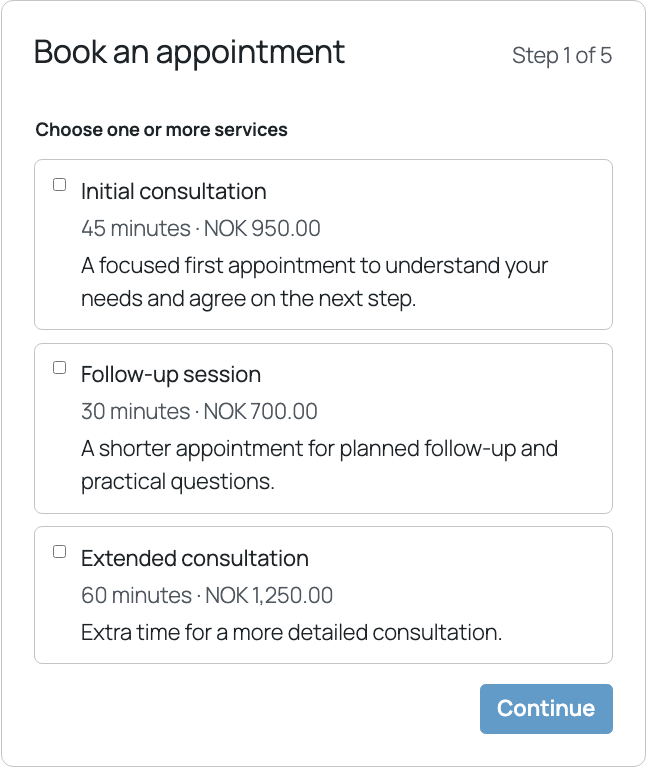
Customers start by choosing the configured number of services.
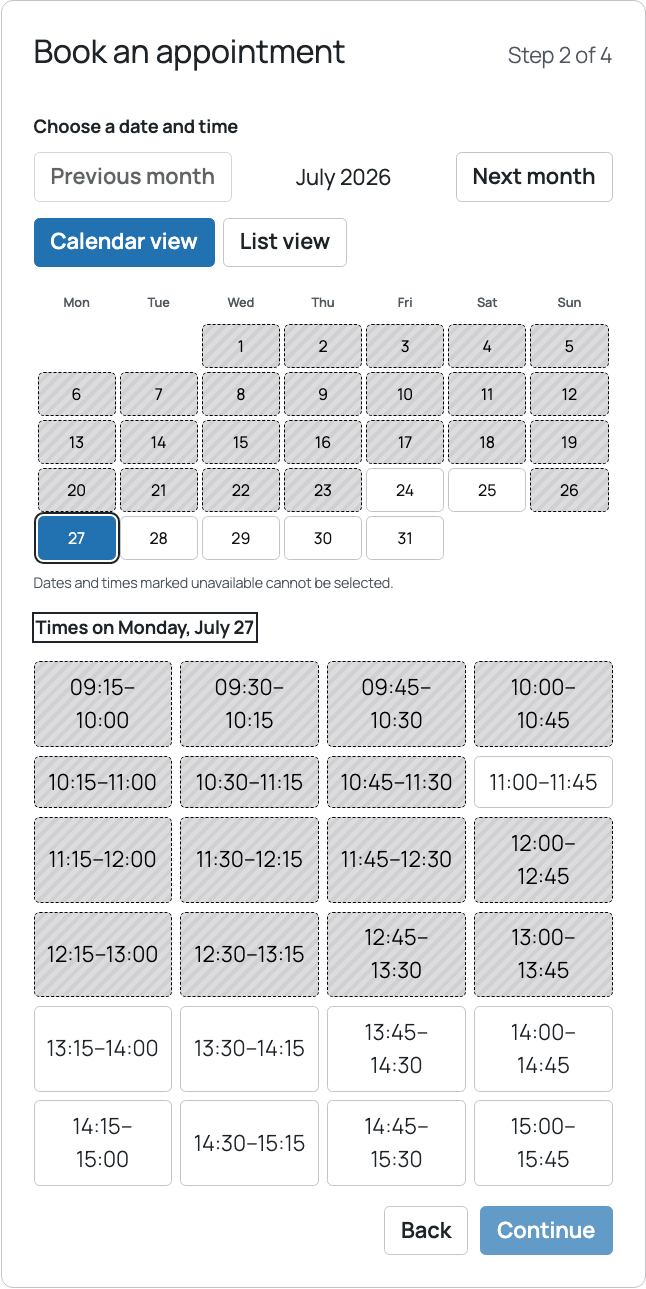
Calendar and list views show available times.
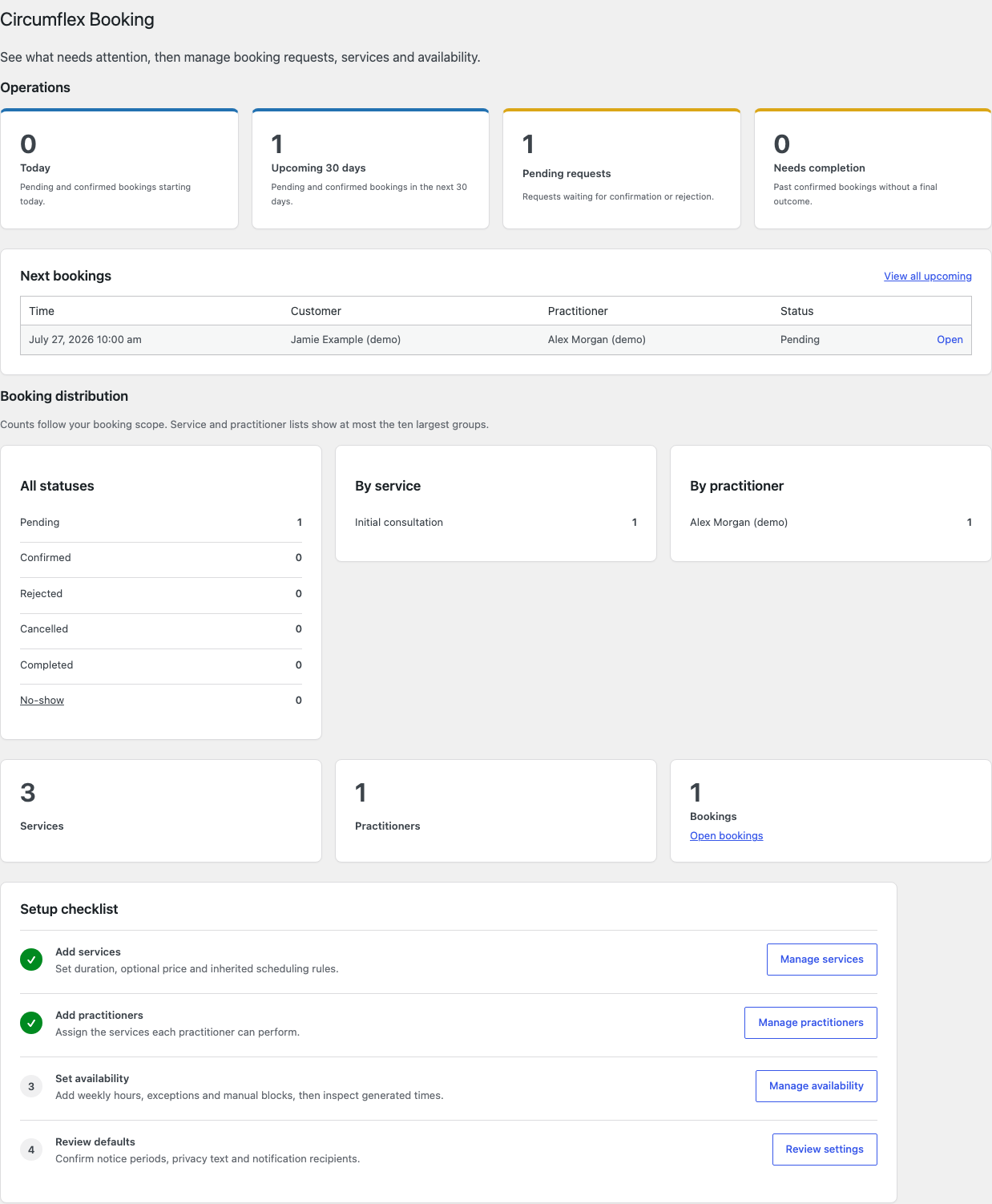
The dashboard summarizes pending and upcoming work.
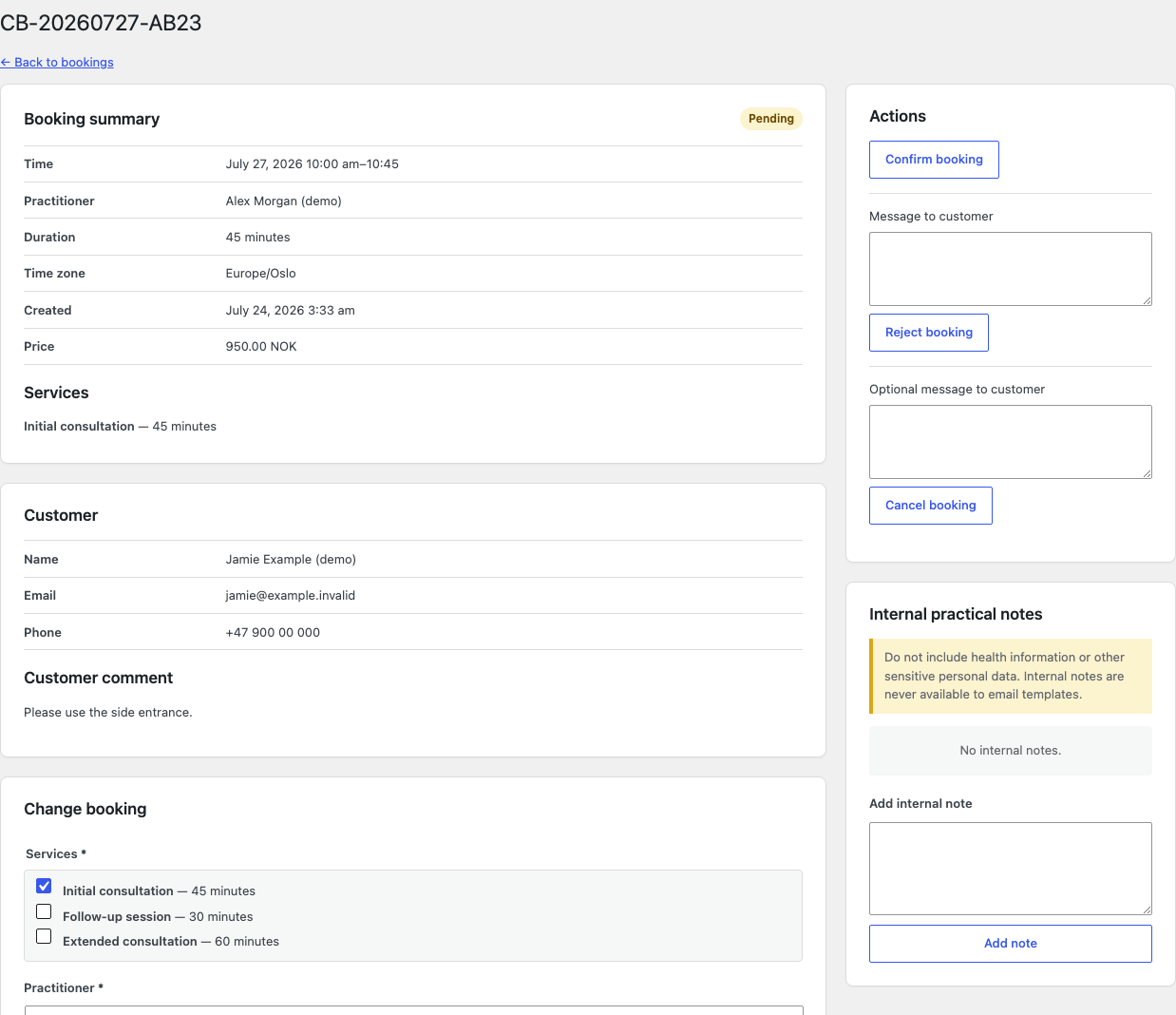
Staff review, approve, or reject a booking.

Weekly hours, exceptions, and blocks control availability.
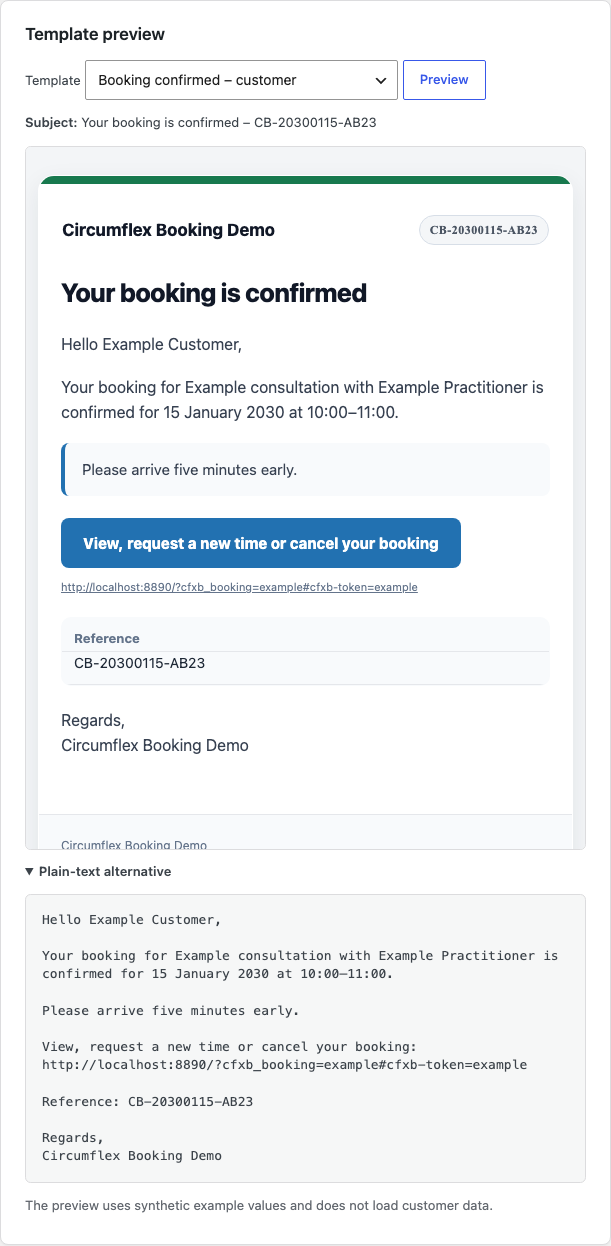
Notification previews show HTML and plain text.