Cloudy AI Chatbot adds a chat window to your site that answers visitor questions from a knowledge base you write. Your questions and answers are stored in your own WordPress database, and the chat is answered by the plugin itself on your server. Add as many entries as you like.
Each question is compared with your entries. When one clearly fits, your answer is sent word for word. When none fits well enough, the chat says it does not have complete information and offers your contact form and email, so it never guesses.
AI is used for AI based reports that provide you details every month automatically.
Add minimum of 15–20 knowledge base entries covering your business, products, services, pricing, FAQs and common customer questions. This helps your AI chatbot provide more accurate, relevant and consistent answers to visitors.
What you get
- A setup wizard that has the assistant answering in about ten minutes
- Questions and answers written in your own words, added one at a time or imported from a CSV file, with the other words visitors might use
- A tester that shows the reply a question gets and the entries closest to it, with a Teach button to link a visitor’s wording to the right entry
- Once enabled you can benefit from monthly AI based reports.
- 40 animated mascots, a set of emoji avatars, or your own image or logo, in 21 colour schemes
- Light and dark chat window, following the visitor’s device or set by you
- Launcher styles, an attention bubble, notification sounds and auto-open
- Replies typed out on screen or shown at once, and optional voice input
- Home screen cards, a scrolling announcement strip and promotions
- A contact form inside the chat, or another form plugin’s form shown there instead. Enquiries are saved in your database and emailed to you
- Analytics for the last 7, 30 or 90 days: chats, messages, questions asked and how each was answered, forms sent and forms left unfinished
- An optional monthly report, written for you, with the questions worth adding next (see External services)
- A performance page that measures whether the chatbot slows your site down
- Export and import your whole setup as one file
Where your data is kept
The knowledge base, the chat conversations, enquiries and analytics are stored in tables in your own WordPress database. Conversations are kept for 90 days. Visitors can clear their own conversation from the chat window.
Source code
The chat window is built with React. Its readable source is in the chat folder of this plugin, and npm install then npm run build in that folder rebuilds the files in public/chat.
Third-party code
- SweetAlert2 11.26.25 (MIT licence, https://github.com/sweetalert2/sweetalert2) for confirmation dialogs in the admin. The readable source is included next to the minified file in assets/js.
- React 18.3.1 and React DOM 18.3.1 (MIT licence, https://react.dev) and Lucide icons 0.562.0 (ISC licence, https://lucide.dev), bundled into the chat window.
Third-party data
- The related-words table in
includes/relatedlists, for common English words, the words closest in meaning. It was derived from GloVe 6B word vectors (Jeffrey Pennington, Richard Socher and Christopher D. Manning, 2014, https://nlp.stanford.edu/projects/glove/), released under the Open Data Commons Public Domain Dedication and License v1.0. Only the word lists are included, no vectors.
External services
The chat works without any outside service. The plugin contacts one service
only if you turn on the monthly report under Analytics, Monthly report, or
press the “Test” button under Settings, Account, Advanced.
CloudyWP report service
The monthly report’s written summary and its suggestions of questions to add
are written by the CloudyWP report service. Apart from the “Test” button
described below, nothing is sent until you tick the box to agree and turn the
report on, and you can turn it off at any time.
- When you turn the report on, your site name, domain and the email address
you enter are sent so the service can set up an account for this site. If the
domain already has one, the service checks that you control it: your site
creates a one-time token, sends it, and the service asks your site’s REST API
(/wp-json/cloudywp-ai/v1/claim-token) to confirm it. The endpoint exists only
during that check, only confirms a token the caller already holds, and the
token expires within two minutes. - Once a month, and when you press “Write this report now”, the month’s totals
(questions asked, how many were answered, enquiries, chats opened, entries in
your knowledge base) and the text of the questions visitors asked, most asked
and unanswered, are sent with the site’s secret key. Email addresses and phone
numbers in those questions are removed before sending. The service writes the
summary and does not store what was sent. - The “Test” button under Settings, Account, Advanced checks that the service
can be reached, even with the report off. It sends a plain request with no
site data in it; like any WordPress request, it carries the default
WordPress user agent, which includes your site’s address.
The service is operated by CloudyWP at https://cbb.cloudywp.online.
Terms and conditions: https://aichatbot.5eves.com/terms/
Privacy policy: https://aichatbot.5eves.com/privacy-policy/
Screenshots
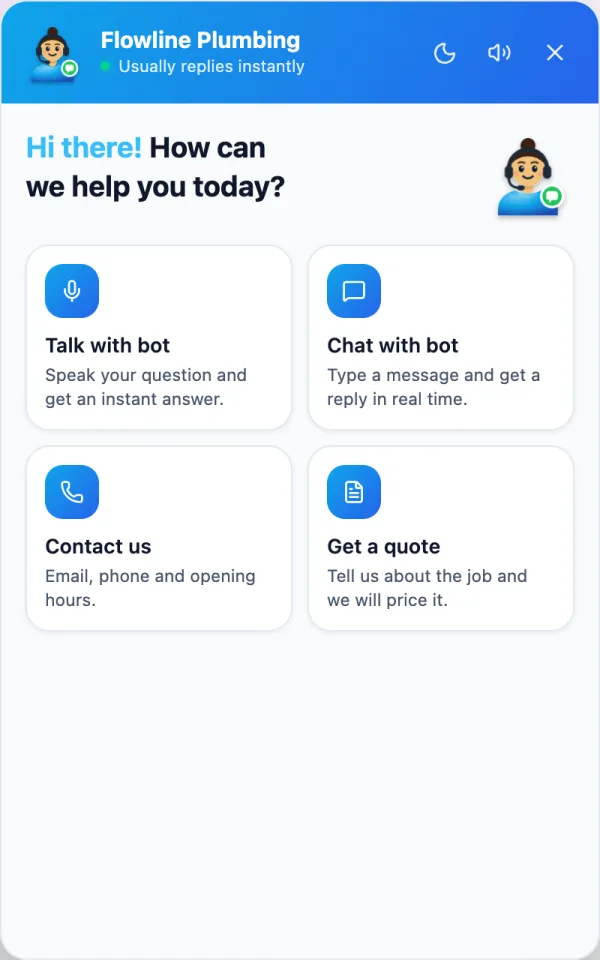
The chat window on a site, with the home screen cards.
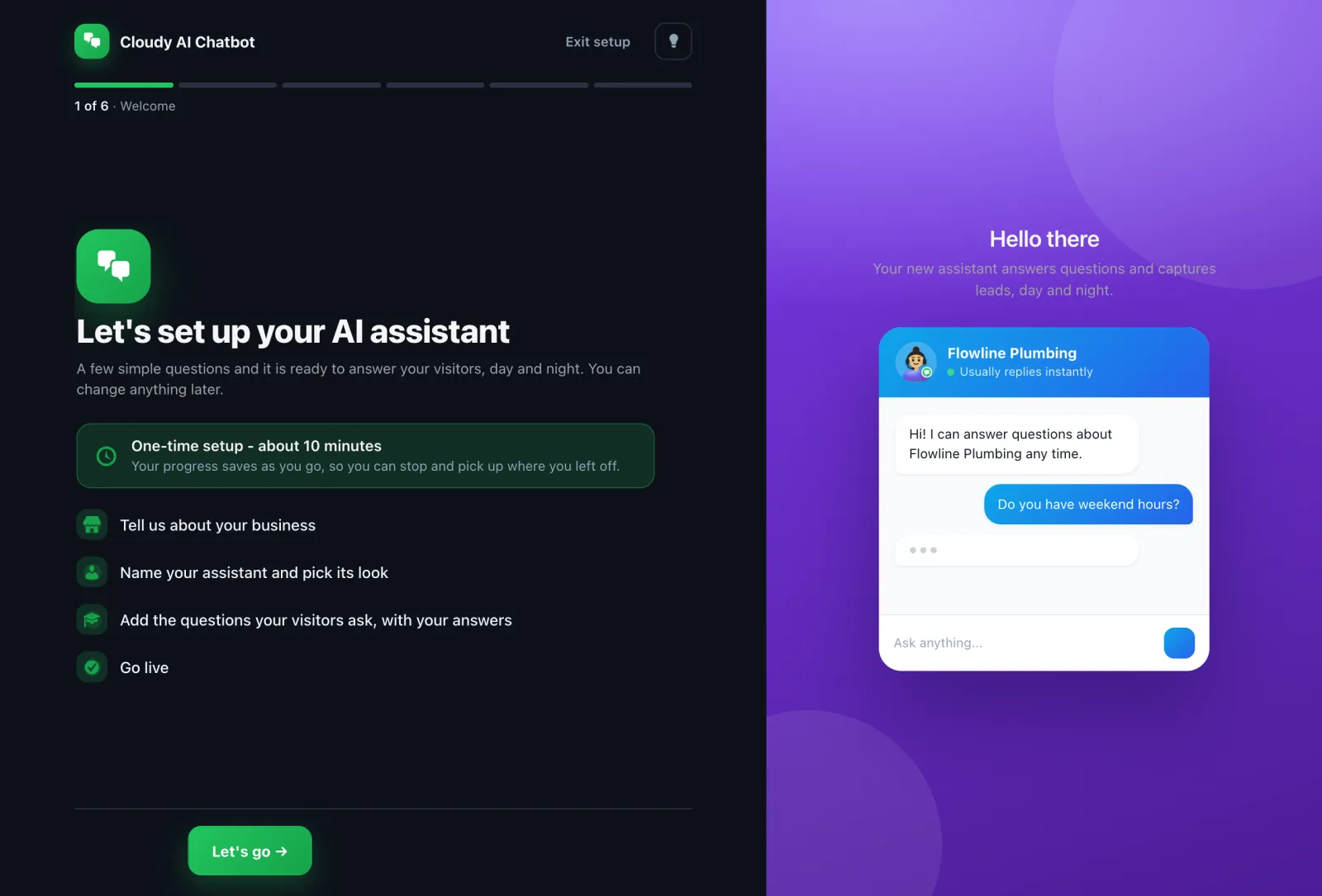
The setup wizard.
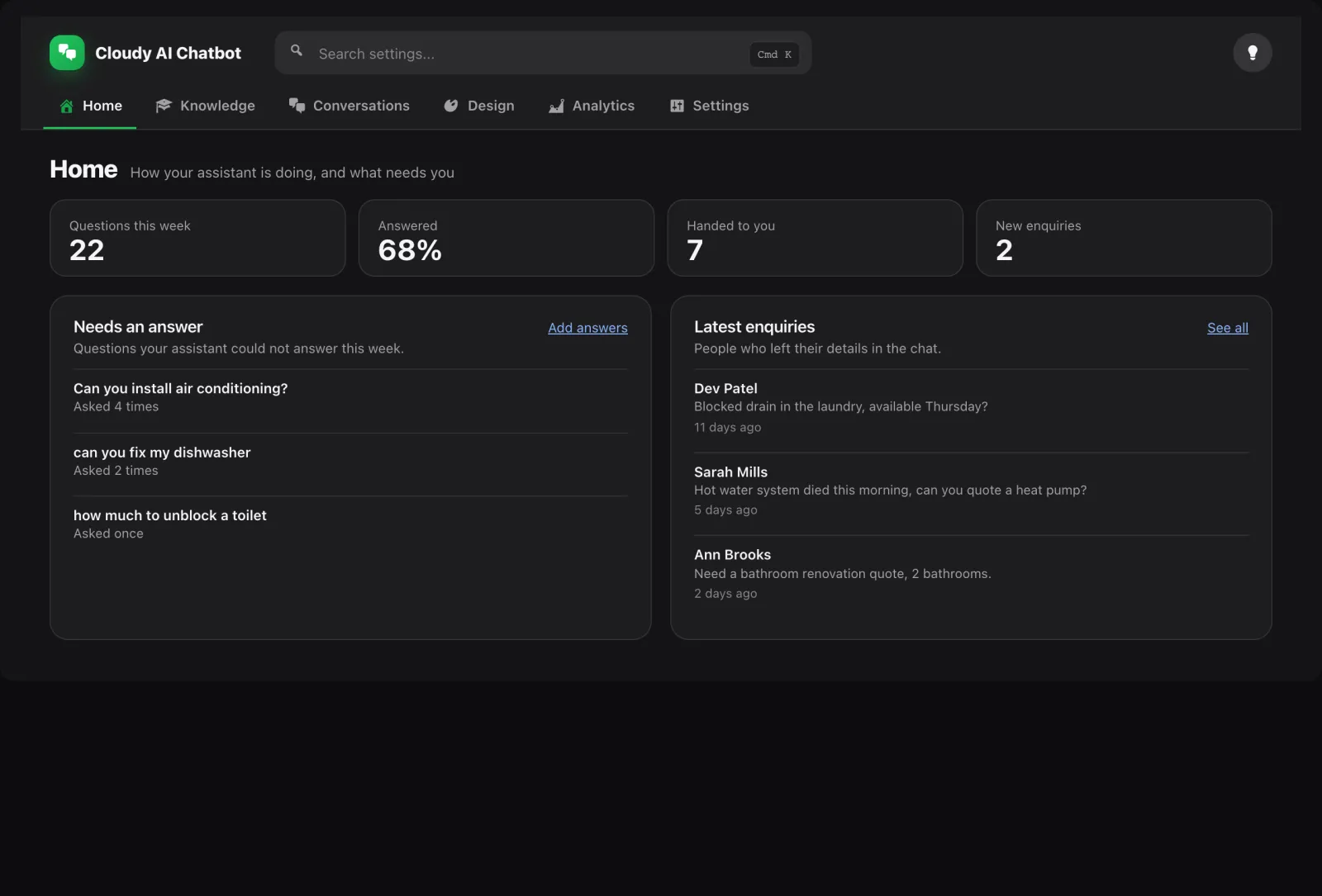
Home, with this week's numbers and the questions that need an answer.
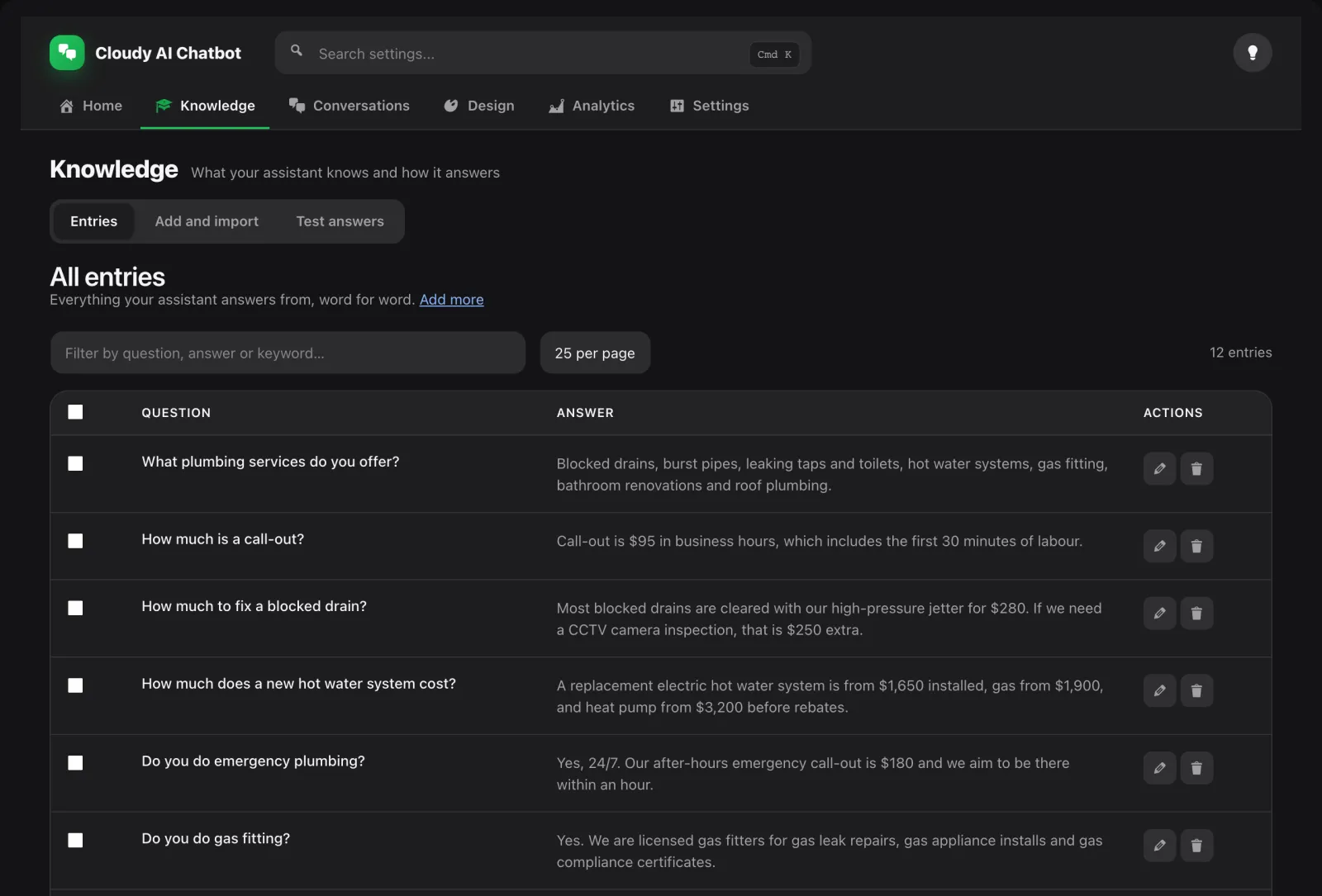
Knowledge, where you add and test answers.

Design, with the avatar picker open.

Analytics, by day, page and device.