
Codiffy Tiered Pricing for WooCommerce rewards customers who buy more. Set a lower price per item when a customer buys 10, 50 or 100 of a product, and show a clear bulk pricing table on the product page so they can see what they save.
For example: a mug costs $12, from 10 mugs it costs $10 each, and from 50 mugs there is 15% off. The cart picks the right price automatically.
It is ideal for wholesalers, print shops, coffee roasters, craft and party suppliers, and any store that sells consumables in volume.
Features
- Price tiers: each tier has a minimum quantity and either a fixed price per item or a percentage discount.
- Per product, per variation or by rule set:
- on a simple product (General tab);
- on a variable product, for all its variations at once;
- on a single variation, which overrides the product’s tiers;
- with rule sets (WooCommerce > Tiered Pricing) for whole categories or chosen products, with a priority.
- Clear precedence: tiers on the variation, then on the product, then the highest-priority matching rule set.
- Correct cart prices: tier prices are calculated on the server for every cart line, in both the classic and the block cart and checkout. A tier price is never below zero and never higher than the normal price.
- Count quantity per cart line, or per product: for example 6 small + 4 large T-shirts can count as 10.
- Sale prices: apply tiers to the sale price, or switch tiers off while a product is on sale.
- Bulk pricing table on product pages (Quantity | Price per item | You save), above or below the Add to cart button. The active tier is highlighted as the customer changes the quantity, with an optional live “Total for 10 items” line.
- Variable products: the table follows the chosen variation.
- “From” price in shop and category lists (optional): “From $10.00”.
- Works with block themes (Twenty Twenty-Five and other block themes) and classic themes.
- Checks your input: tiers are sorted by quantity when you save; duplicate or invalid rows are refused with a clear message.
- Shop managers can manage rule sets and settings.
- Lightweight: no external services, no tracking, and the table files load only on product pages that show a table.
How it works
- Edit a product. In Product data > General, find Tiered pricing.
- Add a row for each tier, for example 10 – Fixed price per item – 10 and 50 – Percentage discount – 15.
- Update the product. The pricing table appears on the product page and the cart uses the tier prices.
To give a whole category the same discounts, go to WooCommerce > Tiered Pricing > Add rule set.
Developers
The filter codiffy_tp_tiers lets you change the tiers used for a product or variation.
About Codiffy
Codiffy Tiered Pricing is built and maintained by Codiffy, a WordPress and WooCommerce development studio. Need a custom pricing rule for your store? Get in touch.
Screenshots
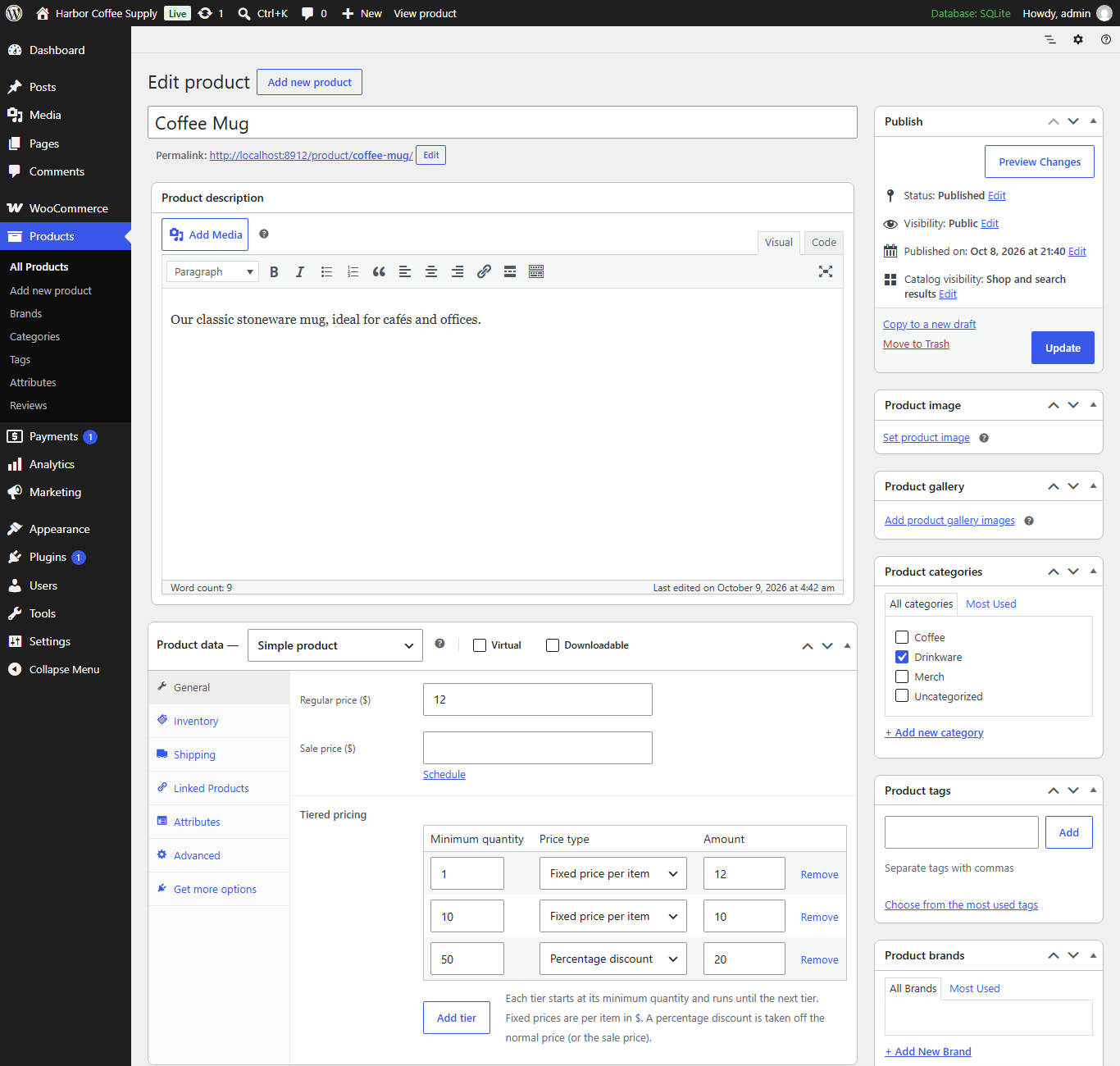
Tiered pricing rows in the product editor's General tab.
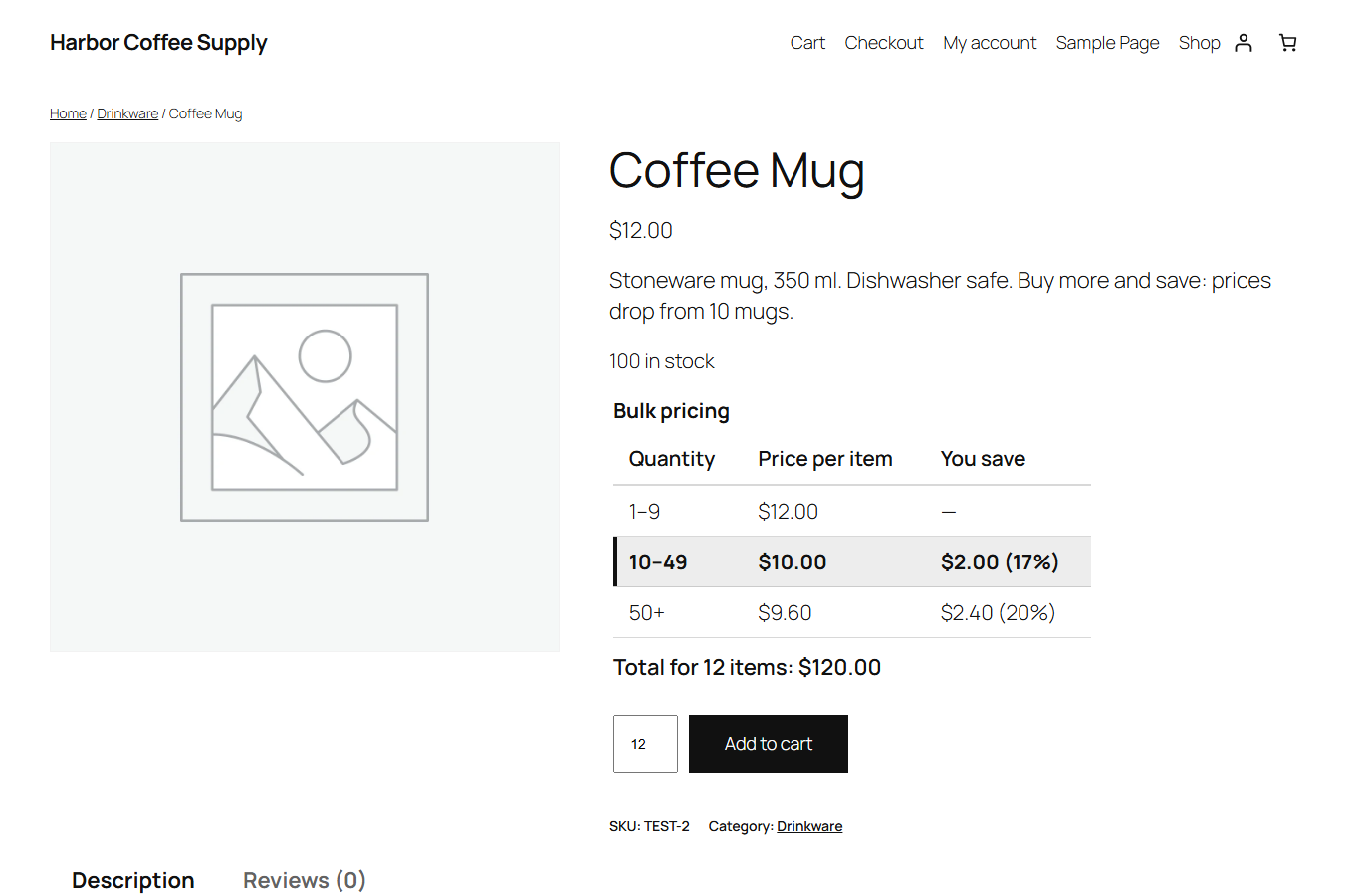
The bulk pricing table on a product page, with the active tier highlighted and the live total.
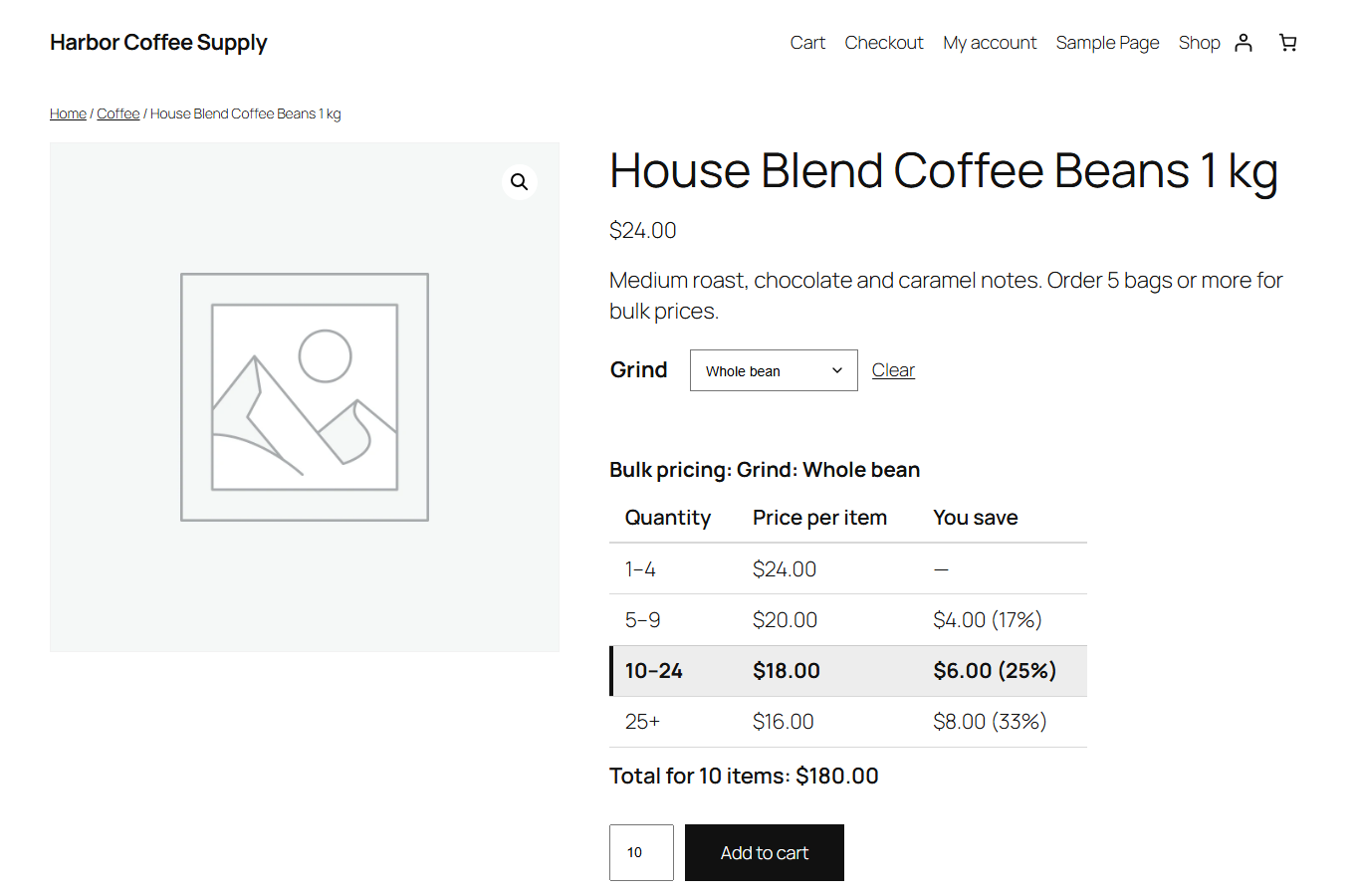
A variable product: the table follows the chosen variation.
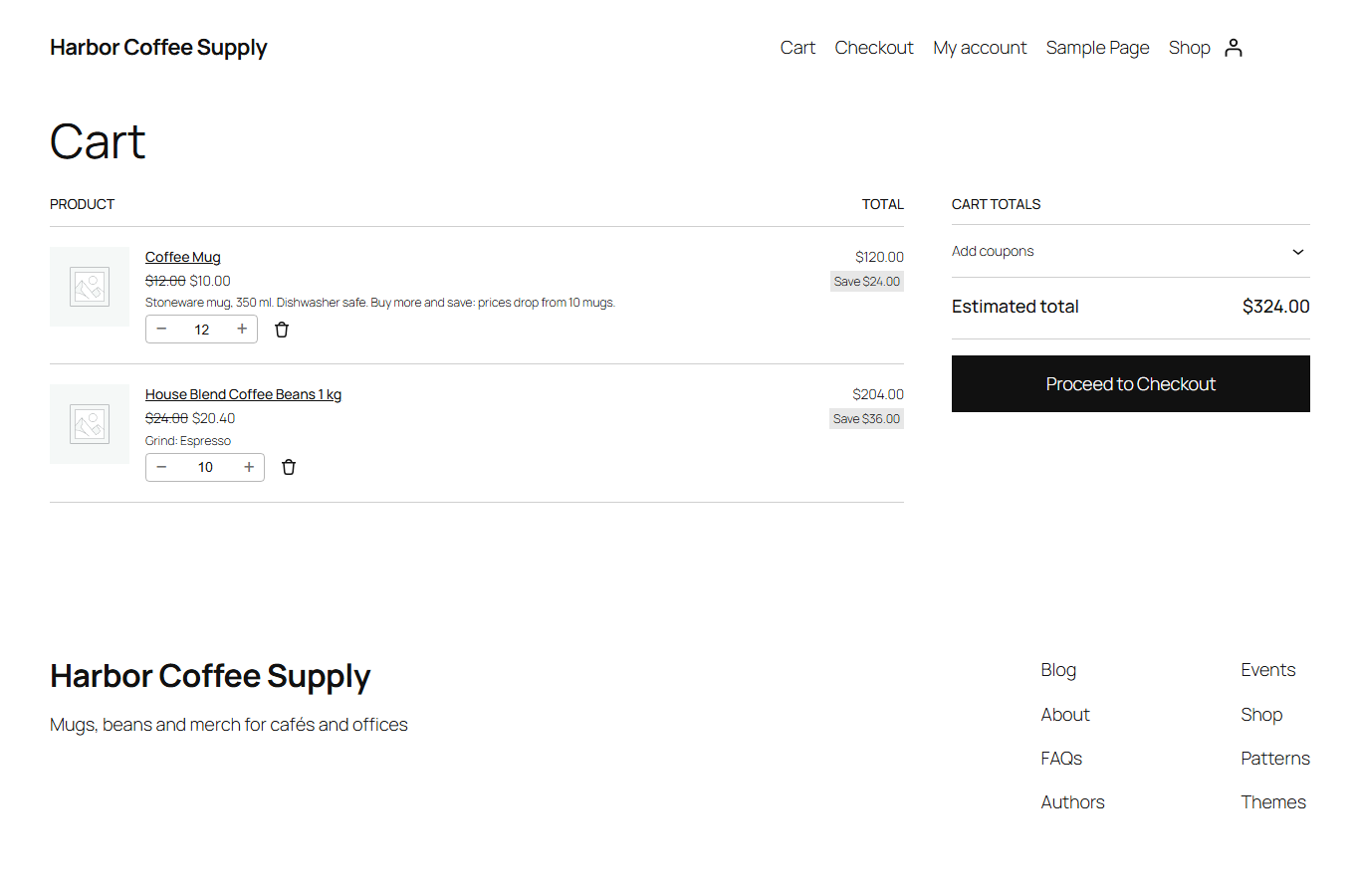
The cart uses the tier prices automatically.
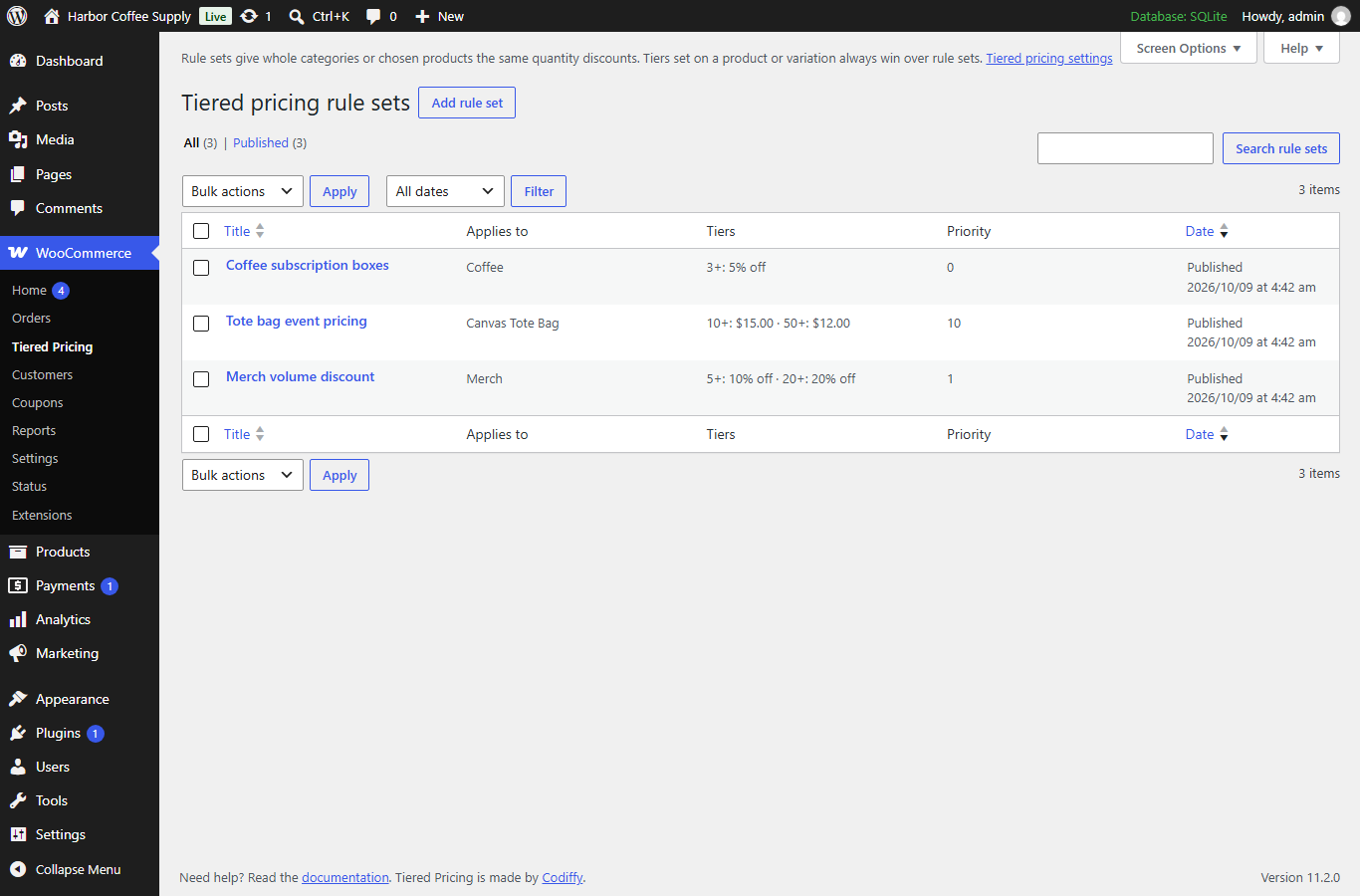
Rule sets (WooCommerce > Tiered Pricing) apply tiers to whole categories or chosen products.
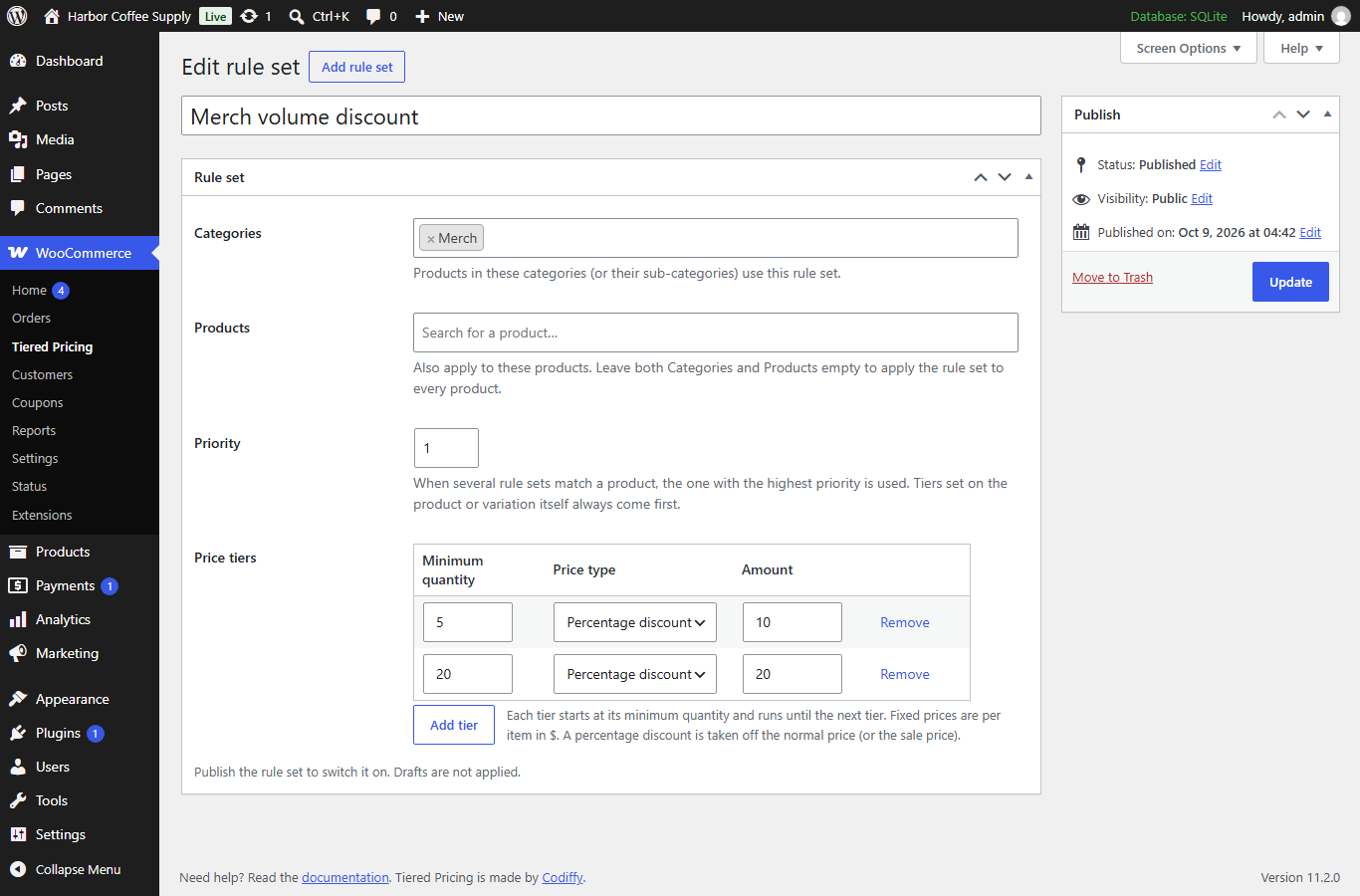
Editing a rule set: categories, products, priority and tiers.