
Coffield.io – AI Chat Agent adds an AI-powered chat bubble to your WordPress site that answers visitor questions, captures leads, and books appointments – without writing a single line of code.
Set up in 60 seconds
- Sign up at coffield.io and create your agent.
- Generate a claim code in your Coffield.io dashboard.
- In WordPress, go to Settings Coffield.io and paste the code.
- Click Save & Connect. The chat bubble appears site-wide.
That’s it. No JavaScript snippets, no <script> tags to paste into your theme.
What it does
- AI chat bubble on every public page, configurable from your Coffield.io dashboard
- Lead capture with custom fields (name, email, phone, anything you want)
- Appointment booking – the agent can offer time slots and confirm bookings
- WooCommerce-aware – when WooCommerce is active, the plugin reports this capability in its heartbeat for future connector features
- Self-monitoring – heartbeat health checks let you see in your dashboard if your site is connected
- GDPR compliant – lead data stored on your Coffield.io tenant; you control retention
Why Coffield.io
- Tenant isolation by default. Your conversations, leads, and knowledge base never mix with other companies’ data.
- You own the conversation log. Every visitor message is stored on your tenant and exportable.
- Real platform integrations. Hand off bookings to your calendar, leads to your CRM, support tickets to your Kanban board.
- Plain pricing. Starter, Growth, and Pro plans with a 14-day free trial. No setup fees.
External services
This plugin connects your WordPress site to coffield.io (the SaaS that powers the chat). Specifically:
- When you paste a claim code, the plugin contacts
https://coffield.io/api/agent/claimto redeem the code. It sends your claim code and site domain. - The plugin then calls
https://coffield.io/api/agent/package/exchangeto provision an install UUID and secret. It sends platform metadata (plugin version, WordPress version, PHP version). - Every 5 minutes the plugin sends a signed heartbeat to
https://coffield.io/api/agent/package/heartbeatreporting plugin/runtime status (plugin version, PHP version, WordPress version, manifest hash, WooCommerce capability flag). - The chat script (
agent.js) is loaded by your visitors’ browsers directly fromhttps://coffield.io. Visitor messages do not pass through this plugin.
Screenshots
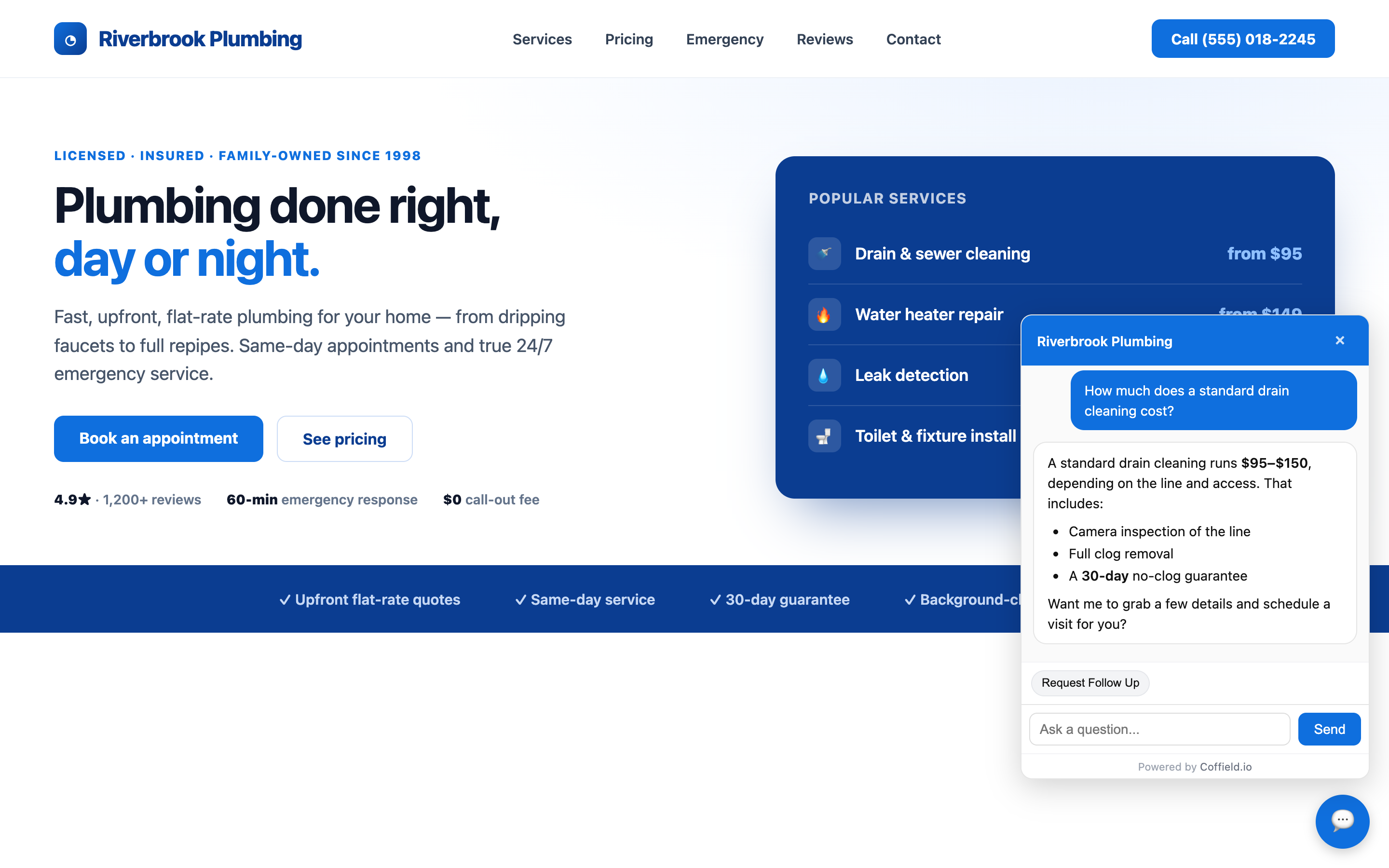
The Coffield.io AI chat agent answering a visitor question on a live WordPress site — with rich formatting and a natural follow-up.
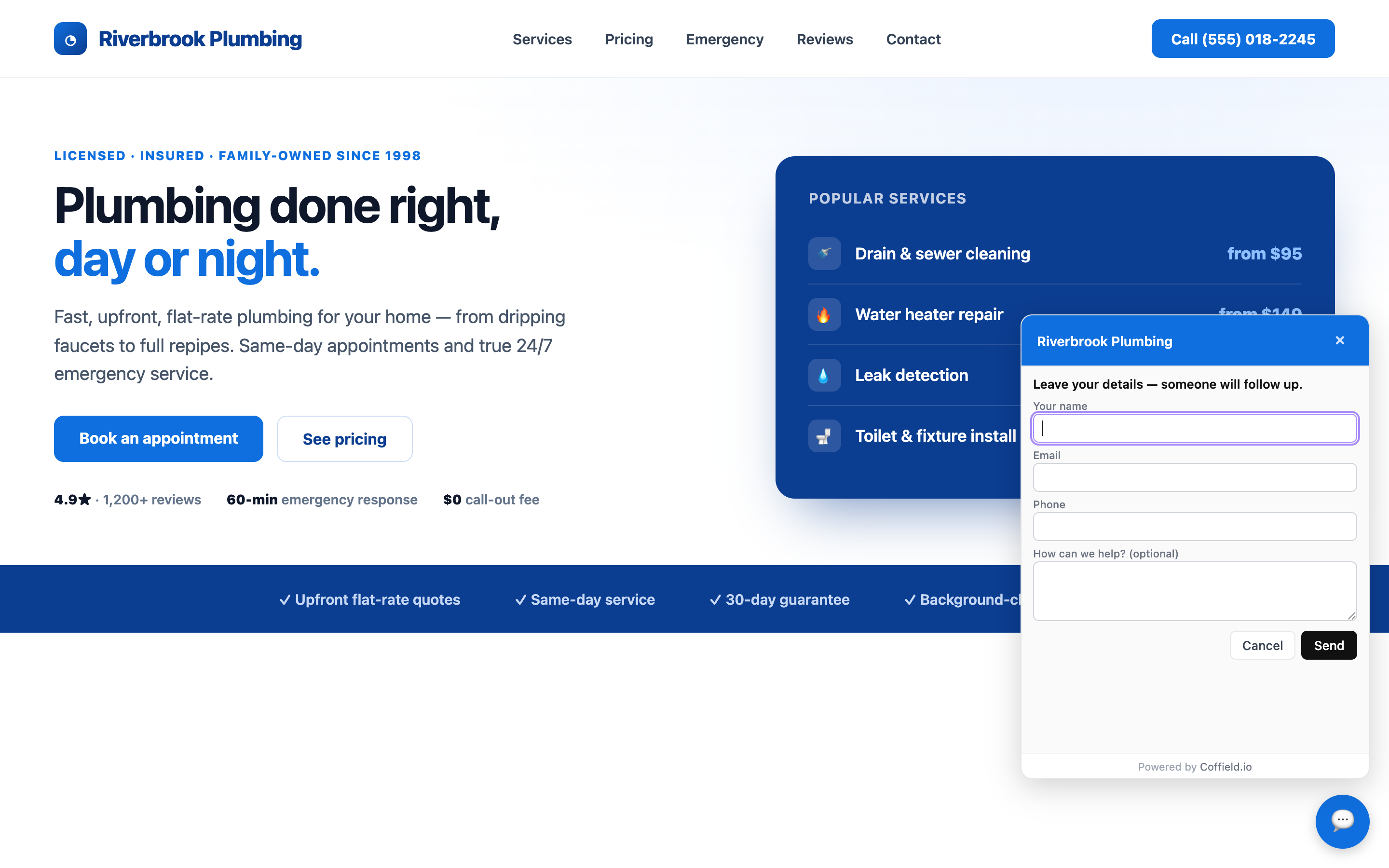
Built-in lead capture: visitors leave their name, email, and phone so a human can follow up.
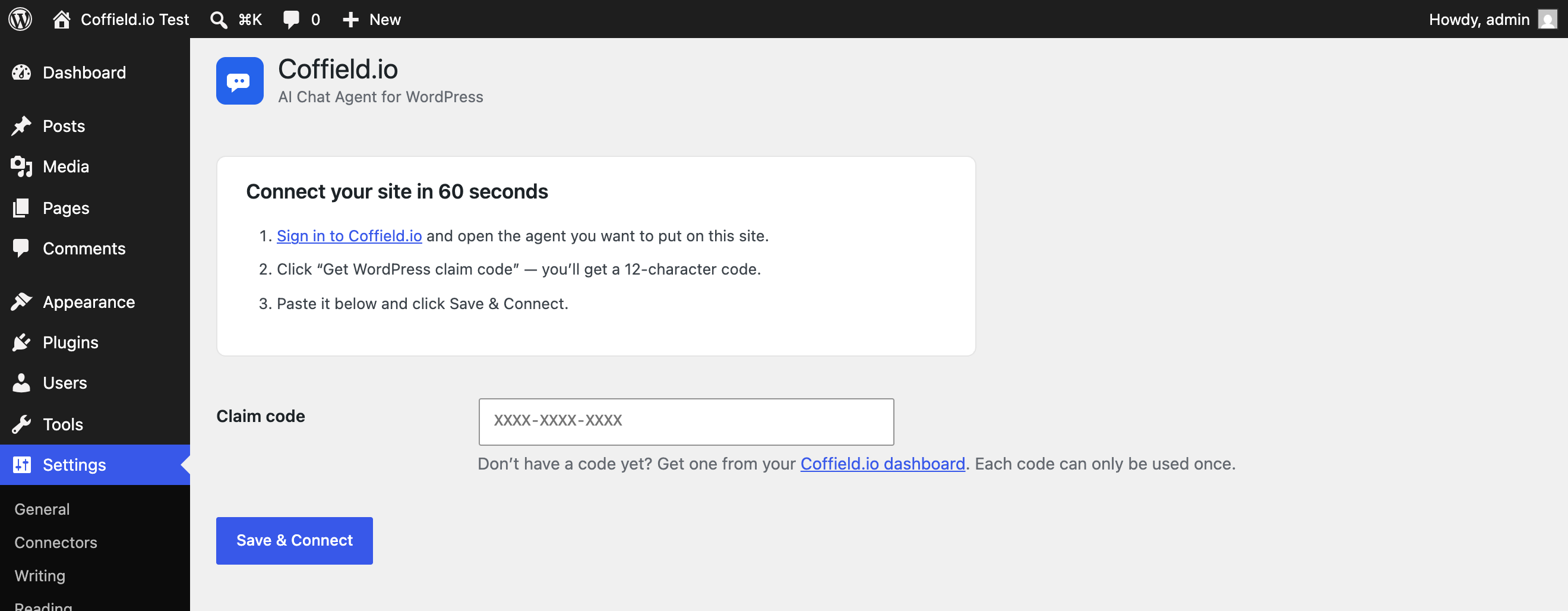
Setup in under a minute — paste your claim code and click Save & Connect. No theme editing.
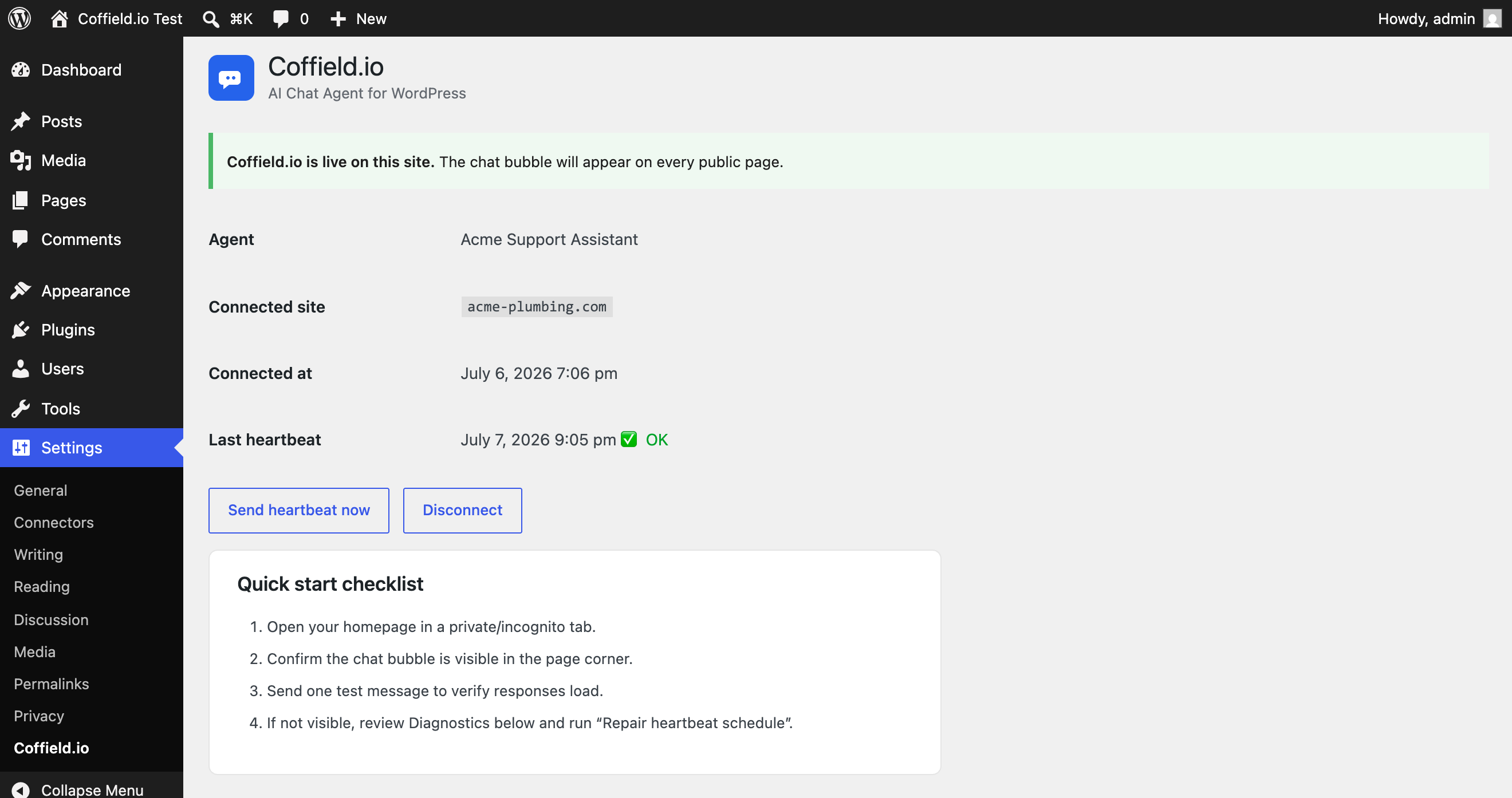
Connected status showing the agent name, live heartbeat health, and one-click disconnect.