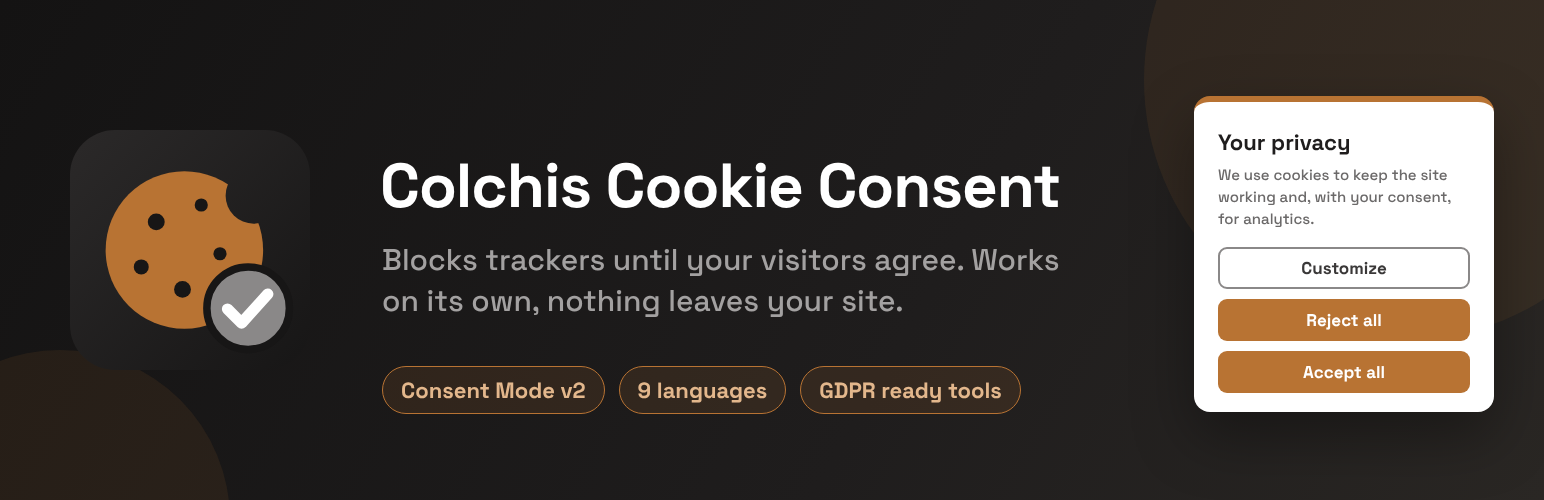
Colchis Cookie Consent shows a cookie banner and blocks analytics, advertising and other trackers until the visitor agrees. It works completely on its own: after you activate it, the plugin does not contact any Colchis server and loads all its files from your own site.
- Automatic blocking of trackers before consent, both on the server (in the page HTML) and in the browser
- Known embeds (YouTube, Google Maps, social widgets) wait for consent too
- Google Consent Mode v2
- The visitor’s choice is remembered in the visitor’s browser, also in Safari for the full period
- Compatible with common caching and optimization plugins (the script is marked so they leave it alone)
- The banner speaks your site’s language by itself — English, Georgian, Russian, German, French, Spanish, Italian, Polish or Dutch
- Its own place in the WordPress menu, with the banner message in one simple field; the wording of every other text is under “Advanced customization”
- Any other language too: write the banner texts yourself and they are used as they are
- No account and no subscription: blocking, the banner and Consent Mode are free and stay free
Optional: connect to the Colchis service. If you want a dashboard, a scan that lists the cookies your site really uses, banner colours and layout set in the dashboard, a log of consents as proof, or (on the Pro plan) a site in several languages where every page shows the banner in its own language, press Connect to Colchis on the plugin’s page (Colchis Cookies in the left menu of WordPress). You sign in or create a free Colchis account and approve there; the dashboard shows a 6-digit code. You come back to the plugin’s page, type the code and press Link this site: your site is added automatically and there is no DNS record, file or tag to add. The banner on your site then becomes the Colchis service’s own banner: the part that shows it (texts, styles and dialogs) is loaded from the service, while the script that blocks trackers always stays a file of this plugin on your own site. Connecting is the only thing that makes this plugin, or your visitors’ browsers, contact a Colchis server (see “External services” below), and you can disconnect on the same page at any time.
Credit. This plugin never adds a credit or link to your site. On the free plan of the Colchis service, the service’s banner (used only after you connect) shows a small “Powered by ColchisLab” line in the banner and in its cookie settings window, which a paid plan can remove; the plugin’s page says so next to the Connect button and on its Help & data tab.
External services
This plugin works without any external service. Everything below happens only after the site owner presses “Connect to Colchis” on the plugin’s page (Colchis Cookies in the left menu of WordPress). After installation and after every update the site is not connected; until it is, neither the plugin nor the visitor’s browser makes any request to the addresses below. “Disconnect this site” on the same page puts the site back in that state.
The Colchis service is provided by Colchis lab LLC (ColchisLab), Tbilisi, Georgia, on servers in Germany. The addresses cdn.colchislab.com and api.colchislab.com are served through Cloudflare.
Terms of service: https://colchislab.com/terms/
Privacy policy: https://colchislab.com/privacy-policy/
Connecting the site (api.colchislab.com and app.colchislab.com)
What it is for: linking this site to a Colchis account without anything to copy or paste, and making sure that the site is linked to the account of the person who administers it and to nobody else.
What is sent and when:
- When the site owner presses “Connect to Colchis”: from your WordPress server to api.colchislab.com, the site’s address, a one-way fingerprint (SHA-256) of a random secret that stays on your site, the address of the plugin’s page in your WordPress admin (so that the dashboard can send the owner back there) and the plugin version. Then the owner’s browser opens app.colchislab.com, where the owner signs in or creates a free account and approves. The request number is in the part of the address after the # sign, which browsers do not send to a server.
- After the owner approves, the Colchis service checks that the site is the owner’s: its server requests one address of the site,
/?colchis_connect=followed by a code, and the plugin answers it with a short text that only this plugin can give. The plugin answers that address only while a connection that the owner started is waiting for an approval. - While a connection is waiting for an approval (a request runs out after a short time, normally 15 minutes): your WordPress server asks api.colchislab.com whether somebody has approved, sending the request number and the random secret. It does this every few seconds while the plugin’s page is open in the owner’s browser, and from time to time through WP-Cron. The answer, when somebody has approved, contains the email address of the approving Colchis account with part of it hidden (for example g***i@example.com), never the code. The plugin shows it on its page as information and stops asking.
- The administrator then decides on the plugin’s page. The Colchis dashboard showed a 6-digit code to the browser that approved; the administrator types it into the plugin’s page and presses “Link this site”. That sends the request number, the random secret and the typed code to api.colchislab.com once more; only if the code is the right one is the site linked to that account. After five wrong codes the request is deleted. “Cancel” sends the request number and the random secret to api.colchislab.com to delete the request, and nothing is linked. Nothing is linked without this decision and without the code, so a connection link that falls into the wrong hands cannot be used to take a site.
- After the connection, the Colchis service scans the public pages of the site from its own servers to list the cookies they set, and shows the list in the dashboard (the “cookie scan”). It sends nothing from your WordPress server for this.
The owner can also choose “I already added this site in the dashboard” on the Help & data tab, for a site that cannot be connected automatically (for example one without https://). Pressing that button sends one thing: the site’s domain name, to download the banner settings described under “Colchis platform API” below. From then on the site counts as connected and the rest of this section applies.
Colchis banner interface (cdn.colchislab.com)
What it is for: on a connected site the cookie banner is the Colchis service’s own banner, so that its design and texts can be managed in the Colchis dashboard (app.colchislab.com). The interface file of the banner (its texts in nine languages, styles and dialogs) is loaded from the service. The script that blocks trackers is not: it is the file assets/cookie-banner.min.js inside this plugin, served from your own site whether or not the site is connected, so trackers stay blocked even if the service cannot be reached.
What is sent and when: when the banner, its settings window or the notice on a blocked embed has to be shown (for a new visitor that is the first page view), the visitor’s browser downloads that one interface file from cdn.colchislab.com. Like any web server, the CDN receives the visitor’s IP address, the browser name and the address of the page.
Colchis platform API (api.colchislab.com)
What it is for: applying the banner settings made in the Colchis dashboard, and keeping a log of consents as proof of consent.
What is sent and when:
- When a visitor opens a page and the copy of the banner settings in the page is more than ten minutes old, or there is none (a page that came from a page cache, for example): the visitor’s browser requests the banner settings for the site’s domain name, at most once every 10 minutes per visitor (when there is an older copy in the page, after the page has loaded). If “Regional rules” are switched on in the dashboard, the browser also asks the service which region the visitor is in (the country is worked out from the IP address and is not stored).
- When a visitor makes a choice (accept, reject or custom): the site’s domain, a random anonymous visitor ID, the choice and its version, the language, the address of the page (without its query part) and the Global Privacy Control signal. The service also records the browser name and a shortened, one-way hashed form of the IP address; the full IP address is not part of the consent record.
- From your WordPress server, when you open the plugin’s page and once a day: the site’s domain name, to check whether the domain is registered.
- From your WordPress server, through WP-Cron, at most once every ten minutes while the site has visitors: the site’s domain name, to download the banner settings you made in the dashboard (a few kilobytes of public settings: colours, texts, categories, your own blocking rules). The plugin keeps this copy in one option of your WordPress database and writes it into your pages next to the banner script; it is deleted when you disconnect the site or delete the plugin. Nothing about your visitors is sent. A failed request is not repeated for five minutes.
In every case the service’s server logs keep the IP address for a limited time (at most about five weeks) for security and abuse prevention.
Tracker addresses listed in the plugin
The plugin contains a list of addresses of third-party trackers and embeds, such as connect.facebook.net, googletagmanager.com, google-analytics.com, maps.googleapis.com and youtube.com (in includes/trackers.php and assets/src/cookie-banner.js). These are not services the plugin uses: the plugin never contacts them and sends them nothing. It only uses the list to recognise those trackers in your pages and hold them back until the visitor has agreed.
Source code
The files assets/cookie-banner.min.js and assets/cookie-banner-ui-1.min.js are minified. Their readable source ships with the plugin, in assets/src/ (cookie-banner.js and cookie-banner-ui.js), and nothing else is needed to read or change them.
Each minified file is built from the source next to it with one command, and its first line records the SHA-256 of the exact source it was built from, so the two can always be checked against each other:
npx terser assets/src/cookie-banner.js -c -m --comments false -o assets/cookie-banner.min.js

npx terser assets/src/cookie-banner-ui.js -c -m --comments false -o assets/cookie-banner-ui-1.min.js
Screenshots

The banner as a visitor sees it, with a link to your privacy policy. Trackers stay blocked until the visitor chooses.
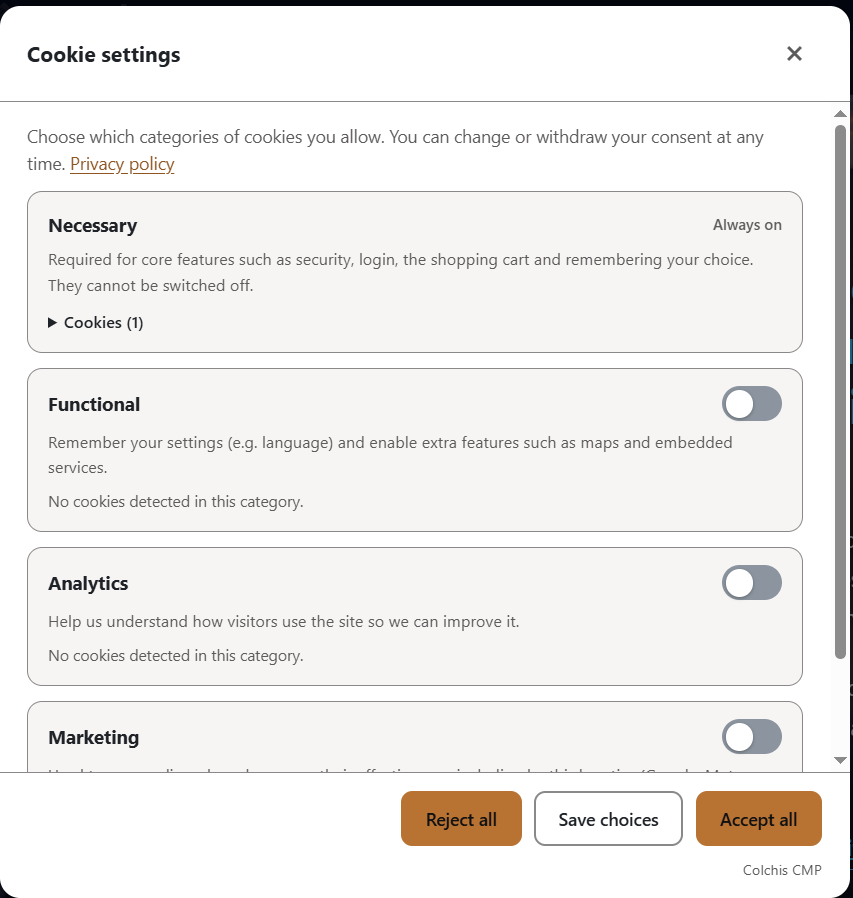
The settings window, where the visitor turns categories on or off and can see the cookies found in each one.
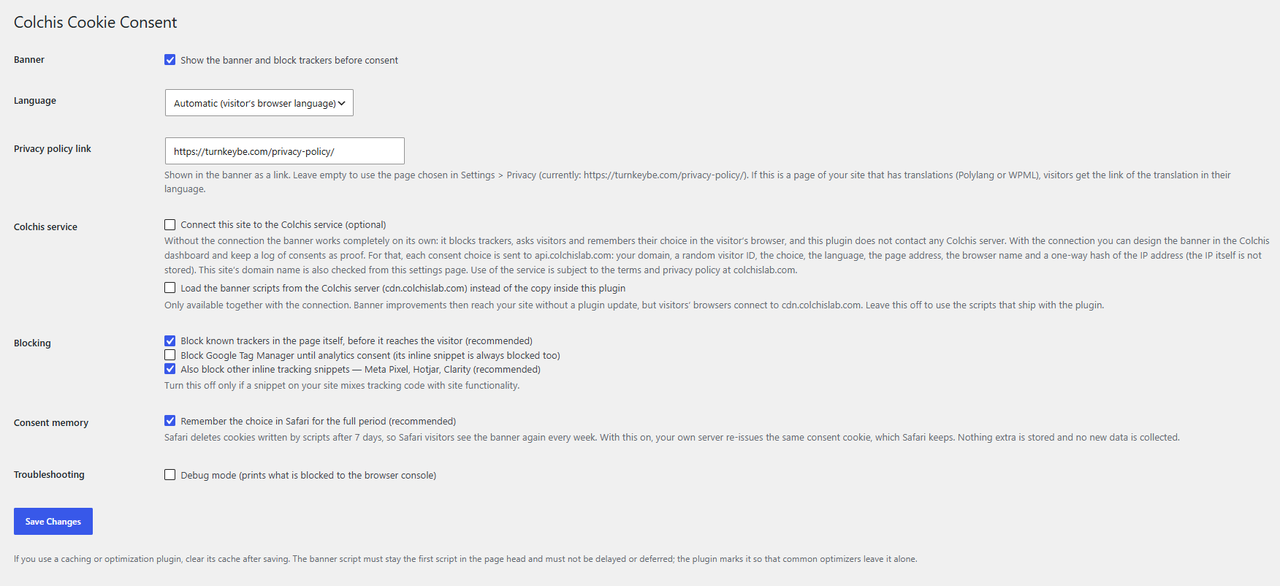
The plugin's own page in the WordPress menu: what the plugin does now at a glance, and the Connect to Colchis button. Nothing is sent to Colchis until you press it.