
Collapse Magic provides an easy way to display (collapsible) read-more text on a page. This plugin is an alternative to other plugins like collapse-o-matic and can be used as a direct replacement without the need for any changes to page content.
Features
- Easy to implement
- Configurable expand and collapse labels
- Configurable up and down arrows
- Adjustable visible text height in the collapsed state
- Adjustable fade-out text visible in the collapsed state
- Unfortunately this plugin does not support Accelerated Mobile Pages (AMP)
Background
Collapse Magic provides an easy way to display (collapsible) read-more text on a page. Also, display a few lines of text and add read-more or expand text.
This plugin was developed when a cross-site scripting vulnerability was identified in collapse-o-matic. This plugin can be used as a direct replacement to collapse-o-matic. There is no need for any on-page changes to be made for the plugin to be used as a replacement.
Set-up
- Install the plugin
- Set any parameters from the admin Settings menu.
- Place text between [magic_expand][/magic_expand] tags or between [expand][/expand] for the toggle to work.
- Include alternate ‘read-more’ text if this is required in the shortcode as [magic_expand title=”NEW READ-MORE TEXT”].
- Use alternate ‘read-less’ text if this is required in the shortcode as [magic_expand swaptitle=”NEW READ-LESS TEXT”].
- Toggle button to set the default location of the expand / collapse label to above or below the section.
- Single click disable button to switch off the shortcodes and show the full text.
Shortcode Parameters
- Read-more / expand label – ‘title’. Example [magic_expand title=”–more–“].
- Read-less / collapse label – ‘swaptitle’. Example [magic_expand title=”–more–” swaptitle=”–less–“].
- Position of the expand label – ‘pos’. Example [magic_expand pos=”above”] or [magic_expand pos=”below”]
Credits
This plugin was inspired by the approach used by:
– Nelson Miller: How To Expand And Collapse Text In Divi: the jQuery code was modified for this plugin.
Screenshots

Sample shortcode including the expand title (title) and the collapse (swaptitle) attributes.

Alternative notation for the shortcode where 'magic_expand' is replaced by 'expand'.

Text displayed on the front-end (collapsed).

Text displayed on the front-end (expanded) when the read-more text is clicked. Notice that any content can be used between the shortcode tags.

Settings Menu values. The default values, icons and displayed text values can be set on the Settings menu. Notice the 'enabled' button can be used to switch the plugin off.
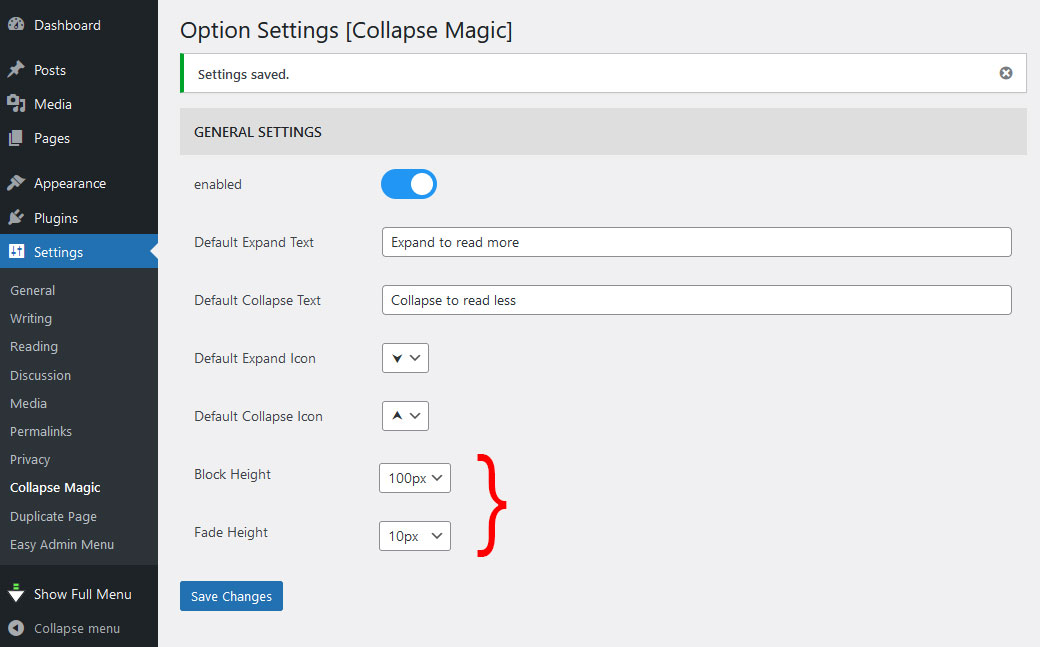
Changing the block height and the fade height changes the way the text is displayed.

The content display fades to the read-more link when the Block Height and Fade Height values are increased.
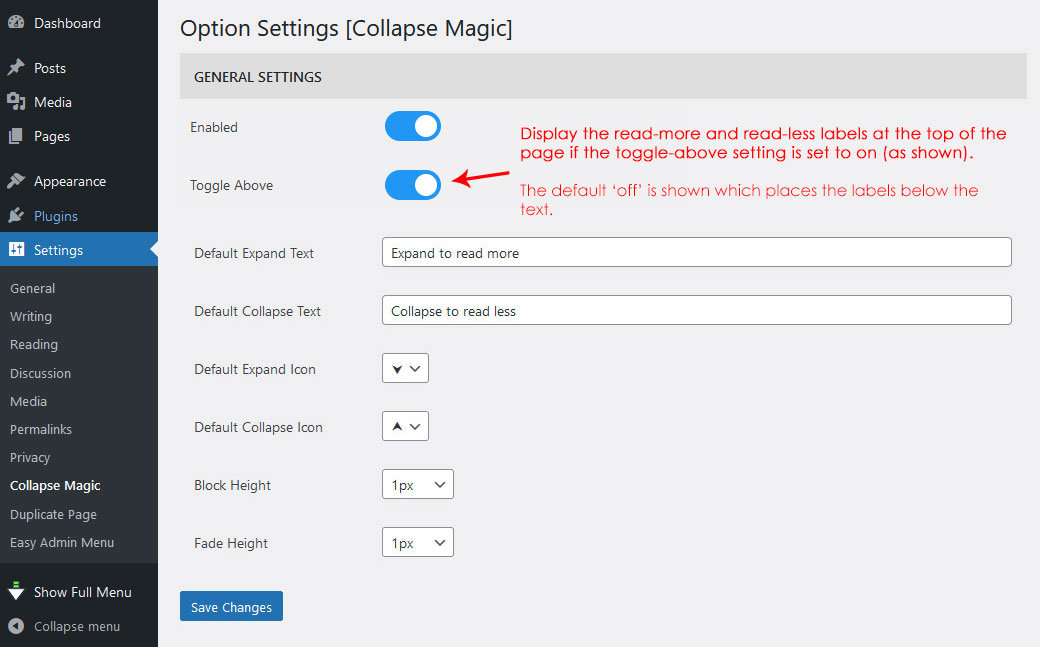
Set the 'Toggle Above' switch to 'on' to place the 'read-more' and 'read-less' text above the text. This also disables the scroll to top.
