BACK TO DIRECTORY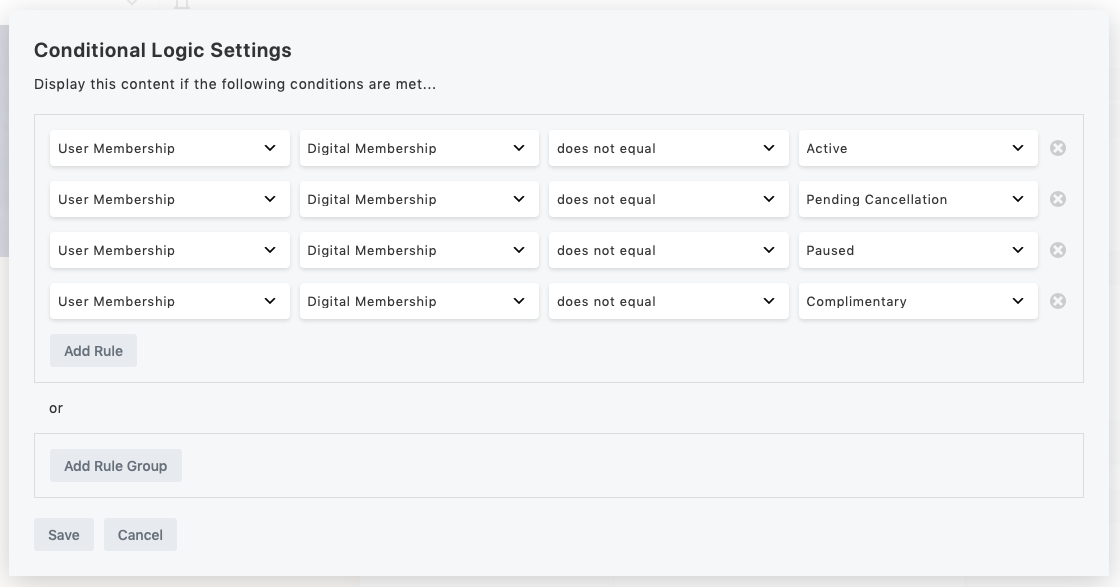
If you use WooCommerce Memberships and Beaver Builder’s Beaver Themer, you will want to use this plugin. It enables you to have blocks that use conditional logic to display different content depending on the visitor’s membership status.
To use:
- Edit a page in Beaver Builder.
- Click on a block.
- Go to the Advanced tab and choose Conditional Logic from the Display menu.
- Click Open Conditional Logic Settings
- Define your rule by selecting “User Membership” and then choose the plan that you are checking.
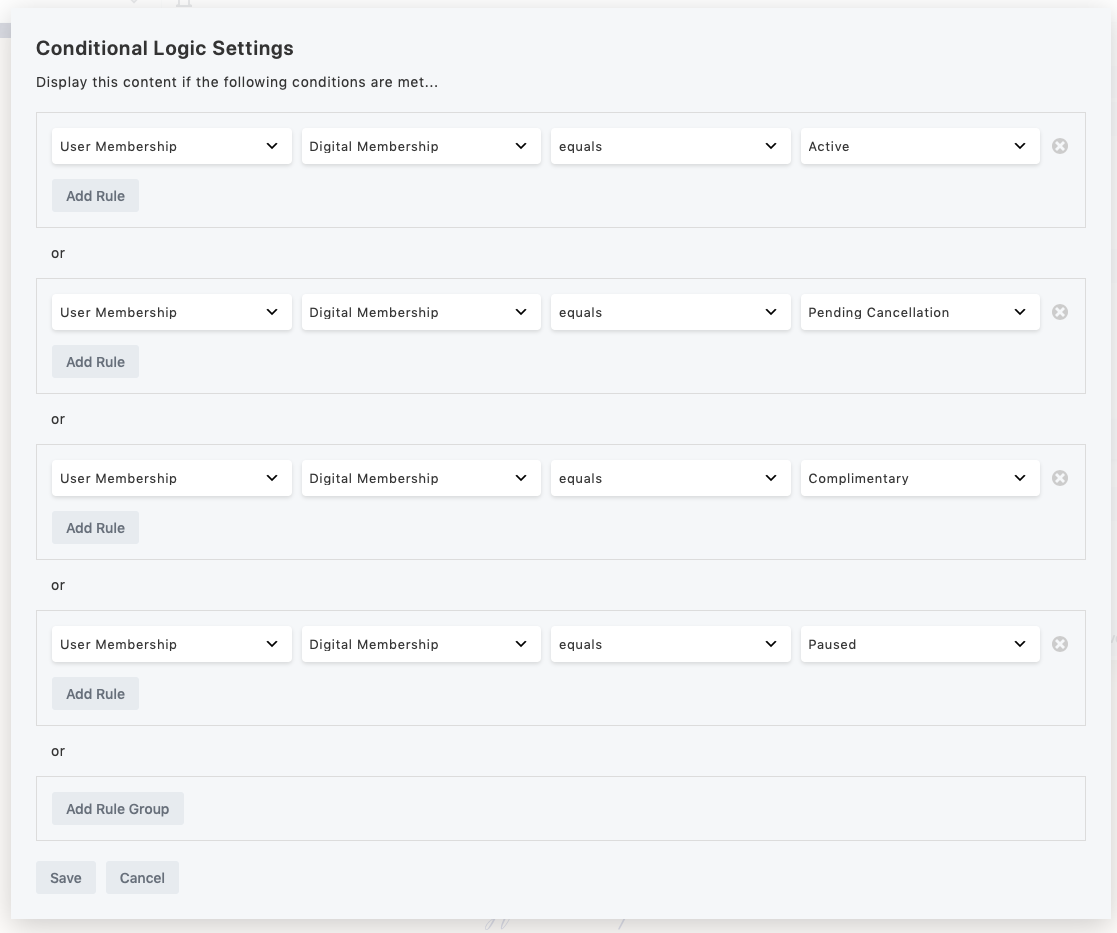
- If you just want to check if the user is active or inactive, “is set” will be true for any active status and “is not set” will be false for any active status. You can also create rules by comparing to specific Membership statuses by using “equal” or “not equal”.
Note: if you do not select a Membership Plan, then it will default to looking for the first of the user’s plans it finds, and if it can’t find any plan, the user will always be considered “inactive”. So if you have more than one plan available, it is not recommended to leave this unselected.
Screenshots
Combine rules to check if the user does not have any of several statuses.
Combine rules with OR to check if the user has any of several statuses.
Plugin Details
Active Installs
10Total Downloads
3,829Version
1.5Requires WP
5.0Requires PHP
—Tested Up To
7.1.4Added
2021-10-20Last Updated
2026-09-24 10:28am GMTRatings
5
0
4
0
3
0
2
0
1
0