
Sends each Contact Form 7 submission to HubSpot. Your forms stay as they are.
One form can create several linked records. A quote request, for example, can create a contact, their company and a deal in the pipeline and stage you choose. A support form can open a ticket. You can also send a form to an existing HubSpot form, so HubSpot workflows and page tracking treat it like a HubSpot form.
Setup
- Create a HubSpot service key with the scopes from the FAQ and paste it into CF7 to HubSpot Settings.
- Open CF7 to HubSpot Forms and pick a form.
- Add the HubSpot objects, map the fields, turn Sync on.
Features
- Contact, Company, Deal and Ticket from one form, each with its own mapping, associated with each other.
- HubSpot form target, with the HubSpot tracking cookie and the page URL.
- Update the contact with the same email, or always create a new one.
- Deal pipeline and stage.
- Uploaded files attached to the records.
- Custom HubSpot properties.
- Consent check: a submission from an unsubscribed email is not sent.
- Logs with what HubSpot answered and which properties it rejected. Personal data is masked.
- Error emails. Repeats of the same error within an hour come as one summary.
- Optional background sending: the visitor does not wait for HubSpot, failed jobs are retried up to three times. Uses Action Scheduler when available, WordPress cron otherwise.
- UTM parameters and click ids (gclid, fbclid) to the properties you map them to.
- Optional HubSpot custom events: form submitted, synced, failed.
- Developer hooks, see the FAQ.
External services
This plugin sends Contact Form 7 submissions to HubSpot, a third-party service, when a form is submitted and synced. It sends the values of the mapped form fields, uploaded files that are mapped, and, when enabled, attribution values; for HubSpot form targets it also sends the visitor’s IP address, the HubSpot tracking cookie and the page the form was sent from. In the admin it reads your HubSpot properties, forms, pipelines and subscription types to fill the mapping screens.
The plugin sends requests to:
- https://api.hubapi.com
- https://api.hsforms.com
HubSpot Terms of Service: https://legal.hubspot.com/terms-of-service
HubSpot Privacy Policy: https://legal.hubspot.com/privacy-policy
Privacy
Attribution cookies are off by default. When you turn on “Attribution cookies” in the plugin settings, the site stores the campaign parameters (utm_source, utm_medium, utm_campaign, utm_term, utm_content) and ad click ids (gclid, fbclid) of the visitor’s landing page in first-party cookies named cf7hs_* for up to 30 days (some browsers shorten this). When a consent plugin supports the WP Consent API, the cookies are set only after marketing consent. The values are sent to HubSpot with a contact form the visitor submits. Marketing cookies may need visitor consent where the law requires it.
Screenshots
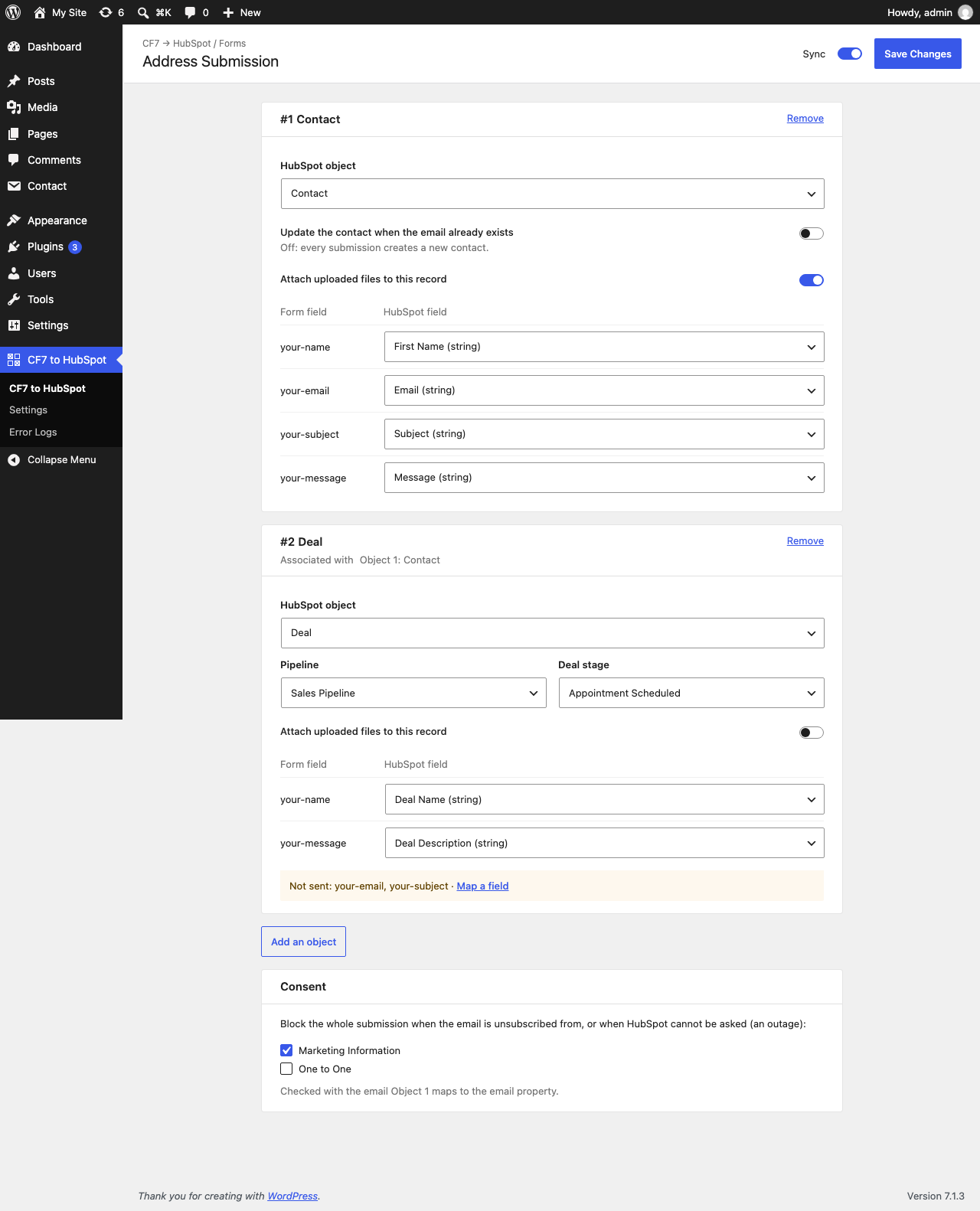
The mapping screen of a form: one card per HubSpot object ("#1 Contact", "#2 Deal"), each with its own field mapping, the association with the object above it, and the Sync switch with Save Changes at the top.
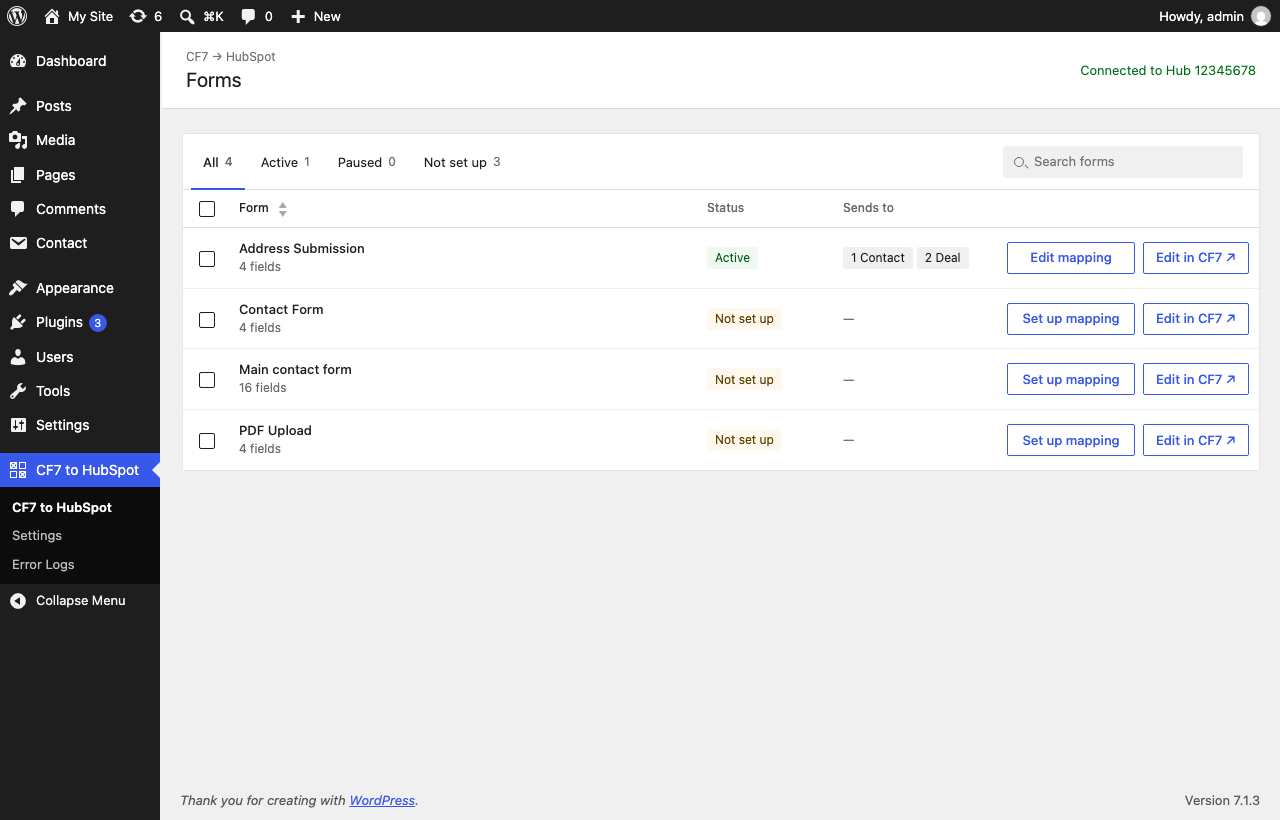
The forms list: every Contact Form 7 form with its sync status (Active, Paused, Not set up), the HubSpot objects it sends to, status tabs, search, and a button to set up or edit its mapping.
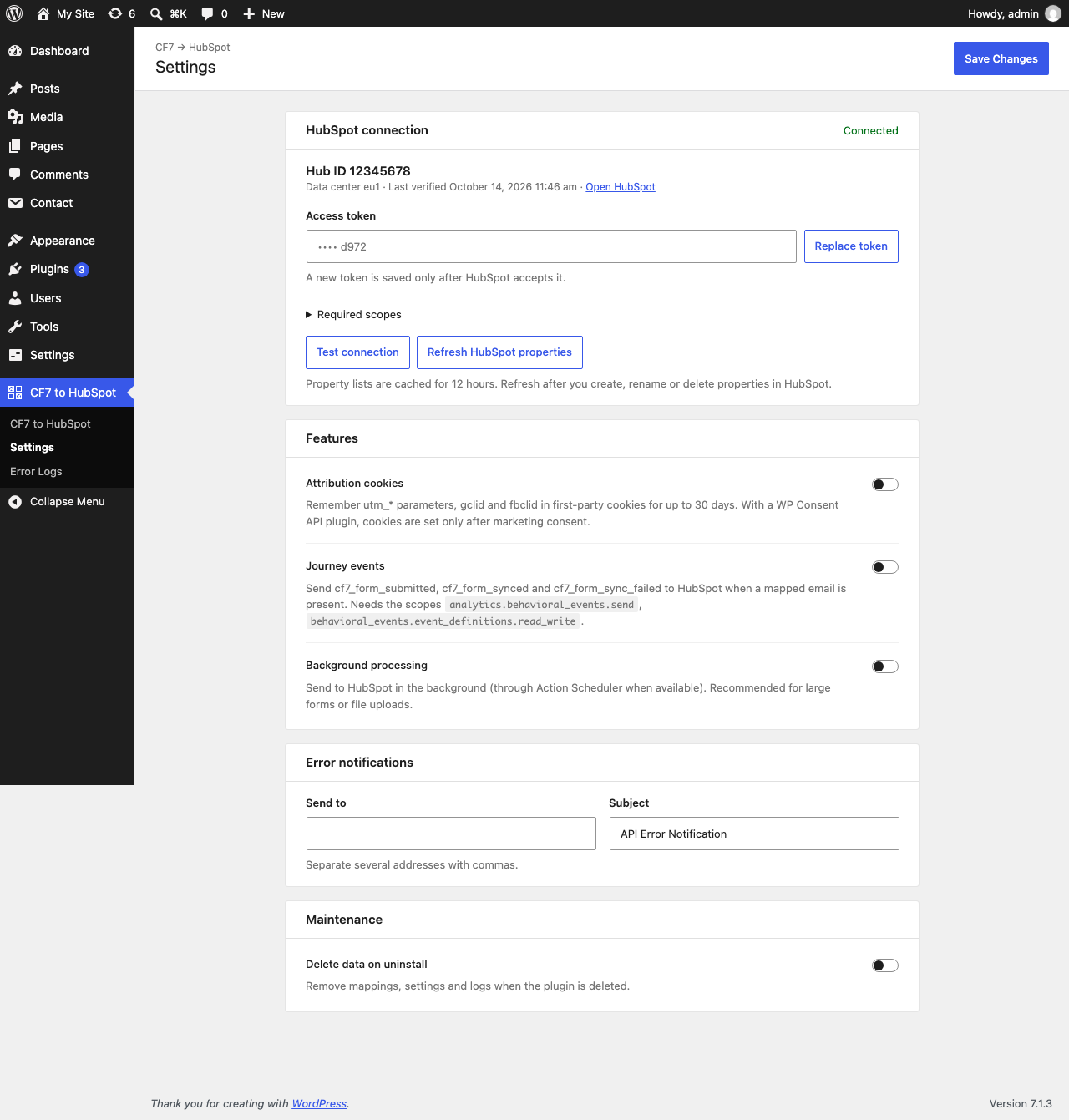
The Settings screen: connect HubSpot with an access token, choose background processing, attribution and journey events, and where error emails go.
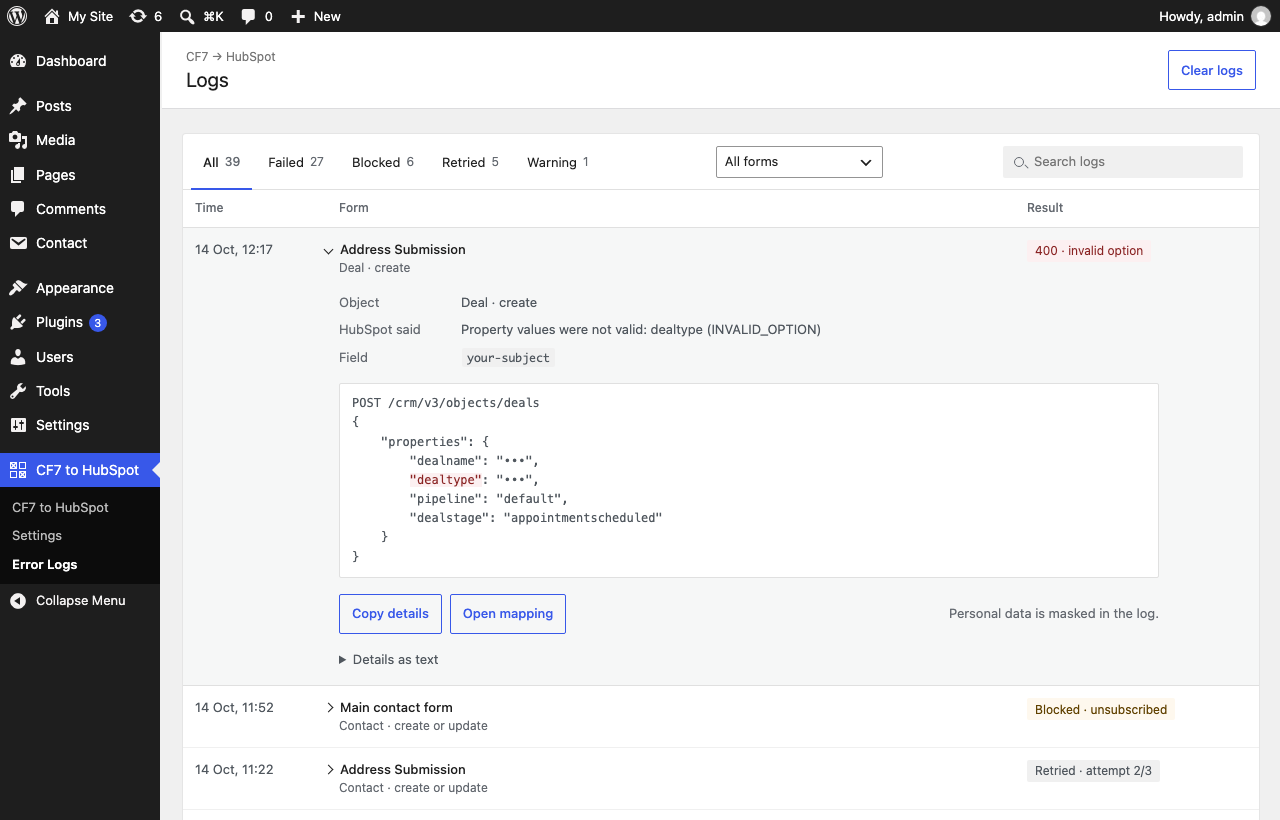
The Logs screen: failed, blocked and retried submissions with search, result tabs and a form filter; an entry opens under its row with the masked request and the properties HubSpot rejected.