
A free GDPR cookie banner that works the moment you activate it. Your visitors see a consent banner in your site’s language with Accept, Reject and Manage choices, Google Consent Mode v2 is set before your Google tags load, and WooCommerce cart and checkout keep working. No account, no setup, and the default banner is served from your own site without contacting any outside service. It is one small deferred script. CookieBoss is a Cookiebot alternative run by an EU company: start without an account, and connect one when you want cookie scanning, your own banner design and consent statistics.
Free, without an account
- Banner live on activation. Accept All, Reject All and Manage Preferences on the first layer, with per-category choices (analytics, marketing, functional).
- Your site’s language. The banner follows the language of each page, in 53 languages, and falls back to English.
- Google Consent Mode v2. All consent types are denied by default before any Google tag runs, then updated when the visitor chooses. URL passthrough and ads data redaction are optional.
- Blocking Mode (optional). Holds back known tracking scripts, such as Google Analytics, Meta Pixel and Hotjar, until the visitor consents to their category.
- WooCommerce. Cart and checkout keep working: WooCommerce’s own cookies are treated as necessary and payment gateway scripts are never blocked. Scripts from known WooCommerce marketing and analytics extensions are tagged with their consent category.
- Cookie & script scanner in WordPress. Checks your front page for known tracking scripts and cookies and suggests a category for each.
- Consent Preferences block. Add it to your privacy policy page so visitors can change their choice at any time.
- Admin Preview. Hide the banner for yourself while you edit; visitors still see it.
- Nothing leaves your site. The default banner makes no external requests. The visitor’s choice is stored in a first-party cookie on your domain.
What connecting a CookieBoss account adds
The “Connect to CookieBoss” button links a free account in one click (sign in or sign up in a popup, no credit card). Your site then loads its own banner, compiled for your settings, from the CookieBoss CDN.
- Your own banner design: bottom bar, modal or preference center layout, your colours and your texts.
- Cookie scanning from CookieBoss servers, with the cookies it finds listed and categorised for your cookie declaration.
- Consent statistics in the CookieBoss dashboard: banner views, consent rate, Accept All and Reject All.
- Switching made easier: import wizards in WordPress bring your configuration over from Cookiebot or Cookie Information.
Paid plans start at €9/month and add more banner languages, more frequent scans and removal of the “Powered by CookieBoss” link. From the Pro plan: geo rules (opt-in for EU visitors, other rules where the law allows them) and Google Consent Mode v2 verified on your live site. From the Business plan: A/B tests of banner variants, measured on your own traffic with significance testing, so you can raise your consent rate within the law. Plans and limits are at cookieboss.io/pricing.
Compliance by design
- Reject is as easy as Accept. Reject All sits on the first layer, next to Accept All, in the same style.
- Nothing is pre-ticked. Analytics, marketing and functional are off until the visitor turns them on.
- Nothing is stored before a choice. The banner writes its consent cookie only after the visitor accepts, rejects or saves preferences, and sets no visitor ID before then.
- Consent expires. By default, visitors are asked again after 12 months.
A banner is one part of compliance. You still need a cookie policy that lists the cookies your site uses; the CookieBoss scanner helps you build that list.
Languages
The banner text ships in 53 languages, including all 24 official EU languages, and follows each page’s language automatically. With a connected account the banner uses the languages you set up in the dashboard: one on the free plan, as many as you need on paid plans. The plugin’s admin screens can be translated through translate.wordpress.org.
Automatic script blocking
When Blocking Mode is on, the plugin rewrites the script tags of known tracking services so they don’t run until the visitor consents:
- Analytics: Google Analytics, Google Tag Manager, Hotjar, Matomo, MonsterInsights, ExactMetrics, Site Kit
- Marketing: Meta (Facebook) Pixel, Pinterest Tag, TikTok Pixel, LinkedIn Insight, Google Ads, X (Twitter) UWT
- Functional: HubSpot, Intercom, Drift, Crisp, LiveChat
Scripts loaded through WordPress’s script system are recognised by their handle or source URL. Code pasted straight into a theme or a header/footer plugin is not rewritten; give such a script type="text/plain" and data-cookieconsent="analytics" (or marketing, functional) and the banner runs it after consent.
See the “External services” section below for the CookieBoss endpoints this plugin contacts.
External services
Before you connect an account, the plugin uses its bundled default banner (assets/js/consent-local.js), served from your own site. It contacts no external service: no geo lookup, no analytics, no CookieBoss request of any kind. The visitor’s choice is stored in a first-party cookie on your domain.
After you connect a CookieBoss account, the plugin uses the CookieBoss service (cookieboss.io), operated by Transformination OÜ. It contacts these CookieBoss endpoints:
- cdn.cookieboss.io — serves your consent banner script (loaded on every page; your Site ID is part of the script URL). Also contacted from your server to verify your Site ID when you click Verify in the settings.
- a.cookieboss.io — receives consent events when a visitor interacts with the banner: the choice made, the page path, and a random visitor ID that the banner stores only after the visitor’s choice. Used for your consent statistics.
- api.cookieboss.io — OAuth authentication calls (token exchange, token metadata, token revocation) when you connect or disconnect the plugin, and consent-analytics API calls for the admin dashboard widget (your Site ID and API key are sent to retrieve aggregate consent statistics).
- app.cookieboss.io — the CookieBoss sign-in and authorization page, opened in a browser popup when you use the one-click “Connect to CookieBoss” flow.
The banner sends no names, email addresses or form contents to these services.
The plugin also contains lists of well-known third-party domains (for example googletagmanager.com, connect.facebook.net, maps.googleapis.com). These are detection signatures used to recognize tracking scripts already present on your site so they can be held back until consent — the plugin never contacts these domains itself.
Use of the CookieBoss service is subject to its terms and privacy policy:
- Terms of Service: https://cookieboss.io/terms
- Privacy Policy: https://cookieboss.io/privacy
Screenshots
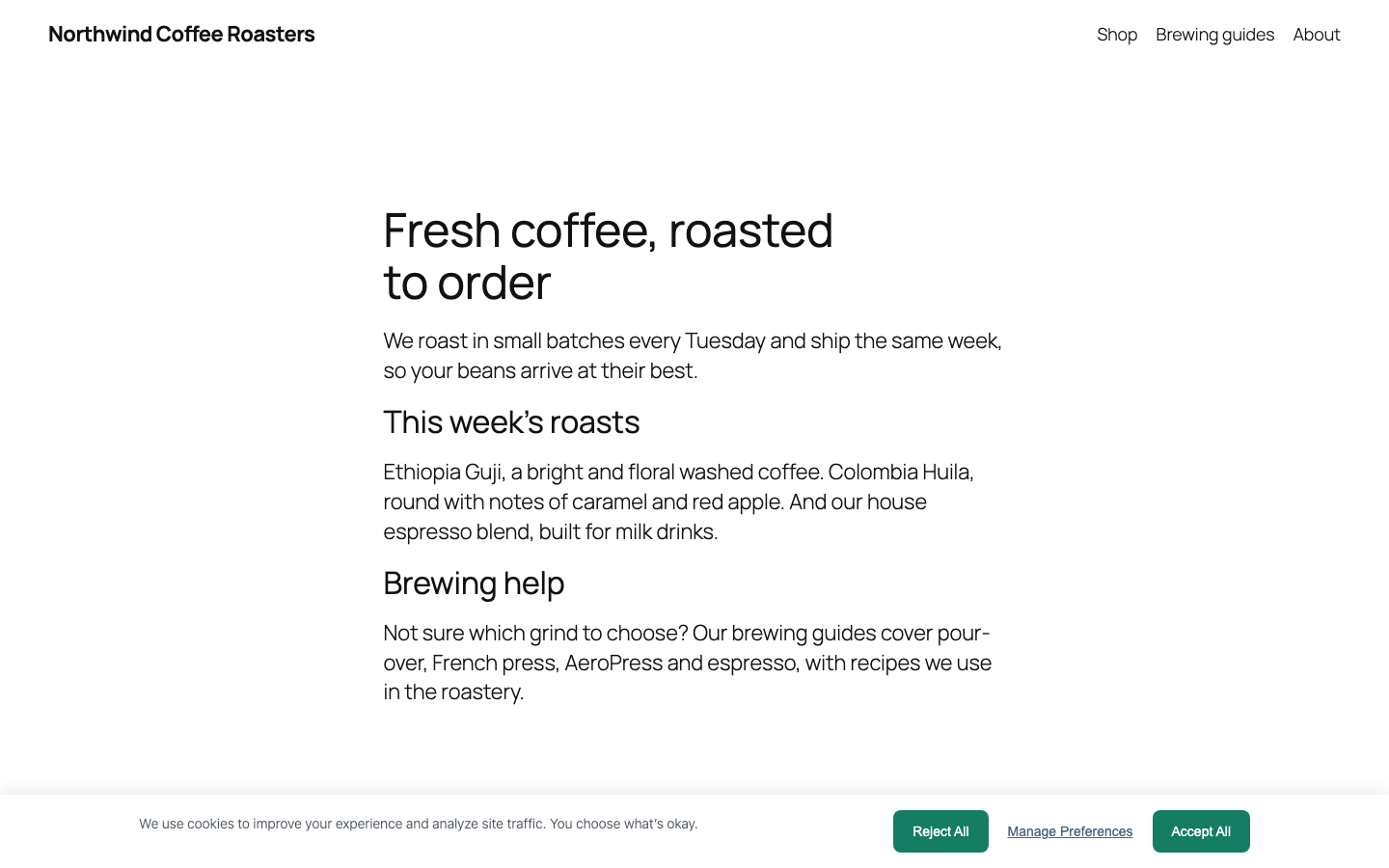
The consent banner on a desktop site: Accept All, Reject All and Manage Preferences on the first layer, in the same style.
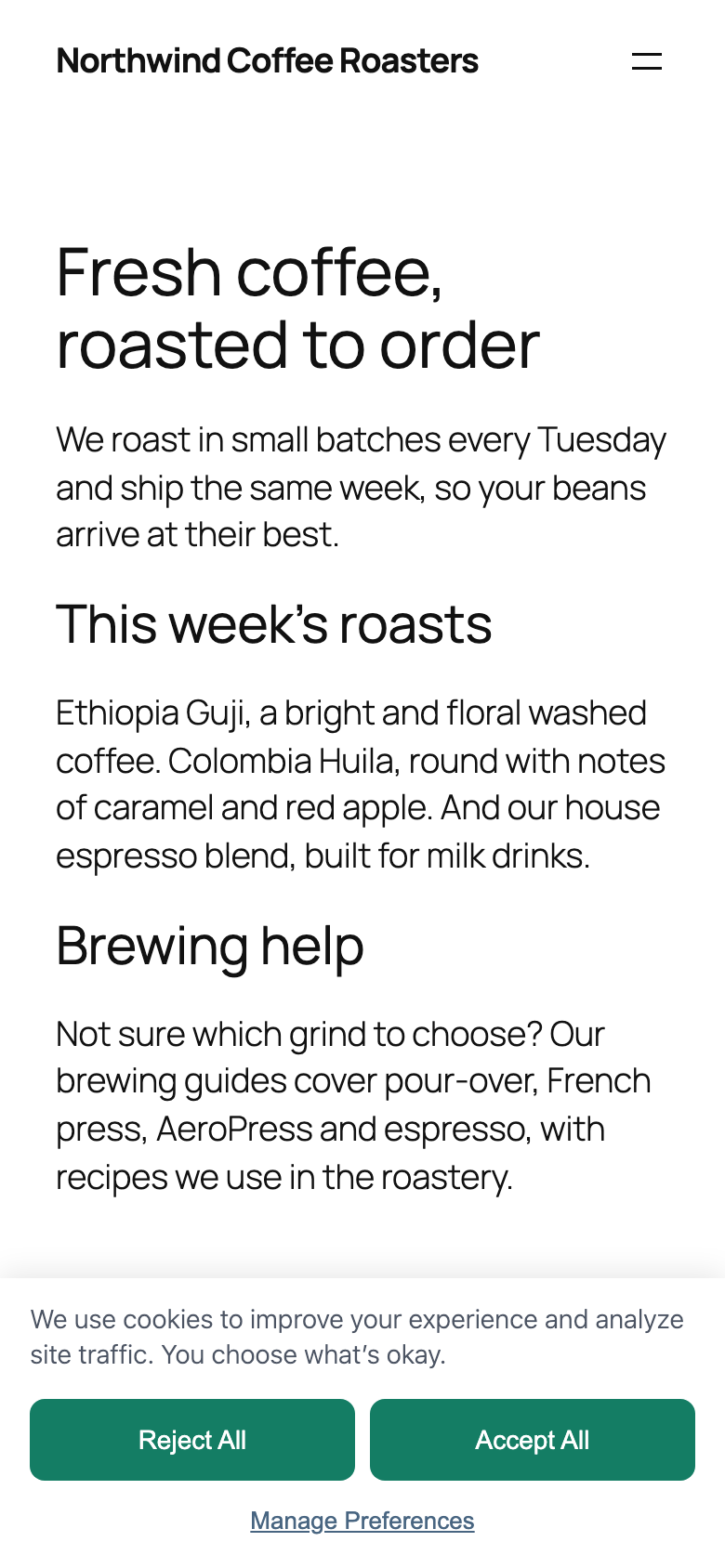
The same banner on a phone.
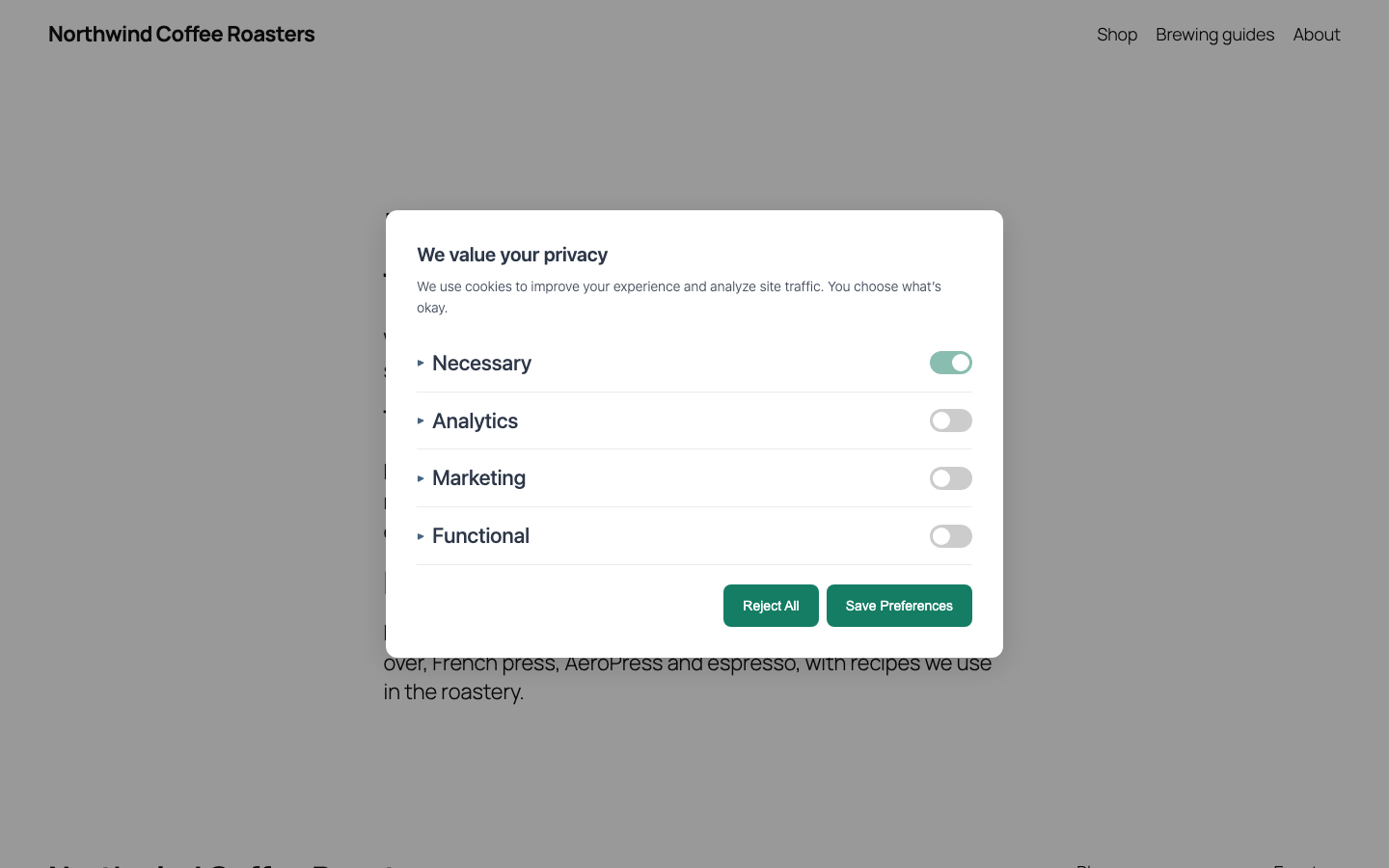
Manage Preferences: every optional category is off until the visitor turns it on.
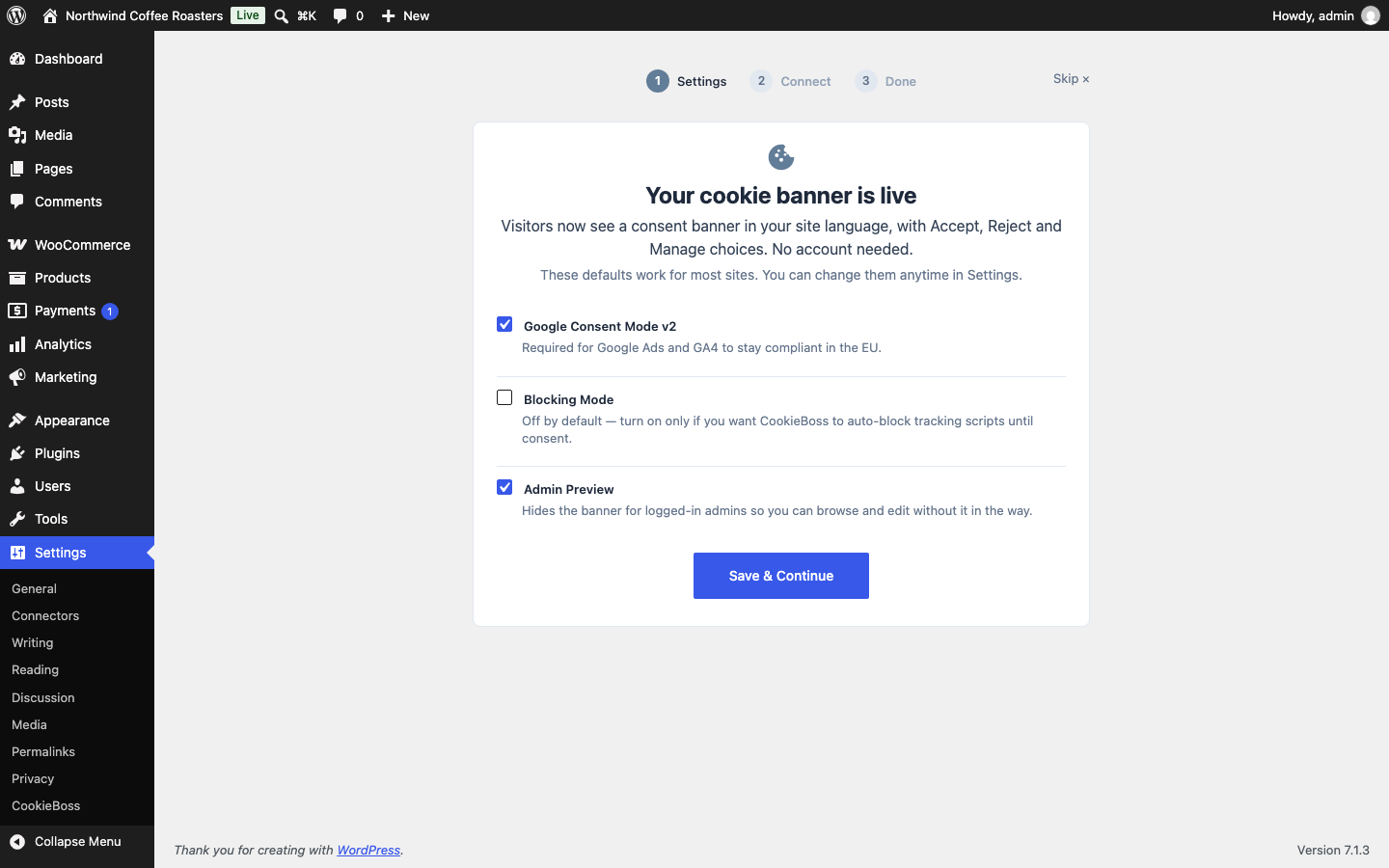
Setup wizard, step 1: the banner is already live, no account needed. Recommended settings are pre-filled.
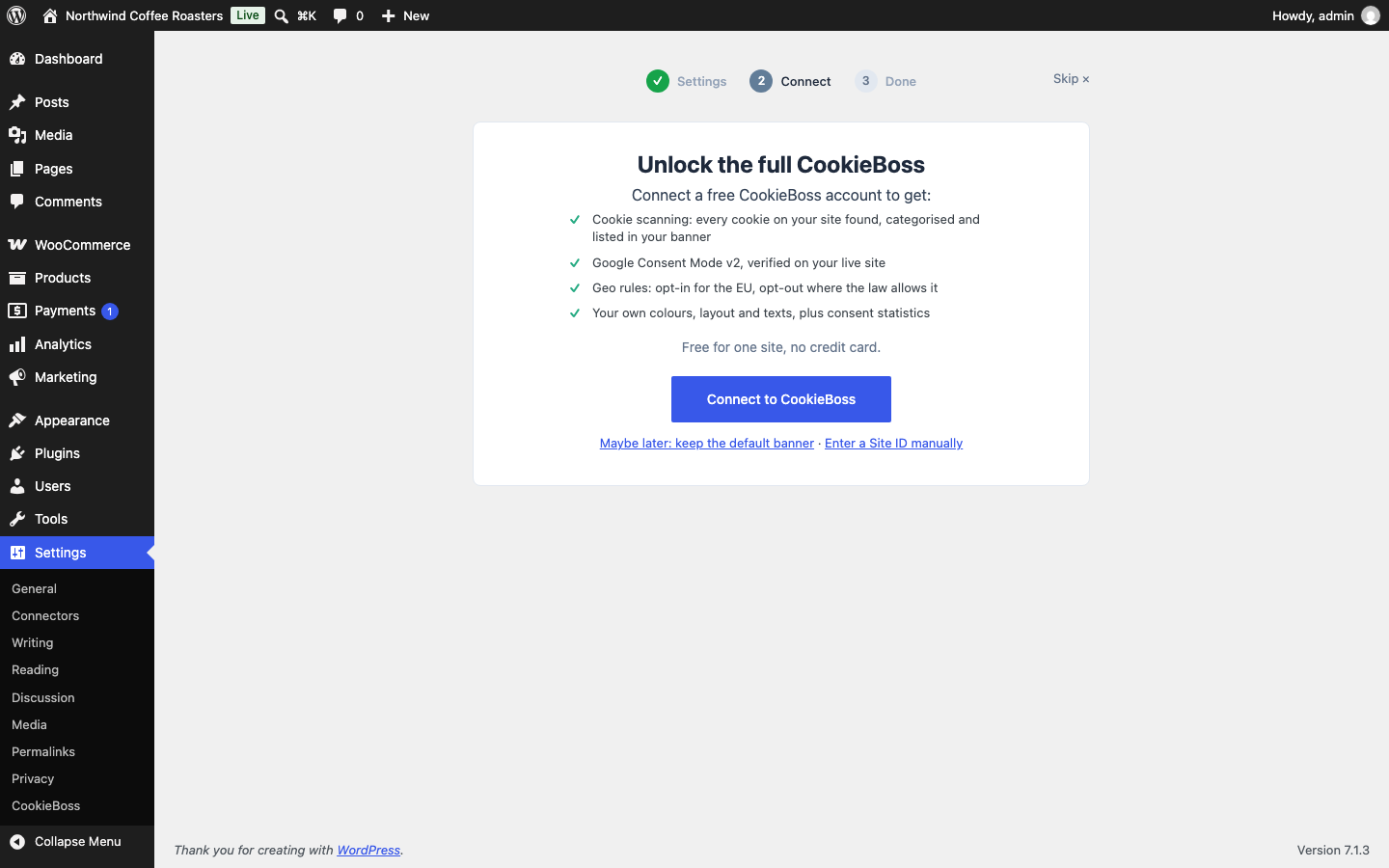
Setup wizard, step 2 (optional): connect a free CookieBoss account for scanning, your own design and statistics.
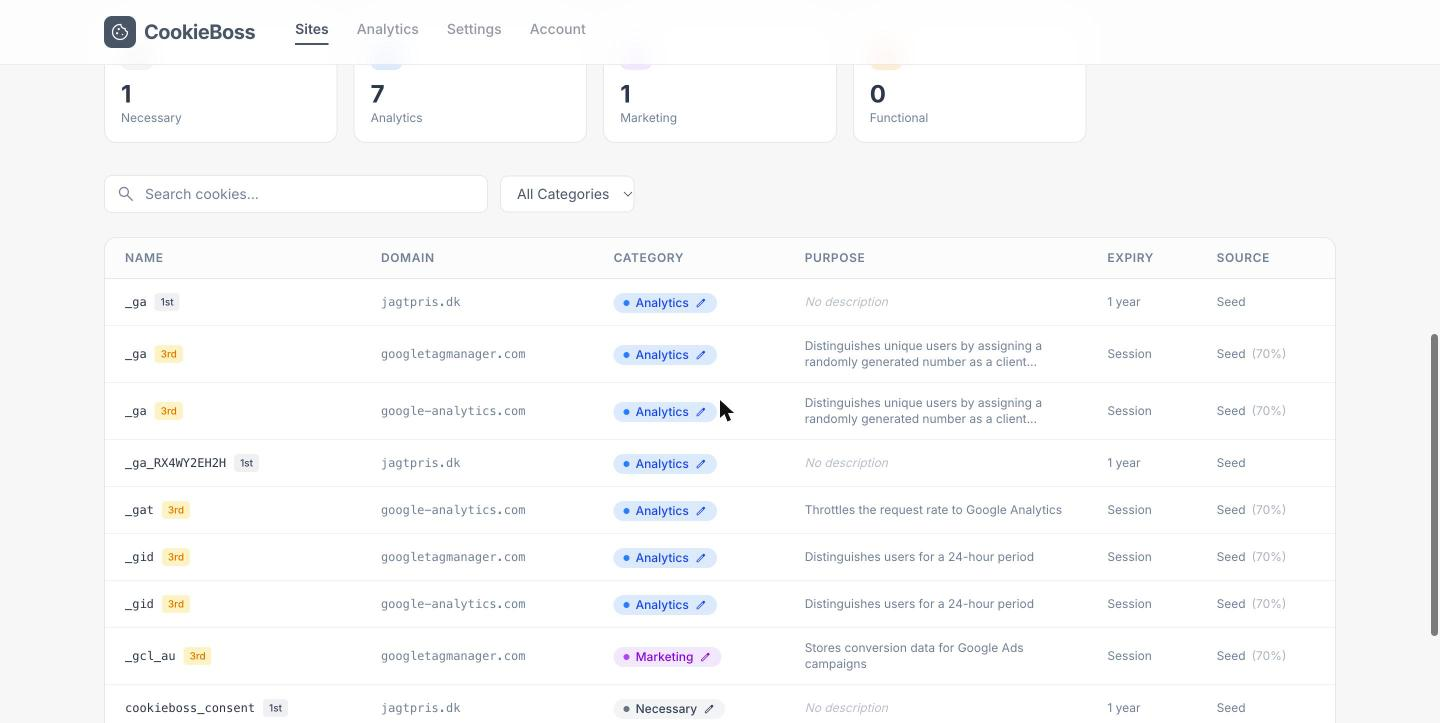
Cookie scan results in the CookieBoss dashboard: the cookies found on your site, categorised.
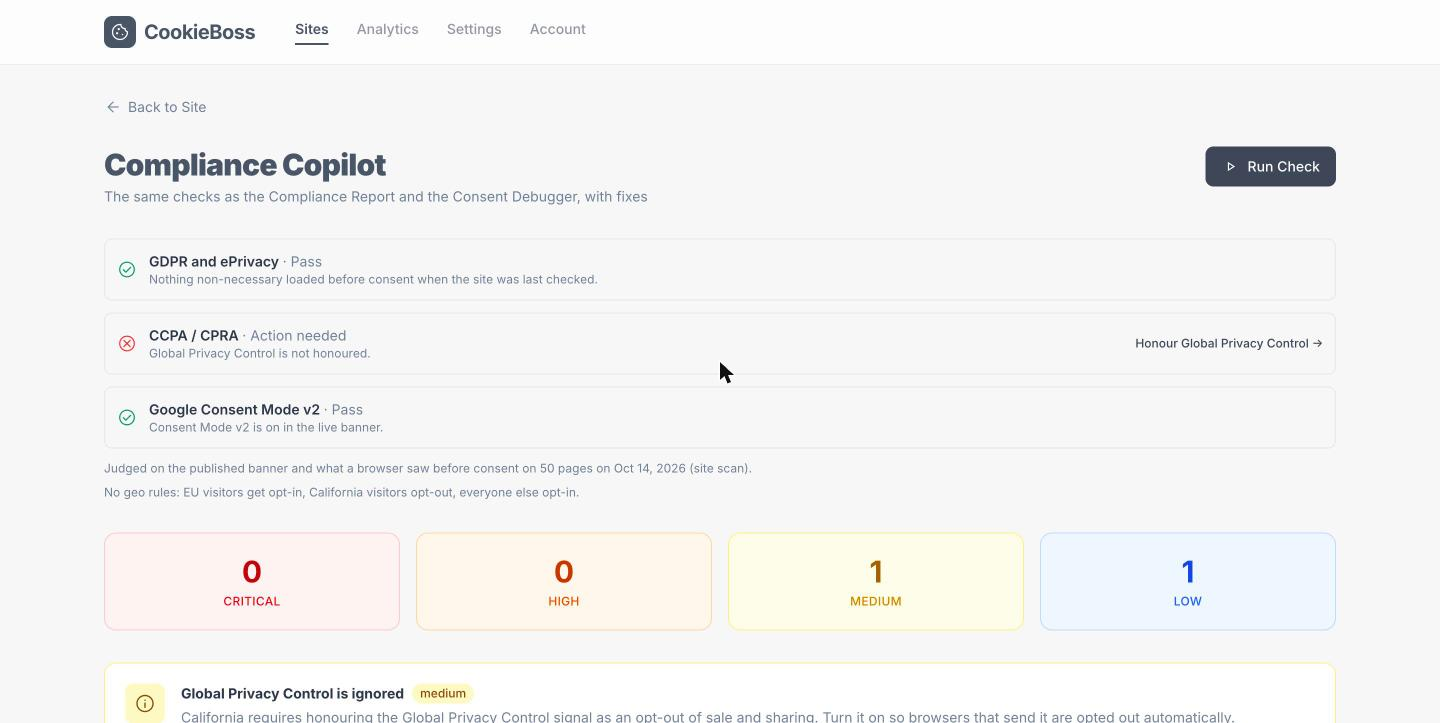
Google Consent Mode v2 verified on the live site (Pro plan and up).
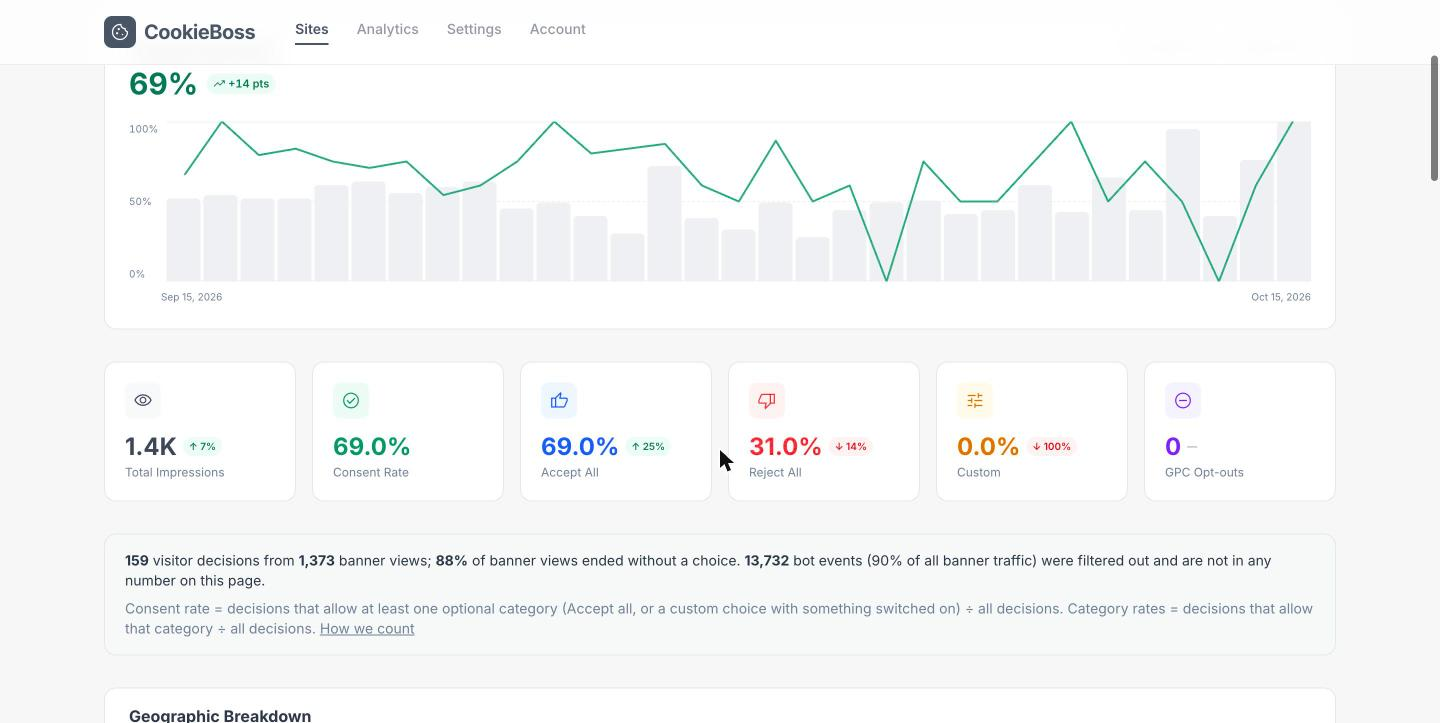
Consent statistics in the CookieBoss dashboard: banner views, consent rate, Accept All and Reject All.
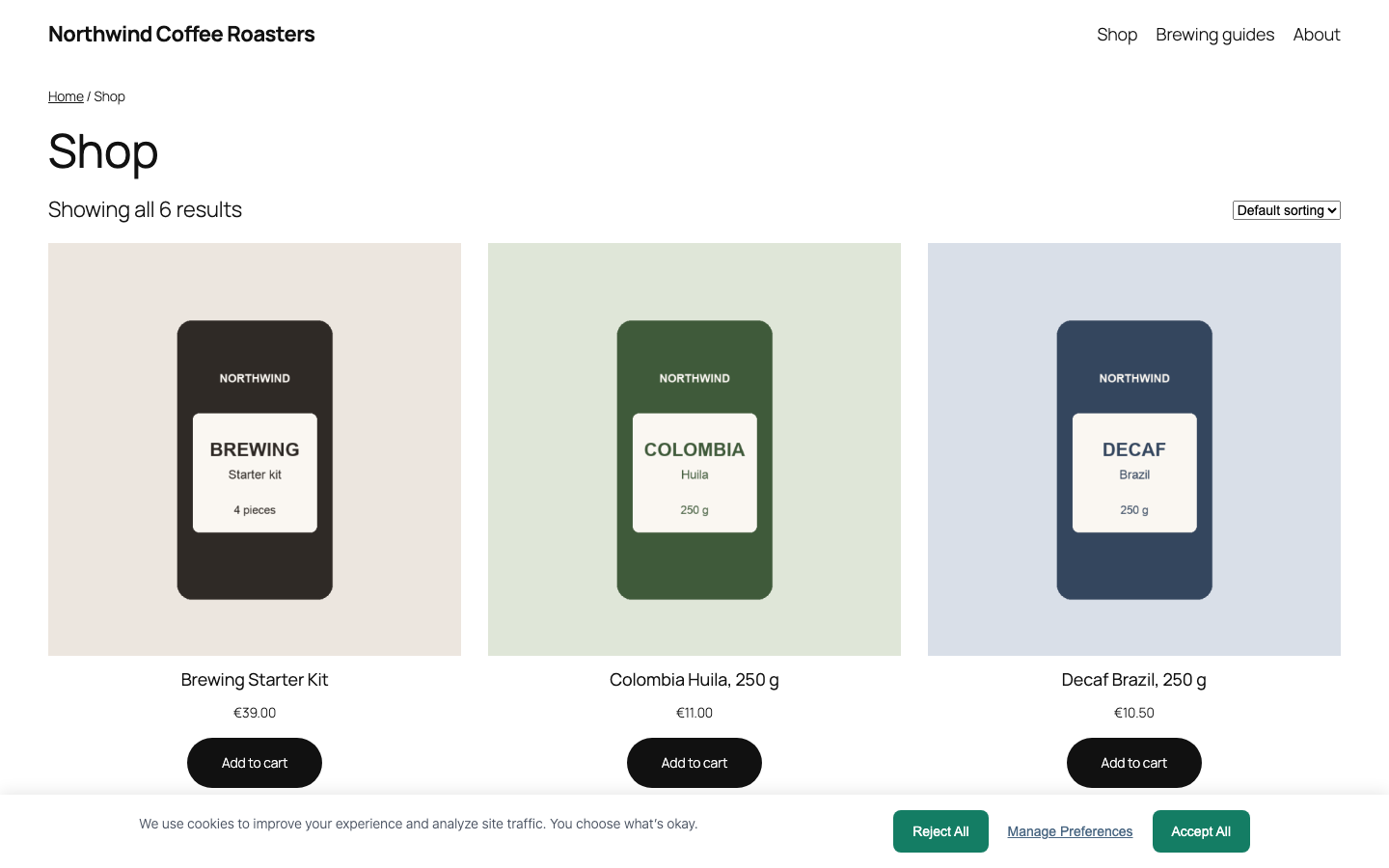
A WooCommerce shop with the banner; cart and checkout keep working.
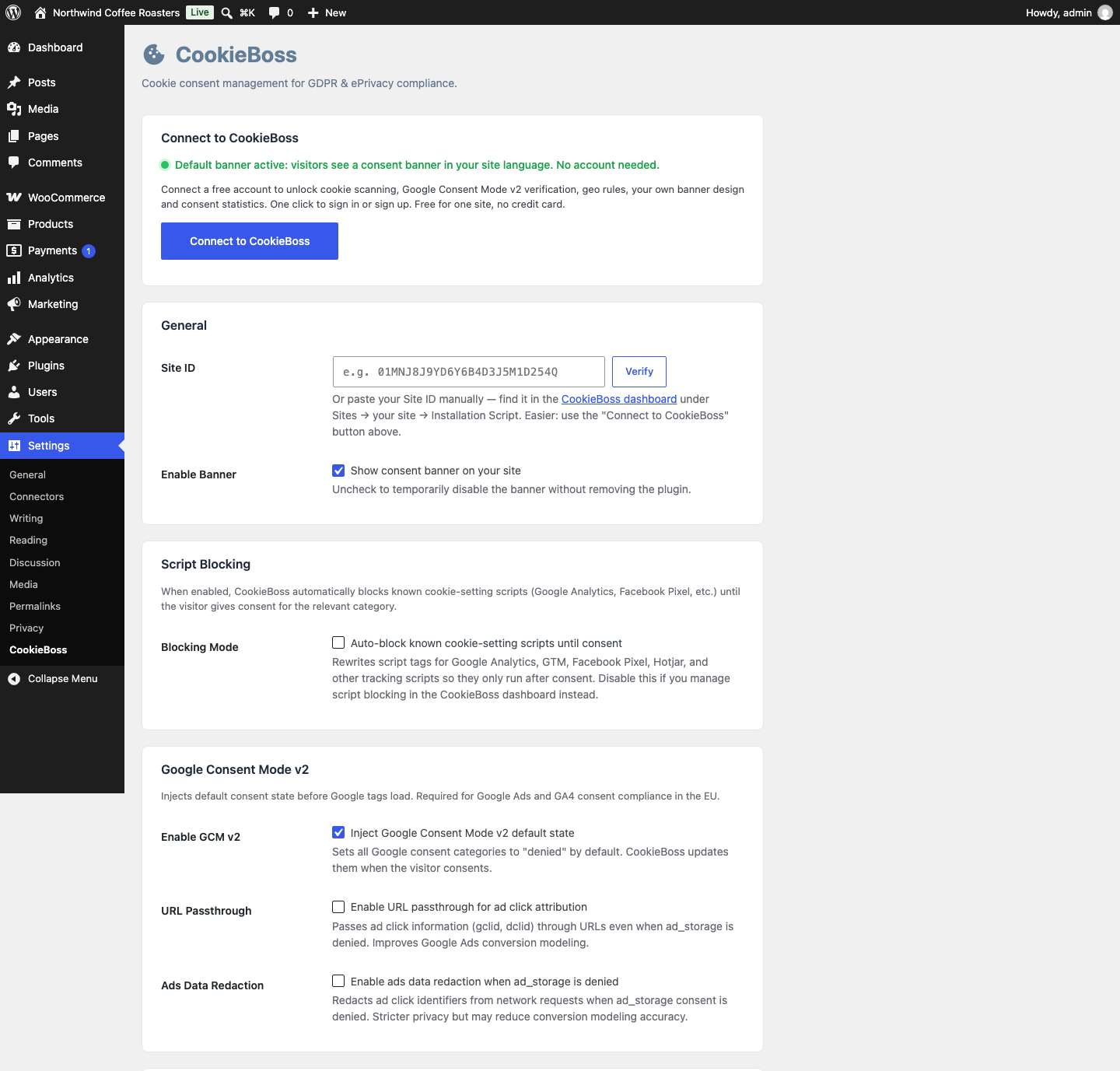
Settings → CookieBoss in WordPress: banner, Blocking Mode, Google Consent Mode v2 and the built-in scanner.