
CouponFlow for Gumroad with Contact Form 7 allows to automatically generate and send personalized Gumroad coupon codes from Contact Form 7 submissions.
Features
- 🎟️ Automatically create Gumroad coupon codes from any CF7 form submission
- 🔗 Securely connect your Gumroad account using an access token
- 🧩 Choose which Gumroad product the coupon applies to
- 💬 Insert the generated code in your autoresponder using
[cf7g_coupon_code] - 🧾 View a full log of generated coupons + recipient emails
- 🪄 Reset connection or clean up all data in one click
- 💾 Full uninstall cleanup — no leftover options or logs
External services
This plugin connects to the Gumroad API to generate and manage discount coupon codes for Gumroad products.
The connection is required to:
– Validate the user’s Gumroad access token
– Retrieve the list of Gumroad products
– Generate unique coupon codes for a selected product
What data is sent
- The Gumroad access token entered by the site administrator
- Product ID, coupon configuration (discount, usage limit)
When data is sent
- When the administrator clicks “Check Connection” in the Contact Form 7 editor
- When a form submission triggers coupon generation
No data is sent without explicit administrator action or a form submission.
Service provider
This service is provided by Gumroad, Inc.
Terms of Service: https://gumroad.com/terms
Privacy Policy: https://gumroad.com/privacy
Screenshots
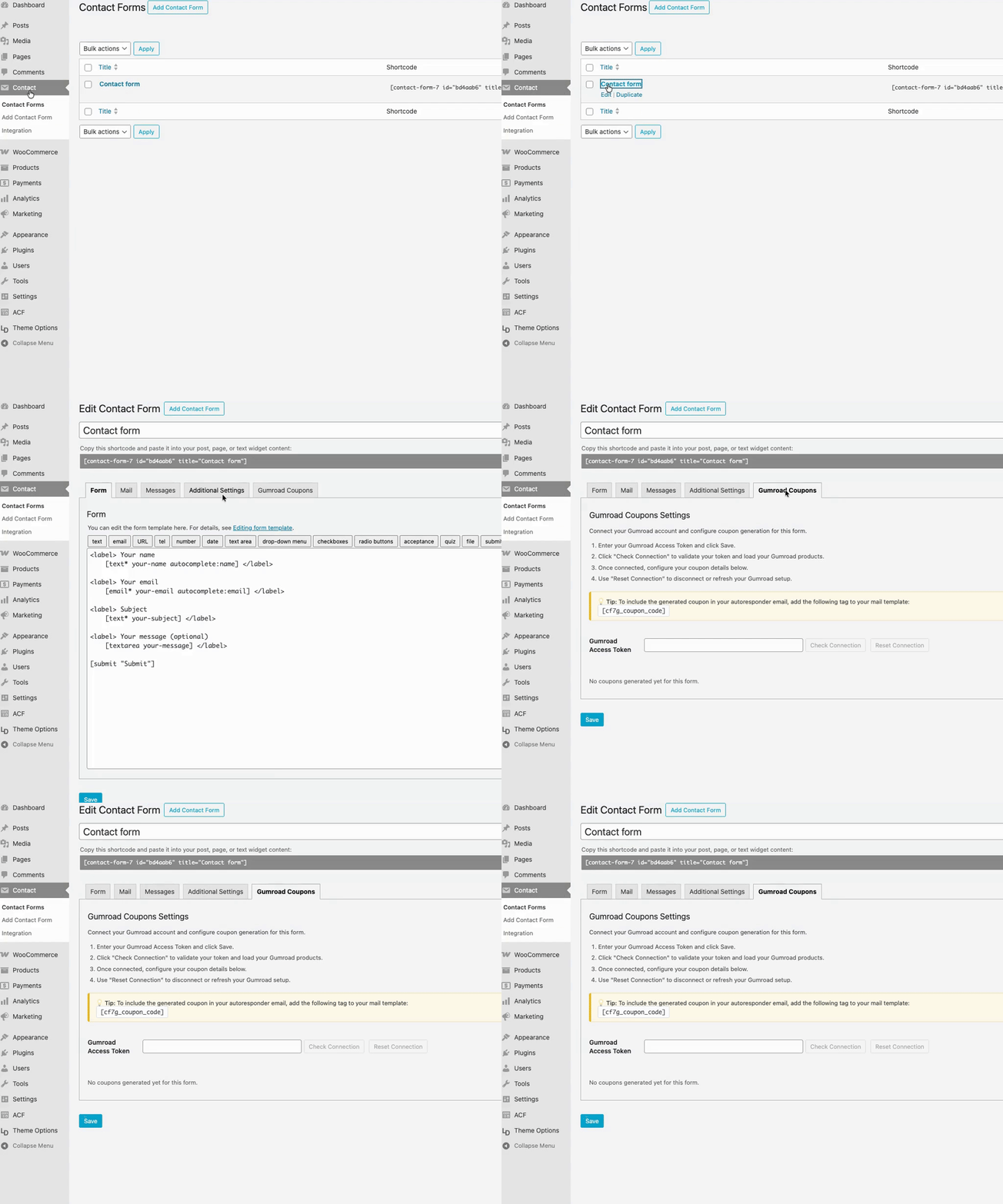
Connect to your Gumroad account via Access Token.

Configure your coupon settings. Choose your Gumroad product and customize how your discount codes are generated.

Add the coupon to your autoresponder. Send each user their unique Gumroad discount code automatically after submission.