
Courtora Smart Court Booking lets clubs and sports facilities offer online reservations for courts, rooms or any other bookable resource. It is not limited to tennis.
Features
- Booking views as day tabs or as a multi-day grid, for desktop and mobile
- Three independent price rule tables: members, guests, and member plus guest
- Daily and weekly booking limits, cancellation deadline, booking horizon (weeks in advance)
- Recurring bookings (series) with conflict handling: skip, abort or cancel the conflicting booking
- Manual bookings in the admin area (no limits apply to the administrator)
- E-mail notices for booking and cancellation, with editable templates
- Optional online payment with Mollie (PayPal, Wero, Apple Pay, Google Pay, credit card, bank transfer) or cash on site
- CSV and Excel export of bookings
- Translations: English is the source language. German, French and Spanish are provided through translate.wordpress.org, and everyone can contribute further languages there.
Shortcodes
[ctra_court_booking]shows the booking calendar. Attributes:courts="1,2",date="2026-06-15",days="3",view="tabs"orview="grid".[ctra_my_court_bookings]shows the logged-in user’s own bookings with a cancel button.
External service: Mollie (optional)
Online payment is optional and disabled until you enter a Mollie API key under Courtora > Settings > Payments. If you enable it, the plugin sends the following data to Mollie (Mollie B.V., Netherlands) when a user pays online: the amount, a payment description (court name, date and time), the return and webhook URLs of your website, the booking ID and the plugin version. Names and e-mail addresses are not sent by the plugin. The payer enters payment details on Mollie’s own pages. Mollie also receives the payer’s data directly from the payer.
- Mollie terms: https://www.mollie.com/legal/user-agreement
- Mollie privacy statement: https://www.mollie.com/legal/privacy
Without a Mollie API key the plugin does not contact any external service.
Privacy
The plugin stores bookings in its own database tables: booking date and time, court, the WordPress user ID or the name and e-mail address of a guest, notes, price and payment status. All data is deleted when the plugin is deleted from the Plugins screen.
The plugin supports the WordPress privacy tools. It adds a suggested text to the Policy Guide, includes bookings in the personal data export, and anonymises bookings when personal data is erased or a user is deleted. Future bookings of that person are cancelled without e-mail. Paid bookings are kept for accounting without any link to the person. The privacy text is a suggestion and not legal advice; please review it for your site.
Third-party libraries
- Mollie API client for PHP 2.72.0, BSD 2-Clause license (bundled in
vendor/mollie) - Select2 4.1.0, MIT license (bundled in
assets/vendor/select2)
Screenshots
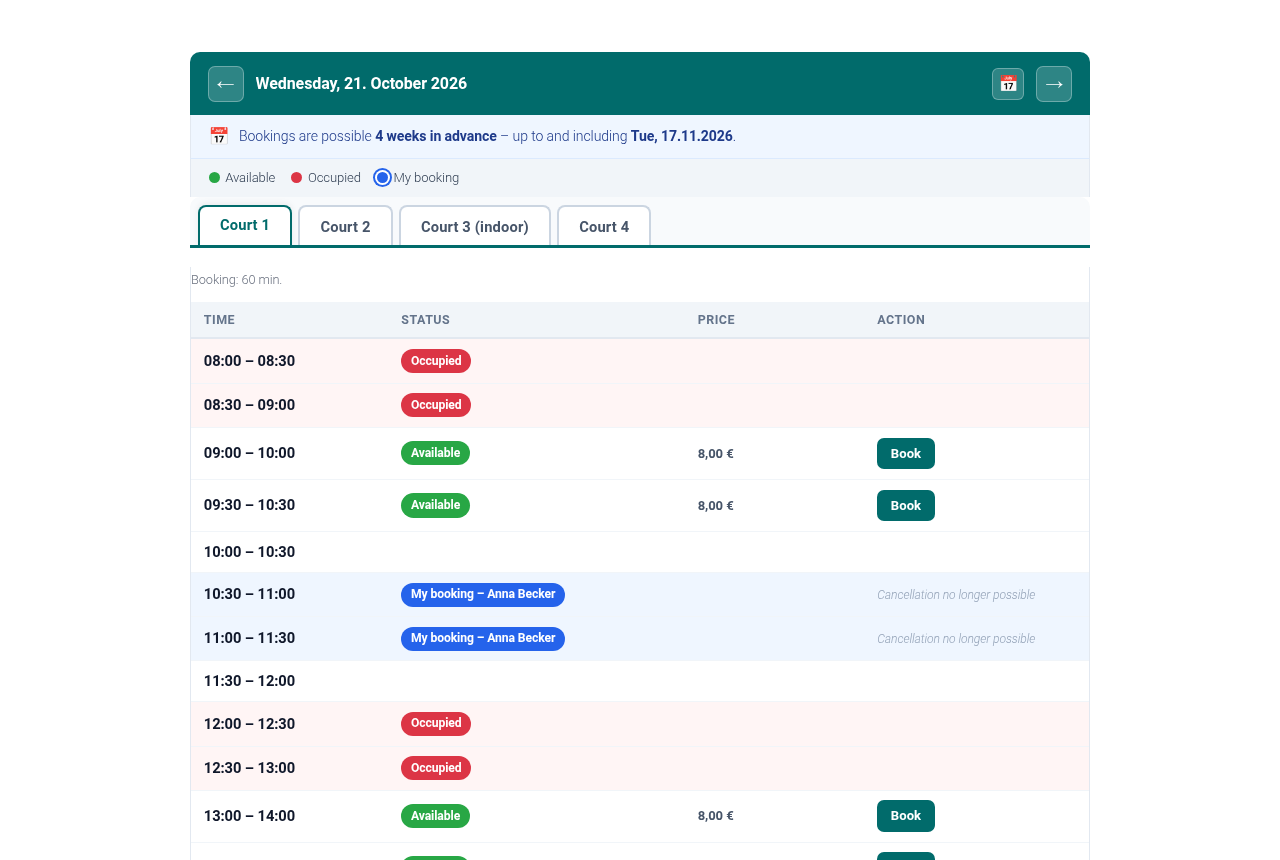
Booking view with day navigation and court tabs. Free, occupied and own bookings are colour coded.

Booking dialog with price, guest option and payment method.
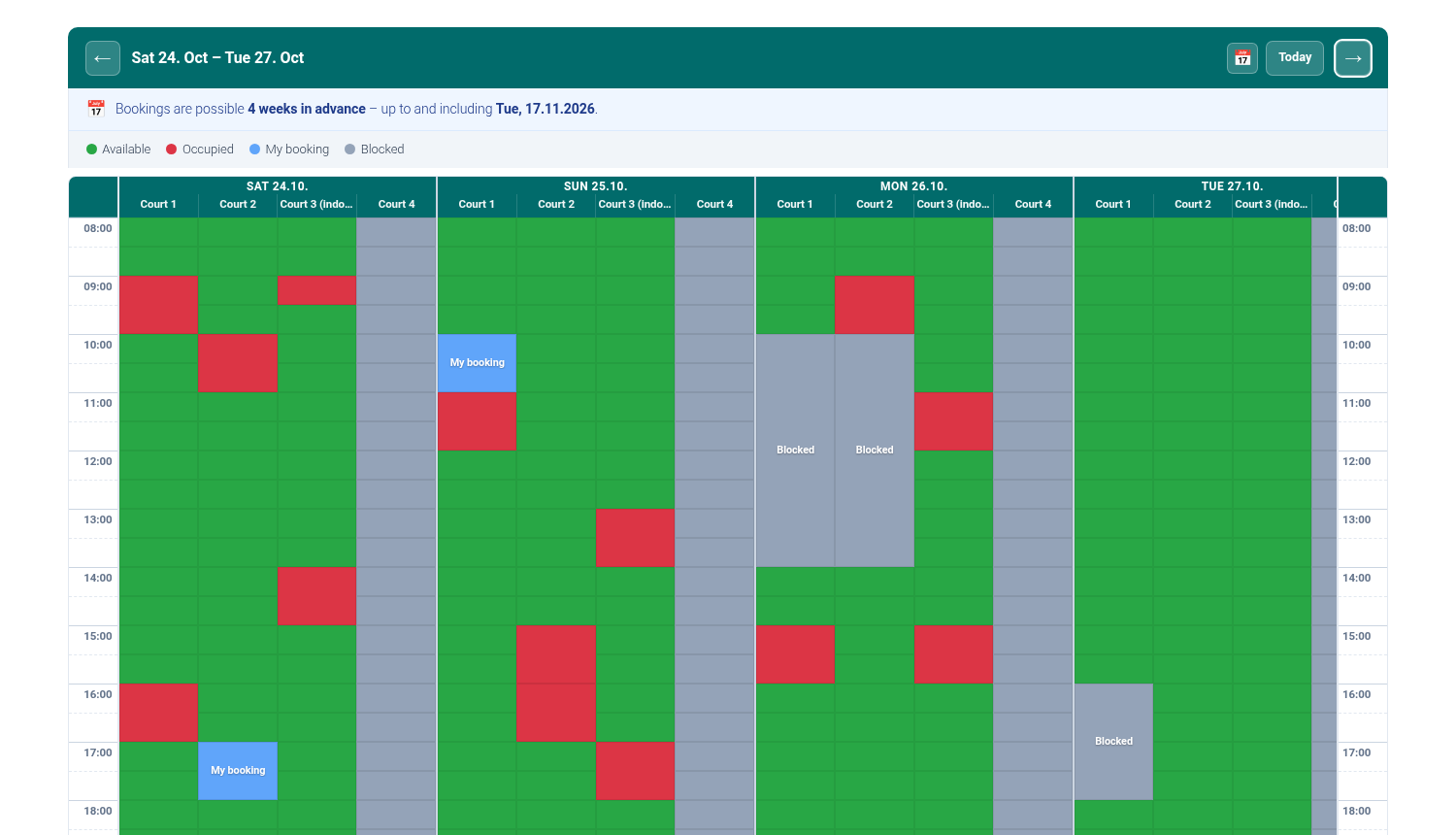
Multi-day grid view with free, occupied, own and blocked slots. A court that is not bookable is greyed out.
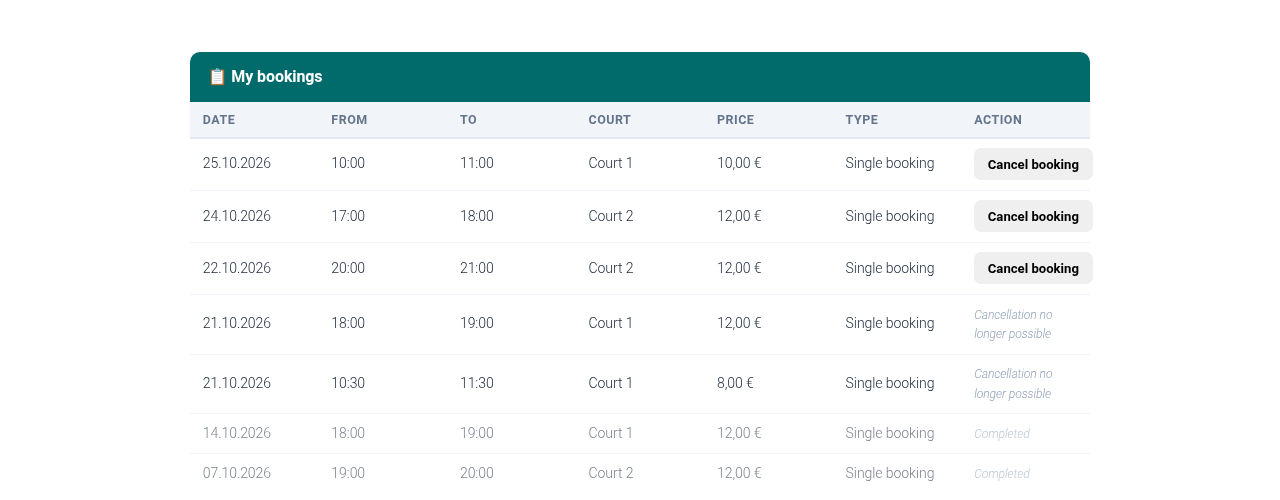
My bookings with cancellation and booking history.
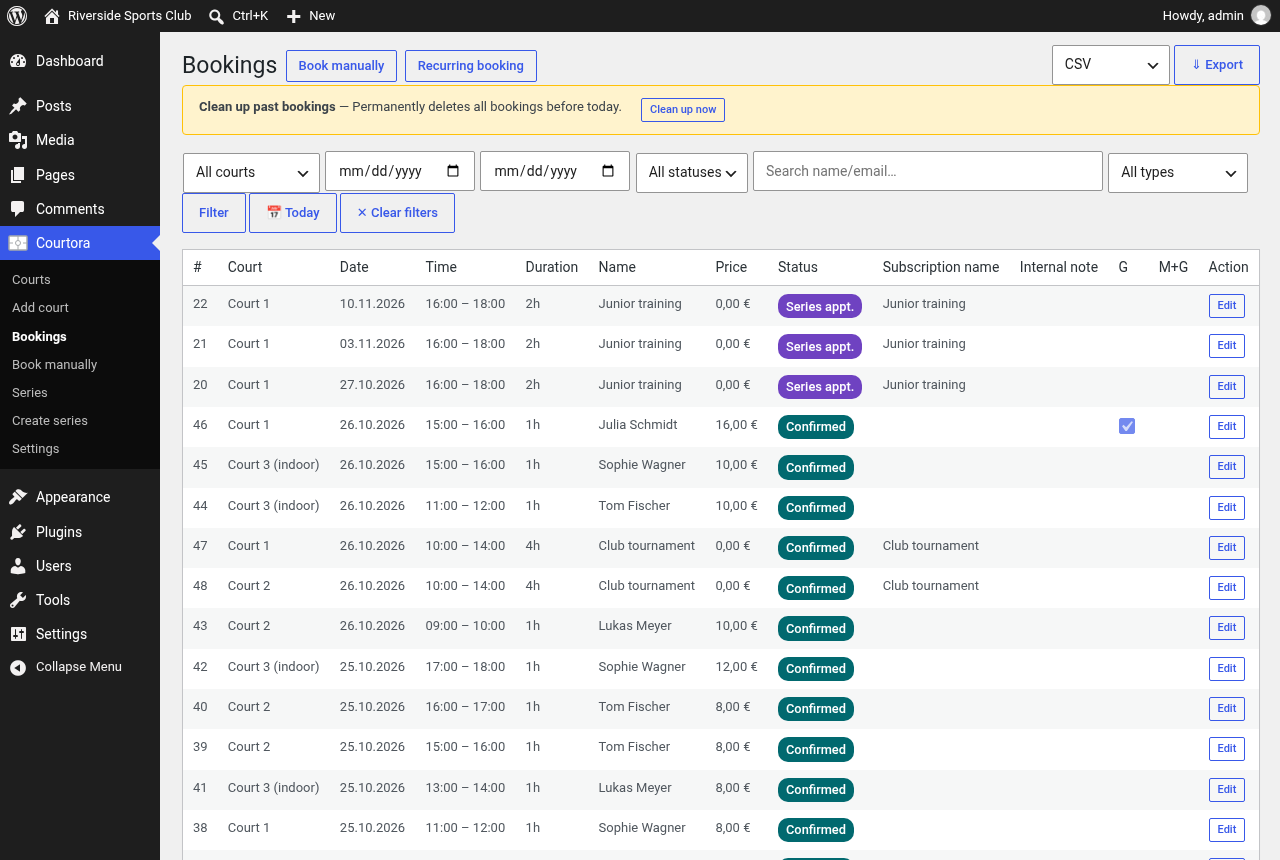
Booking overview in the admin area with filters, export and cleanup of past bookings.
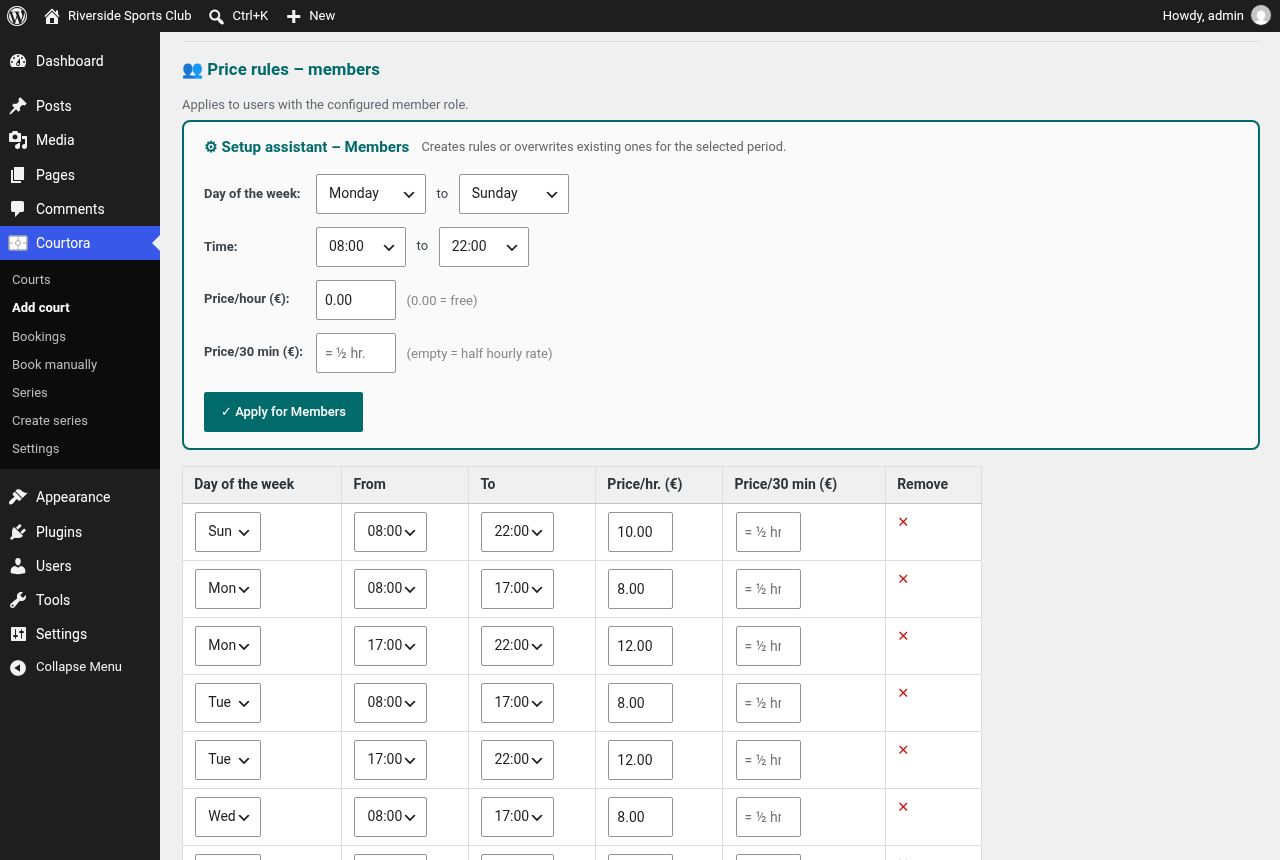
Court settings with price rules for members, guests and member plus guest, and the setup assistant.
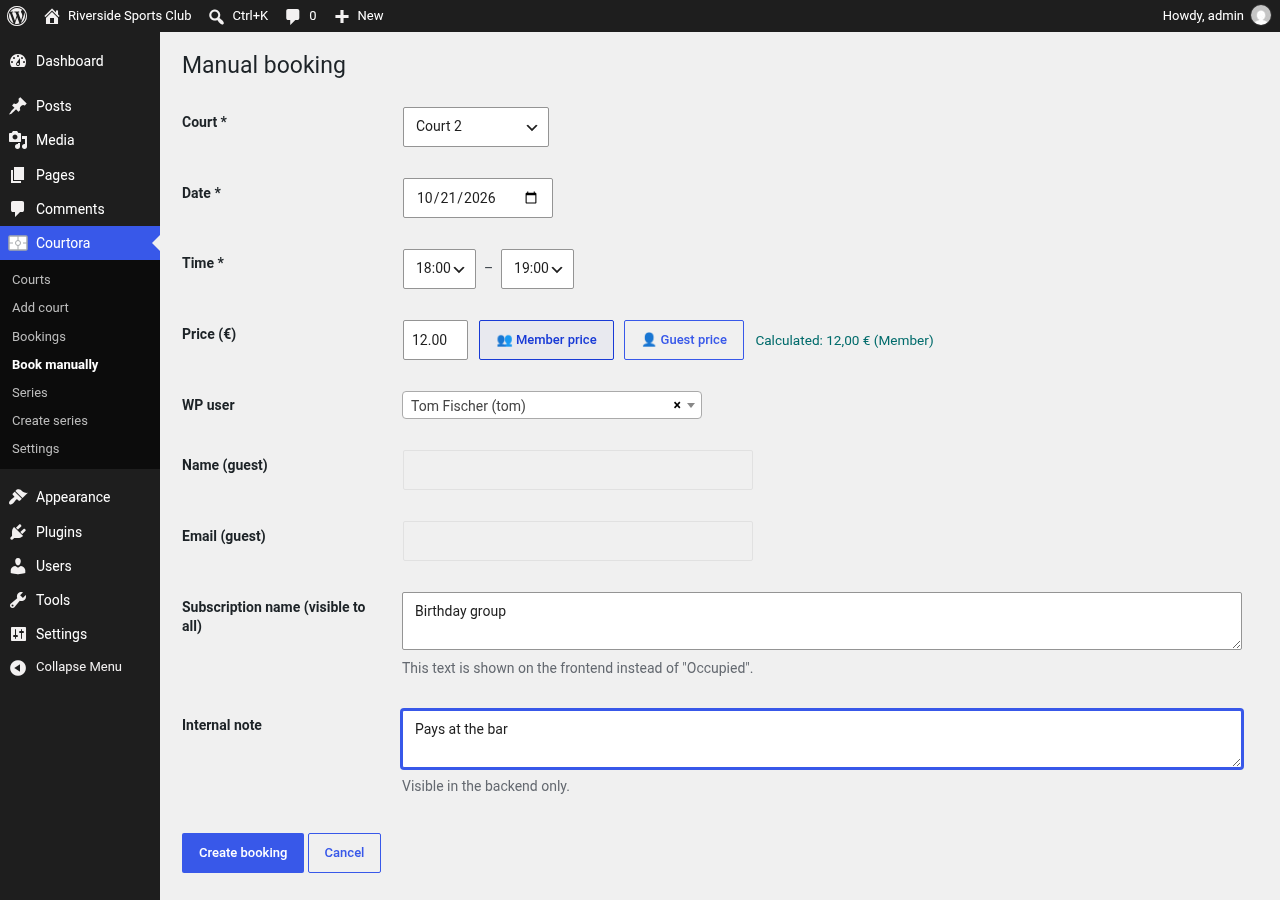
Manual booking in the admin area. No limits apply to the administrator.
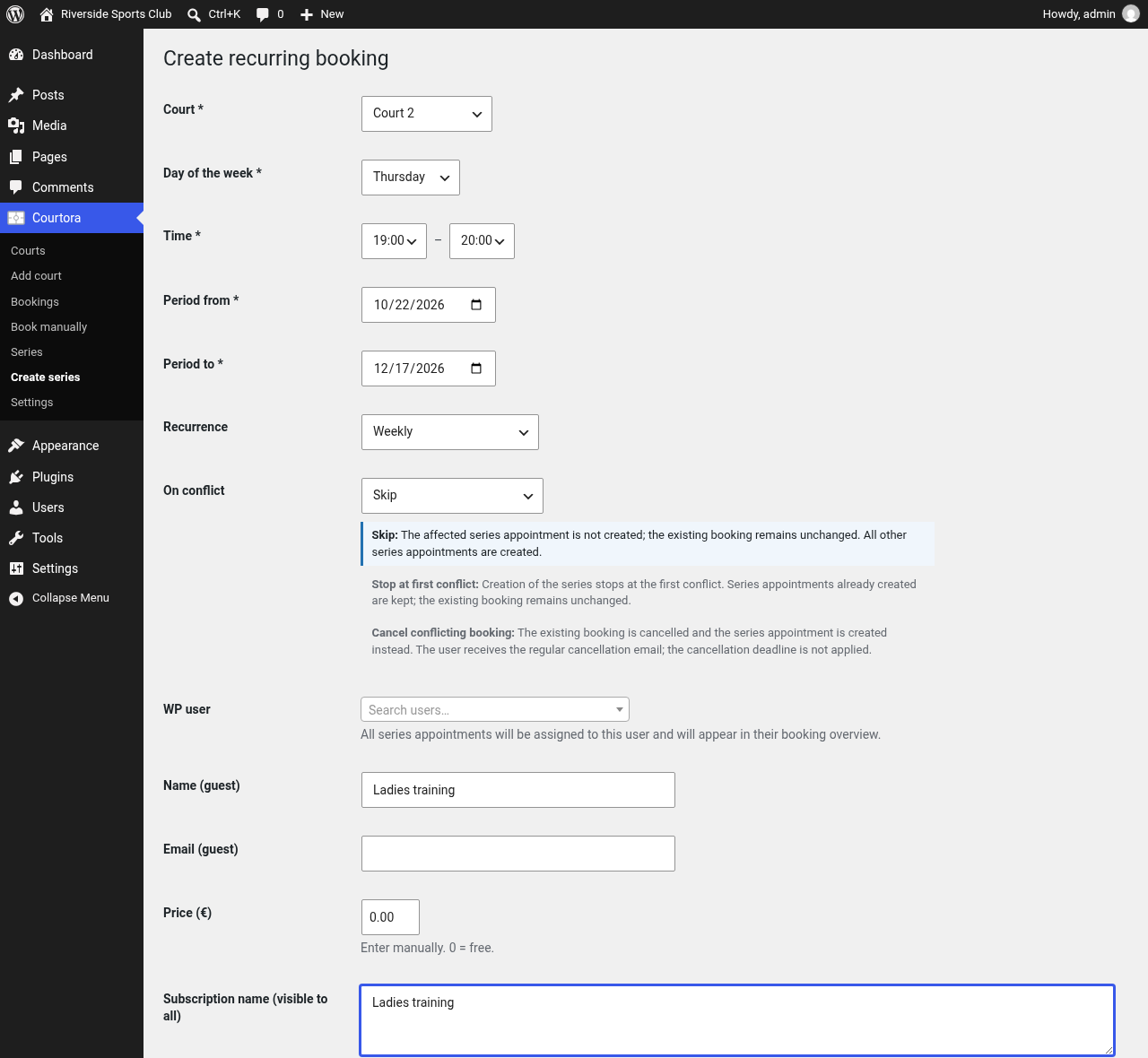
Recurring booking with conflict handling.
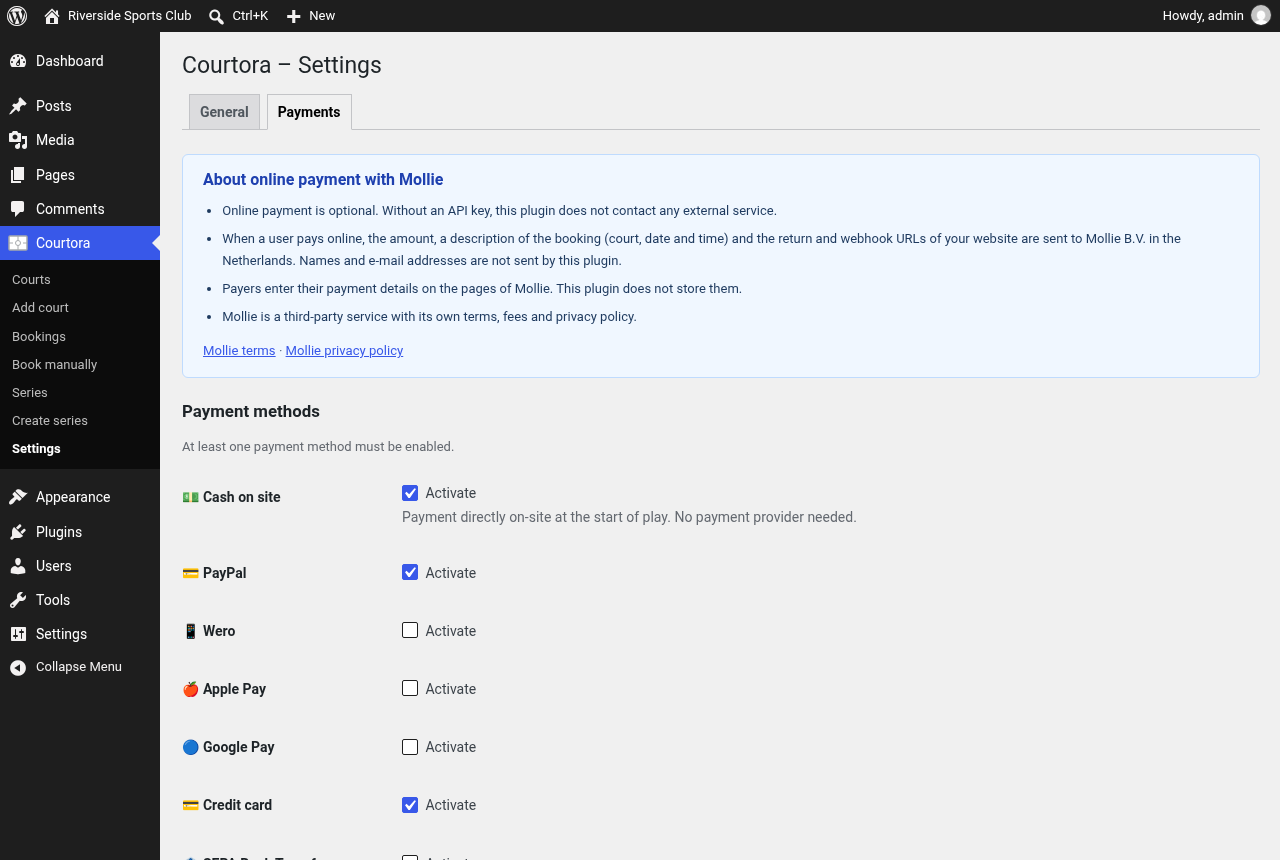
Payment settings with Mollie.