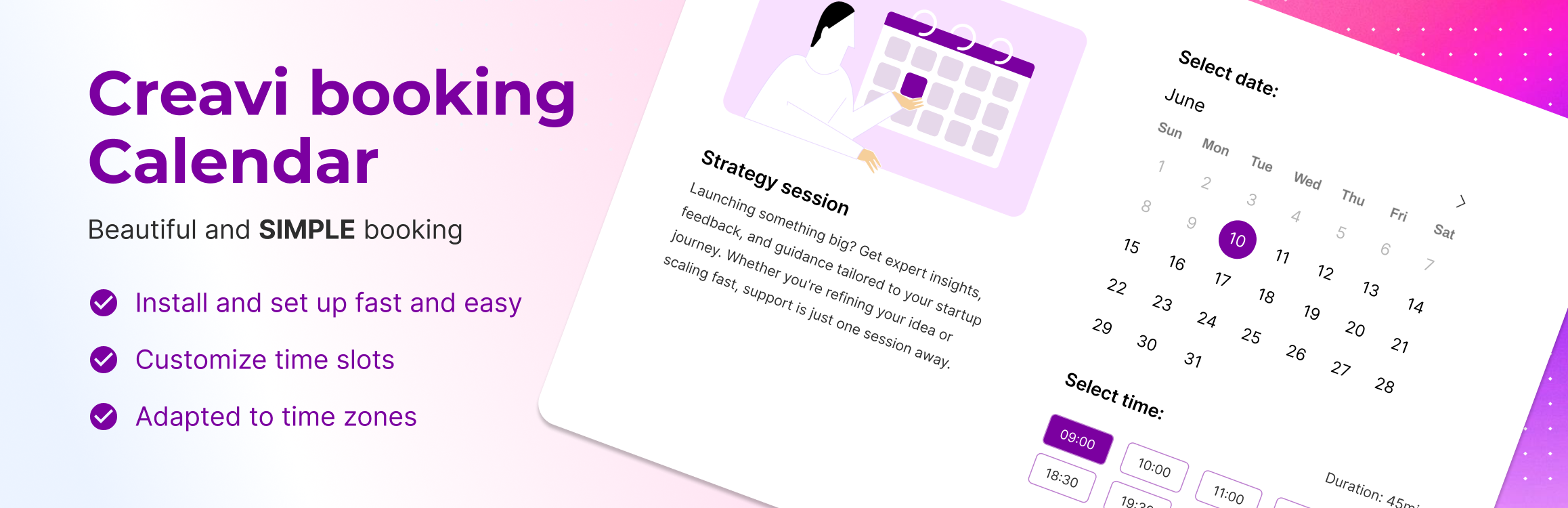
Creavi is a beautiful, free WordPress appointment booking plugin for service businesses. Let customers choose a service, select a specialist, and book an available time on your website. Google Calendar and Outlook sync, built-in secure video conferencing, email reminders, shared staff schedules, and booking approval are included, with no plugin-imposed service or booking limits.
Use a booking button, an embedded calendar, or a Service Catalog with categories and provider selection. Suitable for salons, clinics, consultants, coaches, personal trainers, fitness studios, and yoga instructors.
Try the live booking demo | Read the documentation | Ask a support question
Give customers a clear way to book
- Show services as a simple list or organise them into categories, with optional images and your own labels.
- Let customers select a provider and see available times that fit the service duration.
- Place a calendar directly on a page or open it from a booking button. Both layouts work on mobile.
- Match your site with colour, layout, wording, and calendar-language controls beside a live preview.
Keep staff schedules and connected calendars aligned
- Link several services to one staff calendar. A booking blocks overlapping times across those services.
- Connect Google Calendar or Outlook to create appointment events and block connected-calendar busy times.
- Set weekday hours, days off, minimum notice, and rolling booking windows in days or months.
- Choose 10, 15, 20, 30, 60, or 90-minute appointments and optional 5–60 minute buffers.
- Use visitor-local or business timezones, with 12 or 24-hour display.
Manage appointments from WordPress
- Confirm bookings automatically or review requests before approval, separately for each service.
- Approve or reject pending requests from the booking list or individual booking screen.
- Review rescheduling or cancellation of upcoming appointments and choose customer notifications.
- Send editable customer and admin emails, separate reminders, and calendar attachments.
- Collect contact details, custom answers, and consent with configurable forms.
- Export selected bookings to CSV or Excel, and choose an optional retention period for old records.
Start with an editable Elementor demo page
Choose from nine demo pages for salons, yoga studios, dental clinics, consultants, coaches, and sales demos, including the Instagram Brand Consultant design.
Imports create draft pages with images, services, and catalogs. Set real content and availability before publishing. Demo pages require Elementor V4 atomic elements and global classes. Regular shortcodes work without Elementor. More demos are coming soon.
Add booking to your existing website
- Inline calendar:
[creavibc_booking_inline id="123"] - Popup booking button:
[creavibc_booking_button id="123"] - Service Catalog:
[creavibc_service_catalog id="123"]
Replace 123 with the service or catalog ID. Shortcodes work with the block editor, Elementor, and other builders. Booking Profile and Service Hero blocks are also included.
Offer in-person, phone, or online appointments with your own meeting link or a generated video meeting.
Screenshots

Online appointment booking for a business coach, with service details, available dates, time slots, and the selected appointment.
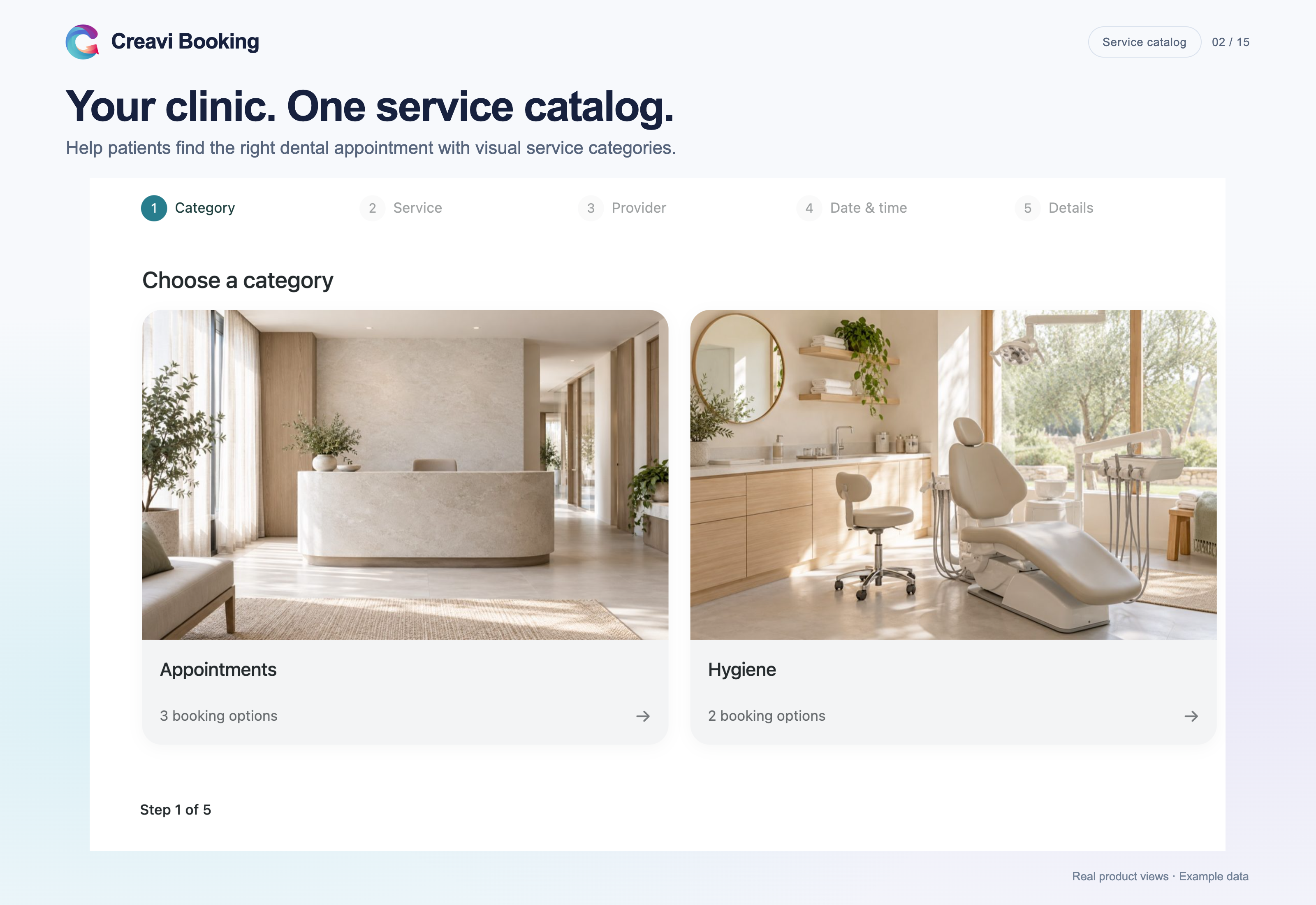
Dental clinic Service Catalog with image categories for treatments and hygiene appointments.

A sales demo page with a dark, single-column booking calendar.
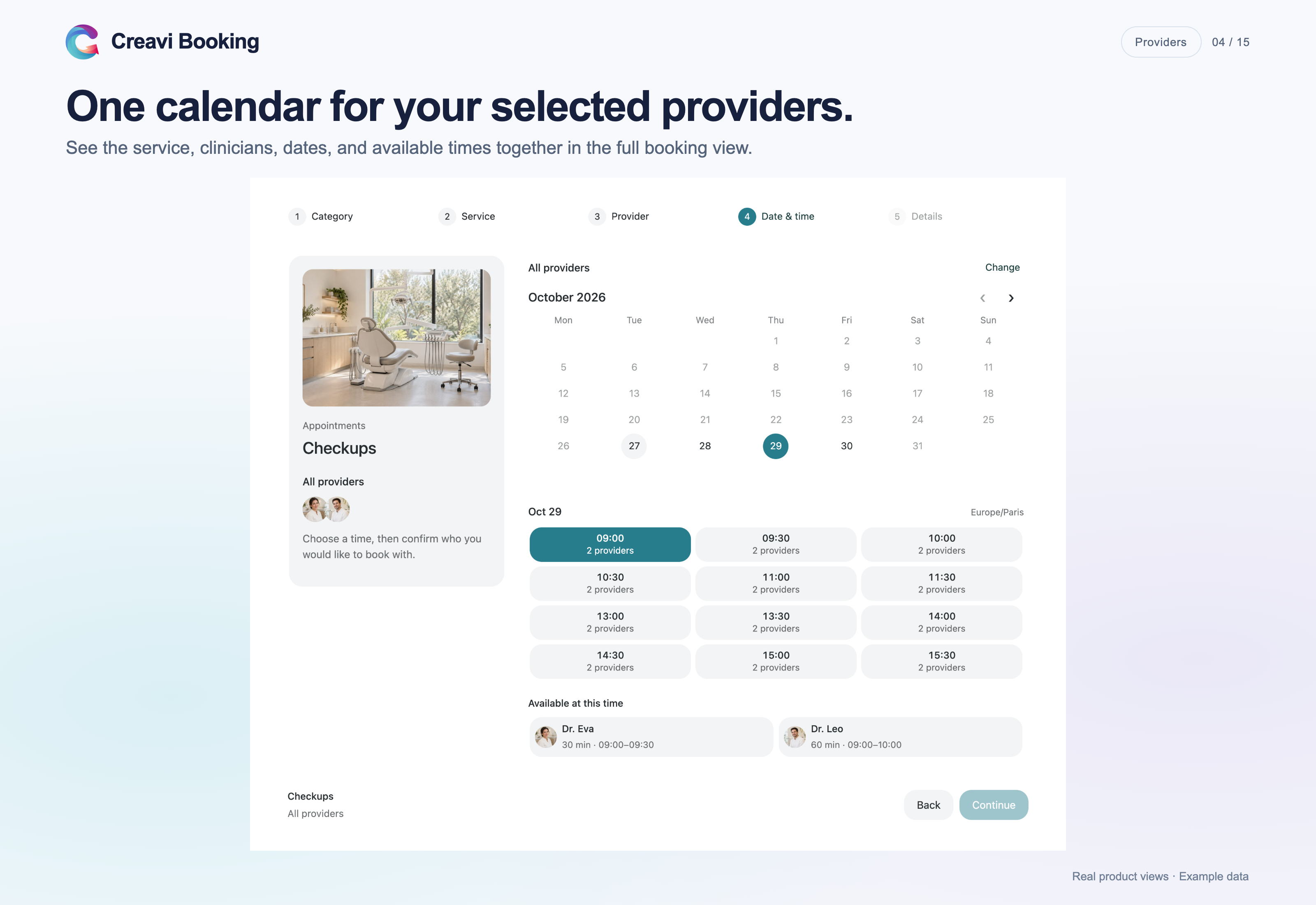
Provider selection and combined availability in a full dental appointment calendar.
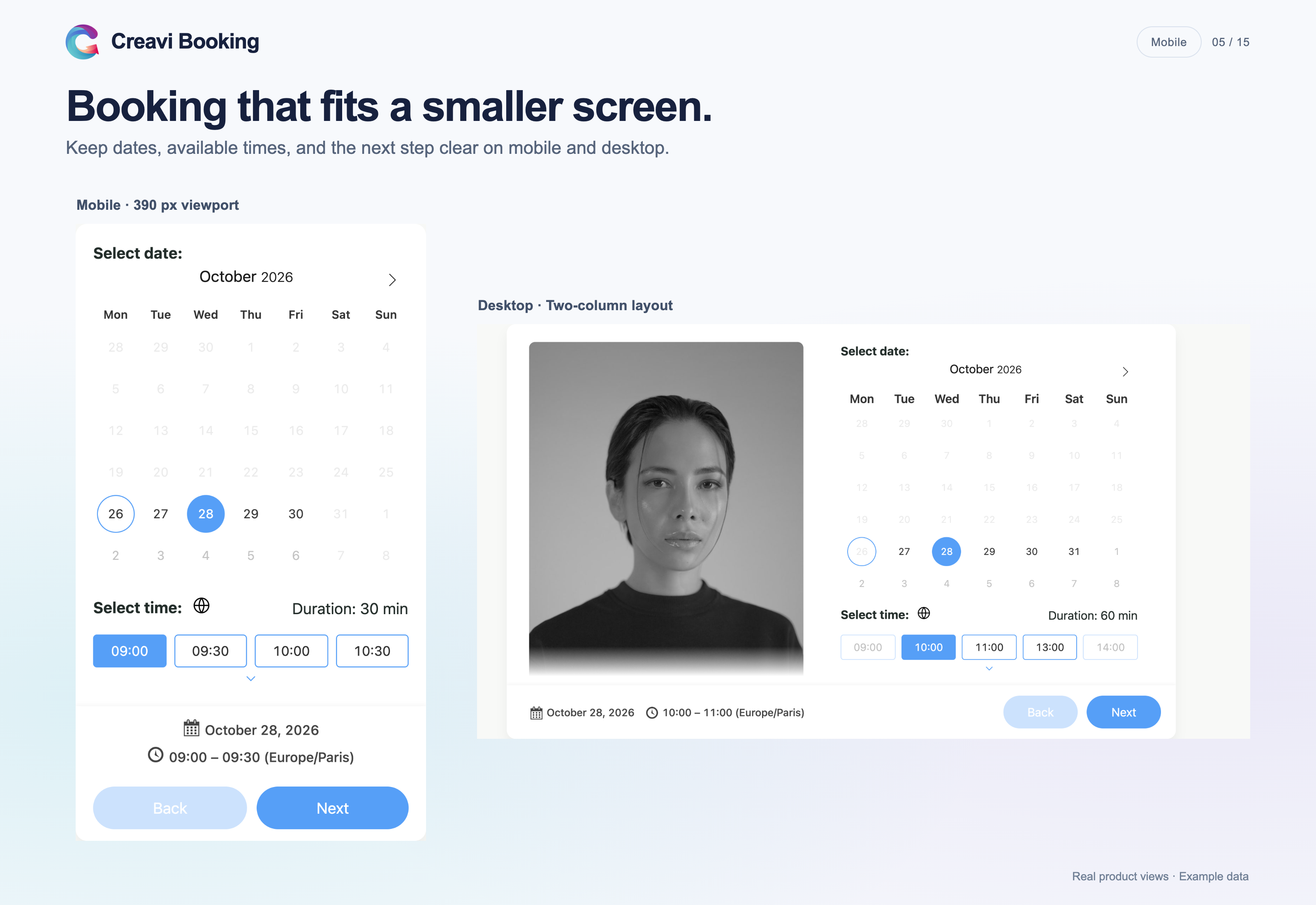
Responsive appointment calendars on mobile and desktop.
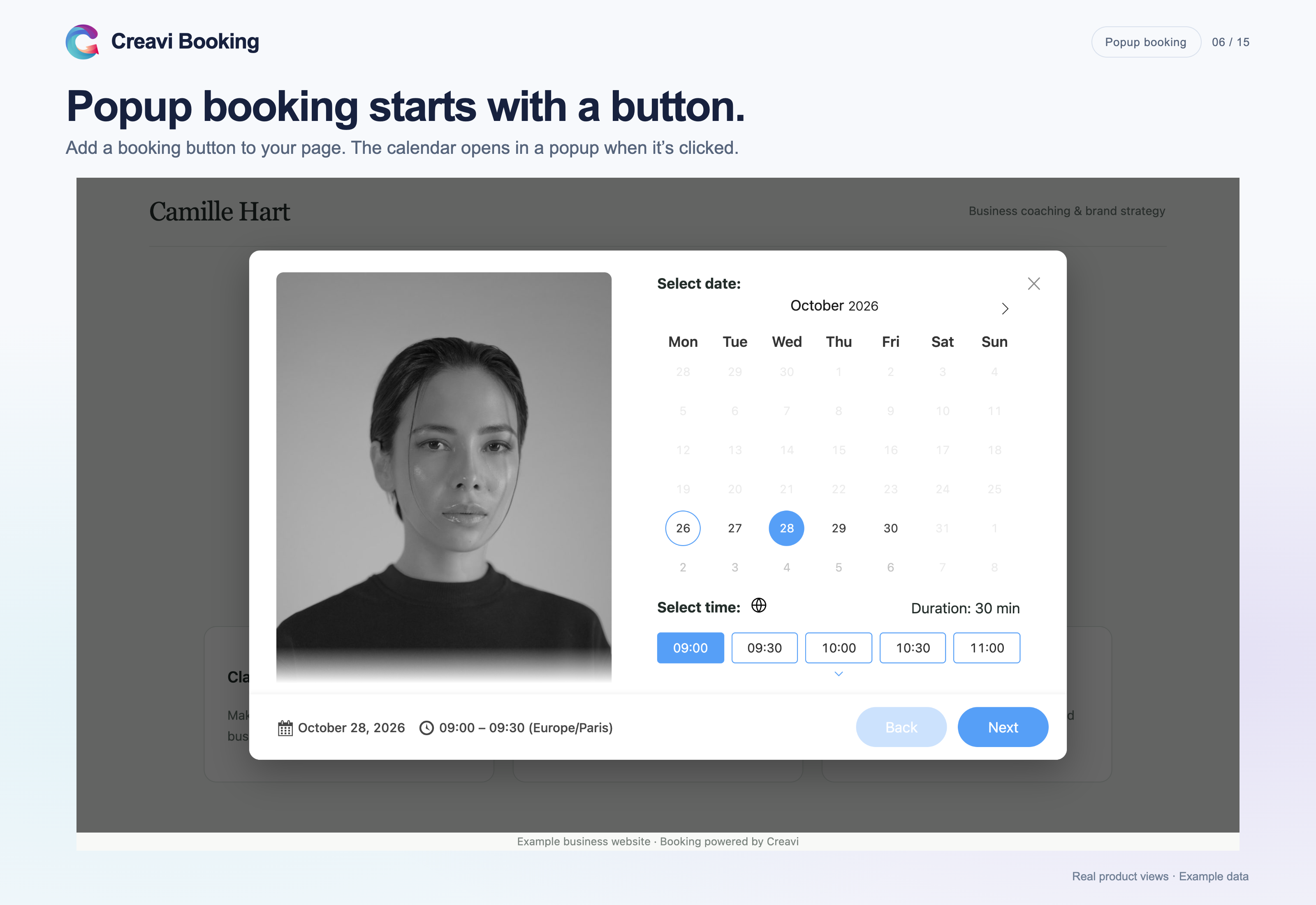
A booking button opening the appointment calendar in a popup.
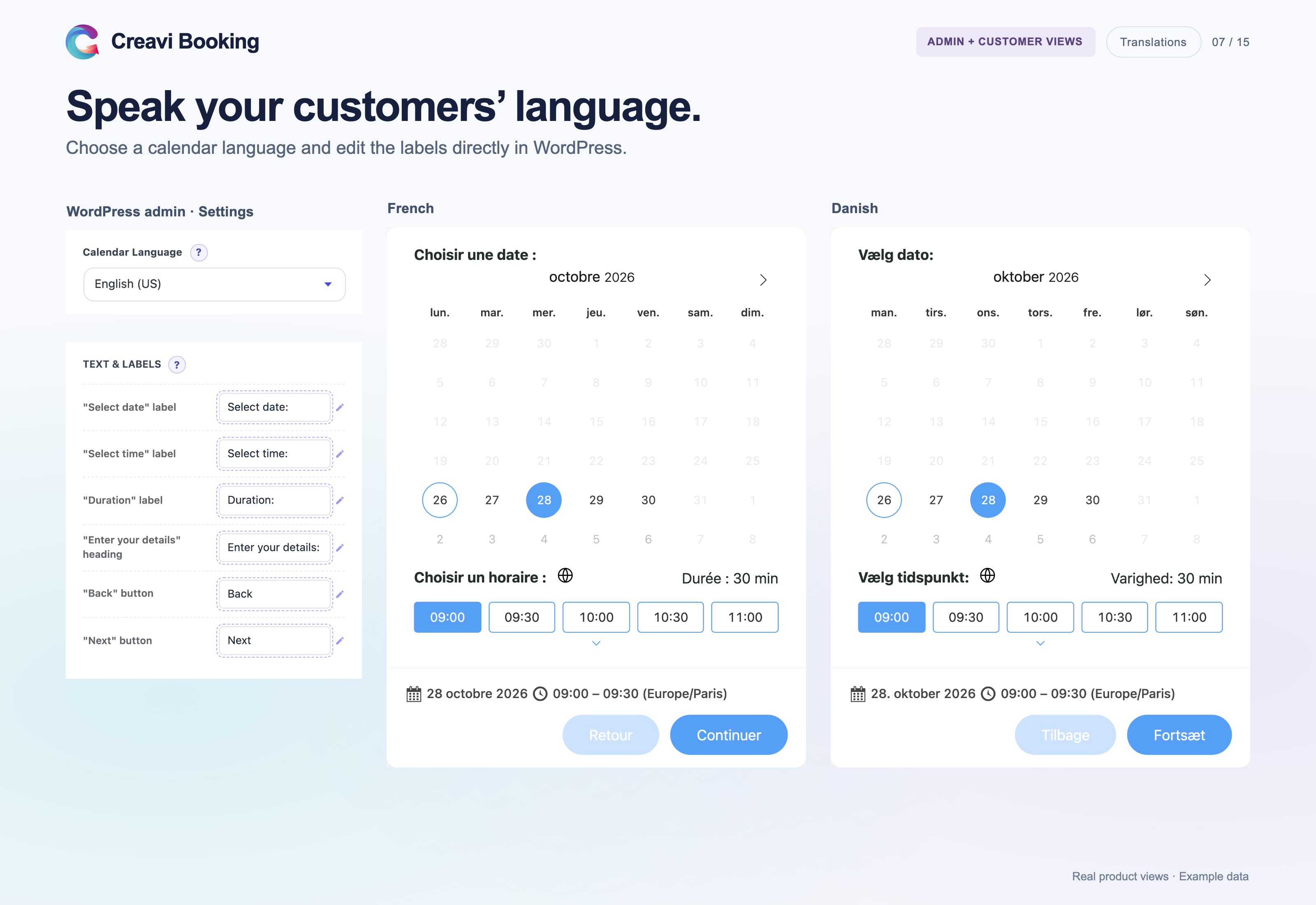
Editable calendar labels and language controls beside French and Danish calendars.
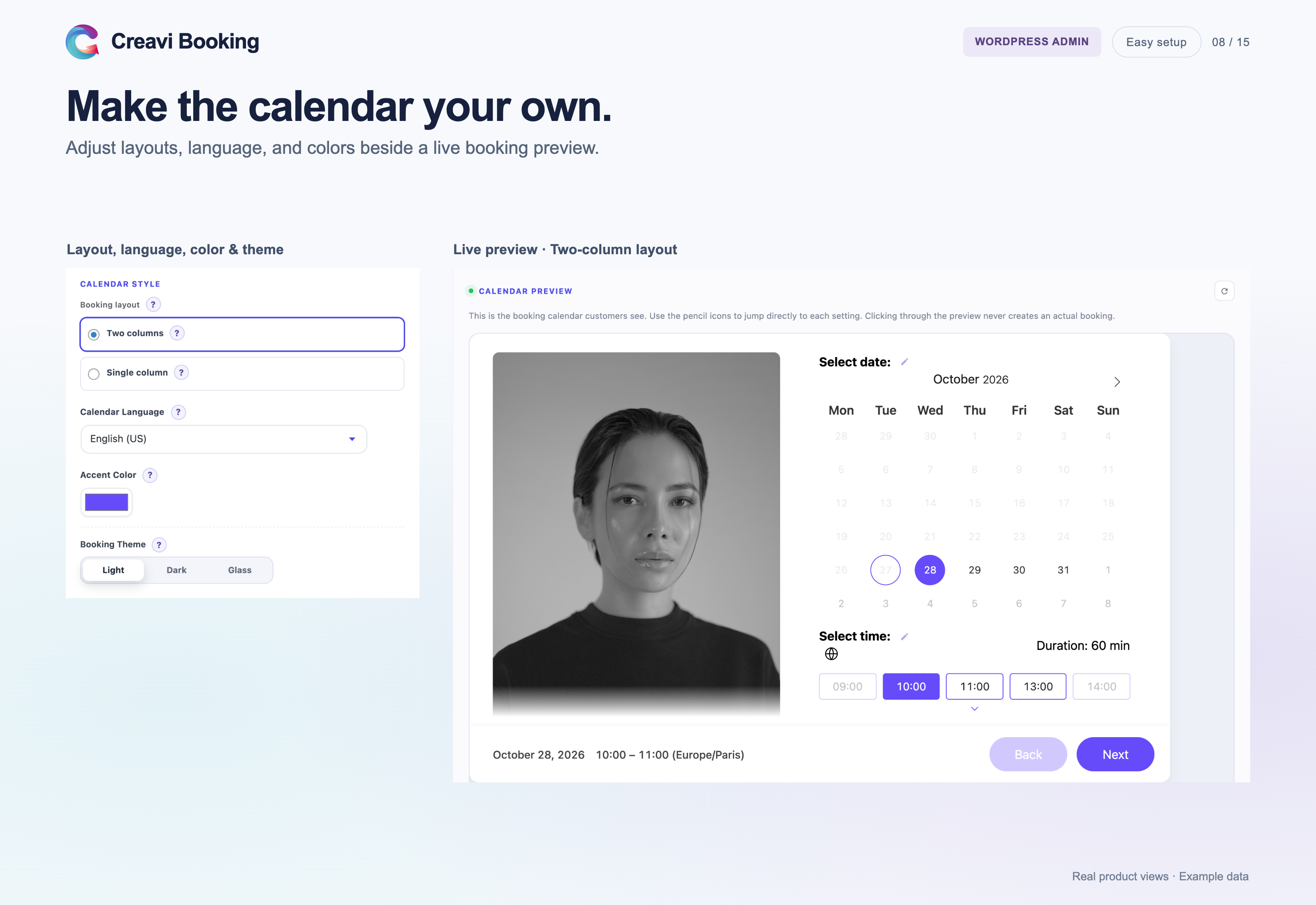
Calendar design settings and a live booking preview in WordPress.

Availability controls for booking windows, minimum notice, timezones, durations, and buffers.

Booking management with pending requests, approval and rejection, rescheduling, and cancellation.
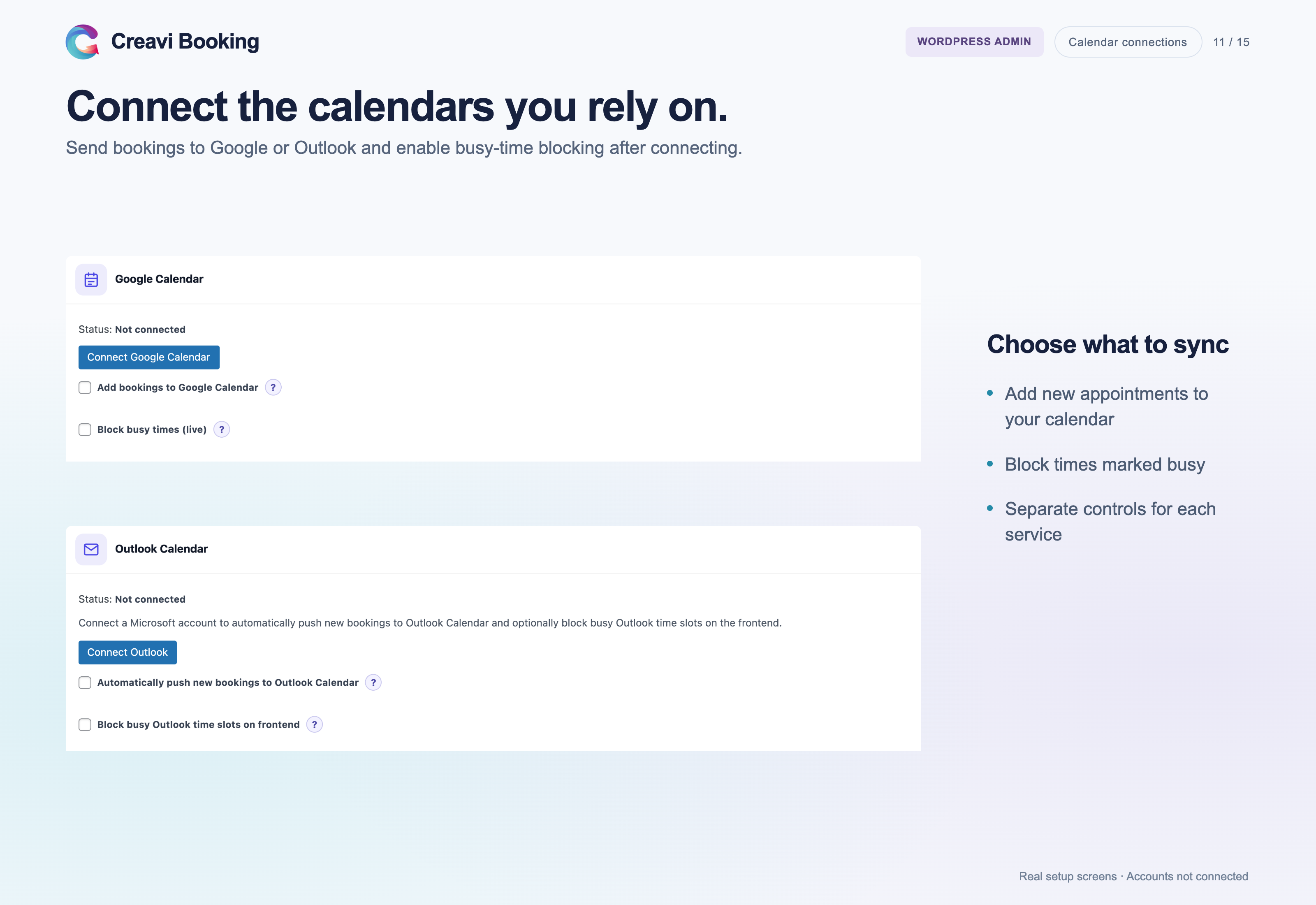
Google Calendar and Outlook connection and busy-time settings; the example accounts are not connected.
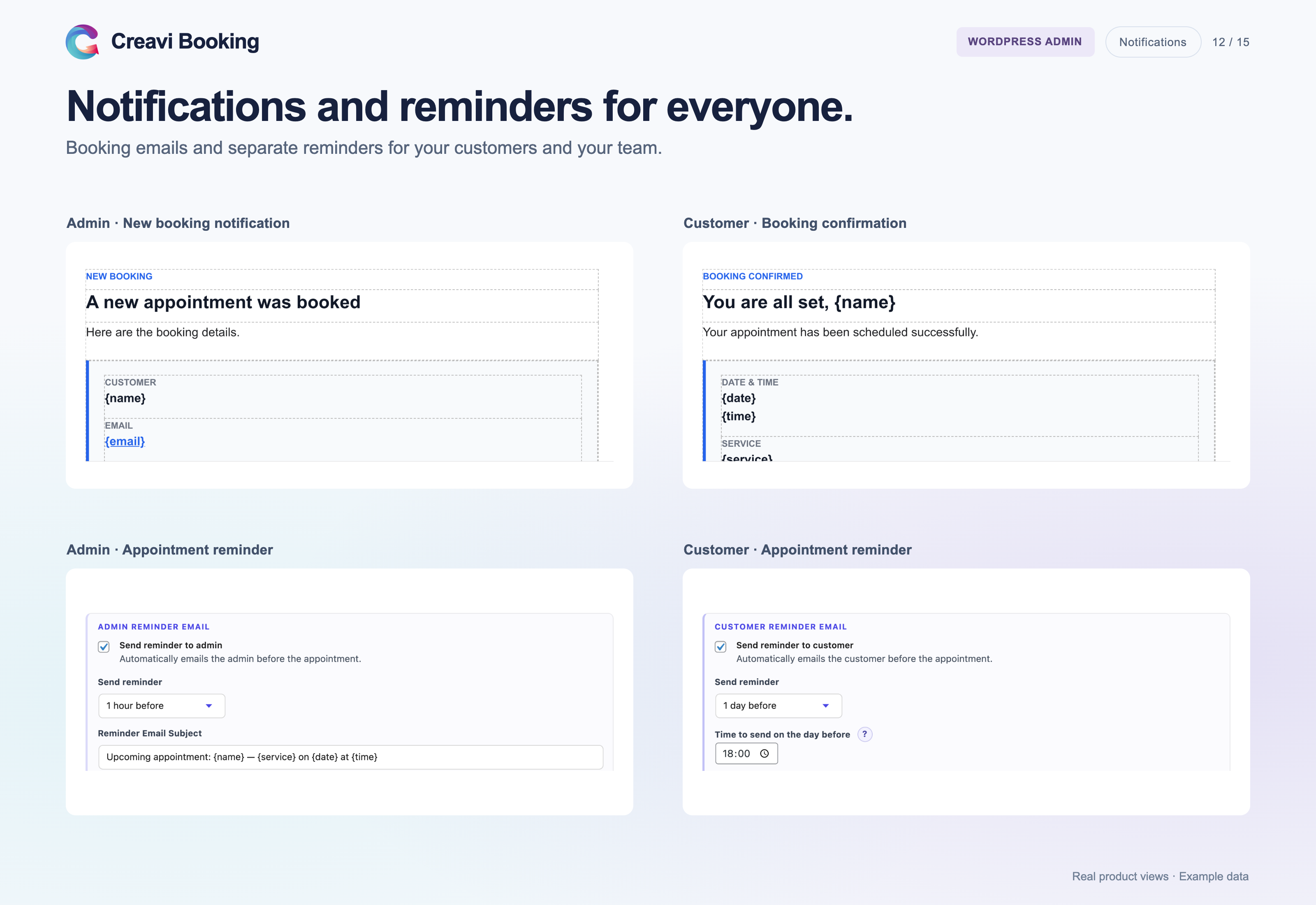
Editable administrator and customer emails with separate reminder schedules.
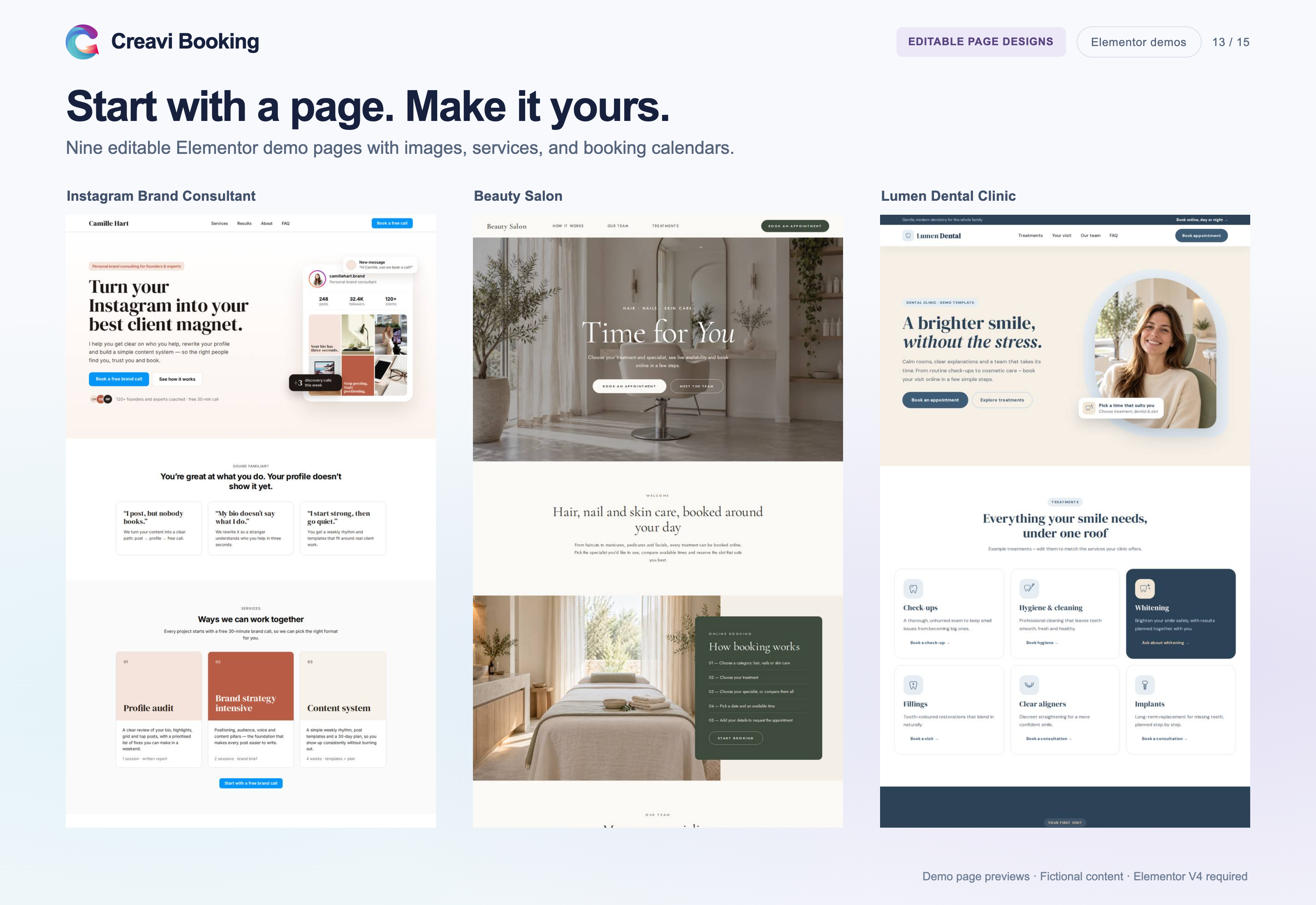
Three of nine editable Elementor demo designs, including Instagram Brand Consultant, Beauty Salon, and Lumen Dental Clinic.
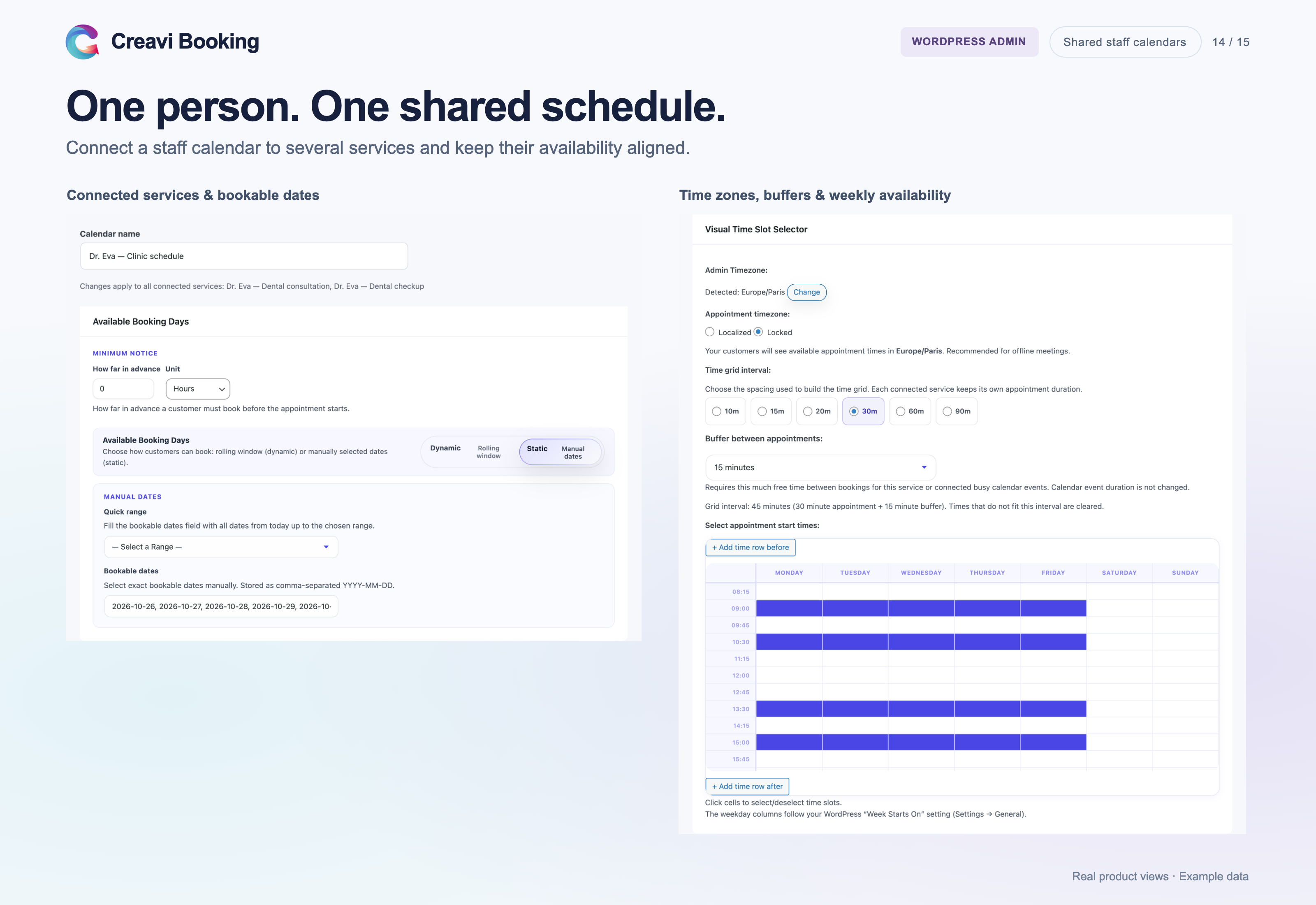
A shared staff calendar showing connected services and common availability controls.
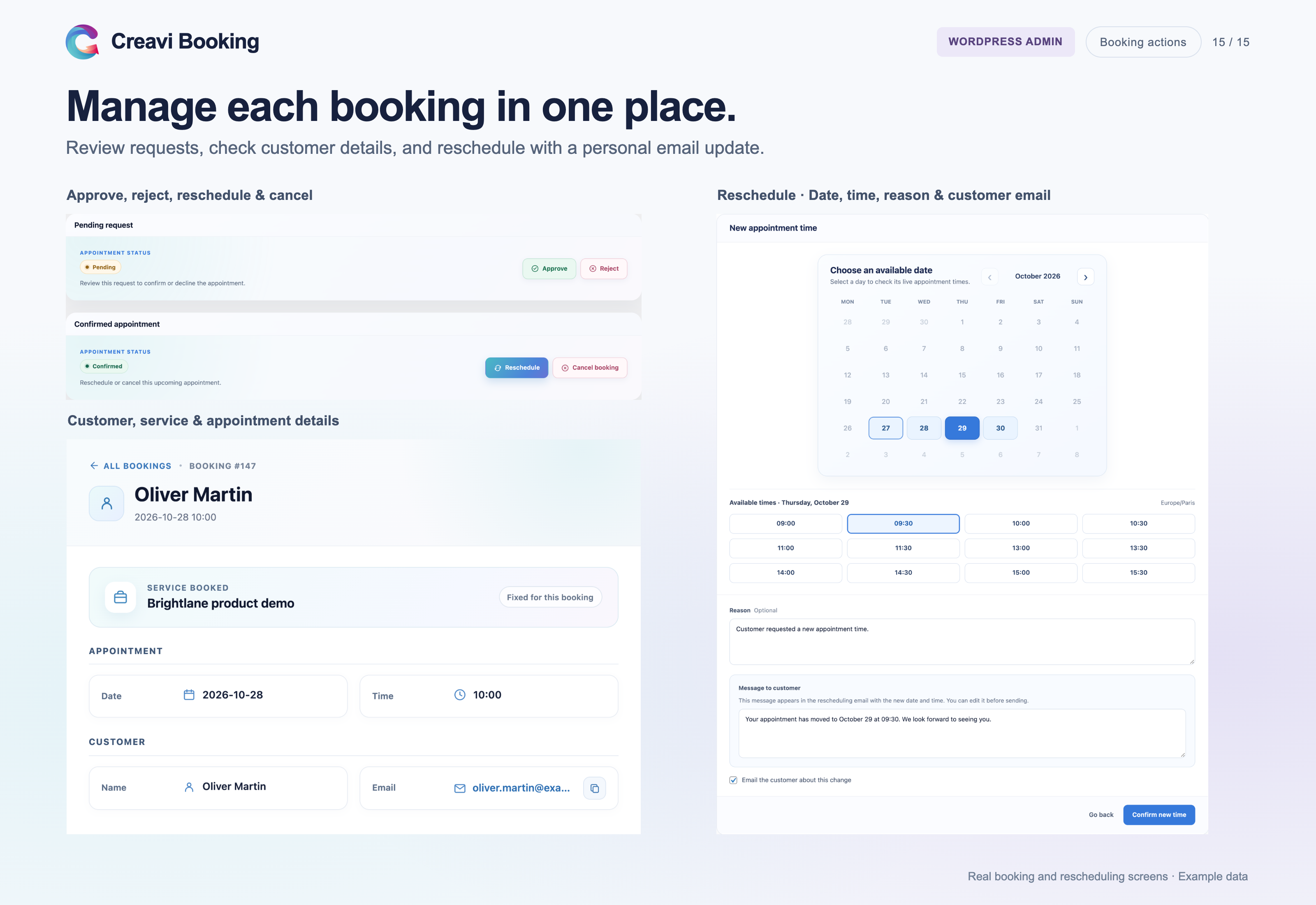
Individual booking action panels: approve or reject a request, or reschedule or cancel a confirmed appointment.