WooCommerce gives every customer one account. When several people at a customer company order from you, they end up sharing a login, or ordering as strangers your store can’t connect.
CrewCommerce groups those people into a company. Each person signs in as themselves, has a role, and bigger orders wait for a manager at the customer’s own company to approve them before anything is charged.
Website: crewcommercepro.com · Try it in your browser: live demo · Docs: crewcommercepro.com/docs
What it does
- Company accounts. Create a company for each business customer, with as many people in it as they need. There’s no limit on companies or members.
- Roles. Requesters place orders. Managers approve orders and manage the team. Each company has one Admin.
- Invitations by email. You, or the company’s Admin and Managers, invite colleagues from their account. People without an account get one and set their own password. When a company’s Admin or Manager invites someone who already has an account, that person joins once they accept.
- Approval before payment. Set an order value. Orders at or above it from the roles you choose are placed but held as Pending Approval, and their approver is emailed.
- Approve or reject from the storefront. Managers see everything waiting for them under My Account › Pending Approvals. A note is optional when approving and required when rejecting, and the buyer is emailed either way.
- Payment after approval. Nothing is charged while an order waits. Card orders get a link to pay once approved; cash on delivery, bank transfer and check orders move on as they would have at checkout.
- My Requests. Buyers follow each request: status, approver, how long it has waited, and a Pay Now button when it’s approved.
- Safe by default. Nobody approves their own order, stock is checked again before an order is approved, and orders from a company with nobody to approve them wait for you to claim them.
- Your view in WP Admin. A dashboard with what needs attention, every company and its team, the latest approvals, and Company and Approval columns on the WooCommerce orders list.
Works with the block checkout and the classic checkout, with High-Performance Order Storage on or off, and on multisite.
Who it’s for
WooCommerce stores whose customers are companies: trade and industrial supply, workwear, office and janitorial supply, packaging, parts, food service, print, and internal ordering sites where a company’s own staff order supplies.
CrewCommerce Pro
CrewCommerce is complete on its own. CrewCommerce Pro is the paid edition. It includes everything in CrewCommerce, plus more control for stores whose business customers grow:
- Monthly spending limits per person, enforced at checkout, with Spend Reports.
- A different approval threshold for each company, product categories that always need approval, and two approval steps (a Manager, then the Admin).
- Comments on each order before it’s decided, bulk approve and reject, and reminder emails for approvals left waiting.
- Customers create their own company at registration and colleagues join with a private link.
- Fast Restock: a one-page reorder list of what each company buys most.
- Company Order History for customers’ managers, an Activity Log, and CSV export of approvals.
Documentation
Setup guides, every setting and common questions: crewcommercepro.com/docs.
Screenshots
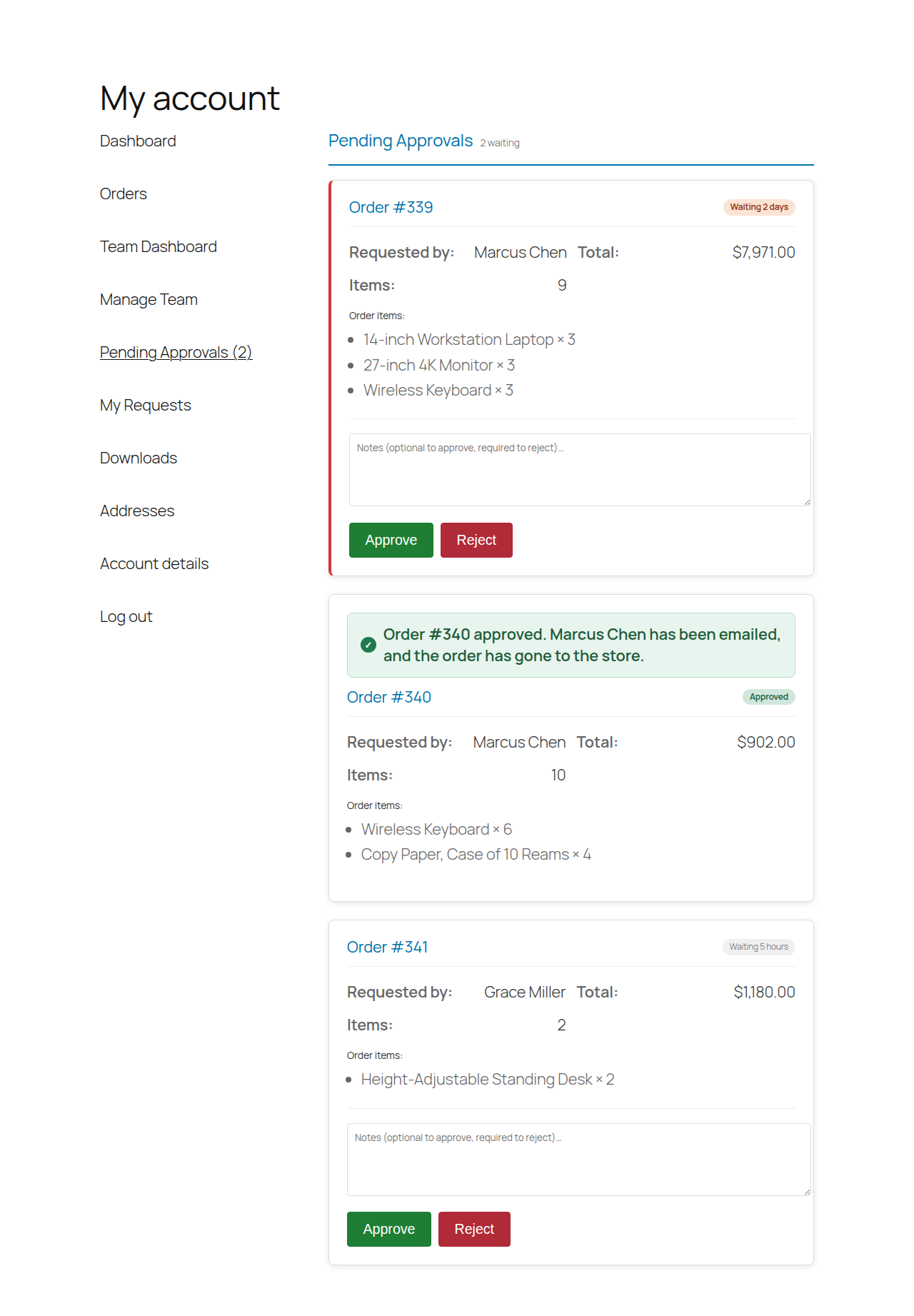
Pending Approvals: the approver sees the order, approves or rejects it, and gets a confirmation of what happens next.
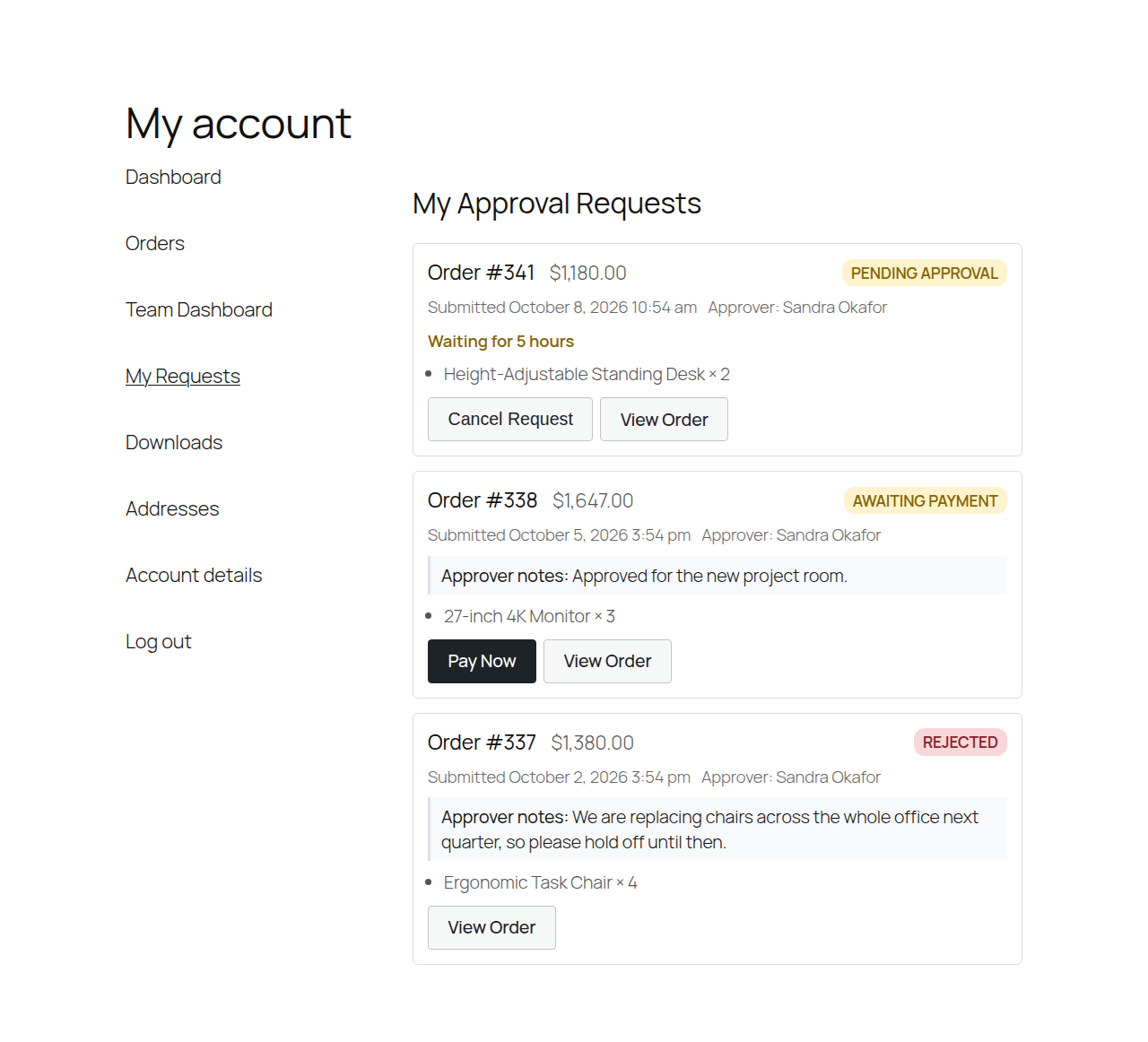
My Requests: the buyer follows each request and pays once it's approved.
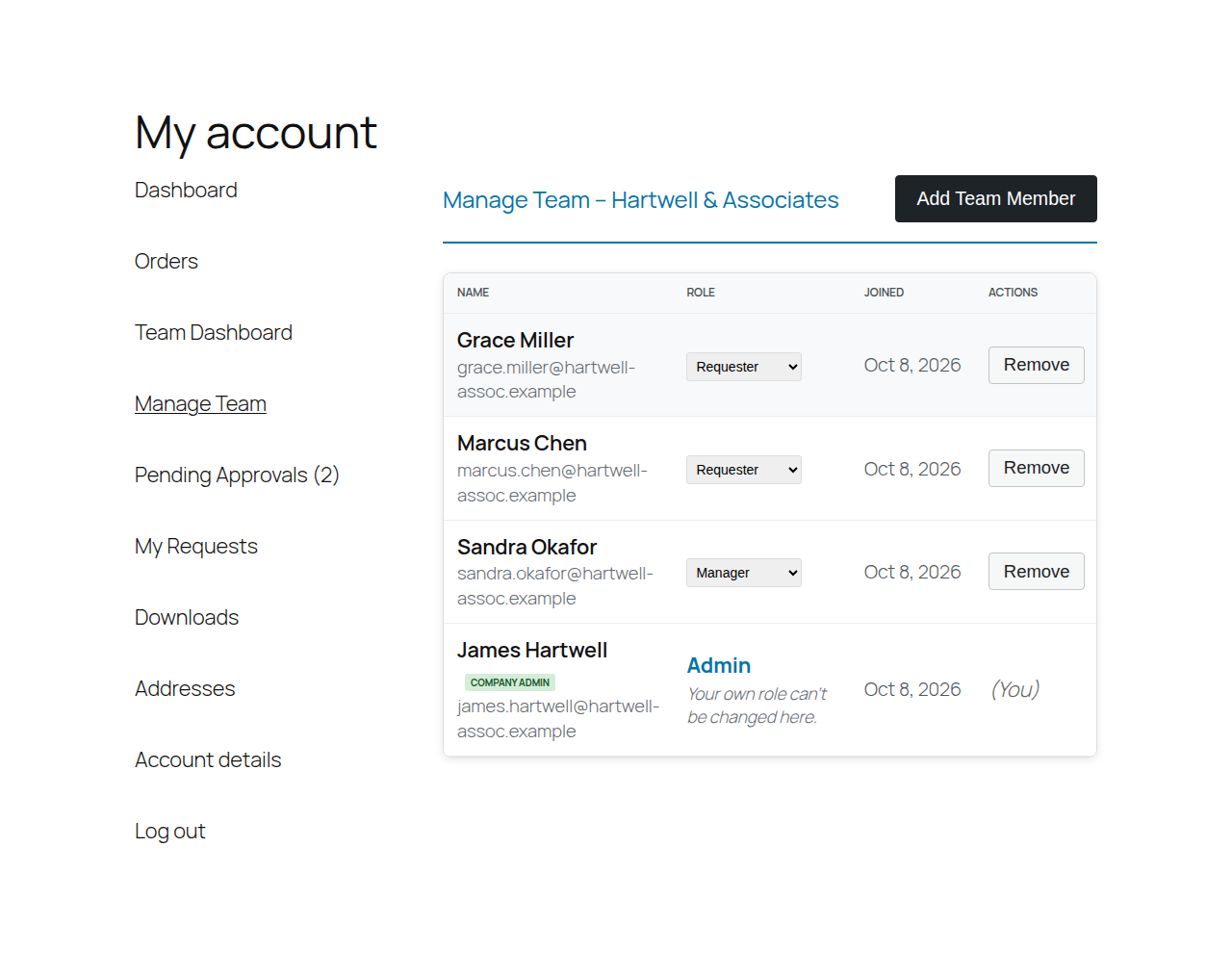
Manage Team: a company's Admin and Managers invite colleagues and change roles.
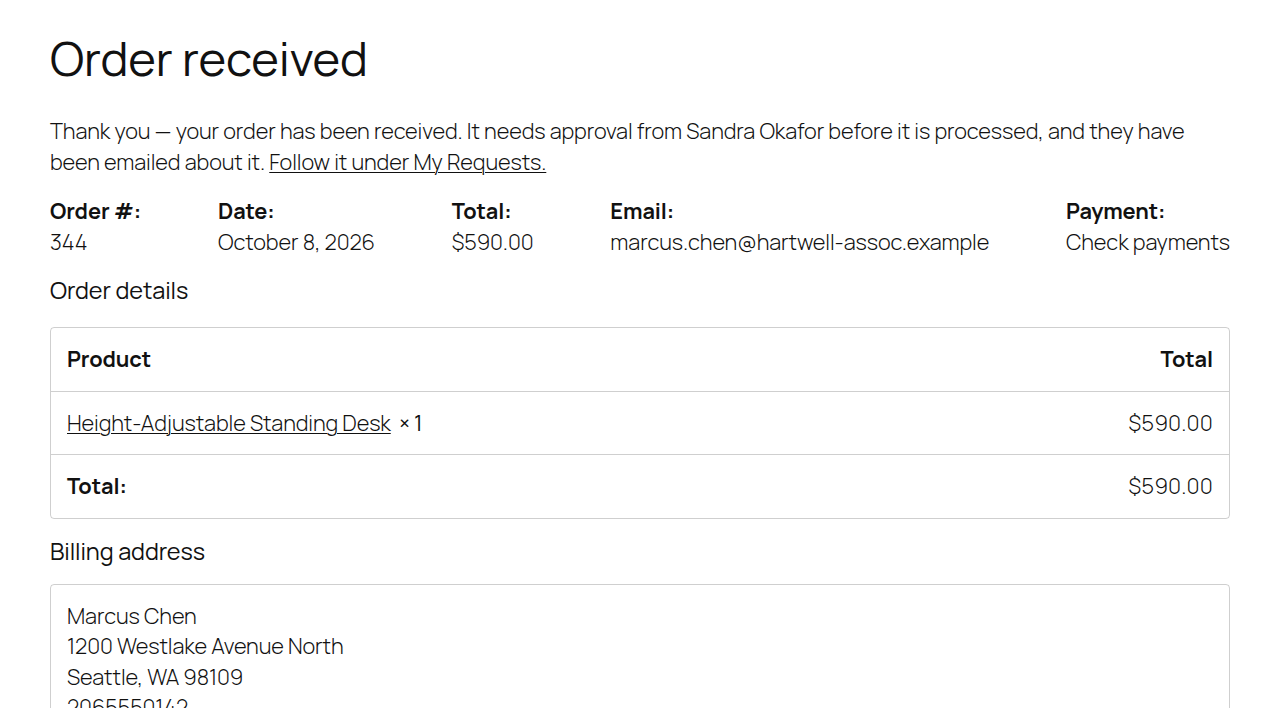
Order confirmation for an order held for approval.
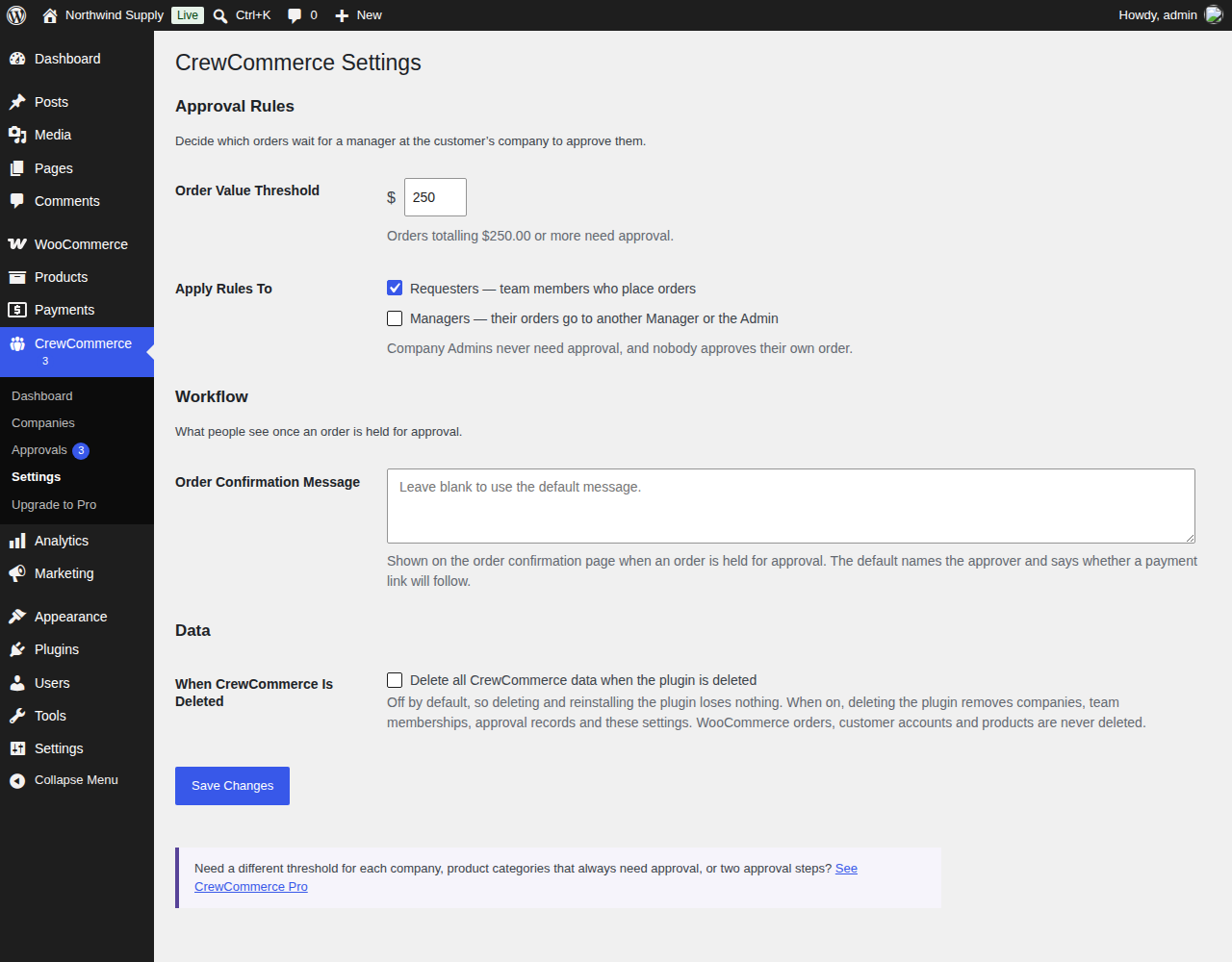
CrewCommerce › Settings: the order value that needs approval and the roles it applies to.
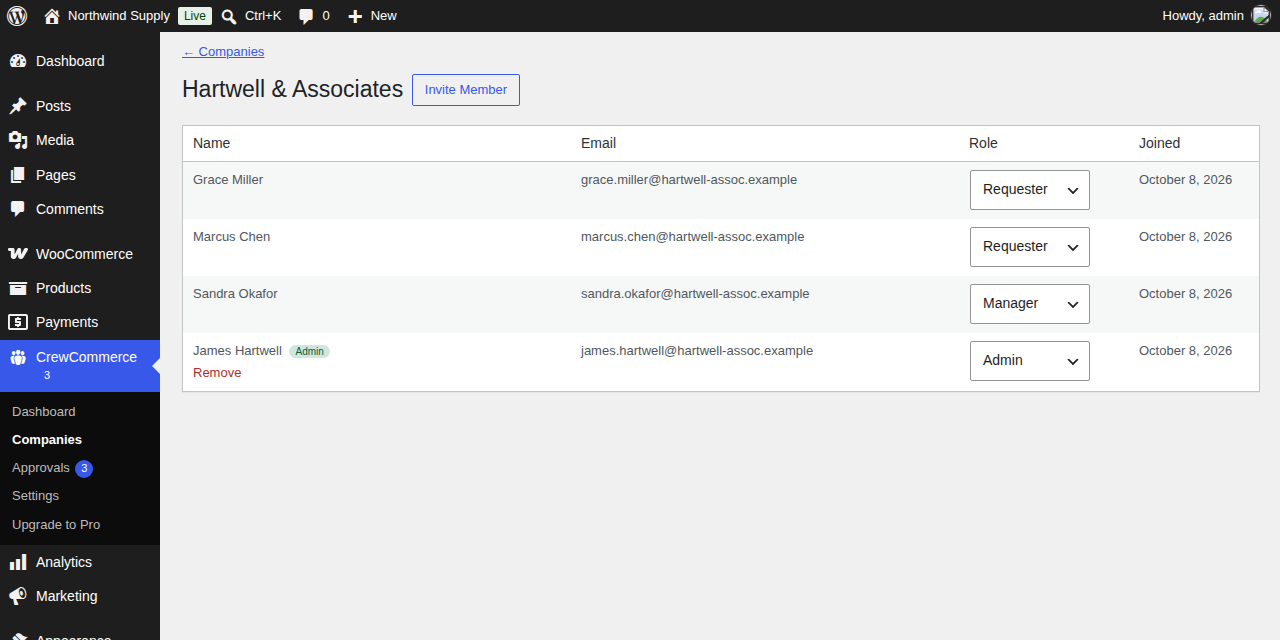
A company's team in WP Admin.
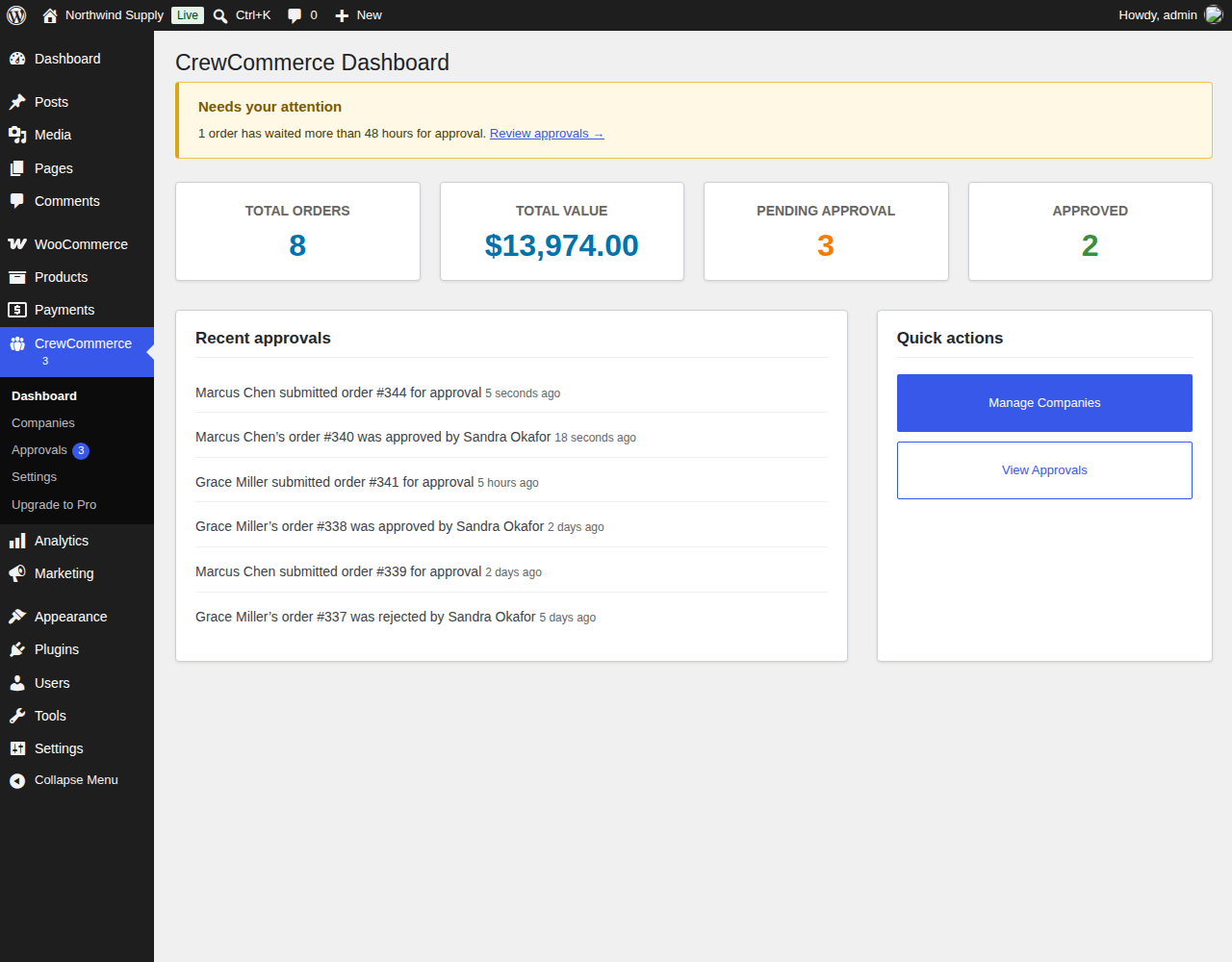
The CrewCommerce dashboard in WP Admin: what needs your attention, order totals and recent approvals.