
CTCL Analytics adds an Analytics subtab to CT Commerce Lite’s Information screen. Explore your store’s item sales and order volume without sending order data to an external analytics service.
Features
- View the last 3, 6, or 12 calendar months, including the current month.
- Filter pending orders, completed orders, or both.
- See item sales, order counts, average order value, and the best sales month.
- Compare item sales with the preceding period of the same length.
- Switch between sales and order charts, using line or bar views.
- Read a monthly report table with totals and weighted average order value.
- Export the selected period and status to a UTF-8 CSV file.
- Use a responsive layout with labeled controls and a report table accessible to screen readers.
- Use month boundaries in your WordPress site’s timezone, including orders late on the final day of a month.
- Receive a warning when unreadable order details or invalid item totals are skipped.
What the report measures
Item sales use the stored items-total field from CT Commerce Lite orders, before tax, shipping, and order-level discounts. Average order value is item sales divided by the number of included orders. Free orders count toward the order total. Amounts are rounded to two decimal places.
Refunded orders and statuses other than pending or complete are excluded. Pending orders are not proof of collected payment; choose Completed only when you want completed-order reporting. These reports do not calculate net revenue, profit, or payment settlement.
The current month is partial. Comparisons use the immediately preceding equal-length period of calendar months; a partial current month may be compared with a full previous month. A comparison is unavailable when the previous period has no item sales.
The plugin reads up to 24 months of order history to support a 12-month comparison. It performs one orders query per analytics request and reuses the results for the chart, cards, and table. Changing filters and exporting CSV happen in your browser.
Privacy and bundled libraries
Analytics are available only to administrators with the manage_options capability. Only monthly totals and counts are sent to the dashboard, not customer names, addresses, or individual order details.
Chart.js 4.4.4 is bundled locally under the MIT license. No CDN connection or third-party analytics account is required. Chart.js source: https://github.com/chartjs/Chart.js/tree/v4.4.4
Screenshots
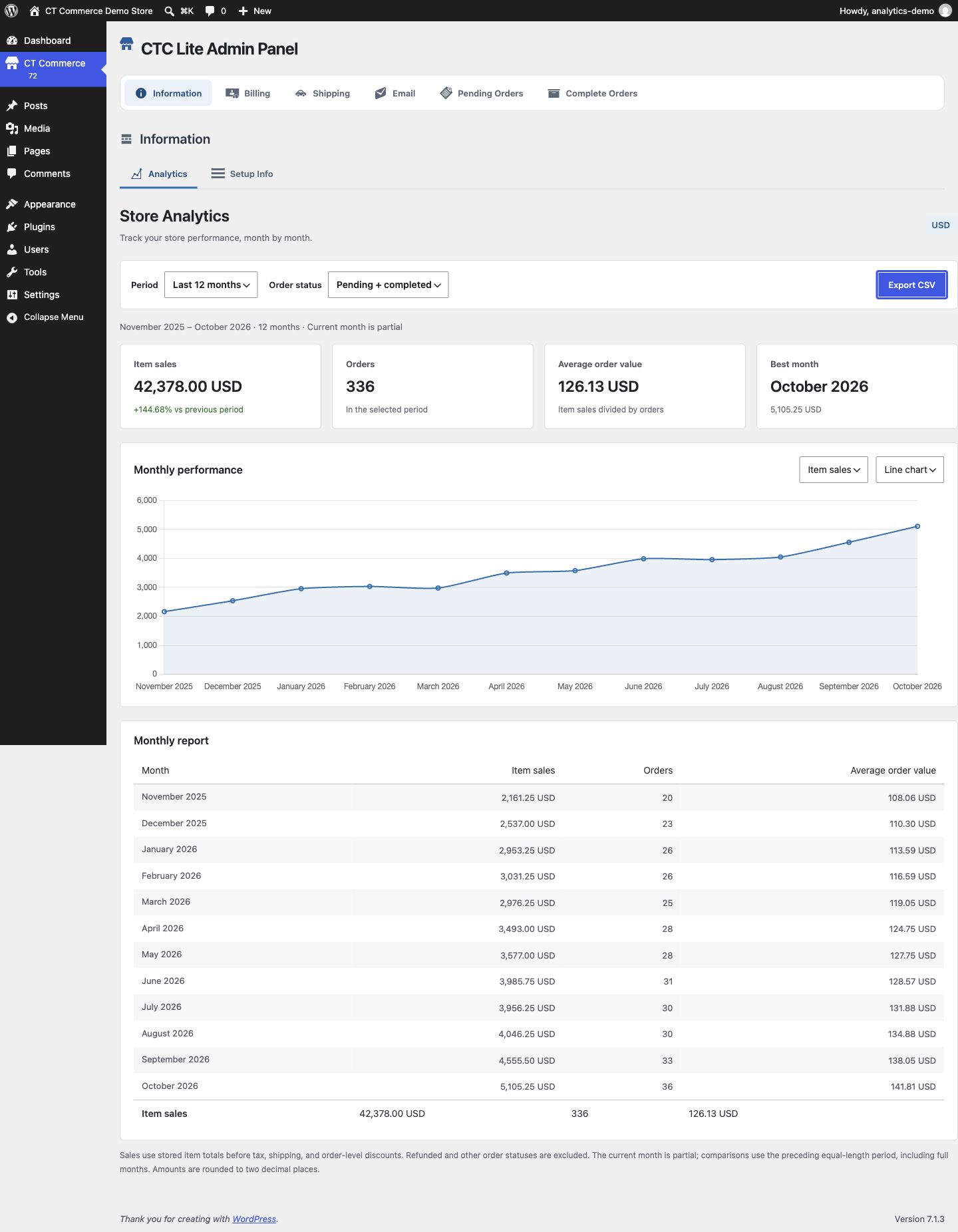
Twelve-month item-sales overview with summary cards, comparison, line chart, and monthly report. Uses sample orders.
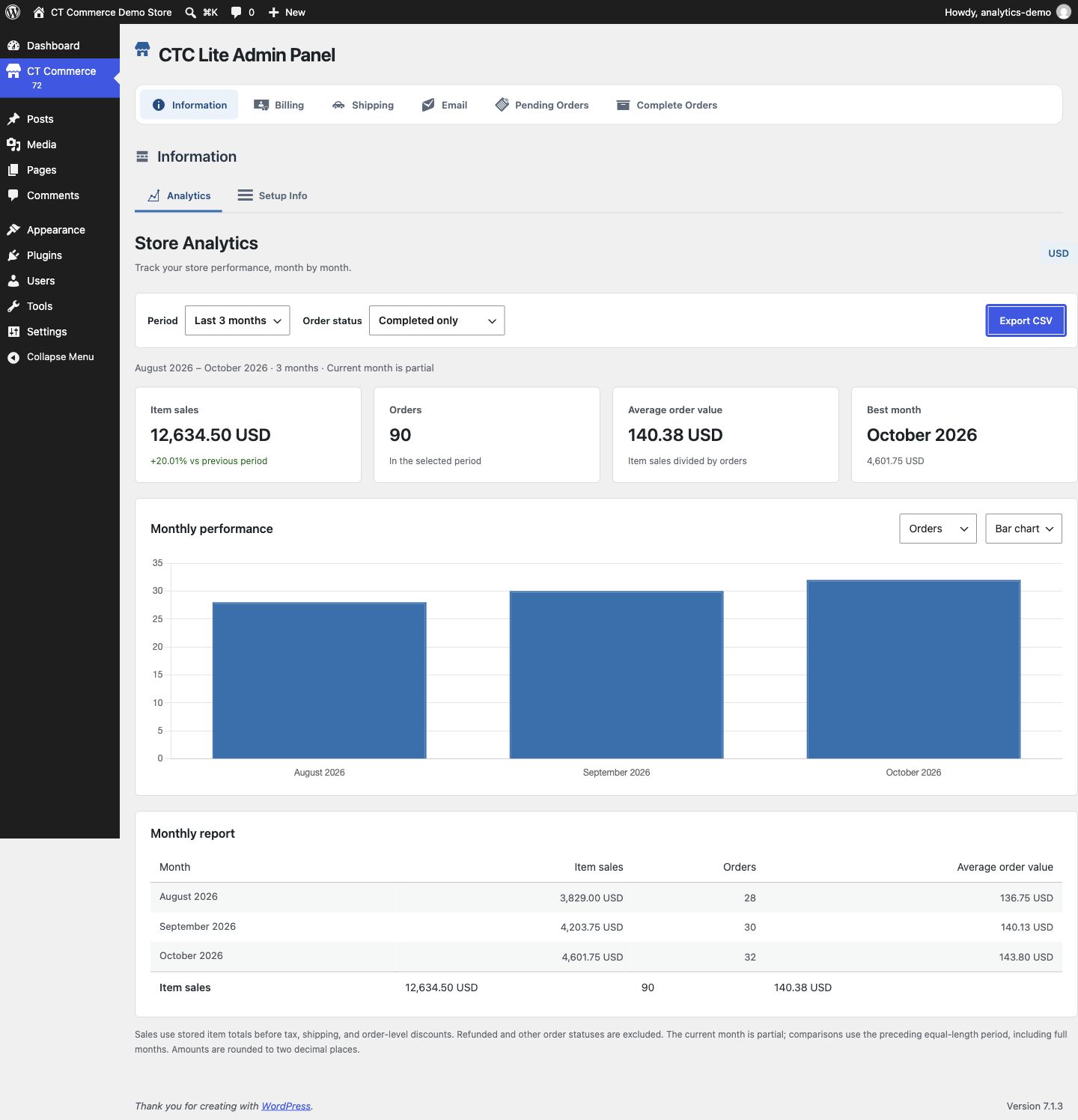
Three-month completed-order report with an order-volume bar chart and matching summary cards. Uses sample orders.