
CultDevOps Redirects & 404 Monitor helps you keep every link to your site working. It shows you which addresses lead nowhere, sends visitors from old addresses to the right page, and turns your “page not found” page into a page that helps. Every screen explains in plain words what a setting does, when to use it and gives an example.
Who it is for
- Site owners who moved their site or changed the address of pages, and want old links in Google and on other sites to keep working.
- Content editors who care about search engines but do not want to edit server files.
- Agencies that move hundreds of addresses at once with a CSV file.
How it works
- Install and activate the plugin.
- Open Redirects & 404 in the admin menu. A short setup asks what you need and turns on the right modules.
- Add your first redirect, then come back in a few days: the 404 Log shows which addresses are broken, and “Redirect this” fixes one in a click.
Redirects
- 301, 302, 307, 308, 410 (deleted) and 451 (removed for legal reasons).
- Match one exact address, a whole folder (“Starts with”) or a pattern (regex). A regex with a mistake is not saved; the screen says what is wrong.
- Send visitors to a page of your site (the redirect follows the page when its address changes later), to an address you type, or, only when you tick it, to another website.
- Text after “?” in the address: ignore it, require it, or pass it on (keeps tracking codes like utm_source).
- Loops are refused before they are saved (A to B to A), and chains (A to B to C) are pointed out.
- When you change the address of a published post or page, a 301 from the old address is added for you.
- Visit counts and the time of the last visit for each redirect.
- CSV import and export in the columns of the Redirection plugin; direct import from Redirection when it is installed (read only). Rows with a problem are skipped and can be downloaded with the reason.
404 Log
- One row per broken address: visits by people and by bots, first and last seen, and the page that linked to it.
- “Redirect this” opens the redirect form with the address filled in, and suggests a published page with the same name.
- Ignore list with wildcards (for example *.map), CSV export, empty with one click.
- Light on your database: one write per visit, at most 60 logged hits a minute and 500 new addresses a day, old rows removed every day (90 days and 10,000 addresses by default).
- No IP address, no browser details, no cookies.
Helpful 404 page
- “Were you looking for one of these pages?” with up to ten similar pages, built from the words of the missing address.
- Shown above the search box of your theme’s own 404 page, or on a page you made; also as the “Did you mean?” block and the [cdorr_suggestions] shortcode.
- The answer keeps the status 404, so search engines never see a “soft 404”.
Domain and HTTPS
- Send every visitor to https://, after the plugin checked that your certificate answers.
- One form of your domain (with or without www), matching Settings > General.
- Move the whole site to a new domain, address by address. The admin area is never redirected.
- Optional HSTS header (tells browsers to always use https://), off by default, with a clear warning.
robots.txt without files
- Block AI crawlers (GPTBot, ClaudeBot, Google-Extended and others; you choose), keep search result pages out of search engines, add a Sitemap line, and write your own rules. Only lines robots.txt understands are kept.
- Live preview. Rules are added through the robots_txt filter of WordPress: no file is written. The screen tells you when a real robots.txt file is in the way.
Image alt text
- Images without a description get one on your pages: their title, or the title of the post they are in. The Media Library is not changed.
- Tidy names for new uploads (“Çay Bahçesi.JPG” becomes cay-bahcesi.jpg), and camera names like IMG_1234 can take the post title.
- A “Without alt text” view in the Media Library.
Everywhere
- Every module can be turned on or off on its own.
- A first-run setup, a checklist of what is left, help next to every field and Help & FAQ inside the plugin.
- Works on multisite: activate it on one site or on the whole network; each site keeps its own redirects and log.
- Translations into 10 languages are prepared for translate.wordpress.org: Turkish, German, French, Spanish, Italian, Brazilian Portuguese, Dutch, Russian, Arabic (right to left) and Japanese.
Premium
The premium plan is a separate package, sold through Freemius: Upgrade in the plugin menu shows its plans and prices. It adds smart 404 suggestions with one-click and automatic fixes, redirect chain repair, conditional redirects (by login state, role, language, device or referrer), a duplicate content finder, a mixed content scanner and fixer, bulk alt text with a preview, a weekly 404 report by email and a 404 chart. The version from WordPress.org contains no premium code and no locked feature, and it is not limited in time.
External services
Redirects, the 404 log, the 404 page, robots.txt and image alt text work without any external service. The only request these modules make goes to your own site: before HTTPS is turned on, the plugin opens your site’s https:// address once to check that a certificate answers.
Freemius (the premium plan)
The plugin includes the Freemius SDK. Freemius (Freemius, Inc.) sells the premium plan, delivers its package and manages its licenses. The plugin contains no premium code; the SDK is used only in these cases:
- Opt-in: the first time you open the plugin, Freemius asks whether you want to share some data with it. Nothing is sent before you answer, and nothing is sent if you choose “Skip”: the plugin works exactly the same. If you choose “Allow & Continue”, Freemius receives your WordPress user’s first and last name and email address, your site’s address and title, the WordPress, PHP, plugin and SDK versions, the site language, and whether the plugin is active, deactivated or uninstalled; the list of your plugins and themes (names, versions, active or not) only if you leave that permission on, and its newsletter only if you tick it. You can opt in or out later with the link in the plugin’s row on the Plugins screen.
- Upgrade page: when you open Upgrade in the plugin menu, your site loads the plans and prices of the premium plan from the Freemius API. Buying opens the Freemius checkout, where you enter your own details.
- Deactivation: Freemius may ask why you deactivate the plugin. Your answer is sent only if you submit it.
Data about your visitors is never sent. Freemius terms of service: https://freemius.com/terms/ · Freemius privacy policy: https://freemius.com/privacy/
Privacy
CultDevOps Redirects & 404 Monitor stores its settings, redirects and 404 log in your own database. The 404 log keeps the broken address, visit counts for people and bots, dates and the referring page without its query string; it stores no IP address, no browser details and sets no cookies. The plugin suggests a paragraph for your privacy policy in Settings, Privacy. What leaves your site is described under External services: Freemius receives data only if an administrator chooses “Allow & Continue” on its opt-in screen, and never data about your visitors. Deleting the plugin removes temporary data and, if you turned on Delete data on uninstall, its settings, redirects and 404 log on every site.
Screenshots
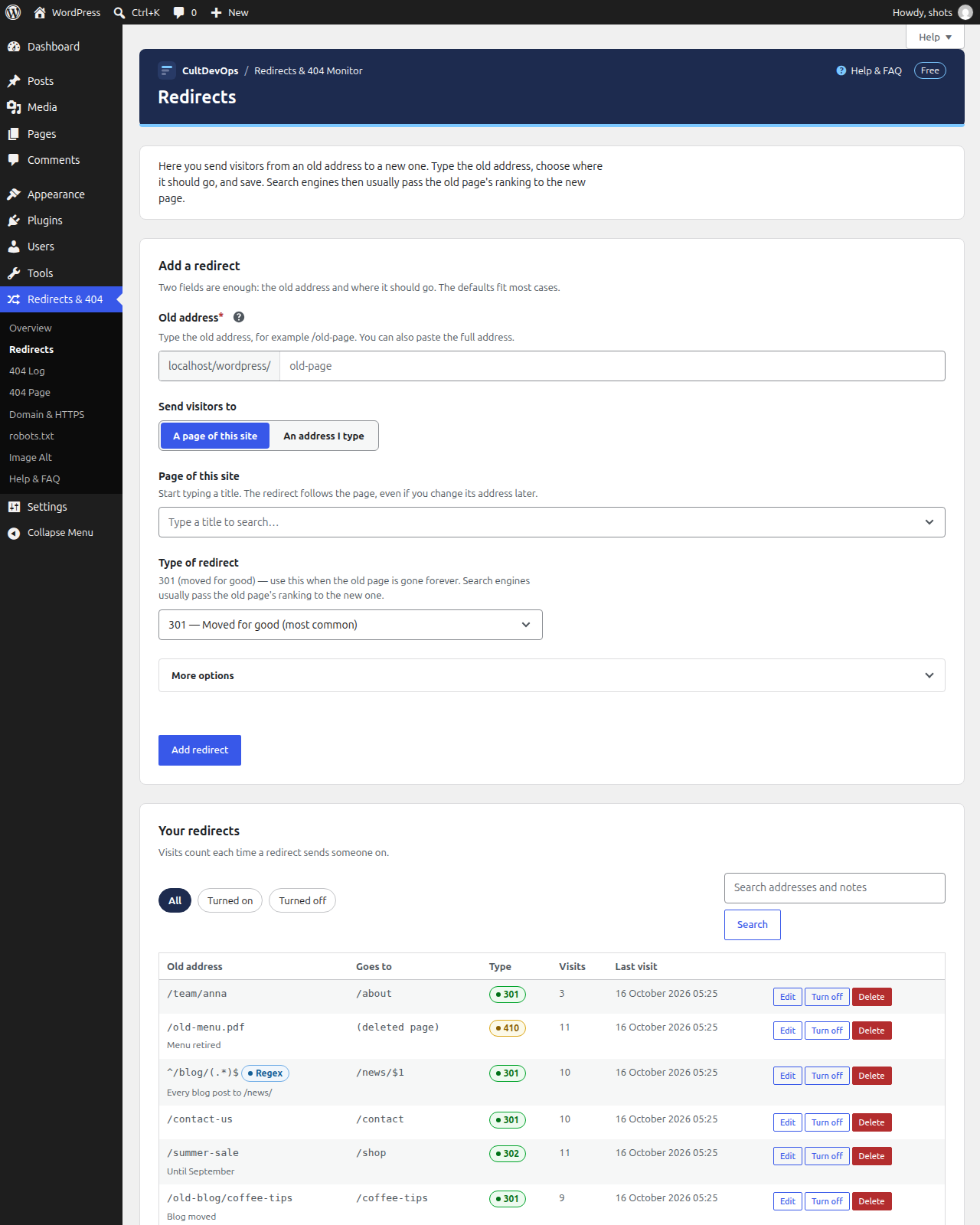
Redirects: add a redirect in two fields, with the list of your redirects below.
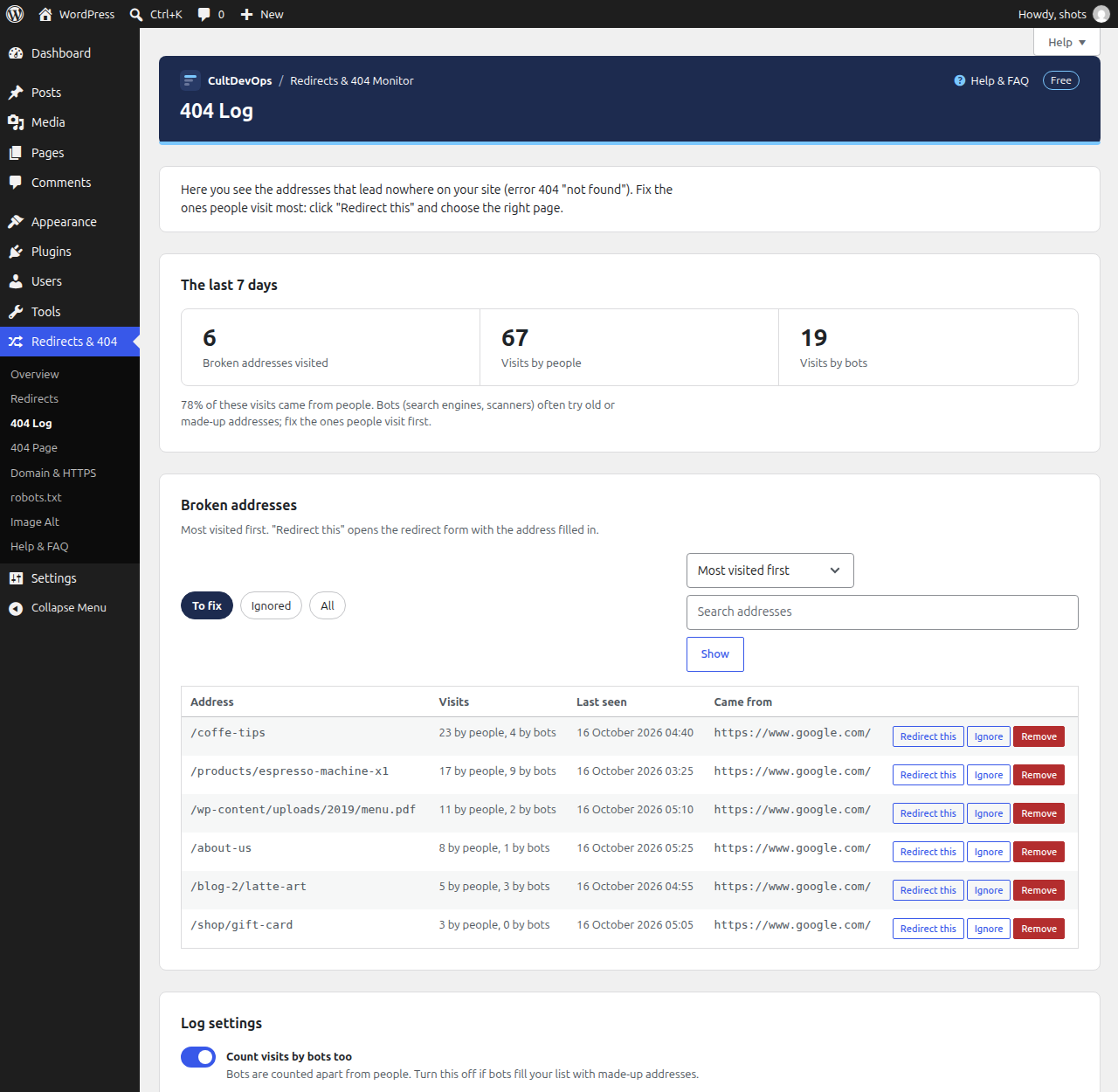
404 Log: broken addresses, most visited first, with "Redirect this".
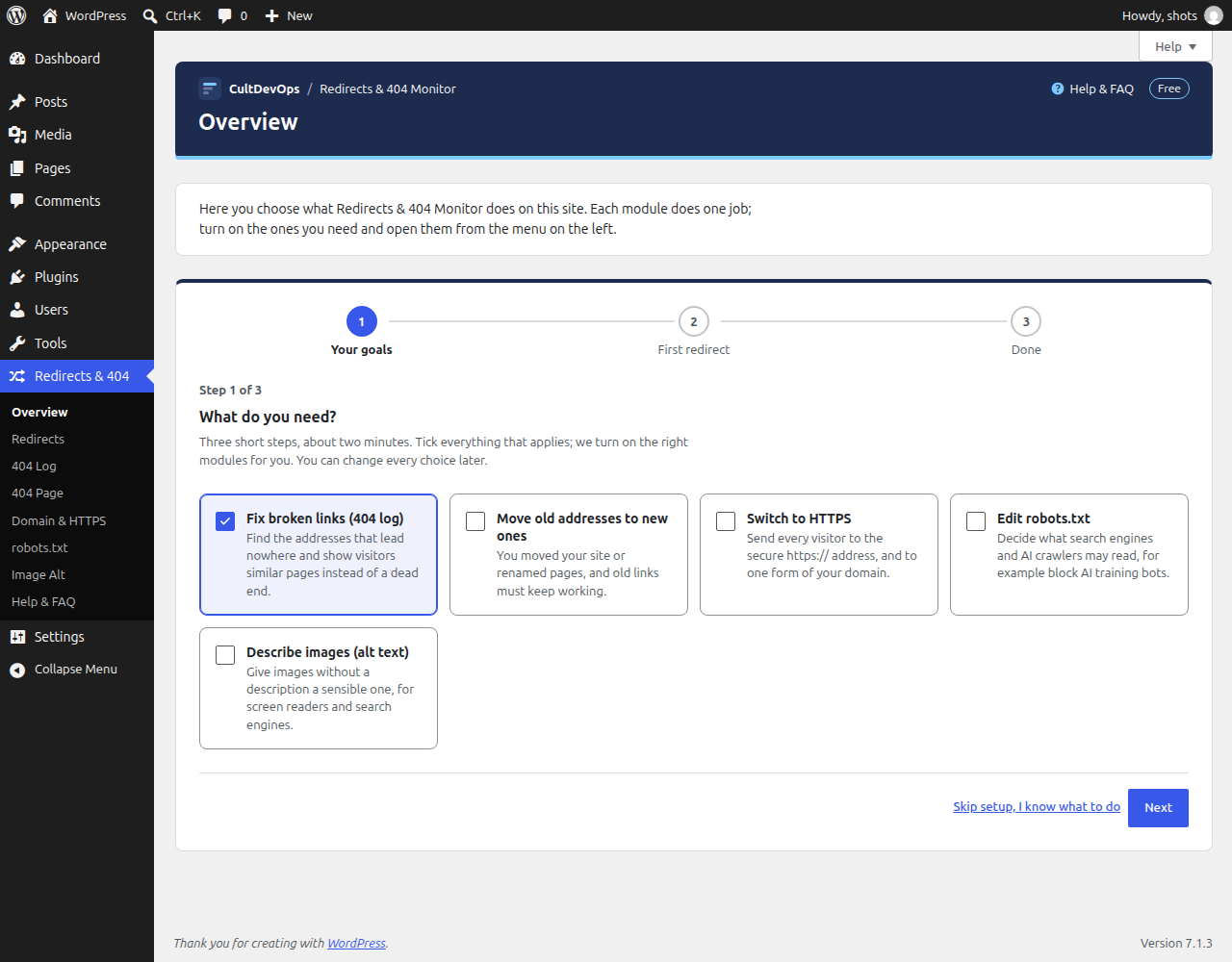
The first-run setup: tick what you need.
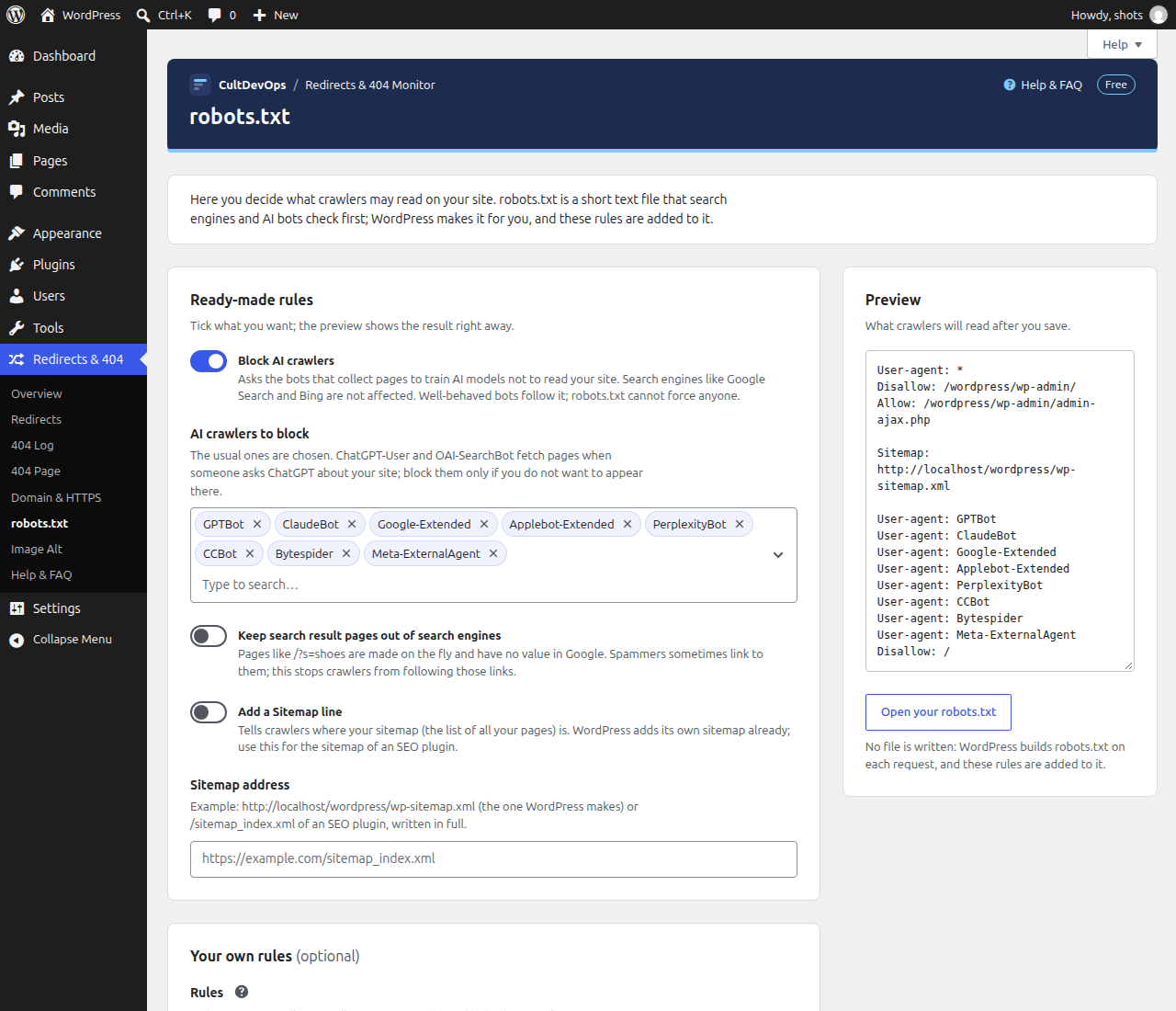
robots.txt with a live preview.
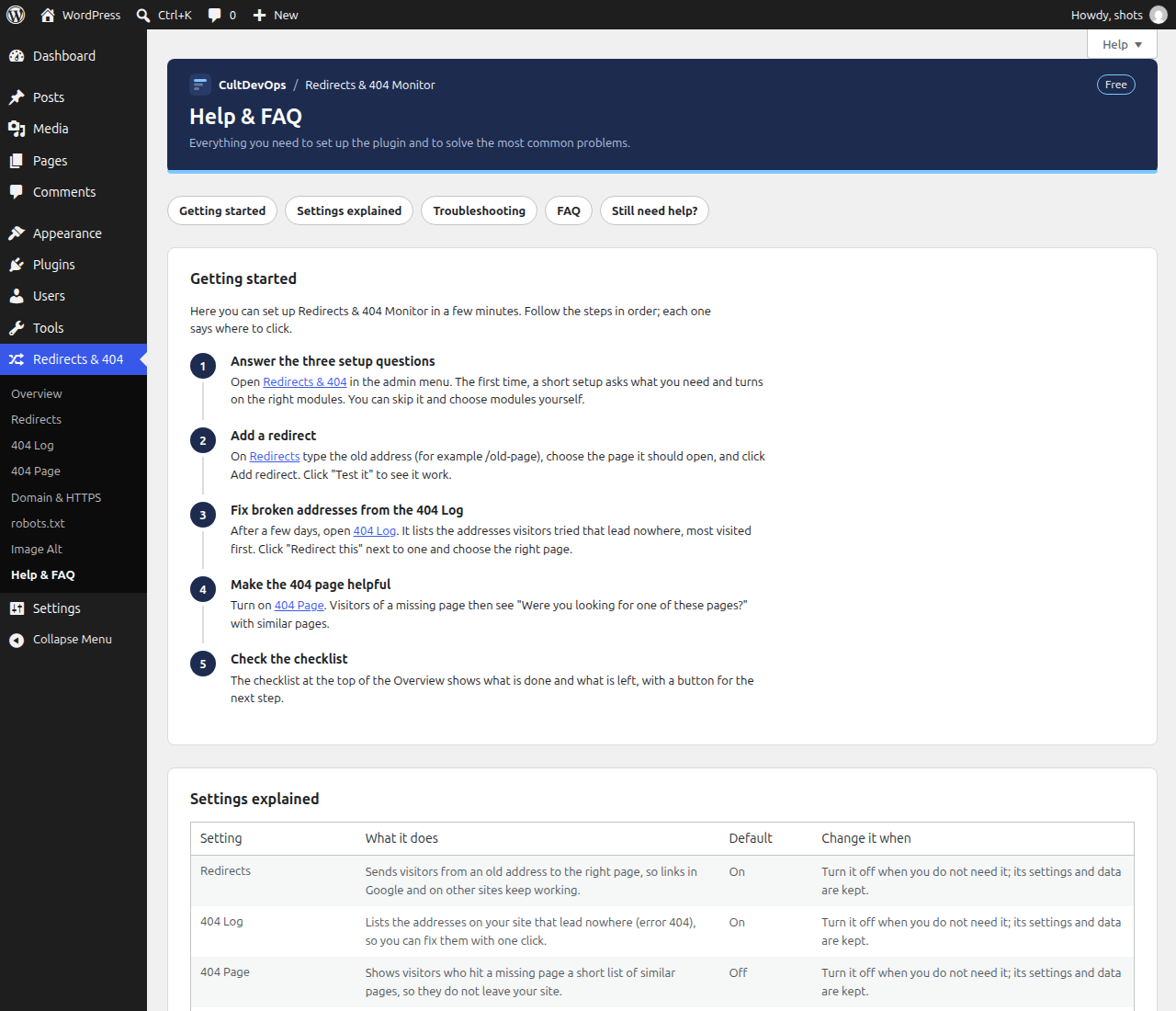
Help & FAQ.