
Add a world clock to your WordPress site in seconds. Choose from five clock widget styles — a digital clock, an analog clock, a multi-city world clock, a spinning 3D globe, or a date card. Every clock updates in real time in the visitor’s own browser, so there is no API key, no server calls, and nothing to configure to get started.
Show a single time zone, or up to eight cities side by side — useful for remote teams, travel sites, international stores, and anyone whose readers are not in one place.
Key Features
- 5 clock widget styles — Digital, Analog, World Clock, Spinning Globe, Date Card
- No API key — times are computed in the browser; nothing to sign up for
- World clock — show up to 8 cities across time zones at once
- Spinning globe — a glowing vector Earth with live city times orbiting it
- Gutenberg block — native block editor with a live preview
- Shortcode — use
[cwiki_time]in any post, page, or text widget - Themes & colors — Light, Dark, or Auto, plus any accent color
- 12 / 24 hour — automatic per locale, or force one
- Localized dates — weekday and month names in 40+ languages
- Lightweight — loads asynchronously, no impact on page speed
- Privacy-friendly — no cookies, no personal data collected
- No credit link unless you want one – attribution is off by default
Widget Styles
- Digital (240×152) — clean digital time + date
- Analog (200×210) — classic analog face
- World Clock (264×288) — multiple cities, live
- Spinning Globe (280×292) — vector Earth with orbiting city times
- Date Card (240×230) — big date with day of week
Usage
Gutenberg Block:
Add a block, search for “World Clock”, and adjust the settings in the sidebar. A live preview updates as you type.
Shortcode:
[cwiki_time]
With options:
[cwiki_time style="globe" theme="dark" accent="f59e0b"]
[cwiki_time style="digital" tz="Asia/Tokyo" city="Tokyo" format="24"]
[cwiki_time style="world" zones="America/New_York~New York,Europe/London~London,Asia/Tokyo~Tokyo"]
Shortcode Attributes
style— digital, analog, world, globe, date (default: digital)theme— auto, light, dark (default: auto)accent— hex color without # (default: 2563eb)format— auto, 12, 24 (default: auto)seconds— 1 or 0 (default: 1)date— 1 or 0 (default: 1)tz— IANA timezone for single-clock styles, e.g. Asia/Tokyo (default: visitor’s local time)city— label shown under a single clockzones— cities for world/globe styles:tz~Label,tz~Labellang— language code for weekday/month names (default: your site language)branding– 1 or 0 (default: 0) – show the optional credit link on this embed
External services
This plugin relies on an external service to render the clock widget: Currency.Wiki, operated by CurrencyWiki Technologies LLC.
What the service is and what it is used for
The clock itself is drawn by a small JavaScript widget hosted at widget.currency.wiki. The plugin does not bundle that script; it builds an embed URL and loads the widget from the service. This is what allows the plugin to stay small and to receive style and localization improvements without a plugin update.
What data is sent, and when
- On every page view where a clock is displayed, the visitor’s browser requests the widget script from
https://widget.currency.wiki/time/v3/script.js. That request carries the display settings you configured (style, theme, accent color, hour format, time zone or city list, language) as URL parameters, plus asource=wpmarker indicating the request came from the WordPress plugin. As with any web request, the visitor’s IP address and user agent are visible to the server. - No personal data is collected, and no cookies are set. The current time is computed in the visitor’s own browser from the operating system clock and the standard
Intltime zone database — it is never requested from the server. - In the WordPress admin, two screens show live previews from
https://widget.currency.wiki/time/v3/embed(each flaggedpreview=1so it is not counted as a site using the widget), which send the same display settings listed above: the plugin’s settings screen renders a small gallery of the five styles, and the block editor renders a live preview while you configure a block. No personal data is sent from the admin.
Terms and privacy
- Terms of Service: https://currency.wiki/terms-of-service
- Privacy Policy: https://currency.wiki/privacy-policy
Screenshots
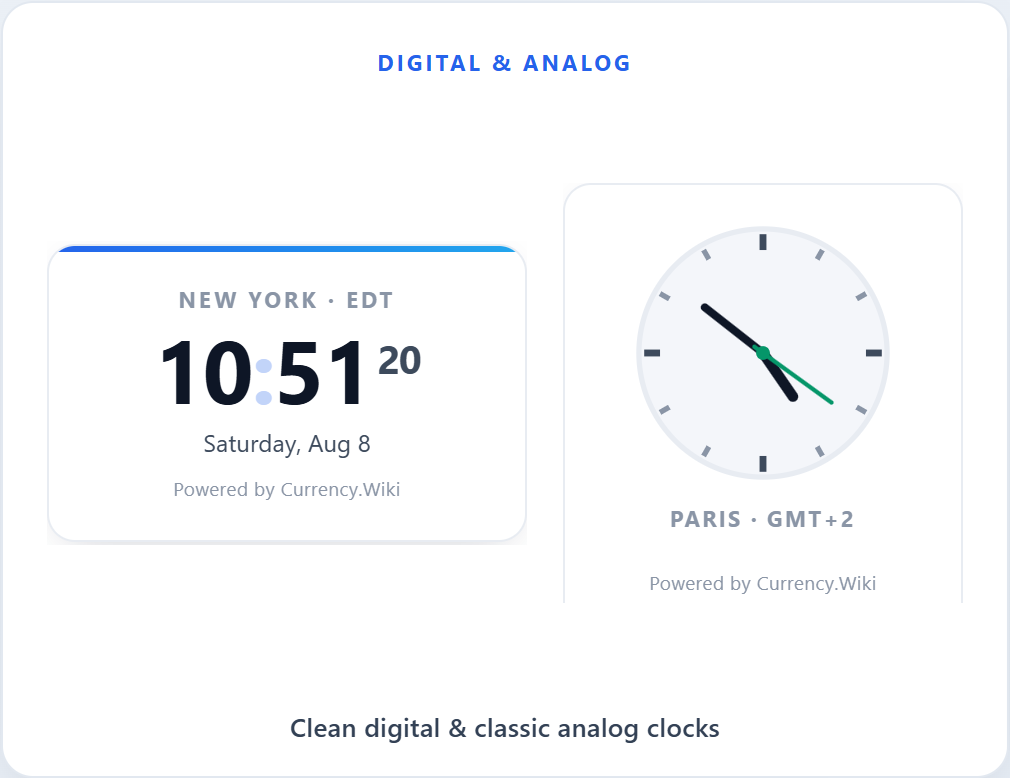
Digital and analog clock styles
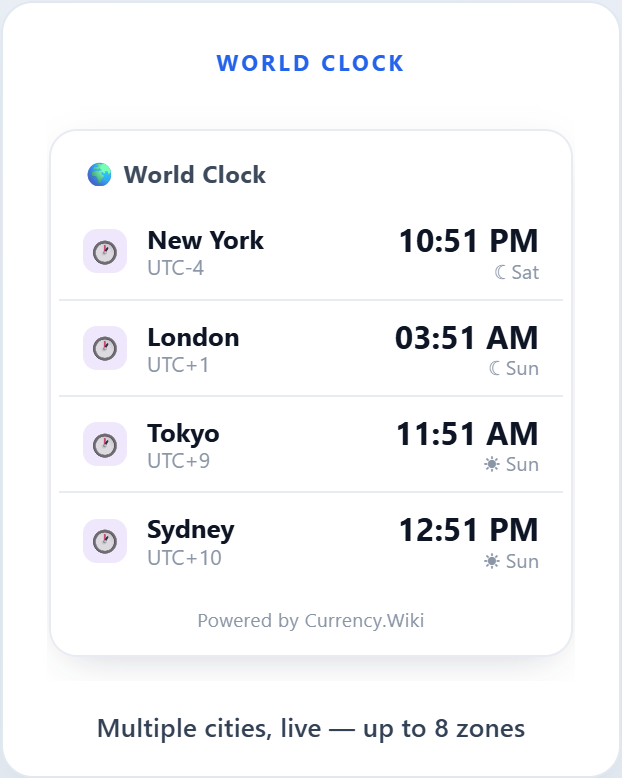
World clock with multiple cities
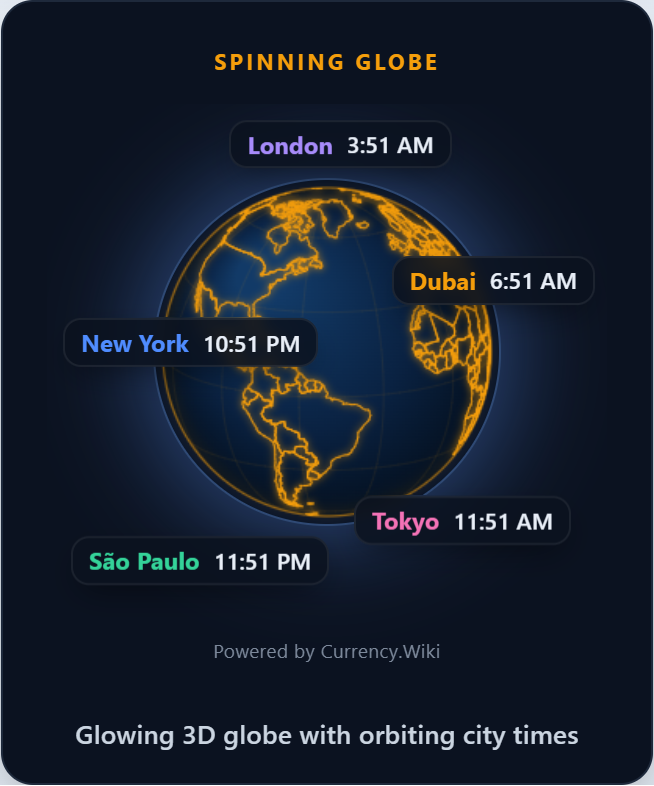
Spinning globe with live city times
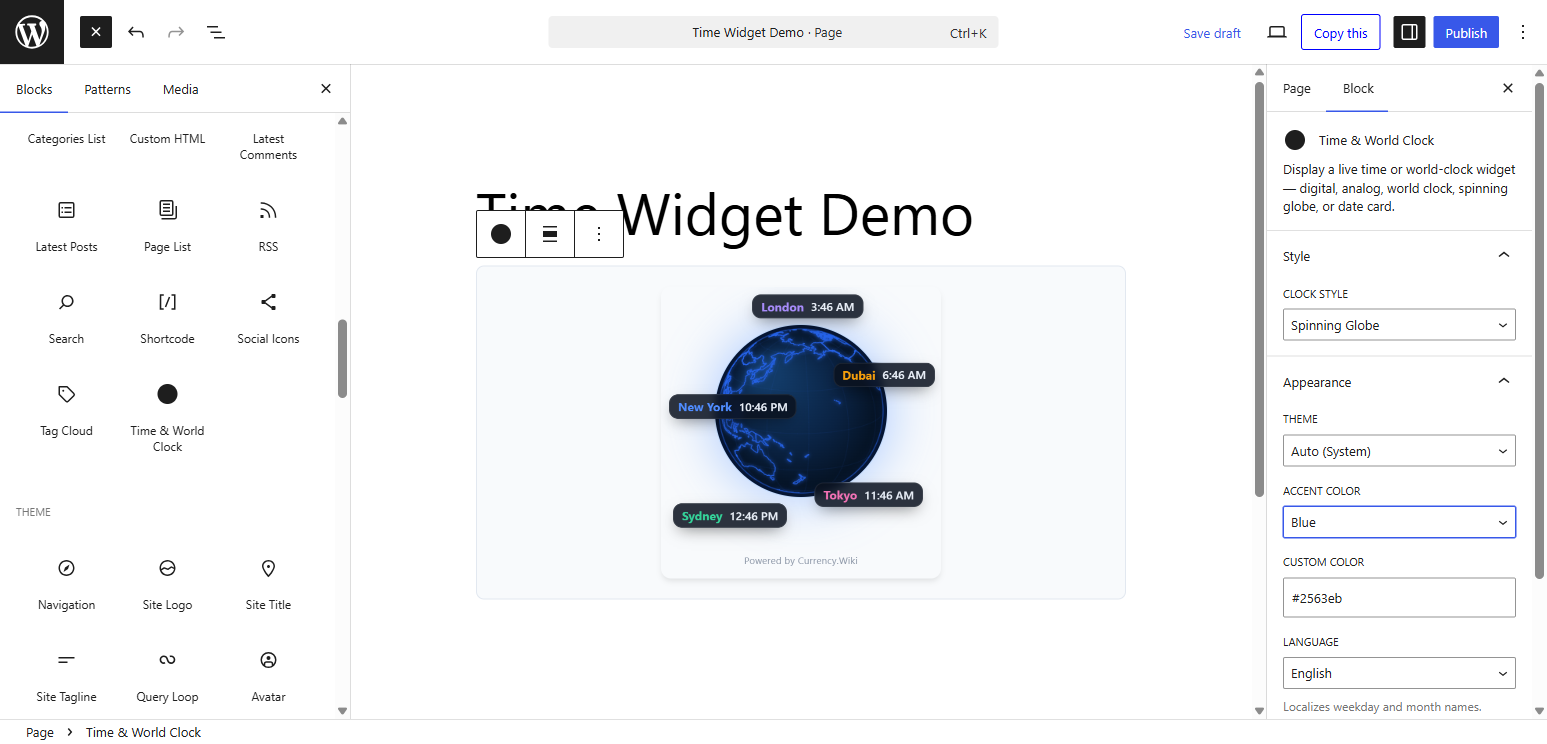
Gutenberg block with live preview
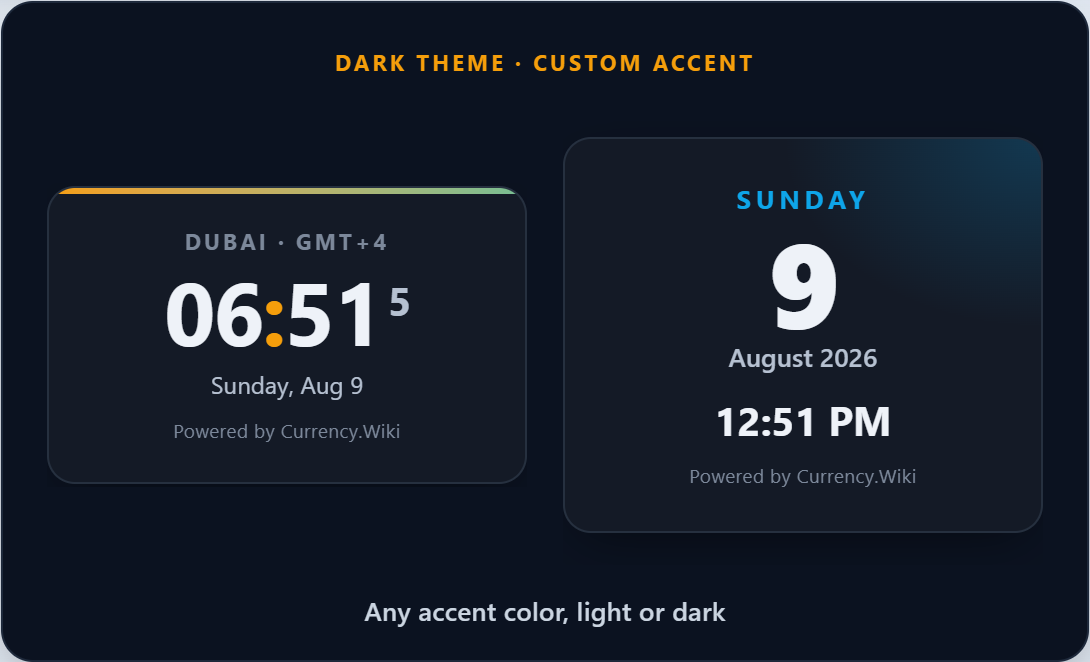
Dark theme with a custom accent color