BACK TO DIRECTORY

This plugin helps you easily embed adobe fonts easily in your WordPress website.
Currently it works with:
How does it work?
- Install the plugin
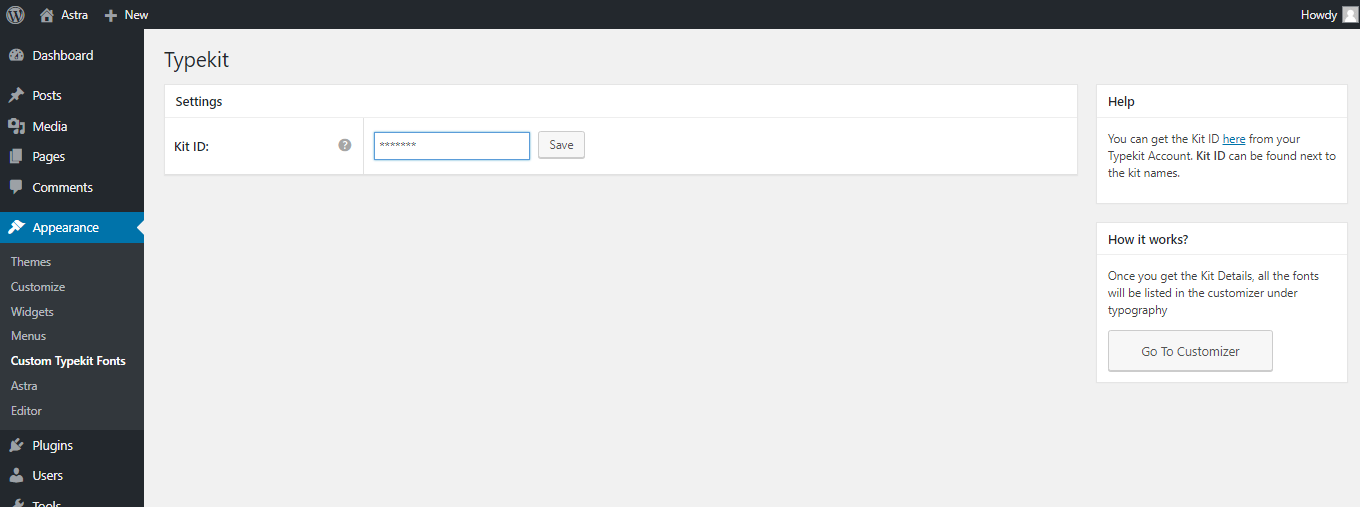
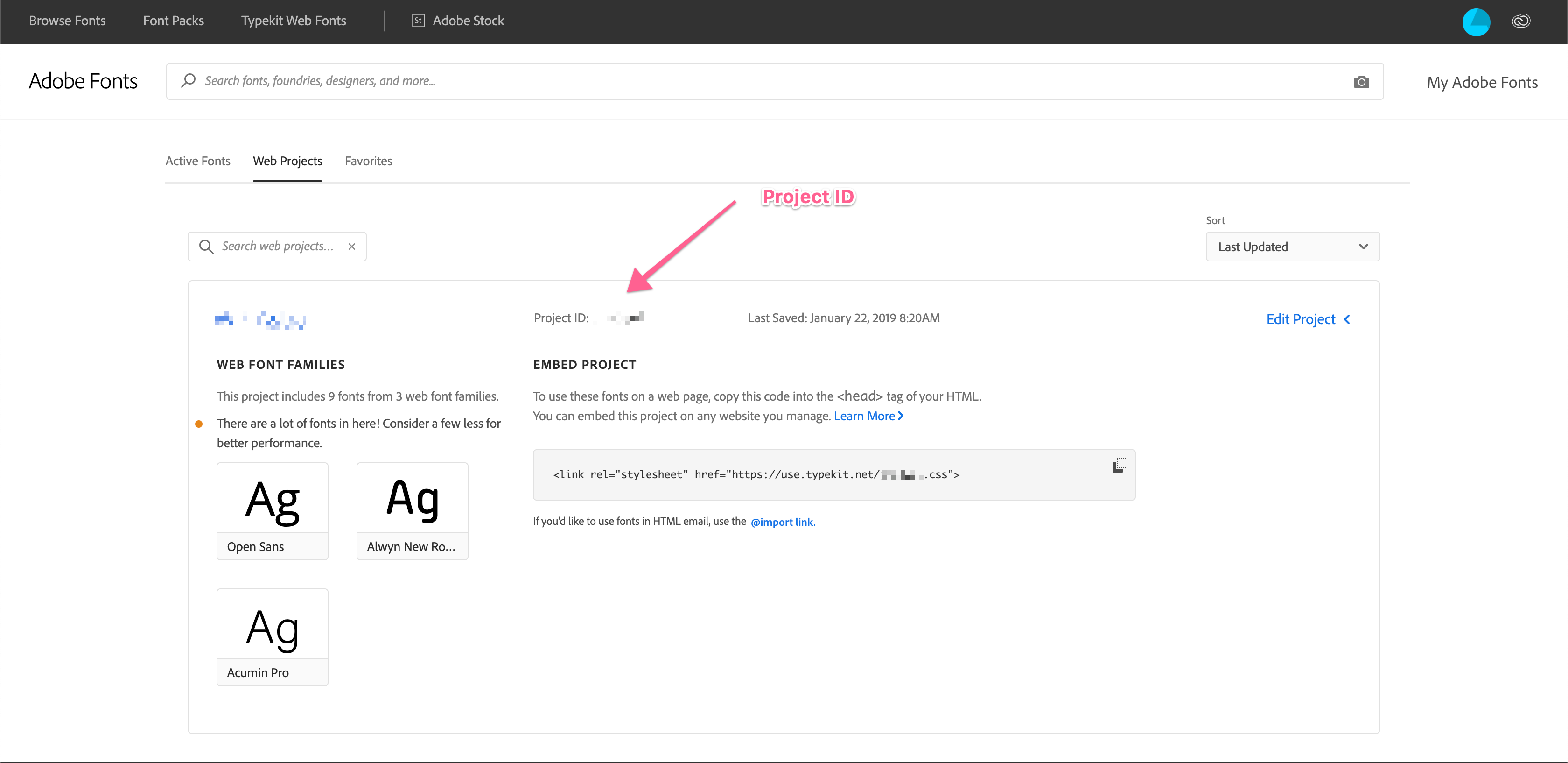
- Enter the Project ID that you create in adobe fonts.
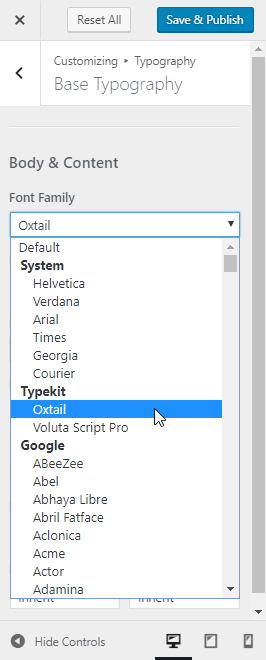
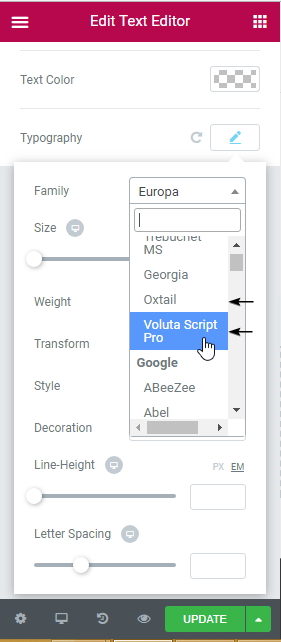
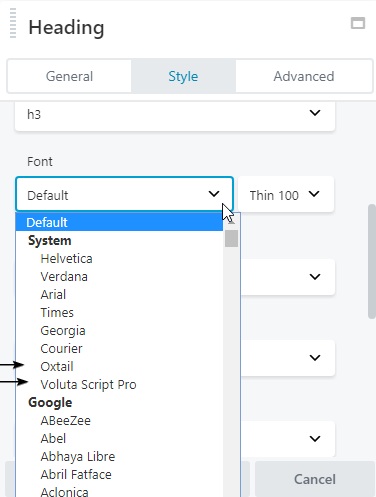
- And done. You will be able to see the fonts added in the settings of Astra / Beaver Builder / Elementor. Please refer screenshots.
If you’re not using any of the supported plugins and theme, you can write the custom CSS to apply the fonts.
Screenshots
Get your Project ID
Enter your Project ID
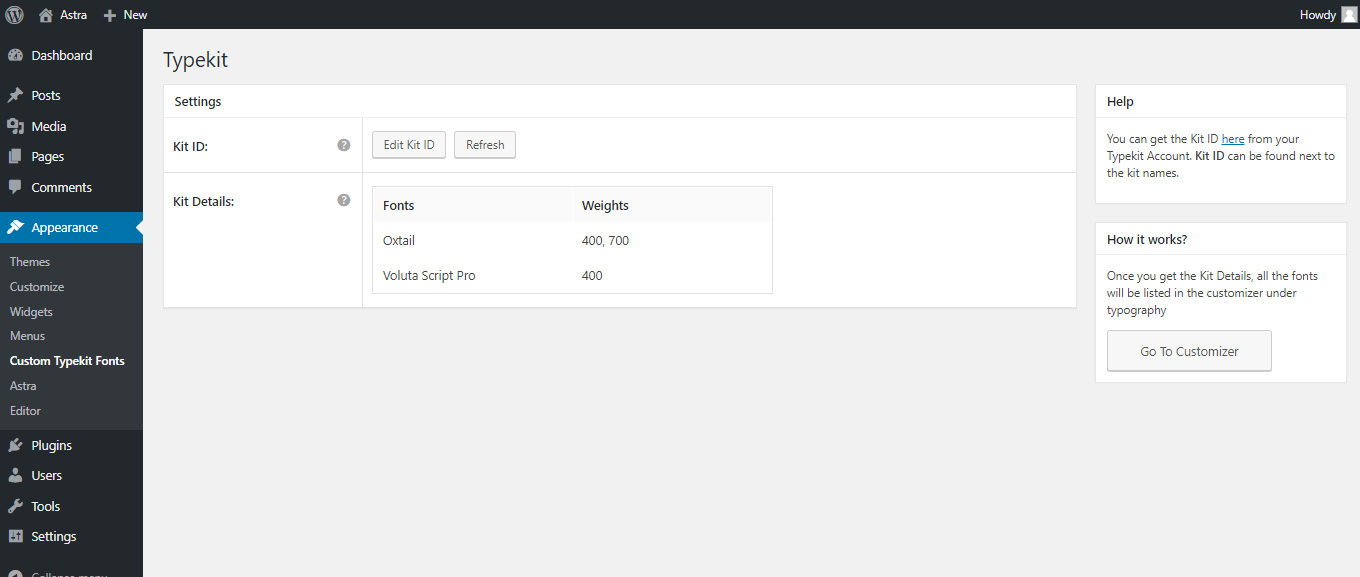
Get all published kit details from your Adobe ID
Select any Adobe font from Astra Theme Customizer
Select any Adobe font from Elementor
Select any Adobe font from Beaver Builder
Select any Adobe font from Beaver Builder Theme Customizer
Plugin Details
Active Installs
60K+Total Downloads
816,285Version
2.1.2Requires WP
4.4Requires PHP
—Tested Up To
7.1.4Added
2017-08-19Last Updated
2026-10-20 4:45am GMTRatings
5
6
4
1
3
0
2
0
1
1