
DadsFam Login Security protects the most-attacked part of your WordPress site — the login form — without making you read a manual or fiddle with servers.
Most login plugins count wrong passwords and lock out whoever hits the number. That works on bots, and it also locks out your customer who mistyped twice on the same office connection a bot happens to be using. Version 2.0 gives the plugin its own Brain, running entirely on your site, so it can tell the two apart.
The Brain (free, and it never phones home)
- Ask the Brain. Type a question the way you would ask a person — “is my site safe?”, “why can’t Sarah sign in?”, then “unlock her”; “how many attacks this month?”, then “and last month?” — and it answers from your own site’s data with the numbers, a small chart and the fix as one button. It forgives typos, answers in Afrikaans when you ask in Afrikaans, explains every feature, and lives on your dashboard and the WordPress dashboard. Its own language engine runs on your site; nothing is sent to an AI service.
- Lost phone? One sentence. “Who is signed in right now?” or “sign Sarah out of every device”.
- A heat-map of when attacks come, and a diary of everything the Brain did by itself.
- The Brain’s weekly letter (optional): its plain-English story of the week, emailed every Monday.
- It learns your real people. Every correct password teaches it what a real sign-in on your site looks like. Every attempt on a username that does not exist teaches it what a bot looks like. It only learns from facts, never from its own guesses.
- It checks its own work. When a real person it had doubted signs in, it notes the mistake; twice in a month and it demands more certainty before it acts.
- It learns which usernames only bots use. Once several different addresses try a name nobody on your site has, one try is enough to lock them out — never on a network your people use.
- It learns from DadsFam AntiSpam. An address caught spamming your forms is treated with suspicion if it then tries to sign in.
- It shows which real accounts are being guessed, and tells the week’s story in plain English.
- A browser that has signed in before is never locked out by its address. Its typos do not count, even on a shared connection that is being attacked. (After a generous number of misses the normal rules apply again, in case a laptop is stolen.)
- Obvious bots are locked out on the first try — but only when it is almost certain and two hard clues agree, like a script with no browser posting straight at the form. A real browser cannot trip it.
- Every attempt is explained in plain words: “97% bot: posted straight at the sign-in form without opening it, no language setting.”
- Autopilot. During an attack it raises the shields (strangers get half the tries and a longer time-out), keeps whole attacking networks away for a day, then three, then a week — and lowers everything again once it is quiet. Networks your people use are never touched.
- Unlock by email. A locked-out person can email themselves a one-time unlock link. It only ever goes to the account’s own email address.
- Self-repair. Every day and after every update it checks its own setup and fixes what is safe to fix — like the Cloudflare setting that lets one bot lock everybody out — then tells you what it did.
- Remote control. On WordPress 6.9+ every action is available as a WordPress Ability, so an assistant you trust can check your login security or let someone back in.
Everything else you get (free)
- Smart lockouts — after too many wrong passwords an address is paused, and repeat offenders get a much longer time-out. Choose Relaxed, Balanced or Strict with one click.
- Instant lockout for bot usernames — “admin”, “root” and friends lock a bot out on the first try, unless someone on your site really uses that name.
- Never lock me out — one click adds your own address to the allow list.
- Allow and deny lists — single addresses, ranges and wildcards.
- Activity log — every sign-in, wrong password, lockout and block, with the Brain’s verdict, search, filters and CSV export.
- Invisible bot trap and generic error messages — bots cannot tell whether a username exists.
- Hardening — block username discovery, switch off XML-RPC and pingbacks.
- Email alerts — when someone is locked out, and (optionally) when a person signs in from a browser and network they have never used.
- Cloudflare and proxy support — reads the real visitor address, safely.
- A recovery switch — add DFLS_DISABLE_LOCKOUTS to wp-config.php and nobody is locked out until you remove it.
Privacy
Everything the Brain knows stays in your WordPress database. Nothing is sent to DadsFam, to an AI company or to any other service — the free plugin makes no outside requests at all.
It stores, per person, the browsers they have signed in with (as a random token matched by a scrambled fingerprint) and the networks they use (as one-way fingerprints that cannot be turned back into addresses). A recognised browser gets one first-party cookie, dfls_tb, which only your site can read. The activity log keeps the address, username and browser name of each attempt for 30 days by default. Uninstalling the plugin removes all of it.
Pro features (DadsFam Login Security Pro add-on)
Two-factor codes, a smart sign-in check that asks for an email code when a sign-in looks unusual to the Brain, a CAPTCHA, a hidden login address, breached-password checks, country blocking, sessions control and a full audit trail.
A word about PRO
Right, let me be straight with you, because I hate being sold to as much as you do.
Everything above is free and it stays free. The lockouts, the allow and deny lists, the activity log, the live dashboard, the email alerts, the bot traps and the hardening — none of those are premium features. Those are the things a login-security plugin should just do, and if I put them behind a paywall I would be taking the mickey.
There is a PRO add-on. It exists because I am a dad in Cape Town, and this is one of the things that puts food on the table at my house. That is the honest reason. Not “unlock your potential”, not “supercharge your workflow”. Just: if this plugin kept the bots off your login page and you can spare it, PRO helps me keep building.
What PRO adds is the second layer you reach for once the door is already locked — two-factor codes, a CAPTCHA, a hidden login address, breached-password checks, country blocking. That is extra security and convenience. It is not the plugin working properly, because the plugin already works properly.
So if the free one does everything you need, brilliant. Genuinely. Use it, and I hope your activity log stays boring. If you get to the point where a second factor or a hidden login would let you sleep better, PRO is at plugins.dadsfam.co.za.
Either way, thanks for using something I built. — Zak, DadsFam
Screenshots
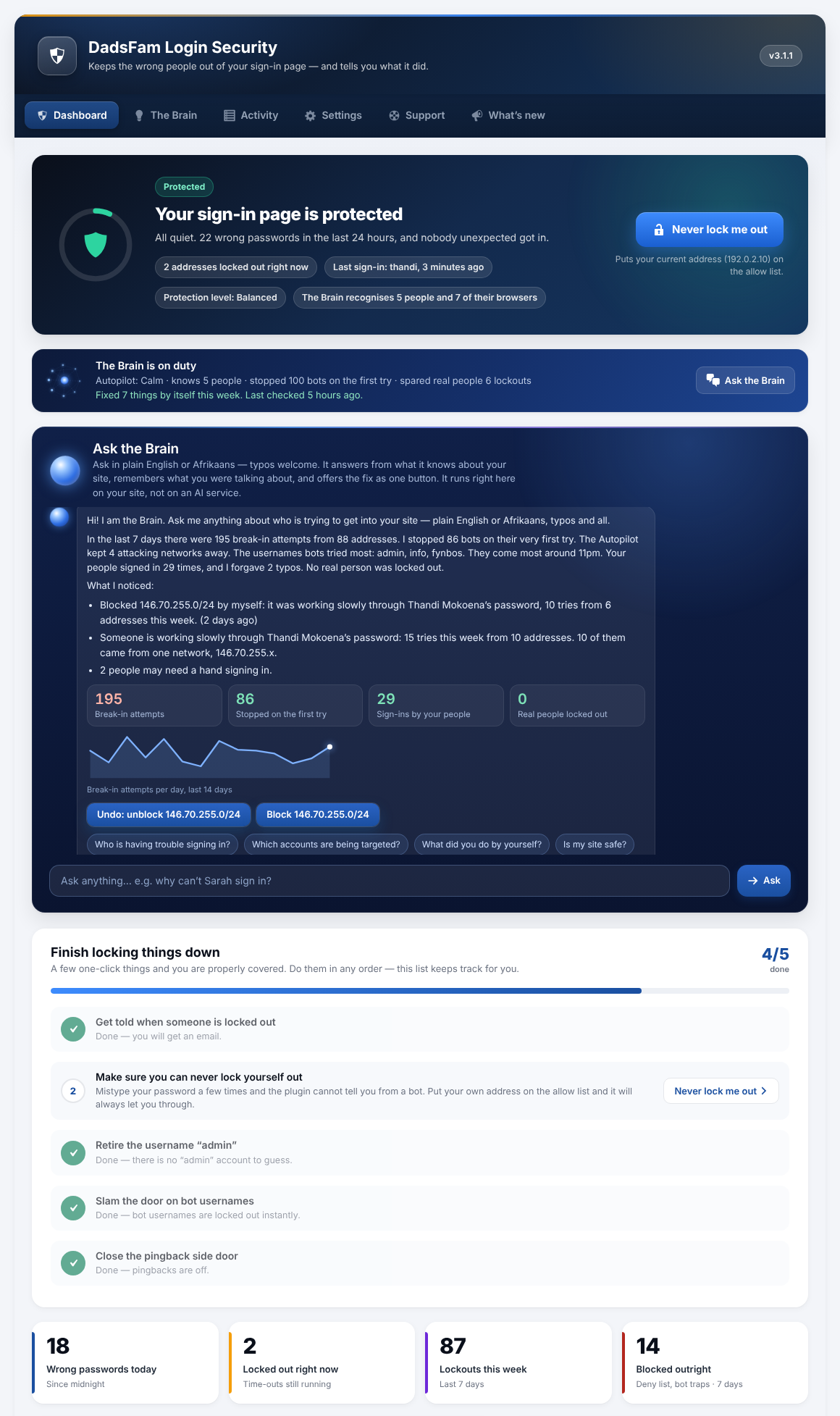
The dashboard: whether your sign-in page is safe, in one sentence, with the Brain on duty.
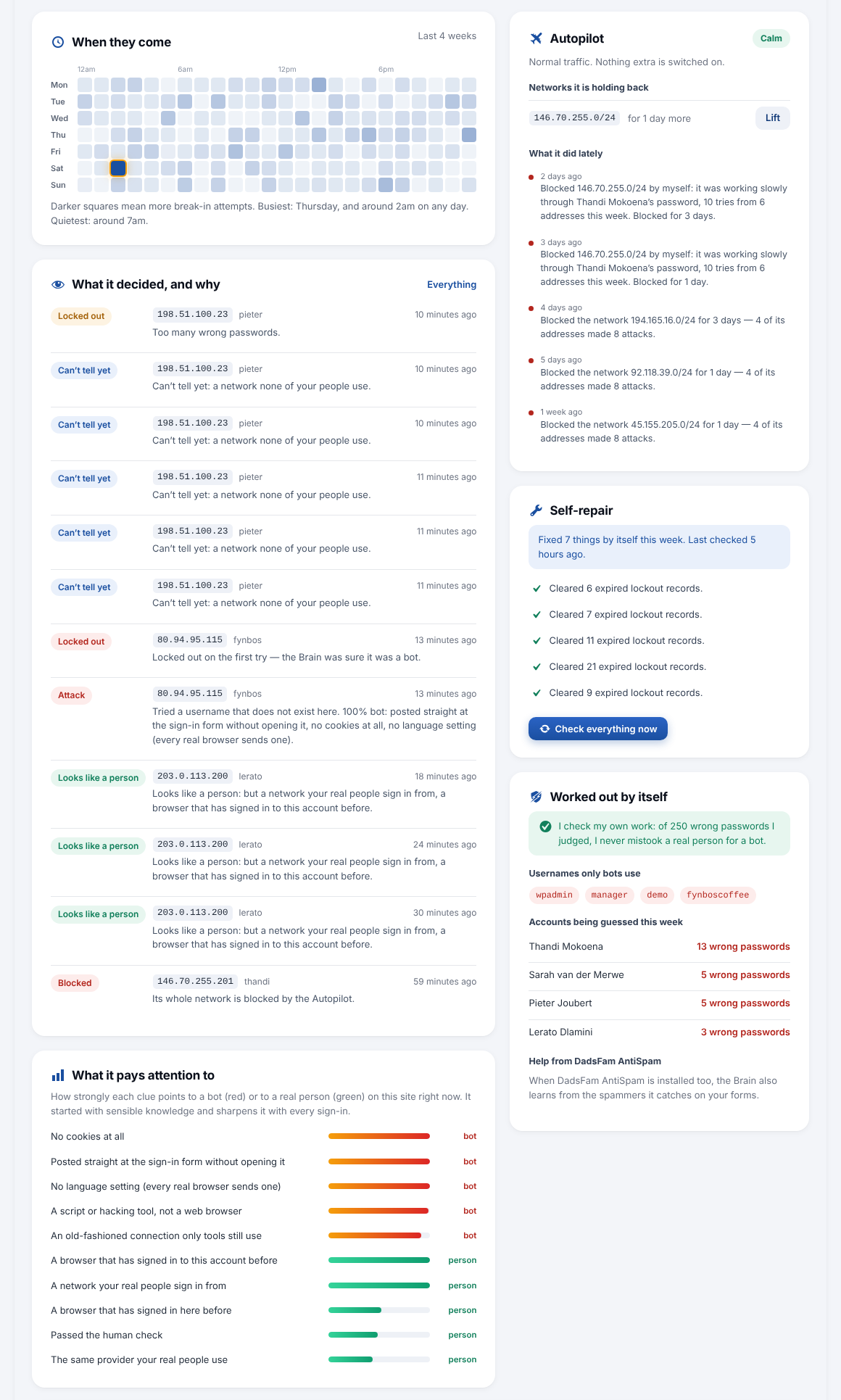
The Brain: what it decided and why, the clues it weighs, the Autopilot and self-repair.
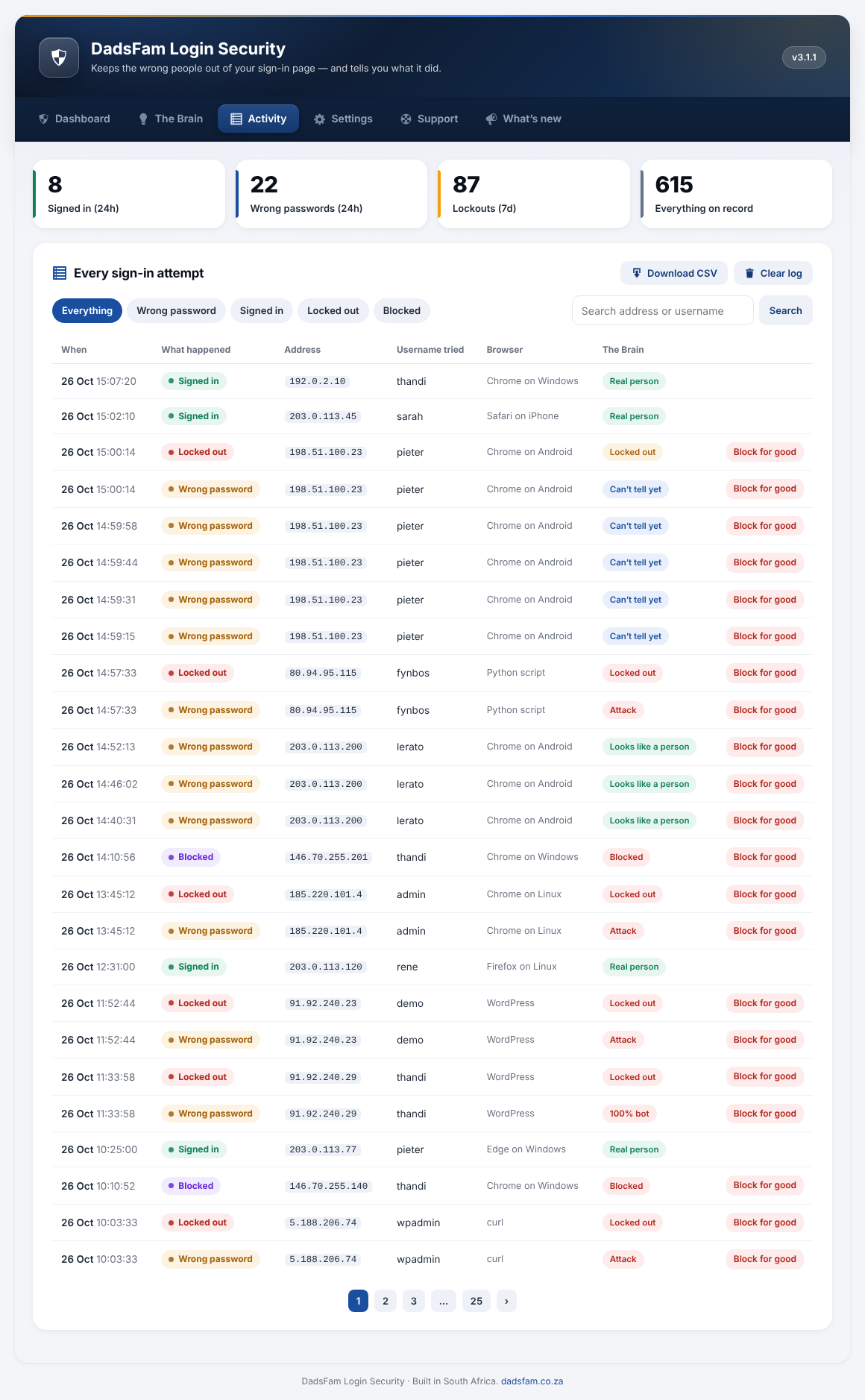
The activity log with the Brain's verdict on every attempt.
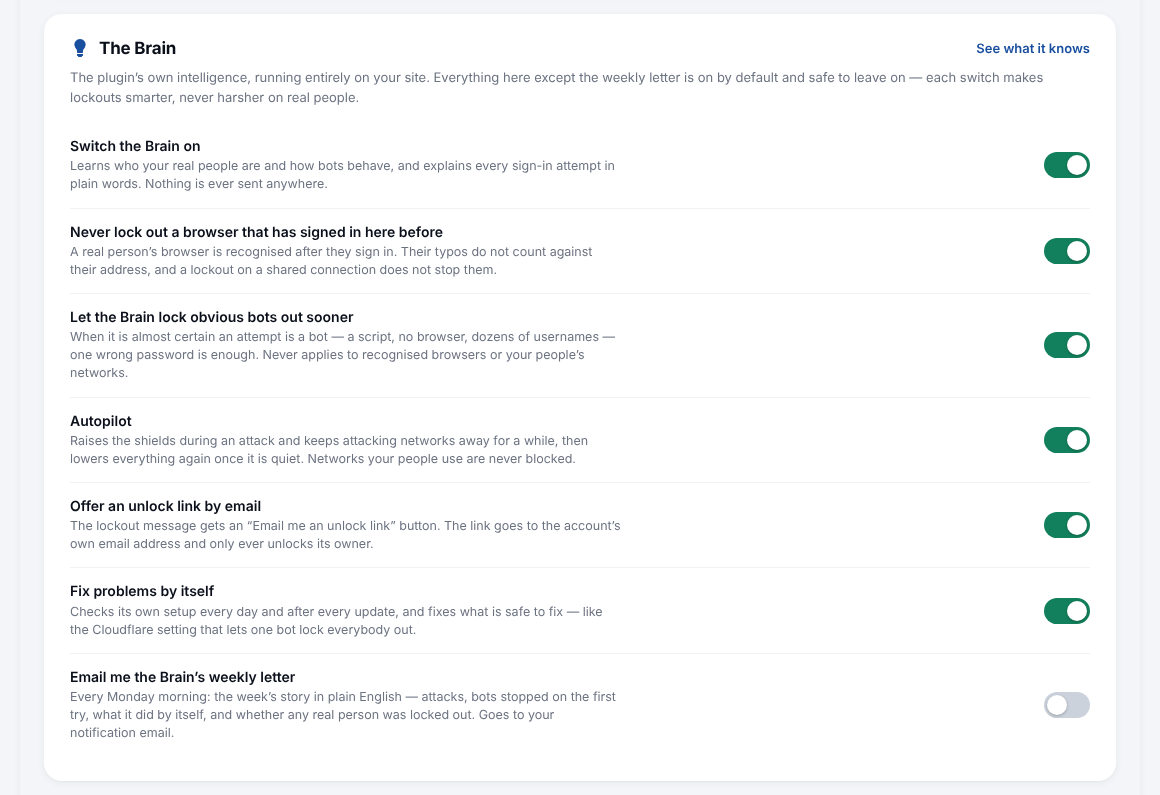
Settings, with the Brain's switches and plain-English explanations.
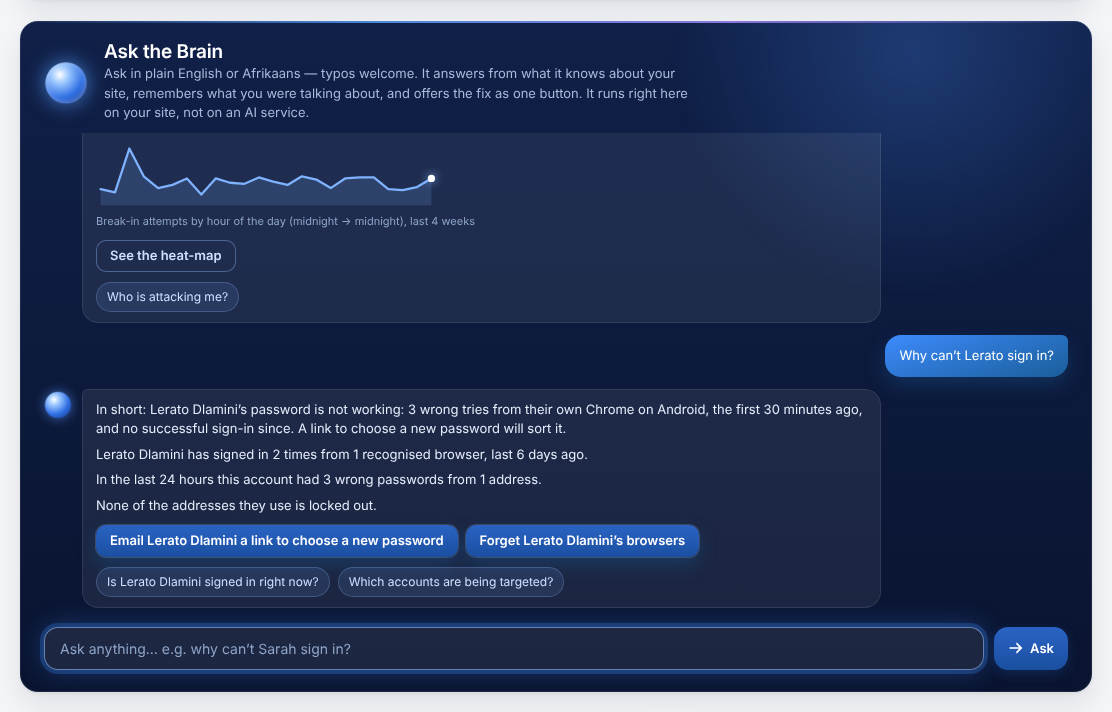
Ask the Brain: plain-English questions, answered from your own site with numbers, a chart and the fix as one button.
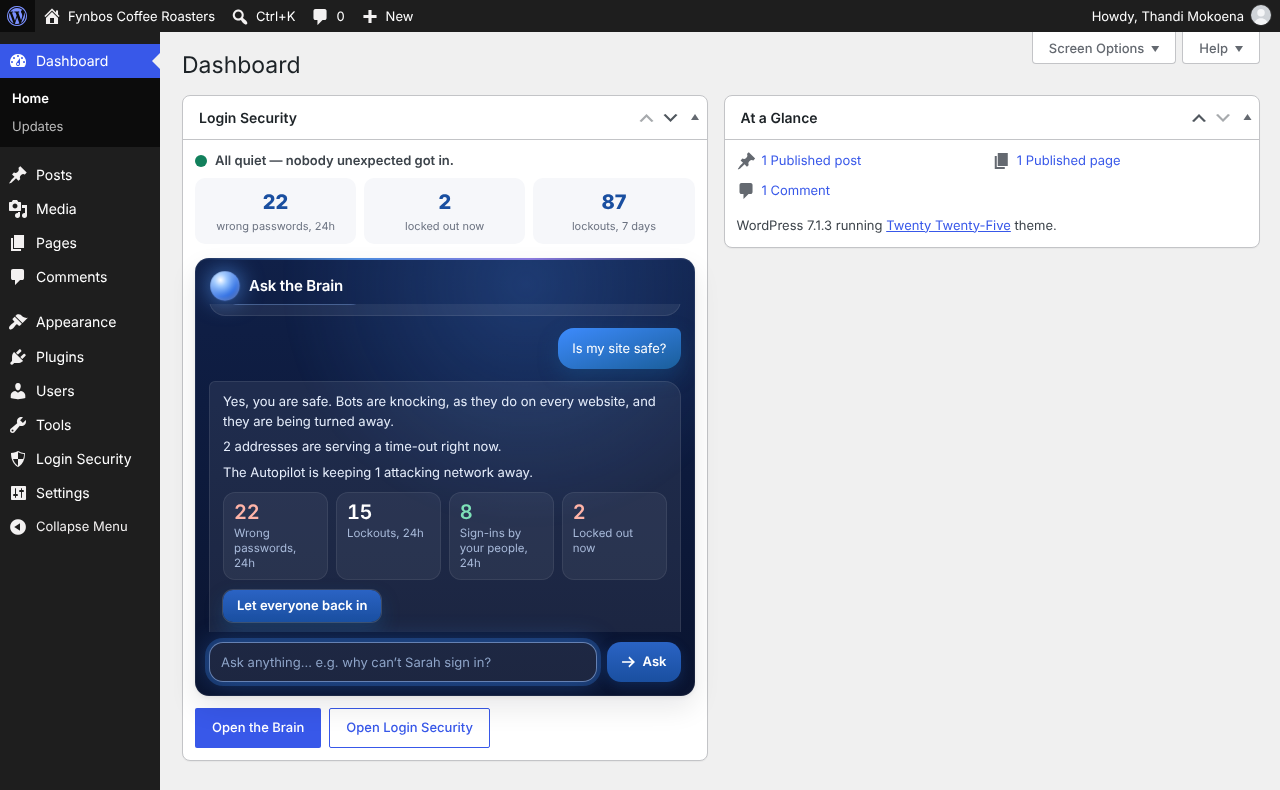
The Brain on the WordPress dashboard: ask a question without leaving it.
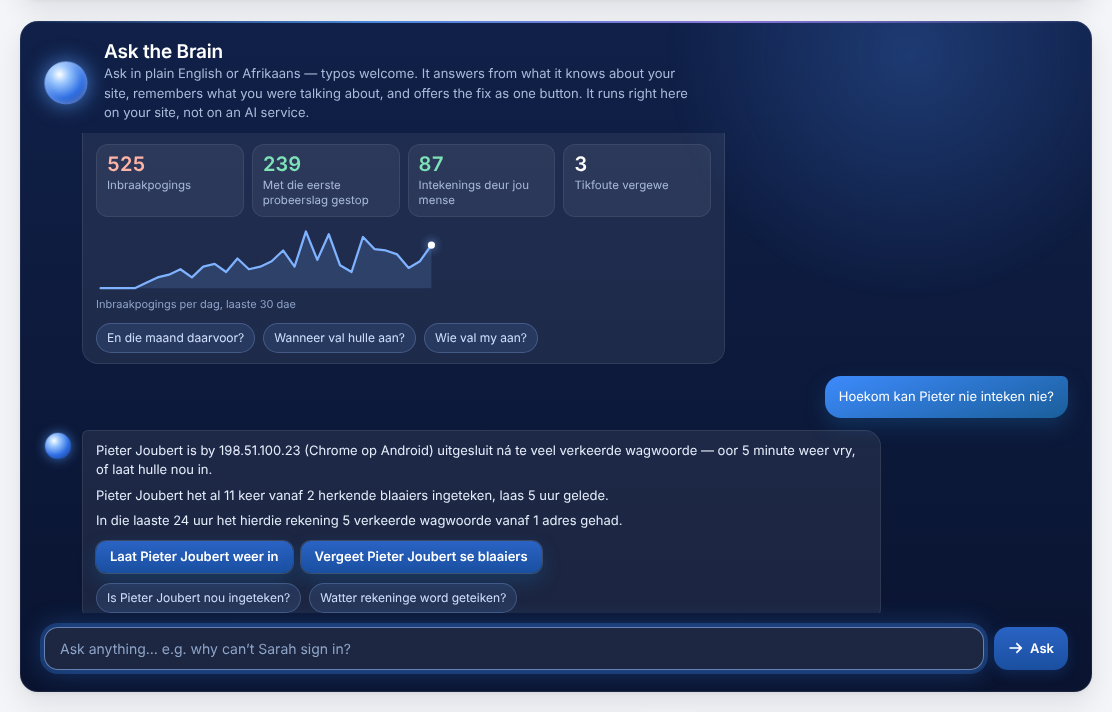
Ask the Brain in Afrikaans — how many attacks this month, why an account is locked out, unlock it — and it answers in Afrikaans, with the numbers and the fix.