BACK TO DIRECTORY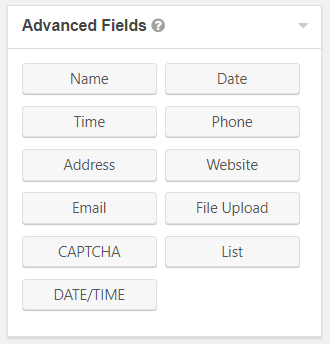

Create a new custom field for the Gravity Forms plugin called Date/Time field:
- Add a combined “Date/Time” field under Gravity Forms Advanced Fields.
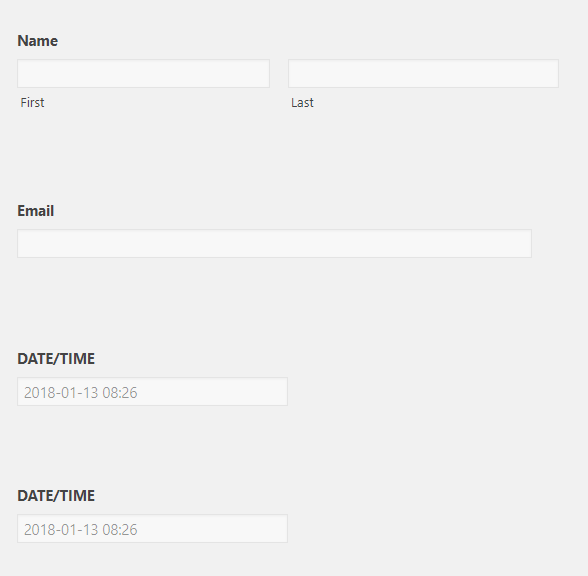
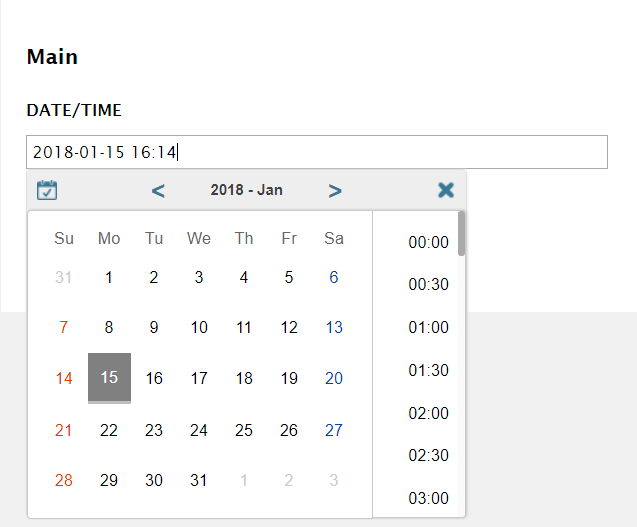
- Drag and drop the field into any form and allow users to select both Date and Time in a single input.
- Customize placeholder, description placement, field label visibility, and custom validation message.
Explore More Gravity Forms Add-Ons by GravityExtra:
Looking for more powerful extensions, CRM integrations, and workflow automation for Gravity Forms?
👉 Explore 100+ Premium Gravity Forms Add-Ons at GravityExtra.com
Screenshots
Easily find the "Date/Time" field in Advanced Fields.
View of the Form Editor with the "Date/Time" field included.
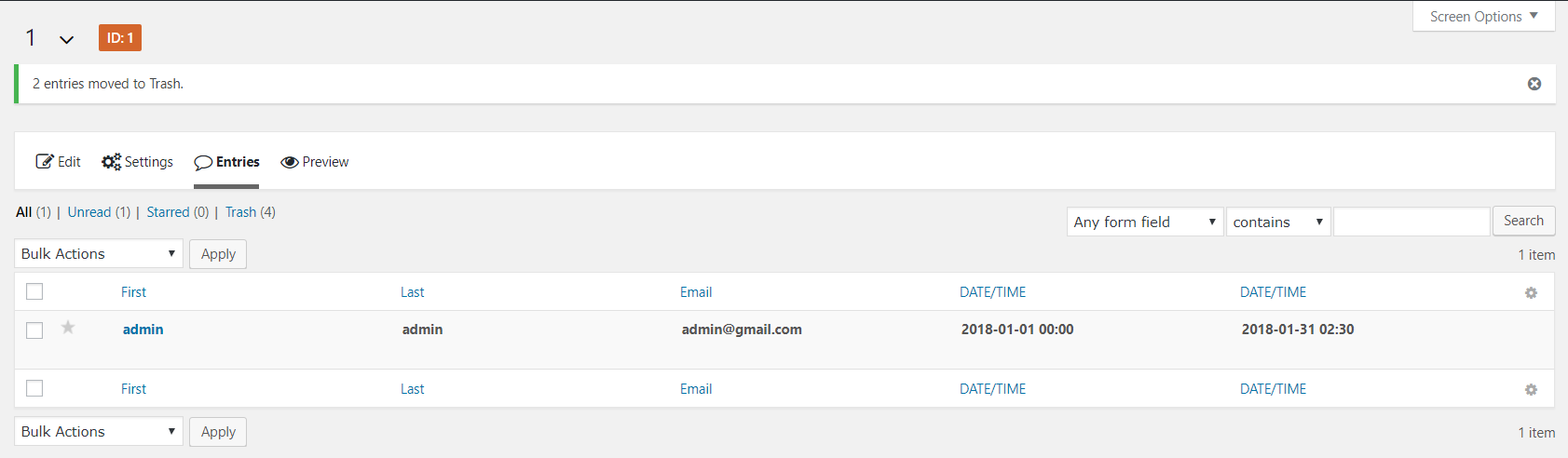
View of Form Entries List.
View of Form Entry Detail.
Date/Time Field on the frontend.
Plugin Details
Active Installs
100Total Downloads
6,377Version
1.1.1Requires WP
5.4Requires PHP
—Tested Up To
7.1.4Added
2018-01-15Last Updated
2026-10-19 2:42am GMTRatings
5
0
4
0
3
0
2
0
1
0