Debutly Pre-Orders lets you sell products before they are available. Customers pay when they order, the order waits in a clear Pre-ordered status, and on the release date the order moves to Processing and the customer gets a “your pre-order is now available” email. Everything in this plugin is free: there are no locked features, trials or license keys.
Features
- Pre-order any simple product or individual variations, each with its own optional release date and time.
- Sell while out of stock: pre-order products can be bought even when their stock is zero (stock goes negative like a backorder, so you always know how many units you owe).
- Optional pre-order limit per product or variation (for example “only 100 units”). When it is reached the product shows “Pre-orders are closed”.
- Custom texts: “Pre-order now” button, availability message with the release date (
{date},{time}placeholders), a per-product custom message, and a label next to pre-order items. - Clear information everywhere: product page, shop loop, cart, checkout, thank-you page, My Account and emails show that the item is a pre-order and when it is expected.
- “Pre-ordered” order status: paid orders that contain pre-order items get their own status, so they are not shipped by mistake. The store owner still receives the usual “New order” email.
- Automatic release with WP-Cron: an event runs at the exact release time (plus an hourly safety check), marks the product as released and moves its orders to Processing (or Completed for virtual downloadable items, like WooCommerce does) in batches.
- Manual release with one click from the product editor or the pre-orders screen, for products without a date or released early.
- Two customer emails, editable in WooCommerce > Settings > Emails: “Pre-order received” and “Pre-order available”. Templates can be overridden in your theme.
- Pre-orders screen (WooCommerce > Pre-orders): every pre-order product with its release date, units pre-ordered, orders waiting and a list of those orders.
- Mixed carts rule: allow (default) or forbid pre-order and regular products in the same cart.
- Settings tab in WooCommerce > Settings > Pre-Orders.
- Translation ready. Spanish (es_ES) translation included.
Debutly Pre-Orders Pro (optional add-on)
Everything listed above is free and stays free. If you need more, the optional Pro add-on (sold separately, from 49 USD a year) adds:
- Early-bird prices: a lower price, or a percentage off, that applies only while the product is a pre-order.
- Release countdown: a live countdown to the release date on the product page.
- “New release date” emails: when you move a release date, customers with a waiting pre-order are told automatically.
- CSV export of the waiting pre-orders, for all products or one.
- Pre-order when sold out: products switch to pre-order automatically when they run out of stock and are released when you restock.
- Units per order: a maximum number of units of each pre-order product in one order.
Compatibility
- Cart and Checkout blocks and the classic shortcode cart/checkout (all rules run through the Store API too).
- HPOS (High-Performance Order Storage) and the legacy posts storage. Orders are only read and written through the WooCommerce CRUD API.
- Payment gateways that mark orders as paid through WooCommerce (cards, PayPal, Stripe, WooPayments and most others) and Cash on delivery. With bank transfer or cheque the order stays “On hold” until you confirm the payment; then set it to “Pre-ordered”.
Privacy
This plugin does not send any data to external servers, does not track you and has no ads.
For developers
Everything is built on actions and filters so add-ons can extend it without editing the plugin:
- Actions:
debutly_po_loaded,debutly_po_product_options_end,debutly_po_variation_options_end,debutly_po_save_product,debutly_po_save_variation,debutly_po_product_released,debutly_po_order_released,debutly_po_admin_page_after_table. - Filters:
debutly_po_is_preorder,debutly_po_can_be_preordered,debutly_po_release_timestamp,debutly_po_supported_product_types,debutly_po_button_text,debutly_po_availability_message,debutly_po_allow_mixed_cart,debutly_po_payment_complete_status,debutly_po_released_order_status,debutly_po_release_batch_size,debutly_po_customer_notice_text,debutly_po_settings.
Screenshots

A pre-order product: release date message and "Pre-order now" button.
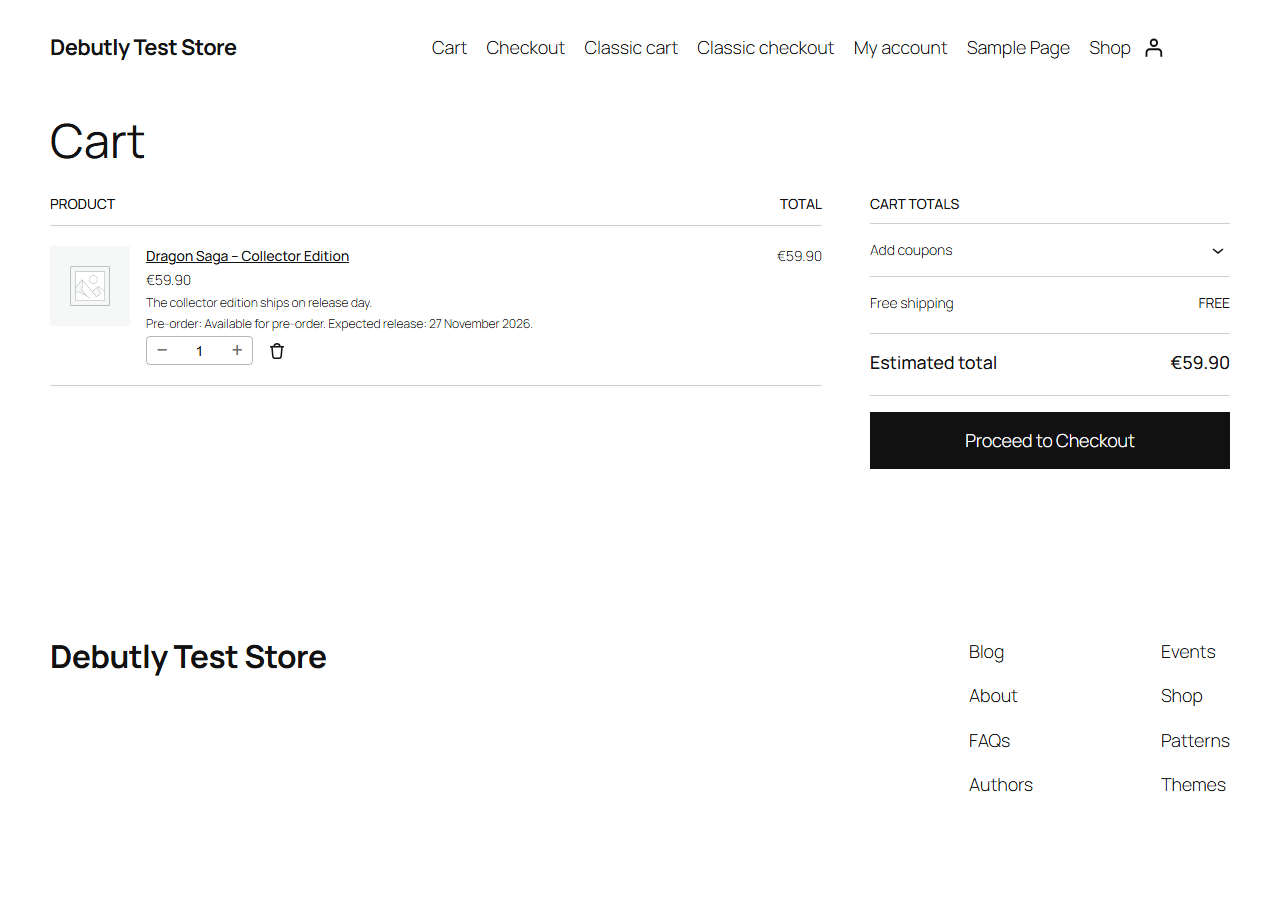
The Cart block showing the pre-order label and release date.

The Pre-order tab of a simple product.
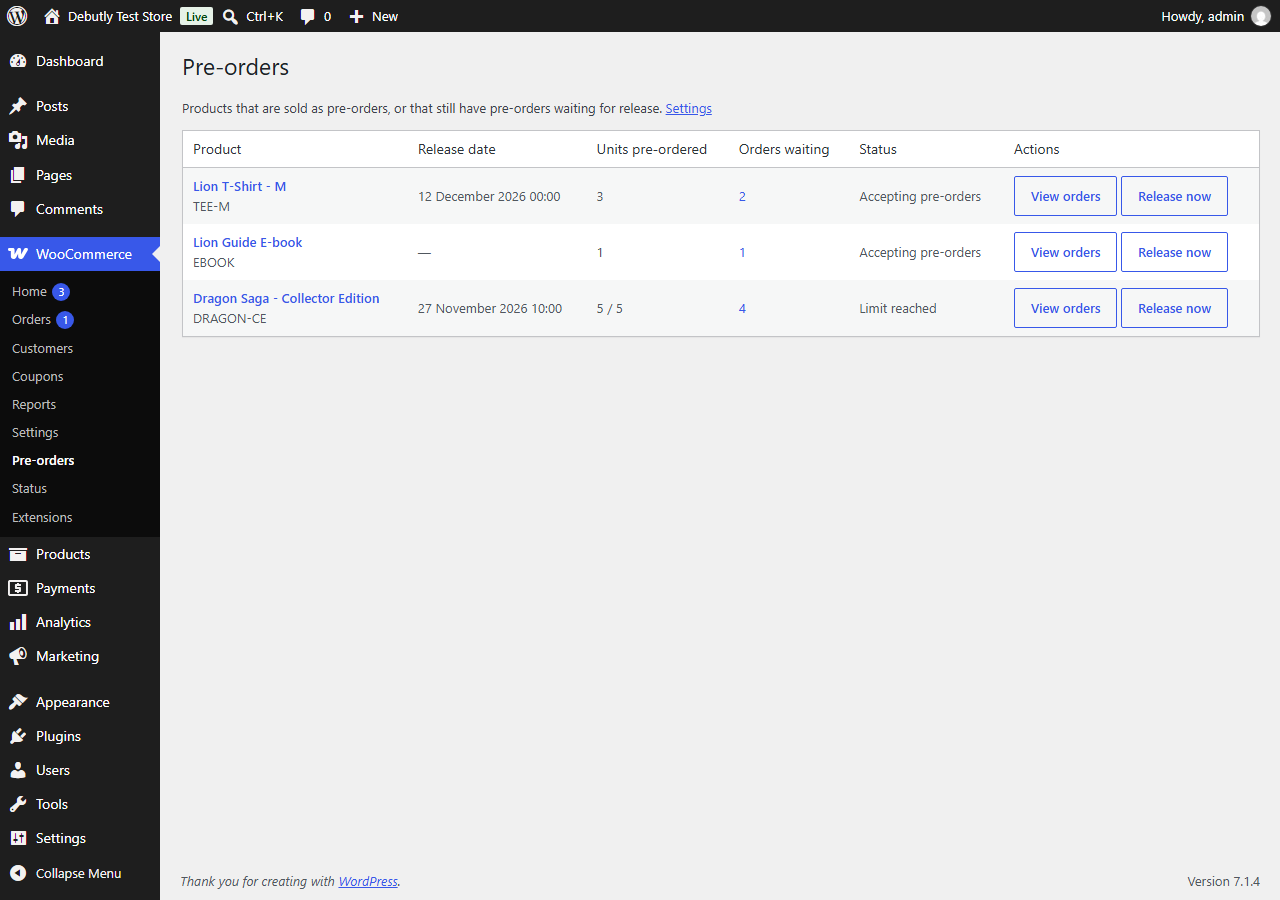
WooCommerce > Pre-orders: products, units, waiting orders and "Release now".

Settings in WooCommerce > Settings > Pre-Orders.

An order in the "Pre-ordered" status.