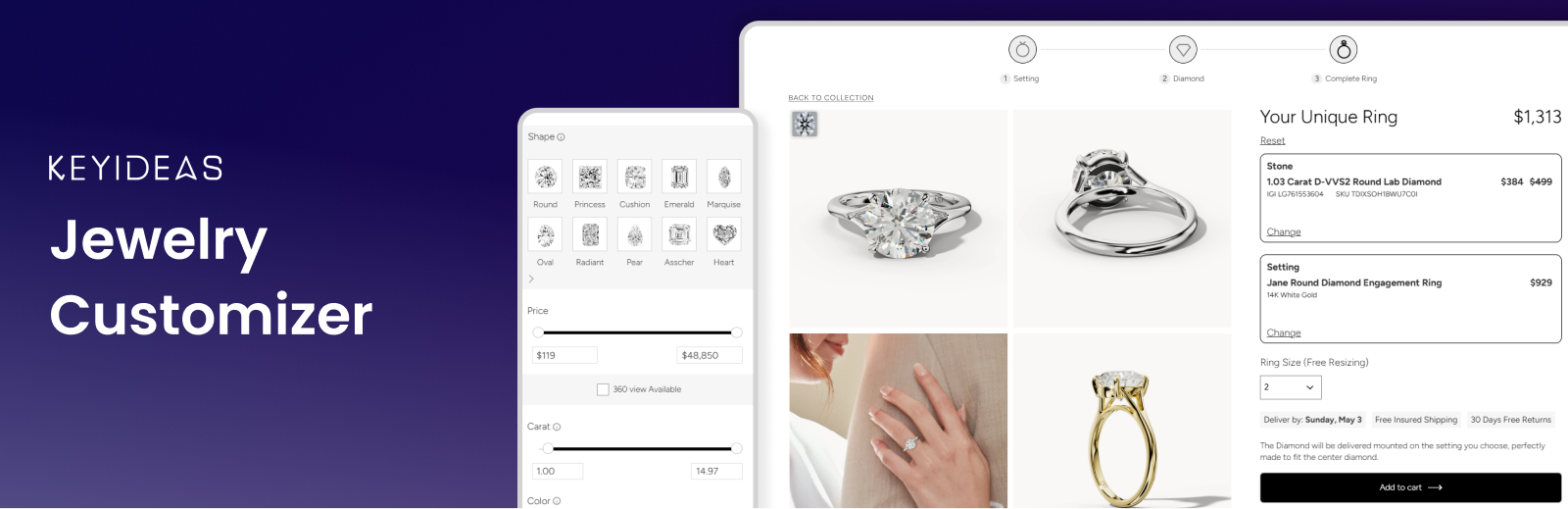
Keyideas Jewelry Customizer – Diamond Ring Builder & Engagement Rings for WooCommerce
by Keyideas Infotech Private Limited
Keyideas Jewelry Customizer adds a 3-step ring builder to WooCommerce. Shoppers choose a diamond or gemstone, pair it with one of your ring settings, pick their ring size and buy the finished ring through your usual WooCommerce checkout.
Activate it, choose the stones you offer and your ring collection, and the diamond listing, detail and review pages are created for you. It works with any WordPress theme and suits jewellery stores of every size, from independent jewellers to diamond retailers.
Free Demo | Documentation | Video Tutorials
Features
- Build Your Own Ring – start with a stone or a ring setting; the review page shows both with the total price and the ring size
- Ring, earring and pendant builders – sell fine jewellery beyond rings: matched earring pairs and pendant settings, in the same steps
- Diamond search – natural, lab-grown and colored diamonds and gemstones, with shape, carat, color, clarity, cut and price filters, grid or list view, compare and recently viewed
- Diamond detail pages – 360° view, grading certificate, a diamond viewer that shows the stone on a hand, and carat, cut, color and clarity guides
- Feed Center – set margins by price or carat, add discounts and choose which inventory is live
- Your own stones – import diamonds and gemstones with a CSV file and sell them in the same ring builder
- Sales dashboard – stones sold, revenue, profit and monthly trends
- Appearance – brand colors and typography, with a private preview before you save
- Language & Region – English (US/UK), French, German, Italian and Spanish storefronts, editable text and your region’s ring sizes
- WooCommerce – complete rings and loose stones in the cart; each order shows the stone’s stock number and the setting
- SEO and speed – diamond products are noindex, listing pages are cached, mobile-ready and HPOS compatible
Shortcodes
The plugin creates its pages on activation. To place them yourself:
[KIRB-RingBuilder-Listing category="NATURAL"]– diamond listing; categoryNATURAL,LAB CREATED,GEMSTONEorCOLORED DIAMONDS[KIRB-RingBuilder-DetailPage]– diamond detail page[KIRB-RingBuilder-BYORPage]– ring review page[KIRB-RingBuilder-BYORStrip]– the 3-step ring builder bar[KIRB-RingBuilder-SettingButton]– the “Choose This Setting” button
Plans: Free vs Pro
Every store starts on Free, which never expires. The Pro plans are Basic ($49/month billed yearly, or $69 monthly), Standard ($99/month yearly, or $119 monthly) and Premium ($121/month yearly, or $145 monthly). To upgrade, use Contact Us in the plugin.
- Nivoda diamonds (Nivoda account needed) – Free: sample diamonds / Pro: 50%, 70% or 100%
- Your own imported diamonds – Free: 30% / Pro: 50%, 70% or 100%
- Ask AI messages a month – Free: 20 / Pro: 40, 60 or 100
- Keyideas logo – Free: shown / Basic and Standard: removable ($330 or $230 one-time) / Premium: no logo
- Advanced CSS – Free: no / Pro: on yearly plans
- Every plan – ring, earring and pendant builders, AI diamond score, diamond suppliers, grid view on mobile and redacted certificate PDFs; show/hide filters and engraving free for a limited time
Add-ons such as the Product Library (100+ ring designs with 360° videos) and Custom Supplier Integration (RapNet, VDB and others) can be added on any plan.
More From Keyideas
Keyideas Jewelry Filter and Search for fast filters across every jewellery type, Vizora – 3D Try-On for trying on jewellery with augmented reality, Jewelith – 3D Design Studio for real-time 3D jewellery design, and Timenox for luxury watches.
Support
Use Contact Us in the plugin, book a free consultation or email sales@keyideasinfotech.com. Help translate the plugin at translate.wordpress.org.
External Services
This plugin connects to the following services. No data is sent until the plugin is activated and set up by a site administrator.
Keyideas RingBuilder API (https://engagement-ring-builder-o4hk8.kinsta.app)
Provides the diamond and gemstone inventory, prices, product details and recommendations shown in the ring builder until the store is connected to the Keyideas RingBuilder app (see below), and the sold-out updates.
* On registration/activation: the store email address, admin email address, store currency, site domain and the contact details entered in the activation form (name, company, email, phone, country) are sent to create the store account.
* On every listing or detail page load (when not cached): the selected filters, currency and product IDs are sent to fetch inventory.
* When a ring is built, added to cart or ordered: the diamond ID, event type and a session ID are sent for usage statistics.
* When the plugin is uninstalled: the store owner name, company name and email are sent so Keyideas is notified of the uninstall.
Service provided by Keyideas Infotech Pvt. Ltd.: Terms, Privacy Policy.
Keyideas RingBuilder app and Feed Center (https://ring-builder.apps.keyideasglobal.com)
Once the store is connected, provides the diamond and gemstone inventory, prices, product details and recommendations shown in the ring builder: on every listing or detail page load (when not cached), the shop name, store token, selected filters, currency and product IDs are sent to fetch inventory.
* When an order with a ring builder stone is paid: the shop name, the stones’ stock numbers, the order item IDs and the WooCommerce product IDs are sent, so the sale shows in the Feed Center’s Sales dashboard.
The Feed Center link in the plugin dashboard opens the Keyideas RingBuilder app’s Feed Center in a new browser tab, signed in to your store. The plugin connects your store to the app on its own; no sign-up form is shown.
* To connect the store (after activation, when an administrator opens the dashboard or the Feed Center, until the store is connected): the site URL, the site name, the administrator email address and country from the activation form, the store currency and the plugin version are sent. The first time, the app creates the store’s account with them.
* With that request, until the store has its admin key: a random one-time code is sent to get the key, which signs the sign-in token. The app sends the key, with that code, to this site’s REST route /kirb/v1/admin-secret, which only keeps a key that comes with the code it issued.
* When the administrator opens the Feed Center: the shop name and a short-lived signed sign-in token are sent in the Feed Center link.
Service provided by Keyideas Infotech Pvt. Ltd.: Terms, Privacy Policy.
Keyideas demo product server (https://keyideasglobal.com)
Only used to import demo ring setting products. A request is made to download the demo product list and images; no site data is sent.
Terms, Privacy Policy.
geoPlugin (http://www.geoplugin.net)
Used on the plugin activation form in the admin dashboard to pre-select the administrator’s country. The administrator’s IP address is sent when the activation form is displayed.
Terms and Privacy Policy.
Google Fonts (https://fonts.googleapis.com)
The Poppins and Assistant fonts are loaded from Google Fonts on the ring builder pages, and so are the heading fonts chosen in Appearance Typography (only when one is chosen; the default inherits the theme’s font). Google receives the visitor’s IP address and browser information.
Terms of Service, Privacy Policy.
Brevo Meetings (https://meet.brevo.com)
The plugin dashboard (activation form, Premium Features and Contact Us) links to a Brevo booking page for a free consultation. Nothing is sent unless the administrator clicks the link and books a meeting.
Terms of Use, Privacy Policy.
Keyideas forms service (https://apps-manager.apps.keyideasglobal.com)
Renders the Contact Us form in the plugin dashboard and the optional feedback form shown when the plugin is deactivated.
* Contact Us: the details the administrator enters are sent when they submit the form.
* Deactivation feedback: the form is only loaded when the administrator clicks “Deactivate” for this plugin. Only if they submit it, the chosen reason, any text they type, the administrator’s email address and the site URL are sent. “Skip & deactivate” sends nothing.
Service provided by Keyideas Infotech Pvt. Ltd.: Terms, Privacy Policy.
Screenshots

Select a stone: natural, lab-grown and colored diamonds and gemstones, filtered by carat, color and shape
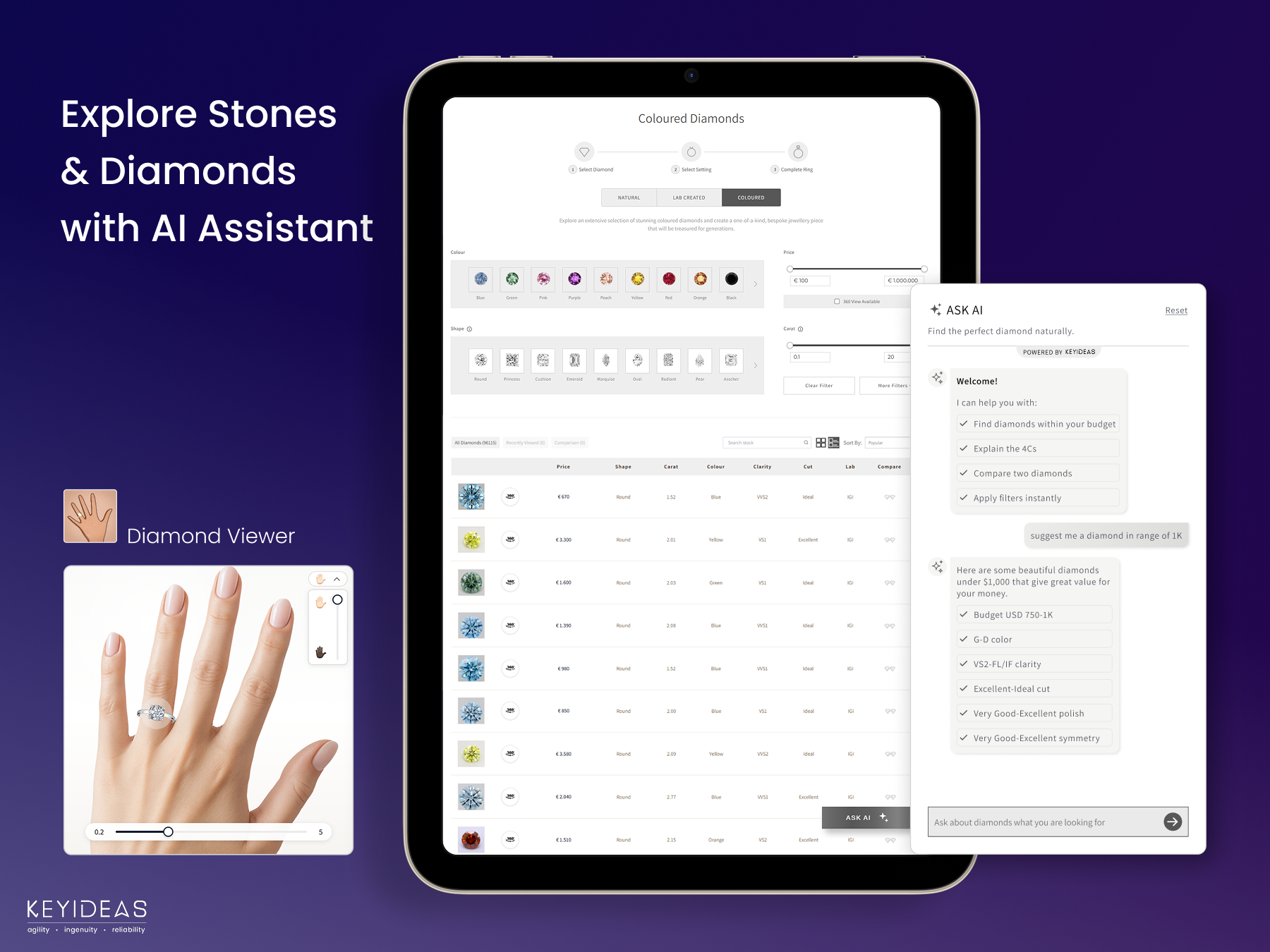
Explore stones with filters, the AI shopping assistant (Pro) and the diamond viewer that shows the stone on a hand
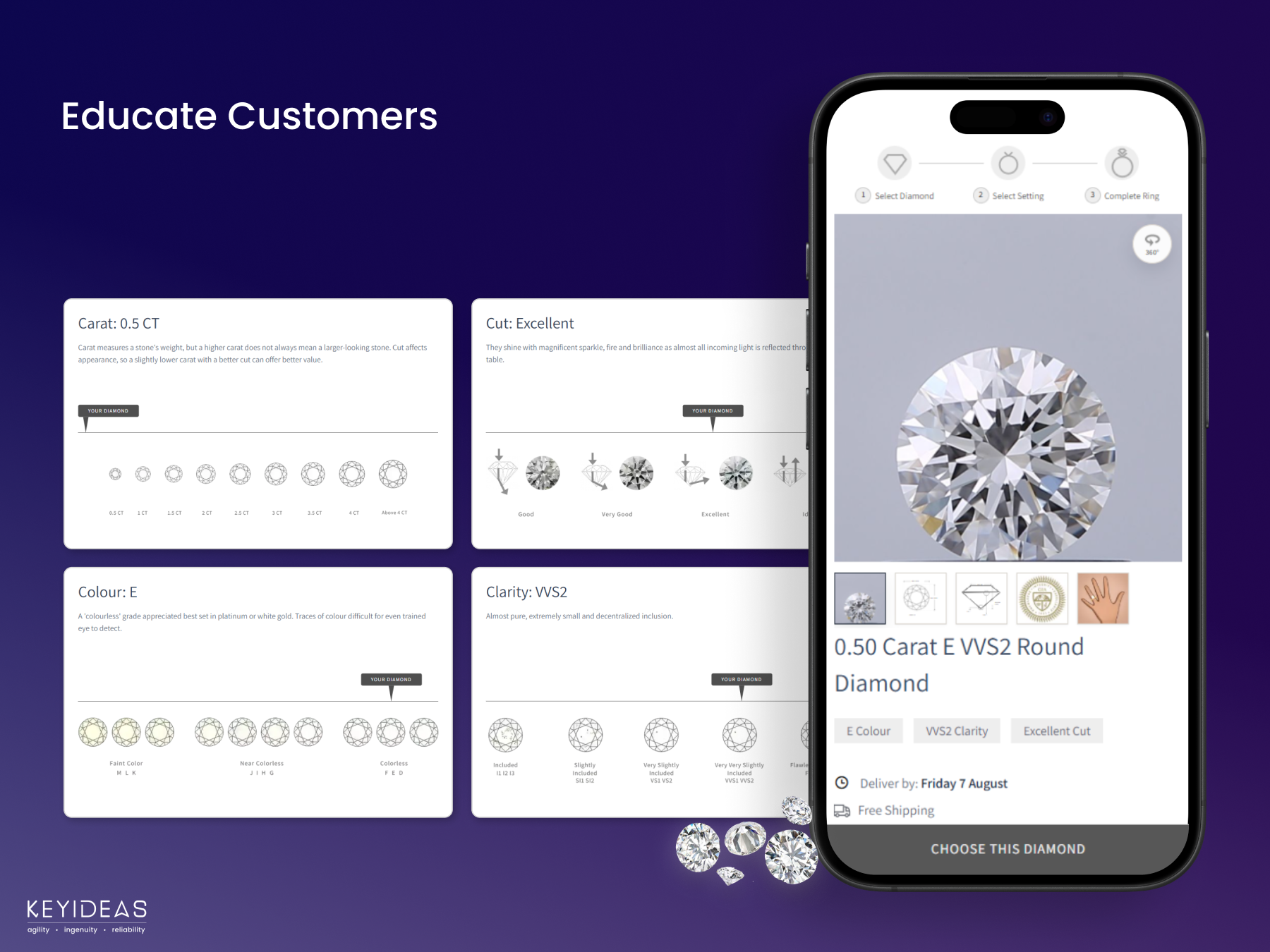
Diamond detail page with 360° view and easy guides to carat, cut, color and clarity
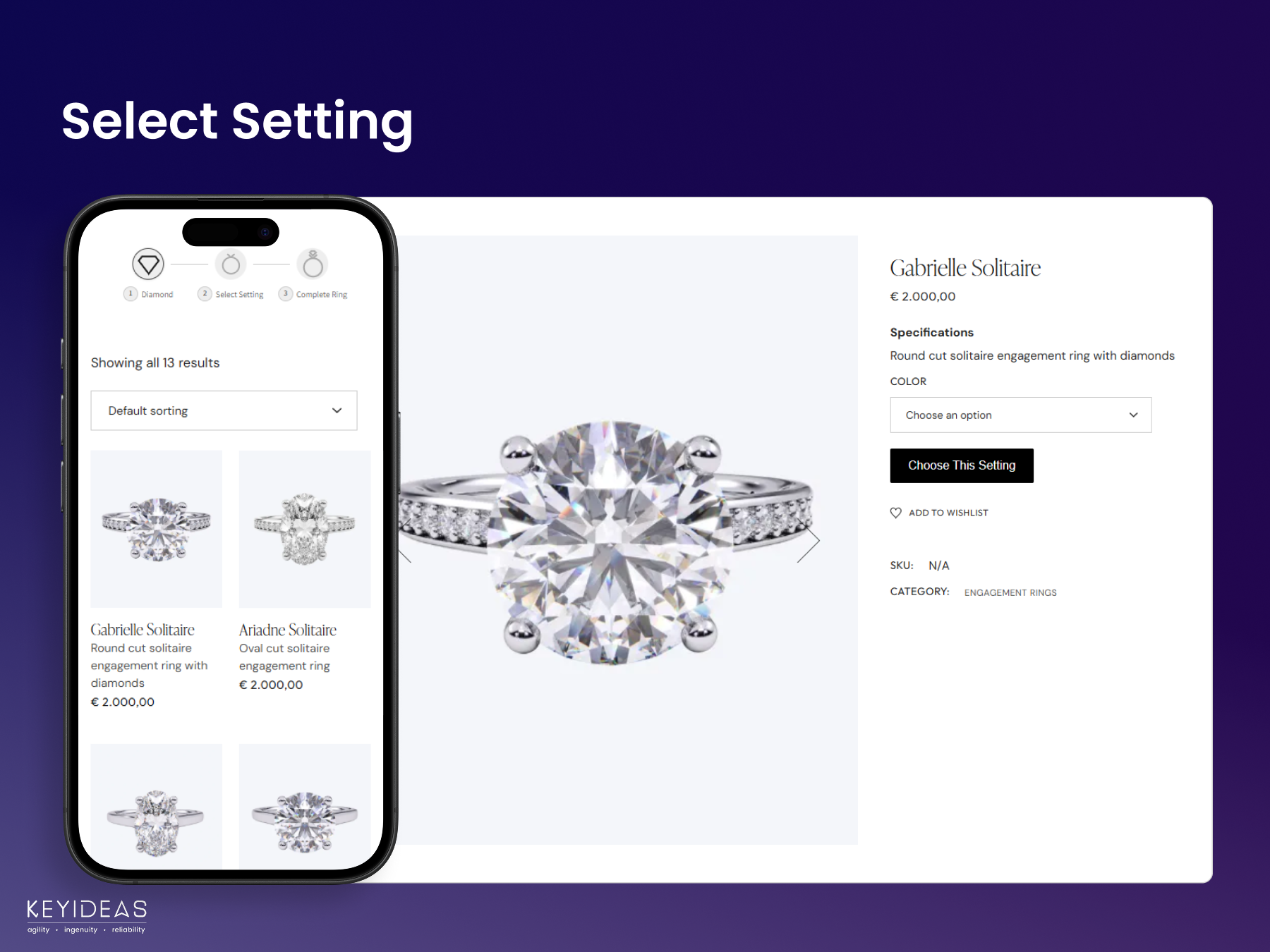
Select a setting from your WooCommerce ring collection
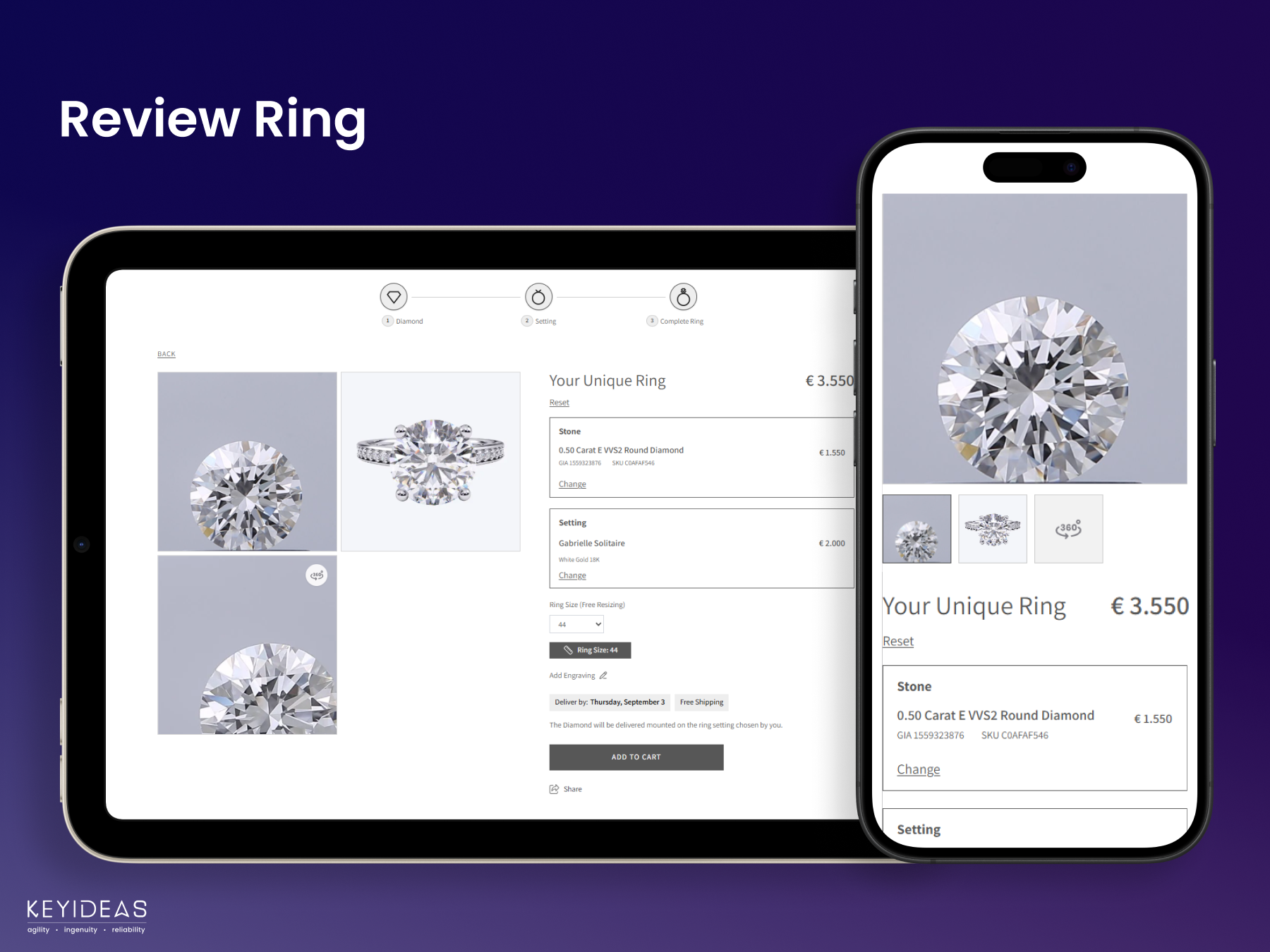
Review the finished ring: stone, setting, ring size and Add to Cart
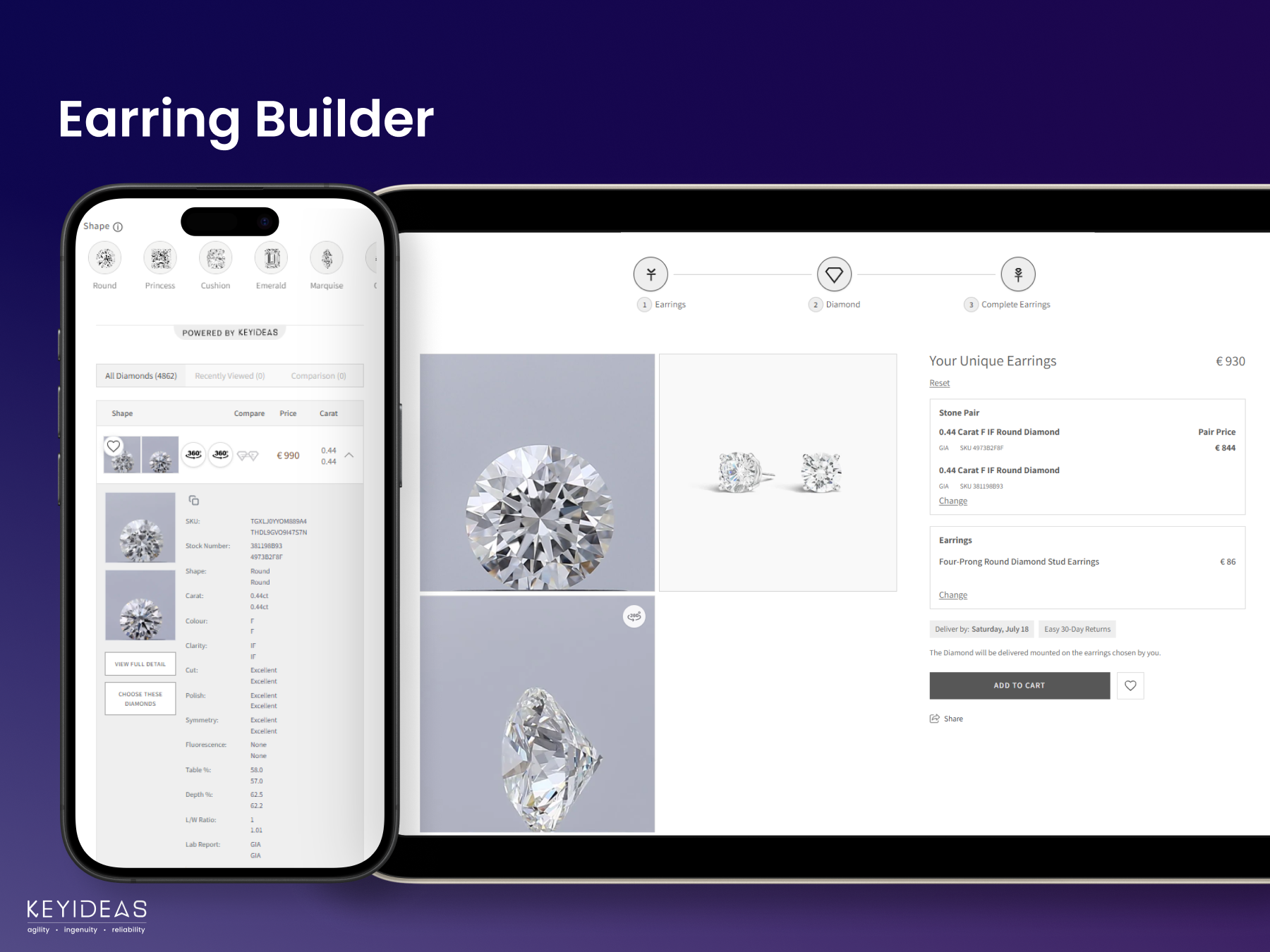
Earring Builder (paid add-on)
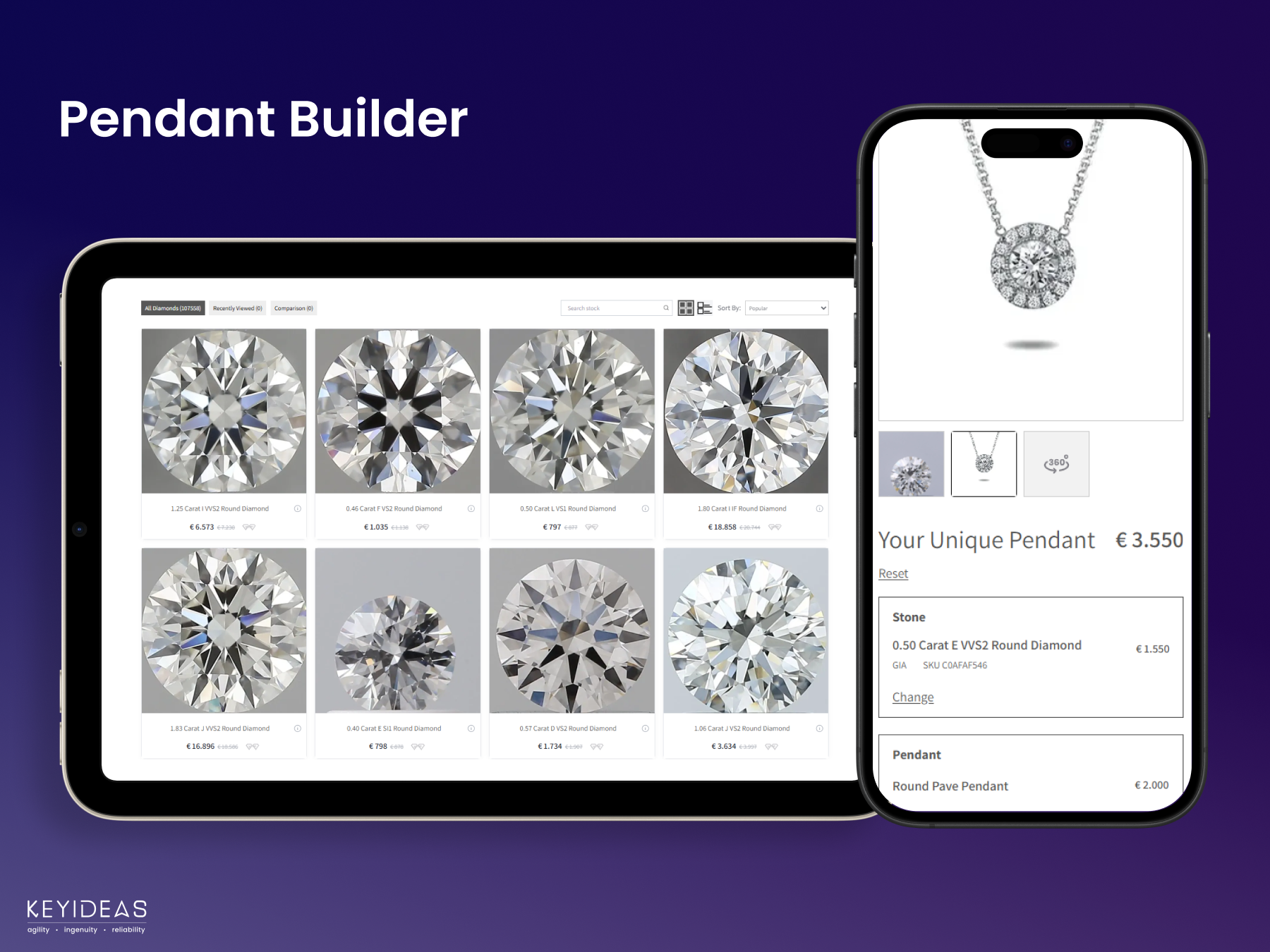
Pendant Builder (paid add-on)