
Digages Role Manager is an advanced WordPress role and permission manager for site administrators who need tighter control over what users can see and do inside the dashboard.
Create custom roles, inherit capabilities from existing WordPress roles, choose which admin menu pages each role can access, and define allowed actions for content, users, plugins, themes, imports, exports, and supported third-party plugins.
Key Features
Custom Role Creation
Create custom WordPress roles from the admin dashboard. Each role can include a name, description, inherited base role, allowed admin menus, allowed actions, login redirect URL, and admin color scheme.
Admin Menu Restrictions
Choose which dashboard menu pages a custom role may access. Restricted menu items are hidden from the WordPress admin area, and direct URL access to blocked pages is denied.
Action-Level Permissions
Control common WordPress actions including creating, editing, deleting, and publishing posts or pages; uploading media; managing comments; managing users; installing, activating, updating, and deleting plugins; managing themes; and importing or exporting data.
WooCommerce-Aware Controls
When WooCommerce is active, the plugin adds WooCommerce-specific action controls for orders, products, coupons, reports, settings, and order status changes.
Optional Digages Role Templates
In Role Manager > Role Templates, import Direct Payments Manager, Invoice Manager or Engraver Packer. Each card lists its permissions and plugin availability. No roles are created automatically, and importing never overwrites an existing role.
- Direct Payments Manager: View, confirm, cancel and update direct payments under WooCommerce > Direct Payments. Cannot access the WooCommerce Orders screen, ordinary WooCommerce orders, payment settings or payment deletion.
- Invoice Manager: View, create and send invoices, add recipients and generate invoice PDFs. Cannot edit existing invoices or recipients, delete invoices, manually change payment status or manage settings.
- Engraver Packer: View engraving orders and engraving details only. Cannot mark orders done/pending, manage templates or adjust prices.
Free and Pro editions of Direct Payments for WooCommerce, Digages Direct Invoices and Digages Engraver are supported. Templates can be imported when a matching plugin is installed. Their plugin permissions become available while the plugin and its dependencies are active, pause on deactivation and return on reactivation. Disabling a role keeps its plugin permissions off. Edit an imported role in Manage Roles to change its menus, individual actions, and assigned users.
The invoice integration uses digages-direct-invoices and digages-direct-invoices-pro; the older direct-payments-wp plugins contain payment forms rather than this invoice workflow. Pro-only functionality still requires the corresponding Pro plugin and license.
Third-Party Plugin Action Groups
The available action list can automatically include controls for supported plugins when they are active, including Easy Digital Downloads, Advanced Custom Fields, and Gravity Forms.
Unauthorized Action Alerts
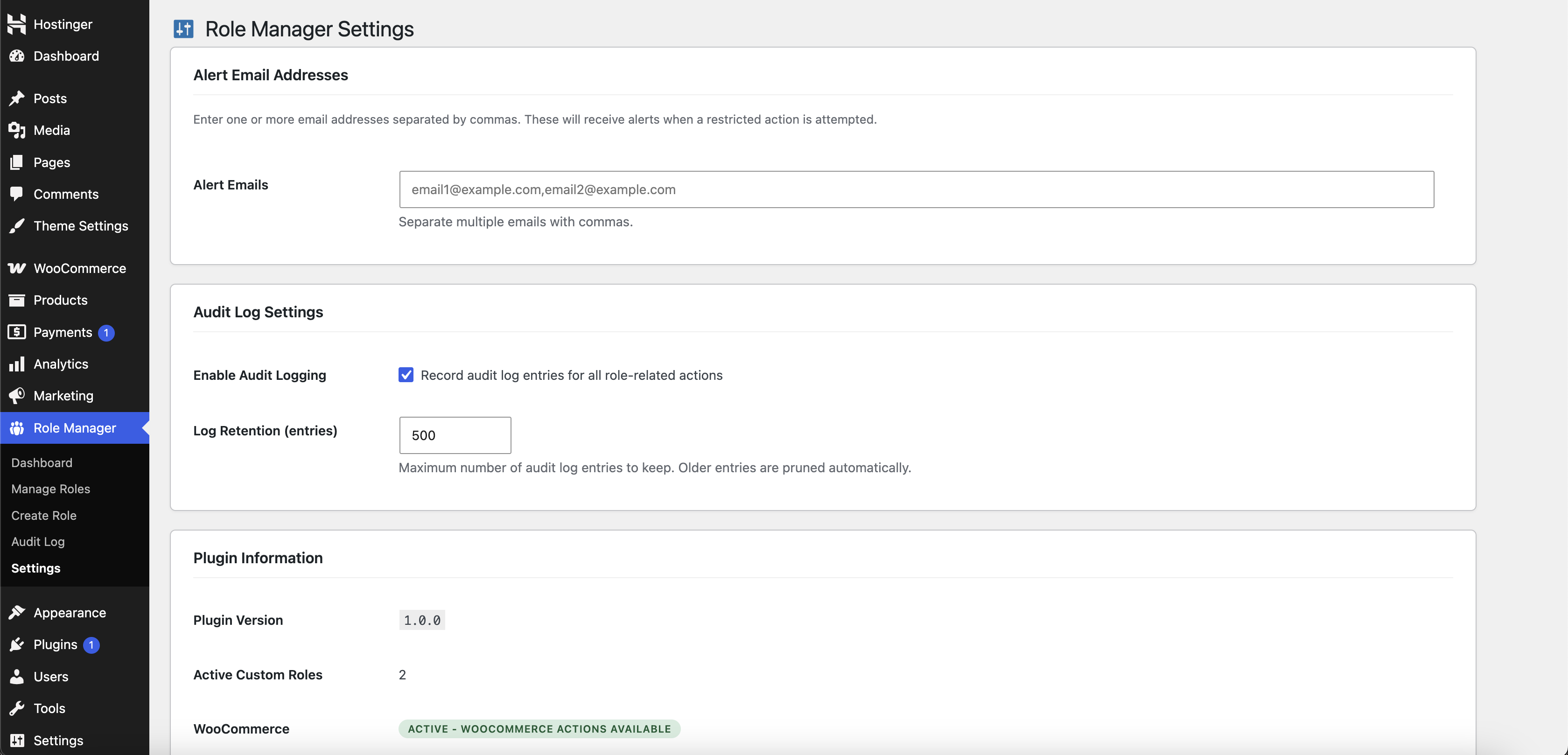
Set one or more alert email addresses to receive notifications when a restricted action or blocked admin page access attempt occurs.
Audit Log
Track role-related events and blocked access attempts with timestamp, user, action, context, and IP address. The audit log can be filtered and cleared from the admin screen.
Dashboard Overview
View quick stats for custom roles, total WordPress roles, audit events, and total users. The dashboard also lists recent audit events and active custom roles.
Help Center
The Help Center uses the Direct Invoices admin design and bundled Digages plugin catalog, with Role Manager guides, support links, and plugin status cards.
Role Management Tools
Edit, enable, disable, and delete custom roles from a dedicated role management table. Built-in WordPress roles are protected from deletion.
Role-Based Login Redirects
Send users with a custom role to a specific URL after login.
Admin Color Scheme Assignment
Assign a WordPress admin color scheme per custom role to make role-specific admin experiences easier to identify.
Developer Friendly
The available action groups can be extended with the digages_rm_available_actions filter. Contact Developers
What’s Next?:
If you like this plugin, then consider checking out our other plugins:
-
Direct Invoices – Invoicing & Payment Requests for WordPress
-
Engraver for WooCommerce – Personalize and Customize WooCommerce Products
Credits
Built by Digages.
Screenshots
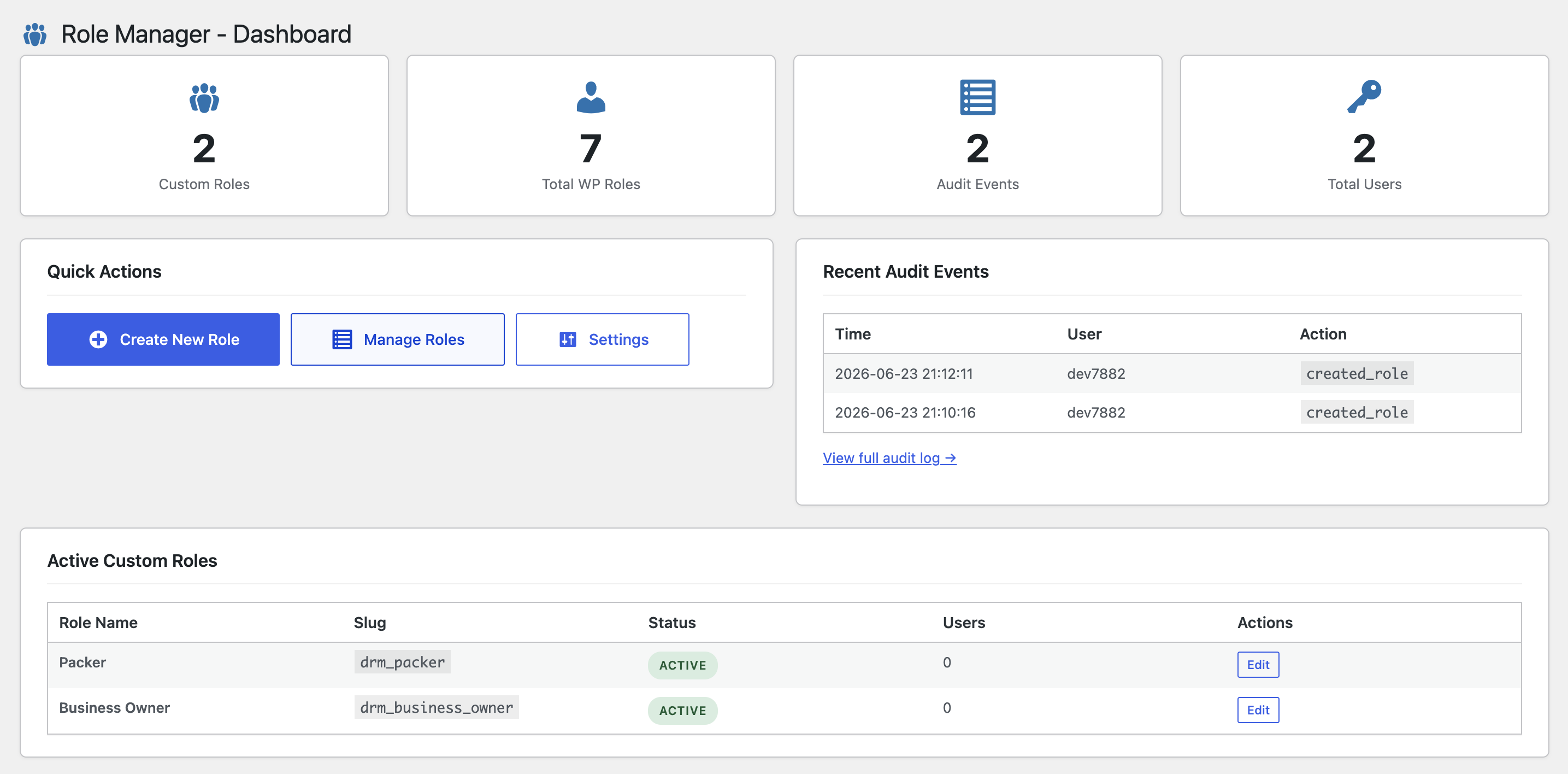
Role Manager Dashboard - overview cards, quick actions, recent audit events, and active custom roles.
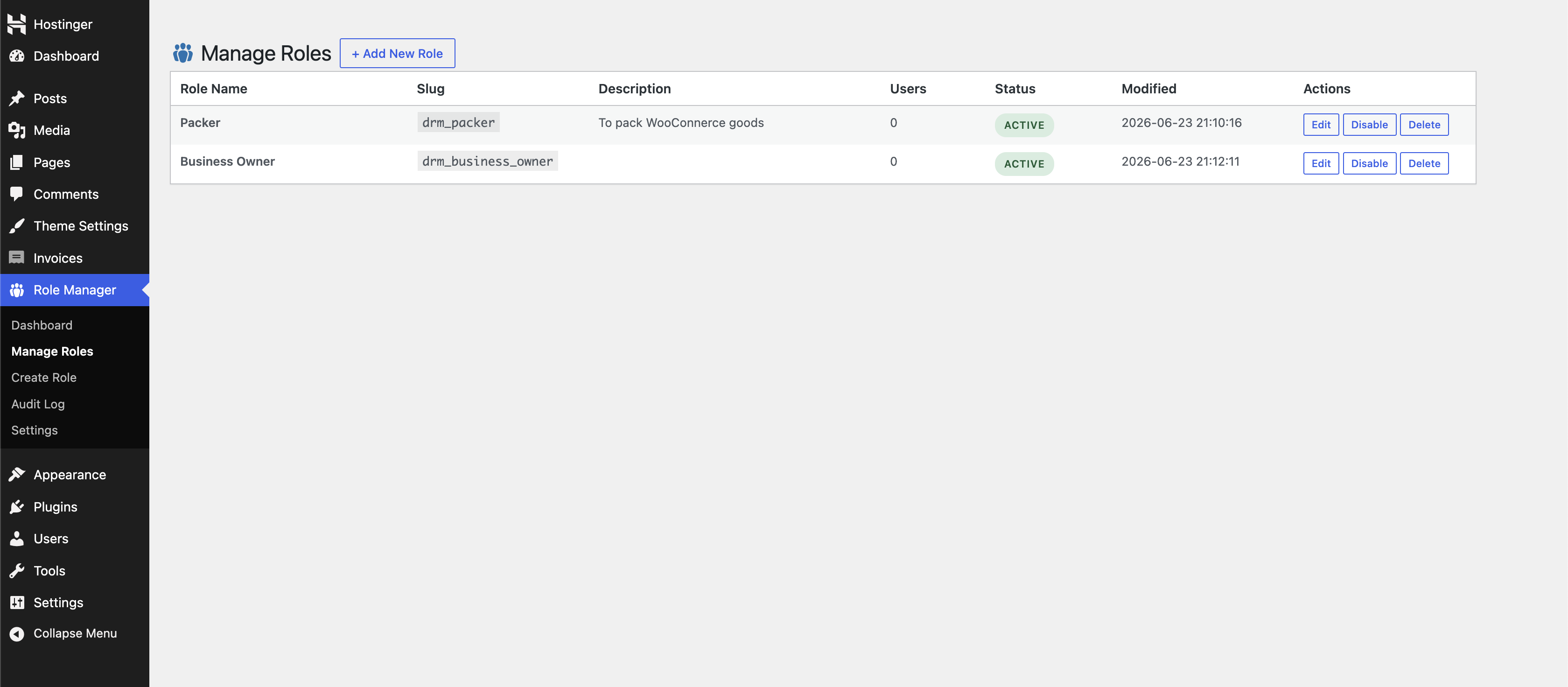
Manage Roles - custom role table with edit, enable or disable, and delete actions.
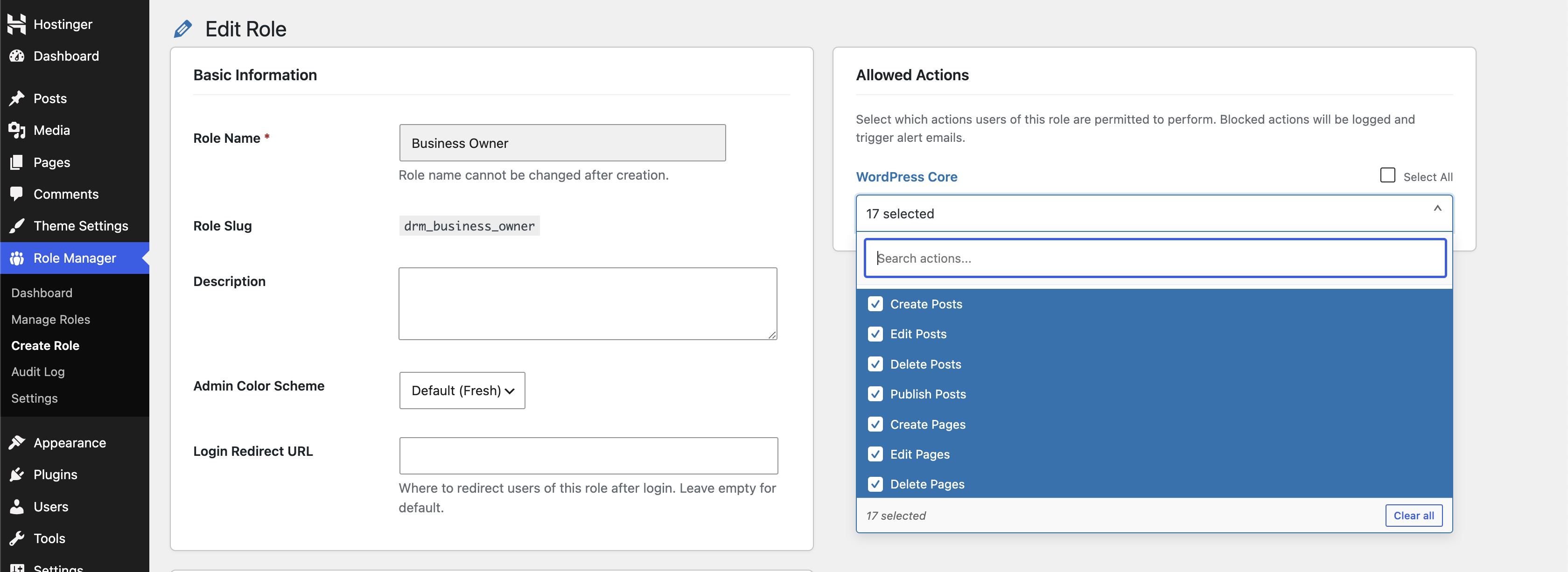
Create / Edit Role - configure role details, assign users with the searchable multiselect, choose admin menu access and allowed actions, and set login options.
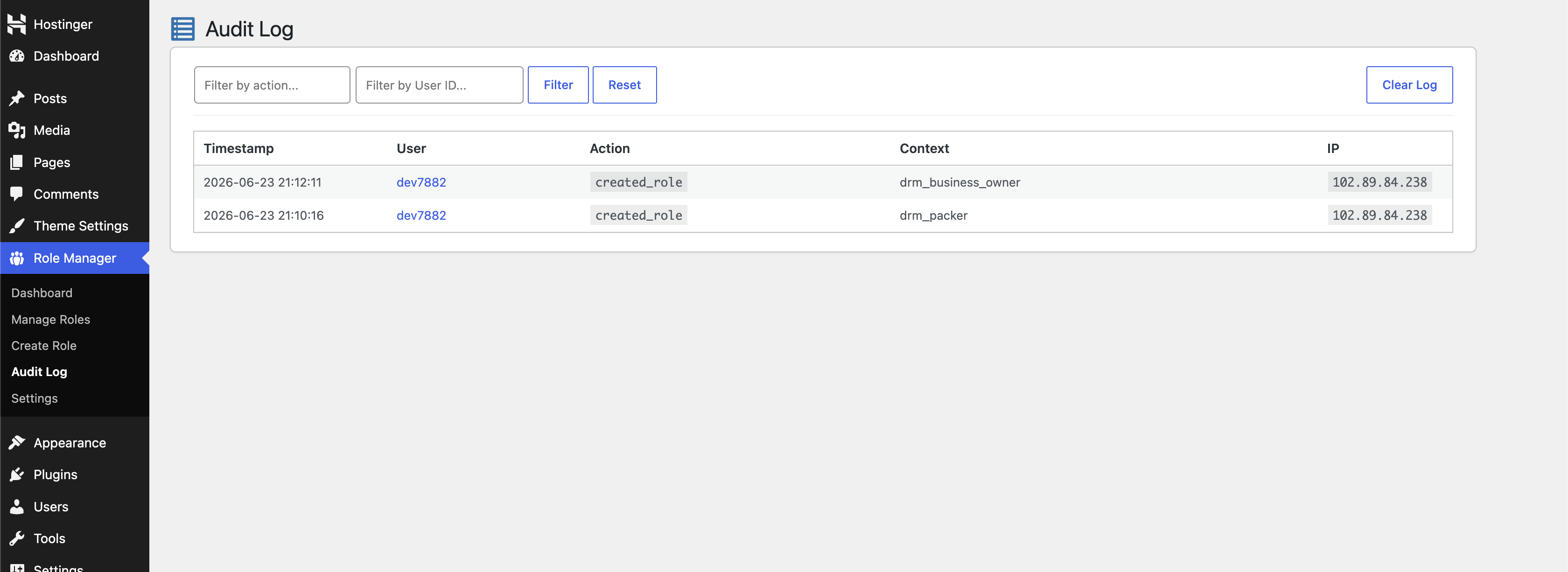
Audit Log - filterable list of role events and blocked access attempts.
Role Templates - import optional roles for supported Digages plugins.