BACK TO DIRECTORY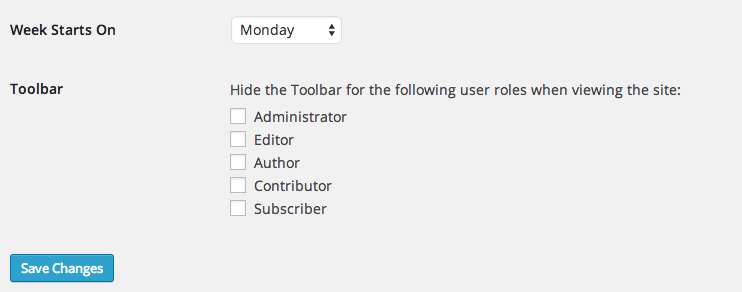
This humble plugin adds an option in Settings > General that controls who sees the WP Toolbar when viewing your site.
You can turn the Toolbar on or off per user role.
Note that this controls the public, front-end version of your site. When viewing the dashboard, the toolbar always appears.
How is this different from other plugins that do similar things? It’s smaller, cleaner, and doesn’t add any unnecesary settings pages. It’s also smart enough to hide the Toolbar option on user profiles if that user is already restricted from seeing the toolbar.
Screenshots
The Disable Toolbar option in Settings > General
Plugin Details
Active Installs
1K+Total Downloads
28,450Version
1.0Requires WP
3.1Requires PHP
—Tested Up To
4.9.35Added
2014-07-31Last Updated
2017-11-09 3:51pm GMTRatings
5
16
4
0
3
1
2
0
1
0