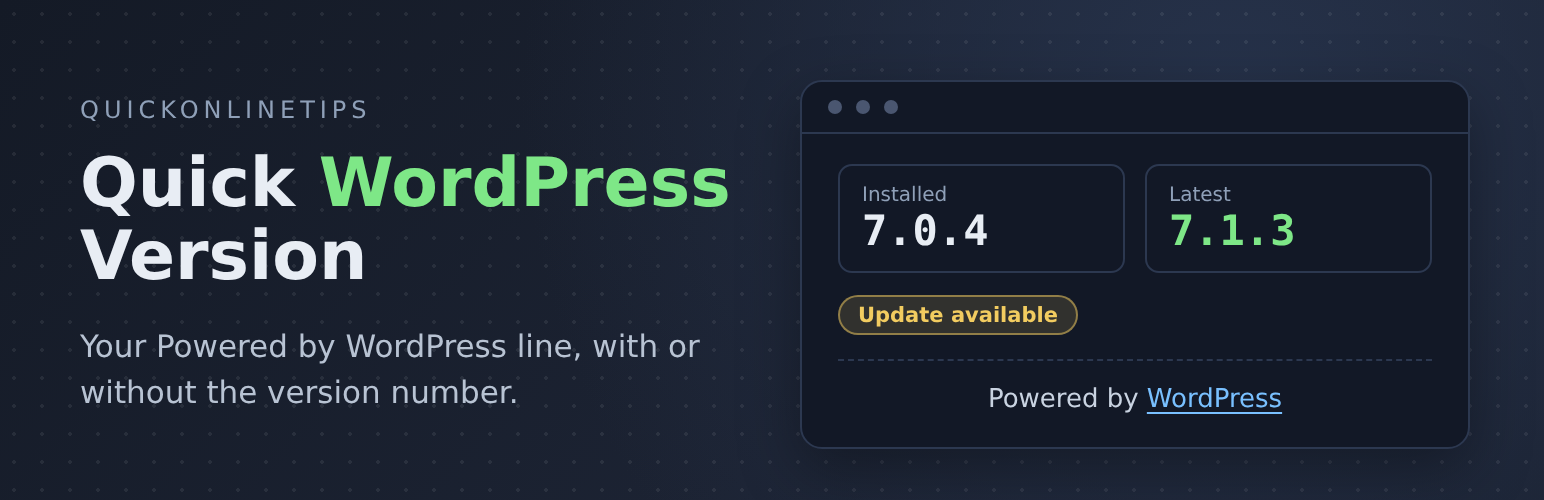
Quick WordPress Version adds a small “Powered by WordPress” line to the bottom of your site. Activate it and the line appears, below your theme’s footer, with no theme files to edit. It works with classic and block themes.
Refreshed for 2026. First released in 2007 as Display WordPress Version, version 2.0 is rebuilt with a settings page and a live preview. Choose the wording, add your own text before and after the line, decide where it shows, and check your WordPress version at a glance. Far more control than the original one-line plugin.
You choose what the line says:
- Powered by WordPress (the default, and the safest)
- Powered by WordPress 7, the main version number only
- Powered by WordPress 7.1.3, the full version
- Your own text, such as “Proudly running WordPress {version}”, or anything else you like
Add your own text before or after the line too, such as a copyright or a link to your host. A bullet joins them up by itself, or choose a line, dash, dot or just a space.
Know your version, keep it private
Settings > Quick WordPress Version shows the WordPress version installed on your site, the latest version from WordPress.org, and whether an update is waiting, with a link to update. It uses the update check WordPress already does, so it adds no load to your site.
Showing your exact version number tells everyone, including attackers, which version your site runs. That is why the default line has no number. If you do show the number, it is hidden by itself while a WordPress update is waiting, so your site never advertises an out-of-date version. It comes back as soon as you update. For more ways to keep your site updated and secure, see our WordPress tips.
Put the line where you want it
- Automatically at the very bottom of every page, centred, left or right. This is all most sites need.
Optional other ways, if you want the line somewhere else:
- Shortcode
[quick_wp_version]in a post, a page, or a Shortcode block in a block theme footer - Widget in any footer or sidebar widget area
- Template tag
<?php quickversion(); ?>for theme builders
Every place uses the same choices, so the line always looks the same.
Light by design
Tiny: no extra stylesheet or JavaScript on your site, and nothing loaded from outside. The settings page code runs only on its own screen.
Sites already using quickversion() from the original plugin keep working.
Made by Quick Online Tips, tech help that works since 2004. See the Quick WordPress Version plugin page for more.
Screenshots
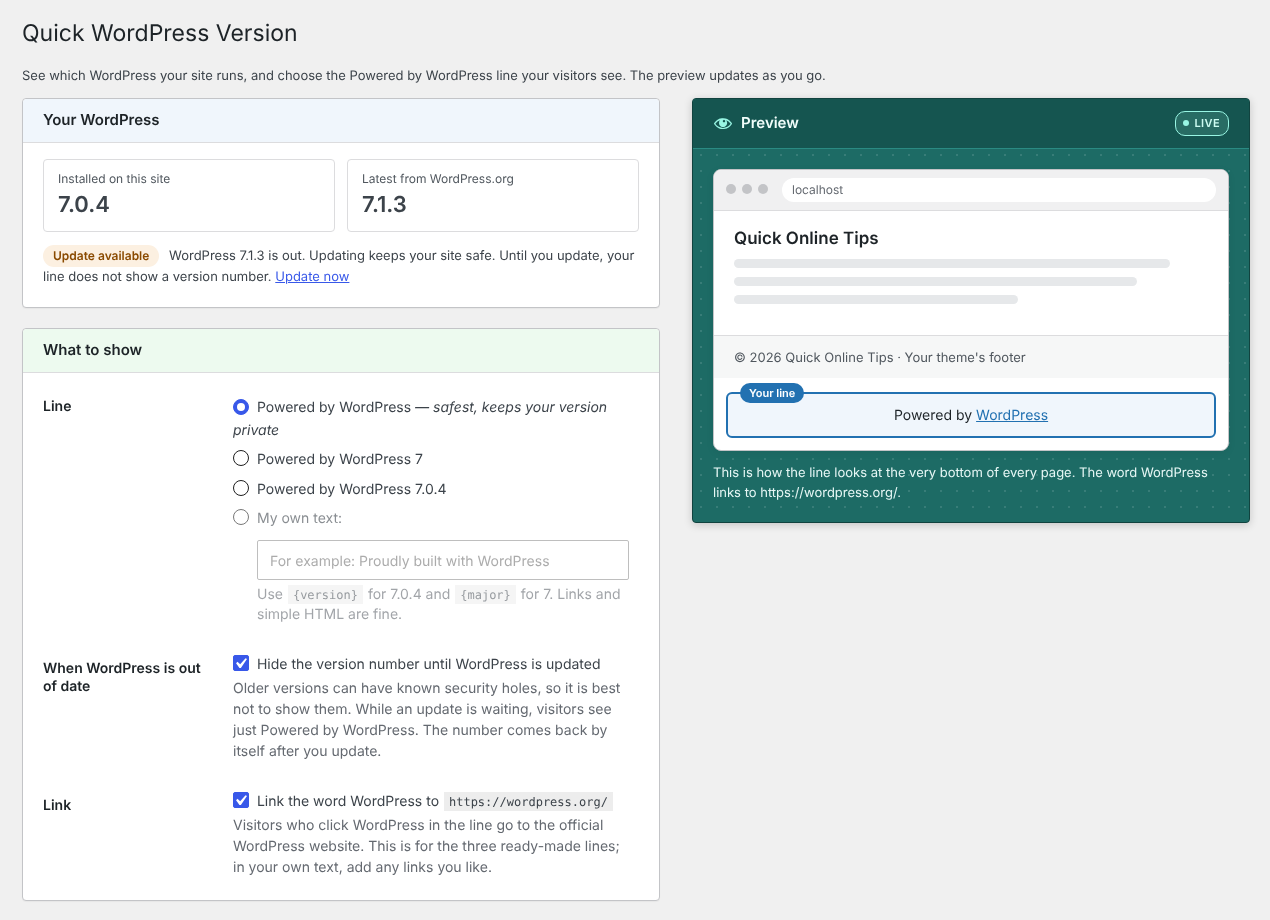
Settings show your installed and latest WordPress version, and what the line says, with a live preview.
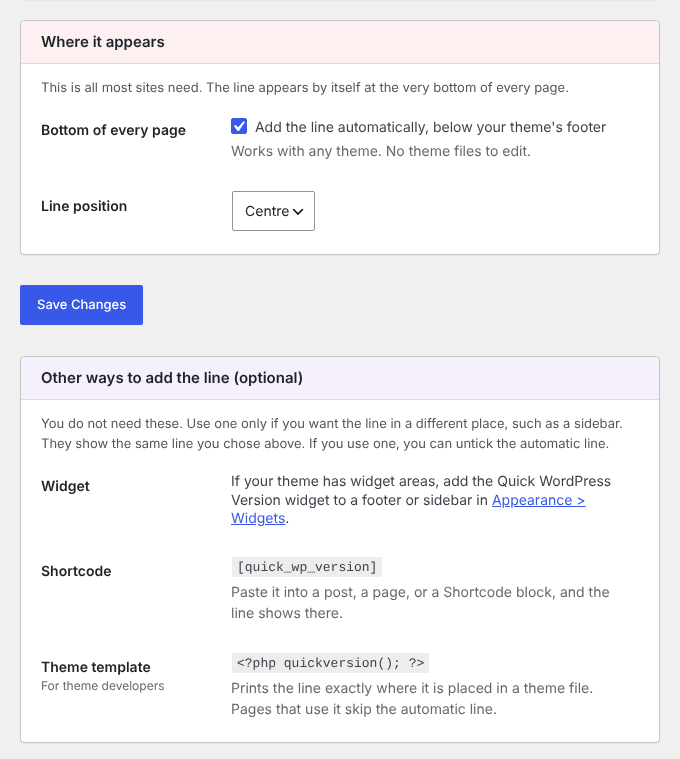
The line appears by itself at the bottom of every page. Optional other ways to add it are kept separate.
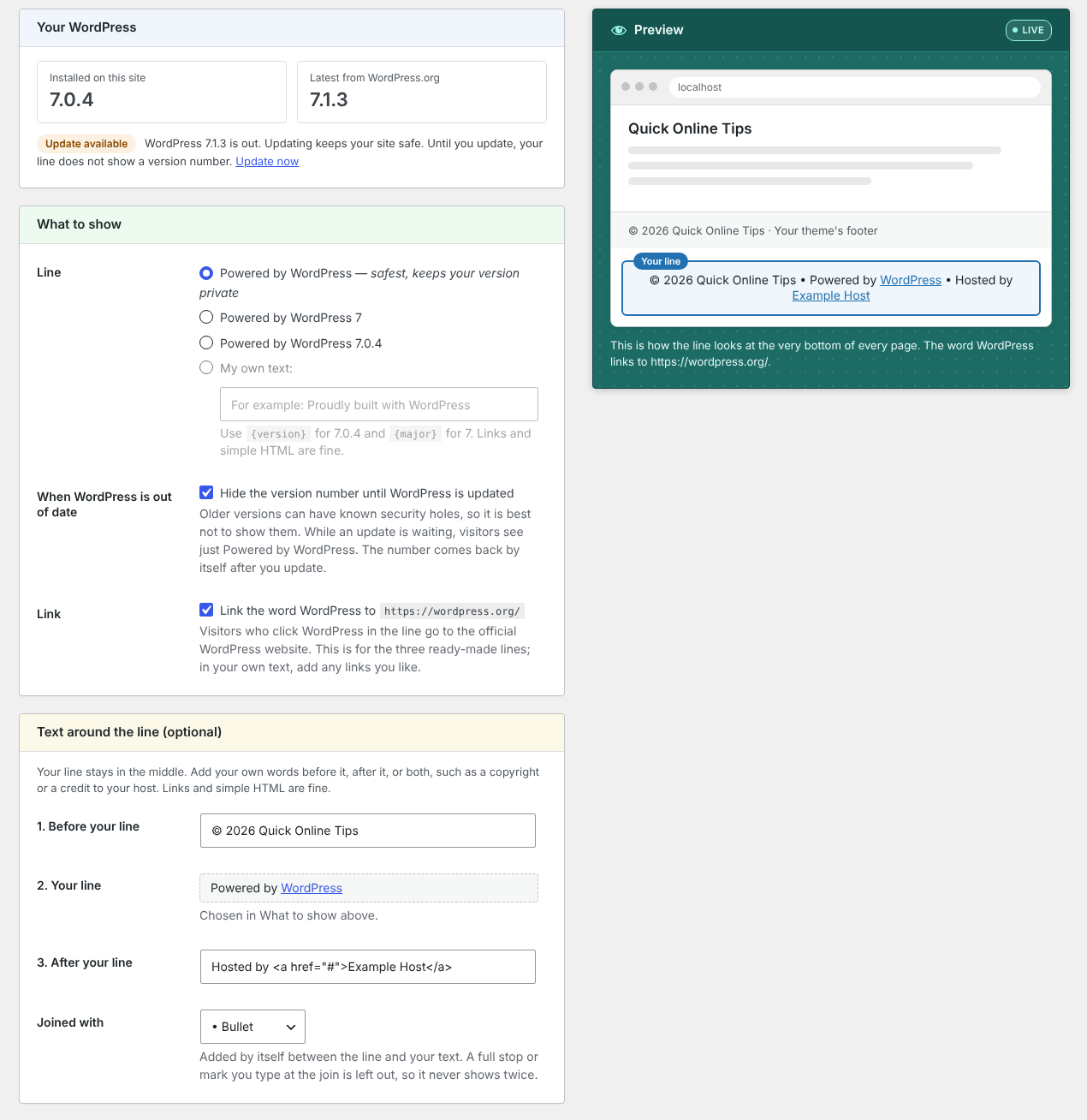
Add text before and after the line, joined with a bullet or another mark.
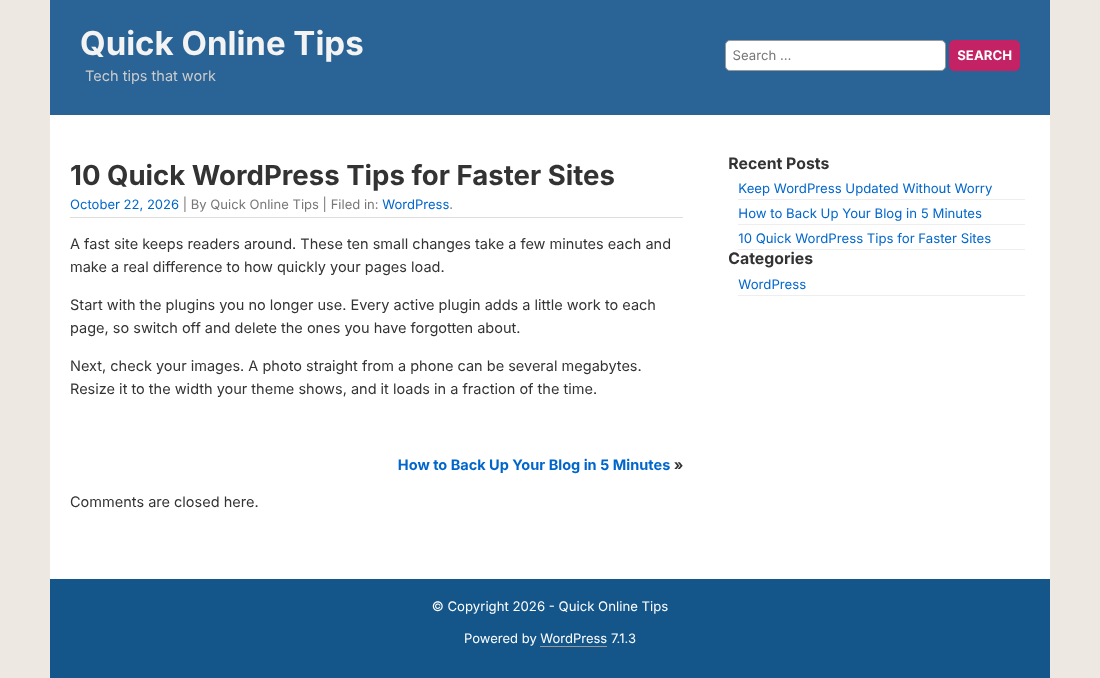
The line in the footer of a real site, under the copyright, using the QuickPress theme.