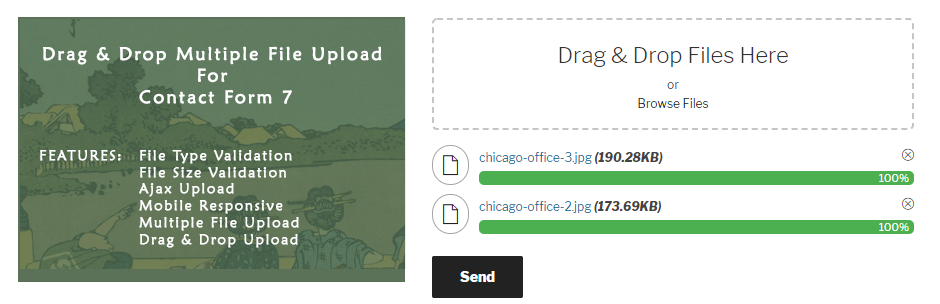
Drag and Drop Multiple File Upload is a simple, straightforward WordPress plugin extension for Contact Form 7, which allows the user to upload multiple files using the drag-and-drop feature or the common browse-file of your webform.
Drag and Drop Multiple File Upload for Contact Form 7 is an independent plugin, not affiliated with or endorsed by the developers of Contact Form 7.
Here’s a little DEMO.
Features
- File Type Validation
- File Size Validation
- Ajax Uploader
- Limit number of files Upload.
- Limit files size for each field
- Can specify custom file types or extension
- Manage Text and Error message in admin settings
- Drag & Drop or Browse File – Multiple Upload
- Support Multiple Drag and Drop in One Form.
- Able to delete uploaded file before being sent
- Send files as email attachment or as a links. (see note below)
- Support multiple languages
- Mobile Responsive
- Cool Progress Bar
- Compatible with any browser
PLUGIN GUIDE – FREE VERSION
Note: On Free version, all uploaded files moves to a temporary folder (“/wp-content/uploads/wp_dndcf7_uploads”) then attaches the file to the mail and sends it. After that “Drag & Drop File Upload” removes the file from the temporary folder 1 hour after the submission. ( same process with the default “file” upload of Contact Form 7 – See here )
To adjust or disable the auto-deletion feature, we suggest upgrading to the PRO version for more options (see below).
⭐ Premium Features ⭐
Check out the available features in the PRO version.
- Upload Large File – Supports uploading large files.
- Image Preview – Displays thumbnails for images.
- Auto Delete Files – Automatically deletes files after a set time (hours, weeks, days, months, etc)
- Zip Files – Compress uploaded files into a ZIP archive
- Save Files to Media Library – Store files in the WordPress media library.
- Change Upload Directory – Customize the default WordPress upload directory.
- Upload Folder – 📂 Choose a custom folder to store files:
✅ Contact Form 7 Fields: Use any field name
✅ Generated Date & Time: Timestamp-based folders
✅ Random Folder: Auto-generated letters & numbers
✅ By User: Requires login to store files in the user’s email or first name.
✅ Custom Folder: Manually input a folder name
✅ Dynamic Folder: User (name, id), Post (id, slug), CF7 field - Send as Attachments, Zip, or Links – Flexible file delivery options.
- Chunked Uploads – Upload large files in smaller chunks to avoid timeouts.
- Max Total Size – Set the maximum combined size for all uploaded files.
- Parallel Upload – Limit simultaneous uploads to optimize server performance.
- Custom Filename – Create custom filename patterns using variables such as
{filename},{cf7-field-name},{ip_address},{random},{post_id},{post_slug}, and more. - Color Options – Customize colors for file size, progress bar, filename, and more.
- Prevent Duplicate – Disable button to prevent duplicate submissions.
- Custom Theme – Switch between “Dark” or “Light” themes.
- Form Entries – Store form entries in WordPress admin.
- Seamless Remote Storage Integration
🔥 Supports: OneDrive, Google Drive, Amazon S3, Dropbox, FTP. - Image Size Validation – Ensure images meet required width and height.
- Image Resize – Supports image resizing (e.g., 800×800). (Standard Version Only)
- Optimize Image – Optimize images after resizing. (Standard Version Only)
- Security – Ensure security with regular updates, vulnerability scans, and threat protection.
- Optimized Code & Performance – Improve speed and efficiency.
Pro version is also compatible with:
- Contact Form 7 Add-on – Arshid
- Database for Contact Form 7- Ninja
- Advanced Contact form 7 DB – Vsourz Digital
You can get PRO Version here!
PRO VERSION – PLUGIN OVERVIEW
Other Plugins You May Like
-
Order Files for WooCommerce
An extension that attach files to existing WooCommerce orders, allowing both customers and admins to upload and manage files easily. -
Easy File Upload & Approval
Easy File Upload & Approval – A simple file management plugin that lets users effortlessly upload and submit files for review through a clean and simple drag-and-drop interface. -
Drag & Drop Multiple File Upload – WooCommerce
An extension for WooCommerce – Transform your simple file upload into beautiful “Drag & Drop Multiple File Upload”. -
Drag & Drop Multiple File Upload – WPForms
An extension for WPForms – Transform your simple file upload into beautiful “Drag & Drop Multiple File Upload”.
Screenshots

Generate Upload Field - Admin
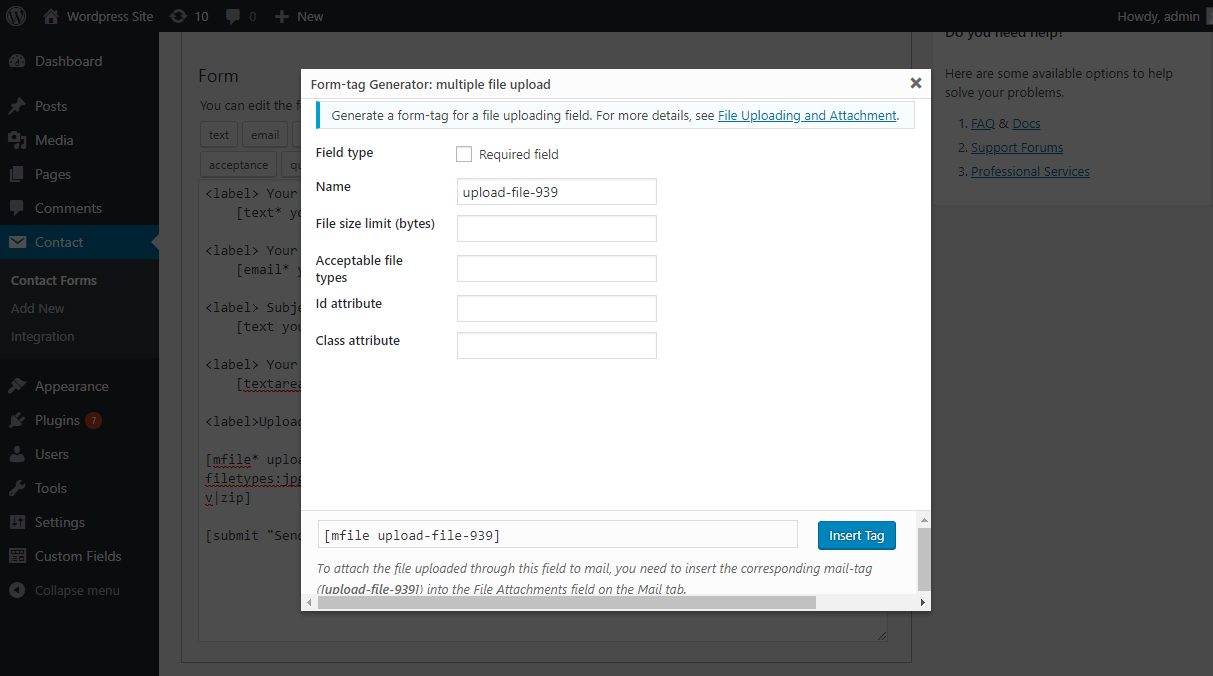
Form Field Settings - Admin
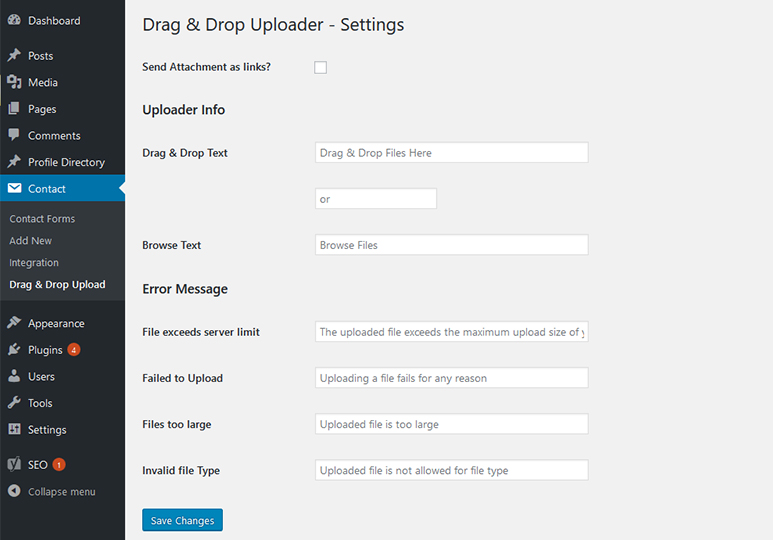
Uploader Settings - Admin

Email Attachment- Gmail
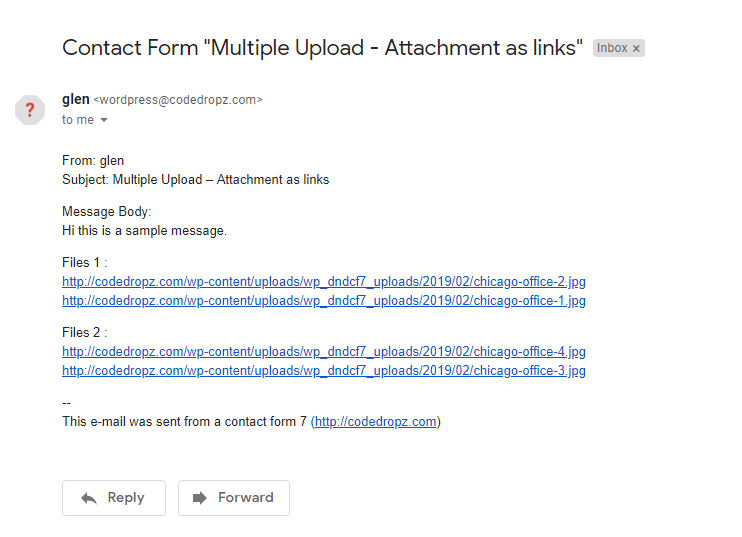
Email Attachment As links - Gmail
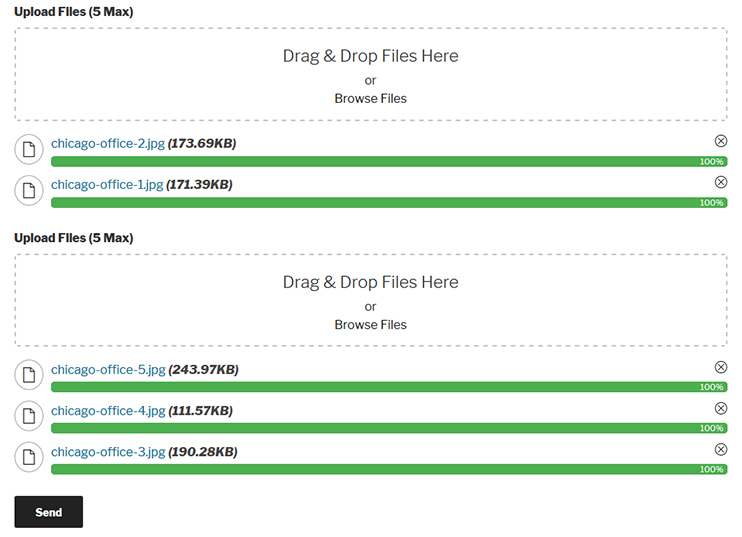
Multiple Drag and Drop Fields - Front

Remote Storage - Pro Features