
Dragon Compliance – CRA & NIS2 Compliance, SBOM Export & Vulnerability Scanner
by Dragon Core
The EU Cyber Resilience Act (CRA) and the NIS2 directive expect the businesses
they cover to know what software they run, monitor it for known
vulnerabilities, patch without delay – and to be able to prove all of that.
Dragon Compliance turns your WordPress site into something you can hand to an
auditor:
- Software inventory – WordPress core, every plugin and theme with version,
author and license, plus the PHP/database/server environment. - SBOM export – download a standards-compliant CycloneDX 1.6 JSON Software
Bill of Materials, the artifact auditors and enterprise customers ask for. - Vulnerability monitoring that works out of the box – a daily scan checks
WordPress core and every installed plugin and theme against the free
WPVulnerability database, with no account or API key, and lists affected
components by severity with CVE links. A component that could not be checked
is shown as “not checked”, never as clear. If you prefer, switch to the
Wordfence Intelligence feed with your own free token. - Vulnerability alerts – new critical findings, and new findings whose
severity has not been published yet, are emailed to the site admin or to a
list of addresses you choose. - CRA readiness checklist – automatic checks (HTTPS, auto-updates coverage,
debug mode, file editing, 2FA, default admin account, open criticals) plus
manual attestations for process facts like your update policy and backups,
with a completion score. - Evidence log – every scan, detection, resolution and attestation change
is recorded with a timestamp, building the audit trail regulators expect.
Matching, findings and the evidence log all stay in your WordPress database.
To check for known vulnerabilities, the plugin asks a public vulnerability
database about your installed components (see External services below): it
sends component names and the WordPress version, never your site address,
users or content.
Everything above is free, fully functional and unlimited.
External services
This plugin connects to one vulnerability database at a time, chosen under
Tools Compliance Settings. Both are used only for vulnerability
monitoring: once a day, after you add, update or remove a plugin or theme,
when you press “Scan now”, and once more shortly after a scan that ran out of
time before every component was looked up.
WPVulnerability (default)
WPVulnerability (https://www.wpvulnerability.com) is a free, public database
of known WordPress vulnerabilities. By default the plugin asks
www.wpvulnerability.net about each installed component: the slug (folder
name) of every plugin and theme, and the WordPress core version number. Plugin
and theme versions are not sent; the plugin compares versions on your server.
Your site address, users and content are not sent; like any web request, the
service sees your server’s IP address. Answers are cached on your site for
12 hours. No account or API key is needed.
WPVulnerability data is published under CC0 1.0.
WPVulnerability privacy policy: https://www.wpvulnerability.com/privacy/
WPVulnerability licence: https://www.wpvulnerability.com/license/
Wordfence Intelligence (only when you choose it)
If you select Wordfence Intelligence and enter your own API token, the plugin
instead downloads the full Wordfence Intelligence vulnerability list from
www.wordfence.com (a service by Defiant Inc.) and matches it on your server.
Only your API token is sent with that request – no data about your site, its
inventory or its users. Without a token nothing is sent to Wordfence. You need
a free wordfence.com account to generate a token.
Wordfence terms of service: https://www.wordfence.com/terms-of-use/
Wordfence privacy policy: https://www.wordfence.com/privacy-policy/
Credits
The WordPress.org listing icon is drawn with glyphs from Lucide (https://lucide.dev), ISC License. Copyright (c) for portions of Lucide are held by Cole Bemis 2013-2022 as part of Feather (https://feathericons.com, MIT License). All other copyright (c) for Lucide are held by Lucide Contributors 2022. The plugin itself does not include these icons.
Screenshots
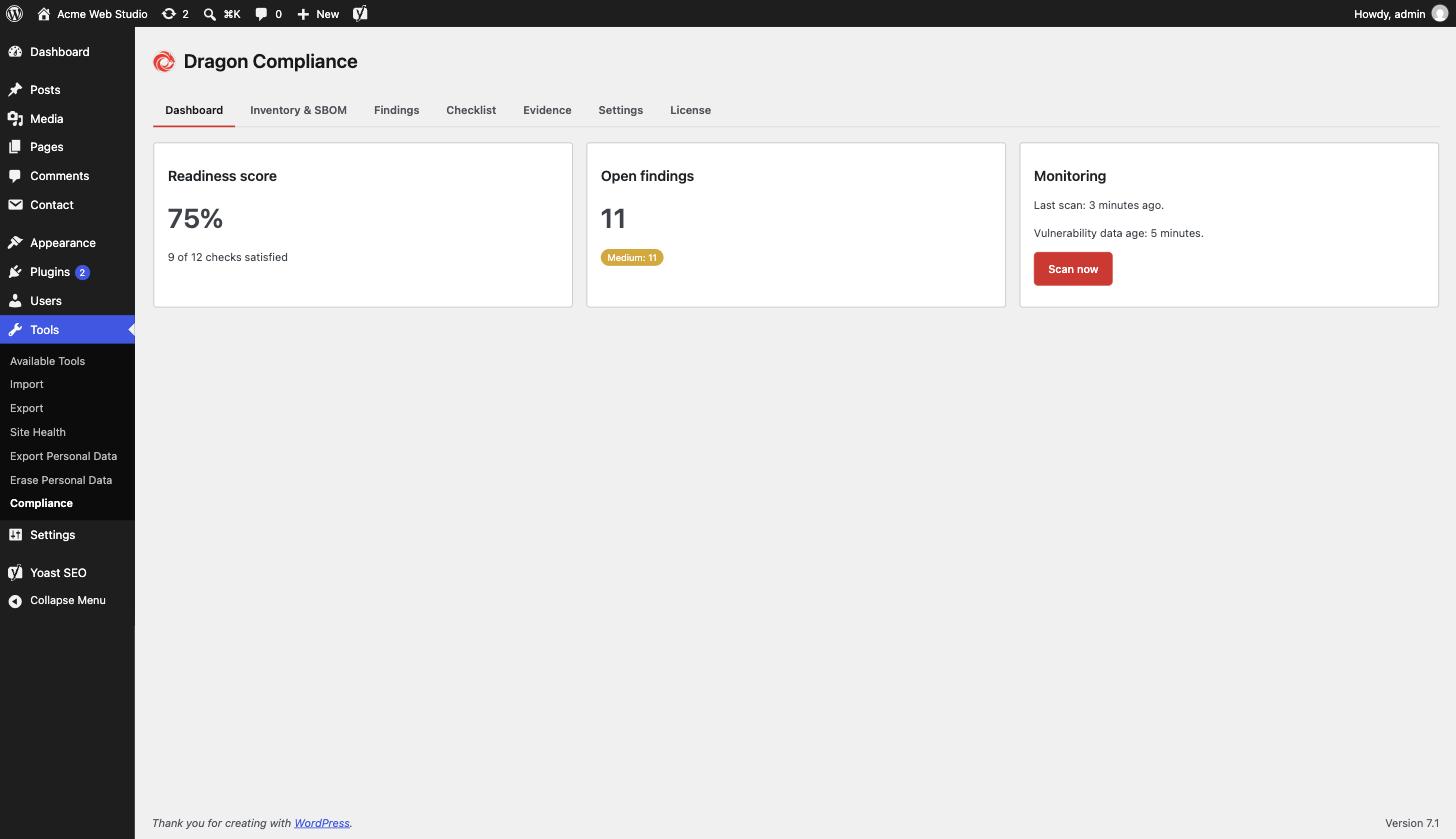
Dashboard - readiness score, open findings and vulnerability monitoring at a glance.
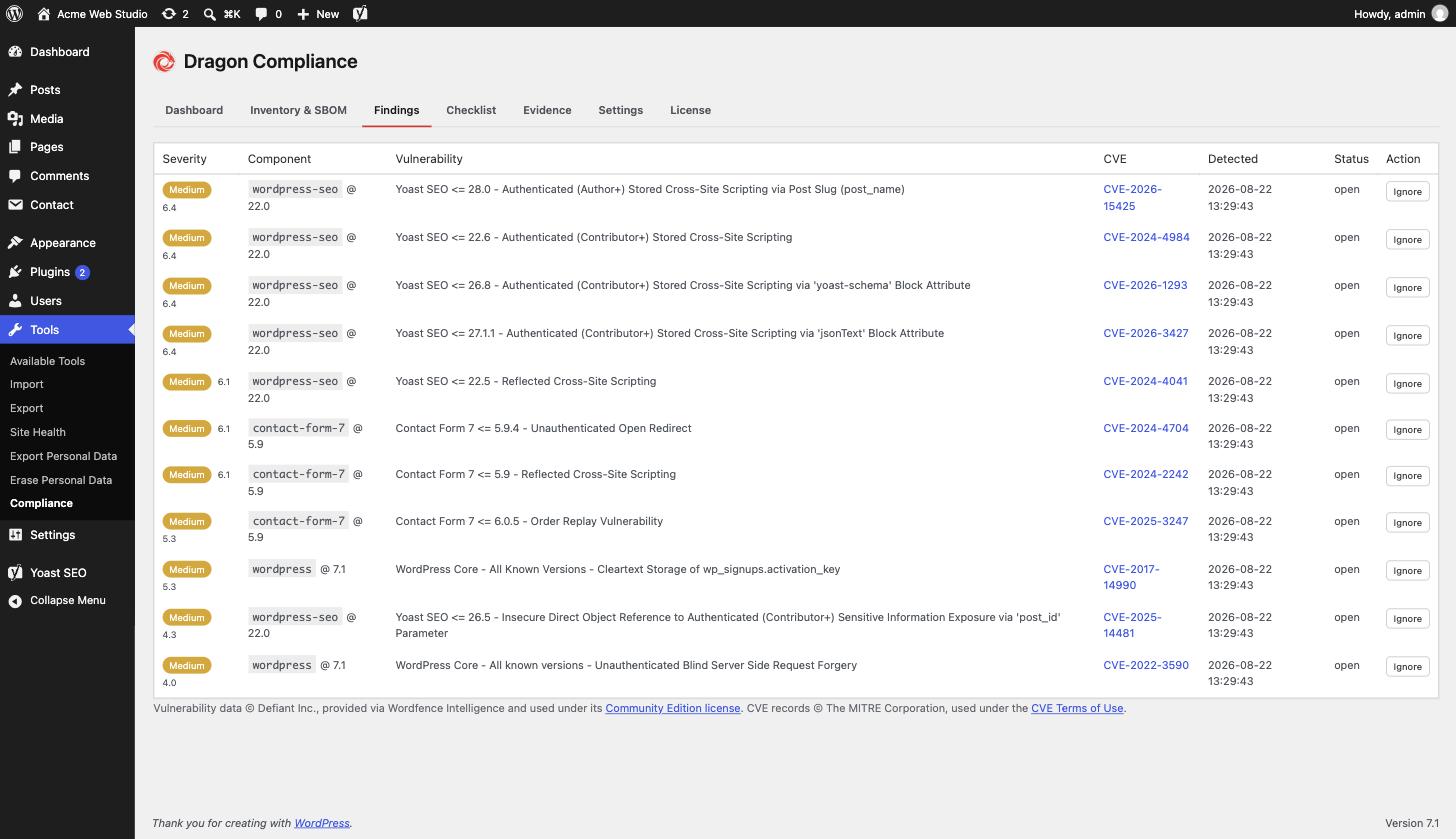
Findings - known vulnerabilities in installed plugins, themes and core, with severity and CVE links.
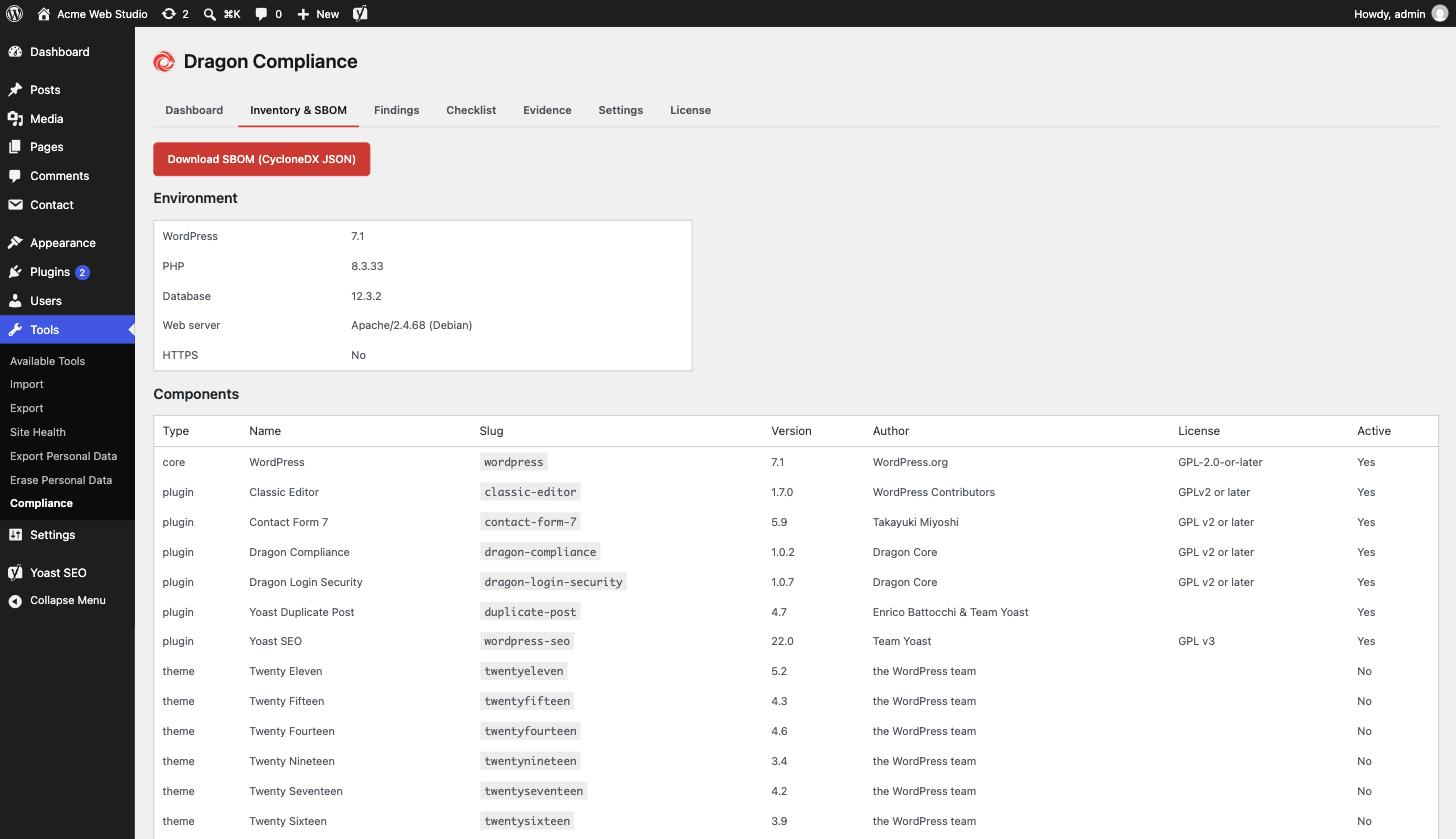
Inventory & SBOM - every component on the site, exportable as a CycloneDX SBOM in one click.
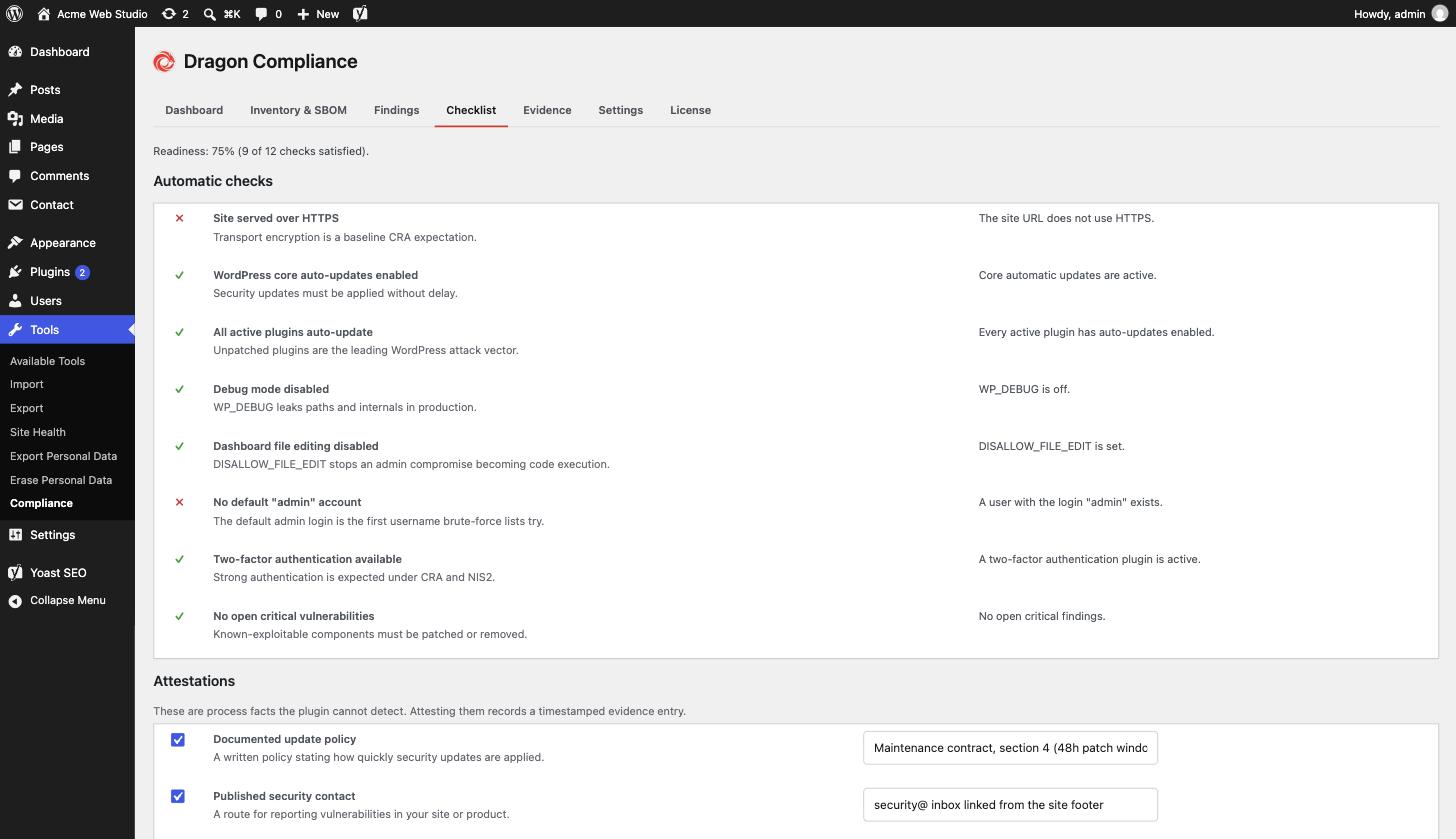
Checklist - automatic CRA readiness checks plus recorded process attestations.
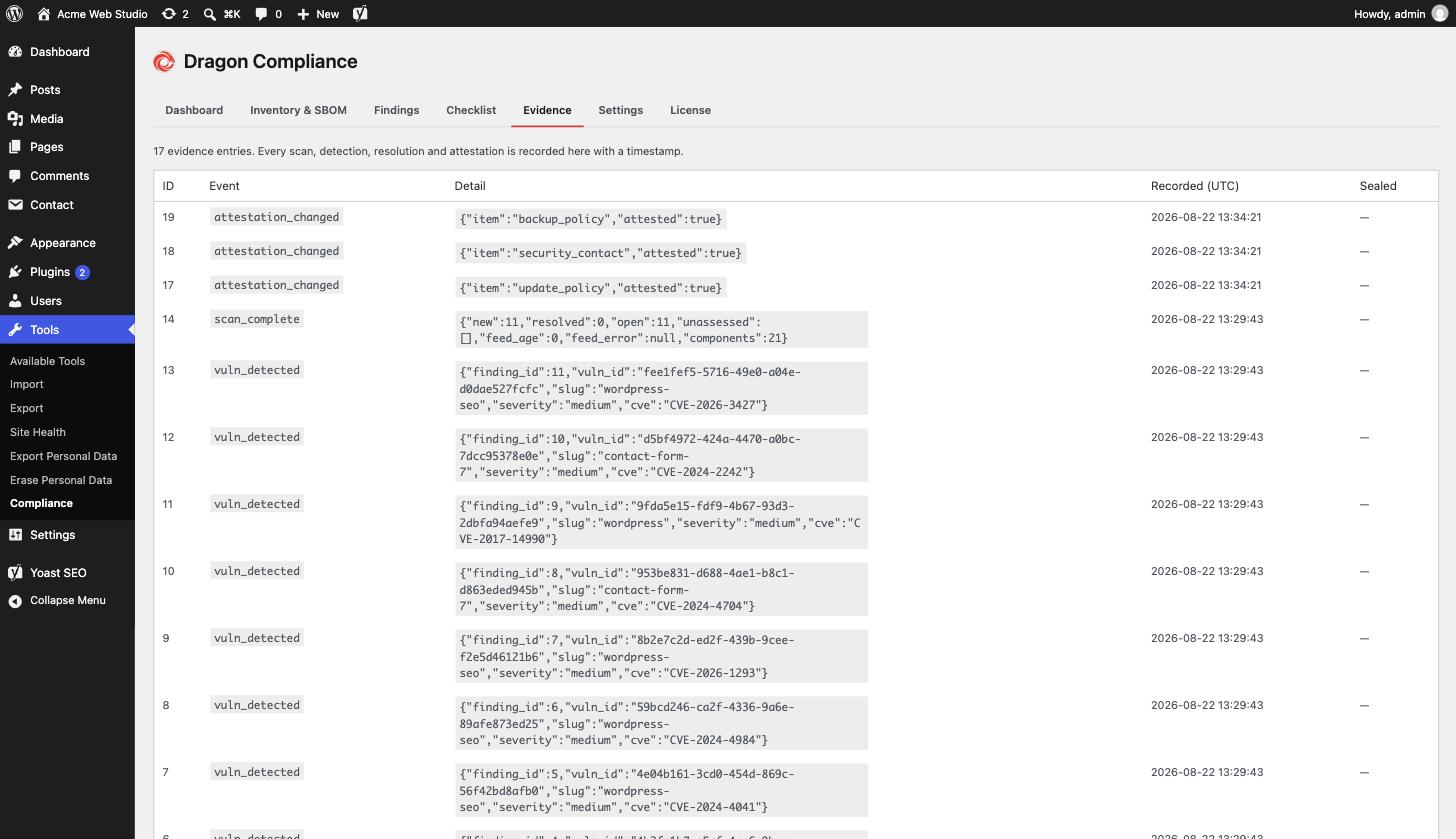
Evidence - a timestamped log of every scan, detection and attestation.