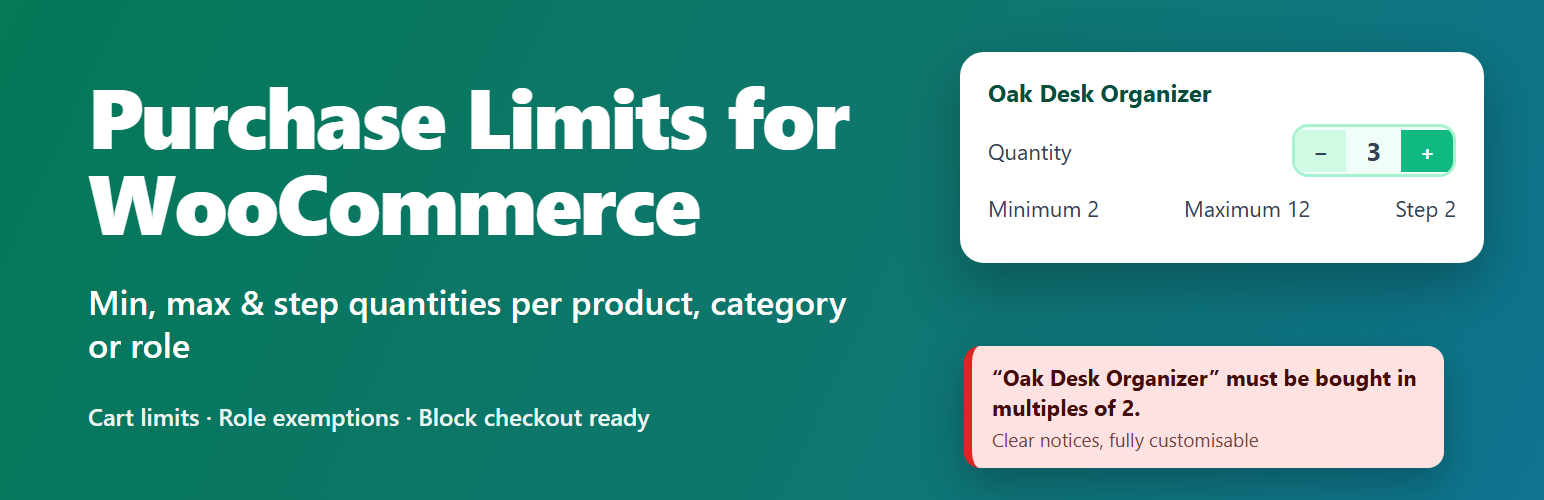
Dreamfox Purchase Limits for WooCommerce gives you full control over how many units customers can buy. Enforce a minimum order quantity, cap the maximum, force sales in fixed increments (packs of 6, 12, …), and set minimum/maximum limits on the whole cart — item count and order amount alike.
Every rule is enforced on the product page quantity stepper, at add-to-cart, on the cart page and again at checkout, with clear, fully customizable notices so customers always know what to do. Works with both the classic (shortcode) cart/checkout and the Cart & Checkout blocks.
Free features
- Minimum quantity – require customers to buy at least a set number of units, per product.
- Maximum quantity – cap how many units of a product can be purchased.
- Step / increment rules – force purchases in multiples (packs of 6, 12, or any custom step).
- Per-variation rules – set independent min/max/step on each variation of a variable product.
- Per-category rules – apply limits to a whole product category, with the most restrictive rule winning.
- Per-tag rules – apply limits to a whole product tag, with the most restrictive rule winning.
- Amount (spend) limits – set a minimum/maximum line total (price × quantity) per product, variation, category or tag.
- Storewide defaults – one min/max/step and min/max amount applied to every product unless overridden.
- Cart item-count limits – require a minimum or enforce a maximum number of items per order.
- Cart order-amount limits – set a minimum or maximum order subtotal before checkout.
- Cart distinct-product limits – require a minimum or cap the maximum number of different products per order.
- Category cart totals – require a minimum or cap the maximum combined quantity, amount and number of different products of a whole category in the cart.
- Role-based rules – override the storewide defaults and cart limits per user role (wholesale, VIP, members …); the most restrictive of a user’s roles applies.
- Minimum after discount – optionally check order-amount limits against the discounted total instead of the subtotal.
- Exclude individual products – flag a product (gift cards, samples, …) to ignore every limit, including category, tag and storewide rules.
- Disable rules per category or tag – flag a category or tag so its products ignore all limits.
- Product-page hint – optionally show the minimum, maximum and step on the product page so customers see the rule before they hit an error.
- Smart quantity stepper – the product and cart quantity inputs respect the min, max and step automatically.
- Cart-aware validation – limits account for what a customer already has in the cart.
- Role exemptions – let chosen roles (e.g. wholesale buyers) bypass all limits.
- Customizable notices – rewrite every message with placeholders like {product}, {min}, {max}, {step}, {qty} and {amount}.
- Priority resolution – variation product category tag storewide default, so the most specific rule always wins.
- HPOS compatible – declares full High-Performance Order Storage support.
- Cart & Checkout blocks compatible – declares full support for the block-based Cart and Checkout, alongside the classic shortcode-based cart and checkout.
- Translation ready – all strings are localizable.
Rule priority
For any product the effective limit is resolved in this order, most specific first:
- Variation
- Product
- Category (most restrictive when a product is in several)
- Tag (most restrictive when a product has several)
- Storewide default
A product flagged as excluded skips all of the above and has no limits.
Built by Dreamfox Media.
Product page and documentation: Purchase Limits.
Guides and tutorials
Screenshots
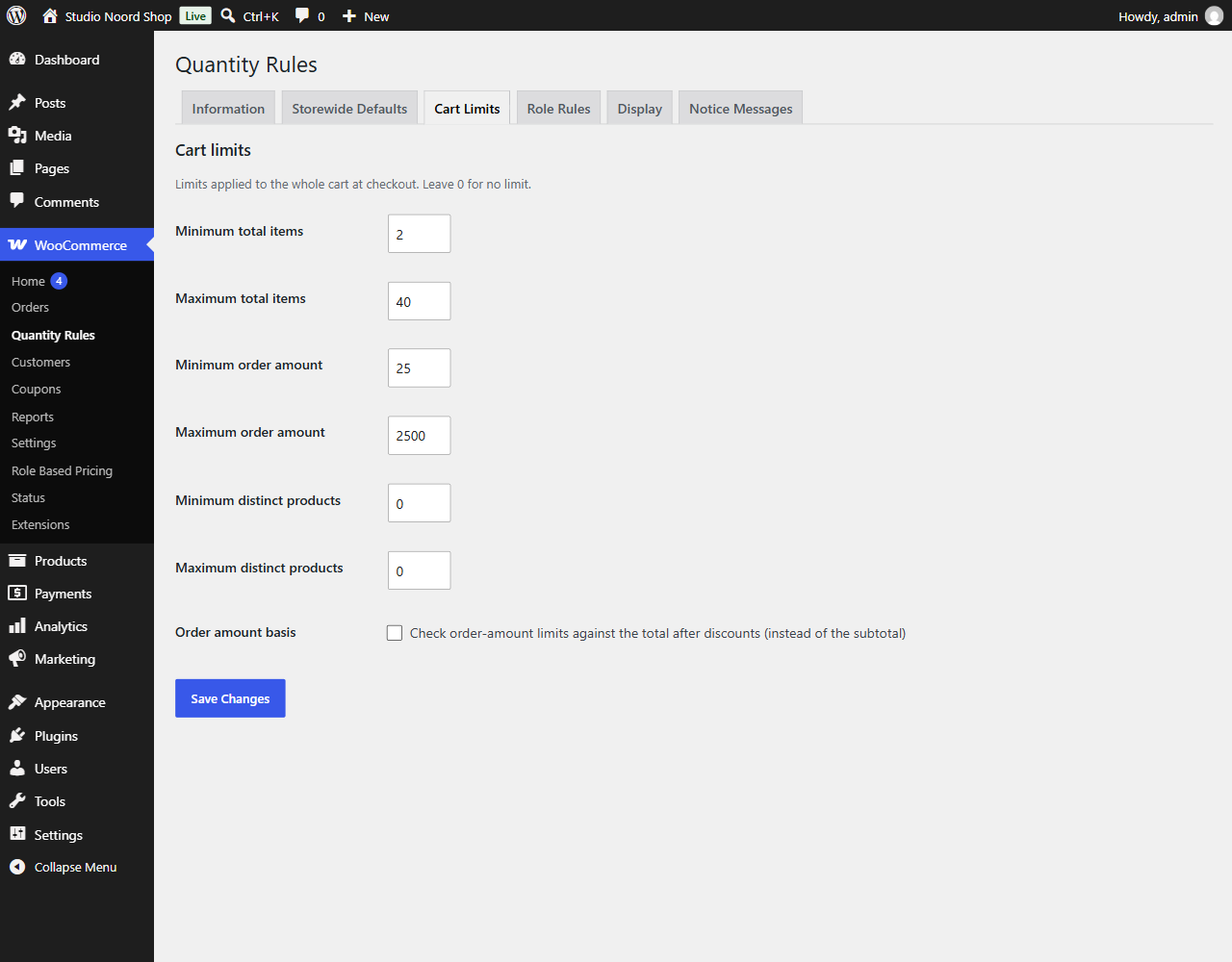
Cart limits: minimum and maximum items and order amount.
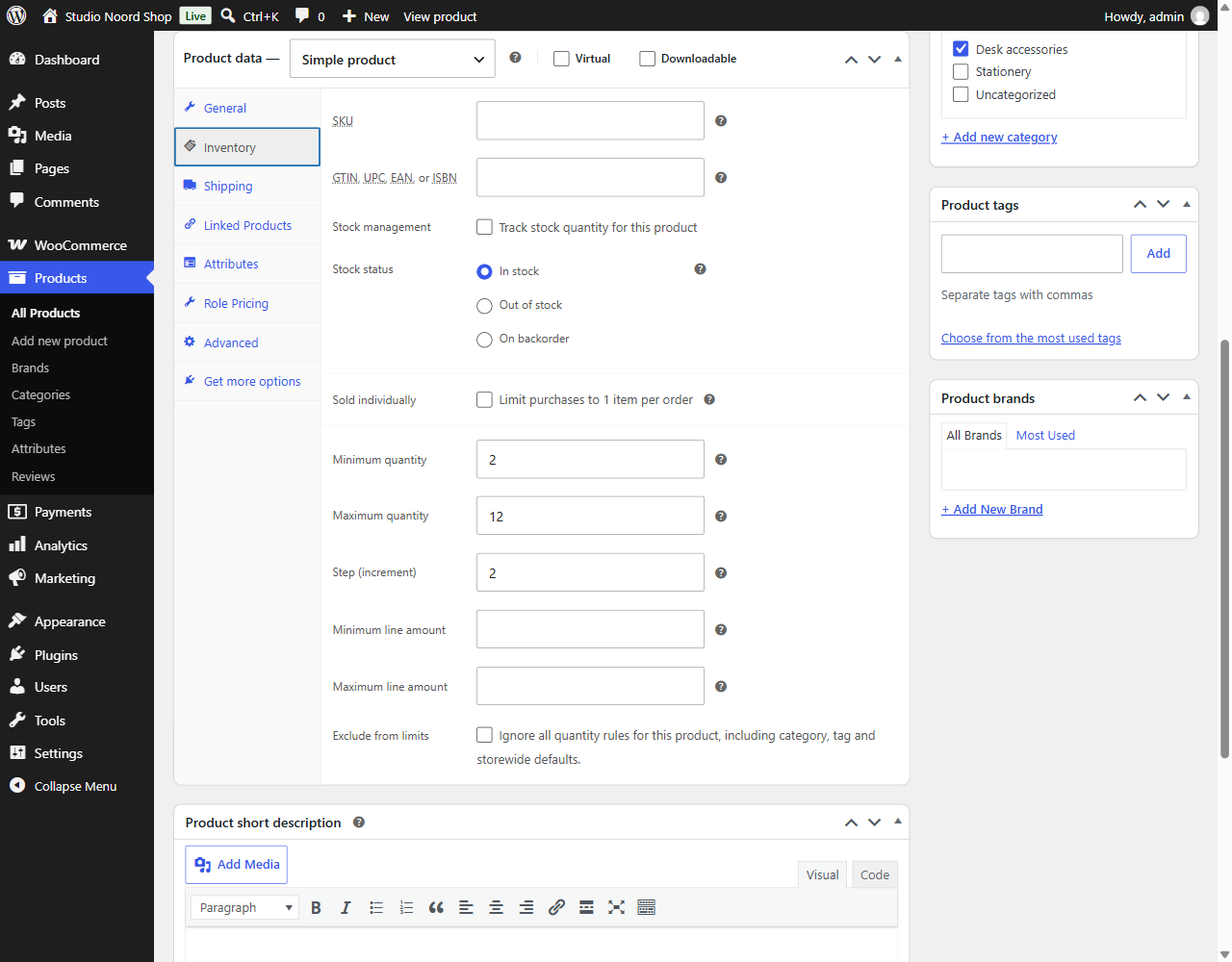
Per-product min/max/step on the Inventory tab.
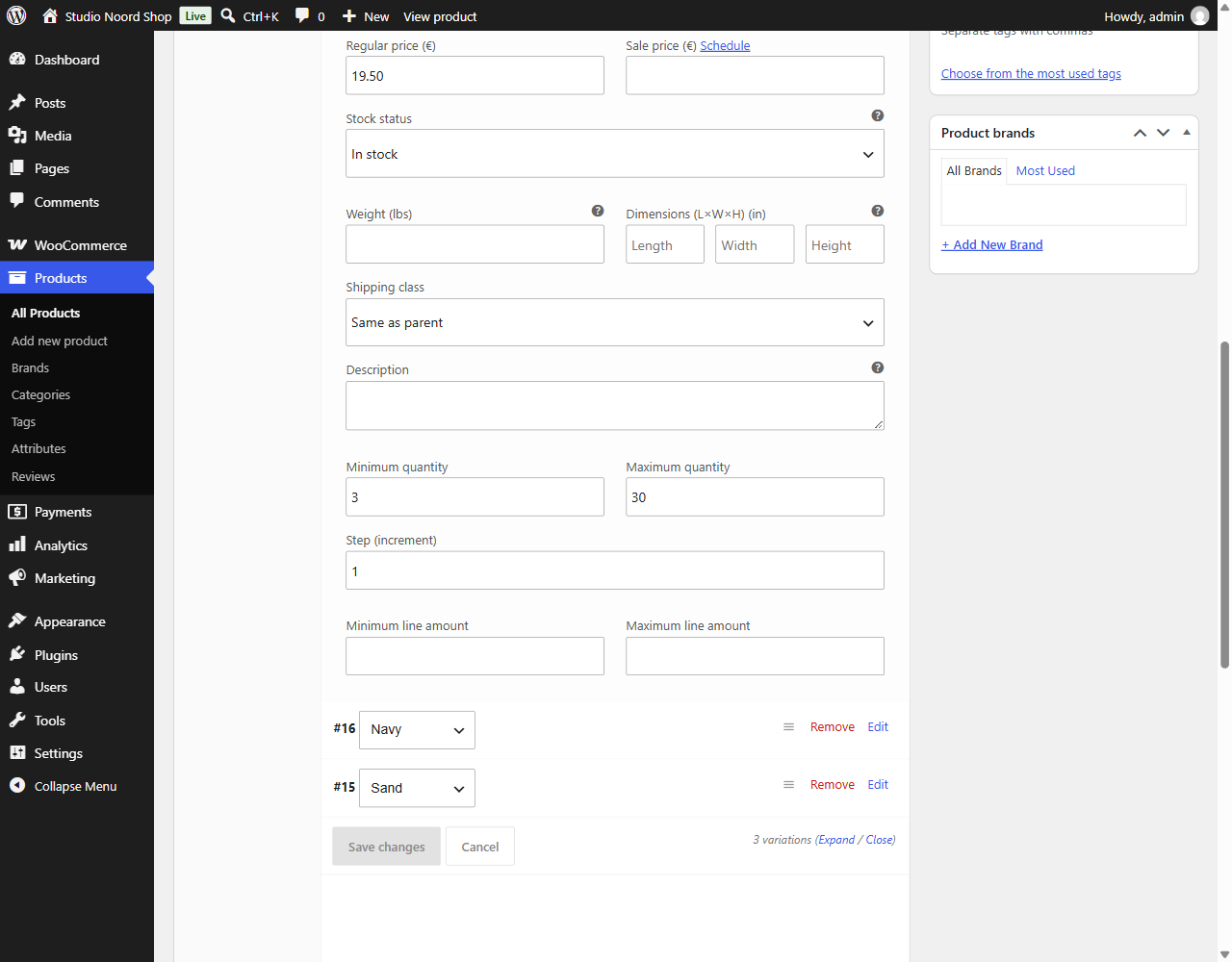
Per-variation limits.
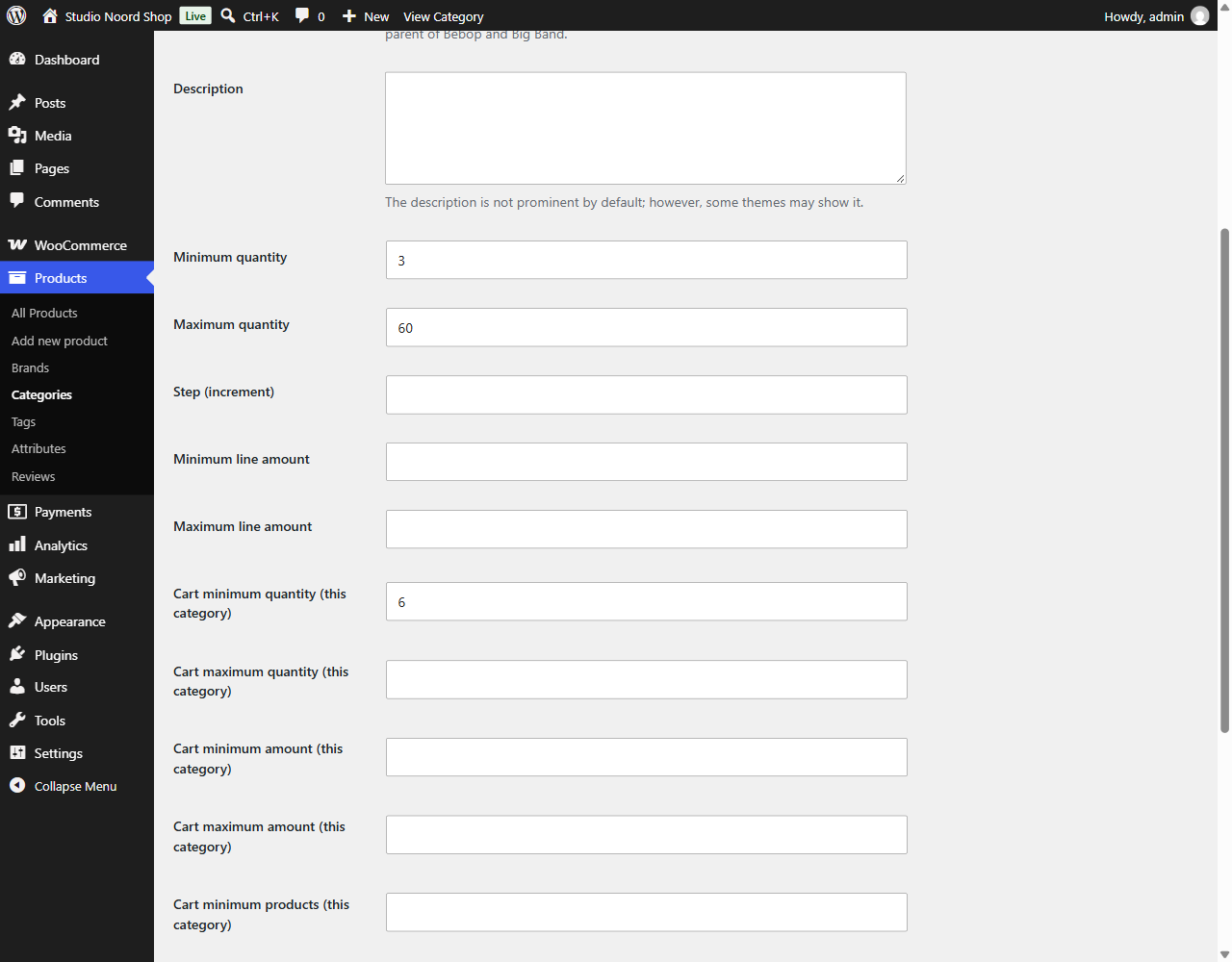
Per-category limits on the category screen.
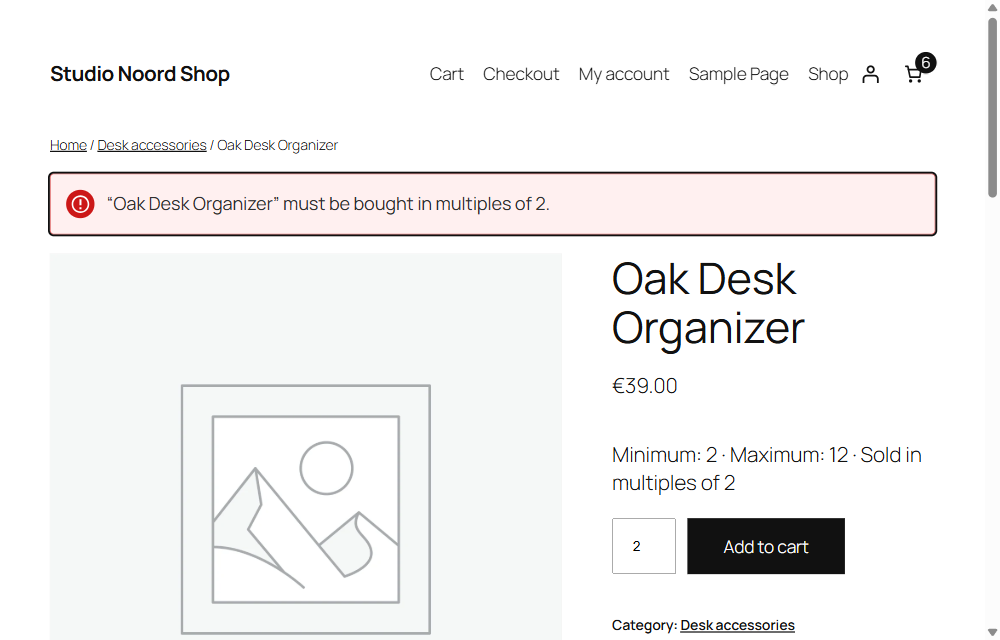
A clear notice shown when a quantity is invalid.