Dropndot AI Content Checker connects WordPress to the GPTZero AI-detection API so editors can check content before publishing.
AI detection is probabilistic and can be wrong. Results are an editorial signal, not proof of authorship.
Features
- “AI Content Check” panel in the block editor, and an “AI Content Check” meta box in the Classic Editor. Checks the current text, including unsaved changes, only when you click the button.
- GPTZero’s classification (likely AI, likely human, or mixed), class probabilities, confidence category and per-sentence AI scores: a ranked list of sentences to revise and the full text colour-coded by score. In the editor, clicking a sentence selects its block (or its text in the Classic Editor).
- GPTZero’s own result message and AI subclass (pure AI, AI-paraphrased, polished, combined); sentences GPTZero excludes (references, tables, code) are left out.
- Optional GPTZero multilingual detection (French and Spanish).
- Plan usage (words left, cycle end) via GPTZero’s usage-statistics endpoint, which uses no words.
- Low credit email alert: one email per billing cycle when usage reaches a percentage you choose, sent to the admin email or custom addresses, with a test-email button.
- Last-checked time, plus a warning when content has changed since the check.
- “AI Check” column, row action and bounded bulk action (up to 20 items, one at a time) on Posts and Pages lists.
- API key encrypted at rest and shown masked, optional
wp-config.phpconstant, and a connection test. - Lightweight scan history that stores a content fingerprint, never the content, with automatic cleanup. The sentence scores of each post’s latest check are kept in post meta (replaced on every check) so reports can be reopened later.
- Enable the checker per post type.
This plugin is developed by Dropndot Solutions and is not affiliated with or endorsed by GPTZero.
External services
This plugin connects to the GPTZero API, provided by GPTZero, at two endpoints. Nothing is sent until an administrator saves a GPTZero API key.
1. AI detection (https://api.gptzero.me/v2/predict/text), to estimate whether text was written by AI.
- What is sent: the plain-text body of the post or page being checked (HTML, block markup and shortcodes removed), your GPTZero API key, and two settings flags (
multilingual,apiVersion). No title, author, URL, comments, visitor or user data, or other site information is sent. - When: only when a user who can edit that content clicks a check button or runs a bulk check. Content is never sent automatically.
2. Plan usage (https://api.gptzero.me/v3/usage-stats), to read your plan name, words used and left, and billing-cycle dates. It uses no words.
- What is sent: your GPTZero API key only. No content or site information is sent.
- When: when an administrator clicks “Test connection”, and, while the “Low credit email” setting is on (the default), automatically twice a day and a few minutes after a check runs. Turn off “Low credit email” under Settings AI Content Checker General to stop the automatic requests.
GPTZero: Terms of use, Privacy policy.
A GPTZero account whose plan includes API access is required. API usage may be billed by GPTZero.
Screenshots
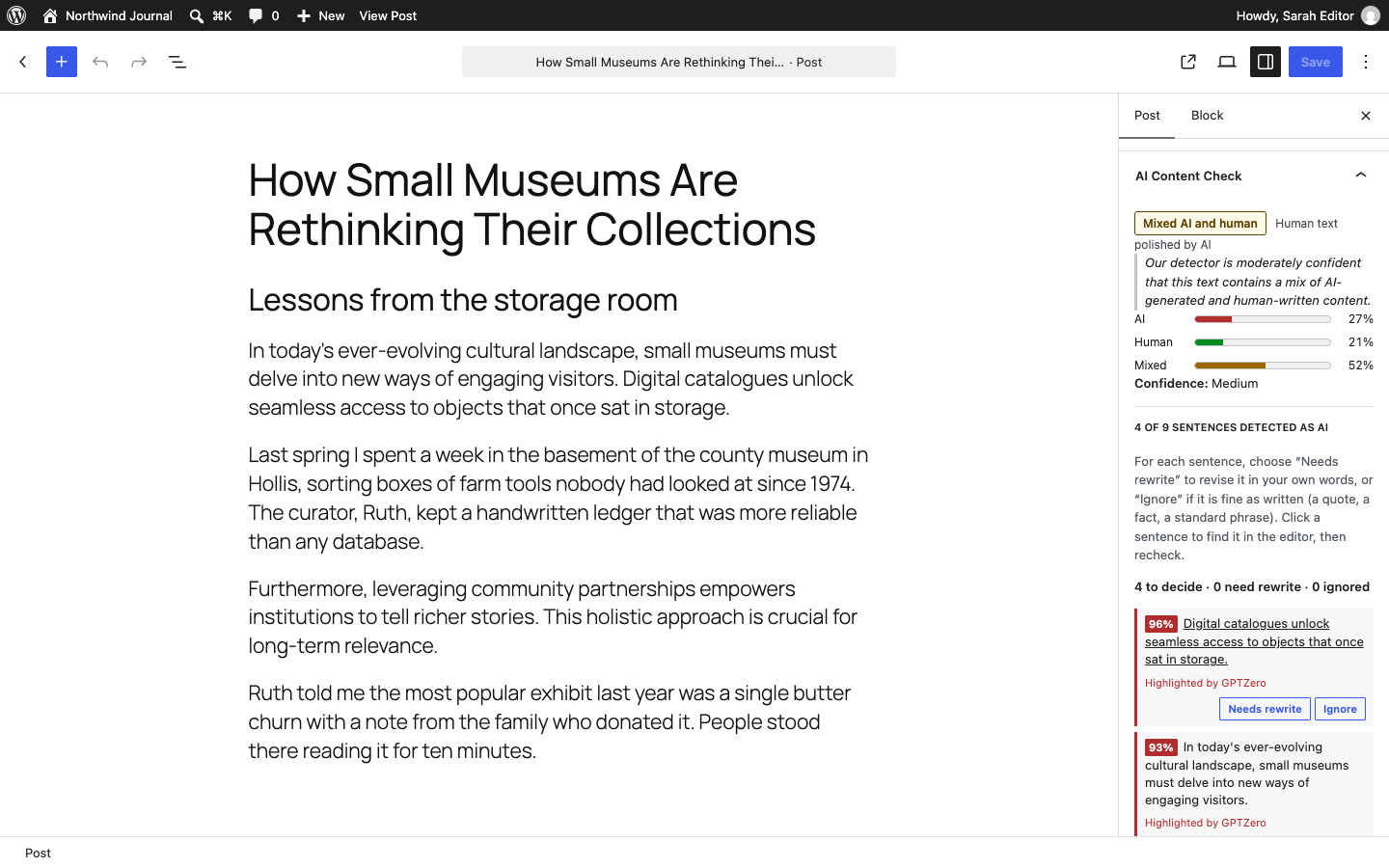
The "AI Content Check" panel in the block editor: classification, class probabilities, confidence and the sentences GPTZero highlighted as AI.
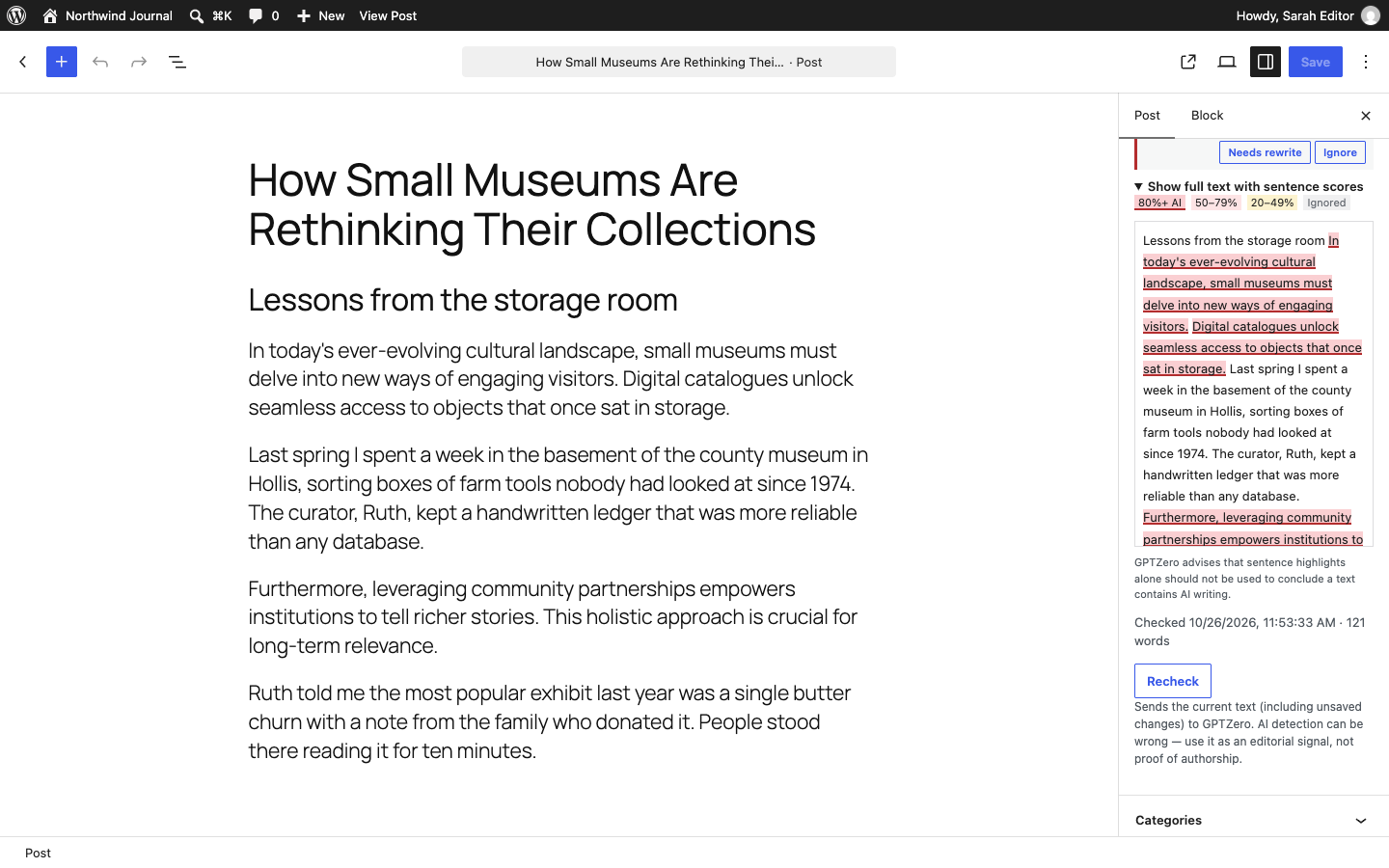
Full text colour-coded by each sentence's AI score.
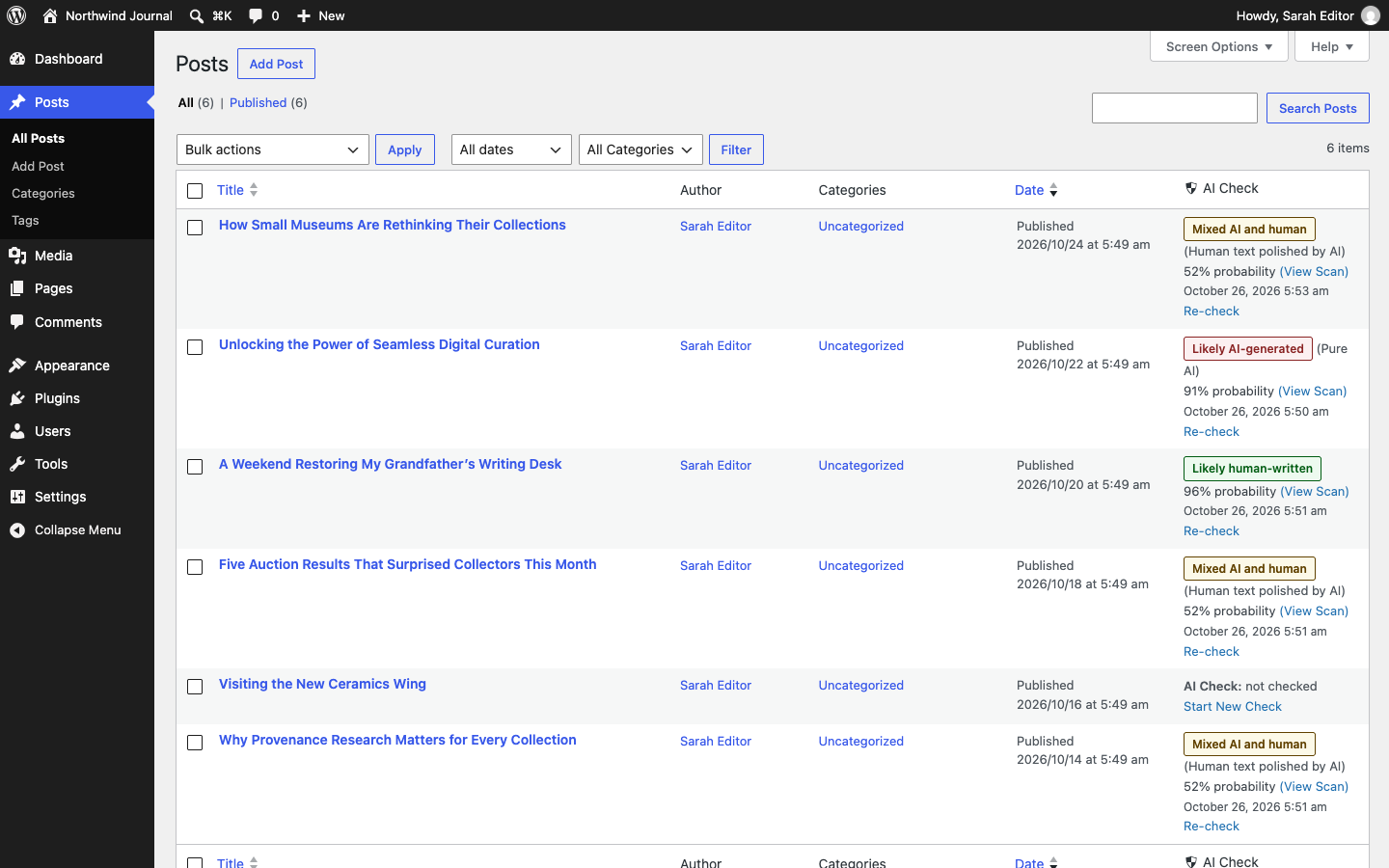
The "AI Check" column on the Posts list.
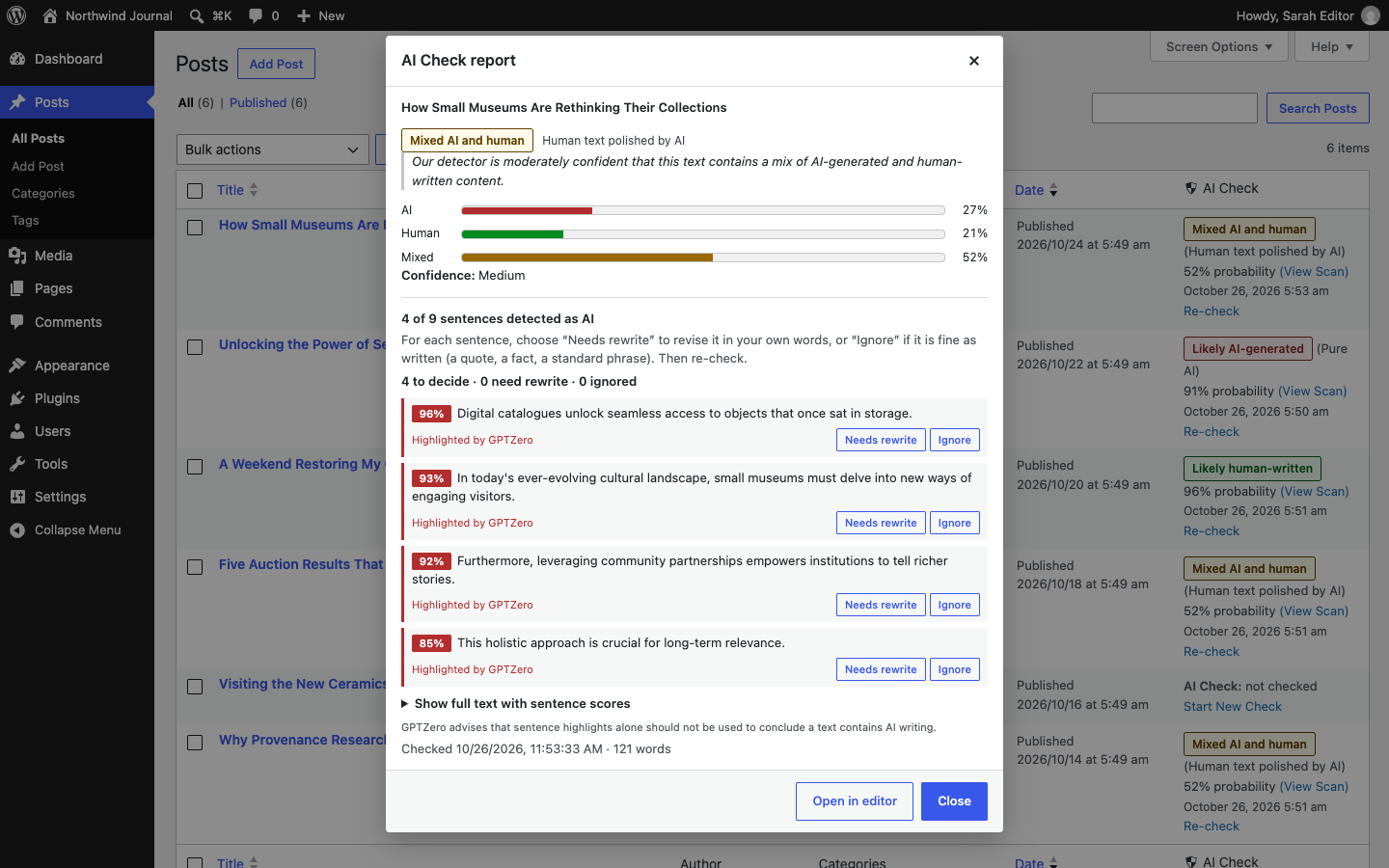
The AI Check report, opened from the Posts list.
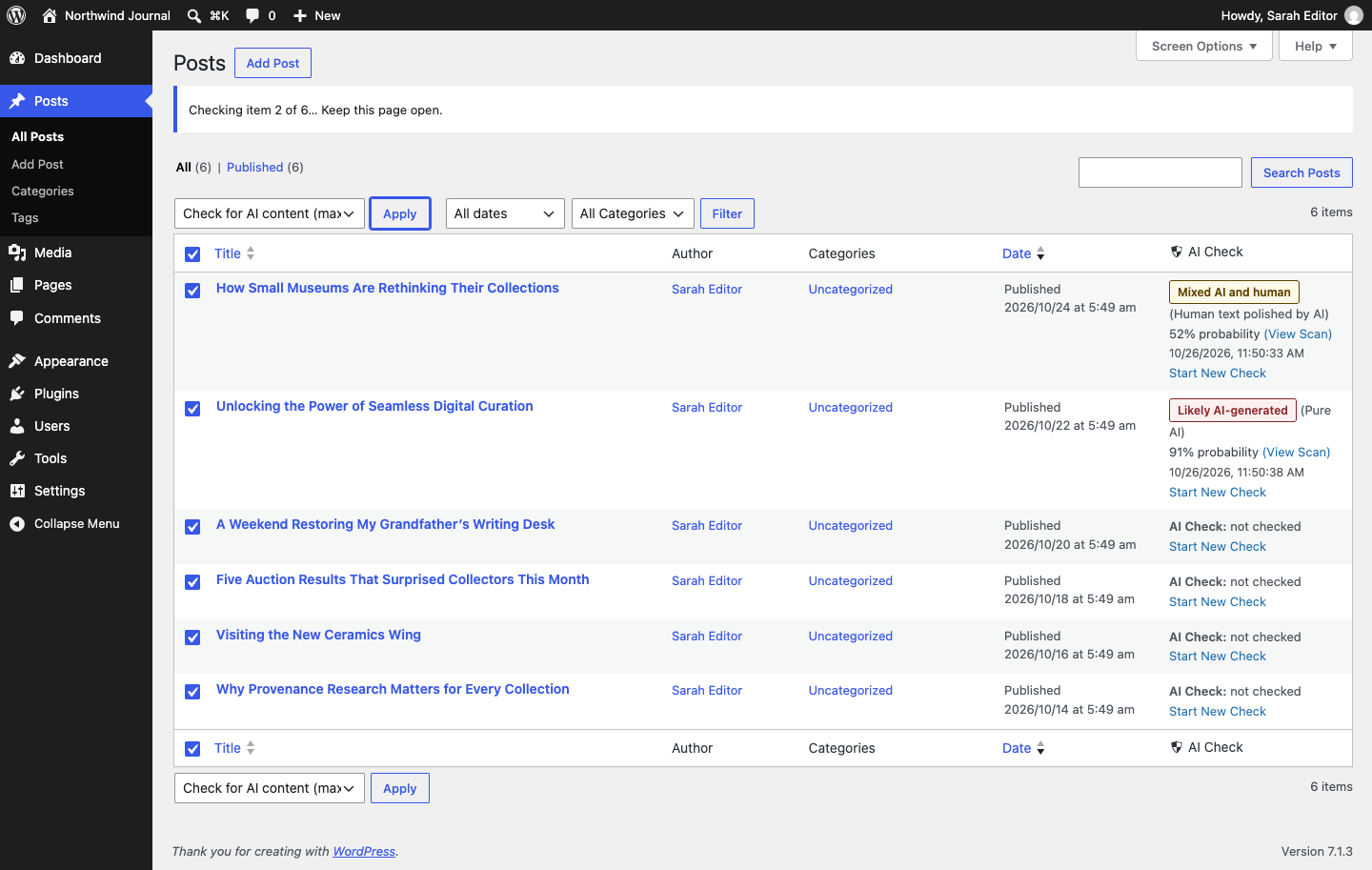
A bulk check running on the Posts list.
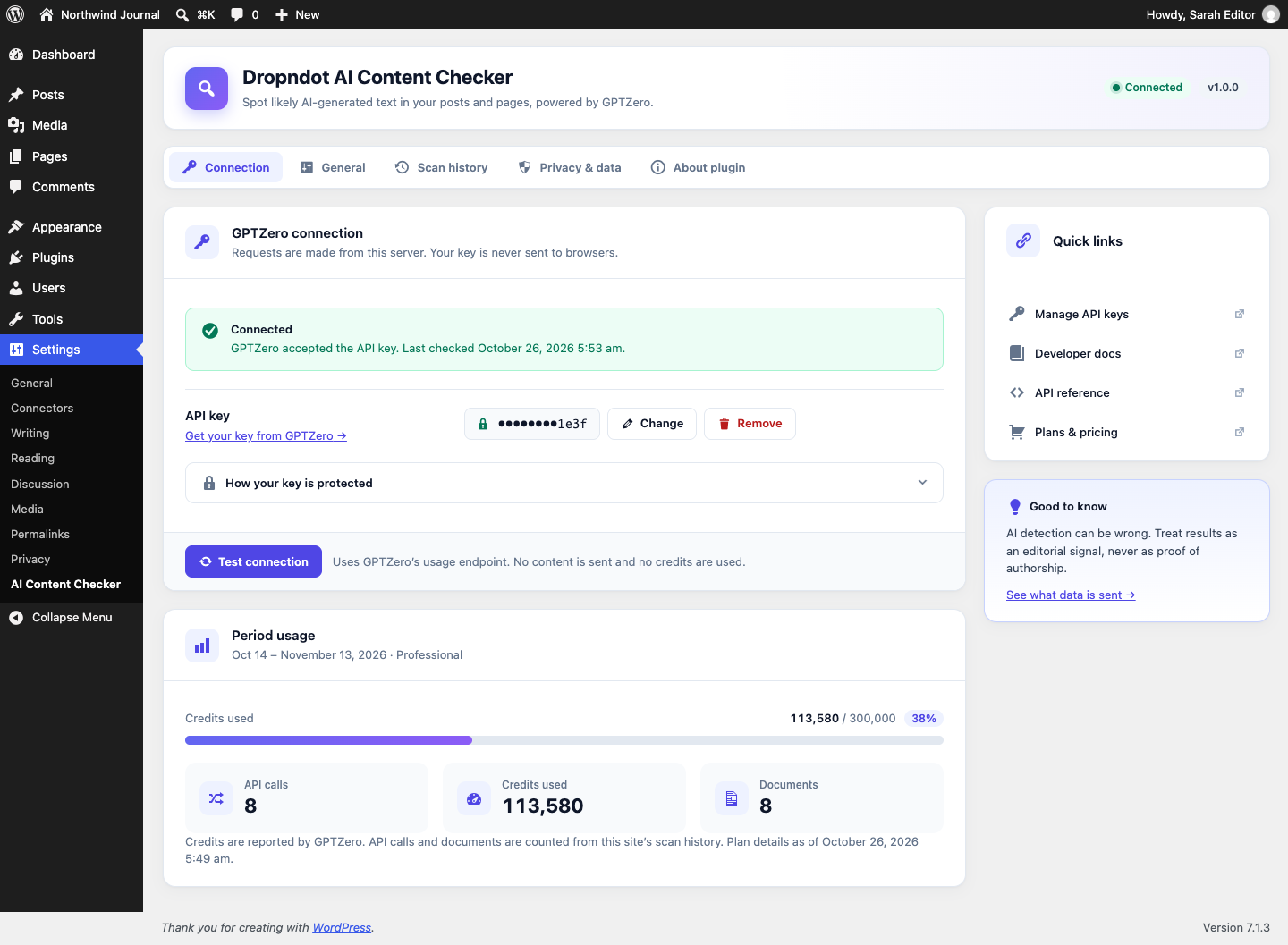
Settings → Connection: encrypted API key, connection test and plan usage.
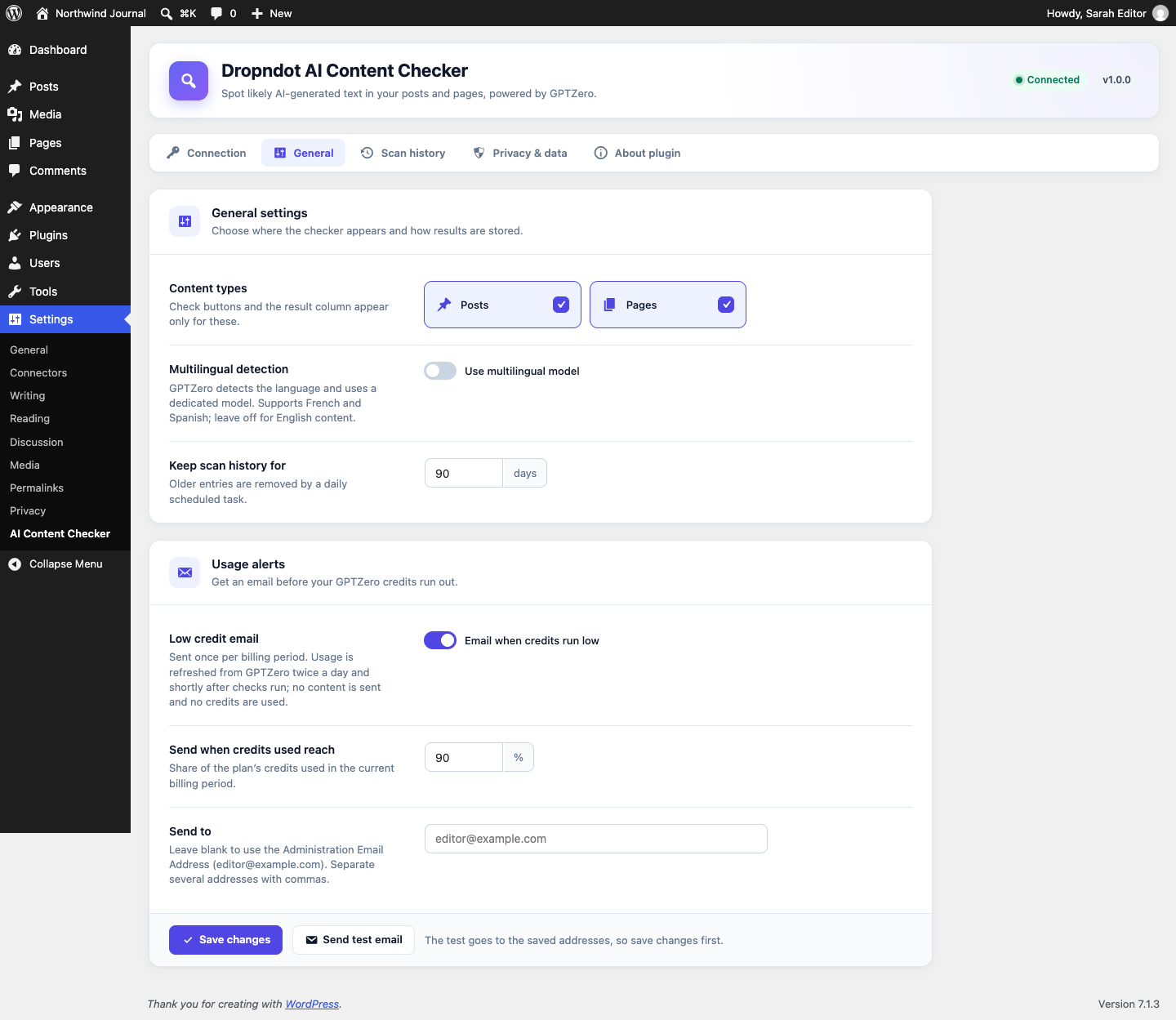
Settings → General: content types, multilingual detection, history retention and low credit email alerts.
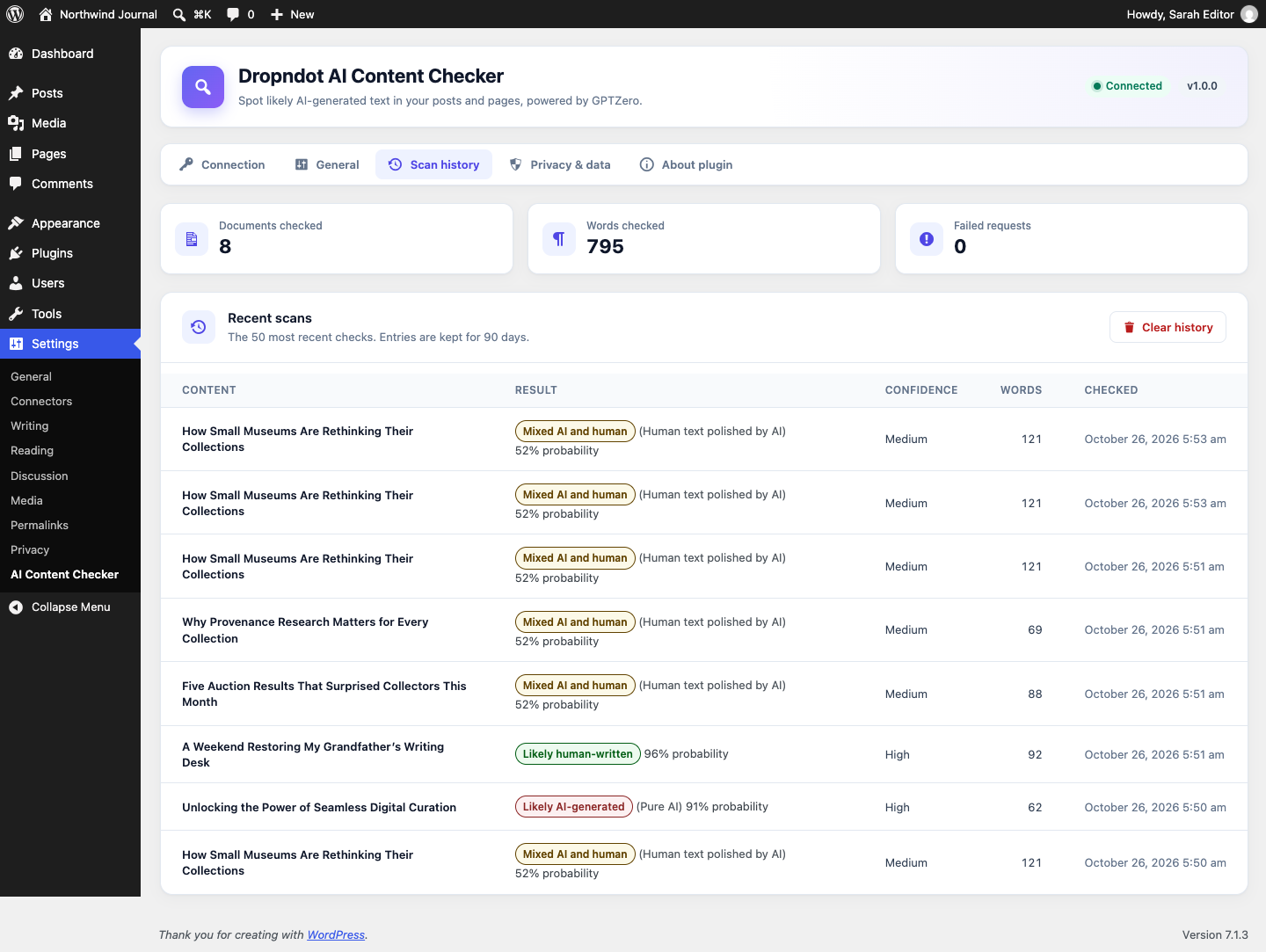
Settings → Scan history.
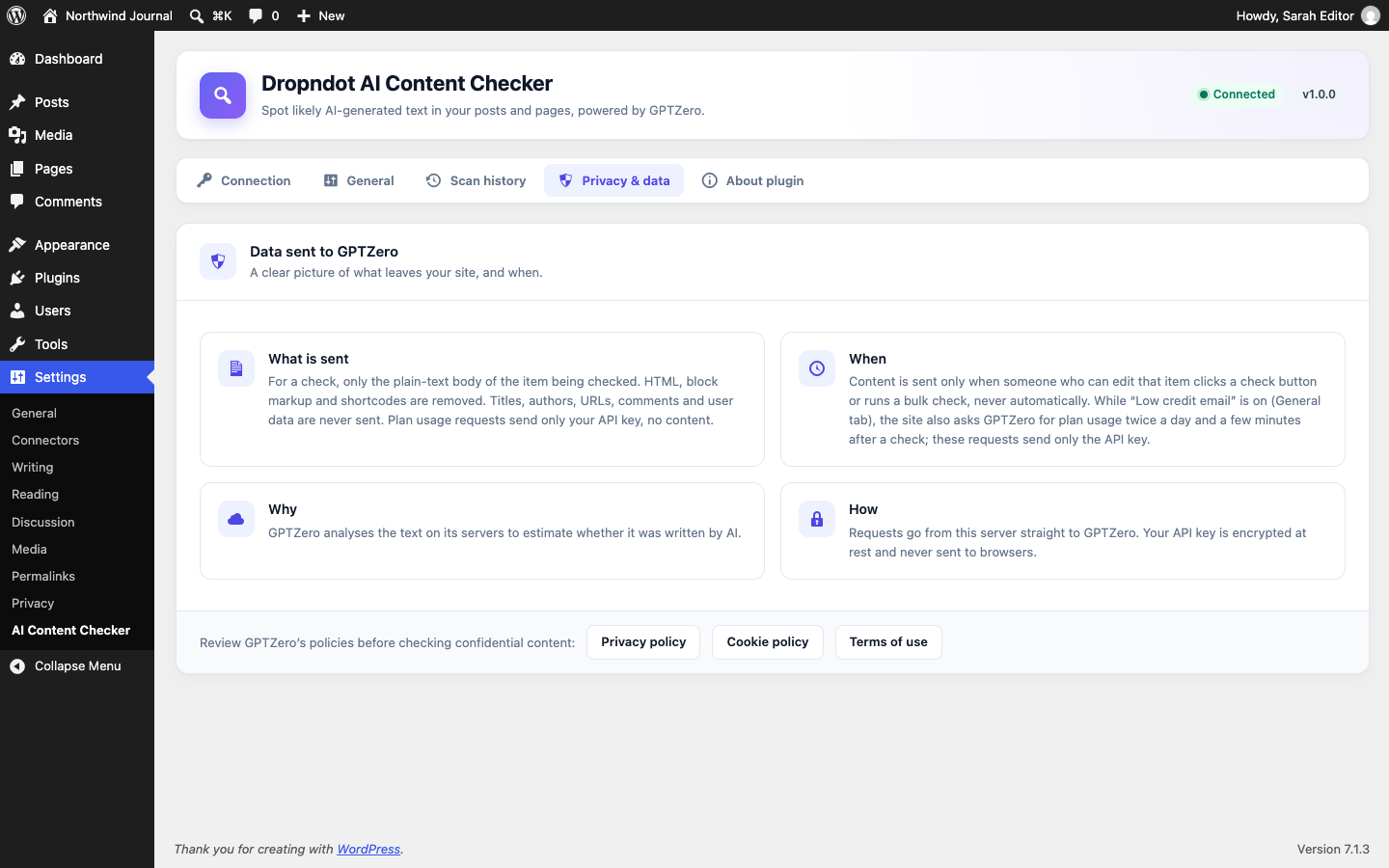
Settings → Privacy & data: what is sent to GPTZero, and when.