
Dude Paywall is a lightweight WordPress plugin that lets you charge readers for access to individual posts and pages using Stripe Checkout.
Choose the content you want to protect, set a price, and publish as normal. Readers can purchase access securely through Stripe Checkout and return using passwordless magic links — no WordPress user account required.
Dude Paywall follows the WP Dude philosophy:
One plugin. One job.
No unnecessary membership system — just everything you need to sell access to premium WordPress content.
Watch the complete getting started guide
Learn how to create protected content, connect Stripe, and start selling in minutes.
Documentation
https://wpdude.com/wp-dude-plugin-documentation/dude-paywall-documentation/
Perfect for:
- Bloggers
- Publishers
- Writers
- Journalists
- Educators
- Researchers
- Content creators
- Anyone selling premium WordPress content
Free Features
- Protect individual posts and pages
- Stripe Checkout
- Test and Live modes
- Passwordless magic-link access
- No customer accounts required
- Instant access after successful payment
- Transaction history
- Customer access management
- Works with existing WordPress content
- No membership plugin required
Pro Features
The Pro version adds business integrations and advanced tools including:
- Recurring subscriptions for content
- Outgoing webhooks
- CSV export
- Admin REST API
- Custom success pages
- Custom customer emails
- Admin notifications
Stripe
Paid content purchases are securely processed by Stripe Checkout.
No payment card data is ever stored on your WordPress website.
- Stripe Terms: https://stripe.com/legal
- Stripe Privacy: https://stripe.com/privacy
Freemius
Optional Freemius connection is used only for licensing and updates of the separate Dude Paywall Pro package. You can skip the Freemius connect screen and continue using the free plugin.
- Freemius Privacy: https://freemius.com/privacy/
- Freemius Terms: https://freemius.com/terms/
Screenshots
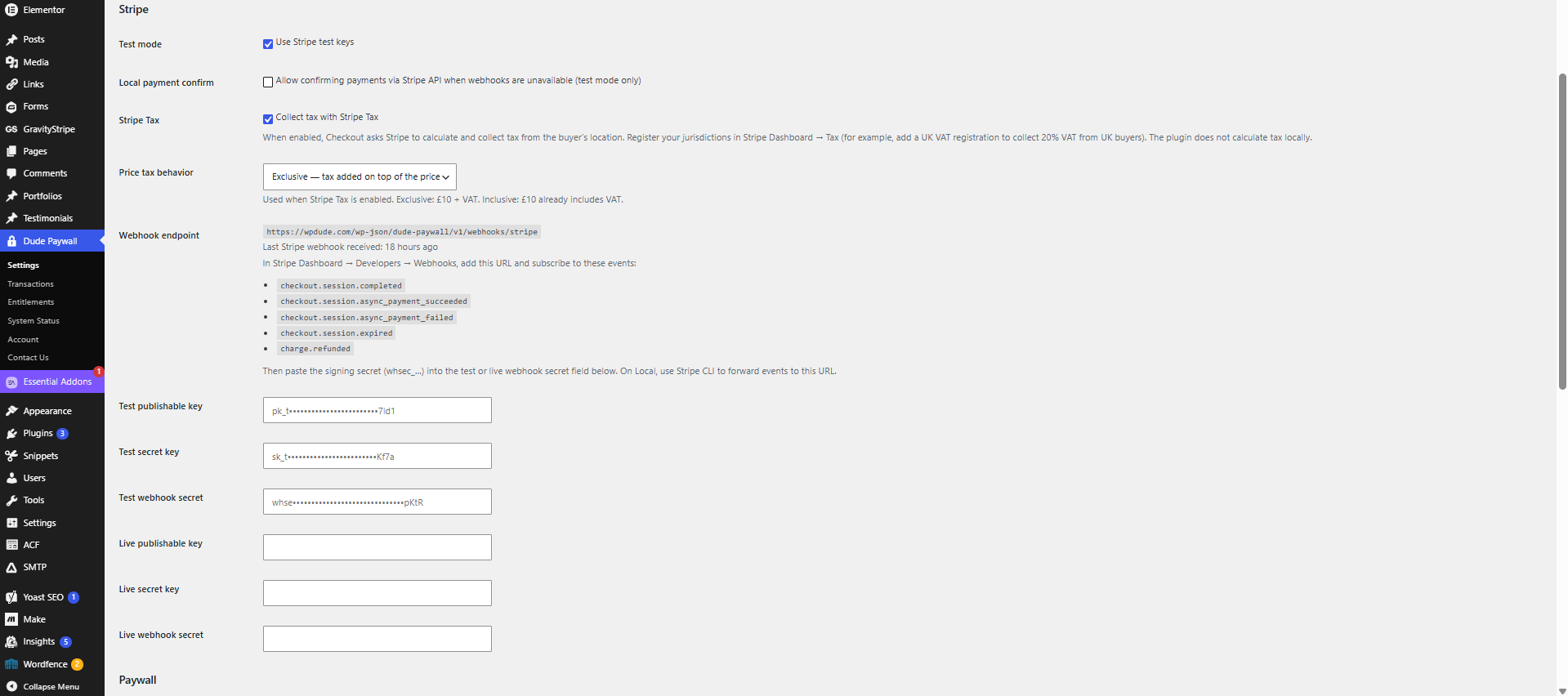
SCREENSHOT 1 - settings page
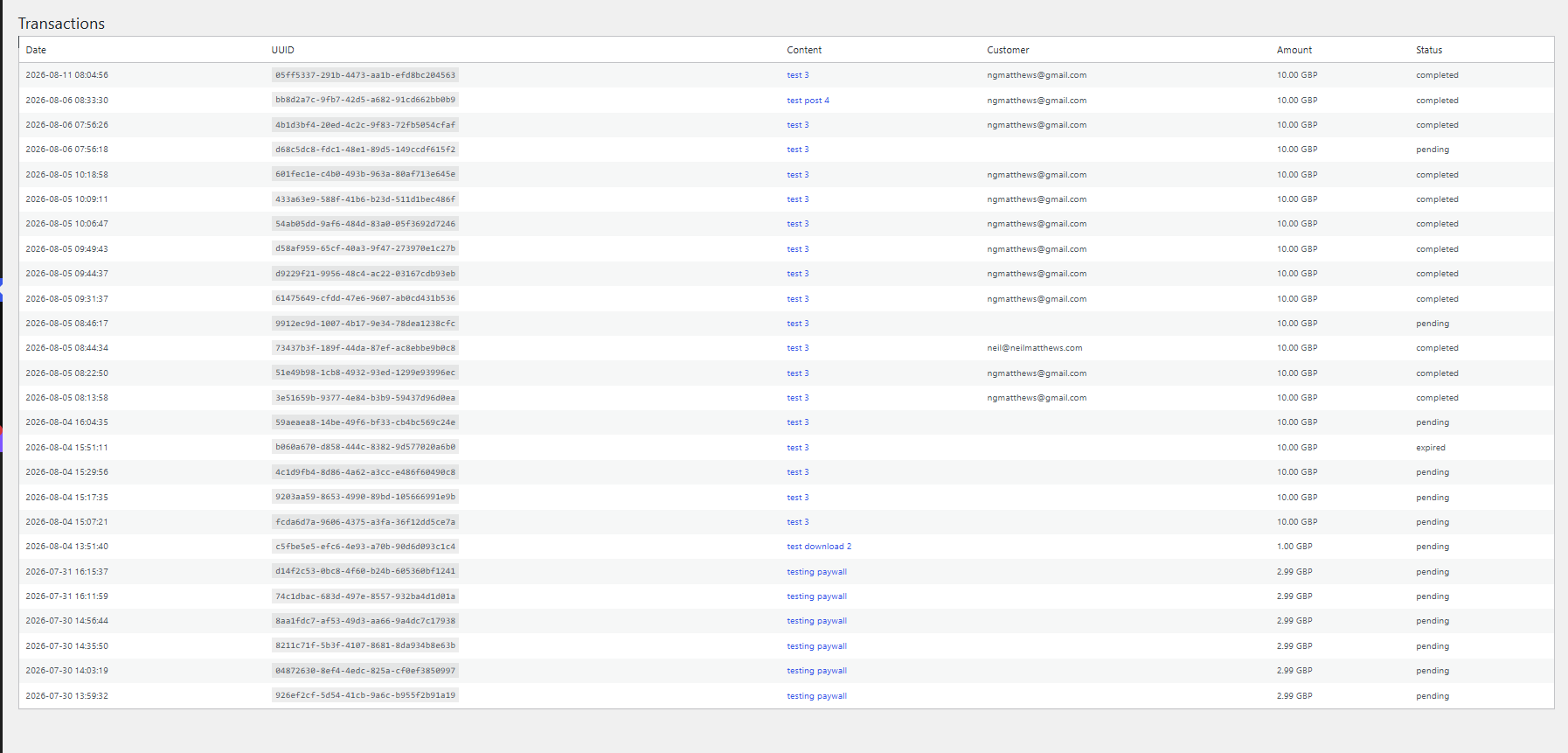
SCREENSHOT 2 - transaction page
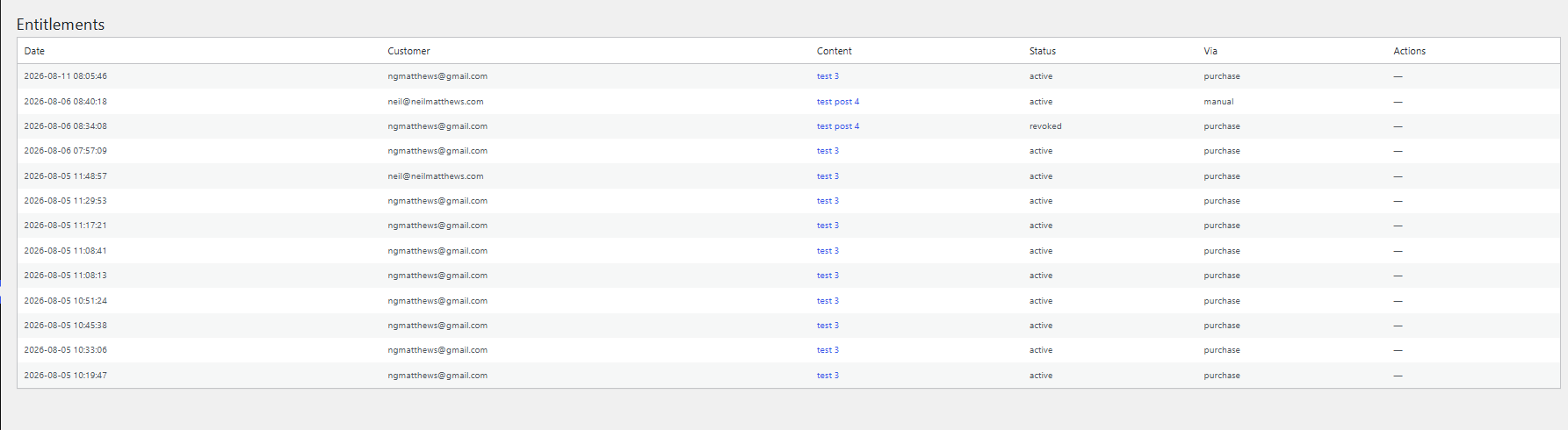
SCREENSHOT 3 - entitlement page
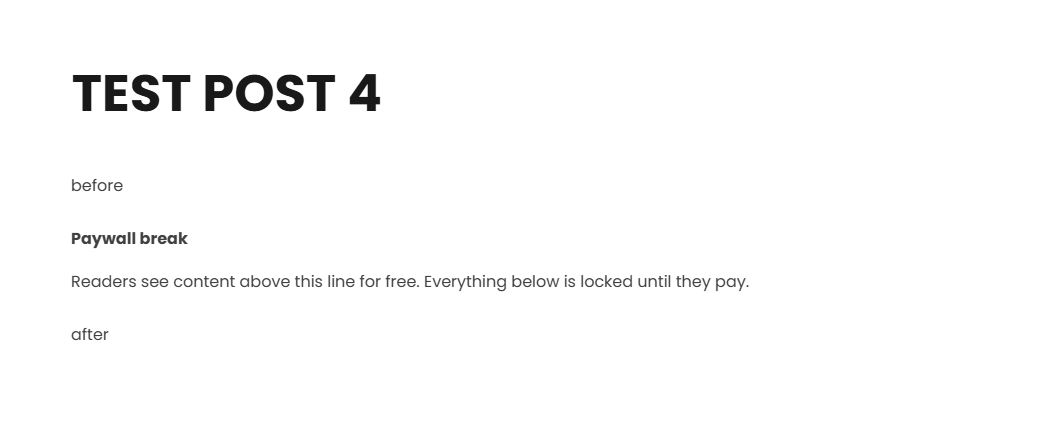
SCREENSHOT 4 - content protection block
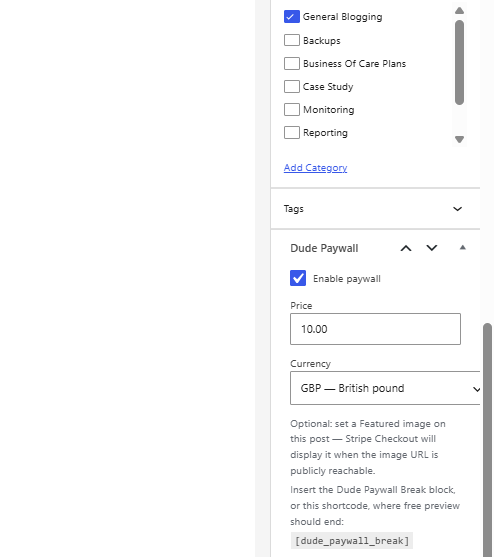
SCREENSHOT 5 - content protection settings
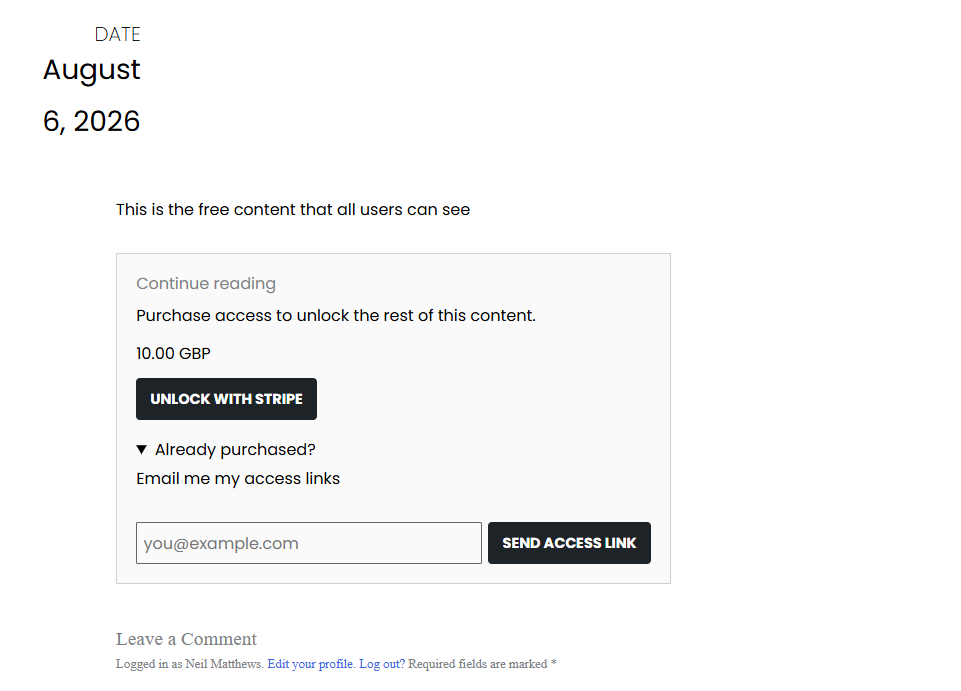
SCREENSHOT 6 - front end view of protected content