BACK TO DIRECTORY
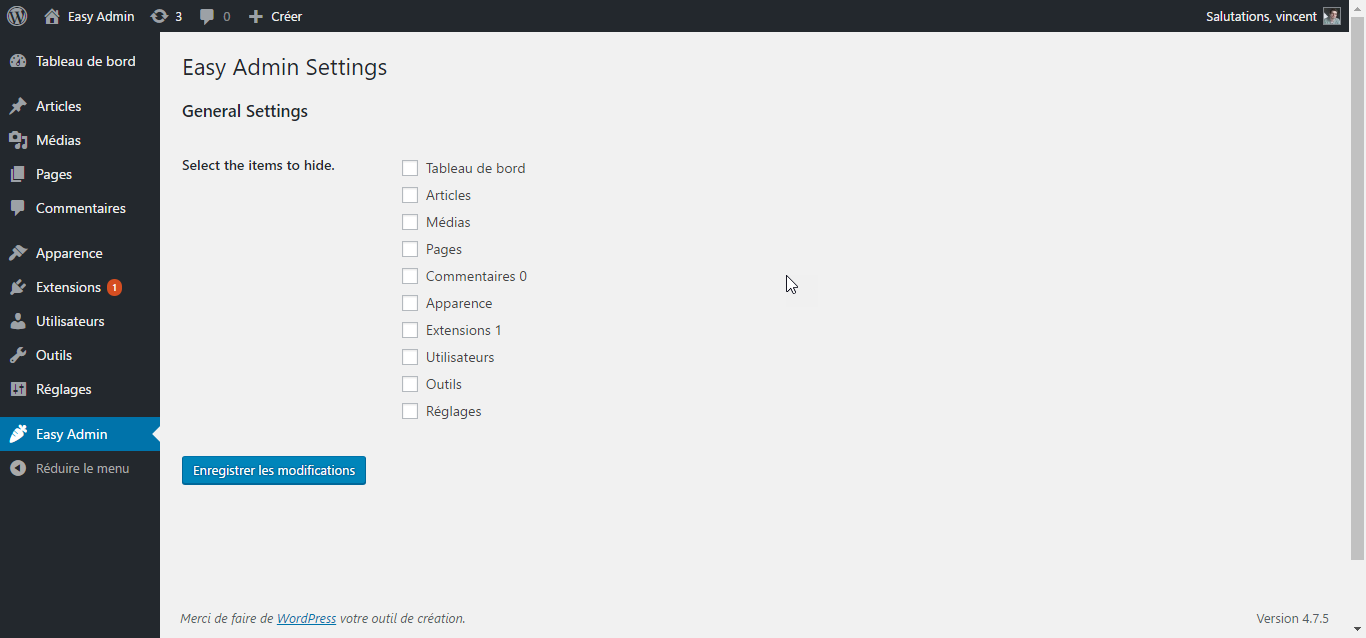


- Activating this plugin will create a ‘Easy Admin’ entry in your admin area.
- Click it to go to the settings page.
- Simply select the menu entry you want to hide.
- Save your settings, and you’re done !
Of course, the Easy Admin settings page is always available, so you can always go back and show menu items you need.
If you have any questions, contact me via my website at https://vincentdubroeucq.com
Screenshots
This is the Easy Admin settings page. Super simple.
Check the menu items you want to add and click submit.
That's it ! Enjoy your cleaned up admin menu !
Plugin Details
Active Installs
50Total Downloads
2,406Version
1.0.3Requires WP
4.0Requires PHP
—Tested Up To
5.3.27Added
2017-05-26Last Updated
2019-12-19 9:07pm GMTRatings
5
0
4
0
3
0
2
0
1
0