
Easy Simple Slider For Frontend is responsive image and content slider, by this plugin you can display slider anywhere your website via short-codes. Most popular slider plugin,
enhancing your blog or website couldn’t be easier: simply select images from your WordPress Media Library, select slider terms or category and enter any links.
Major features in Easy Simple Slider For Frontend include:
- Simple, easy to use interface – perfect for individual users, developers & clients.
- Easily managed youe sliders and terms from the admin panel.
- You can use it via short-codes.
- Slider navigation feature also available, you can do slider next and previous
- Slider has one most interesting feature pause & play also available.
- You can create custom terms from admin dashbaord and show slider terms wise.
- Responsive slider with auto resize image feature.
- Slider content limit option and auto show continue reading option if characters more than 350.
- Slider has url link feature to an image to any link where you want to send it.
- Slider can display any where using the shortcode.
- Developer friendly plugin.
Screenshots

This screen will be showing all the added sliders list(screenshot-1.png).

This screen are used where you can add slider title, description, thumbnail, url and terms(screenshot-2.png).

This screen are used where you can edit/update slider title, description, thumbnail, url and terms(screenshot-3.png).

This screen will be showing all the added terms list(screenshot-4.png).

This screen are used where we can edit the terms details(screenshot-5.png).
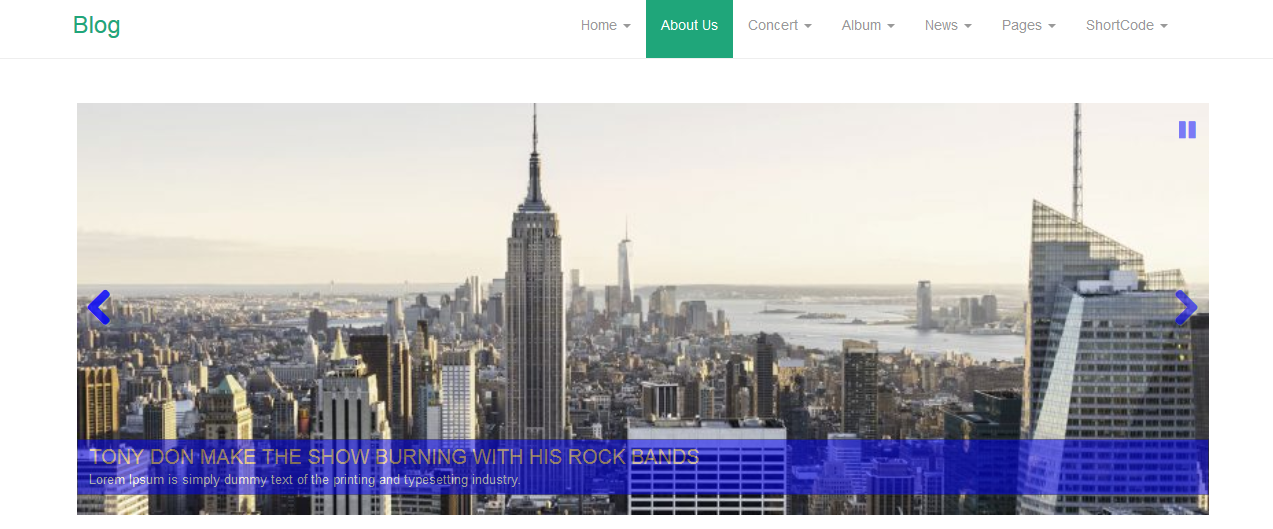
This screen are used to show the slider only(screenshot-6.png).

This screen are used to show the fullwidth home slider(screenshot-7.png).

This screen are used to show the dashbaord plugin email support widget(screenshot-8.png).