EasyPayment Payment Gateway for Stripe for WooCommerce adds a secure, modern credit/debit card field to your checkout. It supports Strong Customer Authentication (SCA), lets you authorize now and capture later, allows customers to save cards for next time, and automatically sets up the Stripe webhook for order updates.
Highlights
- Clean, secure card checkout
- Authorize now & capture later, or capture immediately
- Saved cards (tokenization) for returning customers
- Refunds from the WooCommerce order screen
- Automatic webhook creation & signing secret storage
- SCA-ready (3D Secure when required)
- Optional debug logging for troubleshooting
Supported Card Types
- Visa
- MasterCard
- American Express
- Discover
- JCB
- Diners Club
External Services
This plugin integrates with Stripe and uses the following external URLs:
-
https://js.stripe.com/v3/
Loads Stripe.js on checkout / payment screens when the gateway is active. -
https://dashboard.stripe.com/
Link to the Stripe Dashboard. -
https://dashboard.stripe.com/apikeys
Link to the Live API keys page. -
https://dashboard.stripe.com/test/apikeys
Link to the Test API keys page. -
https://dashboard.stripe.com/payments/%s
Deep link to a specific payment in Live mode. The “%s” placeholder is replaced at runtime with the Payment/PaymentIntent ID. -
https://dashboard.stripe.com/test/payments/%s
Deep link to a specific payment in Test mode. The “%s” placeholder is replaced at runtime with the Payment/PaymentIntent ID.
Notes:
– External resources are only requested when relevant screens are loaded (e.g., checkout, order admin, or plugin settings).
– The plugin itself does not send analytics; requests go directly to Stripe’s domains as part of payment processing or dashboard linking.
Stripe Terms of Service: https://stripe.com/legal
Stripe Privacy Policy: https://stripe.com/privacy
Privacy
When you take a payment, order details and payment tokens are sent to Stripe for processing. Saved cards store Stripe customer and payment method references in WooCommerce—never full card numbers. See Stripe’s privacy policy for how Stripe handles data.
Screenshots
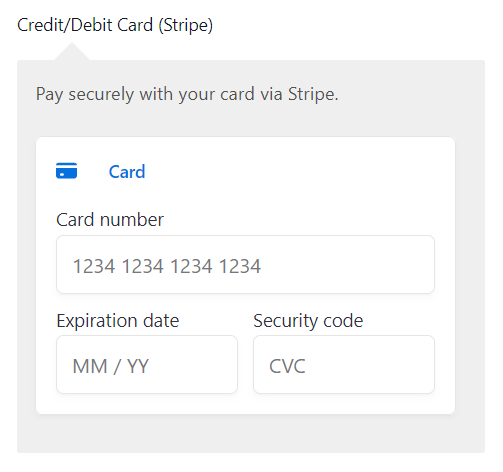
Card fields at checkout
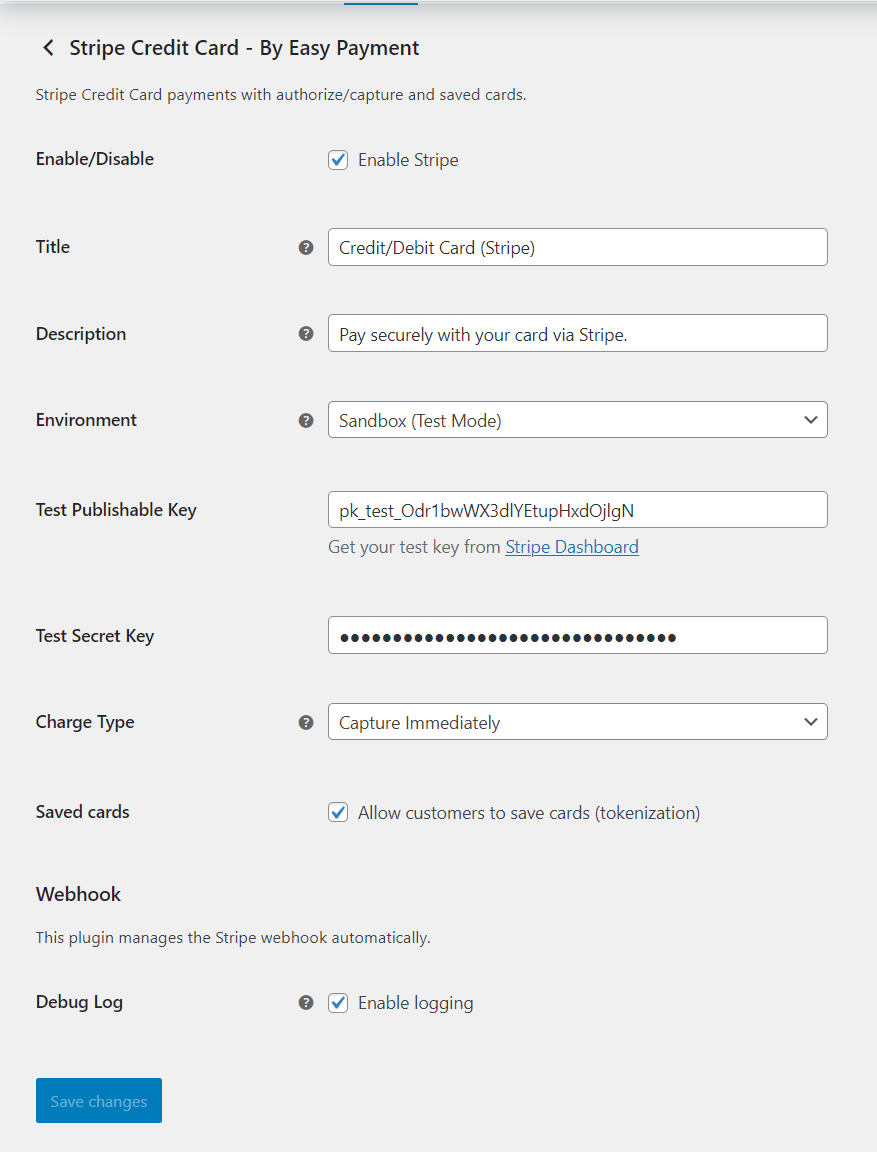
Gateway settings screen
Saved cards in the customer account area