Edge Doctor reads your site and reports what it finds. It runs 25 checks in six groups and shows the results in Site Health, in the Site Health Info section, on its own report page under Tools and through WP-CLI.
The plugin changes nothing. It does not write to Cloudflare, to your server, or to the settings of WordPress or of any other plugin. It stores only its own options and transients.
The checks cover:
- Cloudflare connection and SSL
- Visitor IP behind Cloudflare
- Private pages and the Cloudflare cache
- Cloudflare features that affect WordPress
- Requests from your server to itself
- DNS and origin exposure
Every finding says how confident the plugin is, shows the evidence it used and links to a guide at https://rxnwebsolutions.com/edge-doctor/checks/. When the plugin cannot measure something reliably it reports the check as inconclusive with a reason, instead of guessing.
Edge Doctor is not affiliated with or endorsed by Cloudflare, Inc. Cloudflare is a registered trademark of Cloudflare, Inc.
External services
The plugin sends HTTP requests only to your own site, including a request to /cdn-cgi/trace on your own domain, which Cloudflare answers with information about the connection.
One optional feature contacts a third party. When an administrator turns on the weekly refresh of the Cloudflare IP list, or runs wp edge-doctor ips –refresh, the plugin requests https://api.cloudflare.com/client/v4/ips to download the current IP ranges. Only standard HTTP headers are sent. No data about your site or your visitors is sent. The setting is off by default.
That service is provided by Cloudflare, Inc. See their terms at https://www.cloudflare.com/website-terms/ and their privacy policy at https://www.cloudflare.com/privacypolicy/.
Privacy
The plugin sends HTTP requests to your own site, because several checks can only be answered by reading a real response from the edge. It has no telemetry and no analytics. It does not store visitor IP addresses. Results are stored in your own database and are shown only to users who can view Site Health checks. The report you copy from the plugin masks the IP address of your server, and shows a login page that was moved to another address as [custom login URL].
Screenshots

The report under Tools, Edge Doctor: a count by status, then every check, group by group.
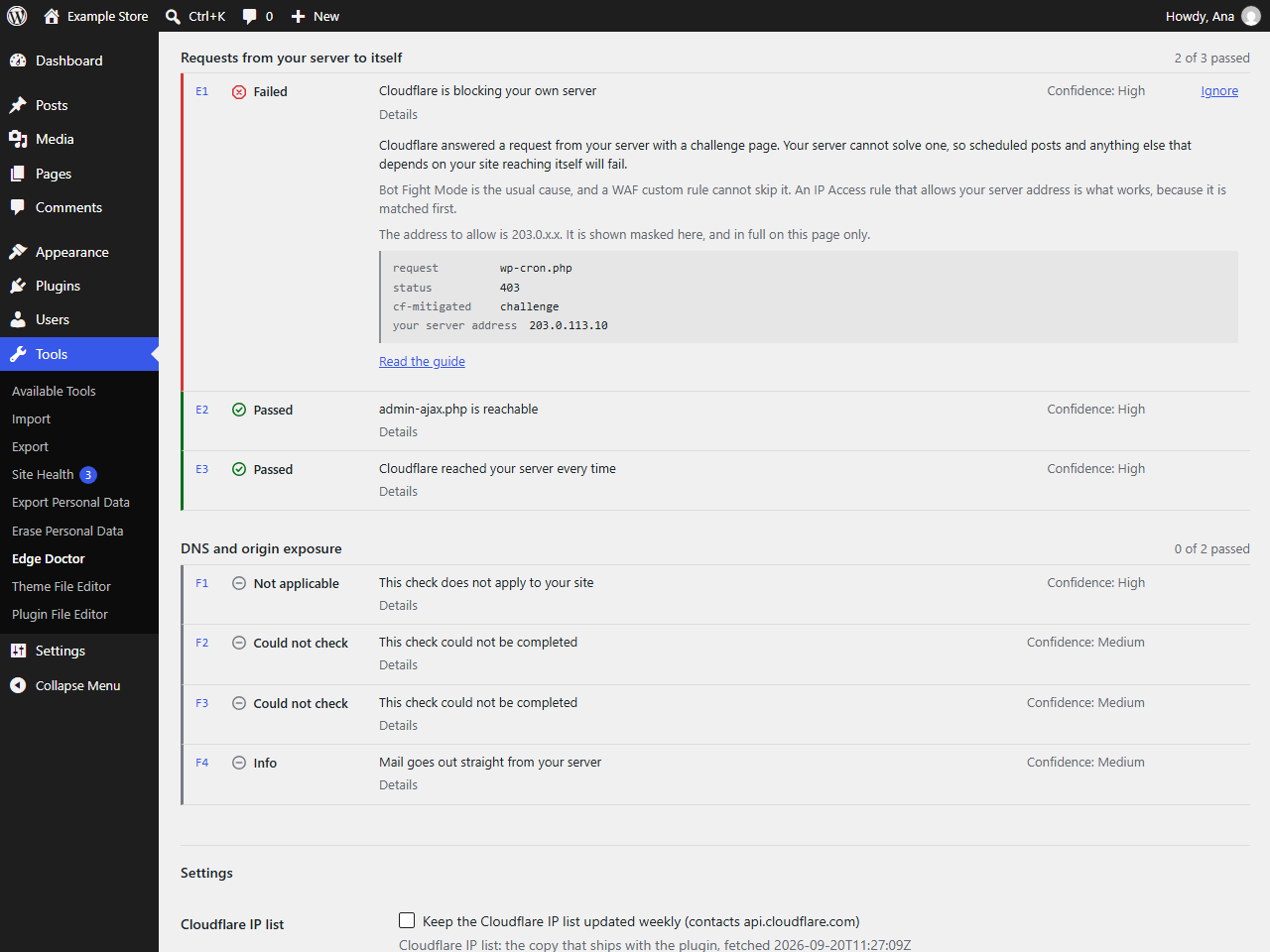
A finding opened: what the plugin saw, what to do about it, and the evidence it read.
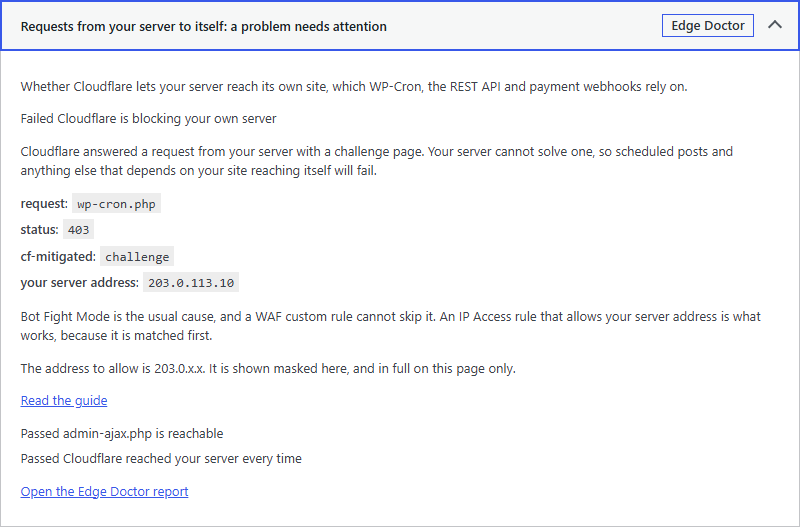
The same finding in Site Health, where each group appears as one test.
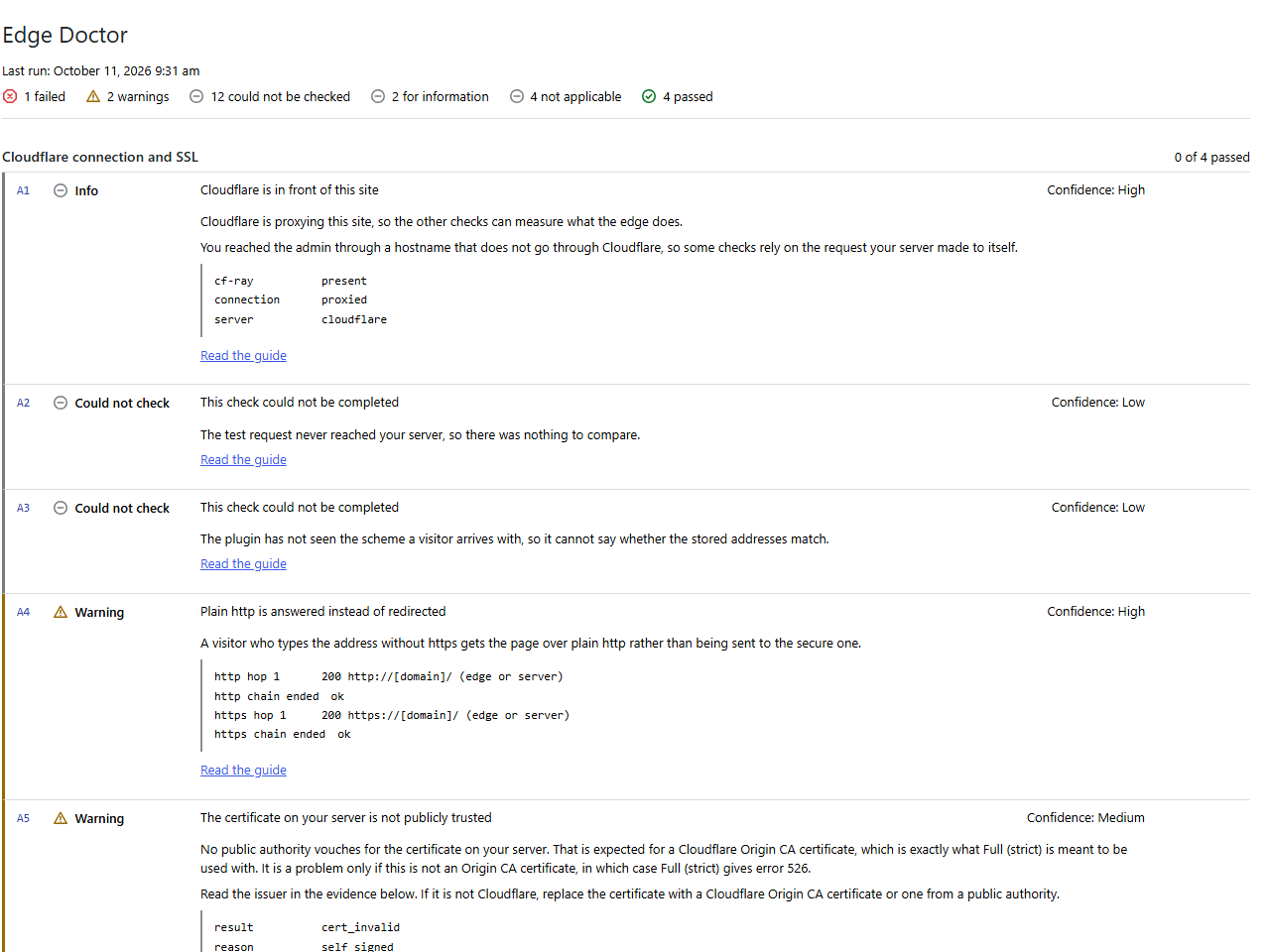
The printed report, with the server address and the domain masked.