
Eleva CRM for Photographers is a free business manager built for wedding and event photographers and video makers. It keeps every client, every shoot, and every payment in one place, right inside the WordPress admin you already use, with no monthly subscription and nothing sent to a server you don’t control.
You already have enough to think about on shoot day. Eleva CRM for Photographers handles the rest: who is getting married and when, what they owe and what they have paid, which memory card belongs to which shoot, and where every contract and file lives. The client details that matter most, names, contacts, home addresses, are protected by a dedicated encryption vault, so a leaked database never hands anyone a usable list of your clients.
Features
- Customers: keep every couple or client together, with more than one contact per booking, so a bride’s email and a groom’s email can both live on the same record, each with an optional gender. Full search across names, emails, phones, and addresses. Every customer page shows their full booking history with running totals.
- Services: build a catalog of the packages and add-ons you offer, then override the price or notes for any specific booking without touching the catalog.
- Works (your bookings): the hub for every job. Customer, services, event date and time, every location, every file, and every payment, on one page.
- Payments: track deposits and balances with a running list of installments. Paid, Partial, or Unpaid status is worked out for you automatically from what has actually been paid.
- Custom payment types: go beyond a simple deposit and balance and define your own installment types to match how you actually bill.
- Files: attach contracts, invoices, and reference files to any booking, or drop in a link to a Google Drive or Dropbox folder instead. Images and PDFs preview right in the browser, with zoom and full-document search.
- Dashboard: your year at a glance. Revenue booked, payments still to receive, and the next five shoots coming up.
- Monthly calendar: every booking as a colored pill on a real calendar. Click through to see the customer, date, and payment status.
- Calendar colors: tag each booking with one of twelve colors, so a glance at the calendar tells you which is which.
- Memory Cards: an inventory of your SD and CF cards, so you always know which ones are safe to format. Status moves itself: Ready, In Use, Backed Up, or Damaged, as you attach a card to a shoot and check off the backup.
- Quick Notes: a short rich-text field on every booking for the one-line reminder you need at a glance, kept separate from your full notes.
- Vault: an optional dedicated encryption layer, protected by its own password and a TOTP authenticator app, that keeps client names, contact details, addresses, notes and your service catalog unreadable in the database, even to someone with direct database access.
- Encrypted backup: download one encrypted archive of your entire CRM (customers, bookings, services, and files) whenever you want, protected by your Vault credentials and opened by no one but you.
No dependencies, nothing leaves your server
Eleva CRM for Photographers doesn’t require ACF, WooCommerce, or any other plugin, and makes zero outbound requests of its own: nothing is ever sent to us or to anyone else. Every byte of your data stays in your own WordPress database, on your own server.
Eleva CRM Pro is a separate, optional add-on. If you choose to connect it to Google Calendar or Google Drive, those are its own connections, made only when you turn them on, never by the free plugin.
Eleva CRM Pro
Eleva CRM Pro is a separate, optional paid add-on for photographers running a small team, sending quotes to clients or wanting deeper reporting. It adds:
- Quotes: prepare numbered quotes for your clients, turn a confirmed quote into a booking in one click, and send it as a PDF by email or as a message for WhatsApp, Messenger or Instagram.
- VAT: choose whether prices include VAT, exclude it or are shown without it, with your own rate.
- Company details: your business name, address and tax details, printed on your quotes.
- Collaborators: assign second shooters and team members to a booking, and track what each one is owed.
- Kanban board: move bookings through your own workflow stages.
- Analytics: revenue, cost, and owned-vs-commissioned reporting, with period comparison.
- Products & Suppliers: manage physical products and the suppliers behind them.
- Google Calendar sync: your bookings and reminders pushed automatically to your Google Calendar.
- Automatic backups: the same encrypted archive as the free plugin, pushed to your own Google Drive on a schedule, with retention.
Pro is entirely optional. Nothing in the free plugin is locked or hidden behind an upgrade prompt.
Privacy Policy
Eleva CRM for Photographers collects no personal data of its own, makes no external HTTP requests, and sends nothing to any external server. Every piece of data lives exclusively in your own WordPress database.
Credits
The in-browser PDF preview is built on pdf.js by Mozilla (https://mozilla.github.io/pdf.js/), licensed under the Apache License 2.0.
Screenshots
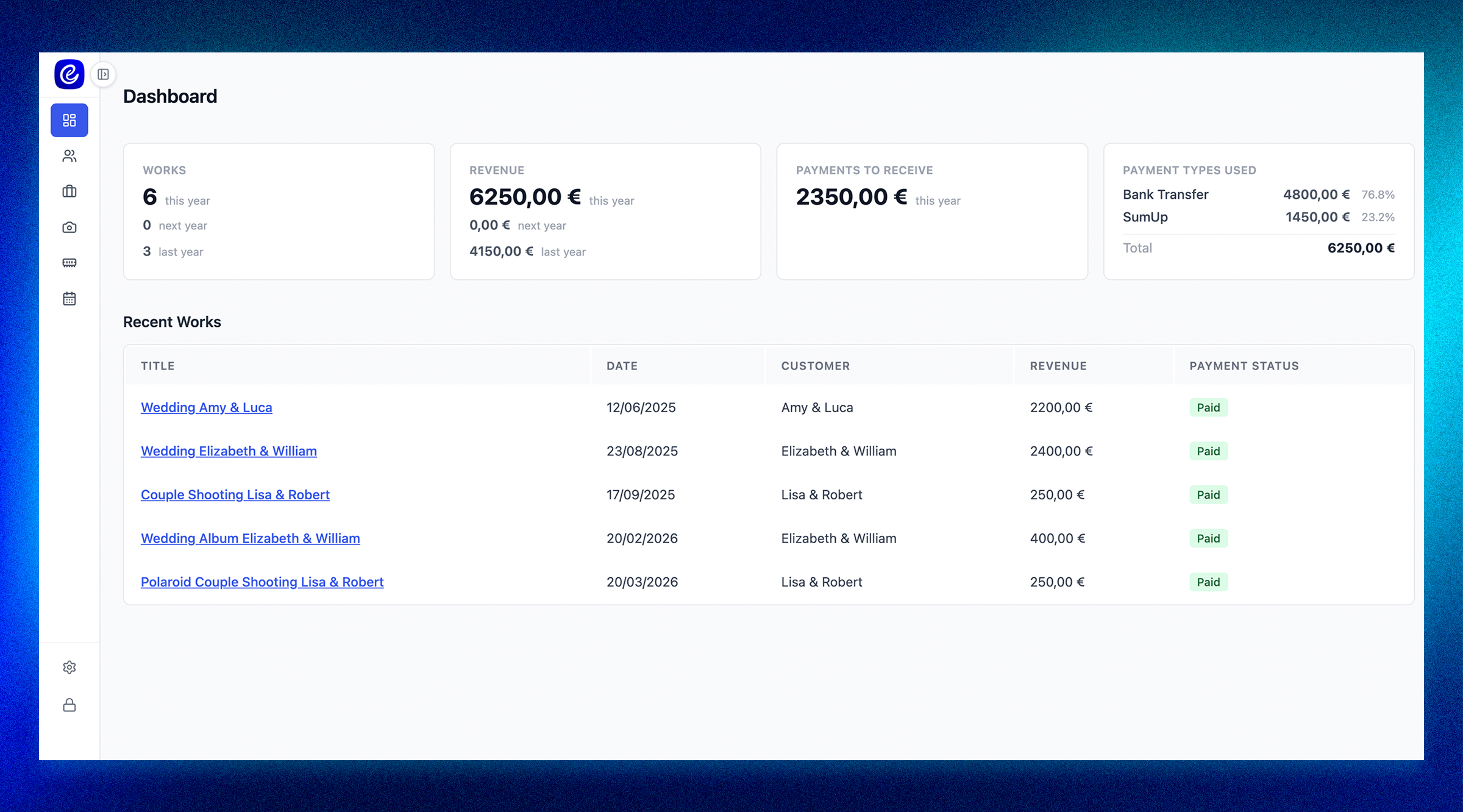
Dashboard with the sidebar collapsed to icon-only, so every panel gets the full width
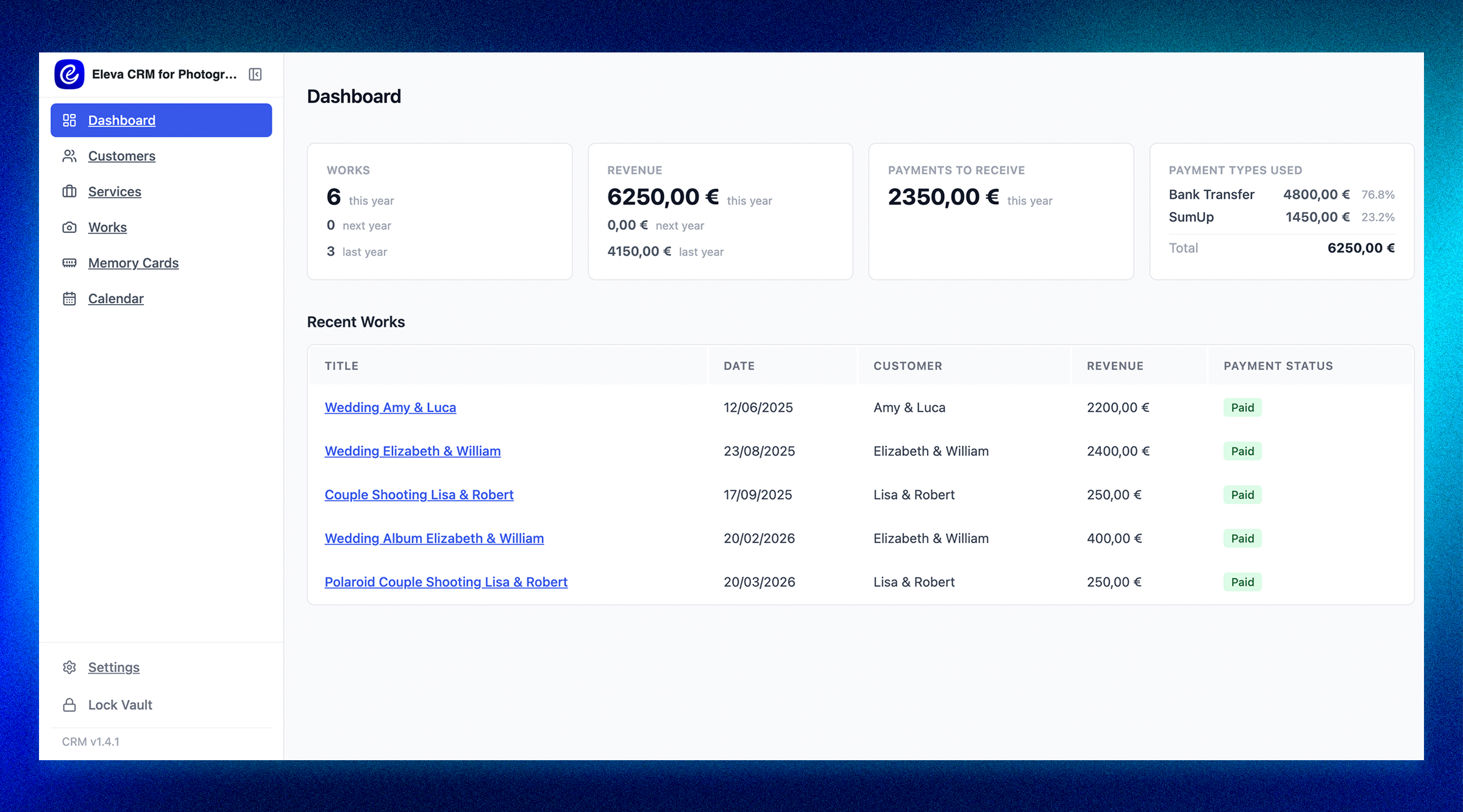
Dashboard: annual revenue, payments still to receive, payment type breakdown, and the next five upcoming works
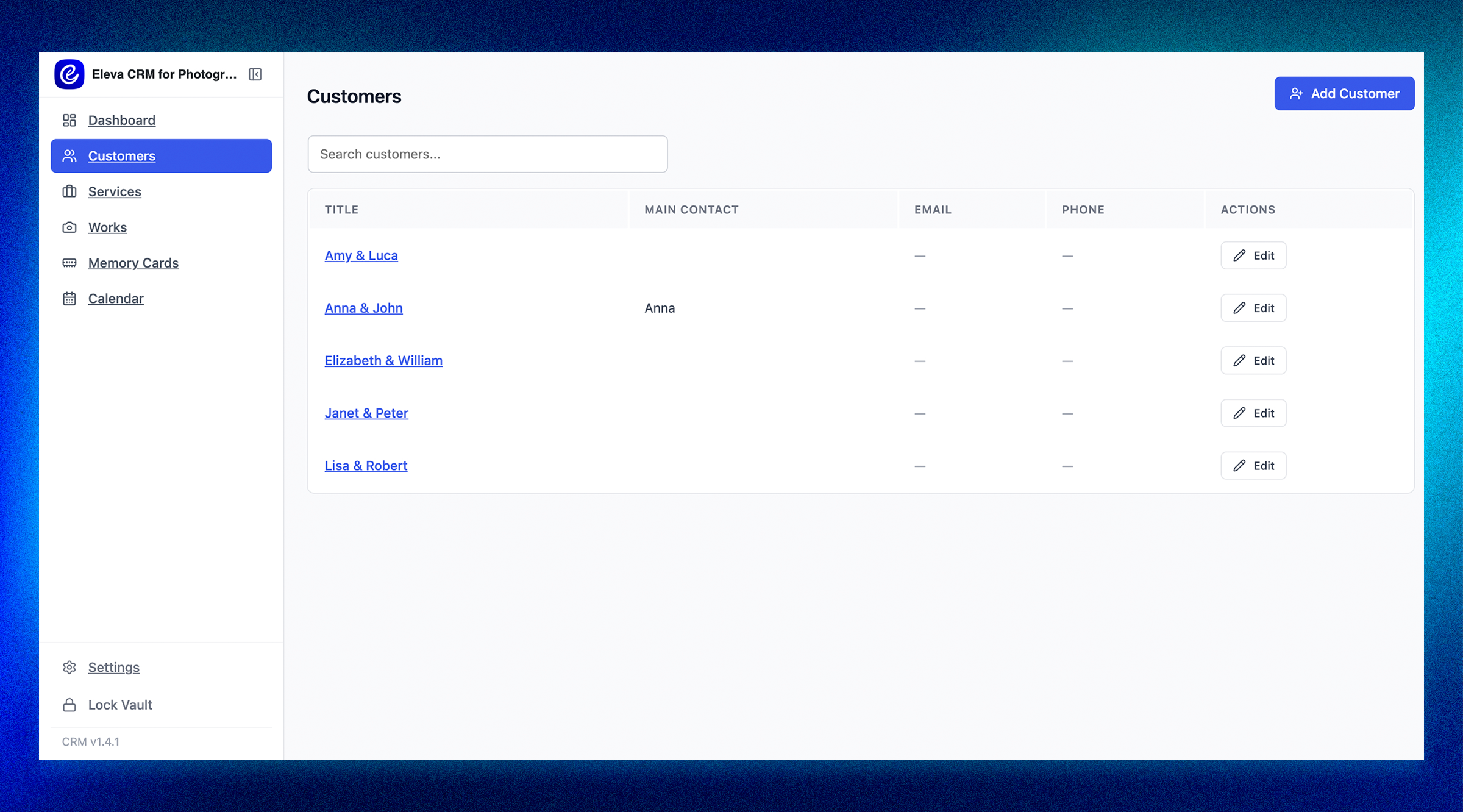
Customer list with search: name, main contact, email, and phone at a glance

Service catalog with base prices: add, edit, and reuse services across bookings
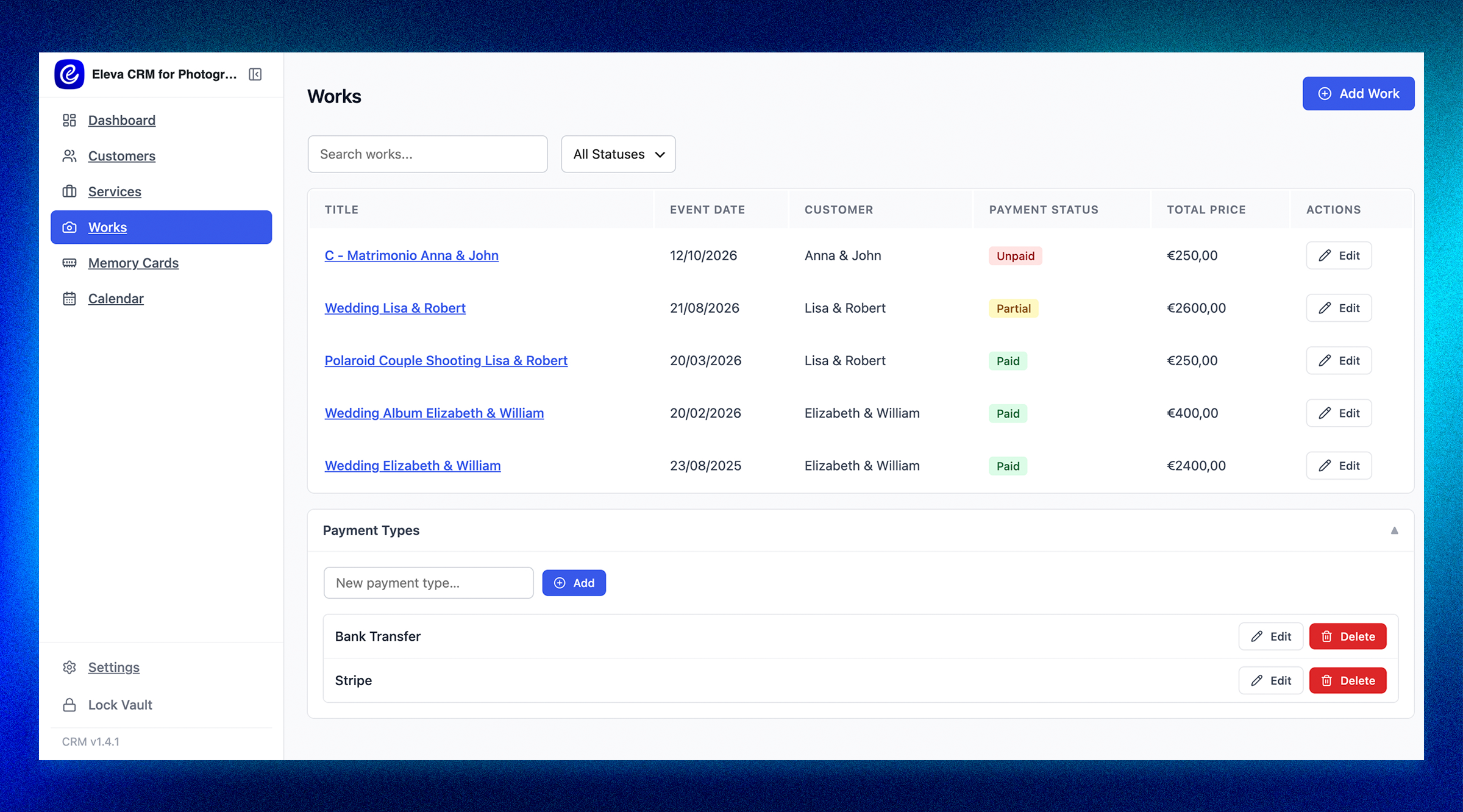
Works list with a payment status filter (All, Paid, Partial, Unpaid), a total price column, and the custom Payment Types manager open below it

Work edit form: event date and time, customer selector, calendar color, and services with a per-booking price override

Work edit form: attached files and the Memory Cards checklist, so you always know which card holds which shoot
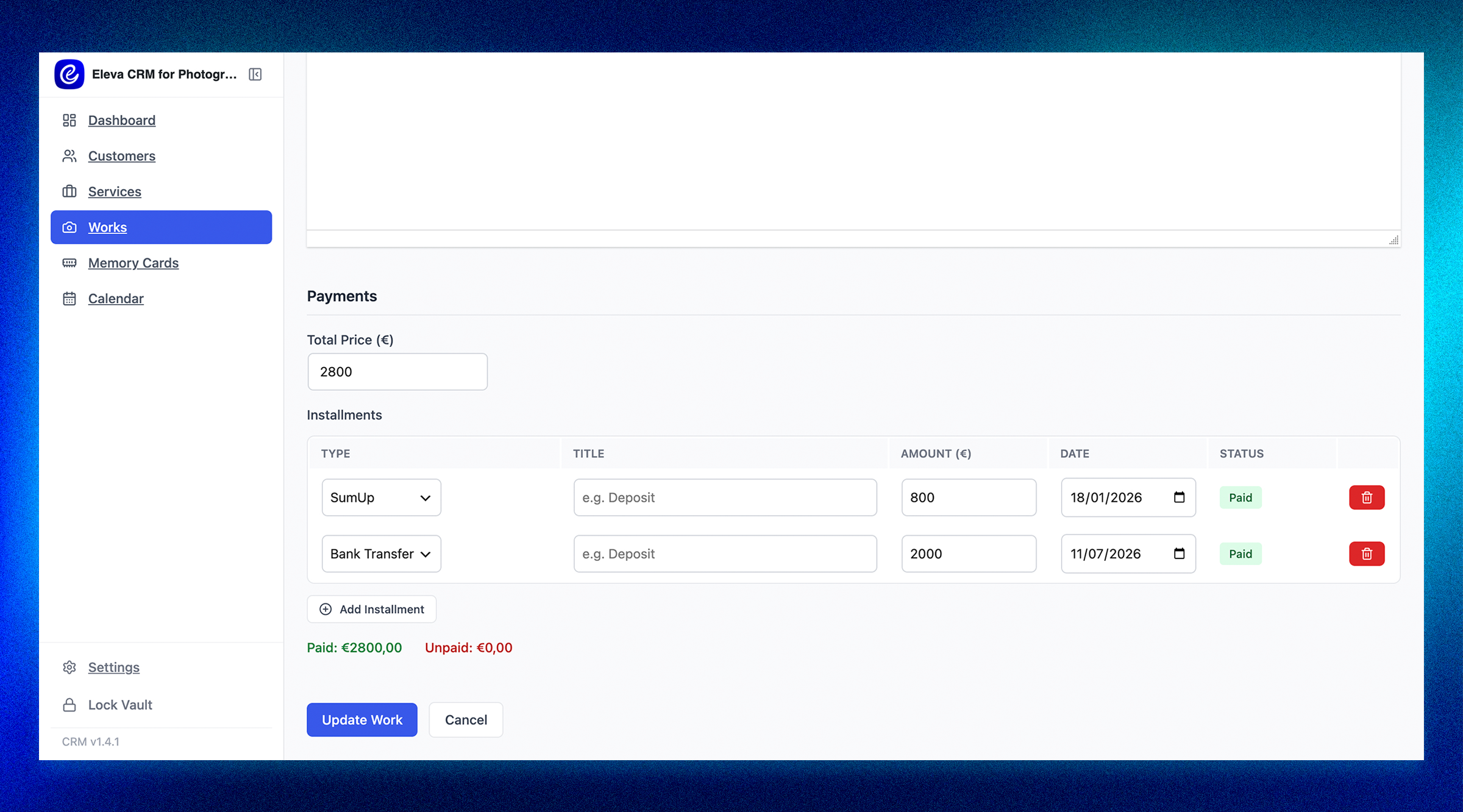
Work edit form: payment section with installments, paid or unpaid status per installment, and running totals

Memory Cards: every card's status (Ready, In Use, Backed Up, Damaged) and which Work it is currently assigned to

Monthly calendar view with every scheduled booking shown as a colored pill

Vault unlock screen: master password and authenticator code required before any client data is shown

Settings page: Vault controls (change password, reset authenticator, recovery phrase) and one-click encrypted backup download