EntryStage is an add-on for Gravity Forms. It displays the entries of a form on any page of your site, in a table that becomes a stack of cards on phones.
Everything is set up inside Gravity Forms, in one settings tab per form laid out as a workshop, step by step. No code is needed.
For the people who fill in your forms
- See the entries they submitted, sorted and split into pages, with picture thumbnails and file links.
- Open an entry to read it.
- Edit an entry in the original form: the form opens already filled in, and the changes are saved into the same entry.
- Duplicate an entry: the form opens filled in, and a new entry is created.
- Archive an entry (moved to the Gravity Forms trash, or deleted permanently if you prefer).
- Search the list, sort it and change pages without reloading the page.
For you
- Choose the columns, their order, width and display, and who sees the list (everyone, logged-in users or some roles; their own entries or all).
- A “My entries” page with the shortcode
[entrystage form="12" user="current"]. - An “EntryStage list” block with a live preview, or the shortcode.
- A personal space: several forms on one page, one tab per form, with
[entrystage forms="12,15" user="current"]. - A Print button: a clean page of the entries matching the filters.
- Three looks: the Editorial style with your colours and font, a minimal style that takes the look of your theme, or no style at all.
- Optional protection of file links: only people who may see the entry download its files.
EntryStage Pro
Follow every entry from start to finish. Requests, registrations, applications, orders: with EntryStage Pro, each entry gets a status of your own (Received, In progress, Done…), shown as a coloured label, with one tab per status and a next-step button. E-mails can go out at each step, late entries show in red, validated entries can be locked, a board (Kanban) moves entries from step to step, the history of the changes is kept, and a webhook can notify Slack or your other tools.
Also included: More details under each row, bulk actions, CSV export, drop-down and date filters, PDF links, custom icons, shortcode conditions and priority support.
EntryStage Pro will be available soon. It will replace this plugin and keep all your settings.
Requirements
- WordPress 6.2 or later, PHP 7.4 or later.
- Gravity Forms 2.5 or later (sold separately by Rocketgenius).
Screenshots
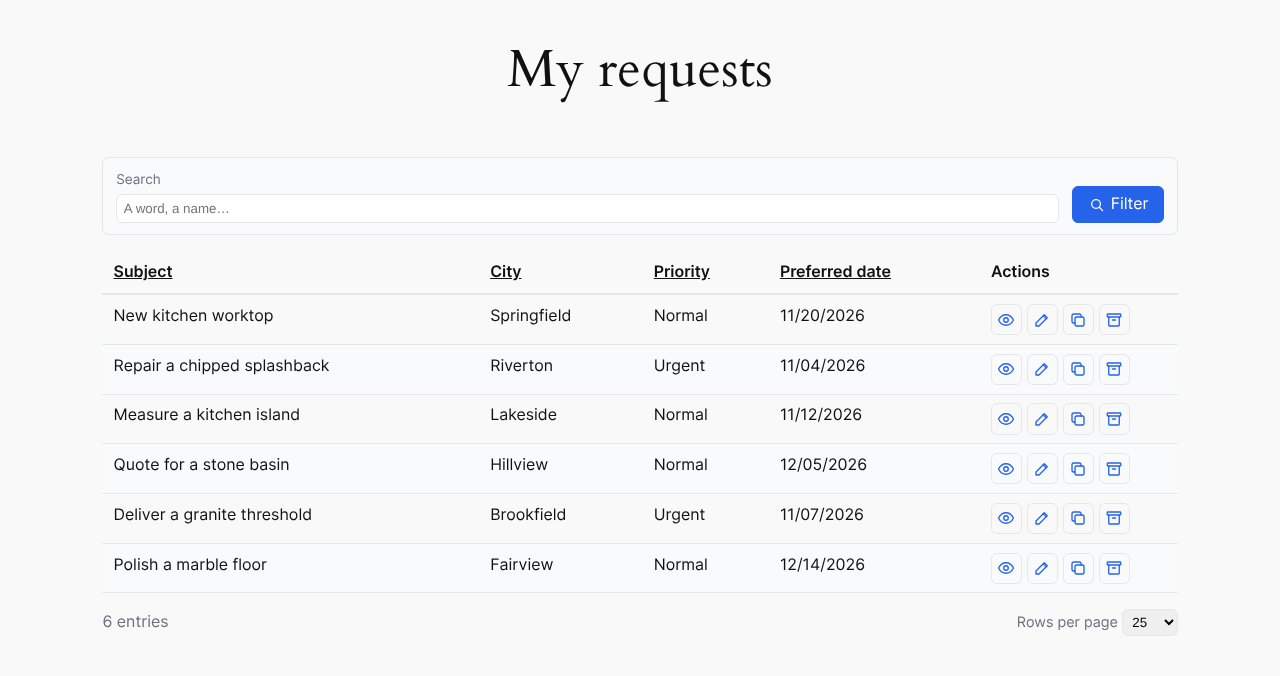
A list on the site, with the search box and the actions of each row.

The same list on a phone: each row becomes a card.
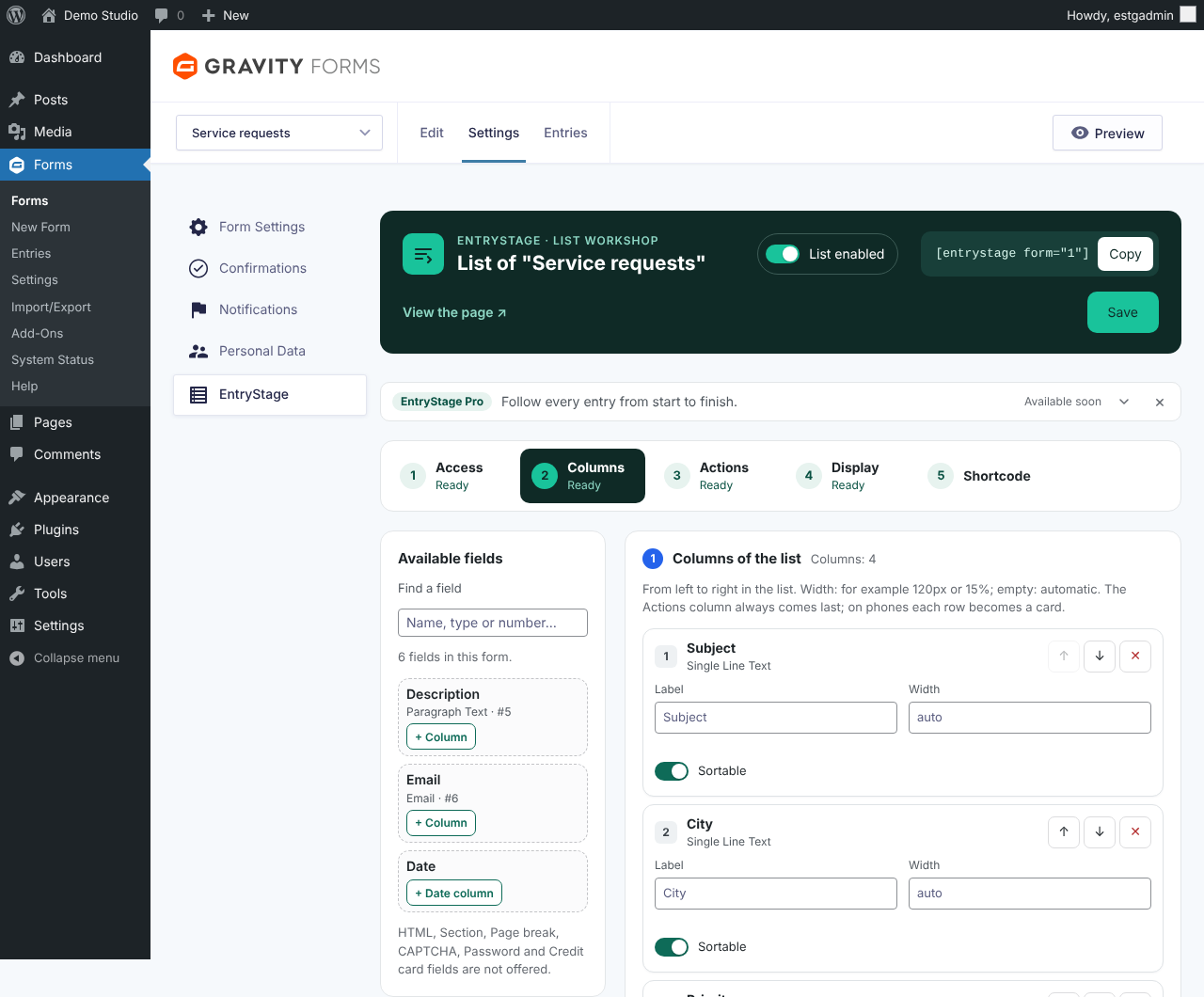
Settings of a form, step "Columns": available fields and columns of the list.

Settings of a form, step "Shortcode": the shortcode composer and examples taken from the form.
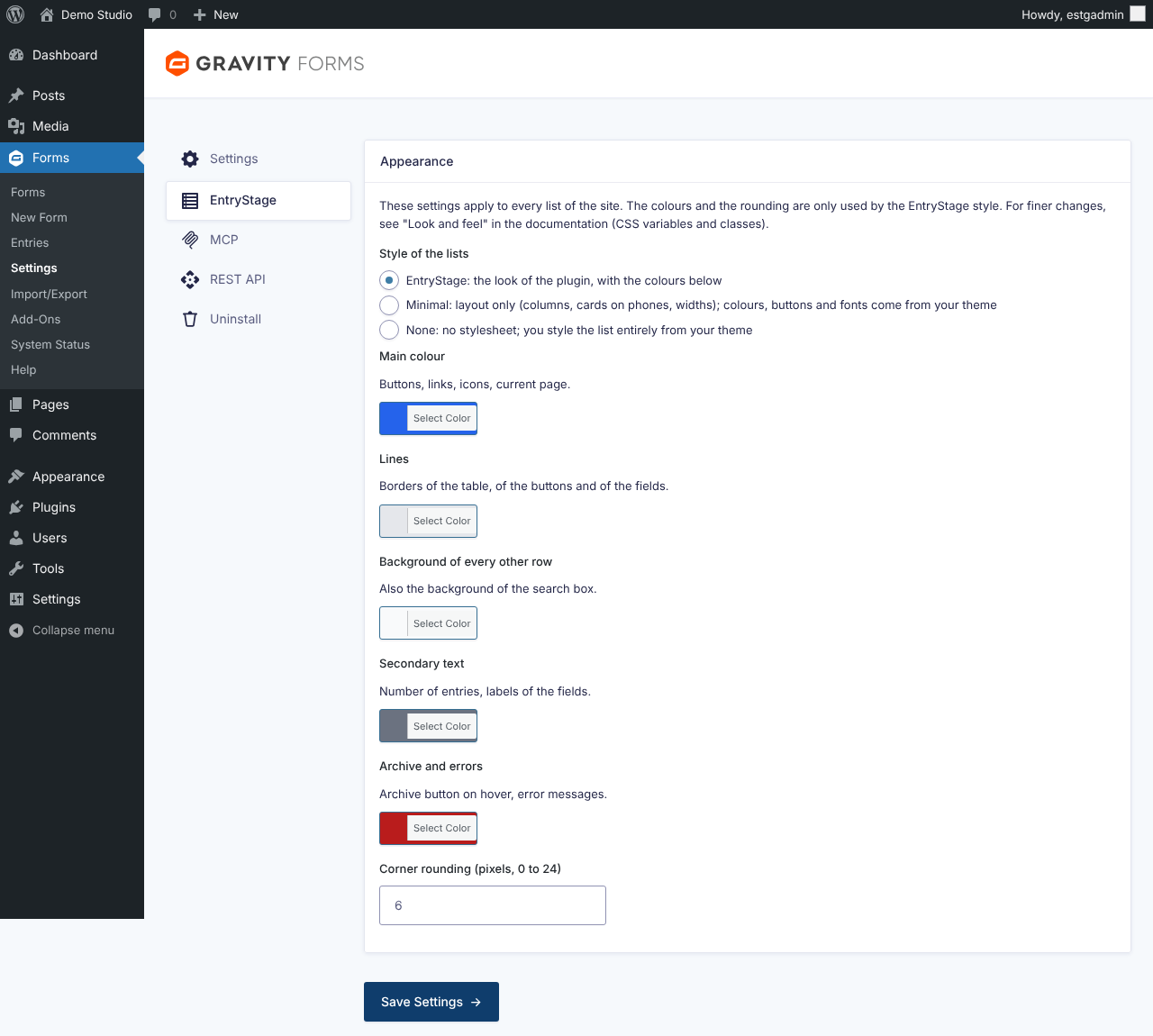
Plugin settings: style of the lists with its preview, colours and font.