
Eprimo Mail Radar tracks every email your WordPress site sends. Know instantly whether emails are delivered or failing – no more guessing.
Perfect for developers, site owners, and agencies who need visibility into WordPress email delivery.
Why Eprimo Mail Radar?
WordPress provides no built-in way to know if emails are actually being sent. With Eprimo Mail Radar, you get complete visibility:
- Was the WooCommerce order confirmation delivered?
- Did the contact form submission go through?
- Why is the password reset email failing?
- Which plugin is sending the most emails?
Key Features
Automatic Email Logging
Every outgoing email is logged automatically – subject, recipient, content, headers, status, and which plugin sent it.
Source Detection
Automatically identifies which plugin or theme triggered the email – WooCommerce, Contact Form 7, Gravity Forms, WordPress core, or any other plugin.
Send Test Email
Verify your email delivery is working with one click. Send a test email directly from the settings page.
Admin Bar Failed Count
See failed email count at a glance in the WordPress admin bar – no need to open the plugin page.
Attachment Tracking
Logs attachment filenames, sizes, and file types. Download attachments directly from the email details page.
Live AJAX Search
Search by recipient, subject, or source. Results update instantly as you type – no page reloads.
Column Sorting
Sort emails by subject, status, or date to quickly find what you need.
Date Range Filter
Filter emails by date range to find exactly what you need.
Resend with Recipient Edit
Resend any logged email to the original or a different recipient. Edit the recipient address before sending.
Privacy Controls
GDPR-friendly options to disable content logging, mask recipient addresses, or disable attachment logging.
Bulk Actions
Delete selected emails, all failed emails, or all sent emails in one click.
Auto-Cleanup
Configure automatic deletion of old logs – 7 days, 30 days, 90 days, or keep forever.
Email Preview
View rendered HTML emails in a secure sandboxed iframe. Toggle between rendered view and source code.
Works With Everything
Eprimo Mail Radar works with any plugin or theme that sends emails through WordPress:
- WooCommerce
- Contact Form 7
- Gravity Forms
- WPForms
- Elementor Forms
- BuddyPress
- bbPress
- Easy Digital Downloads
- WP Mail SMTP
- Post SMTP
- FluentSMTP
- Any SMTP plugin
- Custom plugin emails
- WordPress core emails
Zero Configuration
Install, activate, done. Eprimo Mail Radar starts logging immediately with sensible defaults. Configure settings only if you want to.
Privacy Policy
Eprimo Mail Radar stores email data in your WordPress database. Depending on your privacy settings, this may include:
- Sender and recipient email addresses
- Email subject line
- Email content (can be disabled)
- Email headers
- Attachment filenames and sizes (can be disabled)
- Send date and delivery status
- Source plugin or theme name
No data is transmitted to external servers. All logged data remains on your WordPress installation.
Eprimo Mail Radar provides privacy controls to:
- Disable email content logging
- Mask recipient email addresses
- Disable attachment information logging
You are responsible for configuring these settings in compliance with your privacy policy and applicable data protection regulations.
Screenshots
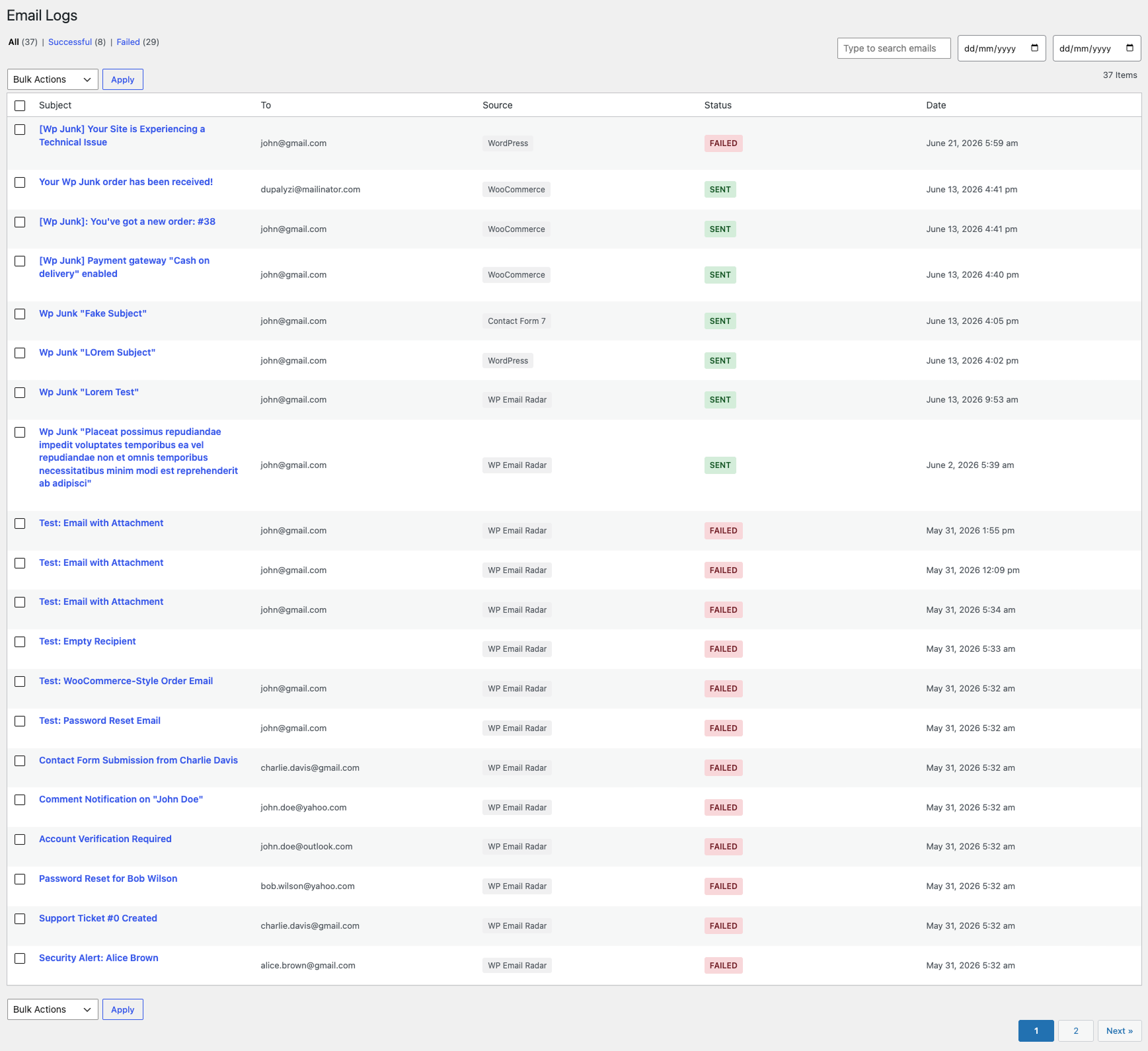
Email List - View all logged emails with status, source, and date. Hover to see View, Delete, and Resend actions.
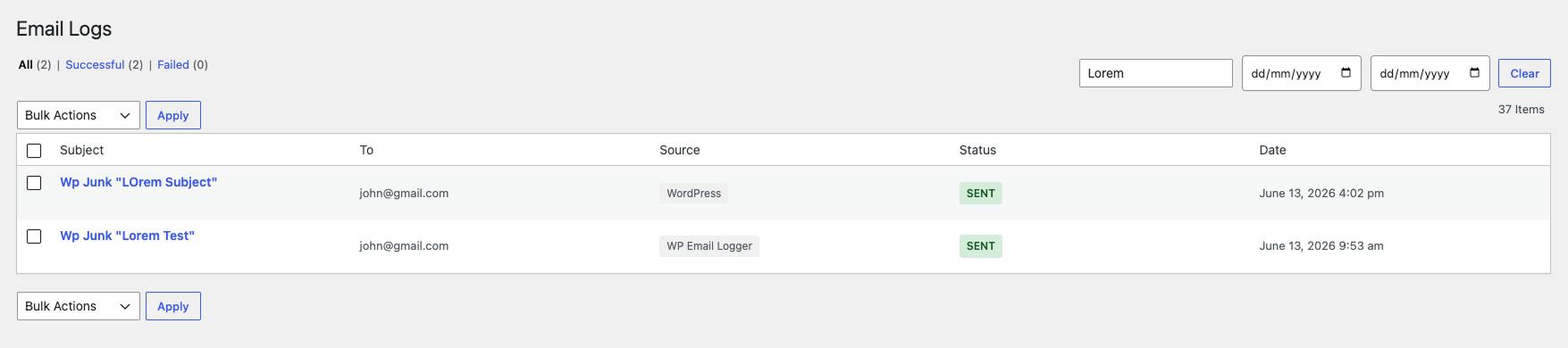
Live Search - Search by recipient, subject, or source with instant results. Filter by date range and status.
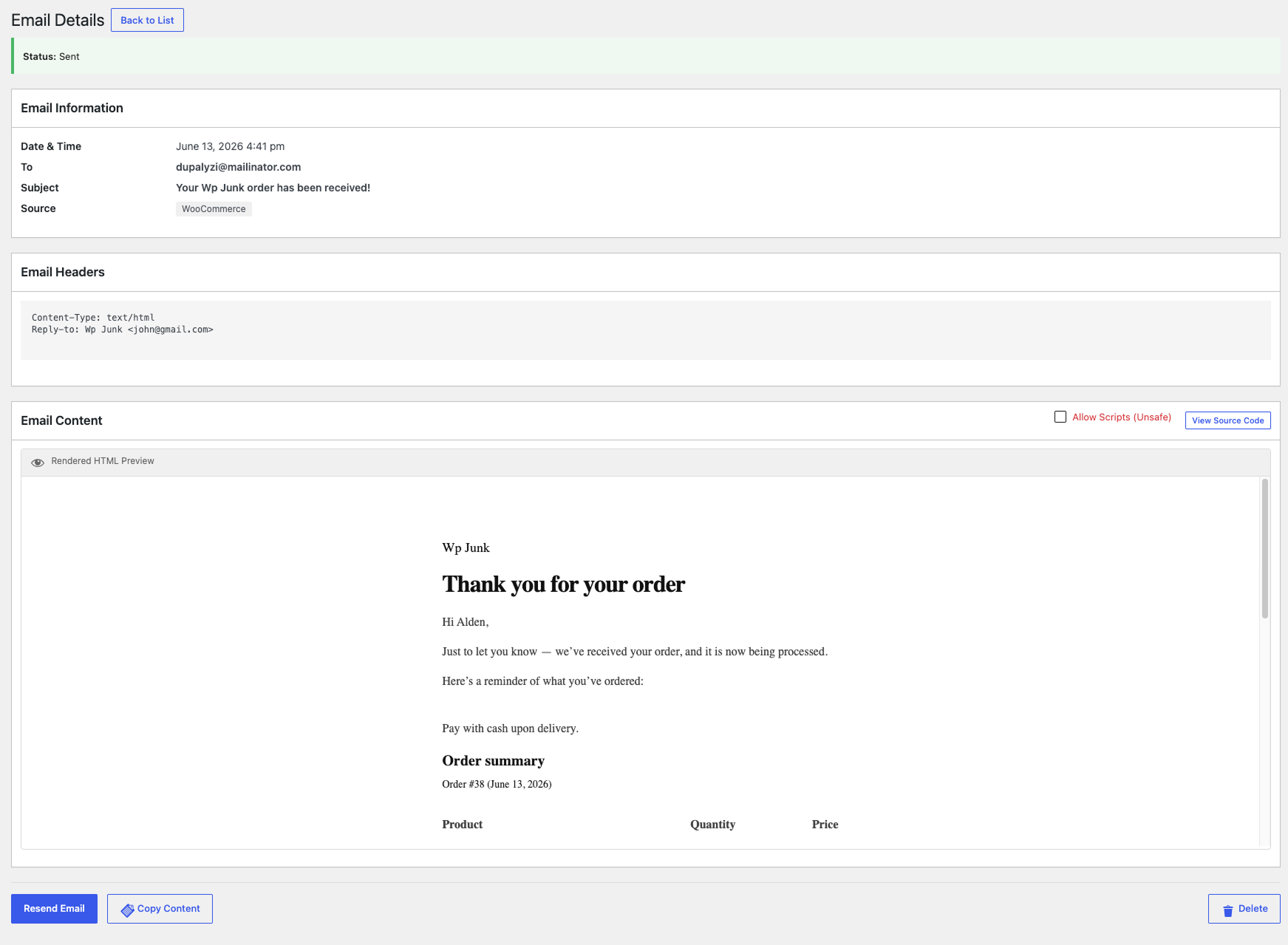
Email Detail - View rendered HTML preview or raw source code. See recipient, sender, source, headers, and attachments.
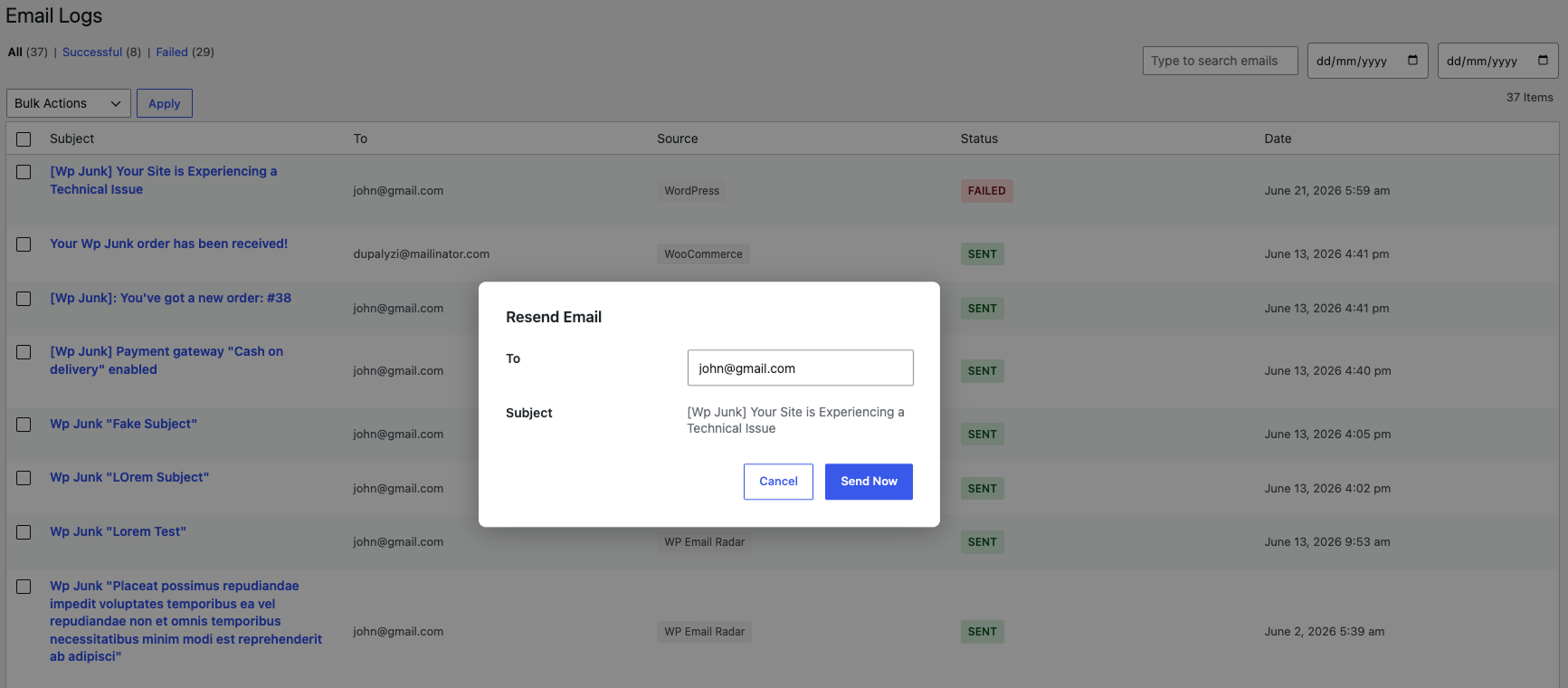
Resend Modal - Resend any email to the original or a different recipient.
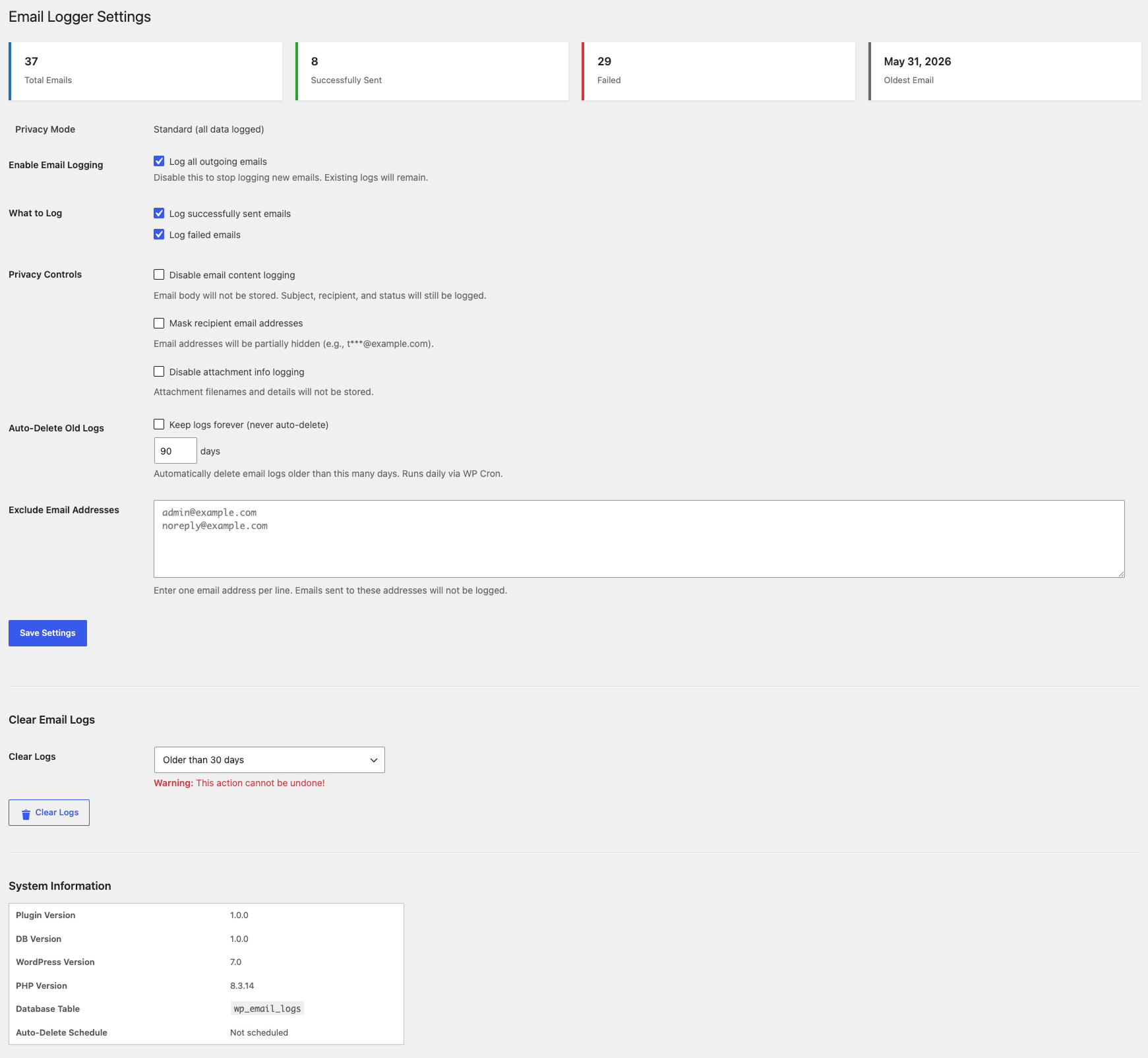
Settings - Configure logging, retention, privacy controls, and exclusions.

Statistics - Quick overview of total, sent, and failed email counts.