
Plan. Execute. Deliver.
ESoftWave Project Manager gives agencies, freelancers and teams one shared place where the work happens — on your own WordPress website, with your own branding. Clients sign in to follow their projects, approve work, share files, accept quotes and pay invoices. Your team runs projects, tasks and billing from the same place.
What you get (free, no limits on projects, clients or team members)
- Projects — client, team, status, progress, dates, milestones, files, activity, and the people on each project.
- Tasks & Kanban board — drag and drop, assignees, due dates, dependencies (“waits for”), checklists (subtasks) with progress, “client action required”, task updates for clients.
- Approvals & client actions — mark a task “Client action required”; the client answers with “Done / Approved” or “Changes needed” and a note, and the team is told straight away.
- Files — private storage, only served to people who may see them, with automatic file safety. Ask the client to approve a file (“Approve” / “Request changes”).
- Quotes — accepted online by the client (typed-name signature with time and a fingerprint of the quote), turned into an invoice in one click — or “Accept and pay”: a deposit (or full) invoice is sent automatically and the client pays it straight away.
- Invoices — automatic numbering, discounts, tax, adjustments, payment schedules (milestones), partial payments, several currencies with exchange rates, invoices without a project, paid record-keeping invoices, PDF invoices and receipts, account statements and “Send on WhatsApp”.
- Payments — bank transfer, mobile wallets, cash and payment links with a payment-proof form; switch each method on or off with one click; amount limits and optional payment fees per method; account credit (overpayments, prepayments) the client can use on the next invoice; a test checkout to try online payments; a developer API to add any payment provider as a small plugin.
- Payment dates & project hold — clients can suggest a date to pay; you accept or decline it. Put a project on hold (for payment or any reason) with a clear banner for the client, “Request to resume” and automatic resume when the invoices are paid. Automatic payment reminders (3 days before, on and 7 days after the due date) and “Send a reminder now” on any open invoice.
- Clients with several people — a client company can have a manager, accounts person and others, each with their own login, role and permissions.
- Roles & teams — Owner, Admin, Project Manager, Team Lead, Team Member, Client; a permission table and per-person exceptions.
- Reports — invoiced, received, open and overdue amounts for any period, kept per currency, with a CSV export of your invoices for the bookkeeping.
- Notifications — a bell in ESoftWave Project Manager, phone notifications, and emails with smart delays and summaries.
- Phone app — installs on phones and computers like an app (Progressive Web App), with push notifications.
- Branded sign-in and emails, light/dark themes, your colours and logo. Sign-in links in emails, so clients need no password.
- Help center with step-by-step guides, and one-click demo data to look around.
ESoftWave Project Manager Pro
ESoftWave Project Manager Pro is a separate add-on for businesses that want live communication and more automation:
- Live chat: three chats per project (project chat with the client, private client–admin chat, internal team chat) with live messages, read receipts, replies, reactions, @mentions, pinned messages, photos and files, comments pinned on images and message history.
- Automatic online payments with Safepay (cards and bank accounts) or with any payment method installed in WooCommerce (invoices are marked paid automatically).
- Automatic payment follow-up: your own reminder schedule (any days, repeats, a maximum), automatic acceptance of near payment dates, final notices and automatic project holds.
- Recurring invoices for retainers, hosting and care plans.
- Detailed reports: late invoices by age, tax on payments received, revenue per client and quote acceptance.
- Project templates.
- AI assistant for chat messages (translate, explain, polish replies, summaries) with the provider you choose.
- Contact monitor for phone numbers shared in chat messages.
Everything in the free plugin stays free and complete — Pro adds features, it does not unlock hidden ones.
Phone app and notifications
- ESoftWave Project Manager can be installed on phones and computers like an app (Progressive Web App): “Install the app” on Android/desktop Chrome, Edge and Samsung Internet; on iPhone/iPad: Safari Share “Add to Home Screen”. It opens full-screen from its own icon, straight into ESoftWave Project Manager, and people stay signed in as long as your login settings allow.
- Phone notifications (Web Push): each person can switch them on per device. Every bell notification (tasks, approvals, files, requests, payments, quotes…) then arrives on the phone and opens exactly the right screen when tapped. The push only wakes the device; the text is fetched from your own website over the signed-in connection, so no message content passes through Google’s or Apple’s push services. iPhone/iPad: iOS 16.4 or newer, after adding ESoftWave Project Manager to the Home Screen.
- Team members get a phone-friendly view in ESoftWave Project Manager: “Your day” (my open tasks, payment proofs to check), “My tasks” with one-tap status changes, and one-tap WhatsApp/call/email buttons for each client. Clients get one-tap buttons to reach you.
- Requirements: HTTPS, PHP OpenSSL extension (standard), and a square 512 × 512 PNG app icon (set under “App icon”, or your Site Icon) for a sharp home-screen icon. No app store, no extra service.
Notifications & emails
- Every event (new file, task assigned, client action, payment proof, reminders …) shows in the ESoftWave Project Manager bell and as a phone notification; only important ones also send an email.
- Each event has a priority (High, Normal, Low). Per priority you choose: email right away, email after a delay, or no email (portal only). Defaults: High after the delay, Normal and Low no email. Any single event can override this, or be hidden from ESoftWave Project Manager.
- Delayed emails (default 15 minutes) are skipped when the person already saw the notification in ESoftWave Project Manager, and several waiting emails are combined into one summary email. Sent by WP-Cron every 5 minutes — add a server cron job for wp-cron.php on quiet websites.
- Reminders: time between reminders and maximum per item; reminders always stop when the person replies or acts, and can optionally stop once they have opened the item.
- Emails sent on purpose (Send invoice, Send quote, project update to the client, password emails) are not affected.
Currencies
- Every client can have their own currency (Clients add client, or the client’s profile). New quotes and invoices for that client start in it; each document can still use any currency.
- All amounts on a document — lines, discounts, tax, milestones, payments and the balance — are in the document’s currency. Amounts show symbol and code (“$1,500.00 USD”, “CA$1,500.00 CAD”) so dollars are never confused. Add more currencies under Settings Invoices & quotes Extra currencies.
- Payments in another currency: record (or confirm) what the client sent and in which currency, the exchange rate (the “Get rate” button suggests the European Central Bank reference rate for the payment date via the free, open-source Frankfurter service; you can always type the bank’s own rate or simply the converted amount), bank/gateway fees, tax or other charges, and the net amount actually received. Choose per payment whether the full converted amount counts (“we pay the fees”) or only what arrived (“the client pays the fees” — the rest stays outstanding). The default is set in Settings.
- Each payment stores its own rate and figures; later rate changes never alter it. Small remaining differences can be written off with one click (shown separately in Reports, not as money received).
- Reports show money actually received (after fees) per currency, plus fees/conversion differences and write-offs.
External services
ESoftWave Project Manager works without any outside service. These optional features connect to one:
- Exchange rates — only when someone clicks “Get rate” while recording a payment in another currency, ESoftWave Project Manager asks the Frankfurter API (https://api.frankfurter.dev — official central bank reference rates) for the rate of that date. Sent: the two currency codes and the date — no personal data. Terms of use (licence): https://frankfurter.dev/license/ · Privacy: https://frankfurter.dev/ (section “What is the privacy policy of the API?”: no personal data, IP addresses or request URLs are logged). You can change or empty the address under Settings Invoices & quotes Exchange-rate service.
-
Phone notifications (Web Push) — when a person switches on notifications on a device, their browser registers with its own push service (Google Firebase Cloud Messaging for Chrome and Edge on Android, Mozilla Push Service for Firefox, Apple Push Notification service for Safari). ESoftWave Project Manager sends each notification through that service end-to-end encrypted for that one device (Web Push encryption), so the push service cannot read it. Sent: the encrypted notification (and the device’s push address). Google: terms https://firebase.google.com/terms , privacy https://policies.google.com/privacy · Mozilla: terms https://www.mozilla.org/about/legal/terms/services/ , privacy https://www.mozilla.org/privacy/ · Apple: terms https://www.apple.com/legal/internet-services/terms/site.html , privacy https://www.apple.com/legal/privacy/ . Switch push off under Settings Phone app & notifications.
-
ClamAV virus scanner — when ClamAV (clamd) runs on your own server, ESoftWave Project Manager finds it by itself (the usual local socket paths and 127.0.0.1:3310) and streams each uploaded file to it before it is stored. Nothing leaves your server unless you enter a different ClamAV address under Settings File safety Advanced. ClamAV: https://www.clamav.net/
ESoftWave Project Manager does not track you or your users and sends no data to the plugin author.
Requirements
- WordPress 6.5 or newer and PHP 8.0 or newer. On older versions the plugin stays inactive and shows a notice; it never breaks the site.
- A writable uploads folder. Recommended: the PHP zip and fileinfo extensions (standard on most hosts) so ZIP and Office files can be looked into.
- Recommended: an SMTP plugin for reliable email, and a server cron job for wp-cron.php on quiet websites (reminders and email summaries use WP-Cron).
- Phone app and notifications need HTTPS and the PHP OpenSSL extension (standard on almost every host).
Screenshots
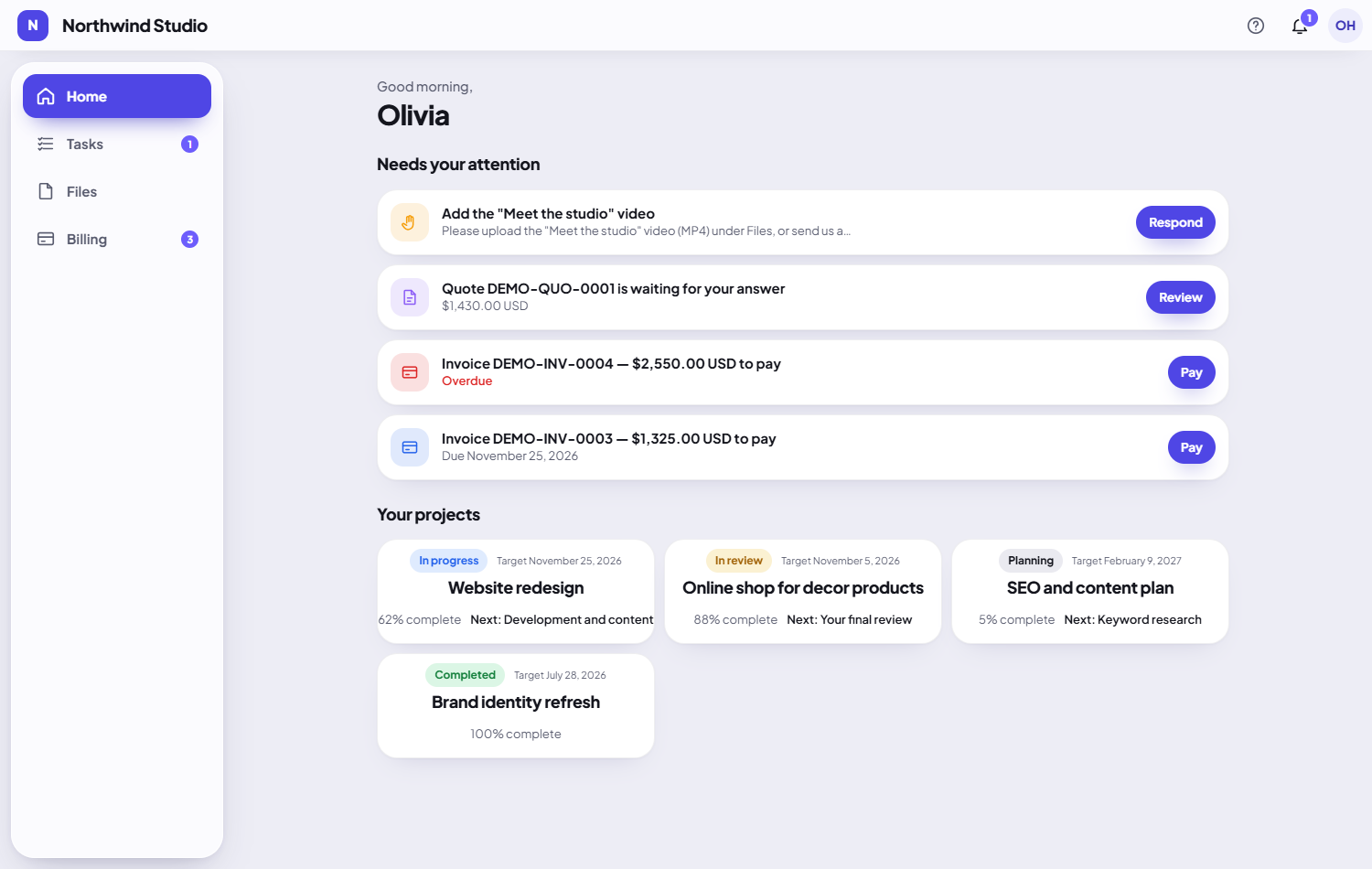
What a client sees: everything that needs their answer, open invoices and their projects.
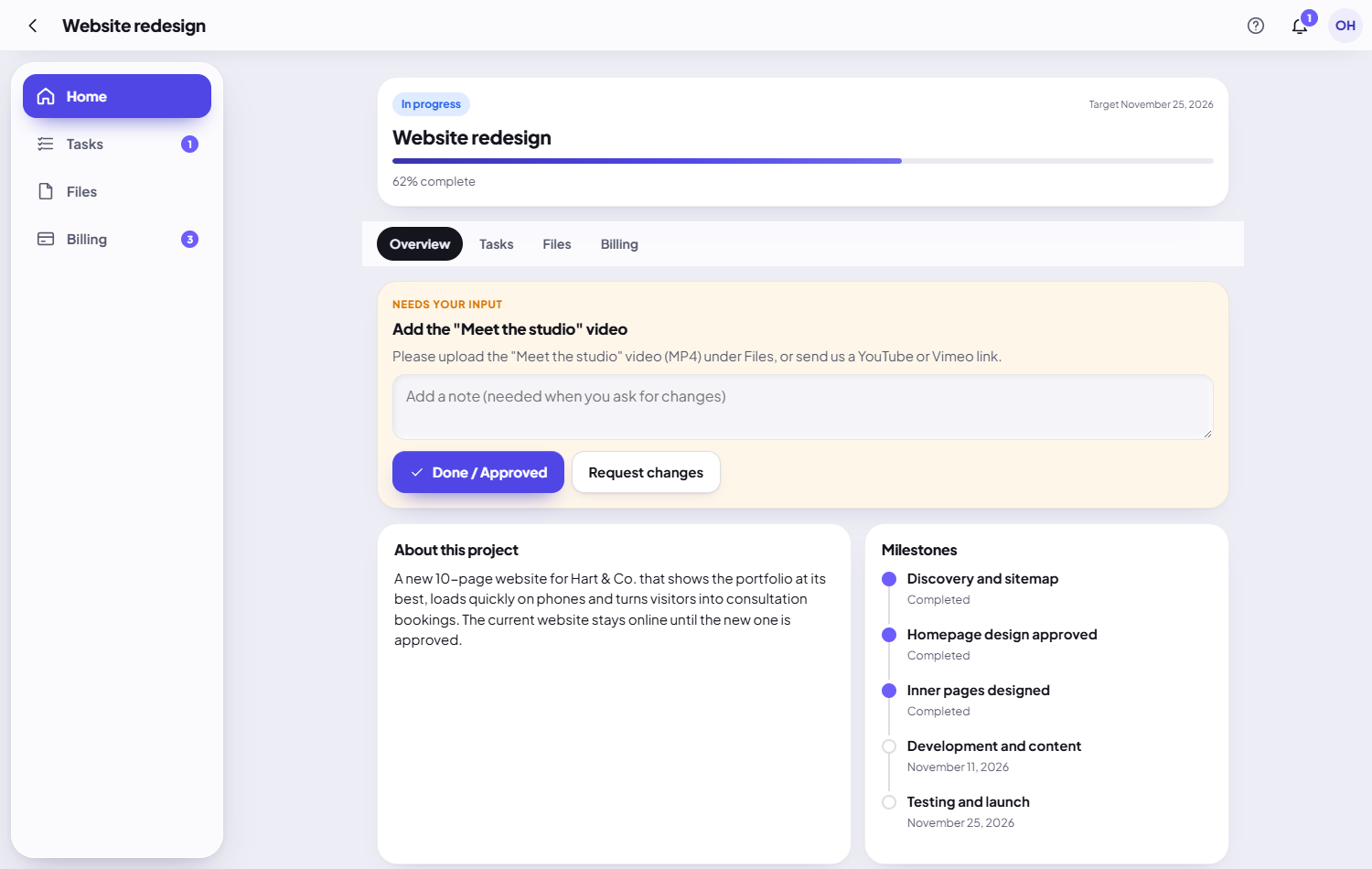
A project: progress, an approval the client can give in one click, milestones.

The task board for your team.
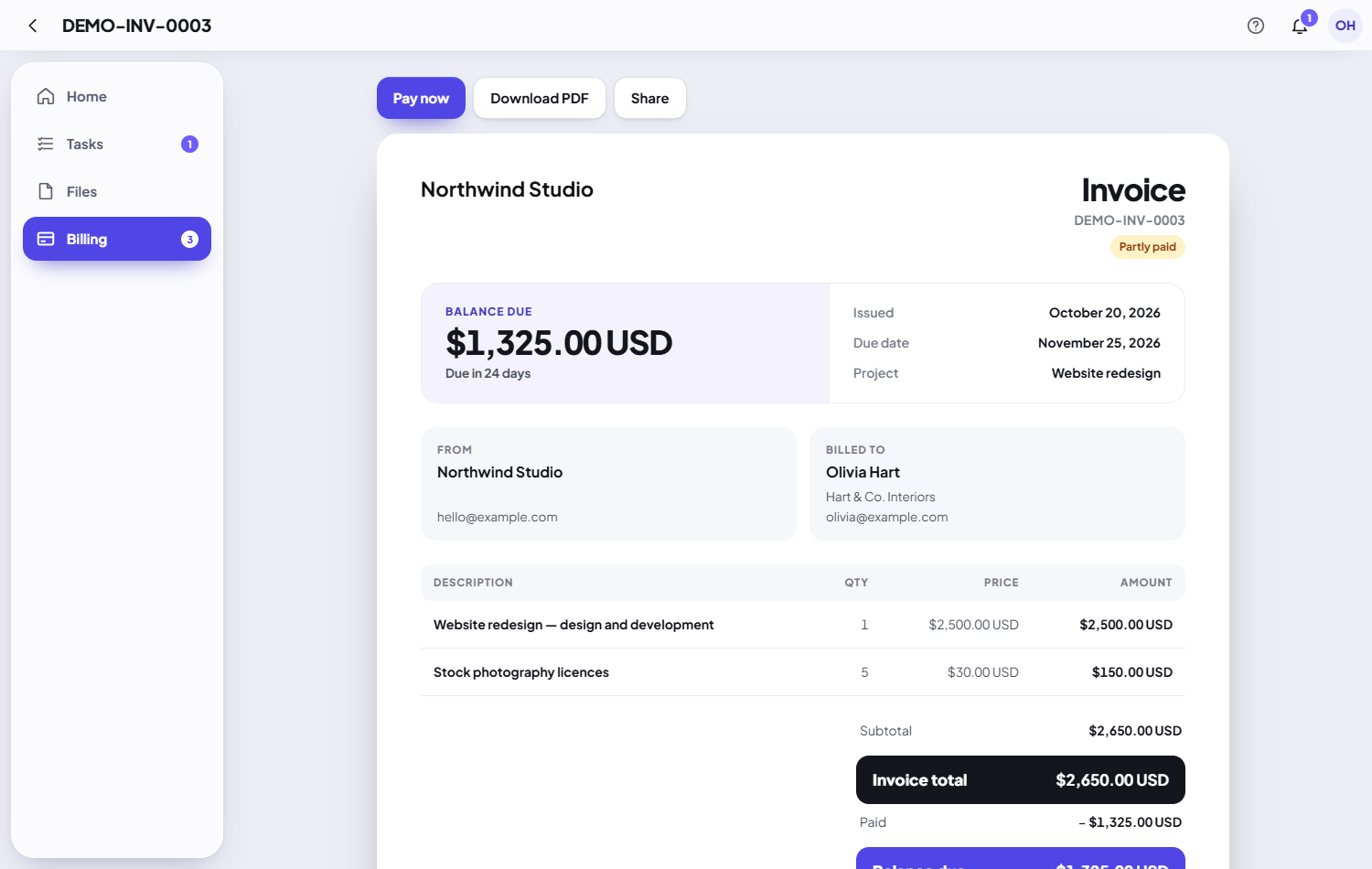
An invoice with "Pay now", PDF and sharing.

Your team's Home: open tasks, payment proofs to check and projects at a glance.
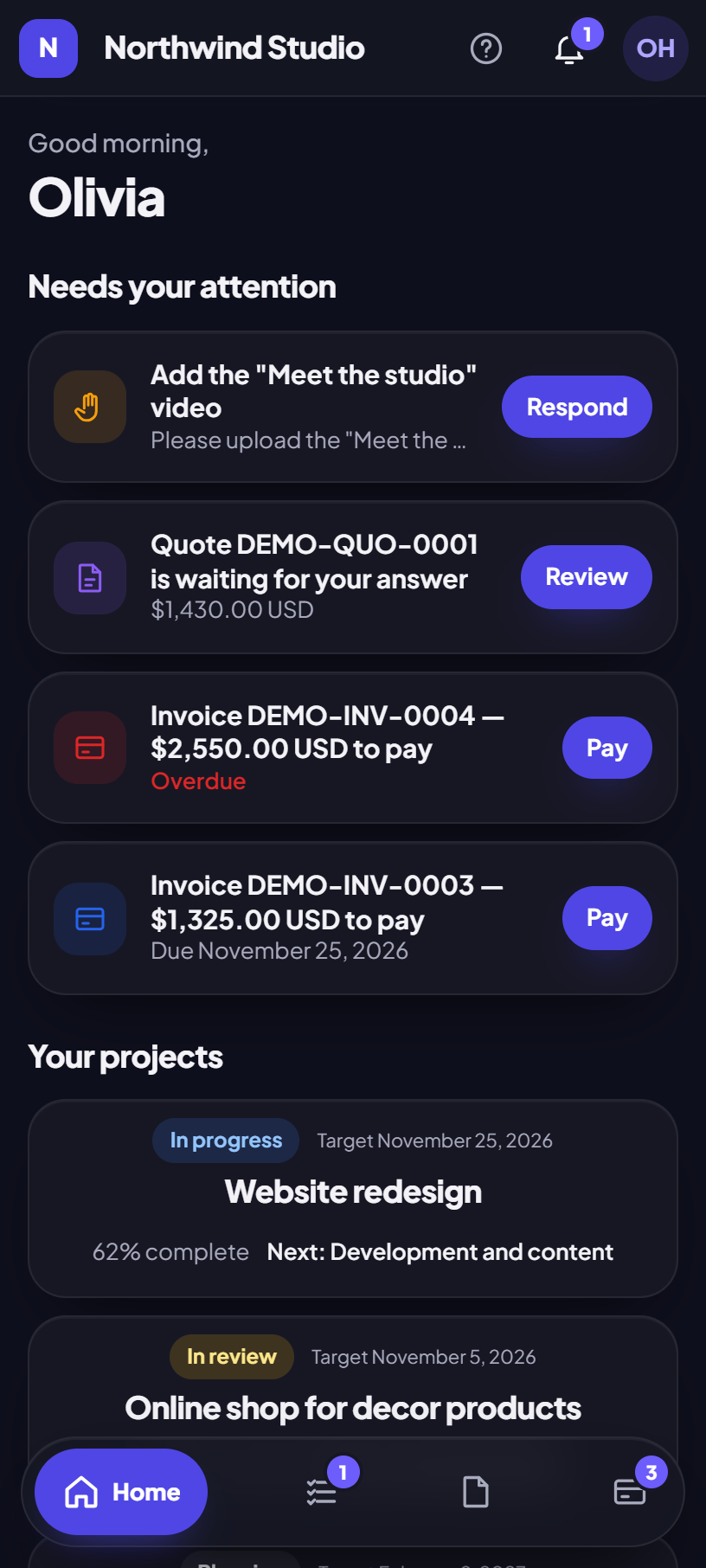
ESoftWave Project Manager on a phone — it installs like an app.
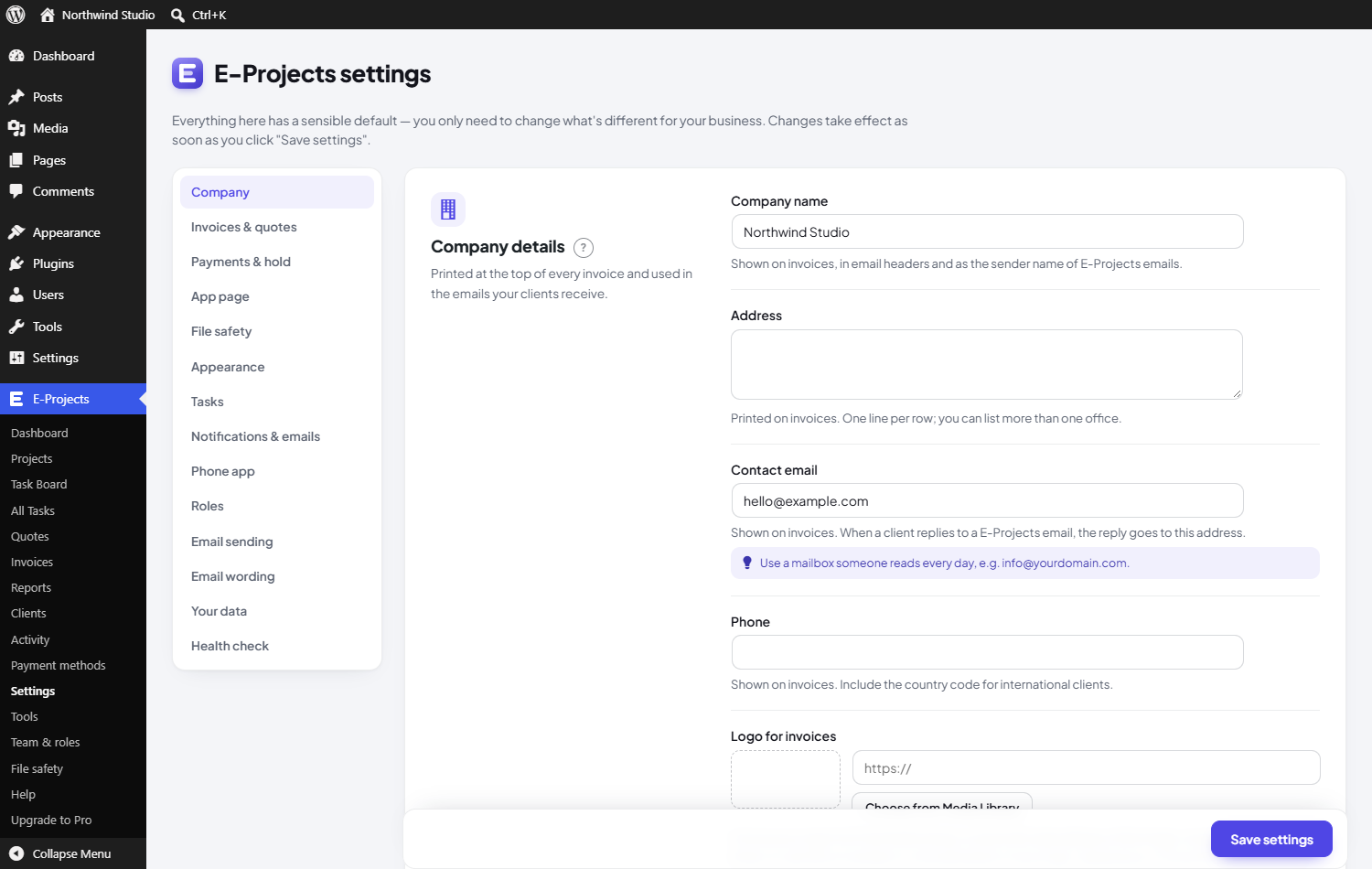
Settings, with every option explained.