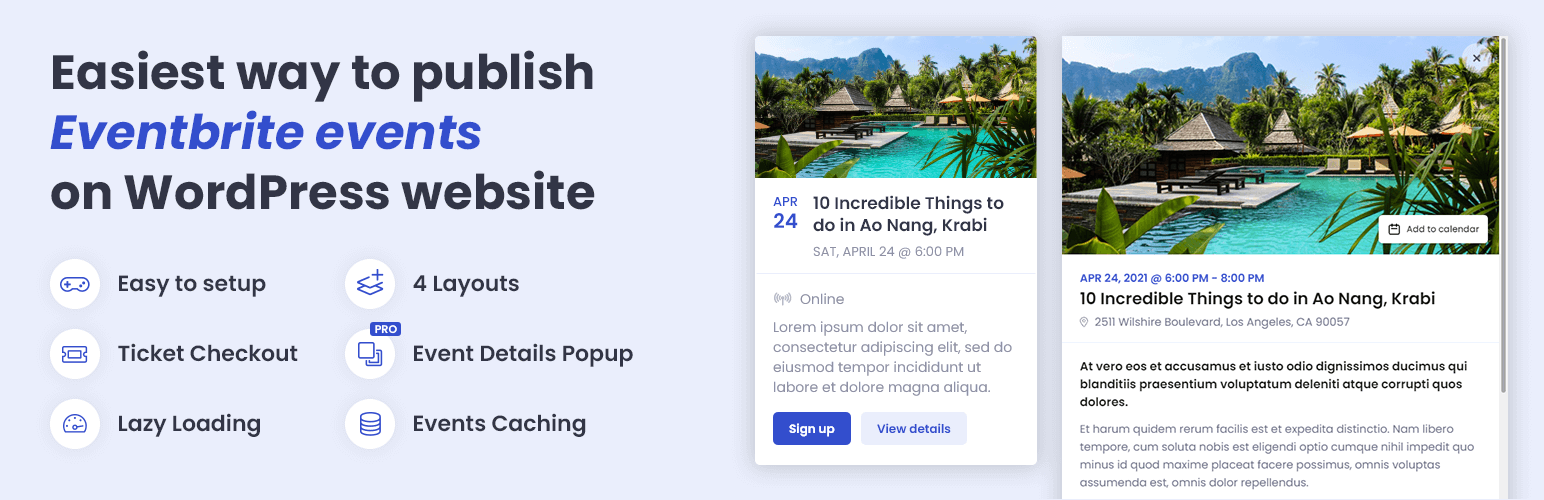
🚀 No imports or complicated setup. Show Eventbrite events easily and attractively with just a few clicks.
📅 Try Demo | ⚡ Pro Version | 📃 Check Documentation
💎 The most user-friendly Eventbrite plugin
Event Feed for Eventbrite takes events from your Eventbrite organization and lets you display them on your WordPress website in various ways. Need a list of upcoming events? Choose from List, Grid, or Cards layout. Want to show your events as a Widget? No problem, we got you covered.
Customize from WordPress Dashboard – Customize event feed’s layout, color, font family, and displayed information to ensure it perfectly matches your website design. Control how your events are showing on mobile devices without the need to touch the code.
Integrated Ticket Checkout – Ticket Checkout seamlessly integrated into a popup lets users get their tickets from Eventbrite without leaving your website. Pro version goes even further, showing all necessary event details in a popup, so there is absolutely no need for a user to navigate away to the Eventbrite website.
Manage events on Eventbrite – The plugin is reading data directly from Eventbrite, which means less work from your side. You can manage your events on Eventbrite, how you are used to, and all the changes made there will be automatically synced to your event feeds.
🎉 Free Features
- Display an unlimited number of event feeds
- Display events in List or Widget layout
- Customize the color of the event feed
- Limit number of displayed events in the event feed (separately for a mobile, small tablet, large tablet, and desktop)
- Control which event details you want to show/hide – show title, image, date & time, price, location, description, and more
- Limit event title length
- Limit event description length
- Change the text of Buy tickets/Sign up, and View details buttons
- Open external links in the same/new window
- Open Ticket Checkout in a popup/on the Eventbrite website
- Choose Eventbrite organization from whose events are loaded
- Add a unique CSS ID to the event feed
- Add CSS classes to the event feed
- Cache-control for increased performance (specify cache period; you can use the button in the admin bar to manually clear the cache)
- Image placeholder (used when the event has no image on Eventbrite)
- Option to use Google Fonts instead of the theme’s default font
- Set event date and time format
- Set event address format
⚡ PRO Features
- Display events in Grid or Cards layout
- Specify the number of columns (separately for a mobile, small tablet, large tablet, and desktop breakpoints)
- Display Event Details in a popup
- Fully formatted event description, including images and videos
- Add to calendar button (import to Google Calendar, Outlook, Office365, Yahoo or download ICS file)
- Event location map using Google Maps
- Event organizer information (photo, name, description, social links, website link)
- Link to Eventbrite (useful if you are using the popup solution but still want a user to have the option to go to Eventbrite)
- Shareable popup URLs – each popup has a unique URL, making it easy to share event details with others
- Time Filter – display future/past events
- Privacy Filter – display only public/private events
- Venue Filter – display only online events/events with the venue
- Name Filter – display only events whose name contains specific text
- Location Filter – display only events whose location contains specific text
- Description Filter – display only events whose description contains specific text
- Organizer Filter – display only events organized by a specific organizer
Screenshots

You can use the List layout in any area on your website with enough horizontal space.

Widget layout is optimized for a sidebar or area with limited horizontal space.

Grid layout can fit any place on your website thanks to its high flexibility. You can use it in full-width areas, areas with limited horizontal space, as well as in the sidebar.

Cards layout is also highly flexible and works really well when placed on a 'non-white background' (the white cards will stand out).
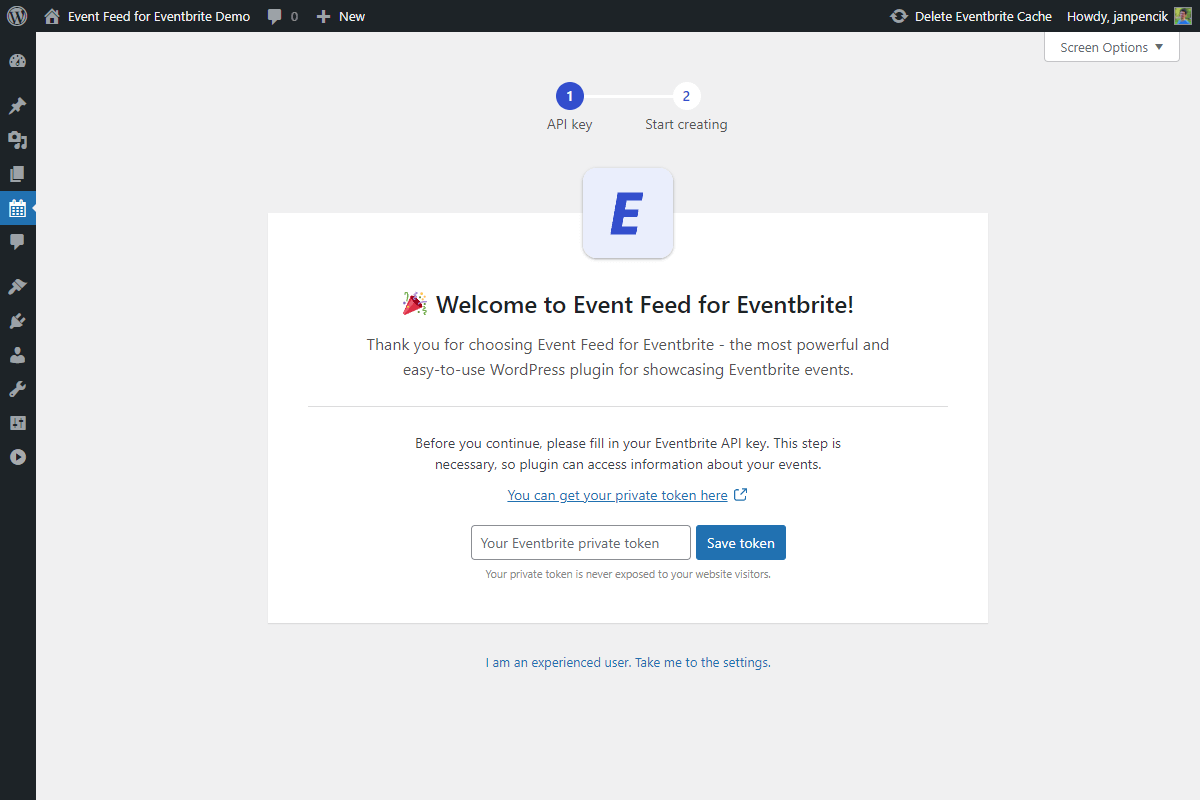
Installation wizard to help you get your Eventbrite token.

Managing event feeds is similar to managing regular WordPress posts.
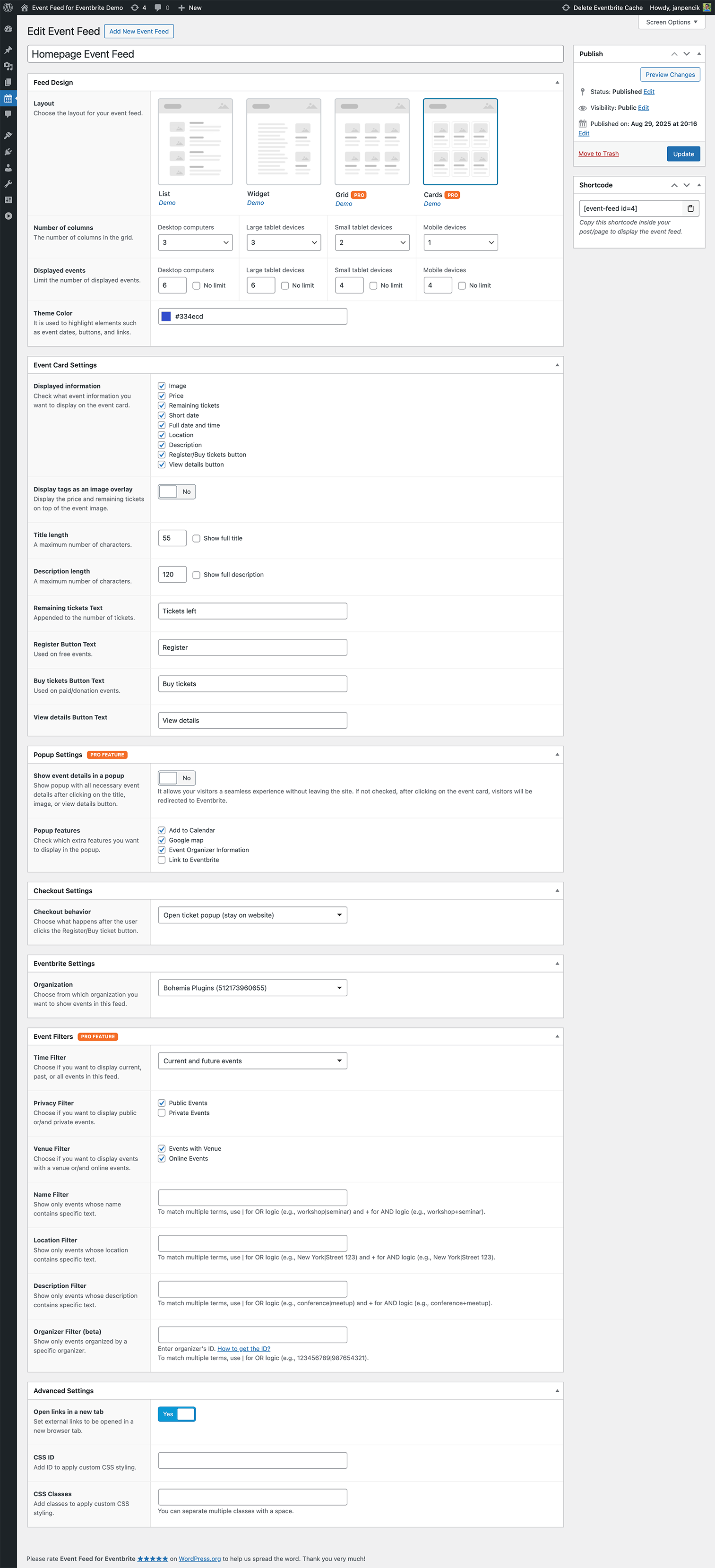
Event Feed Settings.

You can change your Eventbrite token in the Settings. You can also specify for how long your events will be cached.

If you are not happy with the font provided by your theme, you can use any other font from Google fonts. You can also set the image placeholder for your events.
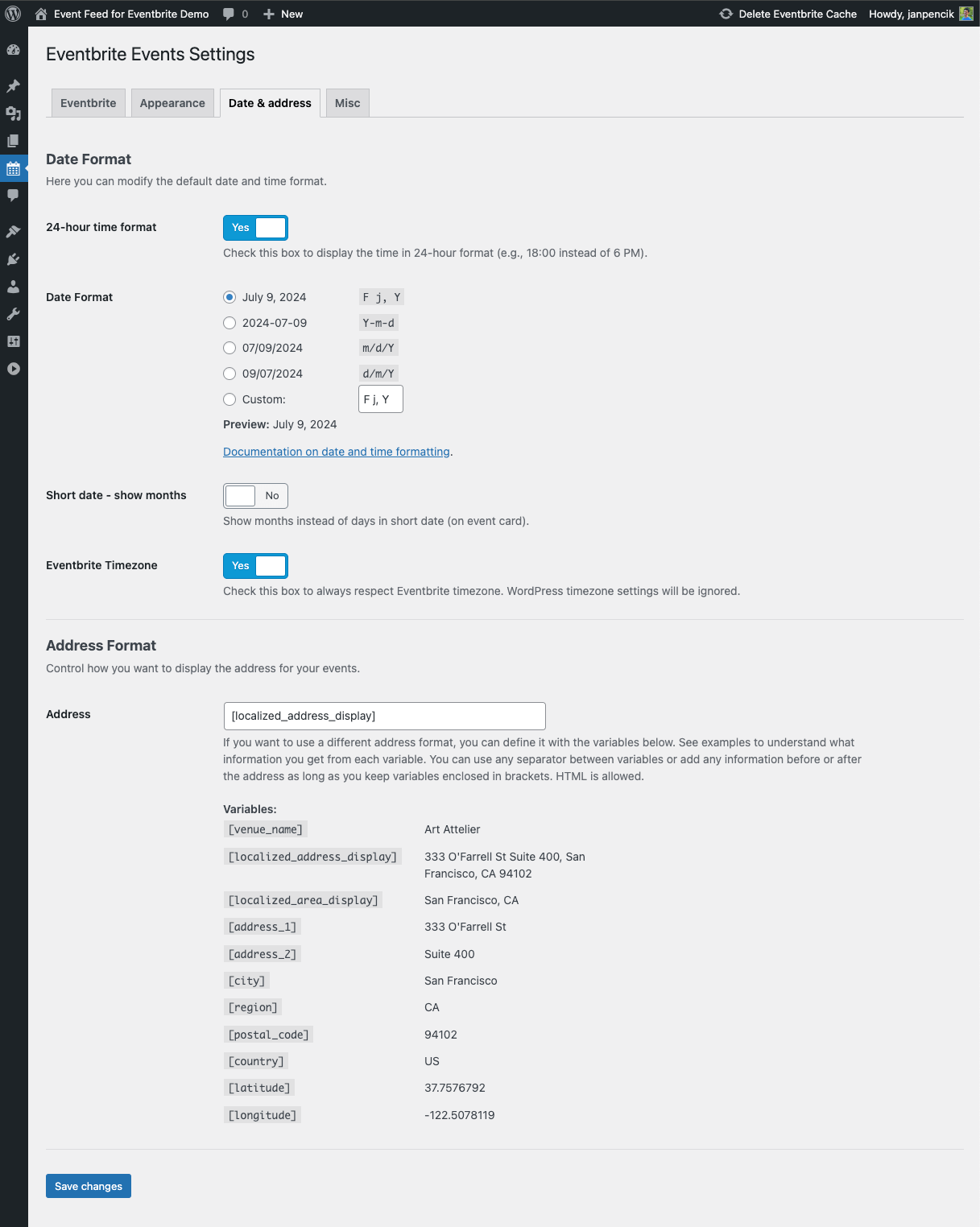
Choose the date and time format and set the address format for your Eventbrite events.

Miscellaneous Settings.