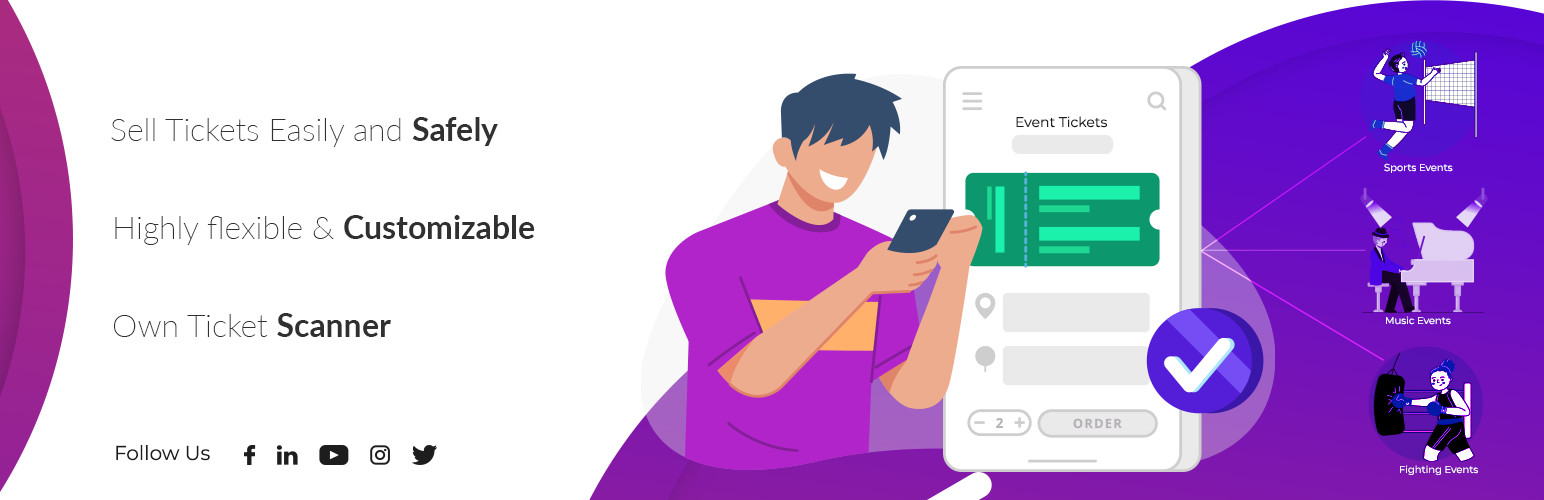
Run your entire ticketing workflow inside WordPress. No platform service fees, no per-ticket commissions — you only pay your payment processor (Stripe, PayPal, etc.).
Event Tickets with Ticket Scanner turns your events into scannable tickets — complete with QR code, downloadable PDF, and a built-in mobile ticket scanner for your team at the door.
Unlike ticketing platforms that charge service fees on paid tickets, this plugin adds no per-ticket commission — you keep your ticket revenue (minus your payment processor’s standard fee). Unlike other WordPress plugins, you get a visual seating plan designer and a ticket PDF designer included — not as expensive add-ons.
Active on 1,000+ WordPress sites — from small community events to large concert venues.
Who is this for?
- Selling at the door — evening box office (POS)? The built-in Kasse is a complete point of sale: sell tickets, memberships, day passes, ride tickets and entries at the counter, with ticket types, automatic totals and a cash change calculator. No event, no online shop required
- Concert & festival organizers — sell general admission or assigned seats with interactive seat selection
- Theaters & venues — design your seating layout with drag & drop, let customers pick their seats
- Sports events & arenas — handle high scan volumes with rapid-scan queueing and team scanner access
- Conferences & congresses — give attendees a private companion portal with programme, speakers, downloads and time-controlled access, opened straight from the ticket (see “Congress & Attendee Portal” below)
- Single events with an info app — any event, not just big congresses: build a mobile info page (schedule, speaker info, downloads, support pages) your visitors open with their ticket — no separate app to install
- Clubs, spas, gyms & theme parks — sell multi-entry passes, family tickets, or memberships with expiration
- Community events & fundraisers — get started in minutes with the free version (up to 50 tickets)
How it works — 3 steps
- Install the plugin and create a ticket list under “Event Tickets”
- Enable “Ticket Sales” on any WooCommerce product
- Customers receive a unique QR code ticket — scan and redeem at the entrance
That’s it. No coding required. Watch the quickstart video
🎨 Visual Seating Plan Designer
Create professional venue layouts without any design tools:
- Drag & drop seats, shapes, labels, and text onto your canvas
- Upload venue floor plans as background images
- Rotate, duplicate, and bulk-edit elements
- Color-code seat categories and pricing tiers
- Customers see a real-time interactive seat map during checkout
- Seats are automatically blocked during checkout and released on cancel/refund
🎟️ Ticket PDF Designer
Design tickets that match your brand — not generic templates:
- Add your logo, custom colors, header and background images
- Position QR codes exactly where you want them
- Create event badges for staff and VIP passes
- Multi-page PDF support with attached documents
- Full bleed mode for edge-to-edge designs
📱 Built-in Ticket Scanner
No extra app needed. The scanner runs in any mobile browser — or install it as a PWA:
- Scan QR codes with your phone camera — works on iOS and Android
- Install as PWA — add to home screen for instant launch without browser chrome
- Fullscreen mode — immersive scanning with a single tap
- Haptic feedback — vibration confirms valid/invalid tickets instantly
- Grant team members scanner access via Auth Tokens (no WordPress login needed)
- See ticket details, seat position, and venue map instantly after scan
- Voice output confirms valid/invalid tickets for fast processing
- Protection against fake tickets, double redemption, and brute-force attempts
- Supports hardware barcode scanners for high-traffic entrances
- Customizable theme color to match your brand
📲 Vollstart Wallet — All Tickets in One App
Your customers can collect tickets from multiple shops in one free app:
- Vollstart Wallet at wallet.vollstart.com — a Progressive Web App that works on iOS, Android, and desktop
- Tickets are added with one click from the ticket page or order email
- QR code always available — even offline
- Privacy first — ticket data flows directly from your shop to the customer’s browser. Vollstart never receives or stores any data
- Learn more about security & privacy
Enable it in Settings Digital Wallets. Free for all users.
🎓 Congress & Attendee Portal
Give ticket holders a private event portal — no extra login, no separate app. Assign a congress to any ticket product and buyers reach it straight from their ticket ID.
- Organize content into pages — a start page plus as many pages as you need (Speakers, Programme, Downloads, Sponsors …), with a sidebar on desktop and a hamburger menu on mobile
- Rich section types — formatted text, a day-by-day programme schedule, downloadable files, link lists, image galleries, single images, and embedded videos (paste a YouTube/Vimeo link or upload your own)
- Password-protect individual sections for VIP or speaker-only content
- Fast by design — the start page loads instantly and other pages are fetched on demand, so even congresses with dozens of speakers stay snappy
- Installable & offline-friendly — the portal ships as a mini Progressive Web App
- Time-controlled access — open the portal a set number of hours before the event and keep it available for a chosen number of days afterwards
- Recurring events — duplicate a congress as a “new edition” in one click
Build it under the Congresses menu, assign it in the product’s Event Tickets tab, and optionally add a portal link to the order email. Included free.
Powerful Ticket Types
- Single entry — classic one-time event ticket
- Multi-entry passes — allow multiple scans (configurable limit)
- Family tickets — generate multiple tickets per order item
- Memberships & season passes — set expiration dates
- Day chooser tickets — let customers pick their event date at checkout
- Purchase allowance codes — require a valid ticket or access code before a product can be bought. Use it for presale and access codes, or to require a ticket from an earlier event (for example a group-stage ticket in order to buy the final). Per product you decide whether a code unlocks one purchase or several
Also supports WooCommerce
Sell standalone with the built-in checkout and Kasse — or plug into your existing WooCommerce store, whichever you prefer.
- Works with product variants (e.g., VIP vs. General Admission)
- Tickets auto-generate on order completion
- Refunded orders automatically recover and recycle ticket numbers
- Compatible with WooCommerce Subscriptions
- Works with WooCommerce PDF Invoices & Packing Slips
- WPML compatible for multilingual stores
Free vs. Premium
The free version covers everything you need to start selling tickets — ideal for small events up to 50 tickets:
- ✅ Ticket generation with QR codes (up to 50 tickets, 5 ticket lists)
- ✅ PDF ticket download (via link in email)
- ✅ Built-in ticket scanner
- ✅ Interactive seating plan designer (1 plan, up to 20 seats)
- ✅ Seat selection at checkout
- ✅ Multi-entry and family tickets
- ✅ Day chooser for date-based events
- ✅ Congress / attendee portal (pages, programme, downloads, media, password-protected sections)
- ✅ Purchase allowance codes (presale/access codes, or require a ticket from an earlier event)
- ✅ Webhooks for third-party integrations
Premium adds professional features for larger events and removes all ticket limits:
- 🔓 PDF ticket as email attachment (not just a link)
- 🔓 Team scanner access via Auth Tokens
- 🔓 Calendar invites (ICS files) in emails
- 🔓 Custom flyers and multi-page PDFs
- 🔓 CVV security check on tickets
- 🔓 Brute-force IP blocking
- 🔓 Unlimited tickets (removes the 50-ticket free limit)
- 🔓 Advanced shortcodes for ticket display and validation
Links
Screenshots
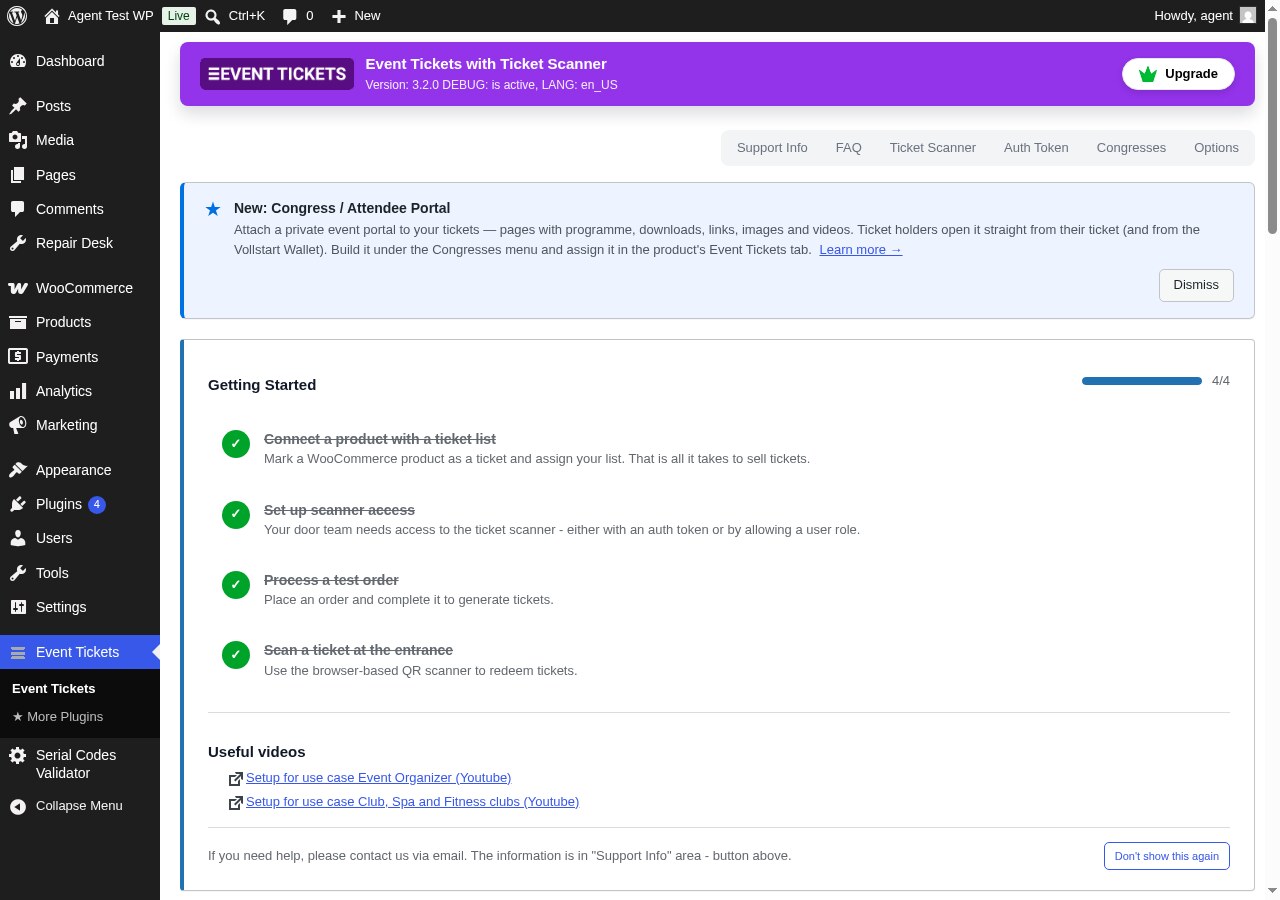
Event Tickets Dashboard — Manage ticket lists, sold tickets, and everything else from one place in your WordPress admin.
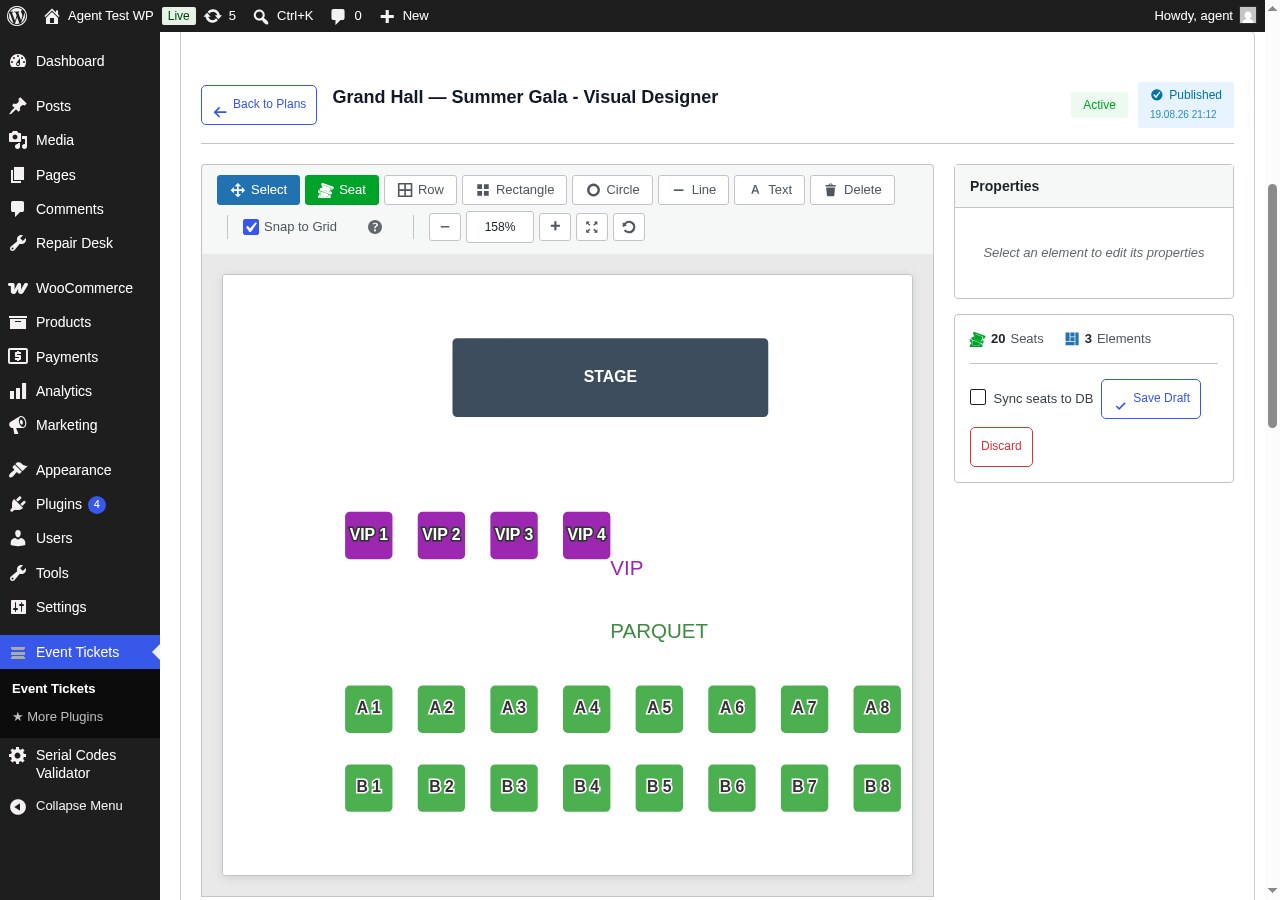
Visual Seating Plan Designer — Drag & drop seats, rows, shapes and labels to design your venue. No design tools needed.
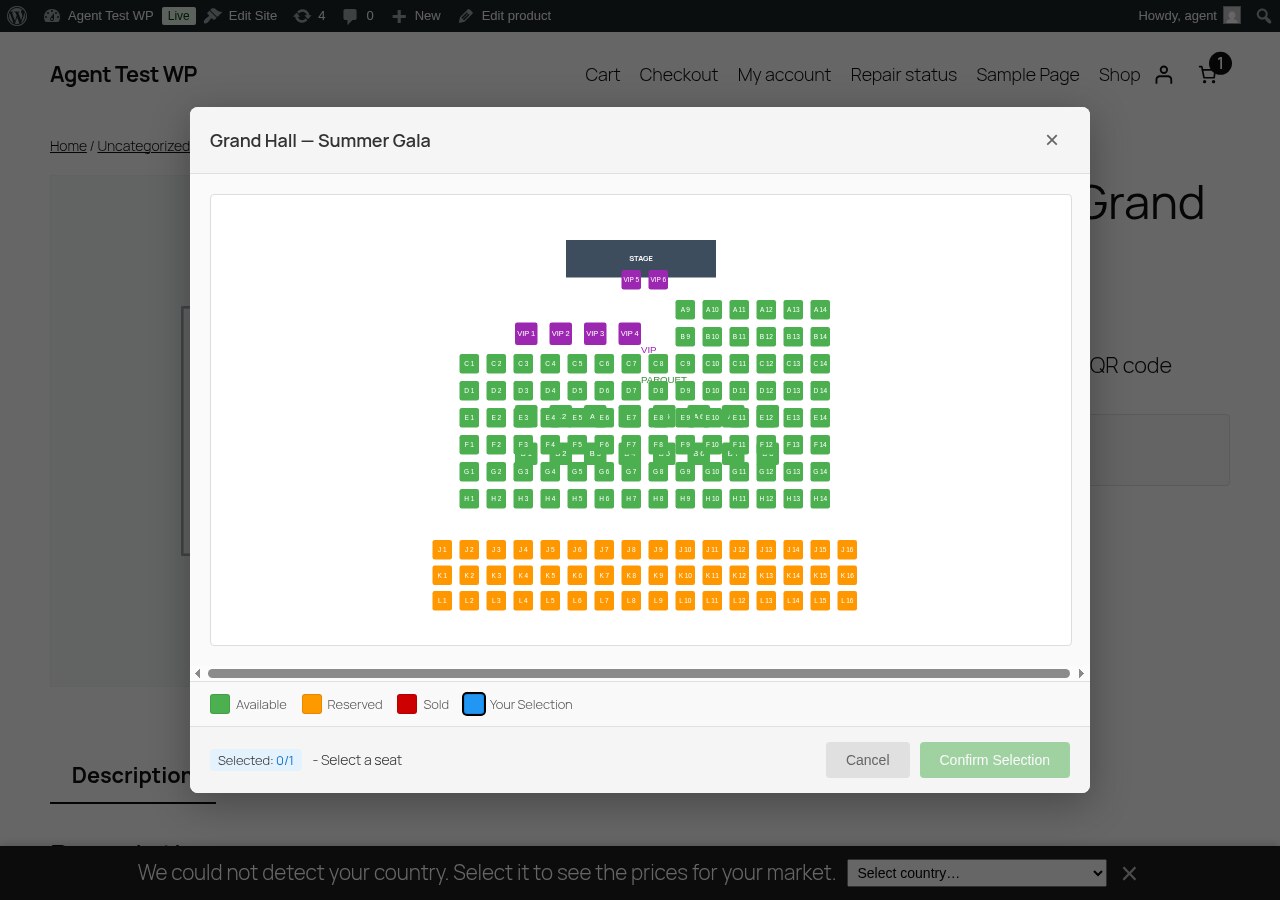
Interactive Seat Map at Checkout — Customers pick their own seat on a live seat map. Taken seats are blocked automatically.
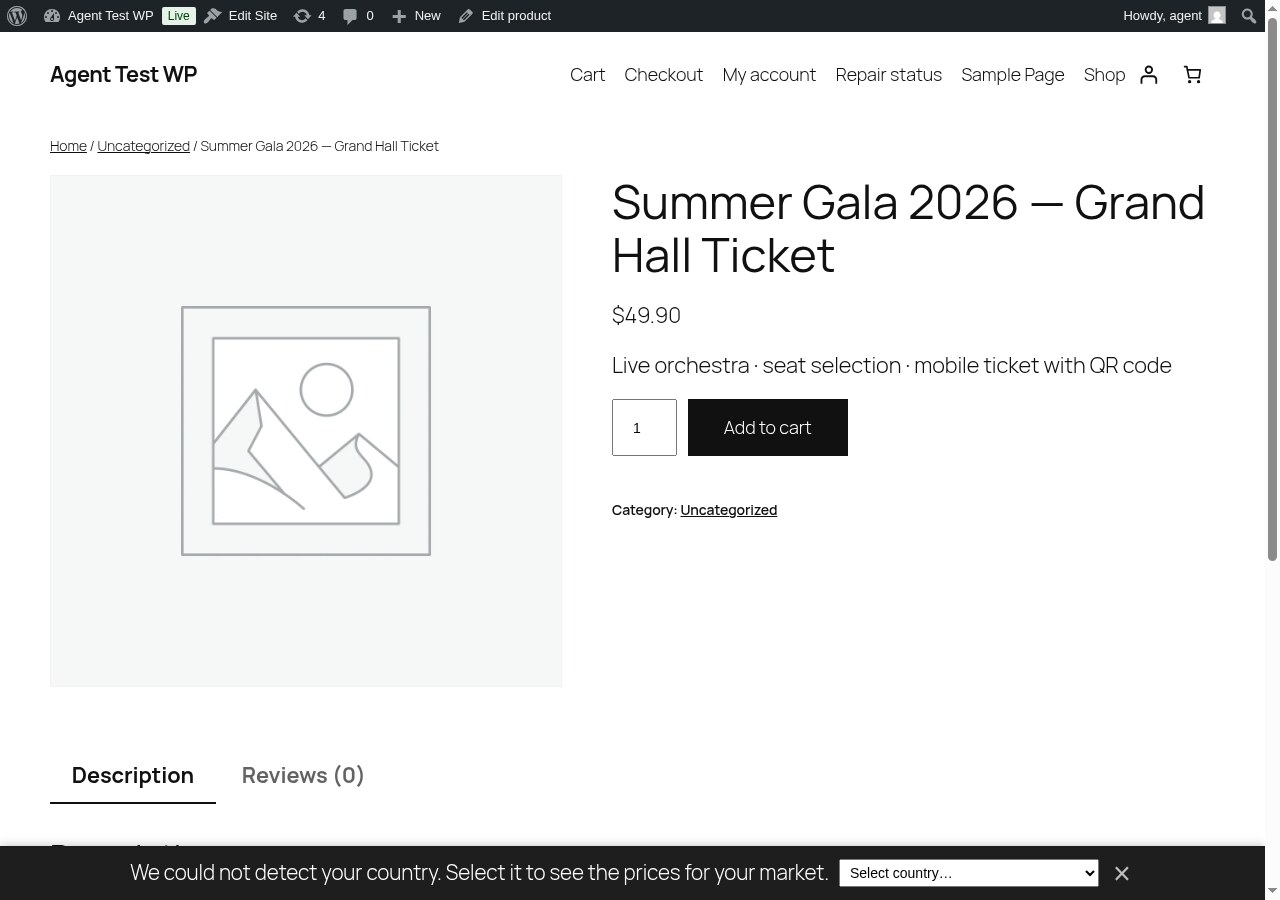
Sell Tickets as WooCommerce Products — Any product becomes a ticket with one checkbox. Works with variations like VIP or General Admission.
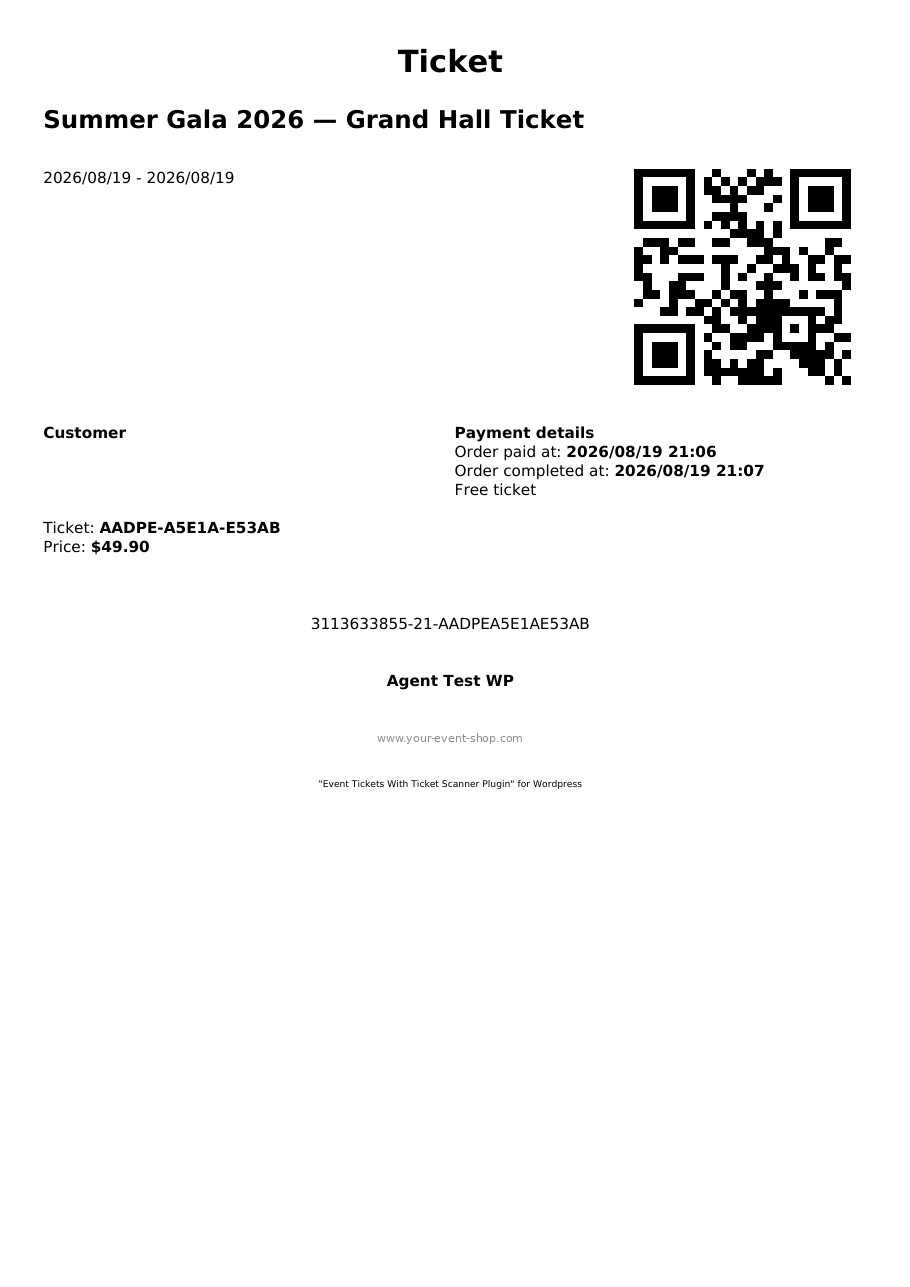
PDF Ticket — Branded PDF ticket with QR code, ready for print or mobile display.
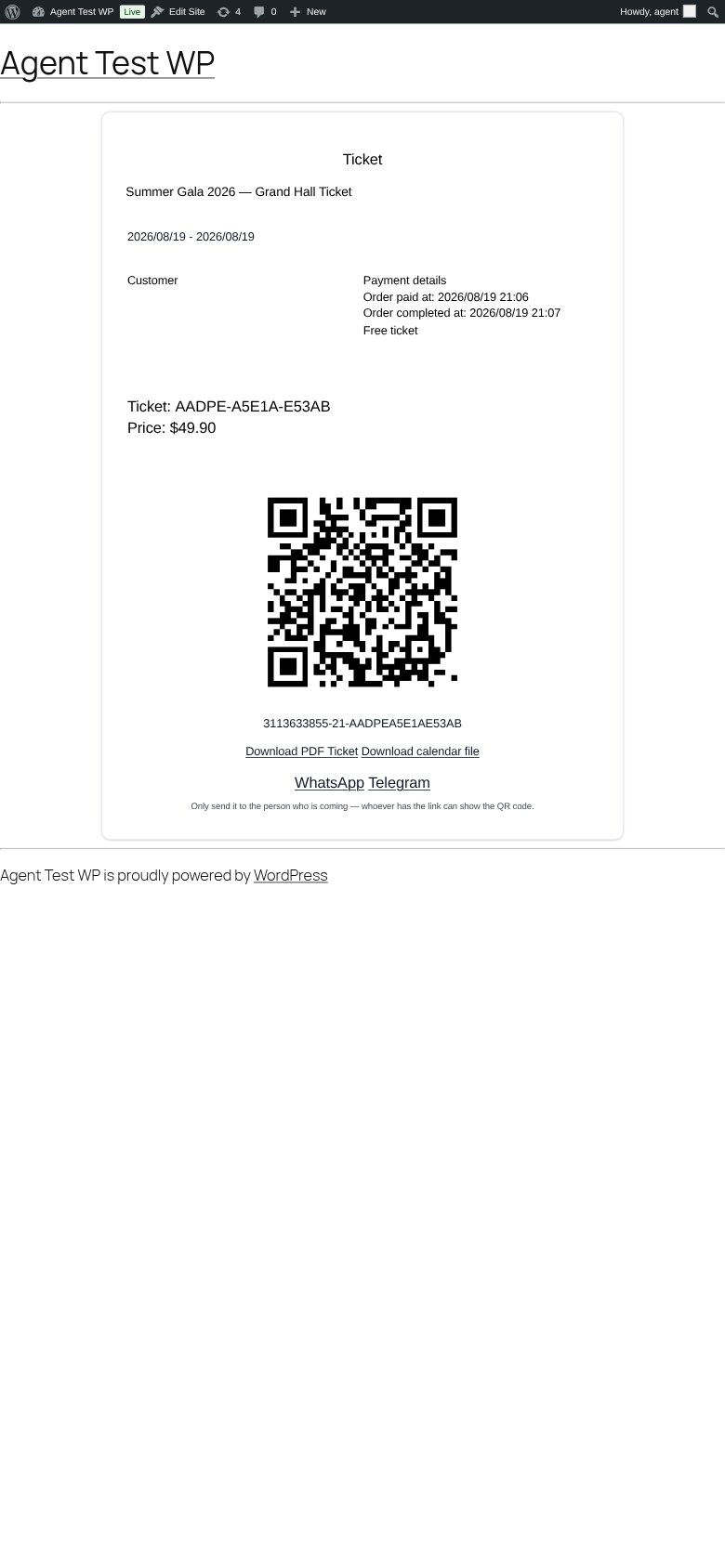
Ticket on Mobile — Customers see their ticket with QR code, PDF download and calendar file on any device.
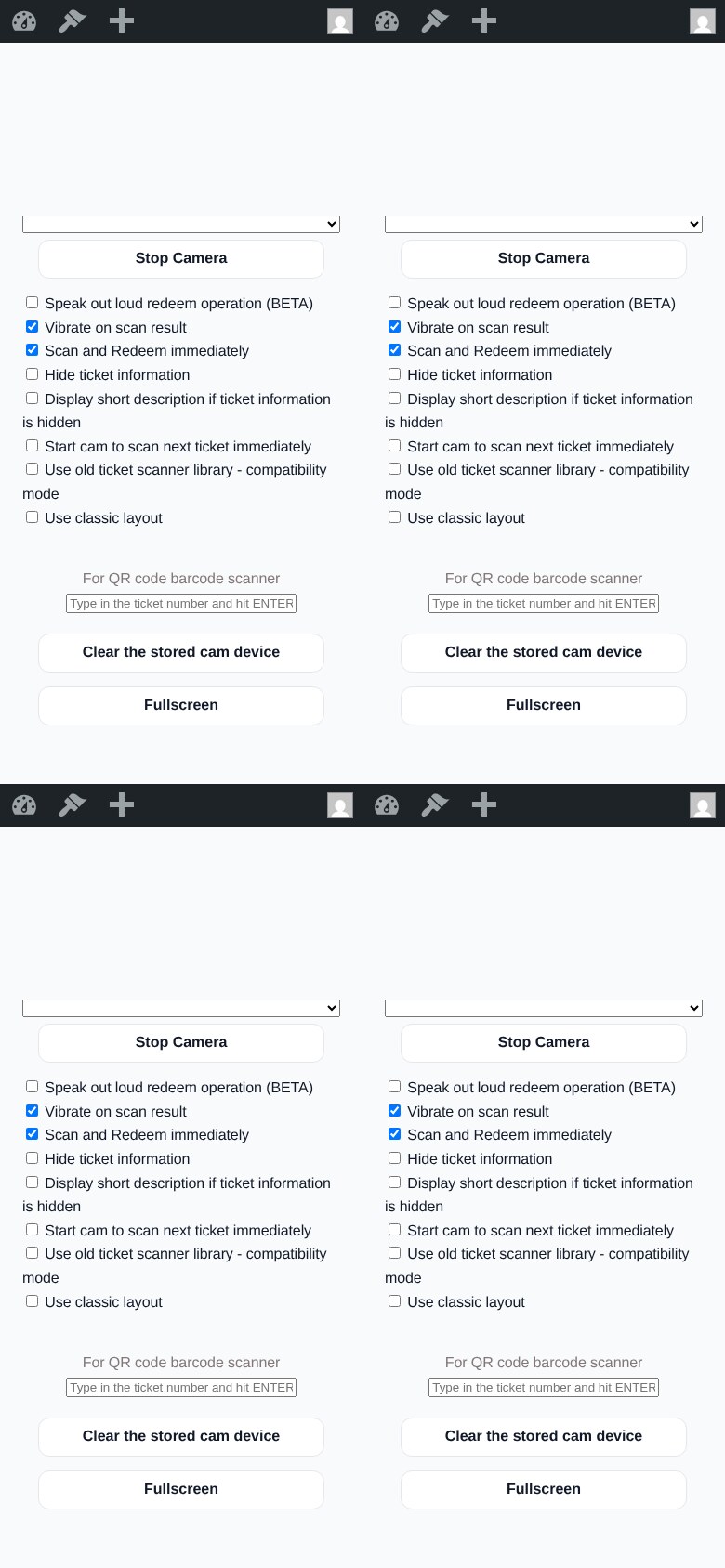
Ticket Scanner — Scan and redeem tickets with any phone. No extra app required; installs as a PWA with fullscreen mode.
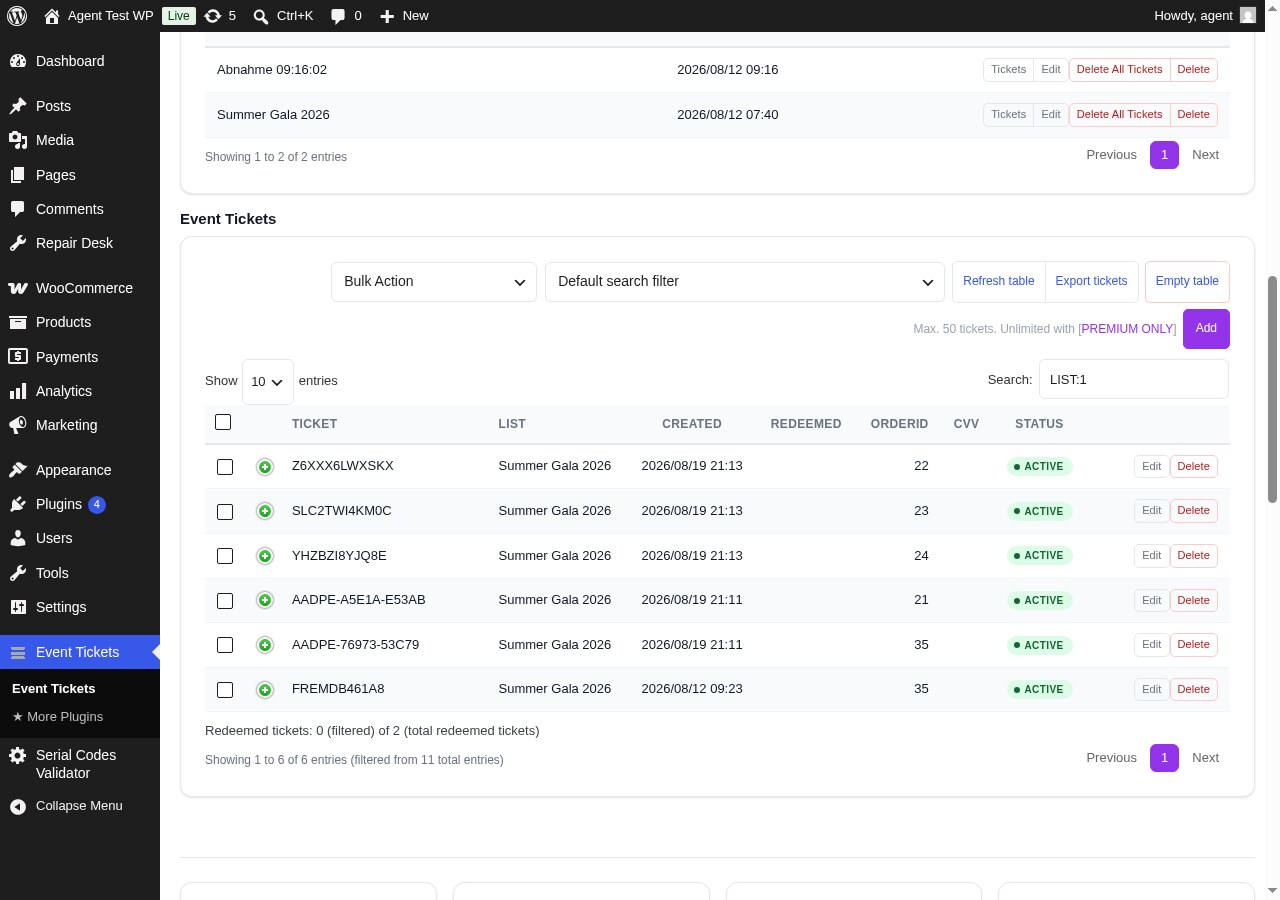
Ticket Management — All generated tickets with status, redemption info, filters and CSV export.
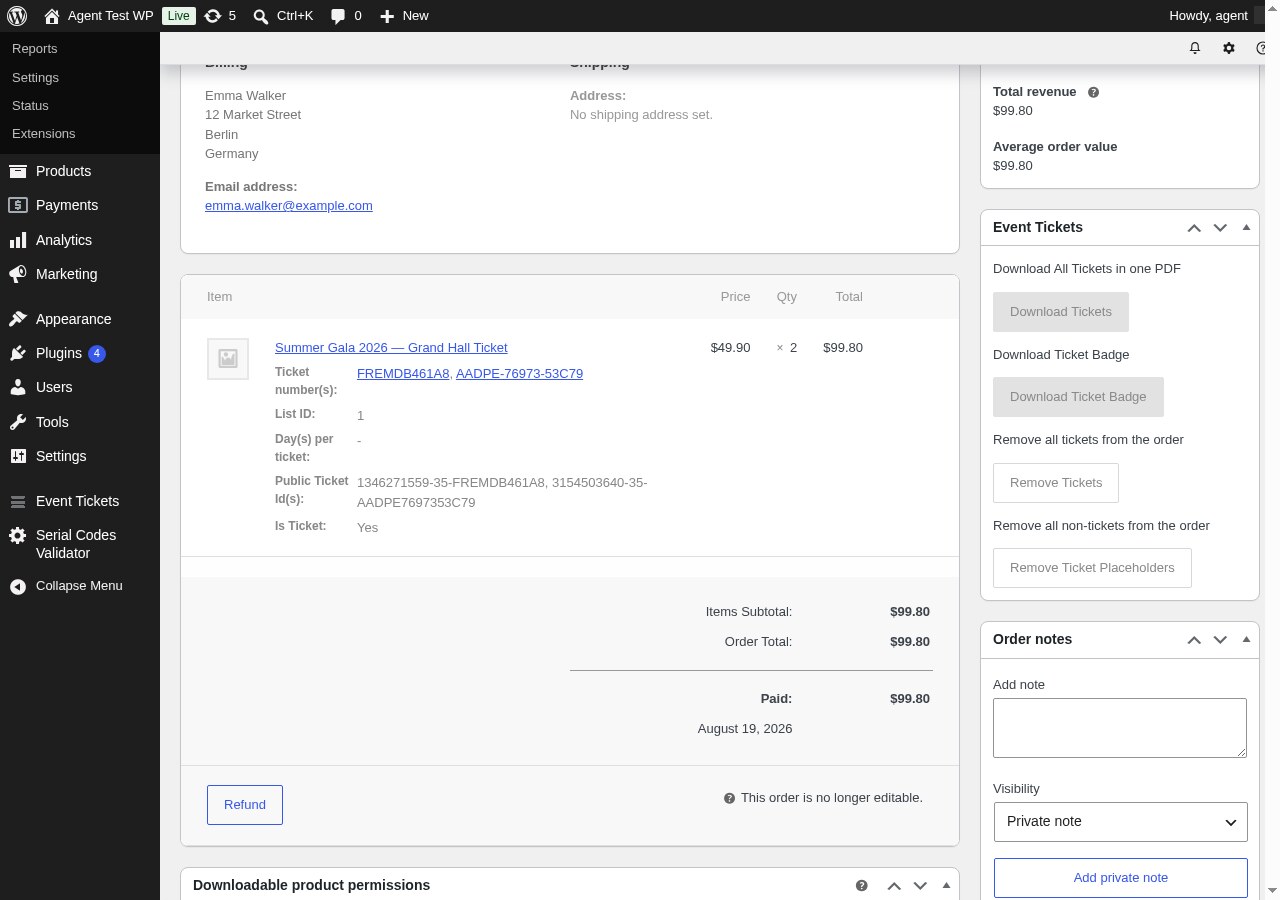
Tickets on the Order Page — See and quick-scan the tickets of every WooCommerce order directly in the order detail view.
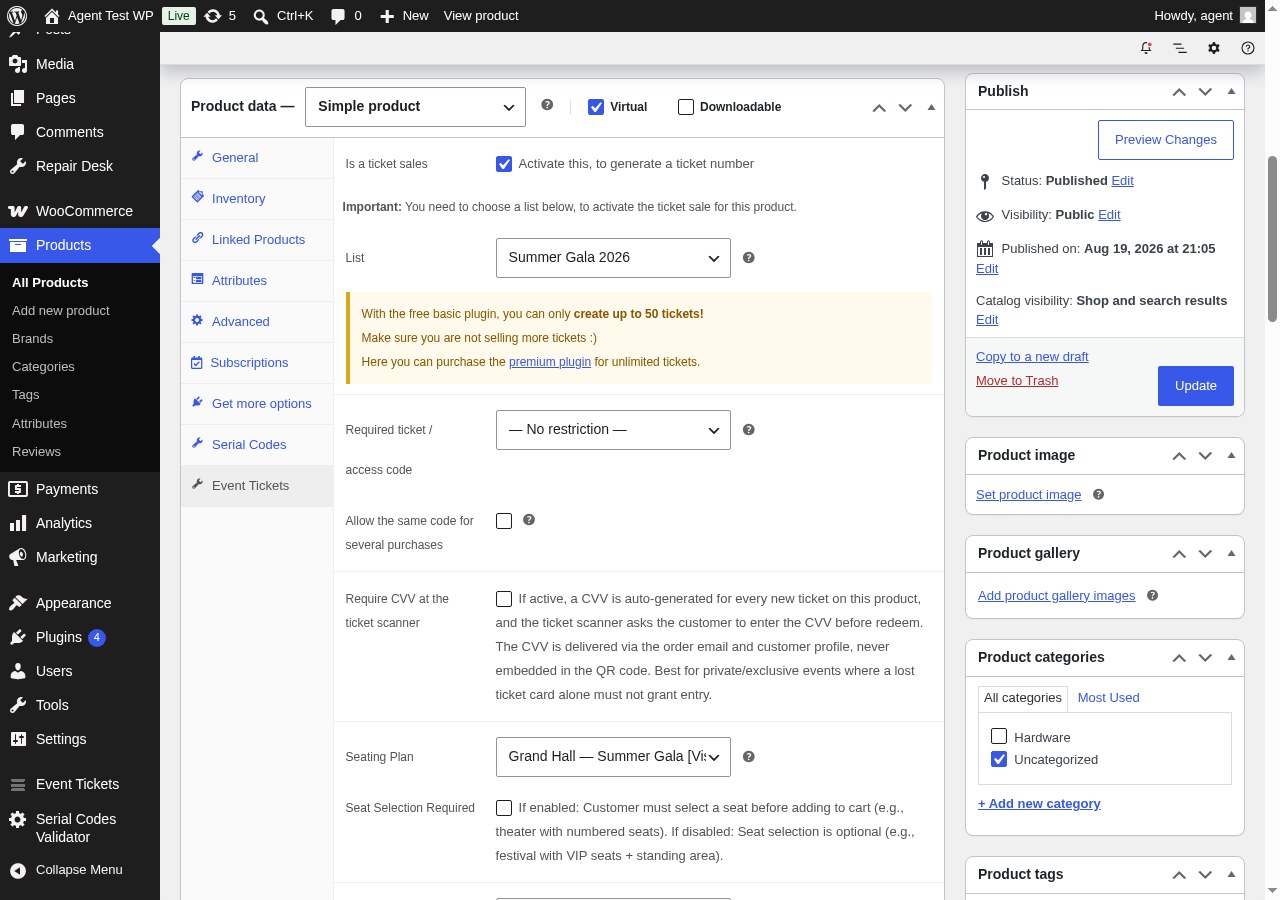
Product Settings — Enable ticket sales, assign a ticket list and a seating plan on the product's Event Tickets tab.