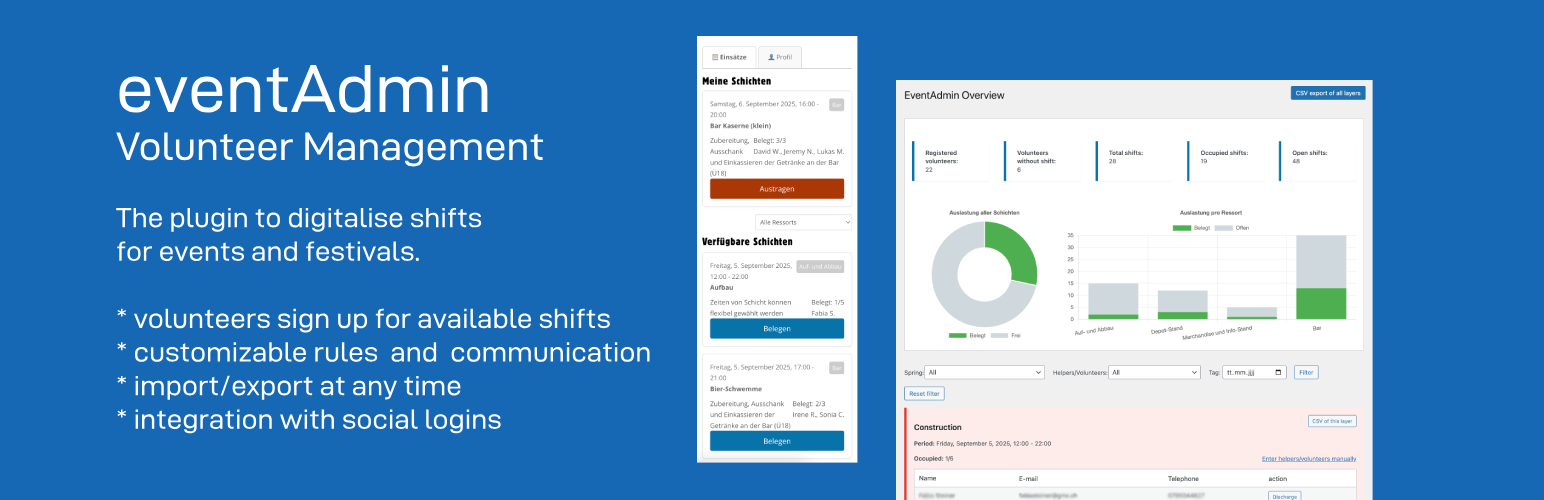
EventAdmin turns a WordPress page into a self-service volunteer roster for an event. You create the shifts; volunteers register and sign themselves up; you keep the overview.
How it works:
- Set up shifts. Each shift has a time slot, a department, and a minimum/maximum number of volunteers. Departments can be nested and colour-coded.
- One page for volunteers. Put the
[eventadmin]shortcode on a page. Visitors who are not logged in see a short registration form. Once registered, the same page becomes their dashboard: open shifts to join, the shifts they have taken, and their profile. - Volunteers manage themselves. They sign up and cancel on their own, up to an optional deadline. Limits you set — shifts per day, week, month or year, and optional overlap prevention — are enforced automatically.
- You stay in control. The admin overview shows who signed up and which shifts are understaffed, as a Dashboard, Cards, a Table, or a drag-to-reschedule Timeline. Assign or create volunteers by hand, import or export CSV, and send bulk emails to chase the gaps.
- Delegate without giving out Administrator. Two extra roles — Shift Manager and Volunteer Manager — hand off day-to-day work (shifts, volunteers, announcements) to other organizers without full admin access.
- Reach people by department. Link a volunteer to one or more departments to target them with announcements — even before a single shift in that department exists yet.
- Recruit in public. An optional
[eventadmin_open_positions]list shows visitors where help is still needed before they register — no login required.
Built for clubs, street festivals, and community events. Everything runs in your own WordPress install — no page builder and no external service required. Emails are sent through WordPress; social login works via the free Nextend Social Login plugin. New installs get a step-by-step “Getting started” checklist right on the dashboard.
Features:
- Create shifts with a time period, a department, and a minimum/maximum number of volunteers
- Nested, colour-coded departments; a department (and its shifts) can be hidden from volunteers
- Public frontend on one page: volunteers register, sign up for shifts, and manage their profile
- Volunteers sign up and cancel themselves, with an optional cancellation deadline
- Configurable limits: maximum shifts per day, week, month, or year, plus optional overlap prevention
- Optional “Full shifts” section so volunteers can still see fully booked shifts (disabled by default)
- Public “open positions” overview (
[eventadmin_open_positions]) — a no-login list of where volunteers are still needed, grouped by department, for a recruitment page - Two delegated roles — Shift Manager (shifts, departments, volunteers) and Volunteer Manager (volunteers, announcements) — for handing off work without full Administrator access
- Link volunteers to one or more departments, independent of shift history, to target them with department-specific announcements
- CSV import for volunteers (name, email, phone) and for shifts (title, description, time, department, capacity, organizer) under Tools EventAdmin Data
- Manual creation and assignment of volunteers by admins — pick an existing volunteer from a dropdown or create a new account on the fly, including offline volunteers without an email address
- Per-shift organizer — override the notification sender for a single shift with a linked WordPress user and/or a manual name and email
- Assignment, cancellation, and reminder emails (reminders a configurable number of days before a shift), plus a separate, fully customizable notification to the shift’s organizer on every sign-up and cancellation
- Registration form protected by a honeypot plus optional CAPTCHA (Google reCAPTCHA v2/v3, hCaptcha, or Cloudflare Turnstile); blocked attempts are logged
- CSV export per shift or for all shifts
- Admin overview with Dashboard, Cards, Table, and Timeline views — drag shifts on the Timeline to reschedule them, or copy a whole day’s shifts (and optionally its volunteers) to a new date
- Dashboard statistics: registered volunteers, upcoming shifts, and open spots split into required (below the minimum) vs. optional openings
- A “Getting started” checklist on the dashboard for new installs — tracks initial setup and surfaces less obvious features, then disappears once everything’s done
- Bulk email tool: announcements to all, opted-in, department-, shift-, or upcoming-shift-based recipient groups — batched, with a progress bar, delivery-failure tracking, a live HTML preview, an optional PDF attachment, and a confirmation email to the sender
- Customisable email design: rich-text templates, header colour, header title/subtitle, footer, and custom CSS
- Volunteers can opt out of announcements on their profile page
- Send history log with subject, message preview, recipient count, and failure count
- Integration with Nextend Social Login
- Fully translatable; ships with German (informal & formal), French, Dutch, and Norwegian translations
External services
The plugin does not send your data anywhere on its own. Two optional features rely on third-party services, and only when you switch them on:
- Spam protection on the registration form. If you enable a CAPTCHA under Settings General Security, the chosen provider’s script is loaded on the registration page and the visitor’s CAPTCHA response and IP address are sent to that provider for verification:
- Google reCAPTCHA — Privacy Policy, Terms
- hCaptcha — Privacy Policy, Terms
- Cloudflare Turnstile — Privacy Policy, Terms
- Social login. If the separate Nextend Social Login plugin is installed and configured, volunteers can sign in through the provider you set up there (e.g. Google, Facebook). That exchange is handled by Nextend Social Login and the provider, under their terms.
With none of these enabled, the plugin makes no external requests.
Privacy
EventAdmin stores volunteer data in your own WordPress database: name, email address, and phone number on the user account, plus which shifts each person signed up for. Passwordless login uses a short-lived token in user meta. When CAPTCHA spam protection is enabled, blocked or suspicious registration attempts are logged with a timestamp, the submitted email, and the IP address.
The plugin does not yet integrate with WordPress’s personal-data export and erase tools, and it does not remove its data on uninstall (see the FAQ). To delete a volunteer’s data, delete their WordPress user — their shift assignments are removed automatically.
License
This plugin is free software under the GPLv3 or later.
Screenshots

Timeline view — every shift across the event on one chart, colour-coded by department; drag a shift to reschedule it

The volunteer view — browse open shifts by department and sign up in one click

Click a volunteer on the Timeline for quick actions — edit the shift, view their profile, move or remove them

Edit shift — title, department, time, min/max volunteers, and a rich-text description

Add a volunteer on the spot — pick an existing one or create a new account without leaving the shift

Settings — registration options and shift-limit rules (per day/week/month/year, overlap prevention)

Email design — shared placeholders and a live preview of exactly what volunteers receive

Send Announcement — target a recipient group and see a live preview of the email

Registration page — one-click sign-in via Google, Facebook, or X through the free Nextend Social Login plugin, or a password-free magic email link for everyone else