BACK TO DIRECTORY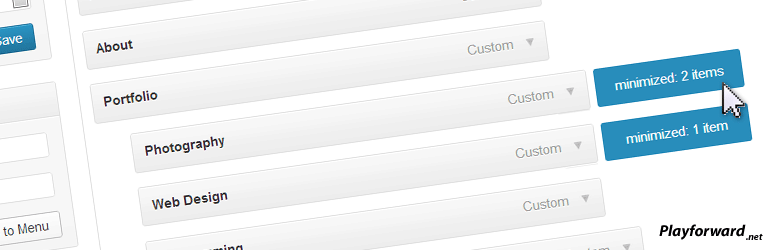

When creating a menu under the “Appearance -> Menus” tab it allows you to double click to expand and collapse a menu tree.
This is particularly useful for large menus or menus with many different sub trees that take up screen space.
Minimized menus will be saved as a cookie so when you return they should be minimized again.
Requirements
- Javascript is required.
- A browser that supports the :after CSS selector is required to show the minimized indicators (IE7 and IE8 may not show them).
Future releases:
- Images to show collapsed menus rather than just a blue marker.
- Double-click visual feedback.
- your ideas!
Screenshots
The edit menu screen with a couple menus collapsed.
Plugin Details
Active Installs
100Total Downloads
8,474Version
2.1Requires WP
3.0Requires PHP
—Tested Up To
3.6.1Added
2012-09-28Last Updated
2013-02-23 12:14am GMTRatings
5
11
4
1
3
0
2
0
1
0