Some of your visitors can’t read your site comfortably. Text is too small, contrast is too low, the font is hard going with dyslexia, or the motion makes them feel unwell. Most “accessibility widgets” fix this by loading a script from someone else’s server, charging a monthly fee, and promising legal compliance they can’t deliver.
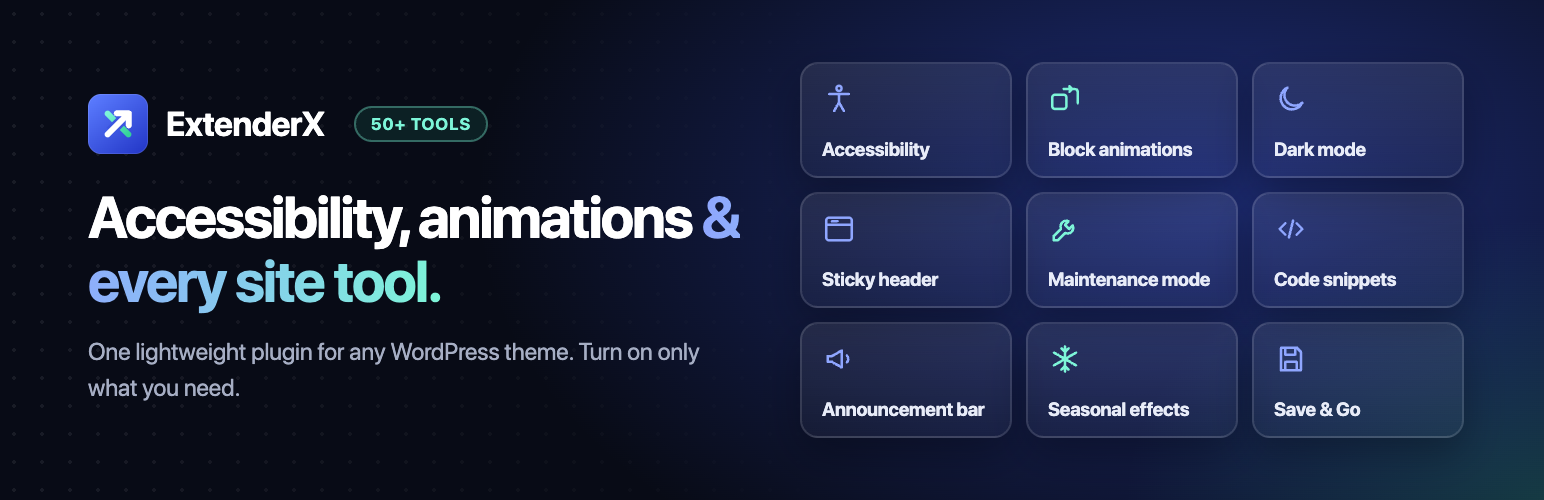
ExtenderX takes a different route. It adds a free accessibility toolbar to any WordPress theme. Visitors open it with one click or Alt+A and adjust the page to suit them: bigger text, higher contrast, a readable font, paused animations, or a one-click profile for low vision, dyslexia, focus or seizure safety.
- Free. The toolbar, 11 visitor tools, 4 quick profiles, a skip link and focus outlines cost nothing.
- Private. No cookies, no tracking, nothing fetched from an external service. A visitor’s choices stay in their own browser.
- Honest. It does not claim to make your site “compliant”, because no plugin can. It gives visitors control and gives you tools to find problems in your own content.
- Light. Nothing loads on your site until you switch it on.
Live demo | Compare Free vs Pro
Accessibility toolbar (free)
Tools that let visitors adjust how your site is displayed, so they can read and navigate it more comfortably. Everything is off until you enable it, nothing is fetched from an external service, and no visitor data leaves their browser.
- Accessibility Toolbar — a floating button that opens a panel of display controls, grouped into Text, Color, Content, and Motion & reading. Free tools: text size, a readable font, left-aligned text, high contrast, inverted colors, grayscale, a light background, underlined links, highlighted headings, hidden images, and paused motion.
- Quick profiles — Low vision, Dyslexia, Focus and Seizure safe each switch on a matching set of tools in one click, using only the tools you have enabled. Press again to clear.
- Keyboard shortcut — visitors open and close the panel with Alt+A from anywhere on the page. A badge on the button shows how many settings are active, and Reset all clears them.
- Remembered preferences — a visitor’s choices follow them from page to page, stored in their own browser. No cookies, nothing identifying recorded, and nothing sent to your server.
- Skip to Content Link — lets keyboard visitors jump past the header straight to your main content. Hidden until focused, and it moves focus properly rather than only scrolling. If your target selector doesn’t match, common landmarks are tried automatically.
- Enhanced Focus Outlines — a configurable ring (color, thickness, offset) around whichever element the keyboard is on, for themes that hide or wash out the browser default. Appears for keyboard input, not mouse clicks.
You choose which side the button sits on, how far up from the bottom, which tools appear, and whether the profiles row and the shortcut are offered.
The toolbar is itself keyboard operable, announces changes to screen readers, and honors the visitor’s “prefers-reduced-motion” system setting — motion starts paused for those visitors, and turning that off will not force animations back on for them.
Not an overlay, and no compliance promises
ExtenderX does not rewrite your markup, inject fixes from a remote service, or claim to make your site meet WCAG, the ADA or the European Accessibility Act. Those depend on your content, your theme and your own testing with real assistive technology. The toolbar is one part of that work: it lets visitors change how your site is displayed, and the Pro audit tools help you find gaps in your own content.
Pro accessibility tools
- Seven more visitor tools — reading guide, reading mask, text spacing, content zoom, a dyslexia-friendly typeface, a large cursor, and saturation control.
- Toolbar branding — button and icon colors, four icon choices, button size, stacking order, and hide-on-mobile.
- Accessibility Statement — generates an editable draft page describing the steps you take, what the site offers, what is still unfinished, and how visitors can report a problem. Written as prompts for you to complete; it asserts nothing about meeting any particular standard or law on your behalf.
- Alt Text Audit — lists images in your media library with no alternative text, paginated for large libraries, with a link to fix each one.
Also included: site tools for any theme
ExtenderX also ships a set of site tools you can switch on from the same dashboard, so you don’t need a separate plugin for each. They work on any WordPress theme — classic or block, with or without the Gutenberg editor. A disabled tool adds no CSS or JavaScript to your pages.
Block Editor Extensions (all free)
Six extensions added to the Gutenberg sidebar for every registered block — core WordPress blocks and third-party block libraries alike. No replacement blocks. No shortcodes.
- Entrance Animation — scroll-triggered effects (fade in, slide up, zoom, flip, bounce, and more) with duration, delay, and easing controls. Fires once when the block enters the viewport.
- Floating Animation — smooth, continuous looping motion for hero sections, testimonial cards, and promotional banners.
- Tilt Animation — GPU-accelerated 3D tilt that responds to cursor movement, powered by VanillaTilt.js.
- Visibility Control — show or hide any block on desktop, tablet, or mobile using clean CSS.
- Wrapper Link — make any block — group, column, image, card — fully clickable.
- Tooltip — accessible hover tooltips on any block, rendered by Tippy.js.
Scripts and styles are added only to pages where at least one block uses an extension.
Compatible block libraries: Kadence Blocks · Spectra (UAG) · Stackable · Essential Blocks · Ultimate Blocks · Ghostkit · Gutenverse · GutenKit · Otter Blocks · Greenshift · CoBlocks · GenerateBlocks · all core WordPress blocks
Motion & Animations (Beta)
- Site-Wide Animations (free) — set one reveal style and it applies automatically to your content across every page. Supports block-type targeting, stagger delays, and per-page or per-block overrides in the editor.
- Scroll-Linked Effects (Pro) — parallax drift and scroll-progress scrub for elements you target.
- Import / Export (Pro) — back up your motion configuration or move it between sites.
Appearance
- Dark Mode — visitor-facing dark/light toggle powered by DarkReader. Works with any theme, no configuration.
- Skeleton Loading Screen (Pro) — show a skeleton placeholder while page content loads.
- Preloader (Pro) — display a branded animation before the page reveals.
Navigation & Scrolling
- Back to Top Button — floating button with style presets, icon, position, and visibility options.
- Sticky Header — keeps your navigation fixed at the top of the viewport as visitors scroll.
- Sticky Footer Bar — persistent footer strip across all pages.
- Scroll Progress Bar — visual reading-progress indicator at the top of the page.
- Scrollspy — highlights the active navigation link based on scroll position.
- Smart Scroll — hides the header when scrolling down, reveals it when scrolling up.
- Scroll to Bottom Button (Pro) — one-click jump to the bottom of the page; stacks neatly beside Back to Top.
- Smooth Scrolling (Pro) — smooth page scrolling powered by Lenis.
- Scrollbar Styler (Pro) — customize the browser scrollbar color and appearance.
Site Access Modes
- Maintenance Mode — show visitors a maintenance page while you work; admins keep full site access.
- Coming Soon Mode — full-page coming-soon screen before launch.
- Age Verification (Pro) · Cookie Consent (Pro) · GDPR Notice (Pro) · Exit-Intent Popup (Pro)
Marketing
- Announcement Bar — dismissible top or bottom banner for offers and notices.
- Floating CTA Button — fixed call-to-action button that follows the visitor.
- CTA Pulse Animation — draw attention to any button with a pulse ring.
- Sticky WhatsApp Button (Pro) — floating WhatsApp chat widget.
- Global Countdown Banner (Pro) — site-wide urgency timer for sales and launches.
Custom Code
- Insert Headers & Footers — add HTML, CSS, or JavaScript to your site’s
<head>, after the opening<body>, or before the closing</body>. Suited to Google Analytics, Google Tag Manager, Meta Pixel, AdSense, and site verification tags. - Code Snippet Library — create, name, and toggle reusable HTML, CSS, and JavaScript snippets. Disabled snippets stay saved but stop running.
- Pro adds PHP snippets, conditional display logic (specific pages or post types), and scheduling.
Save & Go
A menu in the post editor (block and classic) that saves and then takes you straight to the next step.
- Free: Save & New, Save & List, Save & Next, Save & Previous, Save & View.
- Pro: Save & Duplicate, Save & Return, Save & View in New Window, a choice of default action, button placement options, and Bulk Add — paste a list of titles and create posts, pages or custom post types in one go.
Seasonal Effects
- Free: Winter Snow, Autumn Leaves, Falling Hearts.
- Pro: Spring Petals, Summer Bubbles, Christmas Lights, Fireworks, Halloween Bats, Ramadan Lanterns, Black Friday and Cyber Monday confetti, Weather, Particle Background, Fireflies, Twinkling Stars, Floating Emojis, Floating Shapes, Light Beams, Mouse Trail — plus scheduling by date range, page targeting, and per-effect colors.
All effects honor the visitor’s “prefers-reduced-motion” system setting.
Content Protection (all free)
Disable Right Click · Disable Copy · Disable Inspect · Disable Image Drag · Hide Admin Bar on Frontend
Free vs Pro at a glance
Free — yours to keep:
All 6 Block Editor extensions · Accessibility Toolbar with 11 visitor tools, 4 quick profiles, Alt+A shortcut and remembered preferences · Skip to Content link · Enhanced Focus Outlines · Site-Wide Animations (beta) · Insert Headers & Footers + HTML/CSS/JS snippets · Dark Mode · Back to Top · Sticky Header · Sticky Footer Bar · Scroll Progress Bar · Smart Scroll · Scrollspy · Maintenance Mode · Coming Soon Mode · Announcement Bar · Floating CTA Button · CTA Pulse Animation · 5 Save & Go actions · Winter Snow · Autumn Leaves · Falling Hearts · All 5 Content Protection tools · Full RTL support
Pro — when you need more:
7 more accessibility tools · Accessibility toolbar branding · Accessibility Statement generator · Alt Text Audit · Scroll-Linked Effects (parallax, scrub) · Motion Import/Export · Scroll to Bottom button · Smooth Scrolling (Lenis) · Scrollbar Styler · Skeleton Loading Screen · Preloader · 16 more seasonal and ambient effects · Seasonal scheduling, targeting and colors · Sticky WhatsApp Button · Global Countdown Banner · Advanced marketing widget options · Age Verification · Cookie Consent · GDPR Notice · Exit-Intent Popup · PHP snippets · Conditional snippet display · Snippet scheduling · 3 more Save & Go actions · Bulk Add
Is ExtenderX Pro right for you?
Start with the free plugin. Upgrade when one of these matches what you are doing:
- You run a store or run promotions — countdown banner, exit-intent popup, WhatsApp button, and Black Friday / Cyber Monday effects you can schedule ahead of time.
- You need consent and age gates — Cookie Consent, GDPR Notice and Age Verification without adding three more plugins.
- You are working on accessibility — an Alt Text Audit to find images to fix, an Accessibility Statement draft, extra reading tools, and a toolbar that matches your brand.
- You build sites for clients — PHP snippets with conditional logic, Motion Import/Export between sites, and Bulk Add to scaffold pages in seconds.
- You care about polish — smooth scrolling, parallax, preloader, skeleton loading screen and a styled scrollbar.
Upgrading keeps every setting you already have. Pro installs alongside the free plugin and unlocks the features marked PRO in the same dashboard — nothing to migrate or reconfigure.
License & Disclaimer
This plugin is licensed under GPL v2 or later. No warranties are provided. You are free to modify and distribute it under the same license.
Screenshots

Accessibility toolbar on the front end – the Dyslexia profile applied in one click: larger text, a readable font and left-aligned text. Visitors open the panel with the floating button or Alt+A.

Low vision profile – high contrast, 130% text, underlined links and highlighted headings, all from one button. Reset all clears everything.

Dashboard – turn the accessibility toolbar on with one click, then preview it on your site. Site Enhancements, Block Editor extensions and Custom Code sit below.

Accessibility settings – Accessibility Toolbar, Skip to Content Link, Enhanced Focus Outlines, Accessibility Statement, and Alt Text Audit, with the toolbar's tool, profile, and branding settings.

Site Enhancements — Appearance – Dark Mode, Skeleton Loading Screen, and Preloader toggles with per-feature settings.

Site Enhancements — Navigation & Scrolling – Back to Top, Scroll to Bottom, Sticky Header, Sticky Footer Bar, Scrollbar Styler, and Smooth Scrolling.

Site Enhancements — Motion & Animations (Beta) – Site-Wide Animations and Scroll-Linked Effects engines with Import/Export for your motion configuration.

Site Enhancements — Seasonal Effects – Site-wide effects grouped by Seasons, Holidays, Sales, and Ambient; Winter Snow, Autumn Leaves, and Falling Hearts are free.

Site Enhancements — Content Protection – Disable Right Click, Copy, Inspect, Image Drag, and Hide Admin Bar controls.

Site Enhancements — Marketing – Announcement Bar, Floating CTA Button, Sticky WhatsApp Button, CTA Pulse Animation, and Global Countdown Banner.

Site Access Modes – Maintenance Mode, Coming Soon Mode, Age Verification, Cookie Consent, GDPR Notice, and Exit-Intent Popup.

Block Editor Extensions – Six Gutenberg extensions (Entrance Animation, Floating Animation, Tilt, Visibility Control, Wrapper Link, Tooltip) with individual toggles.

Custom Code Snippets – Snippet table with type (HTML/CSS/JS), injection location, logic rules, and per-snippet active toggle.


