
Some products need to say something the rest of the order does not — licence terms for a
download, or a lead time for a made-to-order item. Write that message once, choose which
products it applies to, and decide when it goes out. It runs through WooCommerce’s own
email system.
Rules
A rule is one message plus the conditions under which it is sent, and a store can have as
many as it needs. Trigger, timing, recipients and subject belong to a rule sent as its own
email; an inserted rule takes those from the WooCommerce email it joins.
When a rule fires
- when an order reaches a status you choose
- when an order moves from one specific status to another
- when an order is refunded, in full or in part
These apply to a rule sent as its own email. An inserted rule has no trigger of its own:
WooCommerce decides when its email sends.
Targeting
Target a rule by individual products or variations, product categories, tags or product
type. Each selector can include or exclude products. An item matches any selected
include, while a matching exclusion always wins. Choose “Every product in the order”
to start broadly and then exclude exceptions.
Delivery modes
Two modes, chosen per rule:
- Insert — placed inside a WooCommerce email the store already sends, so its reader
gets one email rather than two. You choose which of the store’s order emails it
joins — a customer one or an admin one — and where the message appears. The list
leaves out any email this plugin can confirm will not show the order, and flags any
it cannot confirm either way. - Separate — sent as its own email, with its own subject line.
Delay and grouping
Both of these belong to a rule sent as its own email. It can wait — seconds, minutes,
hours or days after the trigger — queued through Action Scheduler, WooCommerce’s own
background queue. And when it matches several products in one order, you choose: one
message for the order, listing the matched products, or one message per product.
Who receives it
Recipients belong to a rule sent as its own email. A line can be the word customer for
the order’s billing address, admin for the site administrator, or any email address, and
a rule can carry separate To, Cc and Bcc lists. A rule with no To recipient sends nothing
and records that as the reason. An inserted rule has none of its own: its content goes into
the WooCommerce email already being sent, to whoever that email is addressed to.
Placeholders
Body content can carry placeholders filled in from the live order: customer name, email
and phone; order number, date, status, total and payment method; billing and shipping
addresses; store name and sender address; the matched product’s name, SKU, quantity and
variation attributes; list placeholders covering every matched product; and custom fields.
A separate email takes them in its subject and heading too, and the rule editor lists each
one with a description.
Preview and test
- Preview renders a rule against a real order in the WooCommerce email layout, in both
HTML and plain text. It writes nothing and sends nothing; a per-product rule shows one
message and says how many would be sent. - Send a test email delivers the rendered message to an address you choose. The
rule’s own recipients are not used — not its To, Cc or Bcc. It is a real email, and only
a rule sent as its own email can be tested: an inserted rule has none of its own.
Delivery history
Every automatic delivery is recorded — rule, order, recipient, subject line, whether it
succeeded and the reason if it did not — store-wide on its own screen and per-order on the
order edit screen. Details go with a personal-data erasure request, or when you remove the
plugin’s data; nothing is cleared on a schedule in this release.
Sending by hand
From an order you can send any eligible rule’s message on demand, resend one already sent,
and send or cancel one waiting on its delay — each behind a confirmation naming the
recipient.
Compatibility
Messages use WooCommerce’s email templates. Compatibility with theme overrides and
third-party email customizers varies. Preview rules and verify insert mode with a real
test order. The plugin declares compatibility with High-Performance Order Storage (HPOS)
and is tested with it enabled.
Screenshots
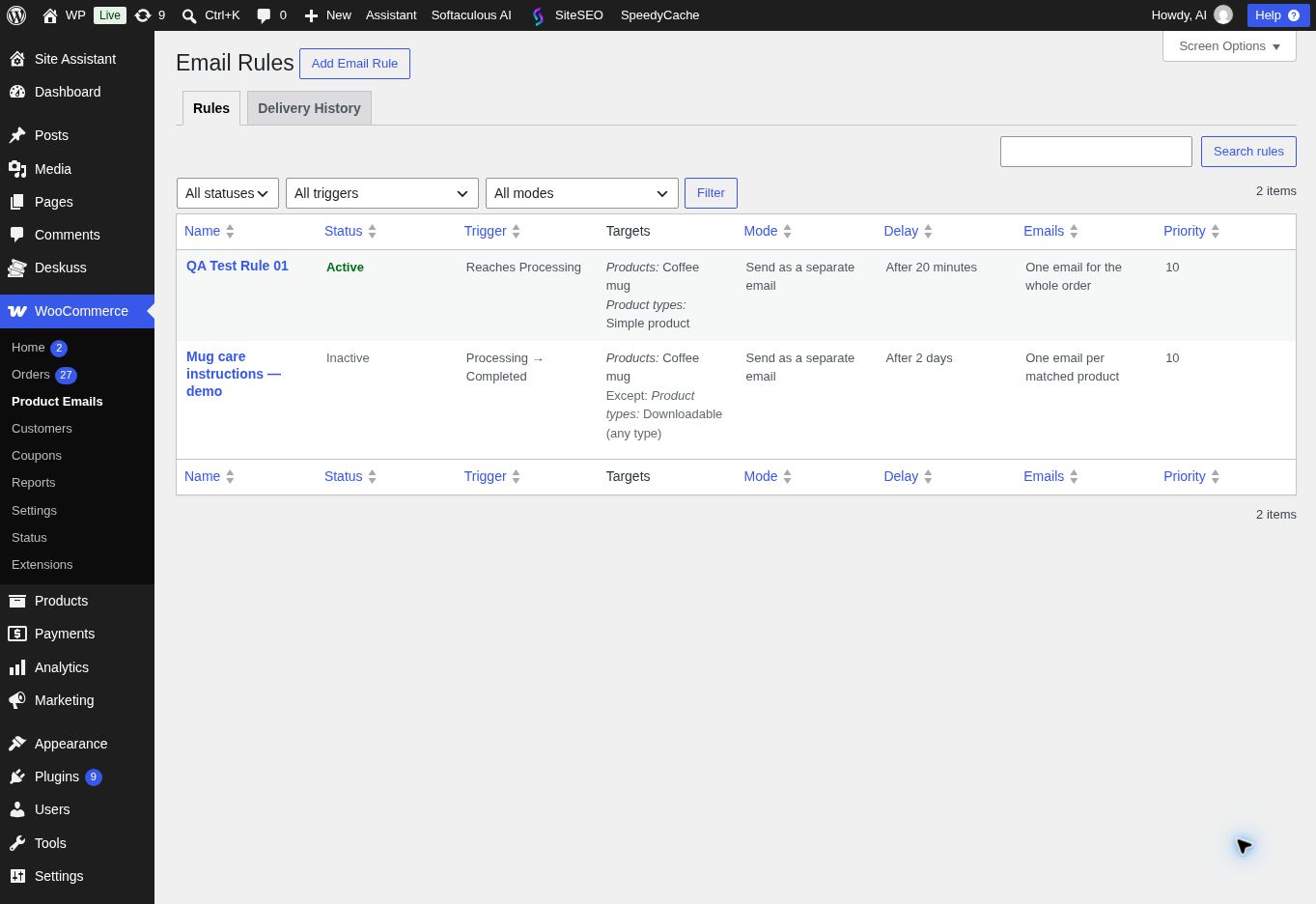
The rules list, showing each rule's trigger, targeting, delivery mode and status.
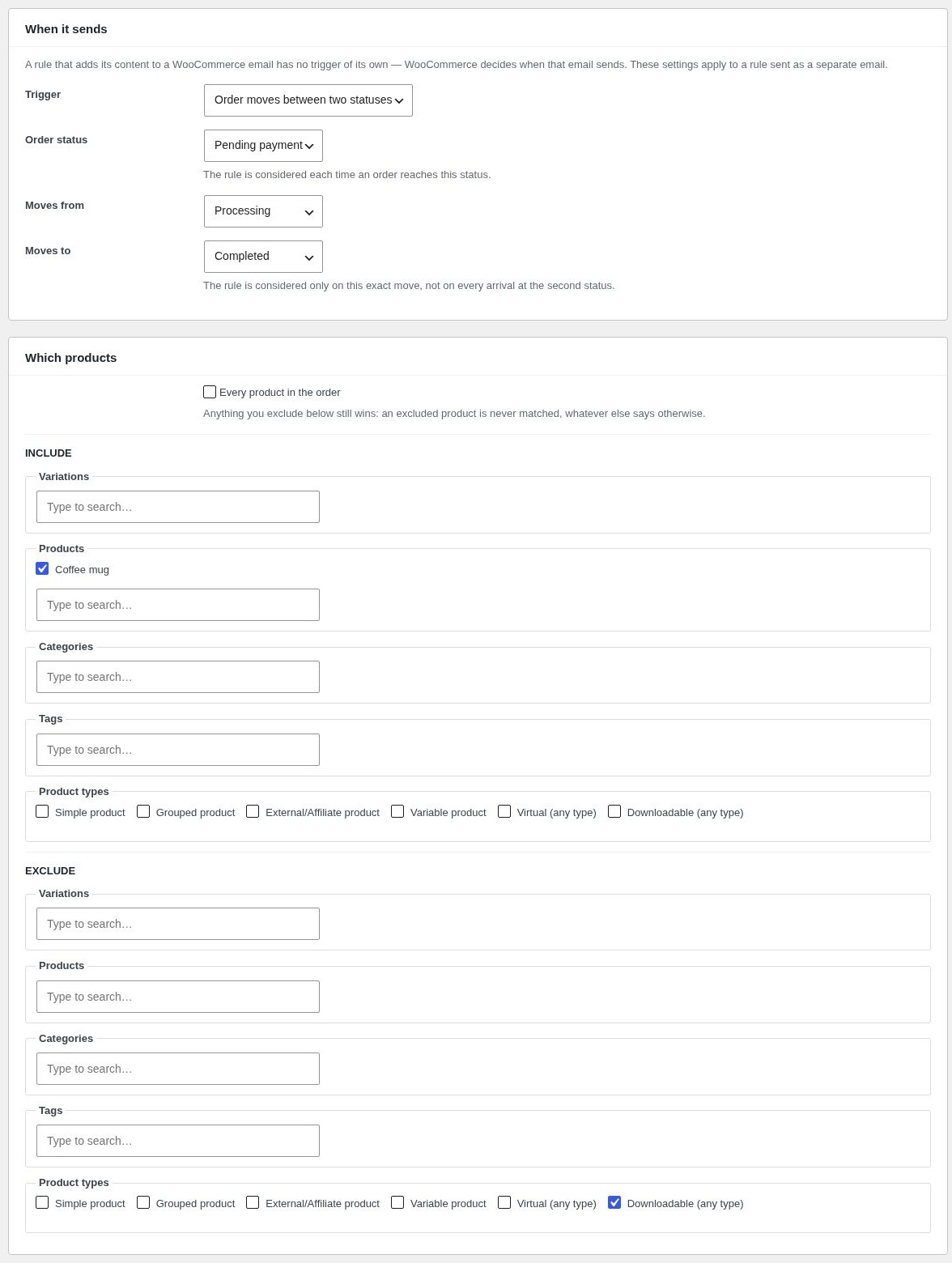
The rule editor — choosing the trigger and targeting the rule by product, variation, category, tag or type, including exclusions.
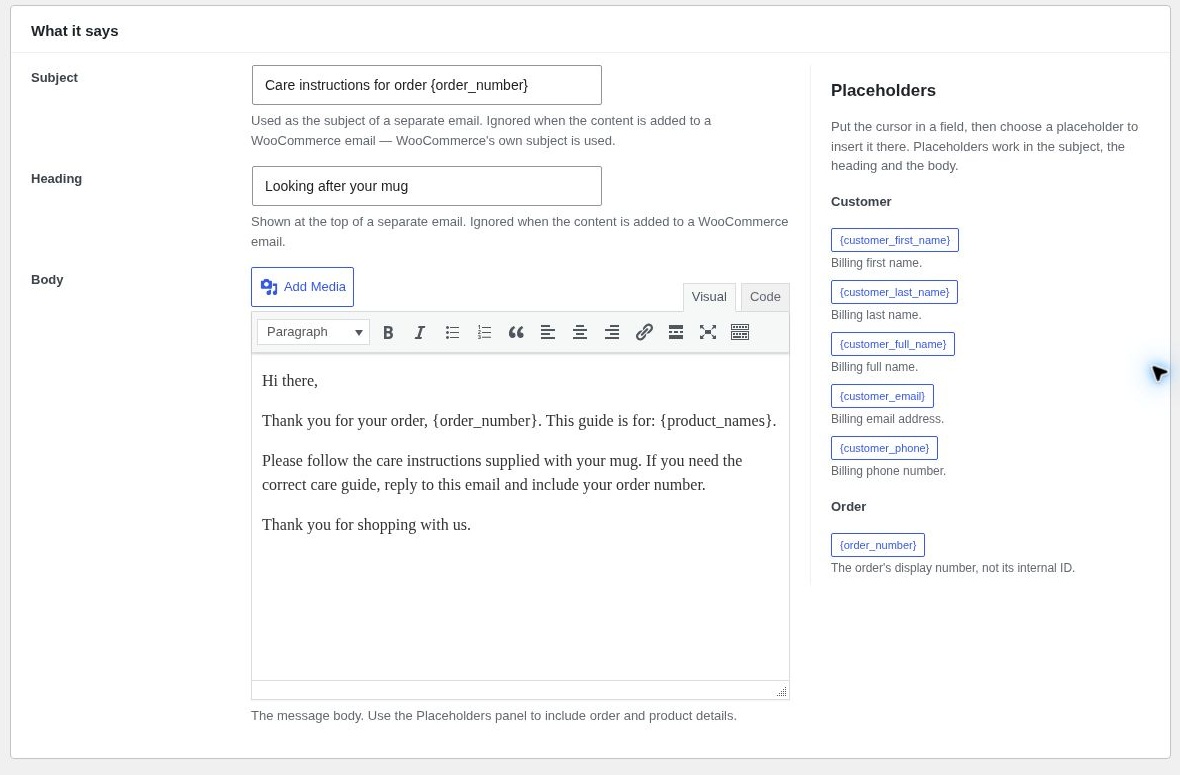
The rule editor — the message subject, heading and content, with the placeholder reference beside them.
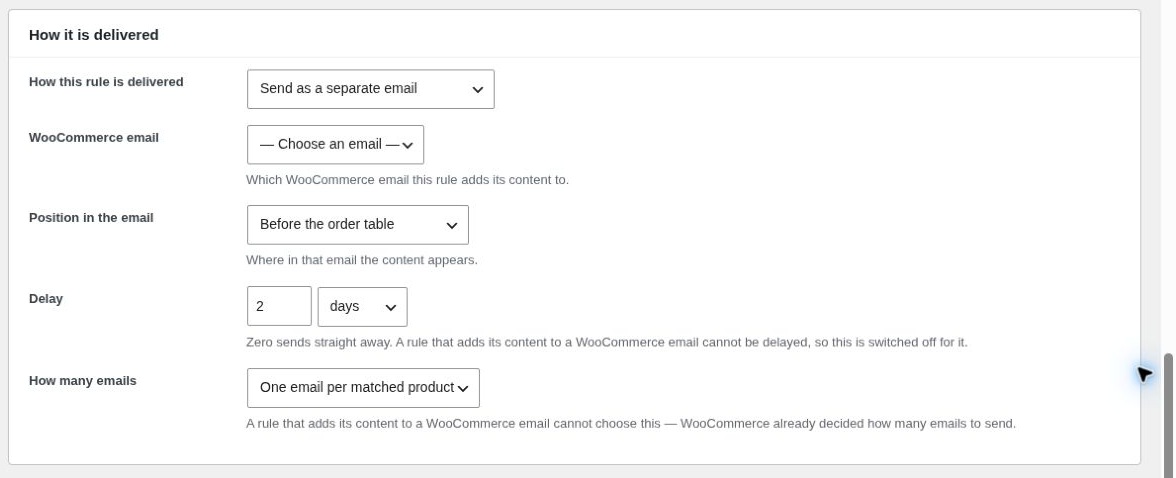
The rule editor — delivery mode, delay and the choice between one message per order and one per matched product.
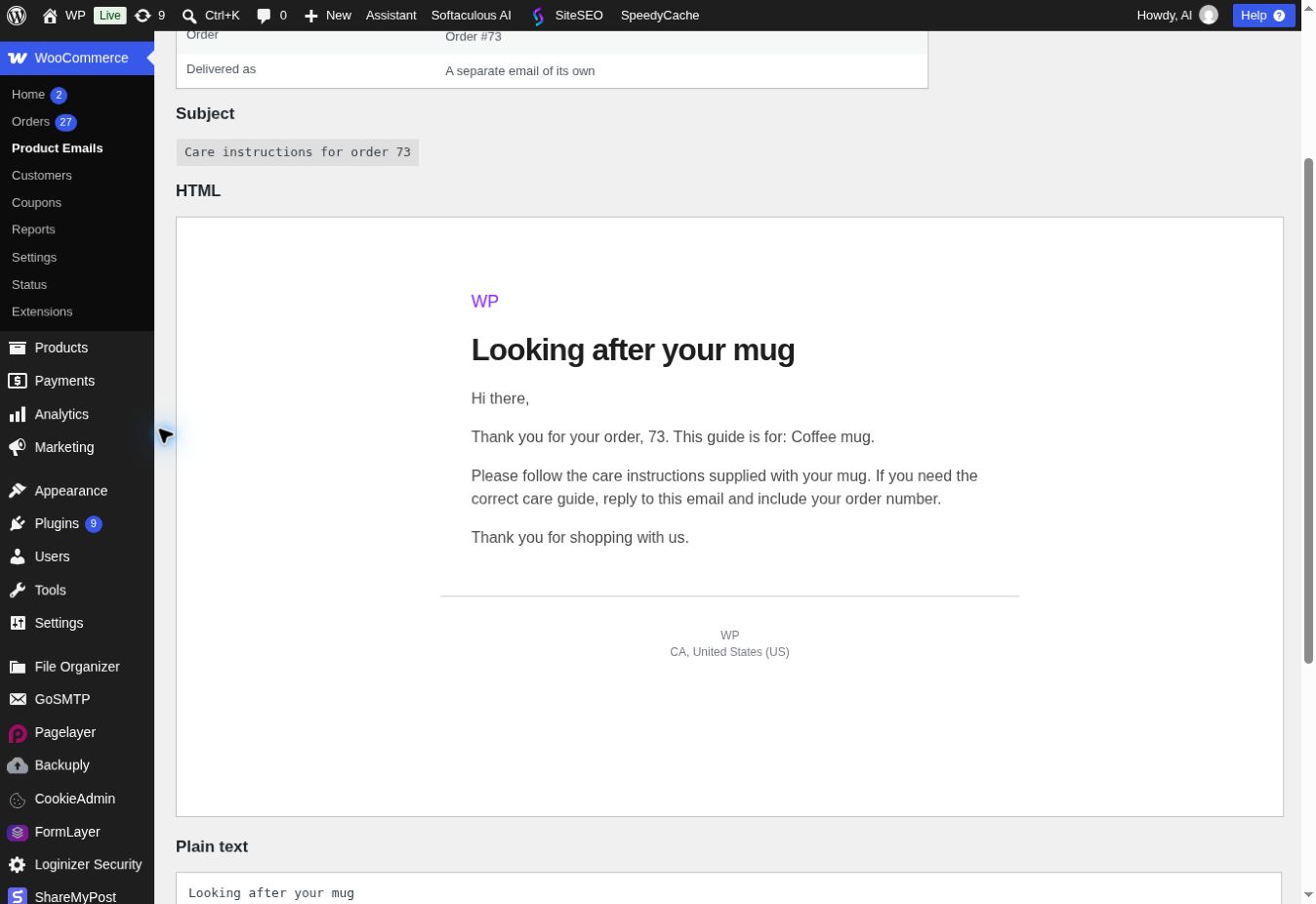
The preview screen, showing what a rule would send for a real order.
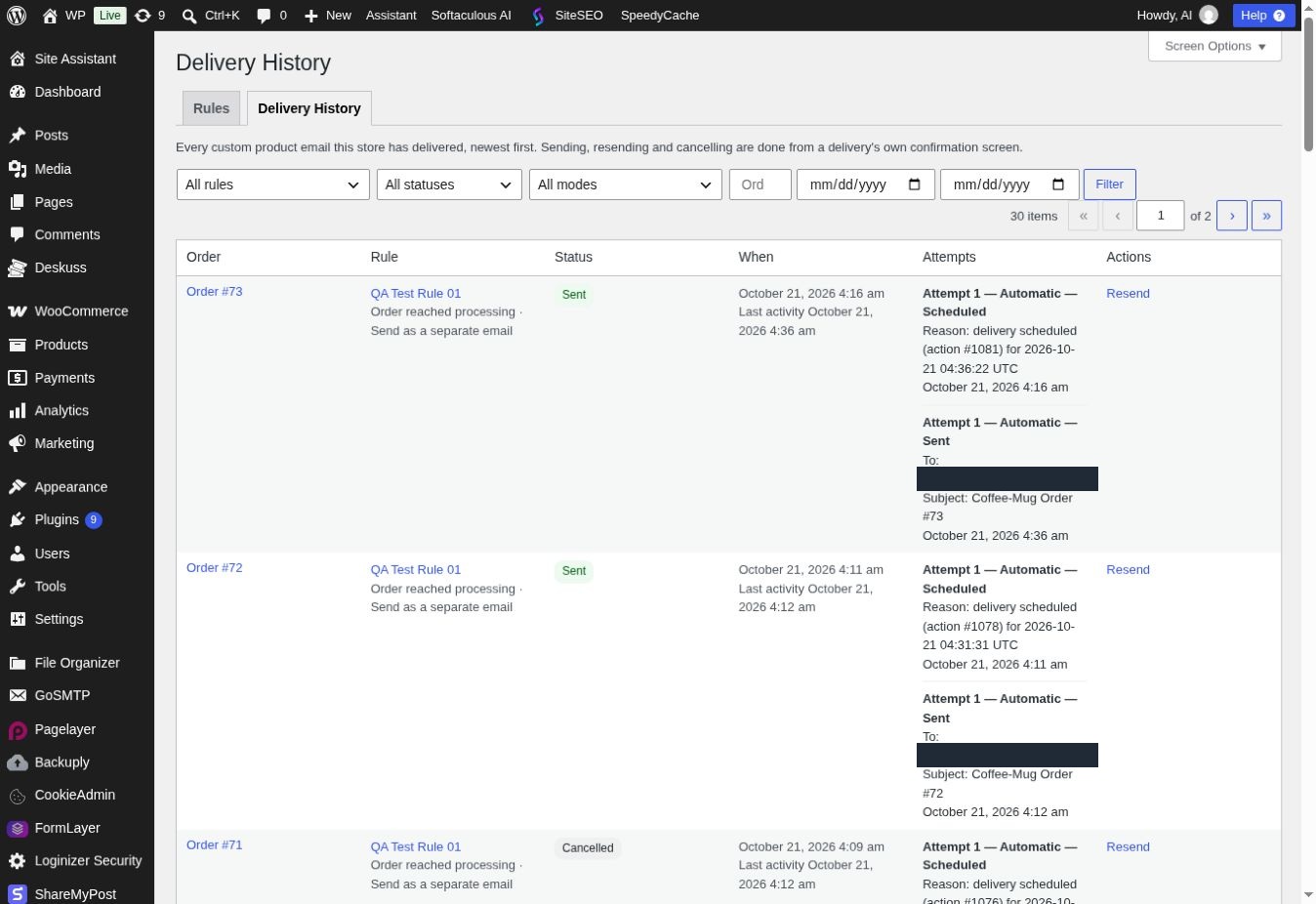
The delivery history screen, listing each delivery with its rule, order and status, and every attempt with its recipient, subject and outcome.
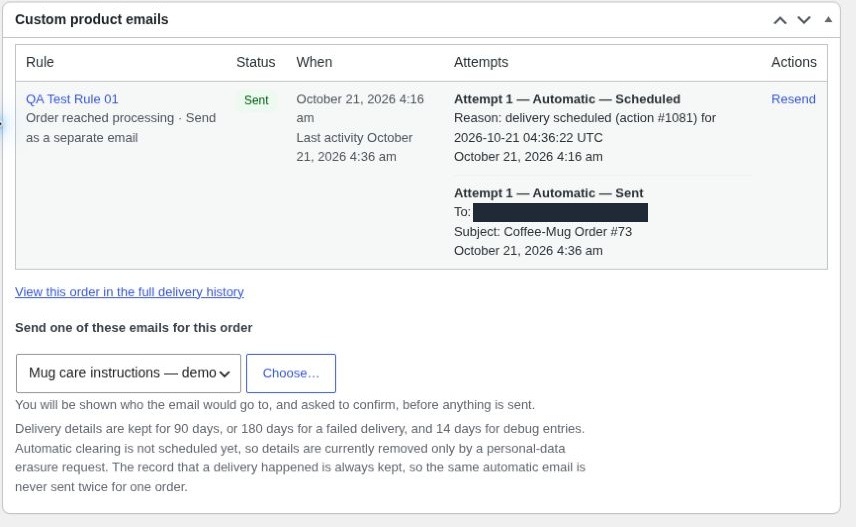
The "Custom product emails" panel on the order edit screen — this order's deliveries, and the control that sends one of them by hand.
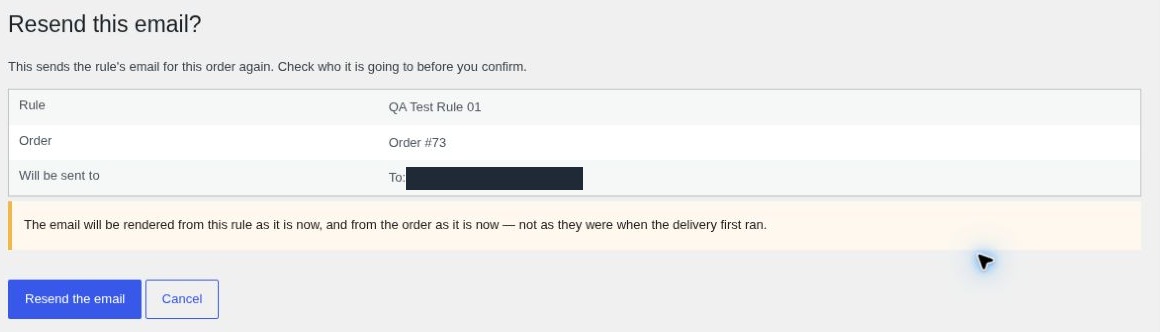
The confirmation screen shown before an email is sent or resent by hand, naming the rule, the order and exactly who the email will go to.