BACK TO DIRECTORY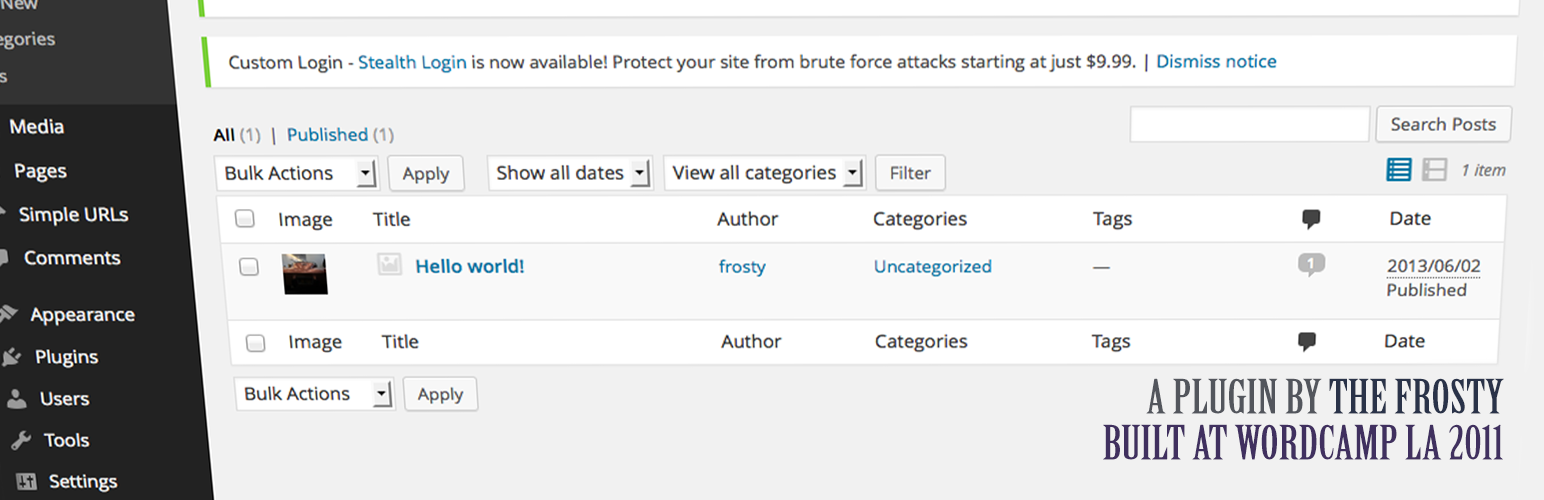

As of version 0.2.2 you can select which post types you’d like to have the image column.
It simply adds a column before the title (far left) the show’s the posts featured image if it’s supported and exists.
Want to change the default image? Simply filter you own image by using featured_image_column_default_image
or filter your own CSS by using the featured_image_column_css filter hook.
Example actions/filters
Change thumbnail size
function my_custom_featured_image_size(mixed $size, int $post_id): mixed {
    if (in_array($post_id, [1, 5, 23], true)) {
        return [65. 65];
    }

    return $size;
}
add_filter('featured_image_post_thumbnail_size', 'my_custom_featured_image_size', 10, 2);
Add support for a custom default image
function my_custom_featured_image_column_image(string $image, int $post_id): string {
    if (in_array($post_id, [1, 5, 23], true)) {
        return trailingslashit( get_stylesheet_directory_uri() ) . 'images/featured-image.png';
    }

    return $image;
}
add_filter('featured_image_column_default_image', 'my_custom_featured_image_column_image', 10, 2);
Remove support for post types Use the featured_image_column_init action hook for your filter.
function frosty_featured_image_column_init_func() {
    add_filter('featured_image_column_post_types', 'frosty_featured_image_column_remove_post_types', 11); // Remove
}
add_action('featured_image_column_init', 'frosty_featured_image_column_init_func');

function frosty_featured_image_column_remove_post_types($post_types) {
    foreach($post_types as $key => $post_type) {
        if ($post_type === 'post-type') // Post type you'd like removed. Ex: 'post' or 'page'
            unset($post_types[$key]);
    }
    return $post_types;
}
For more question please visit https://austin.passy.co
Screenshots
Post edit.php screen.
Plugin Details
Active Installs
2K+Total Downloads
48,508Version
1.2.0Requires WP
6.2Requires PHP
8.0Tested Up To
7.1.0Added
2011-09-14Last Updated
2026-08-14 4:20pm GMTRatings
5
9
4
2
3
0
2
0
1
1