Field Forge adds custom fields to posts, pages, custom post types, taxonomies and users. Build a field group in a visual editor, pick where it appears, and read the values in PHP or over the REST API. The number of field groups is not limited.
Field values are kept in their own table, wp_fieldforge_values, instead of wp_postmeta, so a post with dozens of fields does not fill the core meta table. There are 31 field types: text, textarea, number, select, image, file, WYSIWYG, oEmbed, gallery, calculation, date, time and colour pickers, Google Map and link, plus the relational set: Relationship, Post Object, Page Link, Taxonomy and User.
Location rules decide where a group is shown: by post type, taxonomy, page template or user role. Field groups are written to disk as Local JSON files in wp-content/uploads/fieldforge-json, and a folder you add with the fieldforge/local_json/load_paths filter, for example one kept in your theme under version control, is read too. Every group keeps a schema version and a revision history. Values of options pages can be read and written with get_field() and update_field().
Coming from ACF
Field Forge Migration detects your existing ACF field groups and values and imports them into its own tables. A compatibility layer defines the common ACF template functions, including get_field(), the_field(), get_field_object(), get_fields() and have_rows(), so theme code that calls them keeps working while you migrate. acf_register_block_type() is defined too, but it registers a block only when the Pro add-on’s PHP Blocks are active. Check your theme after the switch.
Free
- Unlimited field groups
- 31 field types, including Relationship, Post Object, Page Link, Taxonomy and User
- Location rules by post type, taxonomy, template and user role
- Visual field group builder
- Storage in a custom table, not
wp_postmeta - Import of ACF field groups and values, and an ACF compatibility layer
- Local JSON sync
- Options-page values through
get_field()andupdate_field() - REST API exposure of field values
- Schema versioning and revision history for field groups
Pro add-on (separate plugin, not part of this download)
- Compound field types: Repeater, Group, Flexible Content and Clone
- Options pages management screen
- PHP Blocks: register Gutenberg blocks from field groups
- AI schema generator: describe your data and get a field group
- Native WPGraphQL schema and resolvers
- TypeScript and JSON export of field groups
- Bulk JSON export and import
The only request the free plugin can make is the one WordPress makes for an oEmbed field, to the provider of the URL an editor enters. It has no analytics, no telemetry and no licensing calls.
Documentation: https://fieldforgewp.com/docs/
Guide to moving from ACF: https://fieldforgewp.com/acf-migration-guide/
Comparison with other field plugins: https://fieldforgewp.com/compare/
External services
Every outbound request this plugin makes is listed below. Activating it, and opening its screens, contacts nobody.
- oEmbed field. An oEmbed field asks WordPress to fetch the embed from the provider of the URL an editor enters, exactly as the block editor does: when the field’s value is shown, in the preview under the field in the editor and wherever a theme or a plugin reads the field through the ACF-compatible
get_field(), WordPress asks that provider’s oEmbed address about the URL. The provider receives the URL and sees the network address of your server. Which provider that is depends on the URL; its terms and its privacy policy are its own. A site that uses no oEmbed field makes no such request.
Apart from that this plugin contacts no external service of its own: field groups, values, Local JSON, the ACF importer and REST exposure all run on your site, and there are no analytics, no telemetry and no licensing calls. AI features belong to the separate Field Forge Pro add-on, which describes the services it uses in its own documentation.
Screenshots
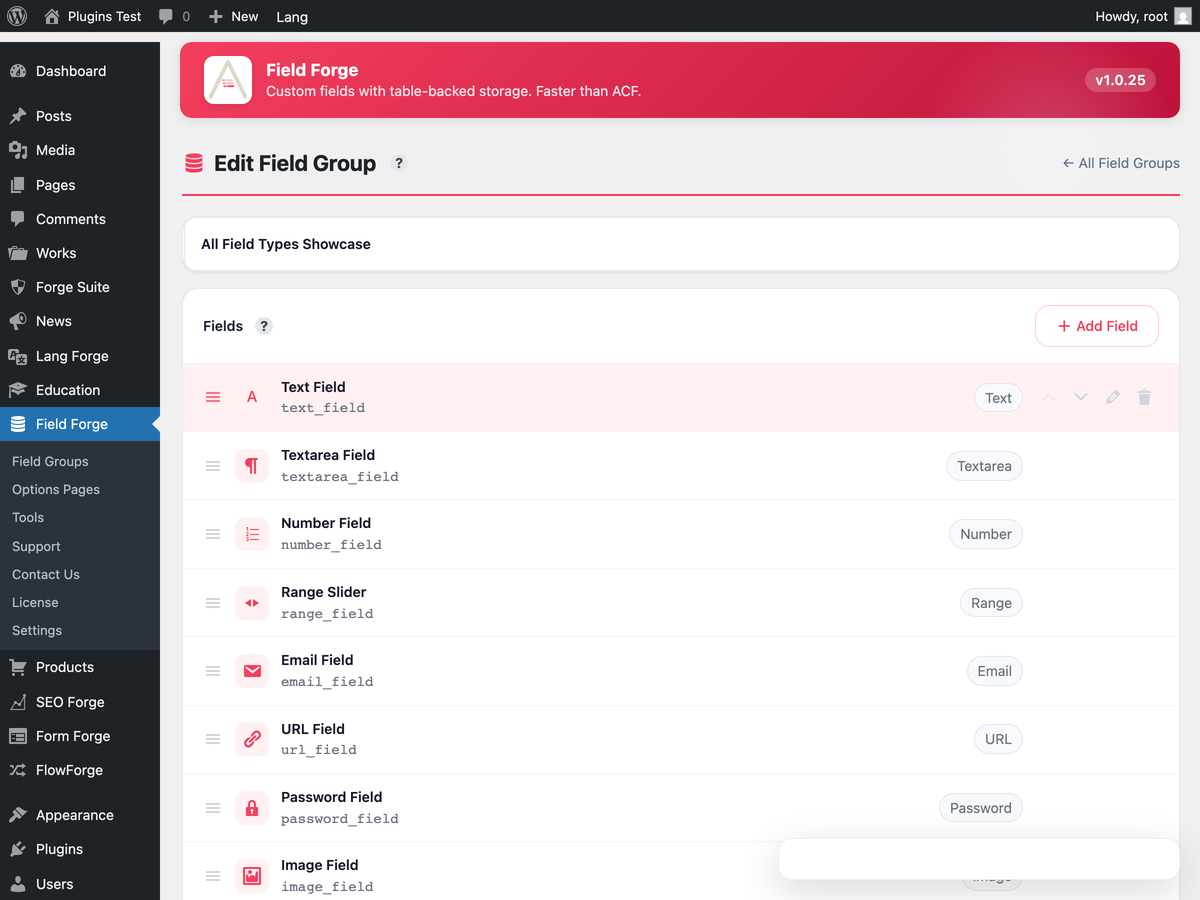
The field group editor: add fields, set their type and settings, and choose where the group is shown.
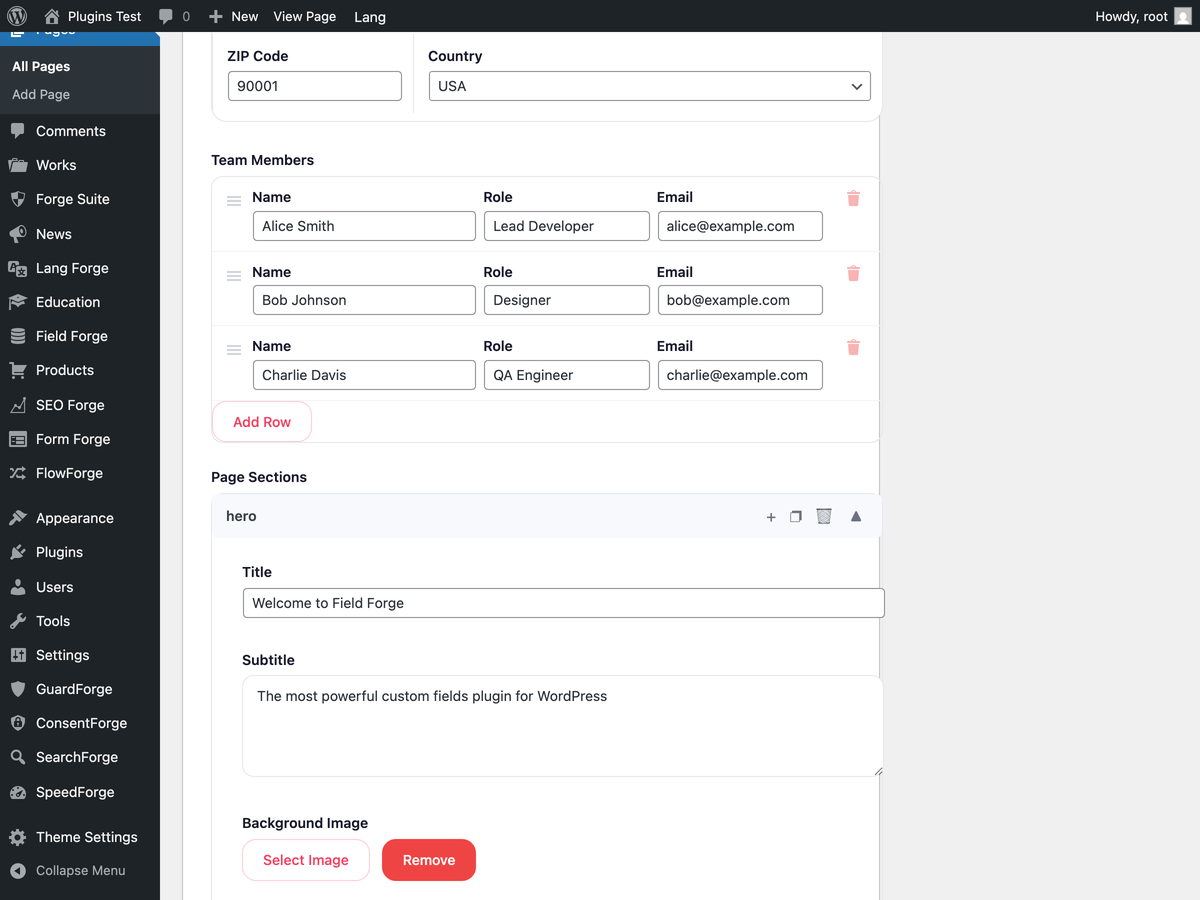
A Repeater field on the post edit screen (Pro add-on).
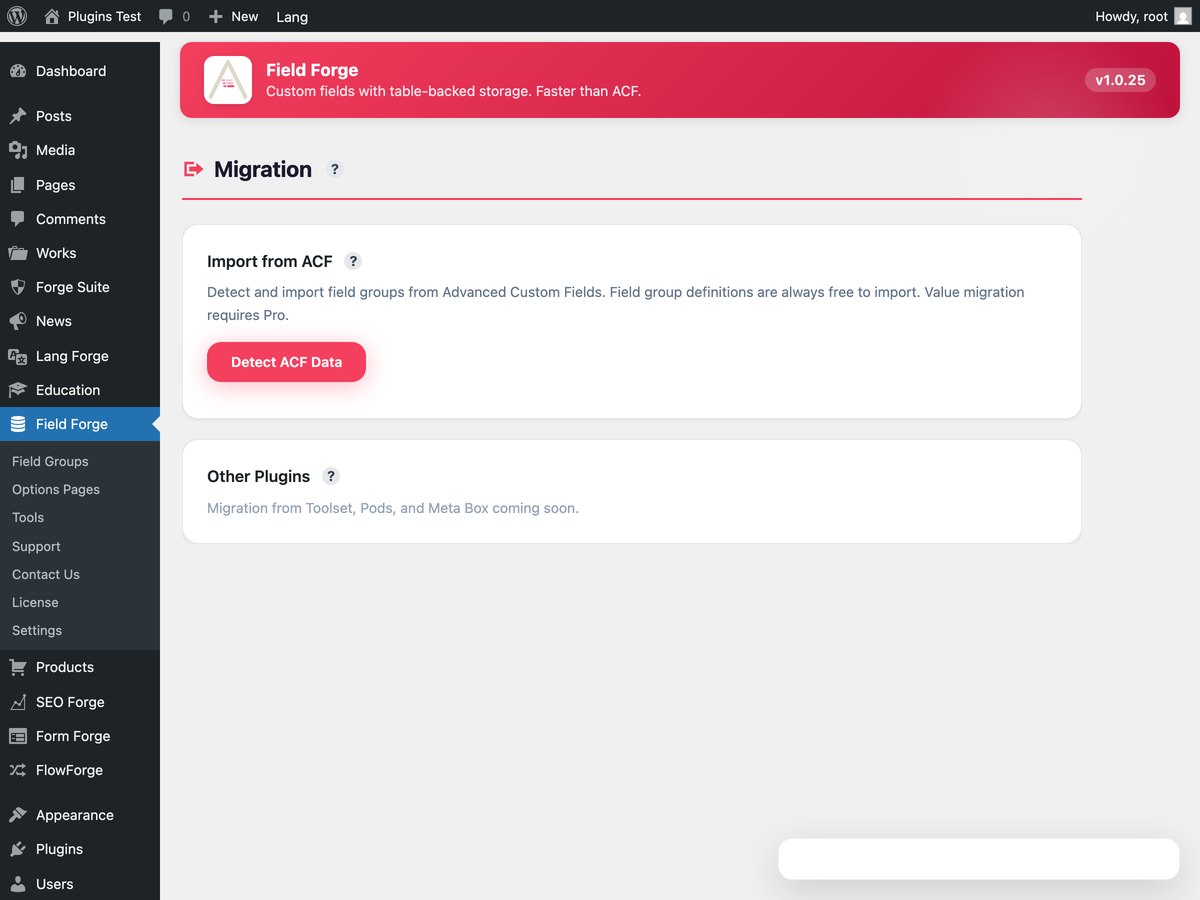
Migration from ACF: existing field groups and values found and imported.
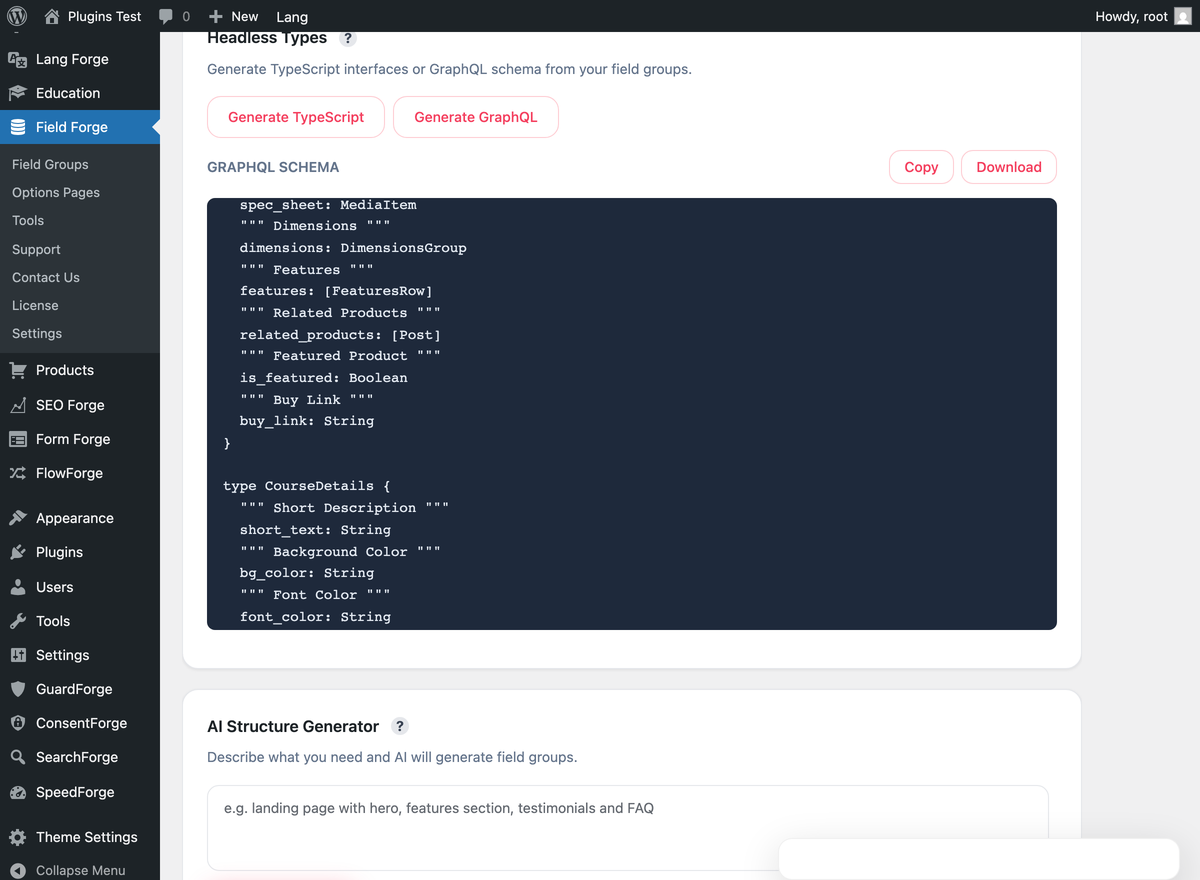
GraphQL schema preview (Pro add-on).
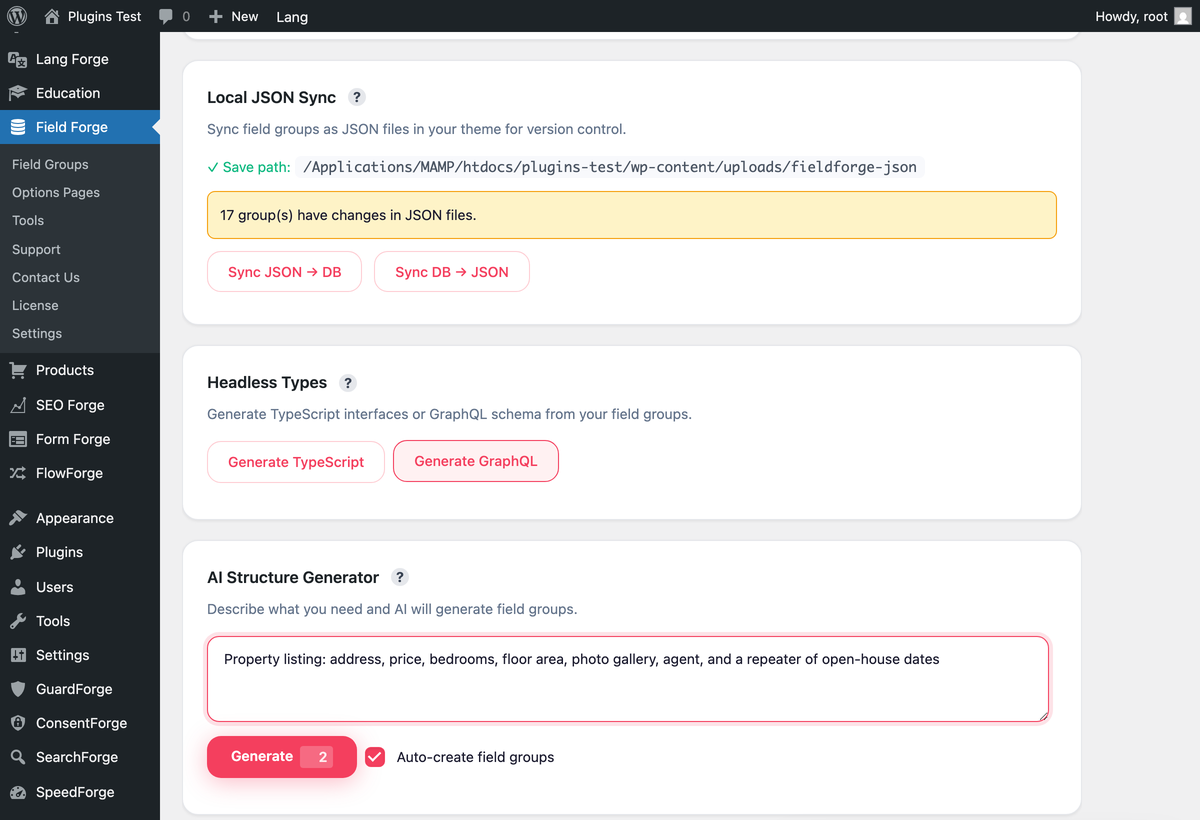
The AI schema generator: describe the data and get a field group (Pro add-on).