
Findlane answers your store’s product search, hosted by Findlane:
- As shoppers type, products with photos and prices appear under your store’s own search box, with searches to pick, and your categories and pages above them.
- Your theme’s search results page lists Findlane’s results, in its order, with your theme’s grid, paging and filters.
- Misspellings still find products, and synonyms, rules and banners are set in the Findlane dashboard.
- Analytics show what shoppers search for, what they find, and searches that find nothing, with fixes.
- Bought together, from your paid orders, if you choose.
See it working on a demo shop: https://woocommerce-shop.findlane.dev
Connect the store to a Findlane account under WooCommerce Findlane. Findlane’s Free plan covers up to 10,000 products and 10,000 searches a month; larger plans are on findlane.dev.
External services
This plugin connects your store to Findlane (https://findlane.dev), a hosted search service, and does nothing until you choose Connect.
Connecting opens the Findlane dashboard (app.findlane.dev) in your browser with your store’s address and name and the address to come back to; there you sign in and choose an index. Connecting with an API key sends your store’s address to api.findlane.dev instead.
Once connected:
- Your products are read by Findlane from a page this plugin adds to your site (/wp-json/findlane/v1/products), protected by a secret: names, prices, stock, images, categories, tags, attributes, SKUs and descriptions, which are public on your store already, and for ranking, each product’s total sales, rating, number of reviews and date added. Changes are sent to api.findlane.dev as you make them.
- Your product categories and published pages are read the same way (/wp-json/findlane/v1/categories and /pages): their names, descriptions, the start of each page’s text, images and addresses, public on your store already. WooCommerce’s cart, checkout and account pages aren’t sent.
- Searches from your store’s search box and search results page go to api.findlane.dev, with the shopper’s IP address and browser, which Findlane uses for rate limits and to tell crawlers from shoppers.
- Paid orders, if you choose: each order’s ID, products, quantities, prices and time, as orders are paid and, on connecting, those of the last 60 days. Never who bought them.
- A status report, daily and when you open the plugin’s page: the versions of the plugin, WordPress, WooCommerce and PHP, and whether the plugin’s checks pass (such as scheduled jobs running), shown in the Findlane dashboard. Requests from your store to api.findlane.dev carry your store’s address and the plugin’s and WordPress’s versions.
- Clicks and product views from the search box and the search results page, only when the shopper allows statistics through a cookie banner that supports the WP Consent API. A click carries the search’s filters, and whether the search was opened from an ad, an email or another site (never the ad’s click ID or campaign). With the same permission, the order received page sends the order again from the shopper’s browser with a random visitor ID, so Findlane can tell which orders followed a search.
Findlane’s terms: https://findlane.dev/terms
Findlane’s privacy policy: https://findlane.dev/privacy
Source code
The search widget, assets/findlane-search.js, is built from the readable TypeScript in assets/src/ with Bun 1.4:
bun build assets/src/index.ts --minify --target=browser --format=iife --outfile=assets/findlane-search.js
Screenshots

Products as shoppers type in the store's search box, even misspelled.

The theme's own search results page, in Findlane's order.
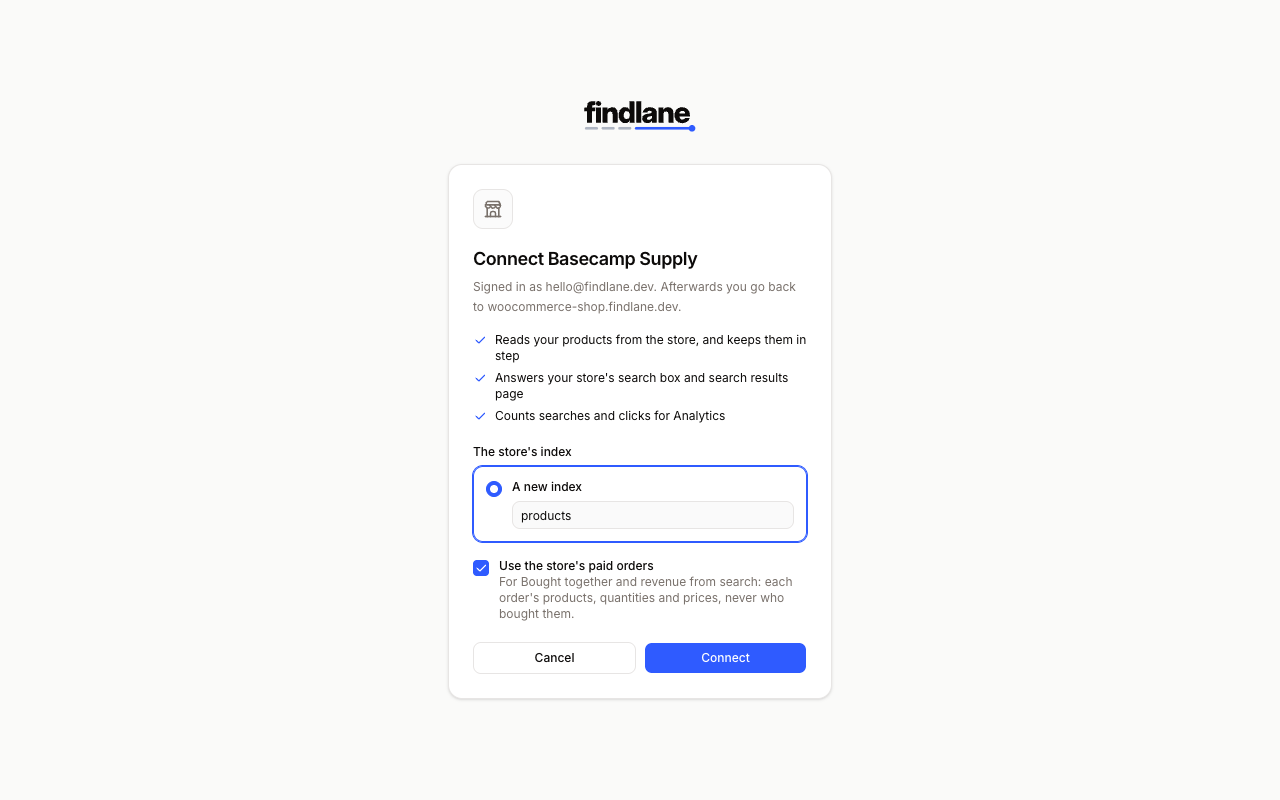
Connecting the store to a Findlane account.
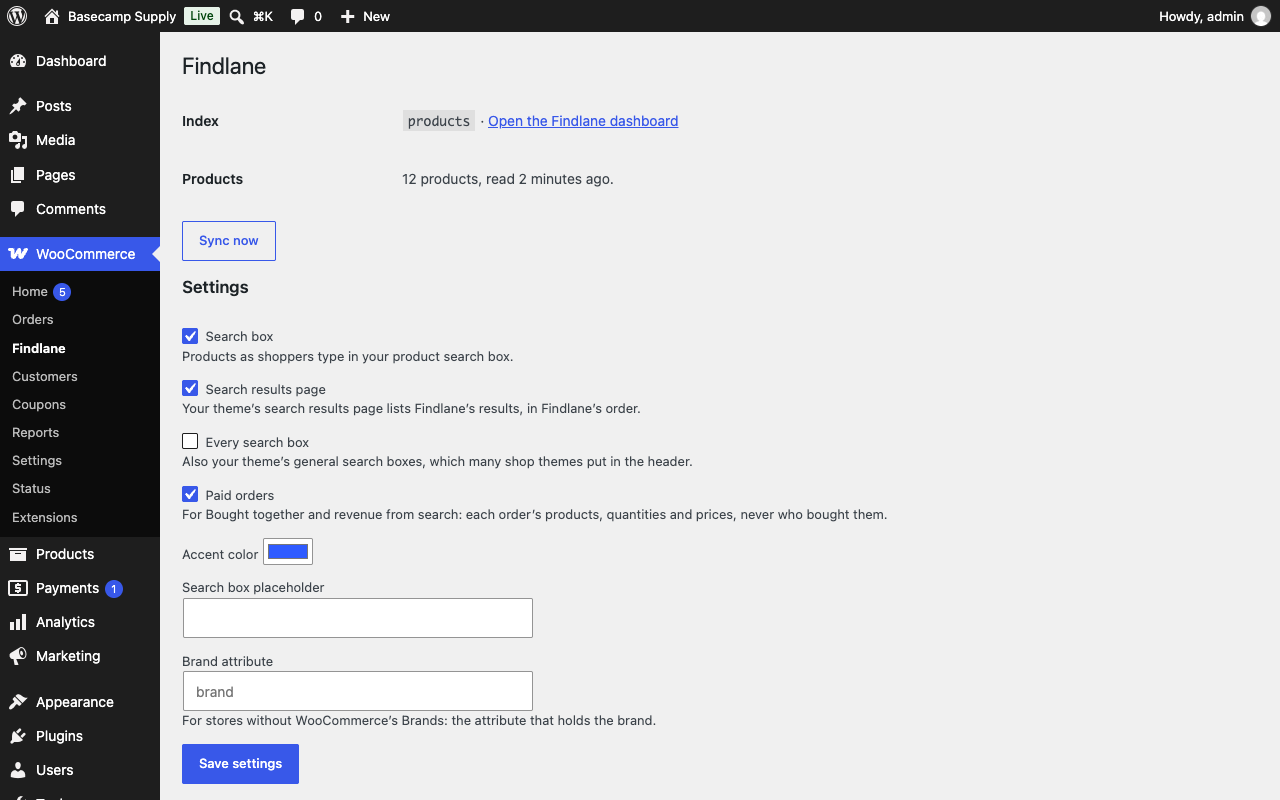
The plugin's page under WooCommerce.