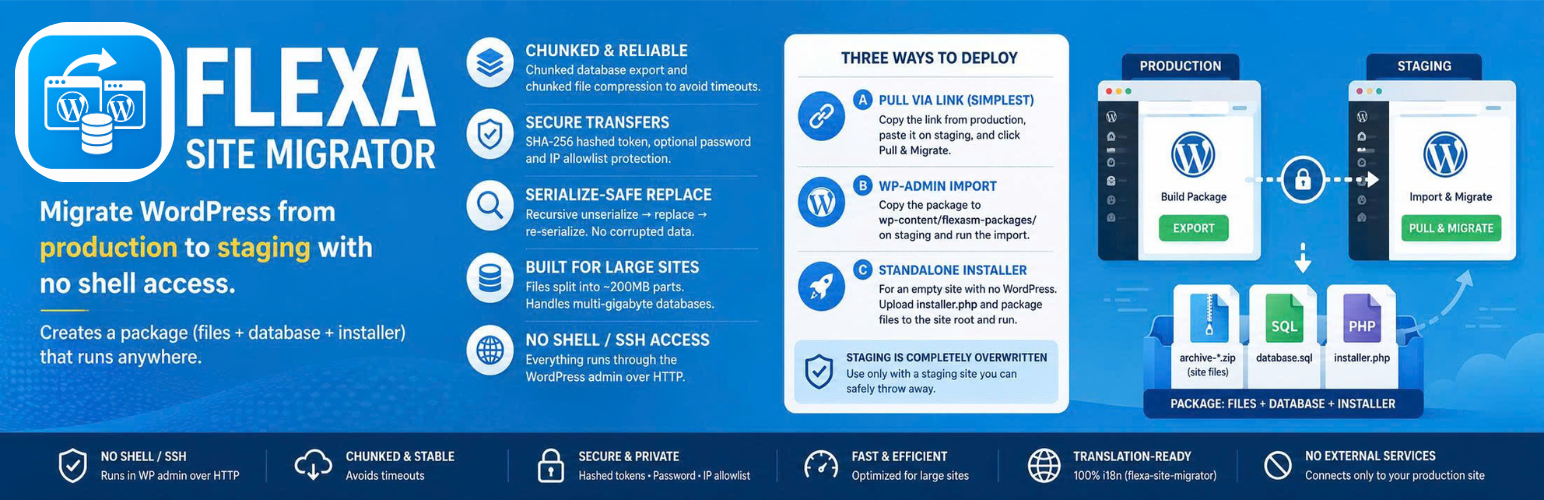
Flexa Site Migrator migrates a WordPress site from production to staging. It builds a package made of one or more archive-*.zip files (site files, split automatically), a database.sql dump, and a standalone installer.php. It works whether staging is on the same server or a different one, and requires no shell/SSH access — everything runs through the WordPress admin over regular HTTP.
Key features
- Chunked build — the database is exported in chunks (using
mysqldumpwhen available, otherwise pure PHP) and files are compressed in chunks to avoid timeouts. - Three ways to deploy to staging — pull-by-link, wp-admin import, or a standalone installer for empty sites.
- Serialize-safe search-replace — URLs are updated with a recursive unserialize replace re-serialize algorithm, so serialized options/widgets never get corrupted.
- Handles large sites — the build is fully chunked and files are split into ~200MB archive parts; the database deploy runs in a single request (check the System check panel for your PHP limits before importing very large databases).
- Token-protected transfers — pull links carry an SHA-256 hashed token (only the hash is stored on the server), with optional password and IP allowlist restrictions.
Deployment methods
Method A — Pull via link (simplest): Install the plugin on both production and staging. Build the package on production, copy the link, paste it on staging under Site Migrator Import, and click Pull & Migrate. Staging downloads the files from production (byte-range supported) and runs extraction, DB import, and search-replace on its own.
Method B — wp-admin import: Copy the package folder to staging’s wp-content/flexasm-packages/, then run the migration from Site Migrator Import.
Method C — Standalone installer: For an empty staging site with no WordPress. Upload installer.php and the package files to the site root, open installer.php in a browser, enter the database details, and start the migration.
External services
Your migration packages, tokens, and settings stay in your own WordPress installation. The plugin makes two kinds of outbound request, described below.
Migration transfer (your own sites)
The main outbound request goes to the production site URL you paste on the staging side (Site Migrator > Import > “Pull from production via link”). When you click Test connection or Pull & Migrate, staging contacts that URL to download the migration package (site files and the database dump) you created on production. The request carries the access token from the link, and, if the package is password-protected, the password you enter (sent in a request header). No third party is involved: both ends are your own sites, and nothing is transmitted until you paste a link and start a pull.
Deactivation feedback (Flexa Product Intelligence)
When you go to deactivate Flexa Site Migrator on the Plugins screen, a short optional survey asks why. It is served by Flexa’s product intelligence service at https://product-intelligence.flexacommerce.com. It runs only on wp-admin/plugins.php, never on the front end, and never blocks or delays deactivation.
What is sent, and when:
- On opening the Plugins screen: a request to
/api/v1/config(product slug and tier) to load the survey configuration. Cached for 6 hours. - When you deactivate or interact with the survey: the reason you pick and any optional message you type, sent to
/api/v1/deactivations,/api/v1/events,/api/v1/feedback,/api/v1/feature-requests, and/api/v1/recovery-events.
Every request includes an anonymous per-site identifier (a random UUID), the plugin version and tier, and by default your WordPress/PHP version and locale. No email, site domain, user identity, or raw IP is collected. Turn environment reporting off with add_filter( 'flexa_site_migrator/deactivation_survey/config', fn( $c ) => array( 'collect_environment' => false ) + $c ); and disable the whole survey with add_filter( 'flexa_site_migrator/deactivation_survey/enabled', '__return_false' );.
Service terms and privacy policy: https://flexacommerce.com/pages/terms and https://flexacommerce.com/pages/privacy
Screenshots

Build the migration package on the production site (Site Migrator → Export) — the database and files are exported in chunks with live progress.

Pull from production via link — paste the pull link on staging (Site Migrator → Import), test the connection, and start the migration.

Automatic migration in progress on staging — the package is downloaded, extracted, and the database imported with search-replace, all in one run.

Standalone installer — the system check verifies PHP, required extensions, archive parts, and the database connection before anything is touched.

Standalone installer — enter the staging database details, table prefix, new site URL, and directory path.

Migration complete — a one-click cleanup deletes installer.php, the archives, database.sql, and manifest.json for security.