
Floatsy adds a beautiful, fully customizable floating chat button to your WordPress website. Visitors reach you in one tap on the messaging apps they already use. No coding — everything is set up from a modern admin panel with a live preview.
🌍 11 admin panel languages: English, Türkçe, 中文, Español, العربية, हिन्दी, Português, Русский, 日本語, Deutsch, Français
Free features
Chat platforms
* WhatsApp — WhatsApp-style popup chat or direct link
* Telegram, Instagram, Facebook Messenger
* Click-to-call phone and click-to-email buttons
* Show up to 2 platforms at the same time — one main button fans out into both
WhatsApp popup chat
* Agent name, profile photo and status text
* Welcome message and pre-filled message
* Online / offline status from your business hours
Business hours
* Working days and hours in your site’s timezone (overnight shifts supported)
* Custom offline message
Design
* Circle and rounded-square shapes, solid and gradient styles
* Pulse animation, notification badge, tooltip
* Brand color per platform
* Live preview in the settings page
Visibility
* Show / hide on desktop and mobile — globally or per platform
* Hide on specific pages
* Display delay
Floatsy PRO
Upgrade from inside the plugin (Floatsy Chat Upgrade) to unlock:
- Unlimited platforms at the same time + 9 more: Viber, Signal, LINE, Discord, TikTok, X, Snapchat, SMS and any custom link
- WhatsApp team — multiple agents with their own number, photo, role and working hours; visitors choose who to talk to
- Click statistics — clicks per platform and per day, widget opens and click-through rate, stored in your own database
- Greeting bubble — a friendly message pops up above the button after a few seconds
- Smart triggers — show the widget after scrolling or on exit intent, auto-open the chat
- Dynamic messages — {page_title}, {page_url}, {product_name}, {product_price} in pre-filled messages
- All designs — 5 extra shapes incl. “Pill + text” button, 5 extra styles (outline, glass, 3D, neon, ring), 6 attention animations, 3 sizes, custom icon, custom CSS
- Advanced display rules — logged-in users / guests, only on selected pages, hide on post types, hide on WooCommerce cart & checkout
Screenshots
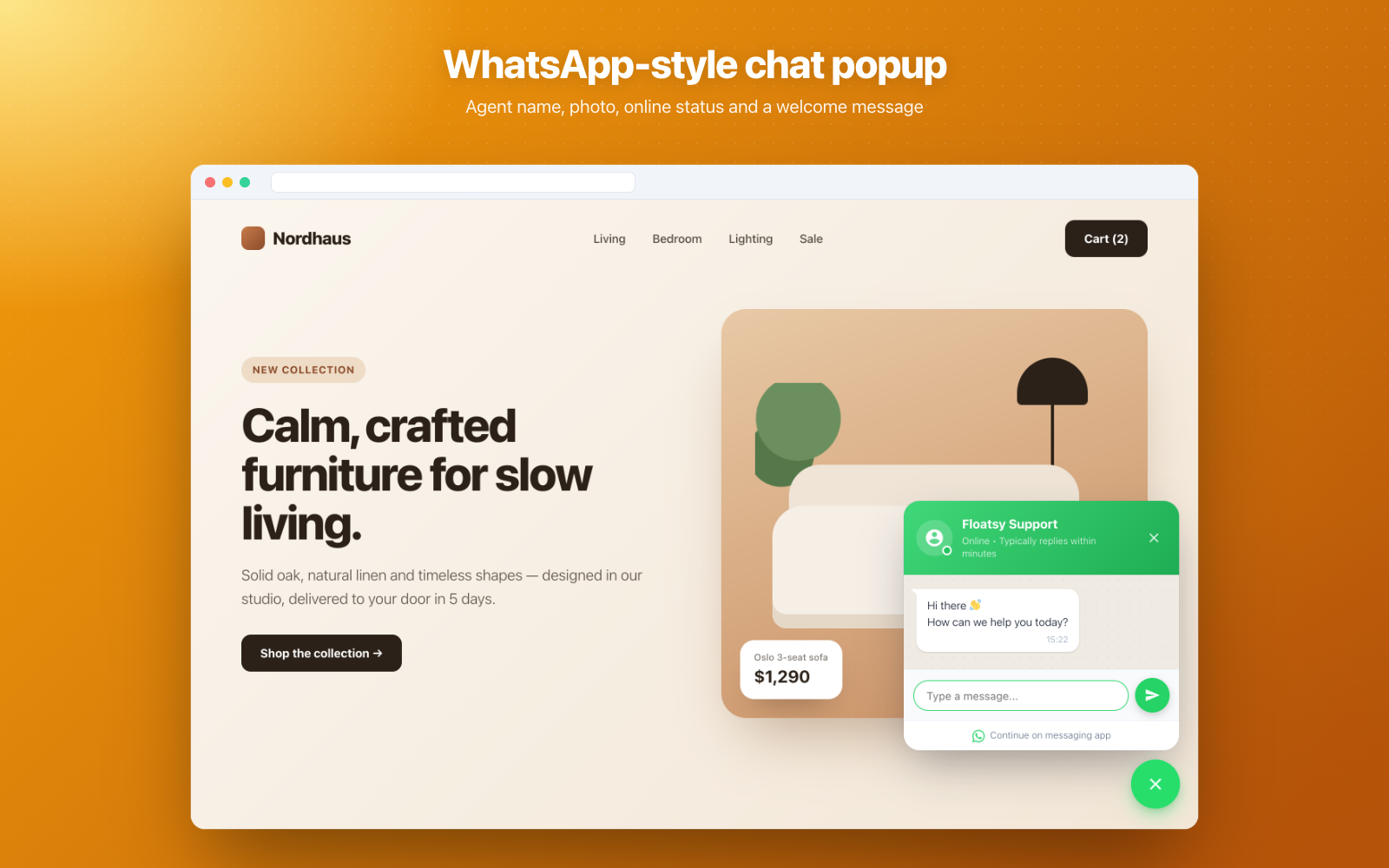
WhatsApp-style popup chat with agent photo and online status

One button fans out into all your chat platforms
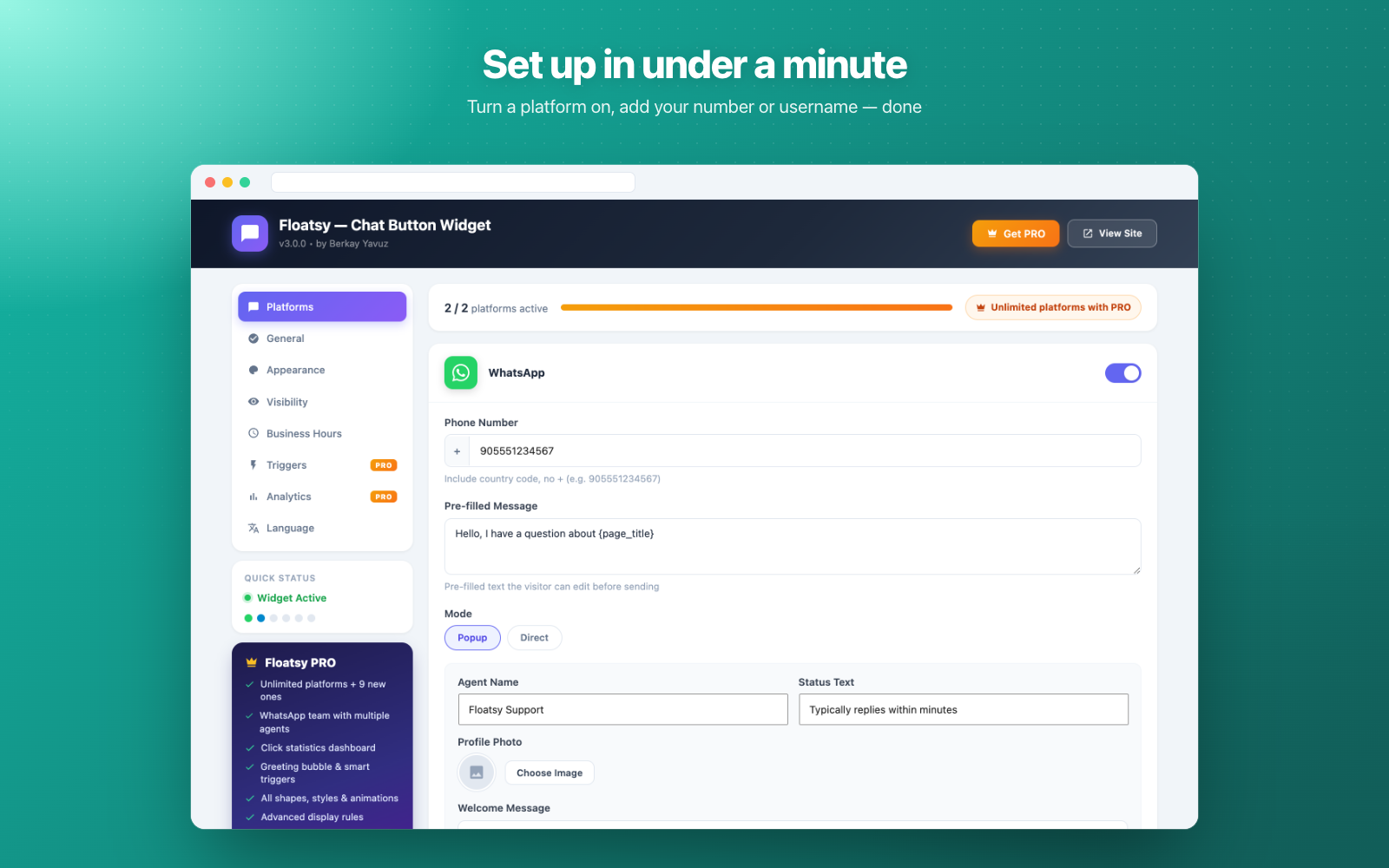
Platforms tab — enable a platform and fill in your details
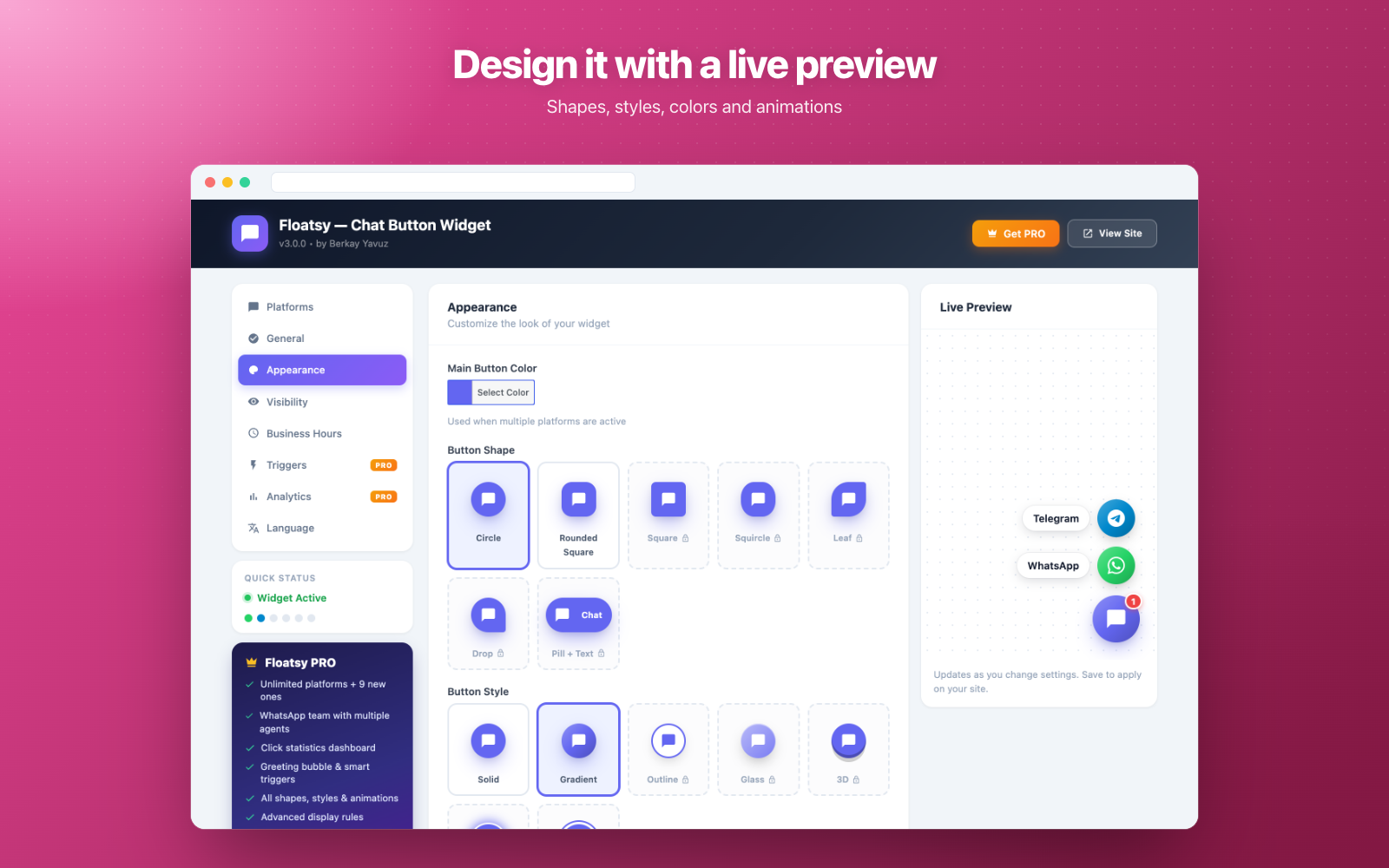
Appearance tab with live preview
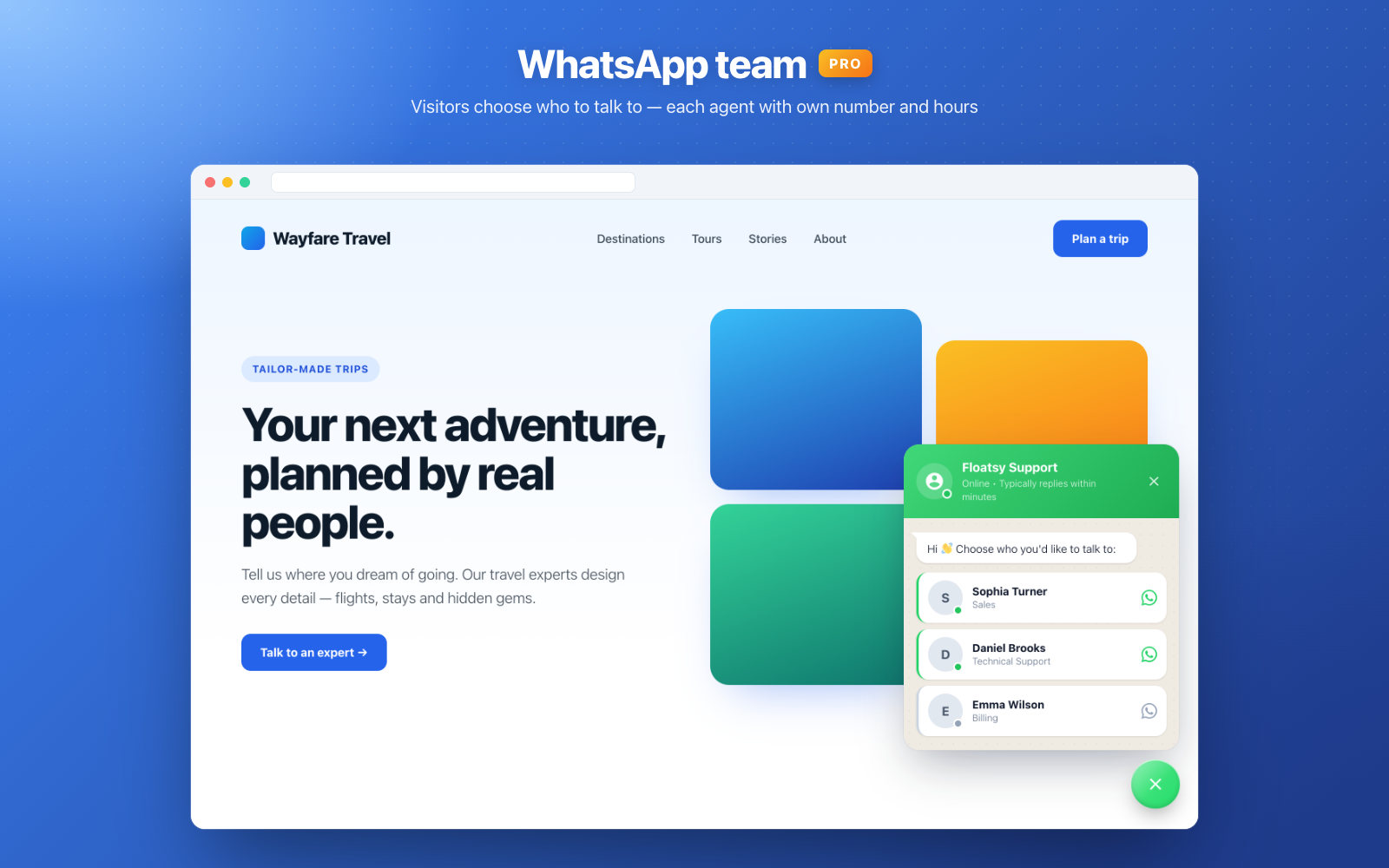
PRO — WhatsApp team: visitors choose who to talk to
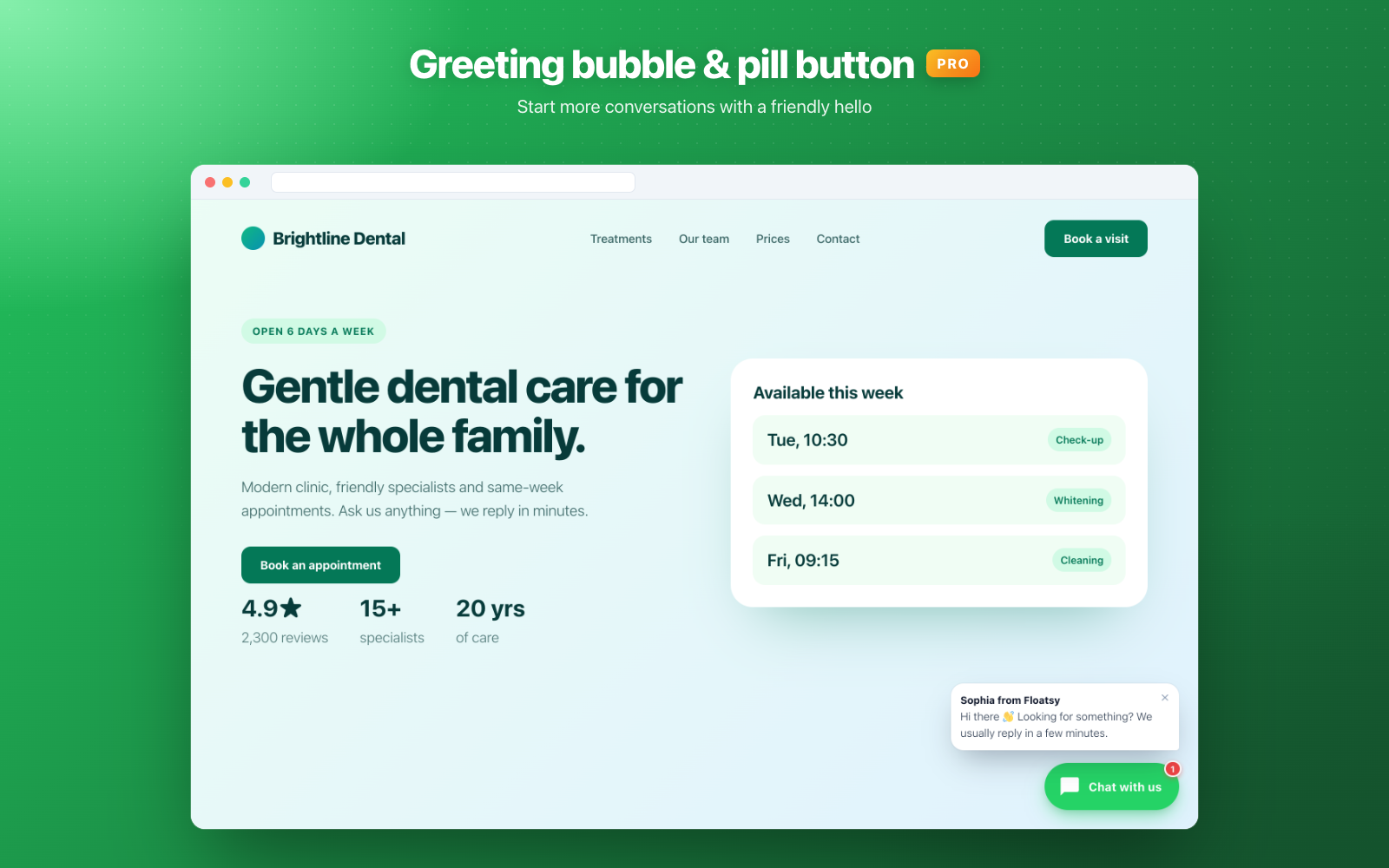
PRO — Greeting bubble and "Pill + text" button

PRO — Click statistics dashboard
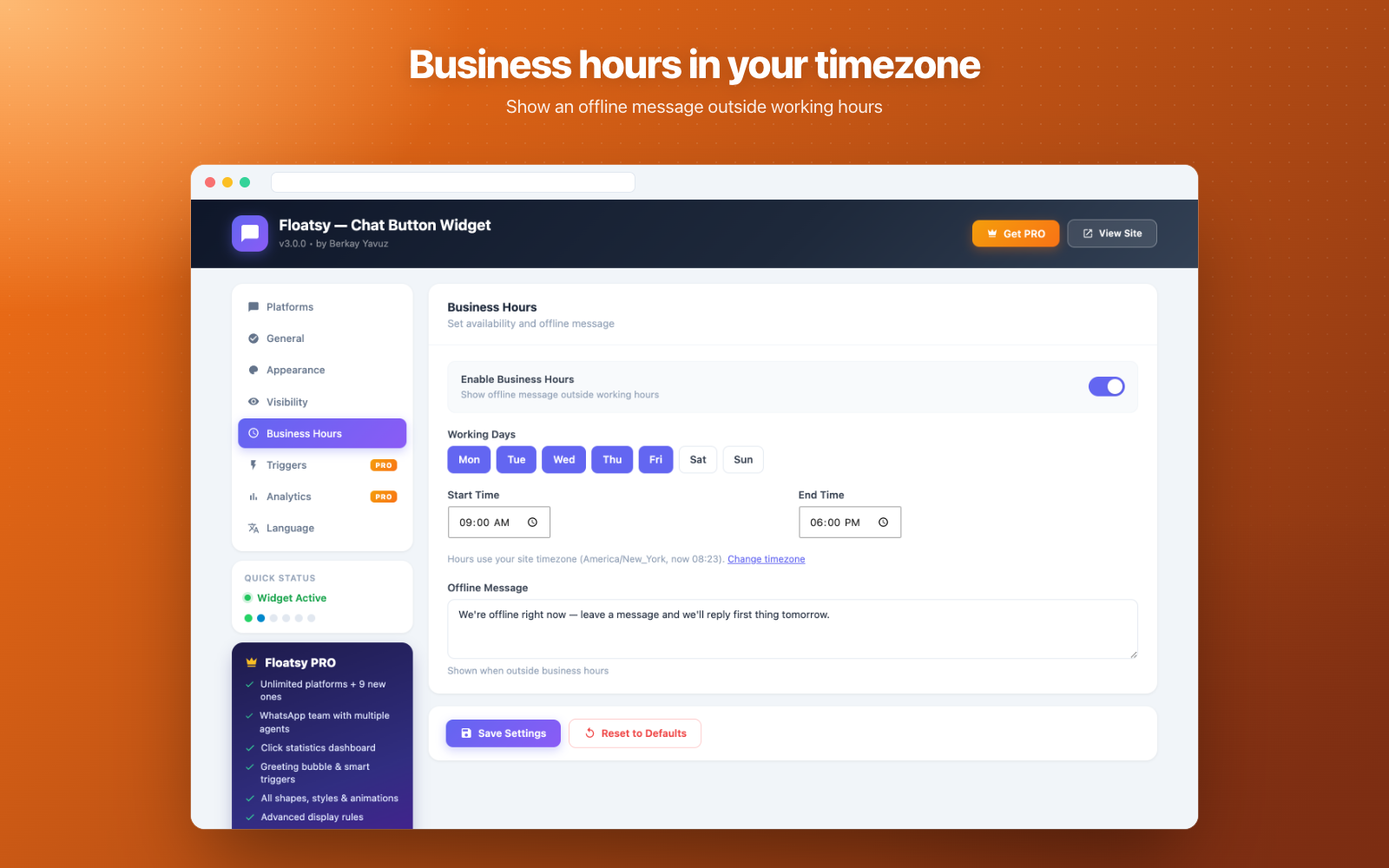
Business hours in your own timezone