
Food Online turns WooCommerce products into a restaurant menu where customers browse, choose options and order without leaving the page.
Build the menu page with the Food Online Menu block, or use the classic shortcodes on any page.
Food Online Menu block
- Add the menu in the block editor and style it in the block settings.
- Start from a ready-made template: Valdemar Dark, Ellen Noble, Einar’s Fusion, Arcade, Street or the 2026 Template.
- Product popup with options, mini cart and category navigation.
- Show opening hours and the estimated order time above the menu.
- Works with block themes and classic themes.
Classic shortcodes
- [foodonline] or [foodonline2] shows the full menu with categories, product popup and mini cart.
- [foodonline_menu] and [foodonline_minicart] place the menu and the cart separately, for example in a page builder layout.
- Choose categories, tags, products and order: [foodonline categories=”pizza,salad”].
- One column, two columns or the 2020 layout. Choose per page with layout=”twocols”.
- Give the classic menu the look of a block template with template=”arcade”, and show category images with category_image=”yes”.
- Settings for colors, icons, product images, popups, search, sticky category menu, accordion and the mobile bottom bar.
Products
- Use WooCommerce simple and variable products. Attributes give choices such as sizes, toppings and sides.
- Compatible with WooCommerce Product Add-Ons.
- Menu sections follow your WooCommerce product categories and their order.
Free vs Premium
The free version on WordPress.org includes:
- Food Online Menu block with six ready-made templates
- Classic shortcodes with one column, two columns or the 2020 layout
- Product popup with options, mini cart and category navigation
- Opening hours and estimated order time above the menu
- Simple and variable products, compatible with WooCommerce Product Add-Ons
- Block themes and classic themes
Food Online Premium adds:
- Home delivery, pickup and eat at restaurant as delivery modes
- Delivery address and postcode validation on the menu page with Google Maps
- Several pickup locations
- Scheduled time slots for delivery, pickup and eat in
- Delivery and pickup time picker at checkout
- Order ready time, with delivery time calculated by car or bike
- Menus shown by delivery mode and schedule
- Reminder popup at checkout for drinks, tips or extras
- Checkout blocks
Works with
- Shipping Zones by Drawing for delivery areas drawn on a map.
- Live Order Confirmation for incoming orders in real time and order approval.
- Food Online Premium, an optional separate plugin with delivery modes, address validation, pickup locations, time selection and checkout blocks.
Screenshots
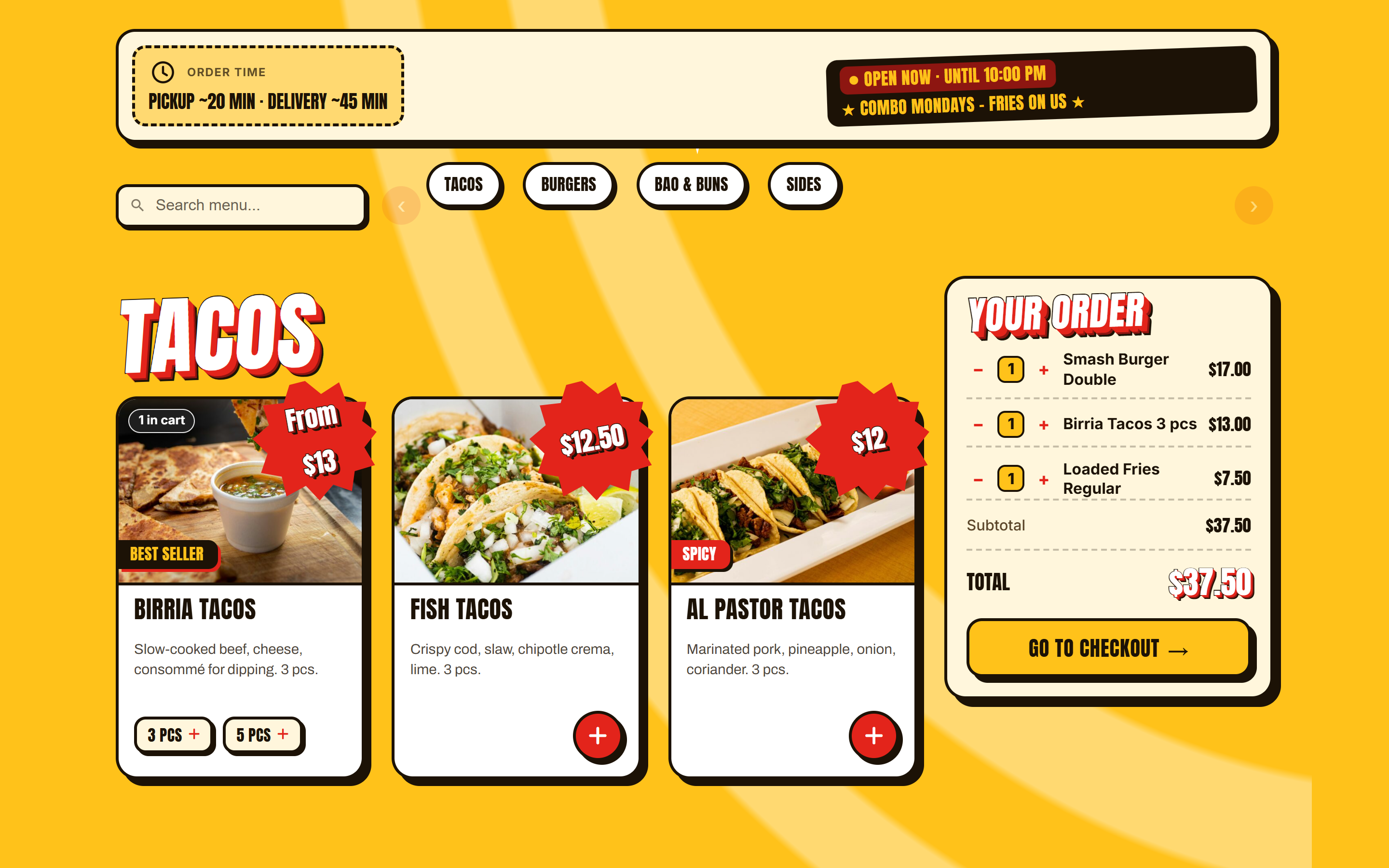
The Food Online Menu block with the Arcade template, with opening hours and order time in the order bar.
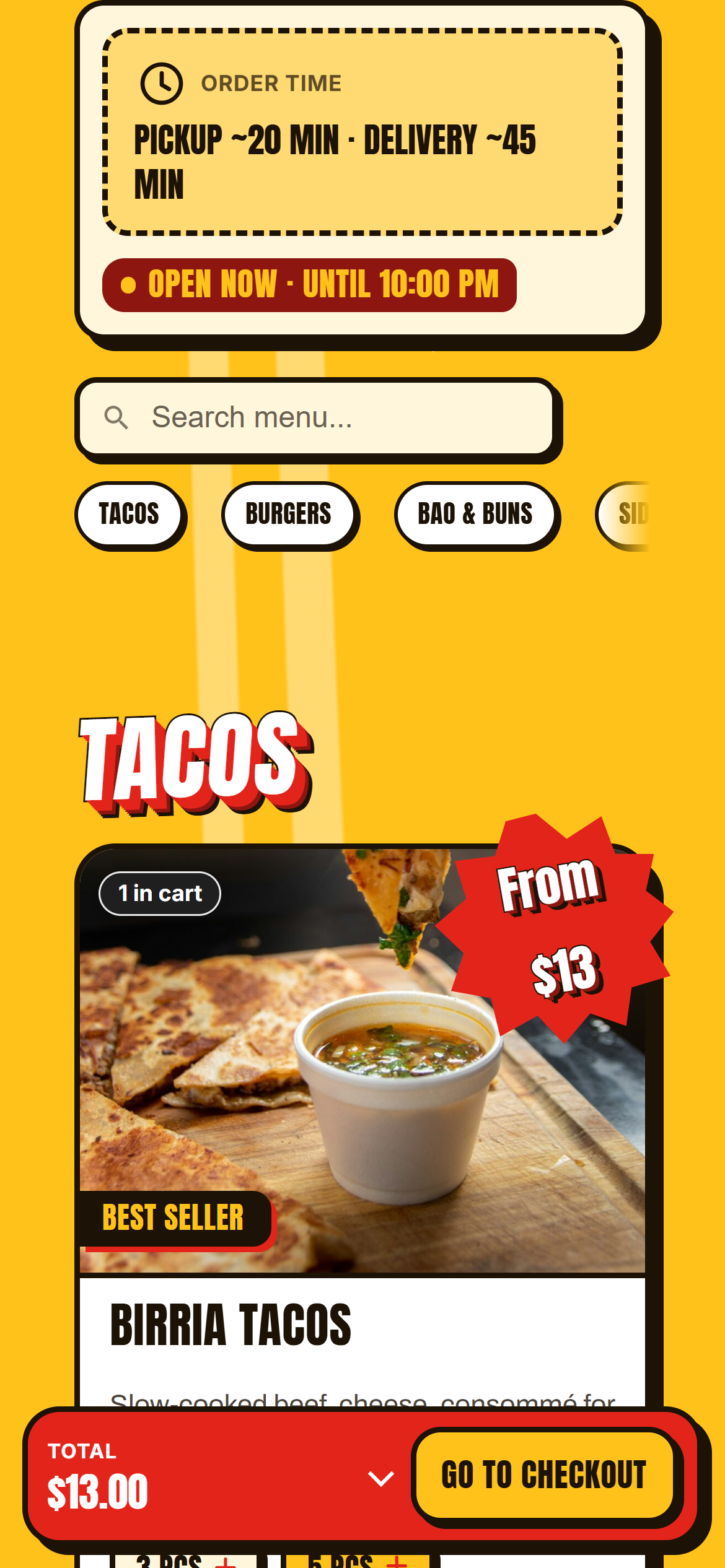
Arcade on a phone, with the mini cart summary bar.
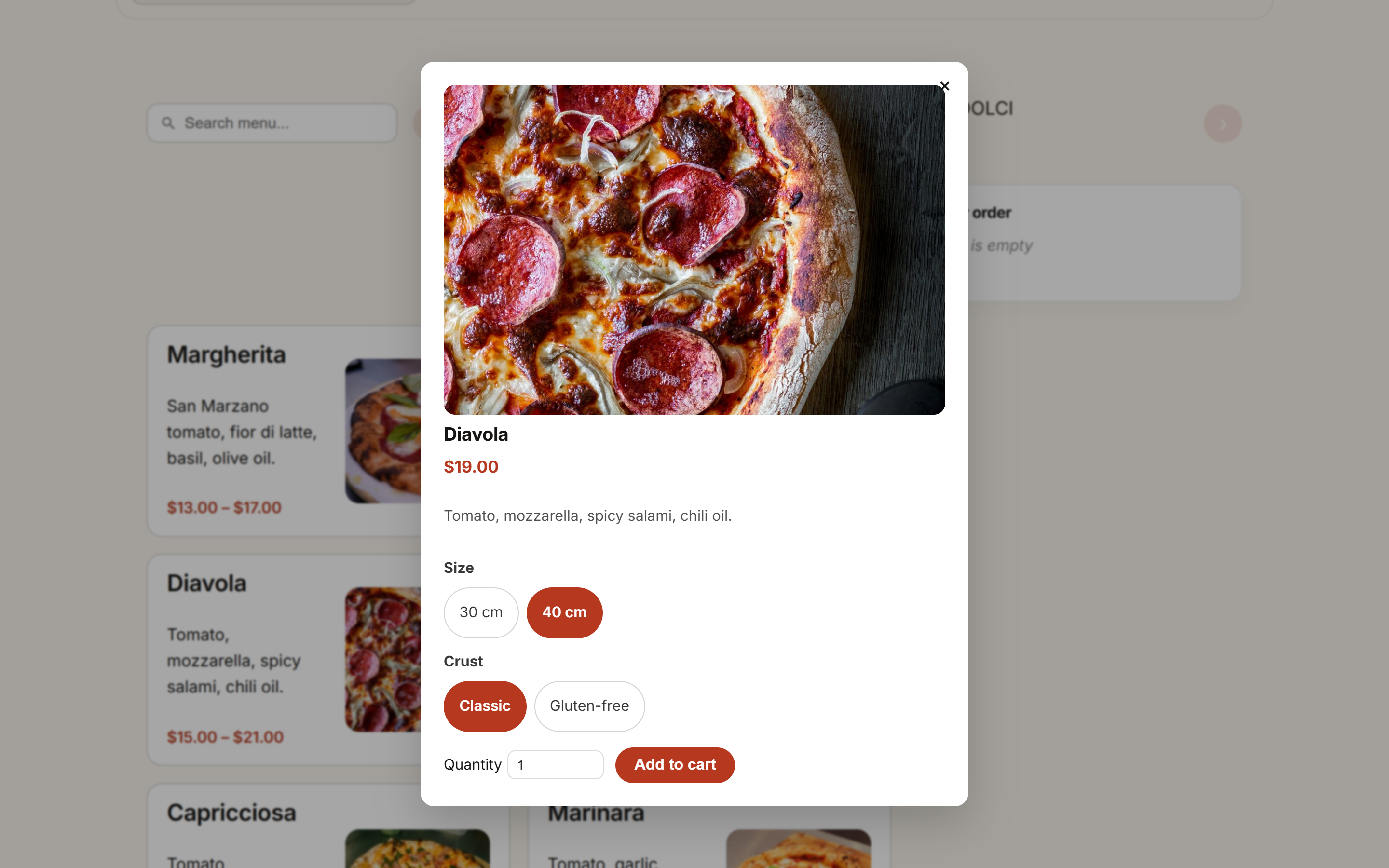
Product popup with options and a price that follows the choice.
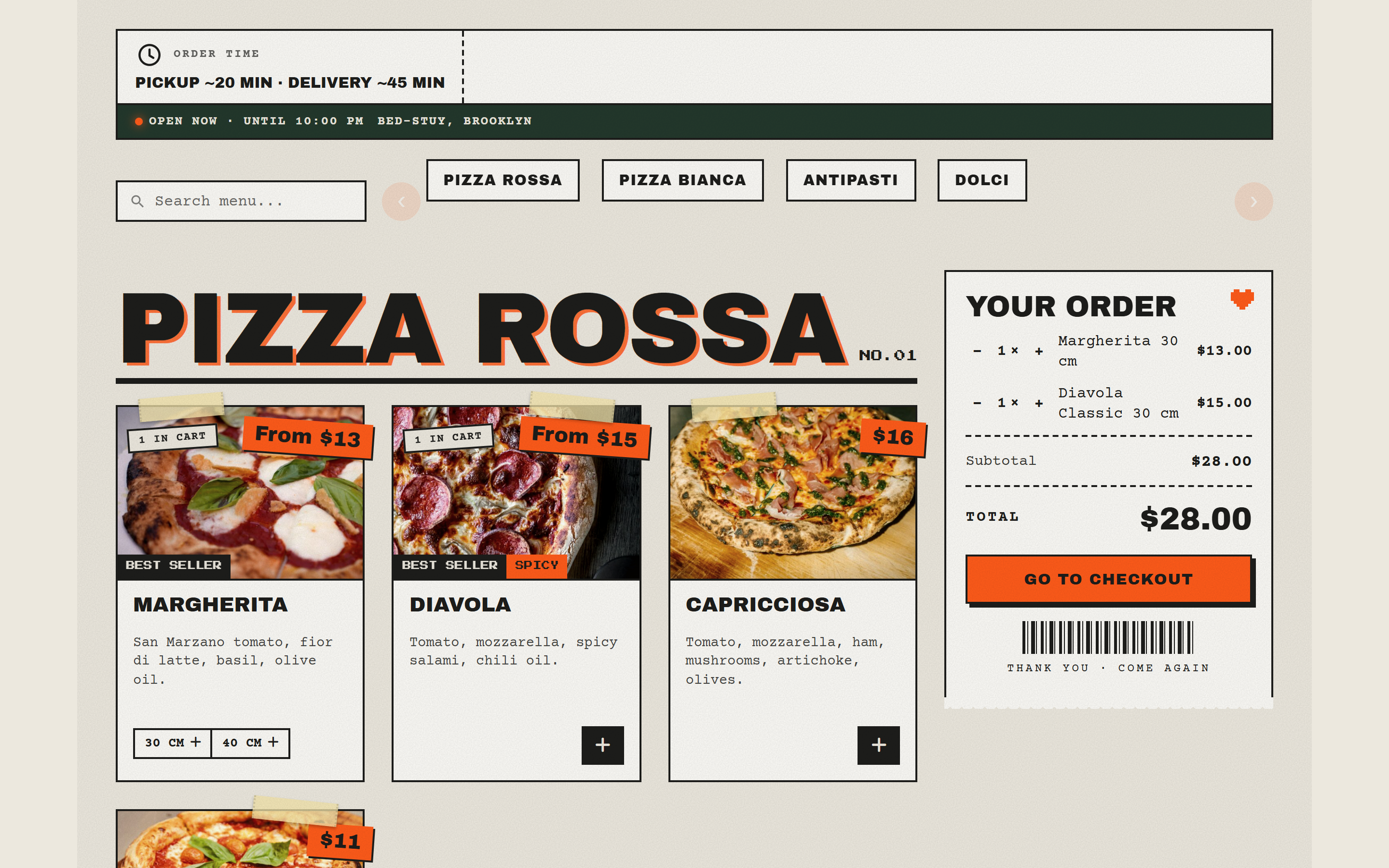
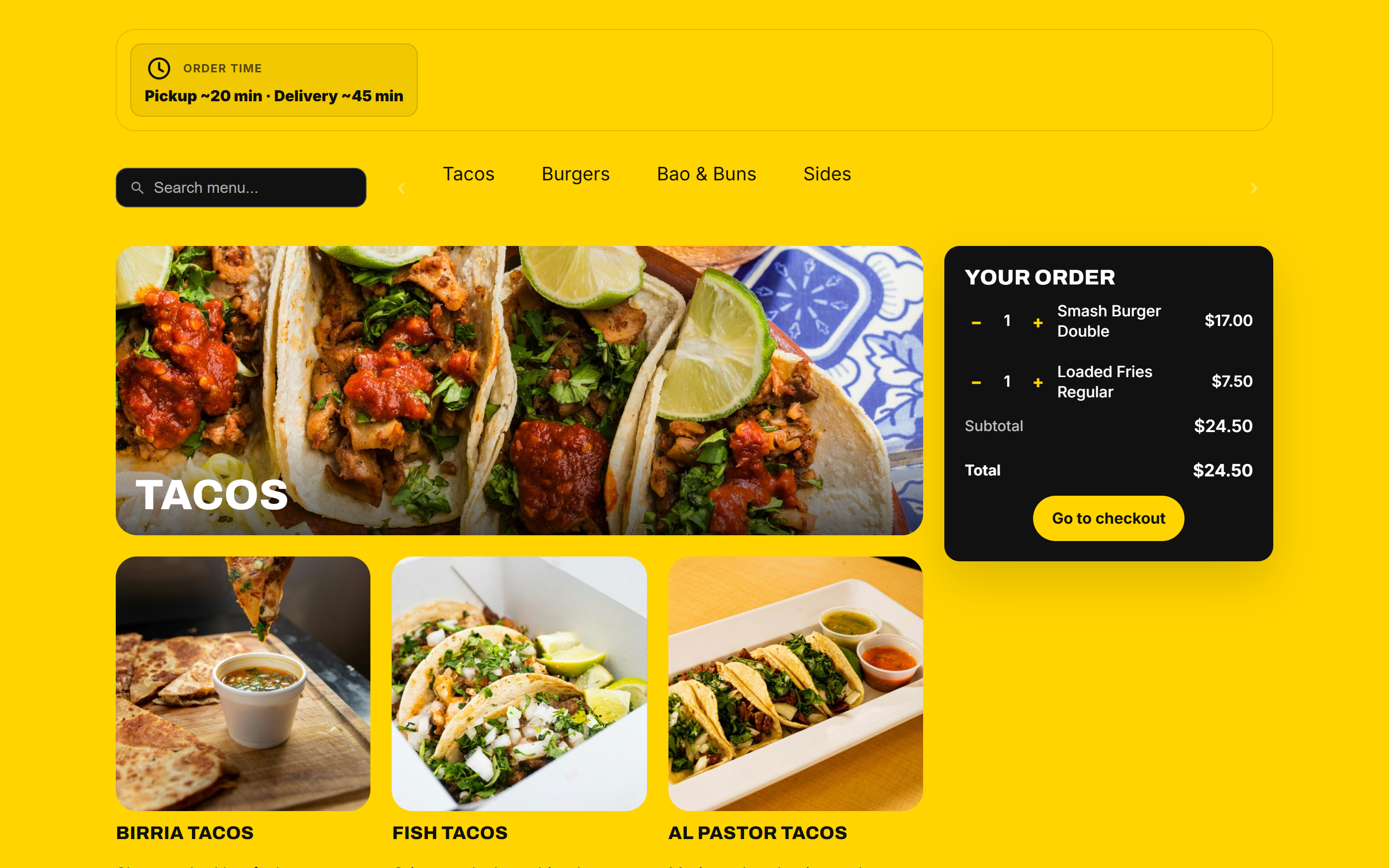
The Street template.
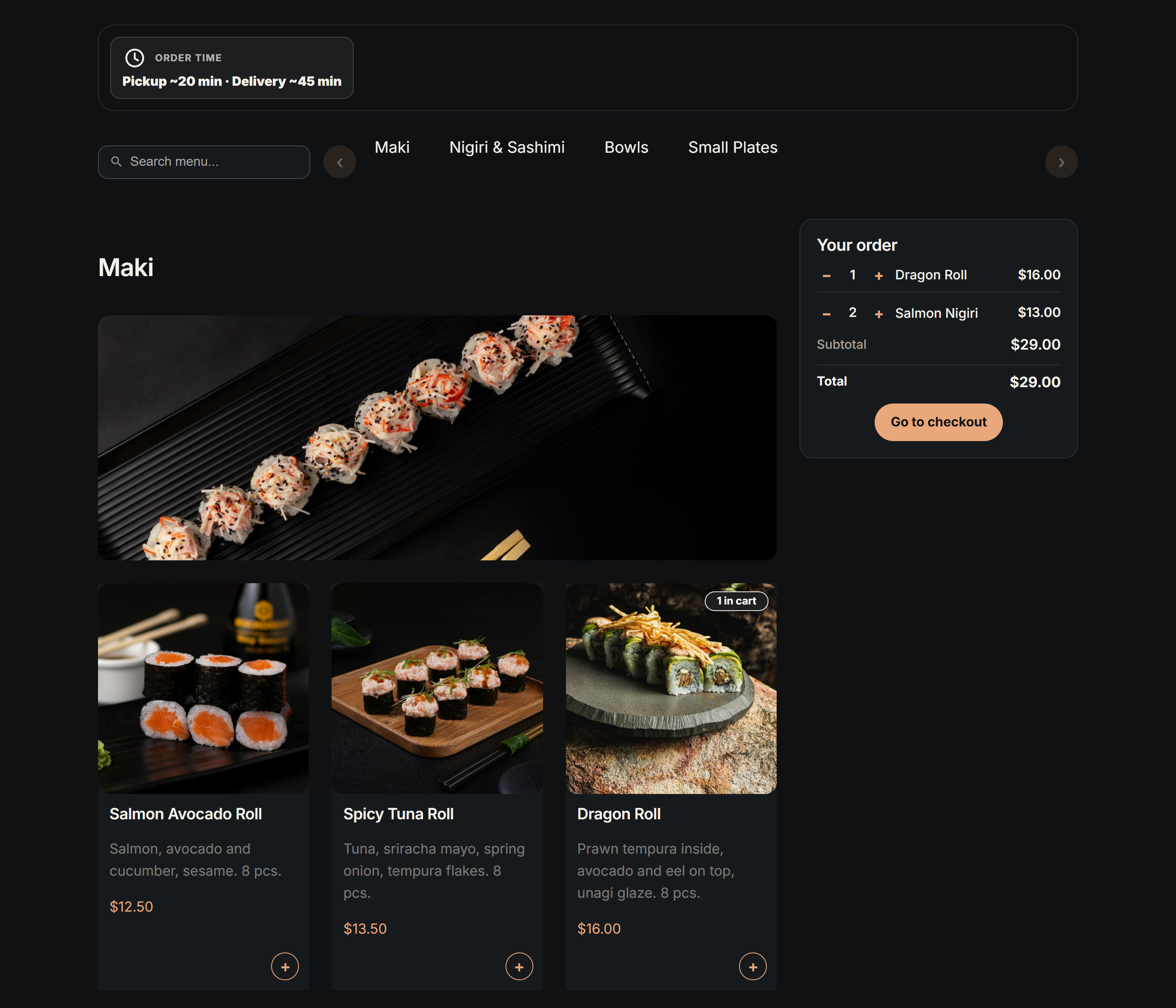
Valdemar Dark, a dark template for sushi and cocktail bars.
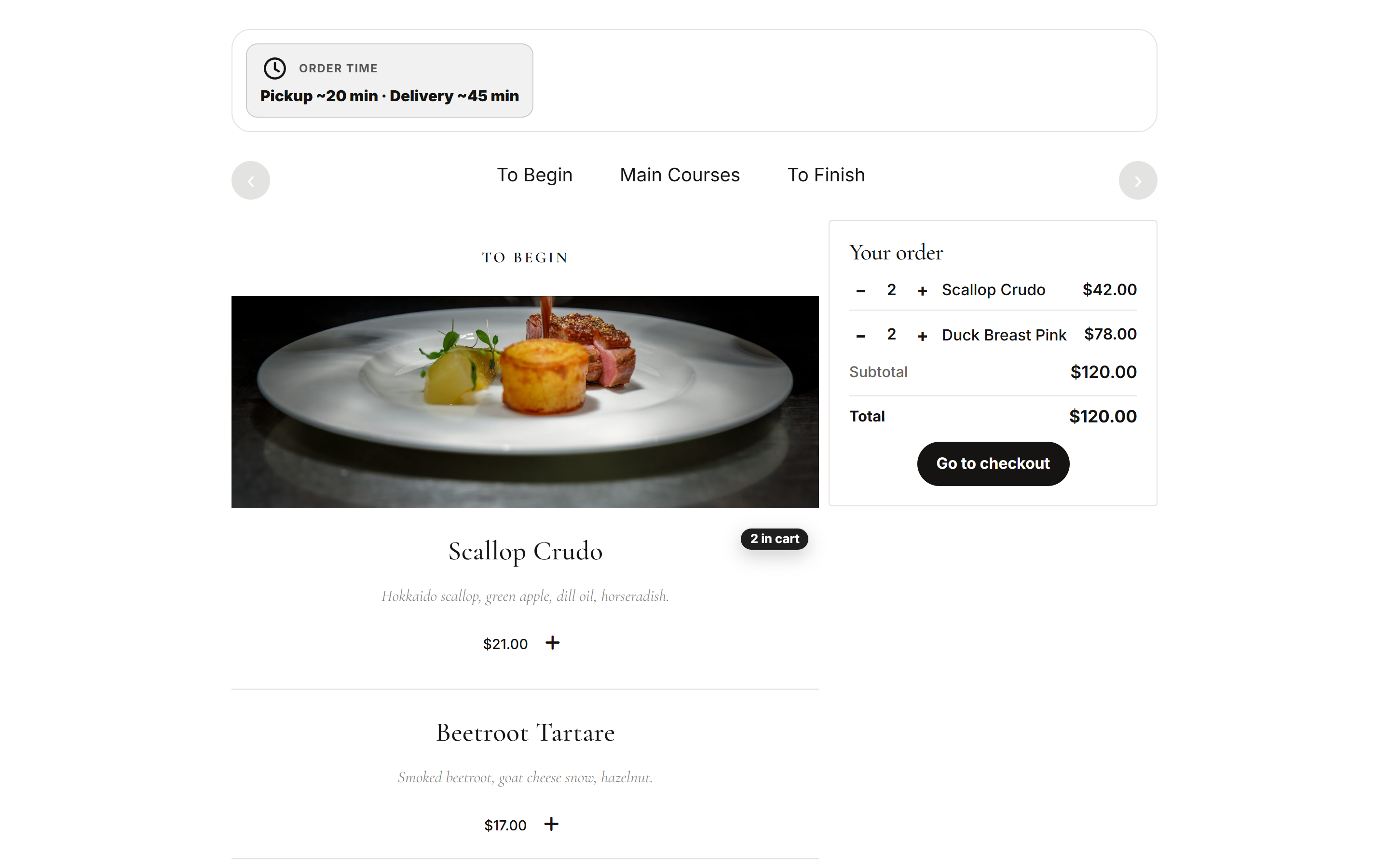
Ellen Noble, a fine-dining template.
Einar's Fusion with variants as buttons on the card.
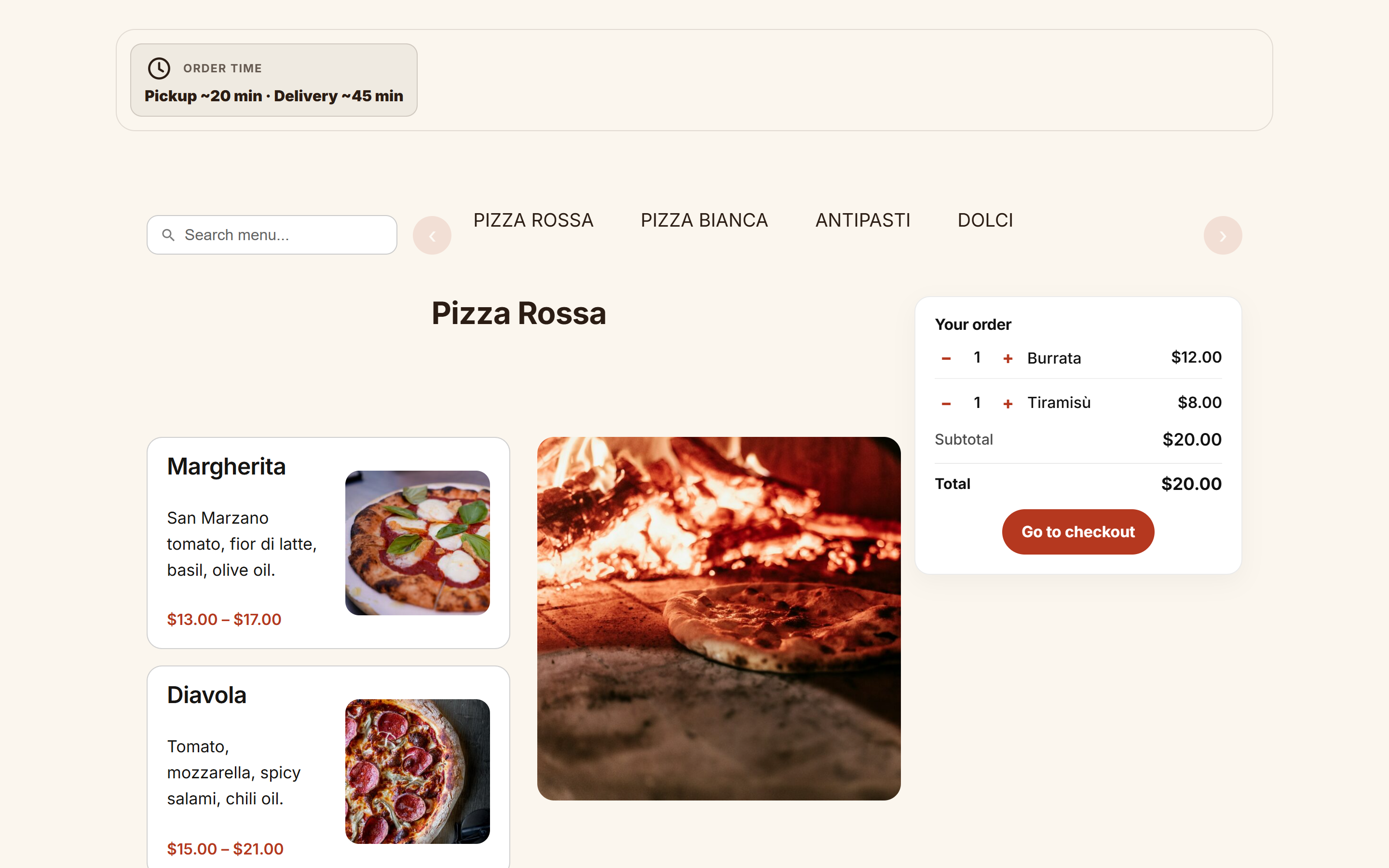
The 2026 Template.
![A classic [foodonline] menu with template="street".](https://ps.w.org/food-online-for-woocommerce/assets/screenshot-9.png?rev=3769238)
A classic [foodonline] menu with template="street".
![Building blocks: [foodonline_menu] and [foodonline_minicart] in columns.](https://ps.w.org/food-online-for-woocommerce/assets/screenshot-10.png?rev=3769238)
Building blocks: [foodonline_menu] and [foodonline_minicart] in columns.
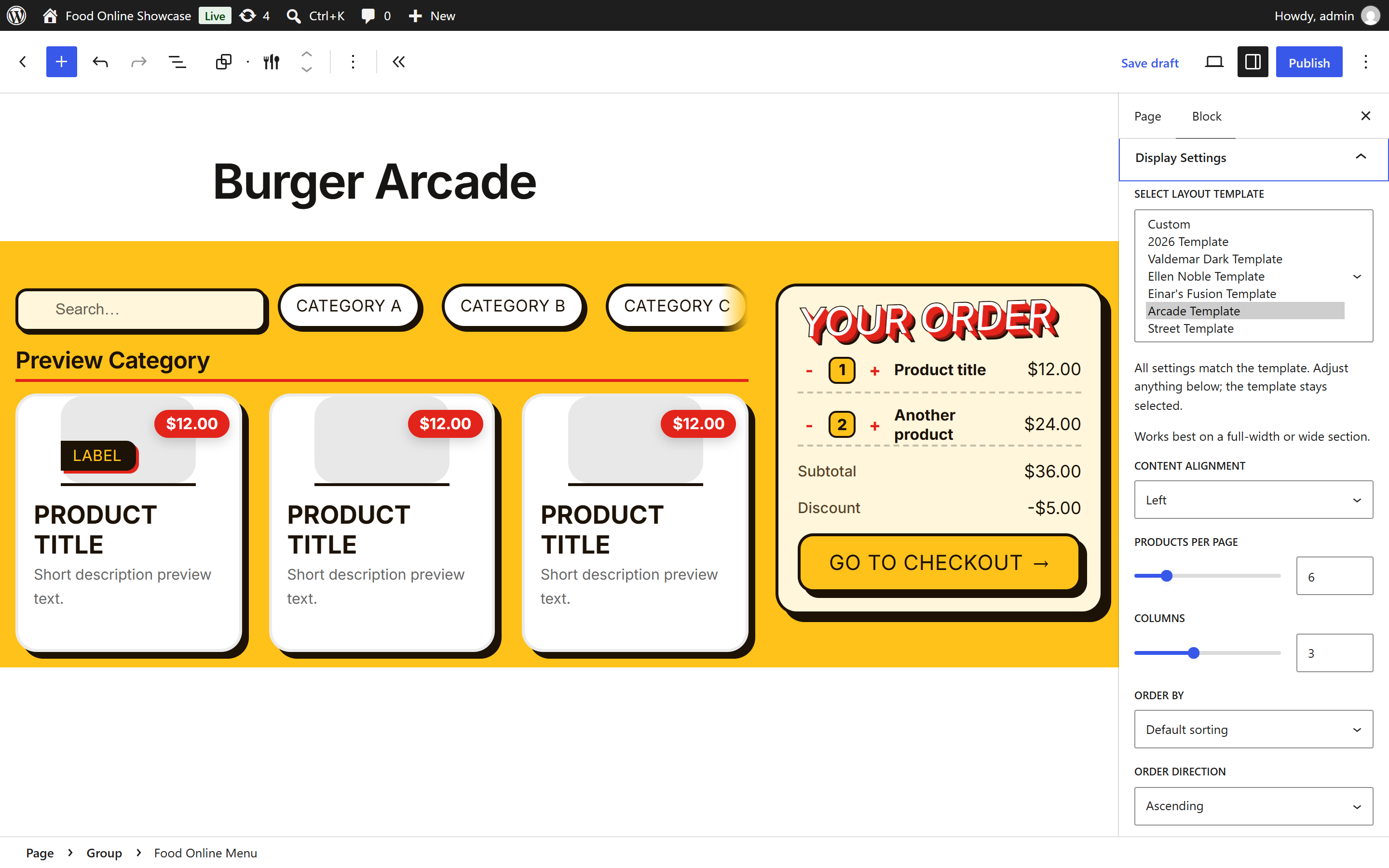
Choosing a template in the block editor.
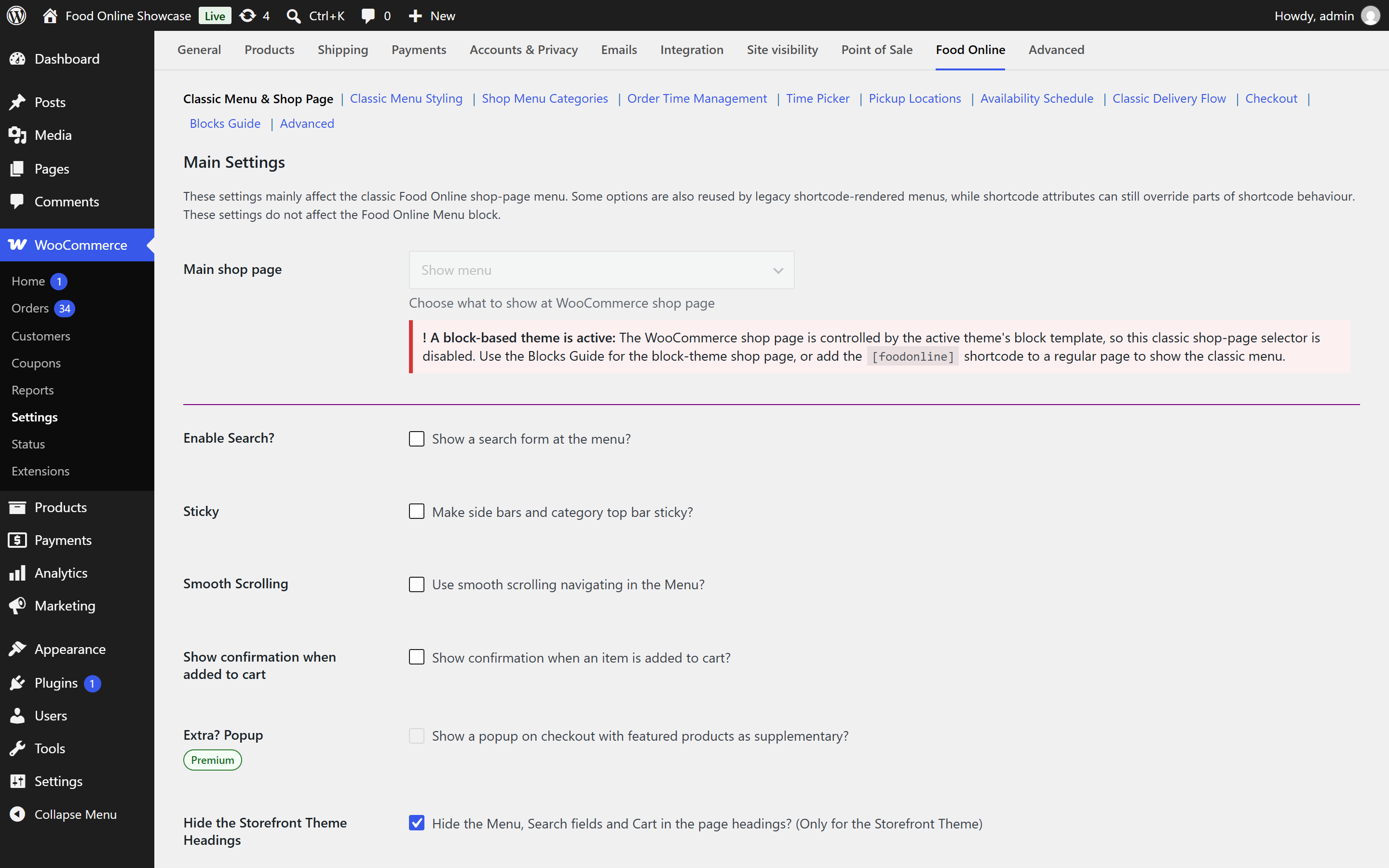
Food Online settings in WooCommerce.