Forge12 Security – Firewall, Malware Scanner, 2FA & Login Security
by Forge12 Interactive GmbH
Forge12 Security is an all-in-one WordPress security plugin built by Forge12 Interactive GmbH in Germany. Firewall, malware and file scanner, login protection with two-factor authentication, hardening and AI crawler control — every module can be switched on and off on its own, so a site runs only the parts it needs.
It is built for sites that have to answer for their visitors’ data: IP addresses are stored as hashes, the admin loads no fonts, scripts or images from anybody else, and nothing contacts a third party unless you switch the feature on.
Every feature described below is included and fully functional. Nothing here is
limited by a licence key, a trial period or a usage quota.
Forge12 Security Pro
For agencies and business sites, Forge12 Security Pro adds what the plugin directory does not allow a free plugin to do, and what saves time when you look after many sites:
- Repair with one click — put the original back over a modified WordPress, plugin or theme file, one at a time or all at once, and restore files from quarantine
- Firewall before WordPress — requests are checked before WordPress and every other plugin load
- Same-day signatures — malware signatures and firewall rules the day they are published; the free plugin receives the same rule set 30 days later
- Country blocking and IP ranges — allow or block by country, and by IPv4/IPv6 range
- Tamper-proof audit trail, Slack and Telegram alerts, daily digest
- Remote monitoring, WP-CLI and multisite network management for looking after many sites
- Database snapshots with restore, Google Safe Browsing, and automatic repair and quarantine instead of a report
Pro is an add-on: it needs this plugin installed and active, and keeps all of its settings. Compare Free and Pro.
What it does
- Web application firewall. Scores each request against a signature set and
refuses it when a category threshold is reached. A learning mode records what
matches without blocking, so the exceptions your own site needs can be created
from what actually happened. - Outbound traffic monitoring. Watches where this installation sends data
and to whom, learns which hosts are normal, and reports the new ones. Stolen
data has to leave the server somehow; this is where that shows. - Reinfection, not just infection. A file that was removed and came back is
proof of persistence. The scanner looks for what put it back — a scheduled
event, a must-use plugin, a drop-in — instead of deleting it again. - Behaviour rules. Judges a file by the sequence of things its code does
(create a user, hand it the administrator role, mark it to be found again),
not by how it is written. Obfuscation is free to change; the steps are not. - AI crawler detection with proof. Anyone can put “ClaudeBot” in a header.
Crawlers are checked against the address ranges their operators publish, so a
claim that cannot be verified is treated as unverified rather than as fact.
Each crawler, or each category of crawler, can be allowed, watched or refused. - Login protection and two-factor authentication. Rate limiting, lockouts,
TOTP with locally generated QR codes, and an optional custom login address.
Requirements
- WordPress 6.2 or higher
- PHP 8.1 or higher
- MySQL 5.7 / MariaDB 10.3 or higher
External Services
Everything this plugin does happens on your own server, with the exceptions
below. None of them runs unless the feature that needs it is switched on; the
only one that is on out of the box talks to WordPress.org. The plugin’s Data
Protection screen (Security, Privacy) shows which of them are active on your
site.
WordPress.org — on by default
File integrity, malware and update checks compare your files with the official
checksums. Sent while a scan runs: plugin and theme slugs, version numbers and
file hashes. No personal data.
Terms: https://wordpress.org/about/license/
Privacy policy: https://wordpress.org/about/privacy/
WPVulnerability — off by default
Looks up whether an installed plugin or theme has a published vulnerability.
The setup wizard asks first. Sent once a day and during a full scan: the slug
and version of each installed plugin and theme. Nothing about your site or your
visitors.
Terms: https://www.wpvulnerability.com/license/
Privacy policy: https://www.wpvulnerability.com/privacy/
Have I Been Pwned (Pwned Passwords) — off by default
Checks whether a new password appears in a known breach. Only the first five
characters of the password’s SHA-1 hash are sent (k-anonymity), never the
password and never a username.
Terms: https://haveibeenpwned.com/API/v3
Privacy policy: https://haveibeenpwned.com/Privacy
SilentShield — off by default, needs an API key
A behaviour check on the login, registration and password reset forms, and the
only feature that loads a script into a visitor’s browser — on those three forms
only. The visitor’s IP address reaches the service. Operated by Forge12
Interactive GmbH from Germany.
Further, separate switches in the Hardening settings, all off by default and all
working from your server rather than from a visitor’s browser. The first reports
suspicious requests: your server reports a request when the firewall blocked it,
the rate limiter throttled it, a honeypot caught it, or its claim to be a known
crawler failed verification. These signals can be wrong, so a legitimate visitor
can be reported as well. Sent are a keyed hash of the IP address prefix and the
User-Agent, a reason code and the time rounded to the hour, and for crawlers that
proved who they are, their name. No IP address and no User-Agent are sent in
clear text. The key is issued per account by SilentShield and rotates, so the
hashes cannot be compared between accounts; SilentShield knows the key and can
recompute the hash for any address and User-Agent it wants to test, so the hash
is pseudonymous to the provider, not anonymous, and can still count as personal
data. The purpose is bot defence for your site, the lawful basis is your
legitimate interest in security (Art. 6(1)(f) GDPR), which you have to assess
yourself, and the sentence belongs in your privacy policy; the plugin’s Data
Protection screen drafts it. A separate switch sends two coarse features of
logins judged human, without any identifier: the browser family and the main
language of the browser. Neither the address, the User-Agent nor a hash is sent
with them. The last switch fetches a
signed list of known bot fingerprints, which is matched on your server; nothing
about your visitors is sent for that lookup. These three switches need the API
key, and the server key from the SilentShield dashboard (the secret counterpart
of the API key, used only by your server and never shown to a visitor), and do
nothing without them.
Limits are set by the service, not by the plugin: the plugin contains the whole
feature and uses whatever the service returns. At present the service allows an
account up to 5,000 entries in the list and up to 5,000 reports a day. Above the
daily limit it answers that there were too many requests; the plugin then waits
and asks again later, and your site carries on unchanged. These limits can
change on the service’s side without a plugin update.
Terms: https://silentshield.io/terms/
Privacy policy: https://silentshield.io/privacy/
Forge12 signature service — off by default
Fetches the current signed malware and firewall rule set twice a day and applies
it only after its signature checks out. The setup wizard asks first. Sent: the
plugin version and the number of the rule set already held. If you enter a
licence key, the key and this site’s domain are sent to validate it. Operated by
Forge12 Interactive GmbH from Germany.
Terms: https://www.forge12.com/agb/
Privacy policy: https://www.forge12.com/datenschutz/
Crawler operators’ published address lists — off by default
Switched on, the list each crawler operator publishes of its own addresses is
fetched once a day, so that a real crawler can be told from an impostor. The
lists come from the operators themselves: Google, Microsoft Bing, OpenAI,
Anthropic, Perplexity, DuckDuckGo, Apple, Cloudflare, UptimeRobot and Jetpack.
The request carries the plugin’s user agent, which names your site; nothing
else is sent. While it is off, the lists shipped with the plugin are used and
nothing is fetched. Each operator’s own terms and privacy policy apply.= Key Features =
Web Application Firewall (WAF)
- Regex-based request filtering with customizable rules
- IP blocking with automatic expiration
- Bot detection with reverse DNS verification for Googlebot, Bingbot, Yandex, Baidu, DuckDuckBot
- Request validation (method, URL length, null byte detection)
- Predefined rule sets for common attack patterns (SQL injection, XSS, path traversal)
- WAF Learning Mode that records what the firewall would have blocked
- Automatic whitelist rule generation from learning mode results
Outbound Traffic Monitoring
- Watches where this installation sends data, and to whom
- Learns a baseline of the hosts your site normally talks to, then reports the ones that are new
- Refuses an outbound call before the connection is opened, so exfiltration and callbacks to a command server are stopped rather than logged after the fact
- The step every worthwhile attack has to take in the end — stolen data has to leave the server somehow
Vulnerability Shield
- Holds a known-vulnerable plugin shut until its update arrives
- The unauthenticated endpoints of a plugin with a published, unpatched vulnerability stop answering — the plugin’s own code is never touched
- Closes the window between disclosure and update: the weighted median from publication to mass exploitation is five hours, and 46 % of vulnerabilities are still unpatched on the day they are published
AI Crawler Detection
- Recognises crawlers operated by AI companies: OpenAI, Anthropic, Google, Perplexity, Meta, Apple, Amazon, Common Crawl, ByteDance and more
- Sorts them by what they do with your content: model training, assistant fetches on behalf of a user, AI search indexing
- Records which crawler requested what, and how often
- Allow, watch or block each crawler or whole category
- Matching robots.txt directives generated from your decisions
DDoS & Rate Limiting
- Configurable request rate limits per IP
- Separate rate limits for REST API endpoints
- 404 rate limiting to detect and block vulnerability scanners
- Automatic IP blocking on limit exceeded
- IP whitelist for trusted addresses
Login Protection
- Brute force prevention with automatic lockout (5 attempts / 15 min)
- Two-factor authentication (TOTP) with QR code setup
- Recovery codes for 2FA
- Login honeypot for bot detection
- Custom login URL to hide wp-login.php
- SilentShield bot check on the login, registration and password reset forms — Forge12’s own service, served from Germany, no Google script in your visitors’ browsers
- Login activity logging (success, failure, lockout)
Password Security
- Configurable strong password policy (minimum length, uppercase, numbers, special characters)
- Breached password detection via Have I Been Pwned API (k-Anonymity)
- 2FA enforcement per role, with a grace period for gradual rollout
File Integrity Monitoring
- SHA-256 checksum baseline of all WordPress core, plugin, and theme files
- Automatic scheduled scans with configurable intervals
- Repository verification against WordPress.org originals
- Automatic scheduled malware and integrity scans
- Quarantine and delete suspicious files
- Excluded paths: a page for the directories no file check should judge — a template cache a plugin fills with generated PHP, a staging clone, code you trust. It records which places your scans keep reporting and how many scans in a row, so excluding one is a button rather than a path typed from memory; entries can be switched off instead of deleted, and known candidates are offered as ticks, never applied on their own
Malware Signature Scanner
- Pattern-based malware detection with 283 built-in signatures
- Detects eval/base64 backdoors, shell uploads, code obfuscation, and remote includes
- Heuristic detection via entropy and structure analysis, beyond signature matching
- Three sensitivity levels: critical signatures only, critical and high, or everything including heuristics
- Files that still match the checksum their author published on WordPress.org are never flagged
- Mark a reviewed file as allowed — pinned to its content, so a later change brings it back into scope
- File Guard: an unexpected PHP file is reported the moment it is executed, not on the next scheduled scan. On its own this covers files that load WordPress, which is most of them, because a shell usually wants the database.
- Suspicious file flagging with threat identification
- Extensible signature database (JSON format)
Reinfection, Attack Surface and Supply Chain
- Persistence check: finds what puts a removed file back — a scheduled event, a must-use plugin, a drop-in — starting with the evidence that actually proves reinfection, a file that was taken away and is back
- Attack surface: records which REST routes and AJAX actions are reachable without logging in and which of those change something, and reports the door that newly appeared
- Update guard: verifies an installed update against the per-file checksum manifest WordPress.org publishes, so a package that is not what the author shipped is caught on arrival
- Known hashes: covers premium plugins, bespoke themes and this plugin itself, where wordpress.org publishes no original to compare against
- File inventory instead of modification times: a dropped file cannot make itself old with touch, and a plugin update no longer resets what counts as new
- Behaviour rules: judges a file by the sequence of things its code does — create a user, hand it the administrator role, mark it to be found again — not by how it is written
- Every finding says in plain words what it means and what to do about it, instead of naming the rule that fired
Database Integrity Monitoring
- Monitors wp_options, wp_posts, wp_postmeta, wp_users, wp_usermeta
- Detects unauthorized modifications, injected scripts and phishing URLs in posts, comments and options
WordPress Hardening
- Disable XML-RPC and pingbacks
- Disable file editor
- Force SSL for admin area
- Block PHP execution in uploads directory
- Prevent user enumeration
- Restrict REST API to authenticated users
- Disable application passwords
- Remove WordPress version info
- Configurable Content-Security-Policy header
- Full suite of security headers (HSTS, X-Frame-Options, X-Content-Type-Options, etc.)
- Limit post revisions
- Shorter session lifetimes
- Limit concurrent sessions per user
- Auto-update WordPress core
- Comment spam honeypot protection
- Strong password enforcement with configurable rules
- SilentShield bot protection for login, registration and password reset forms
Email Notifications
- Alerts for critical and high severity events
- Findings collected and sent as one message, grouped and counted, instead of one email per finding
- Anything critical sent immediately, with whatever else has collected
- Unsubscribe link in every message, for people who no longer have an account on the site
- Weekly summary of what was blocked, attempted and found — sent whether or not anything went wrong
- Optional notifications for IP blocks
- Scan summary emails when changes are detected
- Configurable notification email address
- A test button to check delivery
- Slack and …
Screenshots

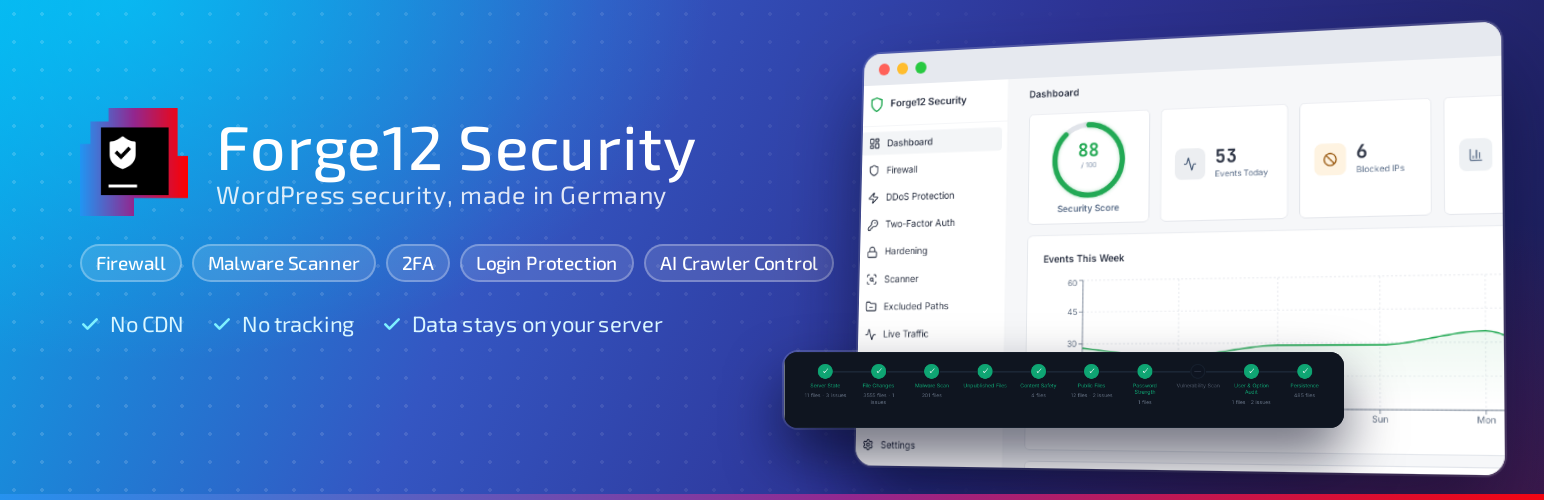
Dashboard: security score, a week of events, and every module on one switch each

Firewall: what was refused and why, split by kind, with the addresses currently blocked

Rate limiting: separate limits for pages, the REST API and missing files

Hardening: each measure on its own switch, the ones still off marked, and a watch-only position for the REST API

Scanner: every step of a run, what it checked, and what it found

Logs: filter by severity or event, and export as CSV

AI crawlers: who fetched your content and what for - decide by purpose, not by name

Data protection: what is stored, where, for how long, and what leaves the server

REST routes: which routes anonymous callers ask for, what was refused, and one click to open the ones you need

Excluded paths: the places your scans keep reporting, how many runs in a row, and one button to stop judging a directory a plugin generates